Richer Araujo / Notícias
- Informações
|
12+ anos
experiência
|
0
produtos
|
0
versão demo
|
|
0
trabalhos
|
0
sinais
|
0
assinantes
|
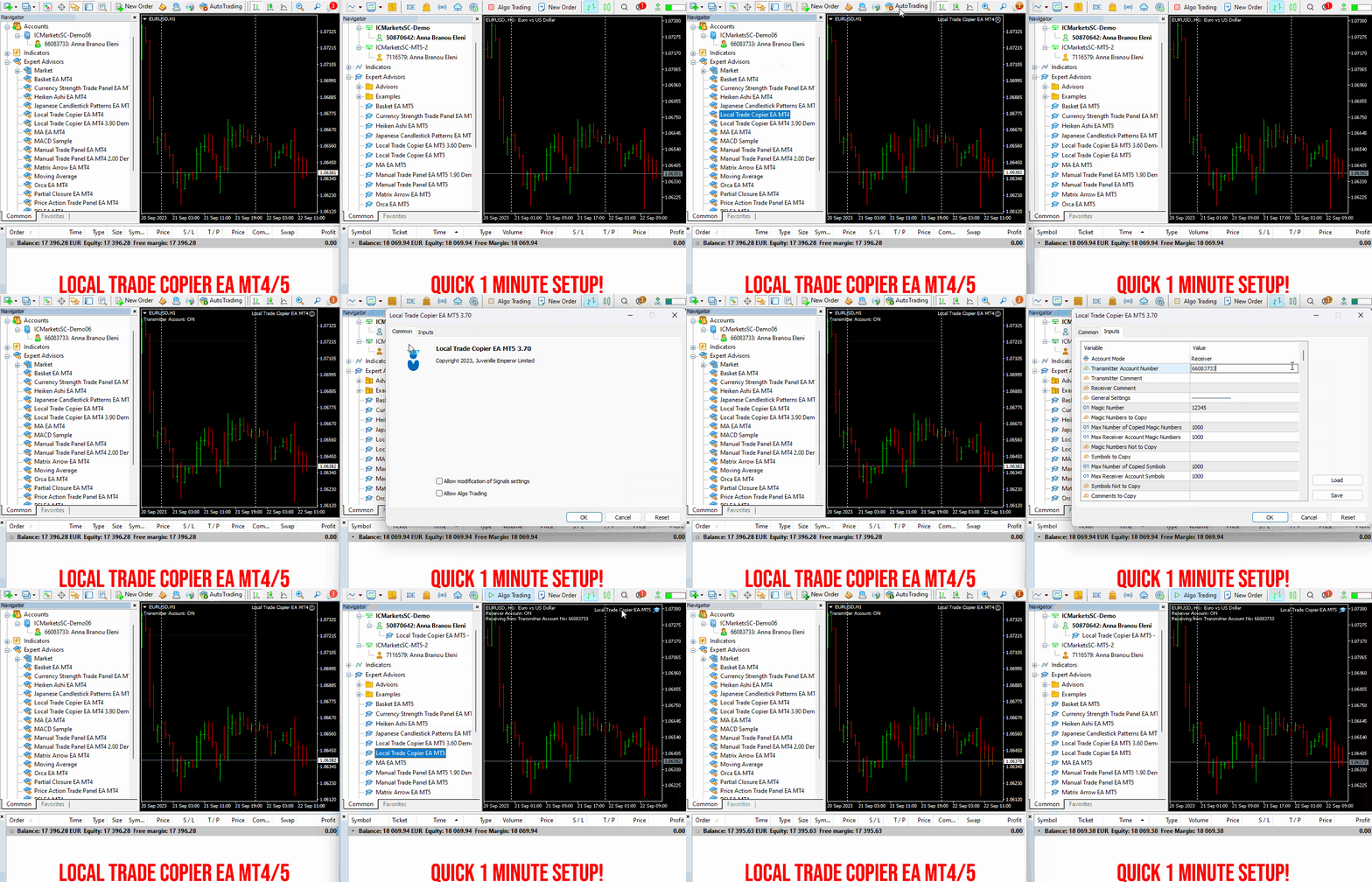
✔️ High-Speed Copying: Achieve transfers under 0.5 seconds between local MT4 and MT5 terminals*.
✔️ Versatile Support: Supports MT4>MT4, MT4>MT5, MT5>MT4, MT5>MT5 copying*.
✔️ User-Friendly Interface: Simple 1-minute setup for straightforward usage.
✔️ Compatibility: Works on Windows computers and Windows VPSs.
✔️ Flexible Copying: Copies between real>real, real>demo, demo>real, and demo>demo accounts, across all brokers.
✔️ Multi-Account Transfers: Allows one or more transmitter accounts to copy to one or more receiver accounts.
✔️ Customizable Lot Sizes and Risk: Offers a diverse range of 18 options for lot size and risk management per trade.
✔️ Read-Only Account Copying: Can copy from a read-only investor password transmitter account.
✔️ Comprehensive Trade Multiplication: Copies and multiplies trades from any source, including manual trades.
✔️ No Conflicts: Enables manual trading or expert advisor use without conflicts.
✔️ Stable Settings: Does not lose settings if connection is lost or terminals are restarted.
✔️ High Accuracy, Low Computing: Ensures high accuracy copying with minimal computing power.
✔️ Comment Options: Provides transmitter and receiver comment options.
✔️ Trade Filtering: Filters copied trades by magic number, symbol, comment, number, or volume.
✔️ Day and Time Control: Allows day and time control settings for copying.
✔️ Flexible Trade Copying: Copies long/short, old/new trades, market trades, or pending orders.
✔️ Take Profit and Stop Loss Handling: Copies or not take profit and stop loss levels from original transmitter trades.
✔️ Customized TP/SL Management: Offers various options for take profit and stop loss management.
✔️ Trade Closure Options: Provides options for synchronized trade closure and correct partial closure on receiver copied trades.
✔️ Trade Reopening: Allows reopening of closed receiver trades if original transmitter trades are still open.
✔️ Advanced Price Management: Offers better price options, reverse copying, and original TP/SL levels.
✔️ Trade Splitting: Splits copied trades automatically or at set smaller parts.
✔️ Risk Control: Implements maximum risk % control per symbol, currency, or account level.
✔️ Lot Size Management: Provides minimum/maximum lot size options for receiver copied trades.
✔️ Flexible Lot Size Ignoring: Can ignore minimum/maximum transmitter or receiver lot size options.
✔️ Account Protection: Offers emergency account protection measures.
✔️ Drawdown Management: Implements maximum daily drawdown and profit settings, with pause options.
✔️ Drawdown Control: No copying if transmitter or receiver drawdown exceeds a certain percentage level.
✔️ Notification Options: Provides email and push notifications for copied trades or receiver balance, equity, and margin levels.
✔️ Broker Compatibility Features: Includes prefix and suffix auto-detection and setup, and mapping of special symbols.
✔️ Activations: Offers 20 activations for installation across multiple terminals, computers, and VPSs.
✔️ Self-Copier Mode: Compatible with MQL5 VPS in self-copier mode.
✔️ Fully Automated: Operates as a 100% automated expert advisor.
* you must purchase both MT4 & MT5 versions of Local Trade Copier EA for copying between MT4<>MT5 terminals
🔥🔥🔥🔥🔥 Watch the Local Trade Copier EA MT4/5© Quick Setup Video: https://vimeo.com/1158003543?fl=tl&fe=ec
⭐️⭐️⭐️⭐️⭐️ Local Trade Copier EA MT4©: https://www.mql5.com/en/market/product/68950
⭐️⭐️⭐️⭐️⭐️ Local Trade Copier EA MT5©: https://www.mql5.com/en/market/product/68951
📥 Download the Local Trade Copier EA MT4© demo version in your demo account now: https://c.mql5.com/6/987/Local_Trade_Copier_EA_MT4_4_50_Demo.ex4
📥 Download the Local Trade Copier EA MT5© demo version in your demo account now: https://c.mql5.com/6/985/Local_Trade_Copier_EA_MT5_4_30_Demo.ex5
✅ Local Trade Copier EA MT4/5© installation guide: https://www.mql5.com/en/blogs/post/745683
✅ Local Trade Copier EA MT4/5© detailed inputs/settings guide: https://www.mql5.com/en/blogs/post/745681
💎💎💎💎💎 Check out all my Expert Advisors, Indicators and Utilities: https://www.mql5.com/en/users/eleanna74/seller
14 July 2026
Rough starting points, valid for all three tools (and expressly meant to be tuned):
✅ M1 chart → 4 Hours
✅ M5 / M15 → 8 Hours
✅ M30 → 3 Days
✅ H1 → 1 Week
The tuning rule behind it matters more than any table:
👉 Too few signals? Shorten the analysis period.
👉 Too many flips back and forth? Lengthen it.
For the big picture we have always run the strength triple H4 / D1 / W1 (FX Power for currencies, IX Power for indices and crypto): short, mid and long horizon. When all three agree, the market has a real theme.
Rule to remember: the chart timeframe decides HOW values are drawn. The analysis period decides WHAT is calculated.
👉 Full guide: https://stein.investments/learn
For added protection, the EA includes advanced account safeguarding mechanisms. When a specified equity take profit or stop loss level or a maximum drawdown from the account's balance high is reached, the EA can automatically close all open trades, delete any pending orders, and shut down all charts, removing any Expert Advisors running on them. This feature helps protect your capital during unexpected market movements or when reaching your predefined account targets.
✔️ Does not use Martingale, Grid, Averaging, or other high-risk techniques
✔️ Allows exclusion of specific Magic Numbers, trade comments, or symbol trades from management
✔️ Basket Take Profit in % for all managed trades combined
✔️ Basket Stop Loss in % for all managed trades combined
✔️ Basket Break Even in % for all managed trades combined
✔️ Basket Trailing Stop Loss in % for all managed trades combined
✔️ Basket Take Profit in money for all managed trades combined
✔️ Basket Stop Loss in money for all managed trades combined
✔️ Basket Break Even in money for all managed trades combined
✔️ Basket Trailing Stop Loss in money for all managed trades combined
✔️ Basket Take Profit in average points for all managed trades combined
✔️ Basket Stop Loss in average points for all managed trades combined
✔️ Basket Break Even in average points for all managed trades combined
✔️ Basket Trailing Stop Loss in average points for all managed trades combined
✔️ Option to reset all Basket settings after each account balance update or after a Basket target is hit
✔️ Option to close all managed trades at break even after recovering from a drawdown
✔️ Option to close all managed trades at a specific time on a chosen day or daily
✔️ Account protection feature that closes all trades and charts when equity-based TP or SL is reached
✔️ Maximum drawdown % from balance high that closes all trades and charts/EAs if triggered
✔️ Optional on-chart panel to monitor profit/loss and close trades by type or all at once
✔️ Terminal, push notification, and email alerts when any Basket or protection condition is triggered
✔️ 100% automated Expert Advisor
✔️ Fully compatible with MQL5 VPS
⭐️⭐️⭐️⭐️⭐️ Basket EA EA MT4©: https://www.mql5.com/en/market/product/45192
⭐️⭐️⭐️⭐️⭐️ Basket EA EA MT5©: https://www.mql5.com/en/market/product/72782
📥 Download the Basket EA MT4© demo version in your demo account now: https://c.mql5.com/6/988/Basket_EA_MT4_2_20_Demo.ex4
📥 Download the Basket EA MT5© demo version in your demo account now: https://c.mql5.com/6/988/Basket_EA_MT5_2_00_Demo.ex5
✅ Basket EA MT4/5© detailed Settings/Inputs guide: https://www.mql5.com/en/blogs/post/746117
💎💎💎💎💎 Check out all my Expert Advisors and Utilities: https://www.mql5.com/en/users/eleanna74/seller
14 July 2026
GBPUSD is the flagship pair for Hermes Velocity, so here are the actual numbers from the current v1.4 backtest (MetaTrader 5 Strategy Tester, M5, Jan 2016 – Jun 2026, $1,000 starting deposit, 99% modeling quality):
Total trades: 588 | Win rate: 69.2% | Profit Factor: 1.79 | Recovery Factor: 16.66 | Sharpe Ratio: 45.81 | Maximum equity drawdown: 14.89%.
588 trades spread evenly across 10.5 years (not clustered in one lucky year) is what makes this sample worth discussing rather than dismissing. I'm happy to walk through methodology or answer specific questions about any of these numbers in the comments.
https://www.mql5.com/en/market/product/184352
When all indicators give a valid buy or sell signal, a corresponding arrow will be printed on the chart, at the opening of the next candle/bar indicating a strong uptrend/downtrend. The user can choose which indicators will use and can adjust the parameters of each indicator separately. With Matrix Arrow EA MT5 you can trade the Matrix Arrow Indicator MT4/5© signals, directly from a trade panel on the chart manually or 100% automatically with a 100% algorithmic trading option!
✔️ Martingale, Grid, Averaging or other dangerous techniques are not used
✔️ Features on chart Trade Panel for manual or 100% algorithmic trading
✔️ SL, TP, BE and Trailing SL levels in Points and in Percentage of the Average Daily Range
✔️ New optimized set files for trading 12 popular symbols/instruments
✔️ Based on the 100% Non-Repainting Matrix Arrow Indicator MT5
✔️ Working, Entry & Exit Confirmation timeframes available
✔️ Works on all timeframes and all symbols/instruments
✔️ Super accurate Arrow signals that indicate a strong trend
✔️ Exit dot signals define neutral periods with no clear trend
✔️ Equally effective in trending and ranging markets
✔️ Each one indicator can be turned ON/OFF
✔️ Each and every parameter of all 10 indicators are fully adjustable
✔️ Ideal for beginners but also a great asset for experienced traders
✔️ 100% automated Expert Advisor
✔️ MQL5 VPS compatible
🔥🔥🔥🔥🔥 Matrix Arrow EA MT4/5© Backtests & Optimized Set Files: https://www.mql5.com/en/blogs/post/745695
⭐️⭐️⭐️⭐️⭐️ Matrix Arrow EA MT4©: https://www.mql5.com/en/market/product/70812
⭐️⭐️⭐️⭐️⭐️ Matrix Arrow EA MT5©: https://www.mql5.com/en/market/product/70813
✅ How to Test the Matrix Arrow EA MT4/5©: https://www.mql5.com/en/blogs/post/745701
✅ Matrix Arrow EA MT4/5© Installation Guide: https://www.mql5.com/en/blogs/post/745703
📢📢📢📢📢 ATTENTION: If you want to trade the Matrix Arrow signals with your Matrix Arrow EA MT4/5©, you must purchase the Matrix Arrow Indicator MT4/5© separately! Otherwise the Matrix Arrow EA MT4/5© will work as a manual trade panel only.
Buy now the Matrix Arrow Indicator MT4©: https://www.mql5.com/en/market/product/69726
Buy now the Matrix Arrow Indicator MT5©: https://www.mql5.com/en/market/product/69725
💎💎💎💎💎 Check out all my Expert Advisors, Indicators and Utilities: https://www.mql5.com/en/users/eleanna74/seller
14 July 2026
⭐️ IQ FX Gann Levels (Powerful W.D.Gann Intraday Trading Tool)-
➡️ MT4: https://www.mql5.com/en/market/product/120026
➡️ MT5: https://www.mql5.com/en/market/product/119707
⭐️ Hydra Trend Rider (AI-Powered Trend Indicator)-
➡️ MT4: https://www.mql5.com/en/market/product/111010
➡️ MT5: https://www.mql5.com/en/market/product/122155
✔️ Martingale, Grid, Averaging or other dangerous techniques are not used
✔️ New trade on every change of the Moving Average slope direction
✔️ Option for a new same direction trade on each new candle
✔️ Offset setting for a better trade placement after a price retracement
✔️ Hard and Virtual Take Profit and Stop Loss levels
✔️ SL, TP, BE and Trailing SL levels in Percentage of the Average Daily Range
✔️ Basket TP, SL, BE and Trailing SL in % for all open positions combined
✔️ Optimized set files for many symbols/instruments
✔️ 100% automated Expert Advisor
✔️ MQL5 VPS compatible
🔥🔥🔥🔥🔥 Moving Average EA MT4/5© Backtests & New Set Files: https://www.mql5.com/en/blogs/post/745753
⭐️⭐️⭐️⭐️⭐️ Moving Average EA ΜΤ4©: https://www.mql5.com/en/market/product/45633
⭐️⭐️⭐️⭐️⭐️ Moving Average EA ΜΤ5©: https://www.mql5.com/en/market/product/47673
💎💎💎💎💎 Check out all my Expert Advisors, Indicators and Utilities: https://www.mql5.com/en/users/eleanna74/seller
14 July 2026
✔️ High-Speed Copying: Achieve transfers under 0.5 seconds between local MT4 and MT5 terminals*.
✔️ Versatile Support: Supports MT4>MT4, MT4>MT5, MT5>MT4, MT5>MT5 copying*.
✔️ User-Friendly Interface: Simple 1-minute setup for straightforward usage.
✔️ Compatibility: Works on Windows computers and Windows VPSs.
✔️ Flexible Copying: Copies between real>real, real>demo, demo>real, and demo>demo accounts, across all brokers.
✔️ Multi-Account Transfers: Allows one or more transmitter accounts to copy to one or more receiver accounts.
✔️ Customizable Lot Sizes and Risk: Offers a diverse range of 18 options for lot size and risk management per trade.
✔️ Read-Only Account Copying: Can copy from a read-only investor password transmitter account.
✔️ Comprehensive Trade Multiplication: Copies and multiplies trades from any source, including manual trades.
✔️ No Conflicts: Enables manual trading or expert advisor use without conflicts.
✔️ Stable Settings: Does not lose settings if connection is lost or terminals are restarted.
✔️ High Accuracy, Low Computing: Ensures high accuracy copying with minimal computing power.
✔️ Comment Options: Provides transmitter and receiver comment options.
✔️ Trade Filtering: Filters copied trades by magic number, symbol, comment, number, or volume.
✔️ Day and Time Control: Allows day and time control settings for copying.
✔️ Flexible Trade Copying: Copies long/short, old/new trades, market trades, or pending orders.
✔️ Take Profit and Stop Loss Handling: Copies or not take profit and stop loss levels from original transmitter trades.
✔️ Customized TP/SL Management: Offers various options for take profit and stop loss management.
✔️ Trade Closure Options: Provides options for synchronized trade closure and correct partial closure on receiver copied trades.
✔️ Trade Reopening: Allows reopening of closed receiver trades if original transmitter trades are still open.
✔️ Advanced Price Management: Offers better price options, reverse copying, and original TP/SL levels.
✔️ Trade Splitting: Splits copied trades automatically or at set smaller parts.
✔️ Risk Control: Implements maximum risk % control per symbol, currency, or account level.
✔️ Lot Size Management: Provides minimum/maximum lot size options for receiver copied trades.
✔️ Flexible Lot Size Ignoring: Can ignore minimum/maximum transmitter or receiver lot size options.
✔️ Account Protection: Offers emergency account protection measures.
✔️ Drawdown Management: Implements maximum daily drawdown and profit settings, with pause options.
✔️ Drawdown Control: No copying if transmitter or receiver drawdown exceeds a certain percentage level.
✔️ Notification Options: Provides email and push notifications for copied trades or receiver balance, equity, and margin levels.
✔️ Broker Compatibility Features: Includes prefix and suffix auto-detection and setup, and mapping of special symbols.
✔️ Activations: Offers 20 activations for installation across multiple terminals, computers, and VPSs.
✔️ Self-Copier Mode: Compatible with MQL5 VPS in self-copier mode.
✔️ Fully Automated: Operates as a 100% automated expert advisor.
* you must purchase both MT4 & MT5 versions of Local Trade Copier EA for copying between MT4<>MT5 terminals
🔥🔥🔥🔥🔥 Watch the Local Trade Copier EA MT4/5© Quick Setup Video: https://vimeo.com/1158003543?fl=tl&fe=ec
⭐️⭐️⭐️⭐️⭐️ Local Trade Copier EA MT4©: https://www.mql5.com/en/market/product/68950
⭐️⭐️⭐️⭐️⭐️ Local Trade Copier EA MT5©: https://www.mql5.com/en/market/product/68951
📥 Download the Local Trade Copier EA MT4© demo version in your demo account now: https://c.mql5.com/6/987/Local_Trade_Copier_EA_MT4_4_50_Demo.ex4
📥 Download the Local Trade Copier EA MT5© demo version in your demo account now: https://c.mql5.com/6/985/Local_Trade_Copier_EA_MT5_4_30_Demo.ex5
✅ Local Trade Copier EA MT4/5© installation guide: https://www.mql5.com/en/blogs/post/745683
✅ Local Trade Copier EA MT4/5© detailed inputs/settings guide: https://www.mql5.com/en/blogs/post/745681
💎💎💎💎💎 Check out all my Expert Advisors, Indicators and Utilities: https://www.mql5.com/en/users/eleanna74/seller
14 July 2026
.
‼️ Trade smart: Buy strong ⇄ Sell weak ‼️
Looking for a proven, structured trading approach?
This system has helped traders worldwide since 2016 to read the market with clarity, logic, and confidence.
🔍 Why it works
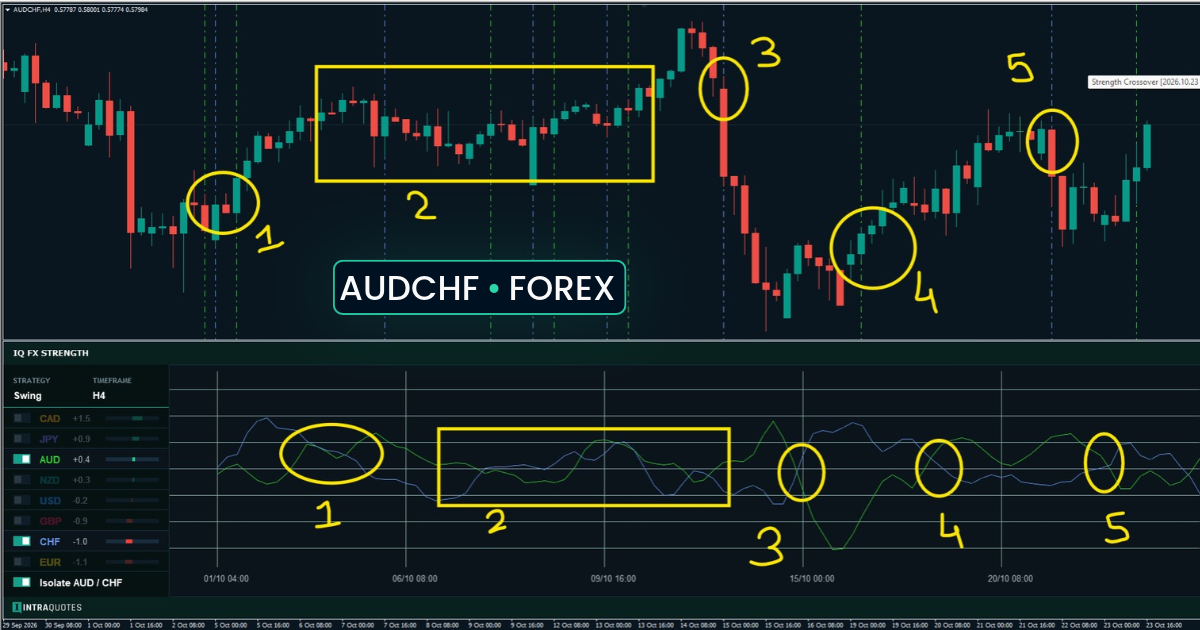
✔ Currency Strength (all 28 pairs)
Instantly identify which currencies are strong and which are weak —
no guessing, just clear and objective comparison.
✔ Impulse (Momentum) confirmation
See when strength actually starts moving —
for better timing and fewer late entries.
✔ Double-GAP logic
A powerful, well-tested concept backed by hundreds of real chart examples and trade setups.
📊 More than an indicator — a complete trading framework
✔ Smart pair selection
✔ Clear trend strength & momentum shifts
✔ Multi-timeframe confirmation
✔ Structured entries & exits
✔ Risk-aware decision making
💡 Everything you need to trade with structure and consistency.
🌍 Trusted by traders worldwide
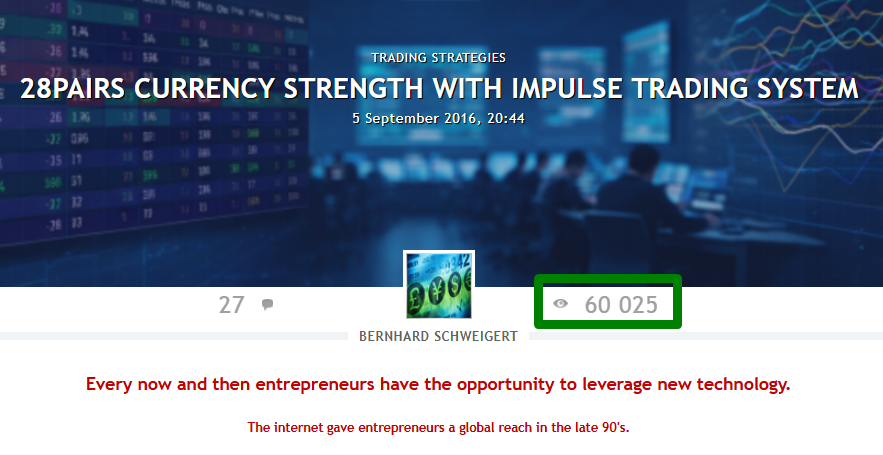
With 61,000+ views on MQL5, this is one of the most followed and proven
currency strength approaches available today.
💡 Learn. Apply. Grow.
👉 Full system:
https://www.mql5.com/en/blogs/post/679077
🎬 Video:
https://youtu.be/PbysEhnCWGE
By using Manual Trade Panel EA MT4/5© you can trade many times faster and more accurate than traditional manual trading methods and that gives you more time and a clearer mind to concentrate on your trading decisions.
Account preservation is our top priority, so Manual Trade Panel EA MT4/5© is also a great account protection utility, that can close all open trades, delete all pending orders and close all terminal charts with any EAs attached on them, after account take profit or stop loss equity has been reached. This can be extremely convenient in profit conditions and save your trading account from further losses, when your equity drops below your desired stop loss level.
✔️ Extremely easy and straightforward interface without complicated extra windows or screens
✔️ 16 customizable symbols on panel allows you to trade your favorite instruments from one chart
✔️ Works smoothly on any symbol/instrument, account type or broker
✔️ 3 precise lot size options, risk in % of balance, risk in money and fixed lot size
✔️ Opening of market trades and placement of pending orders in one click
✔️ OCO option that cancels specific pending orders on the same symbol, if one of them is triggered
✔️ Take profit, stop loss, break even and trailing stop loss options in points
✔️ Virtual take profit and stop loss option for hidden levels from the market
✔️ Basket TP, SL, BE and trailing SL settings for all panel managed trades combined
✔️ Show/Hide option for profit/loss values of all panel managed trades on close by order type buttons
✔️ Closing of trades by order type, pending sell, pending buy, all sell, all buy, all in loss, all in profit, all trades
✔️ Option for deleting/closing/partially closing all orders/trades of the panel or entire account from one chart
✔️ Manual partial closure of all open trades or any individual trade by trade ticket of the panel or entire account, in % value
✔️ Automatic partial closure of all panel opened trades at 3 % take profit and 3 % stop loss levels for 3 % levels of the initial lot size
✔️ Option to move the stop loss to break even for the remainder of the above partially closed trades
✔️ Hedge option that opens the opposite of any panel opened trade with no or reverse TP and SL levels, synchronized closure and lot size multiplier
✔️ Spread monitor of current symbol on chart
✔️ Maximum spread and slippage options for avoiding extreme market conditions
✔️ Option for excluding certain magic number trades from management
✔️ Customizable trade comment option
✔️ Remembers all panel inputs/settings on terminal restart
✔️ Account protection option that closes all orders/trades when account take profit or stop loss equity is reached
✔️ Option for closing all charts with any EAs attached on them, after account TP/SL equity is reached
🔥🔥🔥🔥🔥 Watch the Manual Trade Panel EA MT4/5© Video Guide: https://vimeo.com/1158003009?fl=tl&fe=ec
⭐️⭐️⭐️⭐️⭐️ Manual Trade Panel EA MT4©: https://www.mql5.com/en/market/product/72964
⭐️⭐️⭐️⭐️⭐️ Manual Trade Panel EA MT5©: https://www.mql5.com/en/market/product/72965
📥 Download the Manual Trade Panel EA MT4© demo version in your demo account now: https://c.mql5.com/6/969/Manual_Trade_Panel_EA_MT4_2.10_Demo.ex4
📥 Download the Manual Trade Panel EA MT5© demo version in your demo account now: https://c.mql5.com/6/969/Manual_Trade_Panel_EA_MT5_2.00_Demo.ex5
✅ Manual Trade Panel EA MT4/5© Installation & User Guide: https://www.mql5.com/en/blogs/post/746272
💎💎💎💎💎 Check out all my Expert Advisors and Utilities: https://www.mql5.com/en/users/eleanna74/seller
14 July 2026
New on Expforex: a clear introduction to the Futures Market and how futures contracts work. Using a simple farmer-and-corn example, the article explains standardized agreements, future delivery dates, and price commitments—helpful context for traders building market knowledge. For education only, not technical workflow support. Full reference link can be added separately in the comment/task. A short reference link can be added separately in the first comment. Tools are provided for technical assistance and workflow organization, not technical workflow support. More details on Expforex:
More details: https://expforex.com/?exsa_click=1&qid=356&platform=mql5
When all indicators give a valid buy or sell signal, a corresponding arrow will be printed on the chart, at the opening of the next candle/bar indicating a strong uptrend/downtrend. The user can choose which indicators will use and can adjust the parameters of each indicator separately. Matrix Arrow Indicator MT4/5© gathers information only from the selected indicators and prints the arrow based only on their data. Matrix Arrow Indicator MT4/5© can also send terminal, push notification or email alerts for all new signals. Matrix Arrow Indicator MT4/5© is a super friendly & efficient solution whether you are a scalper, intraday or swing trader!
Matrix Arrow Indicator MT4/5© comes with a free add on, the Matrix Arrow Indicator Multi Timeframe Panel MT4/5© that offers the option to show the Matrix Arrow Indicator signals for 5 customizable timeframes of 16 modifiable symbols/instruments. It gives also the option to change the current chart it is attached onto, by clicking any one of the 16 modifiable symbol buttons. This will allow you to work much faster between different symbols and never miss a trading opportunity again.
✔️ 100% Non-Repainting indicator
✔️ 10 in 1 unique and extremely efficient Matrix and Arrow indicator
✔️ Works on all timeframes and all symbols/instruments
✔️ Super accurate entry Arrow signals that indicate a strong trend
✔️ Exit dot signals define neutral periods with no clear trend
✔️ Equally effective in trending and ranging markets
✔️ Each one indicator can be turned ON/OFF
✔️ Each and every parameter of all 10 indicators are fully adjustable
✔️ Matrix and Arrow colors are fully customizable
✔️ Free add on Panel with Matrix Arrow signals for 16 symbols and 5 timeframes
✔️ Terminal, Push Notification and Email Alerts available
✔️ Ideal for beginners but also a great asset for experienced traders
🔥🔥🔥🔥🔥 Matrix Arrow Indicator MT4/5© Demonstration Video: https://vimeo.com/1157978887?fl=tl&fe=ec
⭐️⭐️⭐️⭐️⭐️ Matrix Arrow Indicator MT4©: https://www.mql5.com/en/market/product/69726
⭐️⭐️⭐️⭐️⭐️ Matrix Arrow Indicator MT5©: https://www.mql5.com/en/market/product/69725
👉 Matrix Arrow Indicator MT4/5© Real Trading Examples: https://www.mql5.com/en/blogs/post/745715
✅ Matrix Arrow Indicator MT4/5© Installation Guide: https://www.mql5.com/en/blogs/post/745711
✅ Matrix Arrow Indicator MT4/5© Settings/Inputs: https://www.mql5.com/en/blogs/post/745707
💎💎💎💎💎 Check out all my Expert Advisors, Indicators and Utilities: https://www.mql5.com/en/users/eleanna74/seller
14 July 2026
Although the RSI indicator works fine for an interval of the market, it fails to generate profitable signals when the market conditions change, and hence it produces wrong signals resulting in big losses.
Have you ever thought about an adaptive RSI indicator that adapts its based on the market conditions?
The presented indicator implements an optimization algorithm that finds the best overbought and oversold levels.
This allows Currency RSI Scalper to adapt to the ever-changing market.
When a buy or a sell signal appears, an arrow is drawn on the chart and an alert is triggered allowing you to open a position in a timely manner and avoid sitting at your PC all the time.
Currency RSI Scalper is perfect for trading currencies and binary options.
for MetaTrader 4 : https://www.mql5.com/en/market/product/62143
for MetaTrader 5 : https://www.mql5.com/en/market/product/33032
✔️ Extremely easy and straightforward interface
✔️ Works smoothly on any chart, account type, or broker
✔️ Automatic partial closure of managed trades at specified TP/SL levels, closing independent percentages of the initial lot size across up to 10 TP and 10 SL levels
✔️ Manual partial closure of all managed trades or any individual trade by ticket number, based on a percentage of the lot size
✔️ Option to move the stop loss to break even for the remaining portion of trades automatically partially closed as above
✔️ Option to move the stop loss to break even once a specified profit level (in points) is reached
✔️ Ability to exclude certain magic numbers, comments, or symbol trades from management
✔️ Compatible with MQL5 VPS
⭐️⭐️⭐️⭐️⭐️ Partial Closure EA MT4©: https://www.mql5.com/en/market/product/82356
⭐️⭐️⭐️⭐️⭐️ Partial Closure EA MT5©: https://www.mql5.com/en/market/product/82357
📥 Download the Partial Closure EA MT4© demo version in your demo account now: https://c.mql5.com/6/975/Partial_Closure_EA_MT4_1.30_Demo.ex4
📥 Download the Partial Closure EA MT5© demo version in your demo account now: https://c.mql5.com/6/975/Partial_Closure_EA_MT5_1.30_Demo.ex5
✅ Partial Closure EA MT4/5© installation & user guide: https://www.mql5.com/en/blogs/post/749385
💎💎💎💎💎 Check out all my Expert Advisors, Indicators and Utilities: https://www.mql5.com/en/users/eleanna74/seller
14 July 2026
Multifunctional universal Expert Advisor that is designed for automatic or semi-automatic trading on various strategies using different indicators. To do this, you need to fill out a template file in which you can select up to 30 variables and up to 15 conditions for sale or purchase. The Expert Advisor has a mini panel for manual trading, as well as the ability to trade along trend lines for both breakdown and rebound. Thanks to the buttons in the strategy tester, you can practice trading on
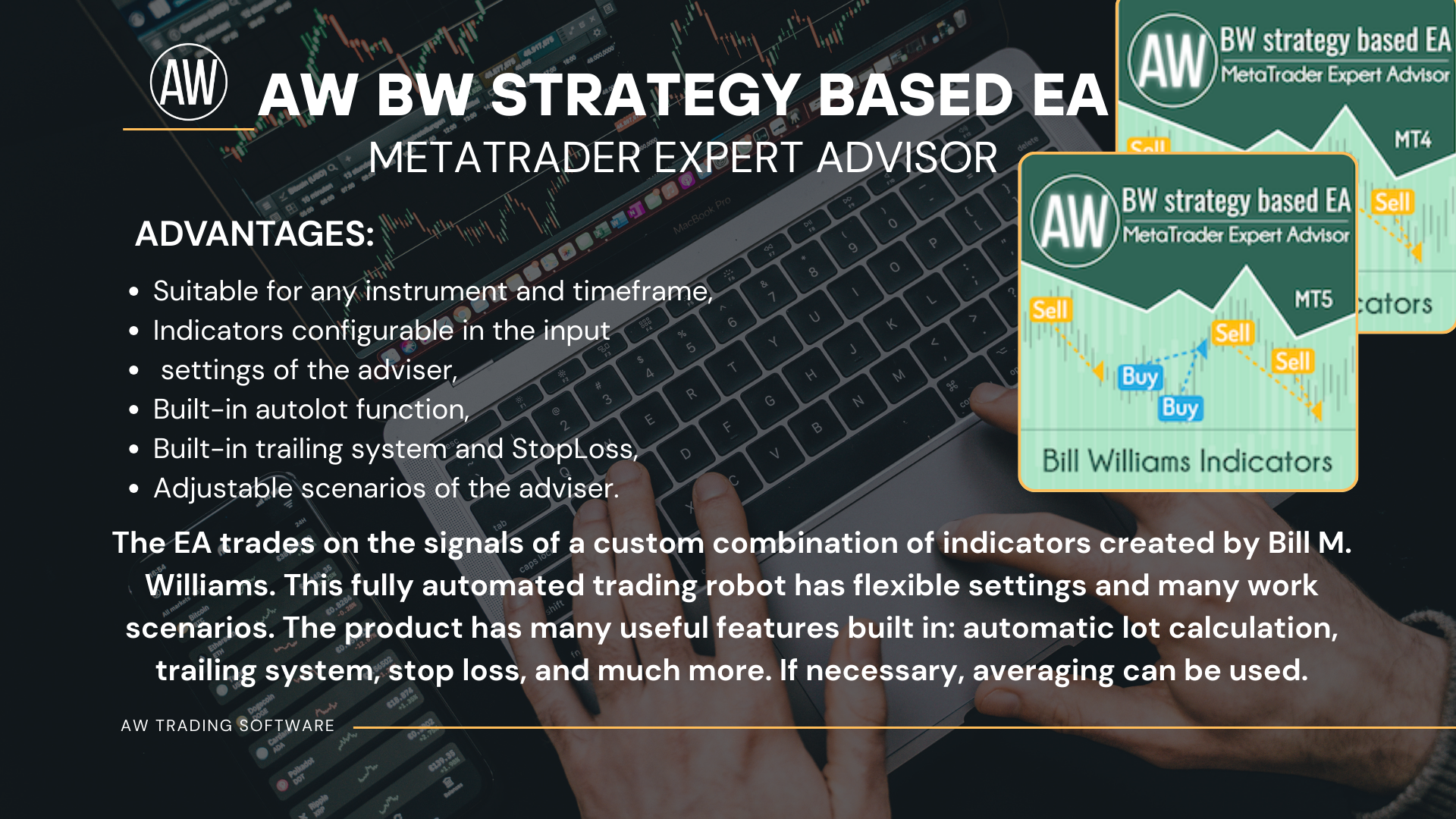
AW Donchian Trend EA - an advisor trading on the signals of the trend indicator AW Donchian Trend. Uses the indicator strategies TakeProfit and StopLoss, in addition, the advisor has a built-in Trailing, overlapping and breakeven function. It can use multi-timeframe filtering, automatic lot calculation to save the risk percentage from the deposit. Functionally, it is possible to work by time and different averaging options.
🔹 A**dvantages:**
- Different StopLoss scenarios are also breakeven,
- Variations of working with TakeProfit or Trailing,
- Built-in time control,
- Works on all types of trading instruments,
- Automatic lot calculation and overlap,
- Customizable multi-timeframe filter,
- Can optionally use averaging.
MT4 👉 https://www.mql5.com/en/market/product/122816
MT5 👉 https://www.mql5.com/en/market/product/122652
🔹Instructions 👉 https://www.mql5.com/en/blogs/post/759601
✔️ Martingale, Grid, Averaging or other dangerous techniques are not used
✔️ RSI Level Live Bar (once per candle) trade opening
✔️ RSI Level Closed Candle trade opening
✔️ RSI Level Crossing trade opening
✔️ Single or multiple orders per trading session
✔️ Net Asset Risk option, ideal for night scalping
✔️ Moving Average Trend Filter
✔️ SL, TP, BE and Trailing SL levels in Points and in Percentage of the Average Daily Range
✔️ Hard and Virtual Take Profit and Stop Loss levels
✔️ Basket TP, SL, BE and Trailing SL in % for all open positions combined
✔️ Optimized set files for many symbols
✔️ 100% automated Expert Advisor
✔️ MQL5 VPS compatible
🔥🔥🔥🔥🔥 RSI EA MT4/5© Backtests & New Set Files: https://www.mql5.com/en/blogs/post/745685
⭐️⭐️⭐️⭐️⭐️ RSI EA MT4©: https://www.mql5.com/en/market/product/45228
⭐️⭐️⭐️⭐️⭐️ RSI EA MT5©: https://www.mql5.com/en/market/product/67625
💎💎💎💎💎 Check out all my Expert Advisors, Indicators and Utilities: https://www.mql5.com/en/users/eleanna74/seller
14 July 2026