RS Trade Copier

5

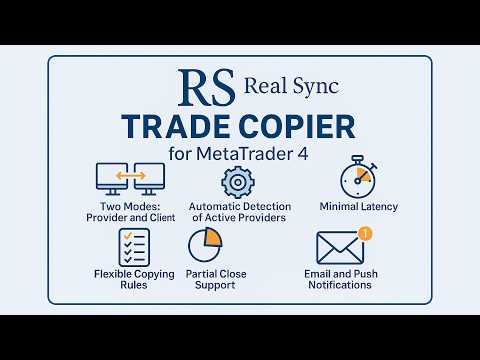
RS Trade Copier - o local trade copier ultrarrápido com uma interface gráfica verdadeira. Pare de digitar números de conta manualmente. Chega daquela lista enorme de 200+ parâmetros de entrada incompreensíveis.

Uma ferramenta confiável e flexível para cópia de operações comerciais entre múltiplos terminais MT4 e MT5. Atende tanto traders experientes e serviços de sinais quanto investidores individuais. Permite sincronizar negociações de um ou múltiplos Provedores para um ou múltiplos Clientes com alta precisão e latência mínima. Suporta configuração automática simples, bem como parametrização avançada manual. Não interfere em ordens abertas manualmente ou por outros Expert Advisors. Toda a operação ocorre localmente no MT4, sem servidores externos.

RS Trade Copier vs Outras Soluções

RS Trade Copier Outras Soluções
Configuração Assistente visual passo a passo.
A configuração leva ~1 minuto.
200+ parâmetros de entrada incompreensíveis.
A configuração leva ~20 minutos.
Velocidade Operações de trading assíncronas.*
O fechamento em massa de 50 posições leva apenas ~1 segundo.
Execução sequencial lenta.
O fechamento em massa de 50 posições leva ~25 seg.
Interface Interface gráfica completa com dicas em 11 idiomas.
Tudo claro, sem necessidade de manuais.
Longa lista de parâmetros na aba "Parâmetros de entrada".
É preciso ler toda a documentação.
Operações em Massa Suporte total.
O fechamento de posições em massa no Cliente ocorre instantaneamente - assim como no Provedor.
Sem suporte.
O fechamento de posições em massa no Cliente simplesmente NÃO ocorre.
As posições permanecem abertas, podendo causar prejuízos.

O desenvolvimento está em andamento desde 2008. A ferramenta passou por testes extensivos e é usada em negociações reais.

* No MT4, o modo assíncrono é opcional e deve ser ativado separadamente. No MT5, já vem ativado por padrão.

Demonstração gratuita: RS Trade Copier v8.17 Demo.ex4

Baixe a demonstração gratuita e veja você mesmo:

  • Totalmente funcional - todos os recursos disponíveis sem limitações
  • 24 horas de teste - o suficiente para avaliar a velocidade e a praticidade
  • Apenas contas demo - nenhum risco com dinheiro real

Como instalar a demonstração (guia passo a passo)

Cópia entre plataformas

O RS Trade Copier MT4 é totalmente compatível com a versão MT5 e suporta cópia em qualquer combinação:

  • MT4 -> MT5
  • MT5 -> MT4
  • MT4 -> MT4
  • MT5 -> MT5 *

Para copiar entre diferentes versões das plataformas (MT4 <-> MT5), é necessário adquirir também o RS Trade Copier MT5.

* Para cópia de MT5 para MT5, basta usar apenas a versão para MT5.

Principais Vantagens

RS Trade Copier é um sistema de nível industrial onde cada detalhe é pensado e otimizado:

  • Velocidade - modo acelerado para cópia extremamente rápida

  • Confiabilidade - proteção multicamada contra falhas

  • Flexibilidade - configurações individuais para cada par (provedor / símbolo)

  • Praticidade - interface gráfica amigável com assistente de configuração passo a passo

  • Clareza - dicas de ferramentas em 11 idiomas (tudo claro sem manuais)

  • Arquitetura - algoritmos otimizados e lógica inteligente

Esta não é apenas uma ferramenta de cópia de negociações. É um ecossistema poderoso onde velocidade, confiabilidade e controle se combinam com facilidade de uso.

Principais funcionalidades

  • Dois modos: Provedor de sinais e Cliente receptor.

  • Interface gráfica intuitiva com um assistente de configuração passo a passo.

  • Dicas contextuais em 11 idiomas - sem precisar adivinhar.

  • Detecção automática de provedores ativos.

  • Regras flexíveis de cópia para cada símbolo.

  • Suporte total a fechamento parcial de posições.

  • Reverso: possibilidade de inversão das operações.

  • Mapeamento automático de símbolos: adaptação automática a diferentes corretoras.

  • Atraso mínimo: execução das operações em frações de segundo.

  • Suporte a configurações multi-terminais.

Exemplos de uso

  • Cópia para múltiplas contas
    Um provedor e vários clientes.

  • Agregação de sinais
    Múltiplos provedores e um cliente.

  • Configurações flexíveis
    Múltiplos provedores e vários clientes em quaisquer combinações.

Para quem é esta solução?

  • Traders que gerenciam fundos de clientes.

  • Serviços de sinais e sistemas de arbitragem.

  • Investidores que usam múltiplos terminais.

  • Traders algorítmicos que replicam operações em várias contas.

Quantas Vezes Você Precisa Comprar o RS Trade Copier para Configurar a Cópia?

Uma.

Uma única compra do RS Trade Copier oferece 20 ativações. Cada ativação é um computador ou Windows VPS.

Importante: isso se refere a um VPS Windows clássico. O serviço integrado "Virtual Hosting" da MetaQuotes (aluguel de um terminal virtual diretamente no MT4) não é adequado para cópia de trades. Para copiar trades, você precisa de um computador (PC desktop ou notebook) ou um VPS Windows completo onde você possa instalar seus próprios programas e configurar os terminais manualmente.

Como funciona na prática:

Você compra o produto uma vez. Só isso. Agora você pode instalar o RS Trade Copier em 20 computadores ou Windows VPS diferentes. Em cada um desses dispositivos, você pode executar quantos terminais MT4 desejar de qualquer corretora. Em cada terminal - qualquer número de contas: real, demo ou de competição.

Todas essas contas funcionarão. Uma compra cobre tudo.

O único requisito: cada terminal deve estar logado na conta da comunidade MQL5 (aquela que você usou para comprar o produto). Leva um minuto: insira seu login e senha nas configurações do terminal e todas as suas compras ficarão disponíveis.

Por que 20 ativações?

Você pode usar todas de uma vez - instalar o produto em todos os seus computadores e Windows VPS. Ou guardar algumas como reserva. Isso é útil quando você troca de computador, substitui a placa-mãe ou processador, ou reinstala o sistema operacional. Cada alteração desse tipo conta como um novo dispositivo e requer uma nova ativação. Com 20 ativações, você tem uma grande reserva para os próximos anos.

Resumindo:
1 compra = 20 ativações = 20 computadores ou Windows VPS diferentes = terminais e contas ilimitados em cada dispositivo.


Instruções de configuração do RS Trade Copier    |    Como instalar a demonstração (guia passo a passo)

#Tags: copiador de trades, negociação de cópias, copytrade, replicação de ordens, seguidor de sinais, provedor de sinais, espelho de negociação, cópia de operações, cópia automática, copiador mt4, local trade copier, local copier, copy trading, copy trade, trade copy, social trade, social trading, copytrading, trade copier, copy trader, mirror trading, orders copier, trade mirrors.
Comentários 3
RagneAu
46
RagneAu 2025.10.01 05:16 
 

A great system and a wonderful experience. Once test n will love n thrill. TQ for the support n efficiency

Produtos recomendados
A   rocket   (from   Italian :   rocchetto ,   lit. 'bobbin/spool') [nb 1] [1]   is a   projectile   that   spacecraft ,   aircraft   or other   vehicles   use to obtain   thrust   from a   rocket engine . Rocket engine exhaust is formed entirely from   propellant   carried within the rocket. [2]   Rocket engines work by   action and reaction   and push rockets forward simply by expelling their exhaust in the opposite direction at high speed, and can therefore work in the   vacuum   of space. In
Heaven Assistant: Simplify Your MT4 Management Simplify the management of the MetaTrader 4 (MT4) platform with the Heaven Assistant . This Expert Advisor (EA) is a robust tool that allows you to control and customize your trading environment in an efficient and user-friendly manner. Key Features: Multiple Pairs Opening: Quick access to most currency pairs, both major and minor, plus exotic pairs. The ability to open indices, metals, and cryptocurrencies with a single click. Template Change: Easi
EA Arbitrage Mixed MT4
Ruslan Pishun
2.67 (3)
Attention!!!   Do not try to test the EA in the Tester - it is simply impossible, because the EA opens positions on different 28 instruments. The tester is able to test only one pair. The EA uses 4 strategies, each strategy uses joint work on several currencies at the same time. The EA  uses 4 stages of control and order tracking for a step-by-step profit capture. Trading is carried out in a pair for several currencies at the same time, trading is also carried out in a group of several strate
Market Monitor
Rodrigo Rethka Goncalves
Market Monitor – Smart Asset Performance Dashboard for MT4 Turn your MetaTrader 4 into a professional trading intelligence center! Market Monitor is a powerful monitoring tool that displays, in real time, the most relevant performance metrics of each symbol being traded — helping you make faster, smarter, and more strategic decisions. What Does This Indicator Do? Market Monitor scans all open and historical orders, consolidates the data by symbol, and displays everything in visual pa
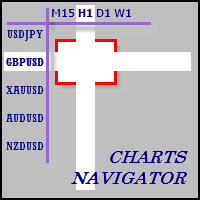
The whole market in one click! Do you value your time? Is ease of use important for you? Are you still looking for the symbol you want or do you have 100 charts open in one terminal? Forget that! Do everything in a single click, on one chart! Advantages: Quick navigation on all the symbols and timeframes you want in a single chart window; Instant transfer to the required chart in one click; All the necessary symbols and timeframes are clearly and compactly grouped on one chart; Two navigation m
Blogs do MQL5: https://www.mql5.com/en/blogs/post/761446 Versão MT4: https://www.mql5.com/en/market/product/136790 Versão MT5: https://www.mql5.com/en/market/product/136791 O Time Wizard é um assistente de trading profissional desenvolvido para traders que necessitam de velocidade, precisão e controlo de execução num painel de controlo intuitivo. Este Expert Advisor foi concebido para negociação baseada em eventos, execução programada e gestão rápida de ordens semiautomáticas. Permite-lhe pre
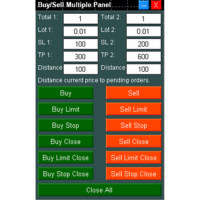
Buy Sell Multiple Panel - Execute Bulk Orders in a Single Click! Description: Save time and seize market opportunities instantly. This powerful panel allows you to place multiple buy or sell orders simultaneously, each with custom lot sizes, take-profit, and stop-loss levels. Perfect for sophisticated entry strategies and managing complex trades efficiently. Key Features: Bulk Order Execution:   Open multiple market orders at once with just one click. Flexible Lot Sizing:   Set individual lot
One Click Trader is a tool designed for MetaTrader 4 platform, which enables you to take your trading to the next level. It enables you to open, manage and close your trades in simple an efficient way by just one click of your mouse button. Up arrow minimizes the OCT panel Down arrow maximizes the OCT panel Right arrow displays the next panel with additional features Left arrow hides the panel with additional features Red SELL button enables you to open short market orders Red SELL STOP button e
History Exporter can help to export your orders history from MT4 account. After that you can use another data analysis tools to get what you want.  File format is .csv file, the content such as below OrderID,Symbol,Type,Lots,OpenTime,OpenPrice,StopLoss,TakeProfit,CloseTime,ClosePrice,Commission,Swap,MagicNo,Comment,ProfitUSD,ProfitPips,NetProfit,Duration,(Days),(HH:MM:SS), 21520206,EURCHF,buy,0.05,2020.03.10 08:06:15,1.06304,0.00000,0.00000,2020.03.11 13:37:38,1.06015,-0.60,-0.05,28282888,RedRab
FREE
如果产品有任何问题或者您需要在此产品上添加功能,请联系我 Contact/message me if you encounter any issue using the product or need extra feature to add on the base version. There is Demo version of this panel Dashboard Super Three MA Demo in my product list, please try it out to get familiar with all functionalities free, LINK . This system basically utilizes PA and three adjustable Moving Average as the main indicator set to generate trading signal. With the feature that all MA_timeframe, MA_period, MA_applied_price are ad
This tool working You can buy or sell from the button of this tool, the lot size can be filled manually, as for the close all buy button to end all buy positions, close all sell button to end all sell positions, Close All profit button to end  All  profit position, Close All Loss button to end all loss position, Delete Pending button to delete all Pending order, close all orders to end all orders. The variable, you can use close all percent for close all orders when profit in percent, if close
VSAsGradient
Alexander Lasygin
VSAsGradient это утилита предназначена компенсировать ограниченные возможности оформления рабочей области терминала МТ4. Позволяет задать цвет окон графика (индикатора) в виде цветового градиента, установить классические обои или фотографию любимой девушки, семьи. Предварительных настроек, которые имеют значение только две: Set Gradients- выбераем насколько настройки будут индивидуальны. Default Set- только для данного типа инструмента. Individual Set- инструмент+ период графика. Hide Panel- сво
Gap Hunter MT4
Rafi'u Indra Pratama
GAP HUNTER (Sr) Capture market opportunities during Gap openings and High Impact News with precise timer-based execution. GAP HUNTER is an Expert Advisor specifically designed to capitalize on price movement opportunities created by market gaps at specific times and high impact News like NFP (Non Farm Payrolls) and Core CPI (Consumer Price Index). Unlike trading robots that open multiple positions throughout the day, GAP HUNTER uses a simple yet effective approach no overtrading, focused on pri
This Dashboard displays signals in grid view for the 28 major fx currency pairs. It is Mainly used for forex scalping in between 10 to 20 pips maximum and can be used on major trend market decisions. It Uses mainly Moving average and does not give false signal. All you need to note is the point in the grid where the signal occurs.  A beep sound is heard whenever there is a new signal and it will be displayedat the top of the chart.
This tool monitors your current Expert Advisors and manages stop losses and take profits. You can customize which EAs and/or which currencies to monitor. It is primarily meant for EAs that you feel manage stop losses and/or take profits poorly. If you want this tool to be able to monitor manual trades, please use '0' (zero) as the magic number. Supports hidden stoploss and take profit Supports ATR-calculated dynamic stoploss Supports Breakeven for individual trades Supports Trailing stop Lower r
Scipio Velox Quant
Stefano Frisetti
*Beware of SCAMS! SCIPIO GOLD BOT is distributed exclusively via MQL5.com* + BACKTEST: We recommend running it on GOLD with these settings: Timeframe: M15 or M30 / SL = 160 / TRAIL = 240 / the rest = 0 or OFF. This is not a mass-market bot but a professional-grade tool; distribution is strictly limited to 100 copies, and the price is subject to increase without notice. SCIPIO VELOX is an advanced quantitative trading bot developed for 100% automated operation on MT4 and MT5 platforms. No manual
Indicator Values Panel
AL MOOSAWI ABDULLAH JAFFER BAQER
Indicator Values Panel – Your Ultimate Indicator Monitoring Solution! Are you tired of constantly switching between indicators to check values? Want a simple, elegant, and real-time solution that puts all key indicator readings in one place? Indicator Values Panel is the ultimate utility for traders who want a clear and concise display of important indicator values – directly on their chart! What is Indicator Values Panel? Indicator Values Panel is a sleek, easy-to-use utility that provides rea
Close by percentage MT4
Konstantin Kulikov
5 (1)
Hello friends. I wrote this utility specifically for use in my profile with a large number of Expert Advisors and sets ("Joint_profiles_from_grid_sets" https://www.mql5.com/en/blogs/post/747929 ). Now, in order to limit losses on the account, there is no need to change the "Close_positions_at_percentage_of_loss" parameter on each chart. Just open one additional chart, attach this utility and set the desired percentage for closing all trades on the account. The utility has the following function
Scorpion Grid
Evgenii Kuznetsov
5 (2)
Multi-currency grid Expert Advisor, in most cases it receives quite accurate entries. If an entry is not accurate enough, the positions are managed using an elaborate martingale strategy. Work on real account:  http://tiny.cc/nkaqmz Entries are performed using the signals of RSI and Stochastic indicators, in the overbought/oversold areas, plus additional entry conditions based on a proprietary algorithm. Recommended timeframe - М15. The EA features a drawdown management system, which takes into
TimeFilter simple 4
Andrej Nikitin
1 (1)
The indicator is an inter-week hourly filter. When executing trading operations, the indicator allows considering time features of each trading session. Permissive and restrictive filter intervals are set in string form. The used format is [first day]-[last day]:[first hour]-[last hour]. See the screenshots for examples. Parameters: Good Time for trade - intervals when trading is allowed. Bad Time for trade - intervals when trading is forbidden. time filter shift (hours) - hourly shift. percenta
OrderManager MT4
Lukas Roth
4.74 (27)
Apresentando o OrderManager : Uma Ferramenta Revolucionária para MT4 Gerencie suas operações como um profissional com o novo utilitário Order Manager para MetaTrader 4. Projetado com simplicidade e facilidade de uso em mente, o Order Manager permite que você defina e visualize facilmente o risco associado a cada operação, possibilitando tomar decisões informadas e otimizar sua estratégia de trading. Para mais informações sobre o OrderManager, por favor, consulte o manual. [ Manual ] [ Versão MT5
-------------------------------------------------------------------------------------------------------------------------------------------------- First free version of this product is here :  https://www.mql5.com/en/market/product/46855?source=Site+Profile+Seller -------------------------------------------------------------------------------------------------------------------------------------------------- This product is an EA that can be used either to practice to educate yourself on Tester
Send periodic (Health Check) notification from your MT4 terminal to your mobile phone to be sure that your MT4 terminal is still running. When you did not receive the notification, it means that your terminal is unavailable. Optional information like Account Equity and Trading Pairs are also available. Notification Period - 1 Hour, 2 Hours, 4 Hours, 8 Hours, 12 Hours, 24 Hours Attach EA to any H1 chart
The professional utilities "Ichimoku Waves Meter" to analyse graphs using the correct interpretation of Ichimoku kinkōhyō! Is a graphic program that allows traders to quickly and easily measure the proportions between the indicated points on the price graph. This time and price indicator is a basic tool for analysing the chart according to the Ichimoku strategy on the MT4 platform. Using this tool allows an insightful and complete analysis of time waves as well as price waves in a very short ti
Partial Close MT4
Ahmed Alaoui Chrifi
This is a very simple, and easy-to-use Trade Manager with features like   Auto Partial Close, Auto Stop-loss, Breakeven. EA  closes a profitable position in partial closes when the price moves first in the direction of profits, and then comes back. EA monitors the position. If the price moves in the direction of profits, then ea establish the first level of rollback price at a distance. If the price continues to move in the direction of profits, this level of profit continues modifying this lev
Time Sessions MT4
Faran Ataeiraveshti
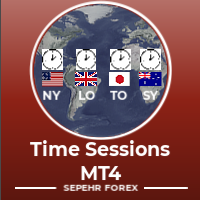
"Time Sessions MT4" é outra ferramenta útil para traders forex que mostra os quatro principais pregões do mundo. Sessões de tempo: A hora nesta ferramenta é definida automaticamente de acordo com a sua hora local. Possui uma bandeira de tempo móvel que se move segundo a segundo para a esquerda e mostra o tempo real. O painel contém belos gráficos que chamam a atenção. Além disso, você pode mover o painel para qualquer lugar do gráfico. Mais explicações... Espero aproveitar. Afinal: Eu rec
Hello This EA for send Orders Signals when you open or close order and send statics to your channel in Telegram with sum of profit or Loss Pips you can share your orders with your clients in your telegram please watch our video  to see how it is fast. https://www.youtube.com/watch?v=u_7twtYZhyI you must have Telegram channel then make bot and give it Permission and get token (watch this video to know how do it) https://www.youtube.com/watch?v=x1bKWFOjSBE and you must download this files https
This indicator will display current logined mt4 account's orders information of current symbol chart. It also allow import some formated data: 1) MQL5 Signals History CSV file (*.csv) 2) MT4 Account History Statement file (*.htm -> *.txt) *[Next Version] Allow Import data form 'HF HistoryExporter (*.csv)' Sample Data of MQL5 Signals History File Time;Type;Volume;Symbol;Price;S/L;T/P;Time;Price;Commission;Swap;Profit;Comment 2023.12.20 23:00:02;Buy Limit;0.06;EURUSD;1.08994;1.06024;1.09464;202
Auto trade V20 is a trading tool like Robot or Expert Advisor that is used for automatic trading, this type is Martingale EA, the recommended broker is FBS, EU Pair, default setting. If you want to find the best setting, please look for it by backtesting it, so that you find the best setting and help your trading become more profitable, please try this tool to help you trade. minimum deposit 200 $ cen lot 0.01, pipstep in points.
Time Closer can help you closing all the open position at the specified time "Everyday". Mainly for Day trader that don't want to hold position overnight, or over different session, or over a specific time. Simple Parameter to use. Usage Download and drag Time Closer on the chart (Chart Symbol should be the same Chart Symbol as you want the position close) Check Allow AutoTrading is "On" Set parameters Input Parameters Turnon  True - Turnon the utility False - Turnoff the utility Close All Open
Os compradores deste produto também adquirem
Bem-vindo ao Trade Manager EA—uma ferramenta de gestão de risco criada para tornar o trading mais intuitivo, preciso e eficiente. Não é apenas uma ferramenta para executar ordens, mas uma solução abrangente para planejamento de operações, gerenciamento de posições e controle de risco. Seja você um iniciante, trader avançado ou scalper que precisa de execução rápida, o Trade Manager EA adapta-se às suas necessidades, oferecendo flexibilidade em todos os mercados, desde forex e índices até commodi
PZ Trade Pad Pro MT4
PZ TRADING SLU
3.67 (3)
Este é um painel de negociação visual que ajuda você a realizar e gerenciar operações facilmente, evitando erros humanos e aprimorando sua atividade comercial. Ele combina uma interface visual fácil de usar com uma abordagem sólida de gerenciamento de riscos e posições. [ Guia de instalação | Guia de atualização | Solução de problemas | FAQ | Todos os produtos ] Surpreendentemente fácil de usar Negocie facilmente a partir do gráfico Negocie com gerenciamento preciso de riscos, sem complicações
Um painel profissional para operação manual que reúne todo o ciclo do trade em uma única janela no gráfico, da entrada precisa à proteção da conta. Calcule o volume exato de cada posição para o risco definido, monte a operação traçando linhas no gráfico com o RR Tool e envie ordens a mercado e pendentes, grids e OCO. O painel assume o acompanhamento da posição: fechamento parcial em até cinco níveis, seis tipos de trailing stop, breakeven e Virtual SL/TP. Limites diários, semanais e mensais prot
Fixação automática de lucro ao atingir o lucro alvo EquityTargetCloser   — é um consultor especialista utilitário para MetaTrader 5 que fecha automaticamente todas as posições de mercado e exclui as ordens pendentes assim que   o patrimônio (Equity) exceder o saldo atual no valor de lucro especificado . Após fechar todas as posições, o alvo aumenta automaticamente: o novo limite = novo saldo + lucro especificado. O EA não abre negociações, apenas gerencia as posições existentes, ajudando a fixar
Telegram to MT4 Multi-Channel Copier copia automaticamente sinais de trading dos seus canais do Telegram diretamente para o MetaTrader 4. Sem bots, sem extensões de navegador, sem copiar manualmente. Você recebe um sinal no Telegram e o EA abre a operação no seu terminal em poucos segundos. O produto inclui dois componentes: um aplicativo do Windows que escuta seus canais do Telegram, e este Expert Advisor que executa os sinais no seu terminal MT4. Também está disponível uma versão para MT5. Gui
The product will copy all telegram signal to MT4   ( which you are member  ) , also it can work as remote copier.  Easy to set up, copy order instant, can work with almost signal formats, image signal, s upport to translate other language to English Work with all type of channel or group, even channel have "Restrict Saving Content", work with  multi channel, multi MT5 Work as remote copier: with signal have ticket number, it will copy exactly via ticket number. Support to backtest signal. How to
TradePanel MT4
Alfiya Fazylova
4.84 (95)
Trade Panel é um assistente de negociação multifuncional. O aplicativo contém mais de 50 funções de negociação para trading manual e permite automatizar a maioria das tarefas de negociação. Antes da compra, você pode testar a versão de demonstração em uma conta demo. Baixe a versão experimental do aplicativo para uma conta de demonstração: https://www.mql5.com/pt/blogs/post/762547 . Instruções completas aqui . Comércio. Permite realizar operações de negociação com um clique: Abrir ordens pendent
Strategy Builder offers an incredible amount of functionality. It combines a trade panel with configurable automation (covert indicators into an EA), real-time statistics (profit & draw down) plus automatic optimization of SL, TP/exit, trading hours, indicator inputs. Multiple indicators can be combined into an single alert/trade signal and can include custom indicators, even if just have ex4 file or purchased from Market. The system is easily configured via a CONFIG button and associated pop-up
O MT4 para Telegram Signal Provider é uma ferramenta fácil de usar e totalmente personalizável que permite o envio de sinais para o Telegram, transformando sua conta em um provedor de sinais. O formato das mensagens é totalmente personalizável! No entanto, para uso simples, você também pode optar por um modelo predefinido e habilitar ou desabilitar partes específicas da mensagem. [ Demonstração ]   [ Manual ] [ Versão MT5 ] [ Versão Discord ] [ Canal do Telegram ]  New: [ Telegram To MT5 ] Conf
TradeMirror é uma ferramenta local de cópia de ordens desenvolvida para as plataformas MT4/MT5, com suporte à sincronização de negociações em tempo real. Samouczek Kliknij link Samouczek Trademirror , aby zobaczyć więcej samouczków. Vantagens do Produto Alinhado com os altos padrões de segurança, estabilidade e privacidade para softwares financeiros, otimizamos três aspectos fundamentais: Interface gráfica intuitiva para operação simplificada Proteção de privacidade reforçada para isolamento de
Trade Copier Global
Laszlo Tormasi
5 (15)
Trade Copier Global: The name speaks for itself. This copier allows you to copy orders between MT4 terminals even if they are not installed on the same computer. Features Copying trades between MT4 terminals around the world with a short delay. Automatically recognizes symbol prefixes. Can connect many Slaves to the same Master. Supports pending and market orders. Supports partial order close (with limitations, see below) Can send messages and notifications to the Slaves from the Master Several
Copiadora->Interação de interface conveniente e rápida, os usuários podem usá-la imediatamente       ->>>> Recomendado para uso em computadores Windows ou VPS Windows Características: Configurações de negociação de cópias diversificadas e personalizadas: 1. Diferentes modos de lote podem ser definidos para diferentes fontes de sinal 2. Diferentes fontes de sinal podem ser definidas para negociação de cópias direta e reversa 3. Os sinais podem ser definidos com comentários 4. Se deve calibrar o
News Filter EA: Advanced Algo Trading Assistant News Filter EA is an advanced algo trading assistant designed to enhance your trading experience. By using the   News Filter EA , you can integrate a Forex economic news filter into your existing expert advisor, even if you do not have access to its source code. In addition to the news filter, you can also specify   trading days   and   hours   for your expert. The News Filter EA also includes   risk management   and   equity protection   features
Простая в управлении Торговая панель обеспечит безопасную торговлю. Вычислит объём сделки от заданного уровня Stop Loss и величины убытка. Поможет рассчитать сейф, и в ноль закрыть неверную сделку. Интуитивно понятный интерфейс делает панель удобной в управлении, освобождая внимание трейдера для принятия решения о входе в сделку. Программа сделает все расчёты за вас. Поэтому работа с помощью панели Снайпер - оптимальное решение для торговли с соблюдением Мани-менеджмента. А это главный ключ к по
Trader Evolution MT4
Siarhei Vashchylka
5 (2)
" Trader Evolution " - A utility designed for traders who use wave and technical analysis in their work. One tab of the utility is capable of money management and opening orders, and the other can help in making Elliott wave and technical analysis. Manual (Be sure to read before purchasing) | Version for MT5 Advantages 1. Trading in a few clicks. Immediate and pending orders are available in the panel 2. Money management. The program automatically selects the appropriate lot size 3. Simplifies
Auto Trade Copier
Vu Trung Kien
4.76 (85)
Auto Trade Copie é projetado para copiar negociações entre multi contas/terminais MetaTrader 4 com 100% de precisão. Com esta ferramenta, você pode atuar tanto como um provedor (origem) ou um recebedor (destino). Todas as ações de negociação serão copiadas do fornecedor ao recebedor sem demora. Demo: Versão demonstração para teste pode ser baixado em: https://www.mql5.com/pt/market/product/4904 Referência: Se você precisa copiar entre diferentes locais através da Internet, por favor veja o Trad
Telegram to MT4 Coppy
Sergey Batudayev
4.09 (11)
Telegram para MT4:   A solução definitiva para cópia de sinais Otimize suas negociações com   o Telegram para MT4   , o utilitário de última geração desenvolvido para copiar sinais de negociação diretamente de canais e chats do Telegram para sua plataforma MetaTrader 4 — sem a necessidade de DLLs. Esta solução robusta garante a execução perfeita de sinais com precisão incomparável e opções de personalização, economizando seu tempo e aumentando sua eficiência. [ Instructions and DEMO ] Principais
Trendline PRO MT4 Trendline PRO MT4 é um Expert Advisor semiautomatizado para MetaTrader 4 que executa negociações, gerencia ordens ou envia alertas a partir de linhas de tendência e níveis do gráfico criados pelo usuário. O Expert Advisor não gera sinais de trading e não inclui uma estratégia incorporada. Todas as entradas, saídas, configurações de risco e regras de gerenciamento são definidas pelo usuário no gráfico. O produto foi desenvolvido para traders que já usam linhas de tendência, níve
Custom Alerts AIO: Monitoramento inteligente de múltiplos mercados – pronto para uso, sem configuração Visão geral Custom Alerts AIO é uma ferramenta avançada de varredura de mercado que funciona imediatamente após a instalação — sem necessidade de configurar indicadores adicionais. Inclui internamente todos os principais indicadores da Stein Investments (FX Power, FX Volume, FX Dynamic, FX Levels e IX Power), permitindo que você monitore facilmente todas as principais classes de ativos: Forex
MACD Divergence Scanner is a multi-timeframe and multi-symbol dashboard and alert that checks all timeframes and symbols to find regular and hidden divergences between price chart and MACD indicator. This divergence scanner is integrated with support and resistance zones so you can check the MACD divergences in the most important areas of the chart to find trend reversals in the price chart. Download demo version   (works on M 1,M5,M30,W1   timeframes) Full description of scanner parameters ->  
Candlestick Pattern Scanner is a multi-timeframe and multi-symbol dashboard and alert system that checks all timeframes and currency pairs for different candlestick patterns that are formed in them. Scanner is integrated with support and resistance zones so you can check the candlestick patterns in the most important areas of the chart to find breakout and reversal patterns in the price chart. Download demo version   (works on M30,D1,W1 timeframes and 20 symbols of Market Watch window) Read the
The News Filter
Leolouiski Gan
5 (25)
Este produto filtra todos os consultores especializados e gráficos manuais durante o horário das notícias, para que você não precise se preocupar com picos de preços repentinos que possam destruir suas configurações de negociação manuais ou negociações realizadas por outros consultores especializados. Este produto também vem com um sistema de gerenciamento de pedidos completo que pode lidar com suas posições abertas e ordens pendentes antes do lançamento de qualquer notícia. Depois de comprar o
EasyInsight AIO MT4
Alain Verleyen
4 (2)
EASY Insight AIO – A solução tudo-em-um para trading inteligente e sem esforço Visão geral Imagine analisar todo o mercado — Forex, Ouro, Cripto, Índices e até Ações — em segundos, sem precisar examinar gráficos manualmente, instalar indicadores ou lidar com configurações complicadas. EASY Insight AIO é sua ferramenta definitiva de exportação para trading com IA, pronta para usar. Ela oferece um panorama completo do mercado em um único arquivo CSV limpo — pronto para análise imediata no ChatGP
RSI Divergence Scanner is a multi-timeframe and multi-symbol dashboard and alert that checks all timeframes and symbols to find divergences between price chart and RSI indicator. This divergence scanner is integrated with support and resistance zones so you can check the RSI divergences in the most important areas of the chart to find trend reversals in the price chart. Download demo version   (works on M 1,M5,M30,W1 timeframes) Full description of scanner parameters ->   click here . How to get
Trade Manager MT4 DaneTrades
Levi Dane Benjamin
4.09 (11)
Trade Manager para ajudá-lo a entrar e sair rapidamente de negociações enquanto calcula automaticamente seu risco. Incluindo recursos para ajudar a evitar negociações excessivas, negociações de vingança e negociações emocionais. As negociações podem ser gerenciadas automaticamente e as métricas de desempenho da conta podem ser visualizadas em um gráfico. Esses recursos tornam este painel ideal para todos os traders manuais e ajudam a aprimorar a plataforma MetaTrader 4. Suporte multilíngue. Vers
Unlimited Trade Copier Pro is a tool to copy trade remotely to multiple MT4, MT5 and cTrader accounts at different computers/locations over internet. This is an ideal solution for you if you are a signal provider and want to copy your trades to other receivers globally on your own rules. One provider can copy trades to multiple receivers and one receiver can get trade from multiple providers as well. The provider can even set the subscription expiry for each receiver, so that receiver will not b
Coppy Master MT4
Sergey Batudayev
4 (3)
Coppy Master MT4       é uma ferramenta copiadora de negociações para terminais MetaTrader 4 e MetaTrader 5. Ela suporta cópia em ambas as direções: de MT4 para MT5, de MT5 para MT4, bem como entre contas do mesmo tipo de MT4 para MT4. Para funcionar corretamente, todos os terminais devem estar rodando no mesmo PC ou VPS. [ Instruction  and Demo ]  Para copiar para o MetaTrader 4, uma versão separada —       Coppy Master MT5       - é necessário. Principais características: Modos de cópia Supor
In the current version this filter will only work with my   night scalpers and the EA Profitection Filter  or with other EAs that utilize the global variables set by this EA.  An MT5 version is availalble   here .  Many scalpers these days have a "normal" news filter, which filters calendar news such as interest rate decisions or CPI releases.  However, this breaking news filter is able to filter non-standard breaking news. It will check every minute for news and if it finds a news event, it w
ManHedger MT4
Peter Mueller
5 (2)
THIS EA IS A SEMI-AUTO EA, IT NEEDS USER INPUT. Manual & Test Version Please TEST this product before   BUYING  and watch my video about it. Contact me for user support or bug reports, or if you want the MT5 version! MT5 Version I do not guarantee any profits or financial success using this EA. With this Expert Advisor, you can: Implement your own   Zone Recovery   strategy to capitalize on trending markets. Create   Grid   trading strategies, to profit from ranging markets. Place orders easil
VirtualTradePad PRO SE MT4 — painel de trading avançado e ambiente de gráfico para MetaTrader 4 VirtualTradePad PRO SE é um painel de trading profissional e um ambiente de gerenciamento de operações para MetaTrader 4 . Ele ajuda traders a abrir, gerenciar, proteger, fechar e analisar operações com mais rapidez a partir de uma única interface baseada no gráfico. O produto foi criado para traders manuais ativos que precisam de mais do que um simples conjunto de botões. O PRO SE combina execução em
Mais do autor
Seconds Chart MT5
Boris Sedov
4.61 (18)
Seconds Chart - uma ferramenta exclusiva para criar gráficos de segundos no MetaTrader 5 . Com o Seconds Chart , você pode criar gráficos com períodos definidos em segundos, proporcionando flexibilidade e precisão ideais para análise, indisponíveis em gráficos padrão de minutos ou horas. Por exemplo, o período S15 indica um gráfico com velas de 15 segundos. Você pode usar qualquer indicador ou Expert Advisor com suporte a símbolos personalizados. Trabalhar com eles é tão conveniente quanto negoc
RS Trade Copier - o local trade copier ultrarrápido com uma interface gráfica verdadeira . Pare de digitar números de conta manualmente. Chega daquela lista enorme de 200+ parâmetros de entrada incompreensíveis. Uma ferramenta confiável e flexível para cópia de operações comerciais entre múltiplos terminais MT5 e MT4. Atende tanto traders experientes e serviços de sinais quanto investidores individuais. Permite sincronizar negociações de um ou múltiplos Provedores para um ou múltiplos Clientes c
RenkoChart
Boris Sedov
5 (1)
Renko Chart — opens renko charts for MetaTrader 4. Renko charts can be created using this utility with all bars being in the form of Renko "bricks". All bars on the renko chart are the same size, which can be changed to get the desired chart. You can add indicators, EAs and scripts to the resulting chart. You get the completely operational chart which can be processed just like a regular one. The Renko Chart utility is not only history based, but also builds online. At the same time, the data is
Quick Trade Manager (QTM) é uma poderosa ferramenta para negociações rápidas e intuitivas diretamente no gráfico MT5, com suporte completo para símbolos personalizados (sintéticos). O QTM amplia as possibilidades de negociação rápida diretamente no gráfico, tornando ainda mais prática a negociação com um único clique. Está disponível o cálculo automático do volume da posição com base no percentual de risco definido por operação. Há suporte completo para quaisquer símbolos personalizados (sintéti
FREE
Seconds Chart - uma ferramenta exclusiva para criar gráficos de segundos no MetaTrader 4 . Com o Seconds Chart , você pode criar gráficos com períodos definidos em segundos, proporcionando flexibilidade e precisão ideais para análise, indisponíveis em gráficos padrão de minutos ou horas. Por exemplo, o período S15 indica um gráfico com velas de 15 segundos. Você pode usar quaisquer indicadores, Expert Advisors e scripts com a mesma facilidade dos gráficos padrão. Diferente das ferramentas padrão
This Expert Advisor is based on the "Ilan 1.6 Dynamic" Advisor with full preservation of the idea and input parameters. The "Ilan 1.6 Dynamic" advisor is the predecessor of all Ilans and the most recognizable Martingale method Forex advisor. The number of titles given to this development can hardly be counted. In fact, the Advisor uses a simple trading strategy based on two standard technical indicators - RSI (Relative Strength Index) and CCI (Commodity Channel Index) . The first one is used to
Tick History Loader is an essential auxiliary tool that downloads the full available tick history for any symbol in your MT5 terminal. The script performs a deep synchronization with the trading server, sequentially requesting and saving the entire tick history from the earliest available date. This is necessary for the correct operation of advanced analytical tools that require complete market data. The obtained tick history serves as the basis for building custom charts with a timeframe in sec
FREE
The programmable signal panel analyzes the charts of all available symbols and timeframes and sends a notification about the appearance of a trading signal. You can program all the necessary signals using the free binding indicator "Signal Collection". The binding   indicator is provided with open source code. Thus, it is possible to program all the necessary signals for subsequent use in conjunction with the signal panel. The signal panel can not only analyze charts, but also manage these chart
FREE
Exact Time — detailed time on the seconds chart. The utility shows the opening time of the selected candle. This is necessary when working with seconds charts. For example, it can be used on a seconds chart built using the Seconds Chart utility. Inputs Base corner — the chart corner to which an object Is attached. X distance — the horizontal distance from the chart corner. Y distance — the vertical distance from the chart corner. Text font — font name Font size — font size Color — text color
FREE
Tick Database — export of tick database from MT5 terminal to MT4. The utility provides access to the tick database in real time. This is necessary to generate synthetic charts in the MT4 terminal, which initially does not provide for loading a tick database. For example, you can organize permanent access to the tick database for the Seconds Chart utility. If the opening time of the current candle in the terminals is different, then you need to specify the time offset in hours. Example We open M1
FREE
Exact Countdown Timer — shows the remaining time before the current bar closes and a new bar forms. A fast and exact countdown timer will help you find the best moment to open a position. For example, it can be used on a seconds chart built using the Seconds Chart utility. Inputs Base corner — the chart corner to which an timer Is attached. X distance — the horizontal distance from the chart corner. Y distance — the vertical distance from the chart corner. Text font — font name Font size — font
FREE
Chart Service — improving the charts of the custom symbol. The service shows trading levels on the chart of a custom symbol. For example, it can be used when working on a seconds chart built using the Seconds Chart utility. Unlike Expert Advisors, indicators and scripts, services are not linked to a specific chart. Such applications run in the background and are launched automatically when the terminal is started (if they were previously launched). Use the Navigator to manage services. Services
FREE
DigitalFilterA
Boris Sedov
5 (5)
The algorithm of this indicator is based on a high-performance digital filter. The unique digital filtering algorithm allows receiving timely trading signals and estimating the current situation objectively while conducting technical analysis. The indicator is effective on small and big timeframes. Unlike common classic indicators, digital filtering method can significantly reduce the phase lag, which in turn allows obtaining a clear signal earlier than when using other indicators.

TickChart
Boris Sedov
5 (1)
Tick Chart — full-featured chart for MetaTrader 4. A utility for creating and working with a tick chart in the MetaTrader 4 terminal. You can create a tick chart that works exactly the same as a regular chart. You can apply indicators, Expert Advisors and scripts to the tick chart. You get a fully functional tick chart on which you can work just as well as on a regular chart. You can enable the output of the Ask price data. The data are generated in the form of the upper shadow of a tick bar. Fr
Tick Volume Chart — fixed volume bars for MetaTrader 4. The tool creates charts on which each candle has a fixed tick volume. Data sampling is carried out not by time but by the tick volume. Each bar contains a given (fixed) tick volume. Tick volume can be adjusted by changing the value of the Volume parameter. You can apply indicators, Expert Advisors and scripts to the tick chart. You get a fully functional chart, on which you can work just as well as on a regular chart. In the process of work
EXP DFA
Boris Sedov
This Expert Advisor can work in three different modes, which can be configured by changing the input parameters. The Expert Advisor performs trading operations based on the signals of the built-in indicator "Digital Filter A". The algorithm of this indicator is based on a highly efficient digital filter. The indicator resembles a moving average, but has one significant difference — the digital filtering algorithm. This algorithm is based on a mathematical model of a digital filter with adaptive
Ilan Dynamic Pro
Boris Sedov
4 (6)
Ilan Dynamic Pro: A New Level of Algorithmic Trading Ilan Dynamic Pro is a unique modification of the popular Ilan 1.6 Dynamic Expert Advisor, which has earned the trust of traders worldwide. At the core of the advisor lies a proven position averaging algorithm, allowing a series of unidirectional orders to be closed at a common TakeProfit level. However, in this version, everything has been taken to a new level. The entire code has been written from scratch, and the analytical block has been co
Range Bar Chart — opens range bar charts for MetaTrader 4. The utility allows you to create charts of range bars on which all candlesticks are the same size and may have shadows. Data on the range bar chart are distributed by the bar size, rather than by the time. Each bar represents the price movement instead of time period. It works simple – the bar is not drawn as long as the price does not move. You can add indicators, EAs and scripts to the resulting chart. You get the completely operationa

Tick Volume Chart - uma ferramenta exclusiva para criar gráficos baseados no volume de ticks no MetaTrader 5 . Com o Tick Volume Chart , você pode construir gráficos onde cada candle é formado não por tempo, mas por uma quantidade definida de ticks. Isso oferece uma precisão ideal na análise da atividade do mercado, indisponível nos gráficos de tempo convencionais. Você pode utilizar quaisquer indicadores e robôs de negociação compatíveis com símbolos personalizados. Trabalhar com os gráficos ge
Filtro:
DaresGonzales
283
DaresGonzales 2026.06.04 14:13 
 

O usuário não deixou nenhum comentário para sua avaliação

Boris Sedov
11841
Resposta do desenvolvedor Boris Sedov 2026.06.04 15:42
Большое спасибо за такой развёрнутый отзыв! Очень рад, что вы оценили скорость — асинхронный движок как раз ради этого и задумывался. Особенно приятно, что вы отметили связку MT4↔MT5 и удобство работы с множеством счетов — я стремился сделать инструмент одновременно простым для новичка и мощным для профессионала. Если будут вопросы или пожелания — пишите, отвечаю лично.
RagneAu
46
RagneAu 2025.10.01 05:16 
 

A great system and a wonderful experience. Once test n will love n thrill. TQ for the support n efficiency

Boris Sedov
11841
Resposta do desenvolvedor Boris Sedov 2025.10.01 08:54
Thank you for your feedback! I’m glad RS Trade Copier gave you a smooth and efficient experience. It’s built to save traders time while keeping everything reliable. Wishing you great results in your trading!
Oleg Stepanovych Shudryk
220
Oleg Stepanovych Shudryk 2025.08.08 09:33 
 

O usuário não deixou nenhum comentário para sua avaliação

Boris Sedov
11841
Resposta do desenvolvedor Boris Sedov 2026.06.04 23:21
Thank you so much for such a thoughtful review! I'm thrilled that you noticed the details — the dark theme, the tooltips that work as instant training, and the overall thoughtfulness of the interface. Making a copier with a modern graphical interface was my main goal, and seeing it appreciated means everything. If you have any questions or suggestions — I'm here and I reply personally.
Responder ao comentário