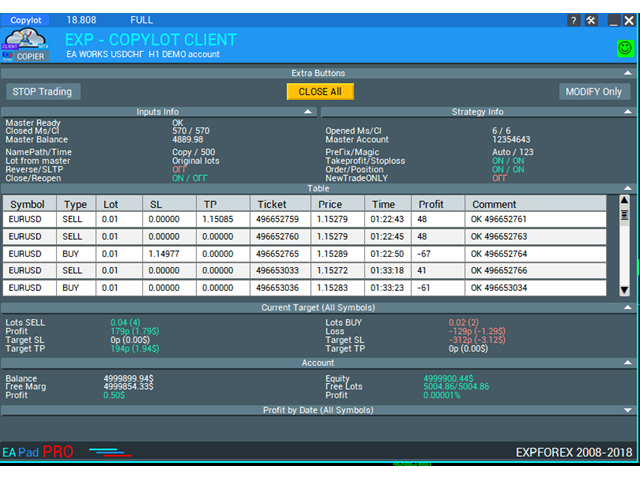
Exp COPYLOT CLIENT for MT5

3.82

MT5용 트레이드 복사기는 metaТrader 5 플랫폼용 트레이드 복사기입니다 .

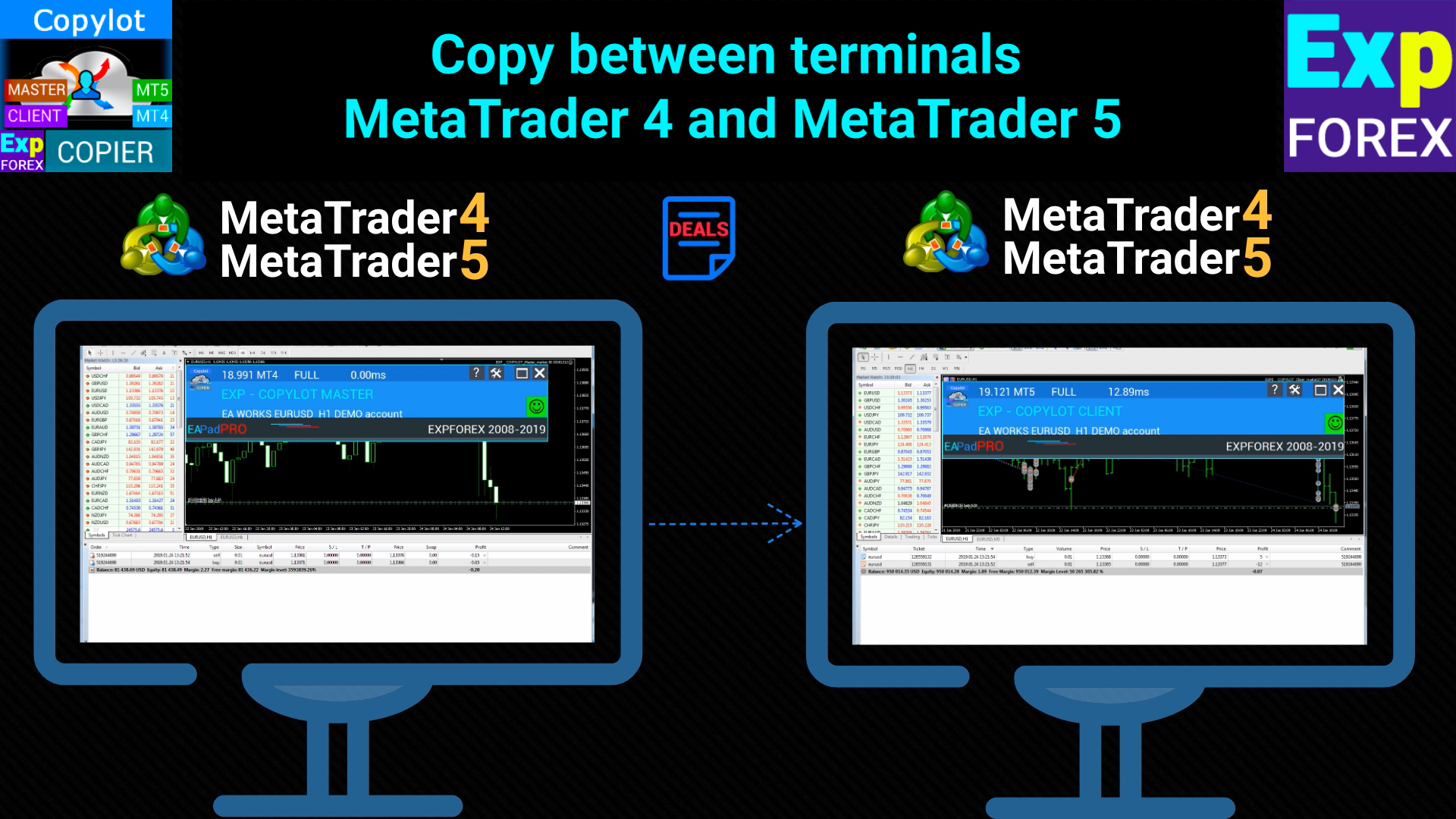
그것은 사이의 외환 거래를 복사합니다   모든 계정 COPYLOT MT5 버전의 경우 MT5  -  MT5, MT4  -  MT5 (또는 COPYLOT MT4 버전의 경우 MT4 -  MT4 MT5  -  MT4)

믿을 수 있는 복사기!

МТ4 터미널에서 거래를 복사할 수도 있습니다( МТ4  -  МТ4, МТ5  -  МТ4 ): COPYLOT CLIENT for MT4

이 버전은 МТ5  -  МТ5, МТ4  -  МТ5 터미널 간을 포함합니다.

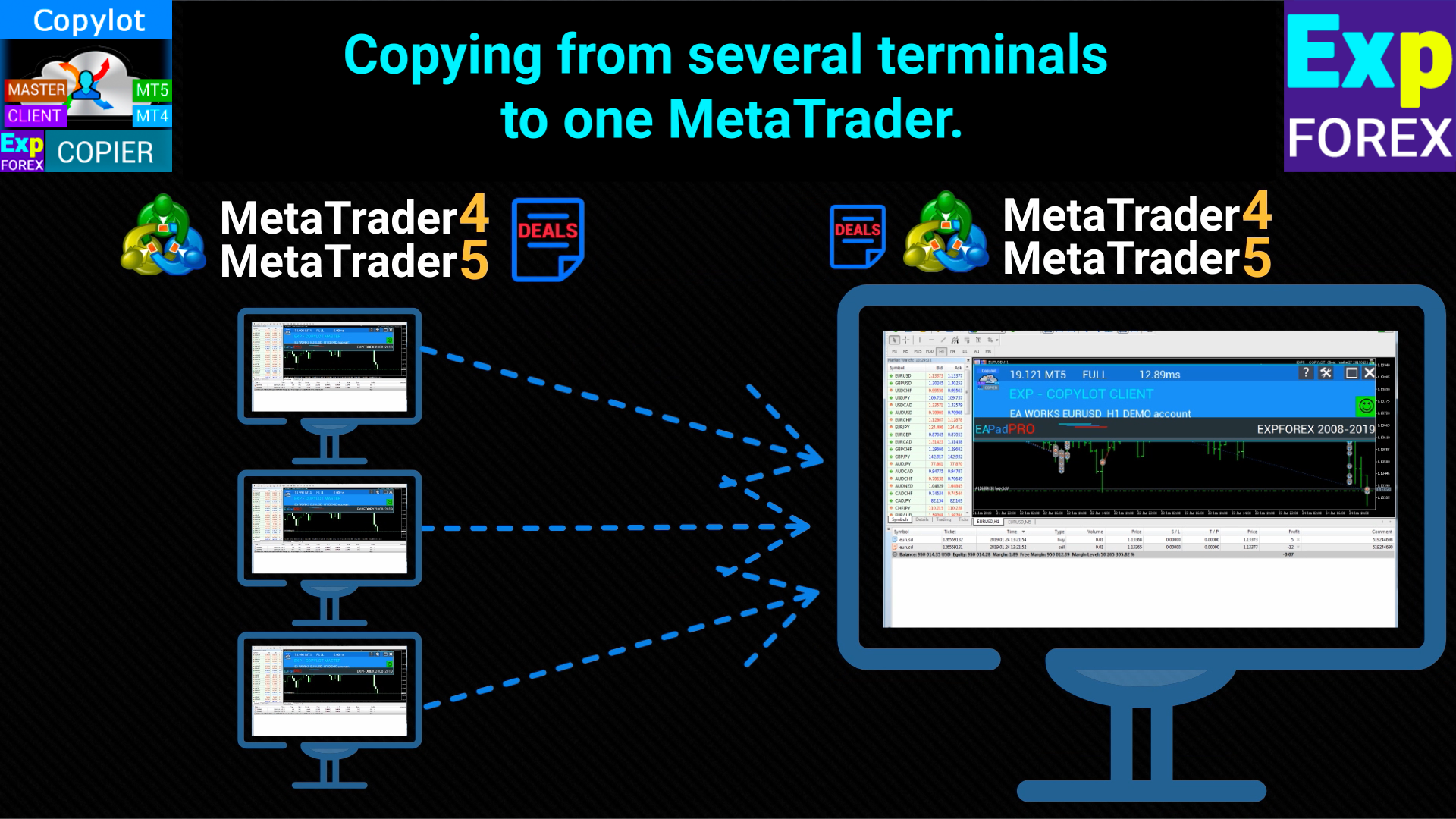
  1. 거래 복사기는 2/3/10 터미널 사이의 거래/포지션을 복사하기 위해 만들어졌습니다.
  2. 데모 계정 및 투자 계정에서 복사가 지원됩니다.
  3. 프로그램은 여러 터미널 바인딩에서 실행할 수 있습니다.
  4. 하나의 계정에서 거래되는 다양한 투자자 계정 거래의 동기화 장치로 사용하십시오. - COPYLOT은 거래를 다른 터미널로 복사합니다.
  5. 여러 터미널에서 하나로 복사합니다.
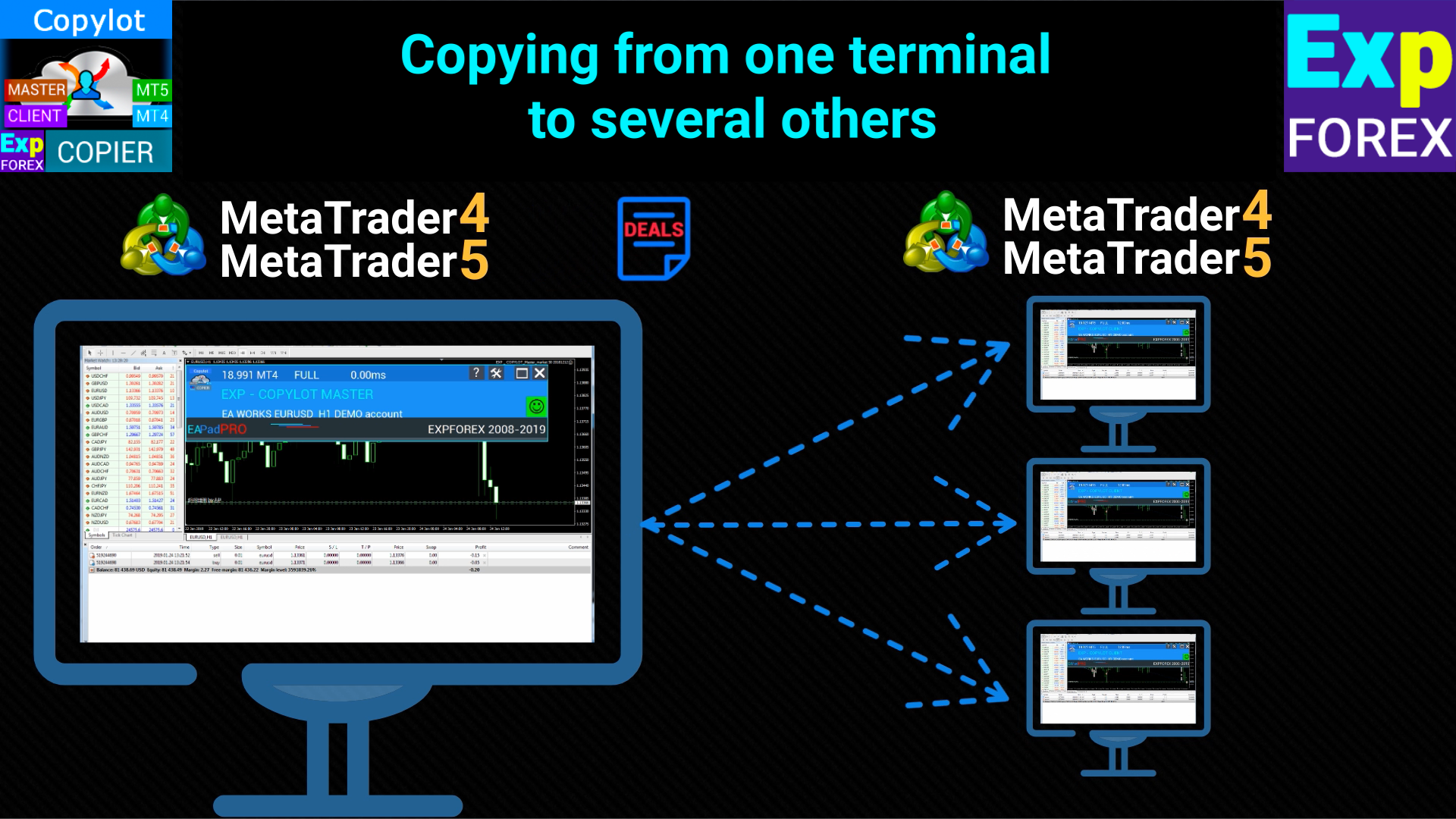
  6. 한 터미널에서 여러 터미널로 복사 ;
  7. 다른 브로커 에서 다른 브로커로 복사
  8. Invest 비밀번호로 개설된 폐쇄된 계정에서 복사
  9. DEMO 계정 에서 실제 계정으로 복사
  10. 헤지 및 상계 계정 .

설정

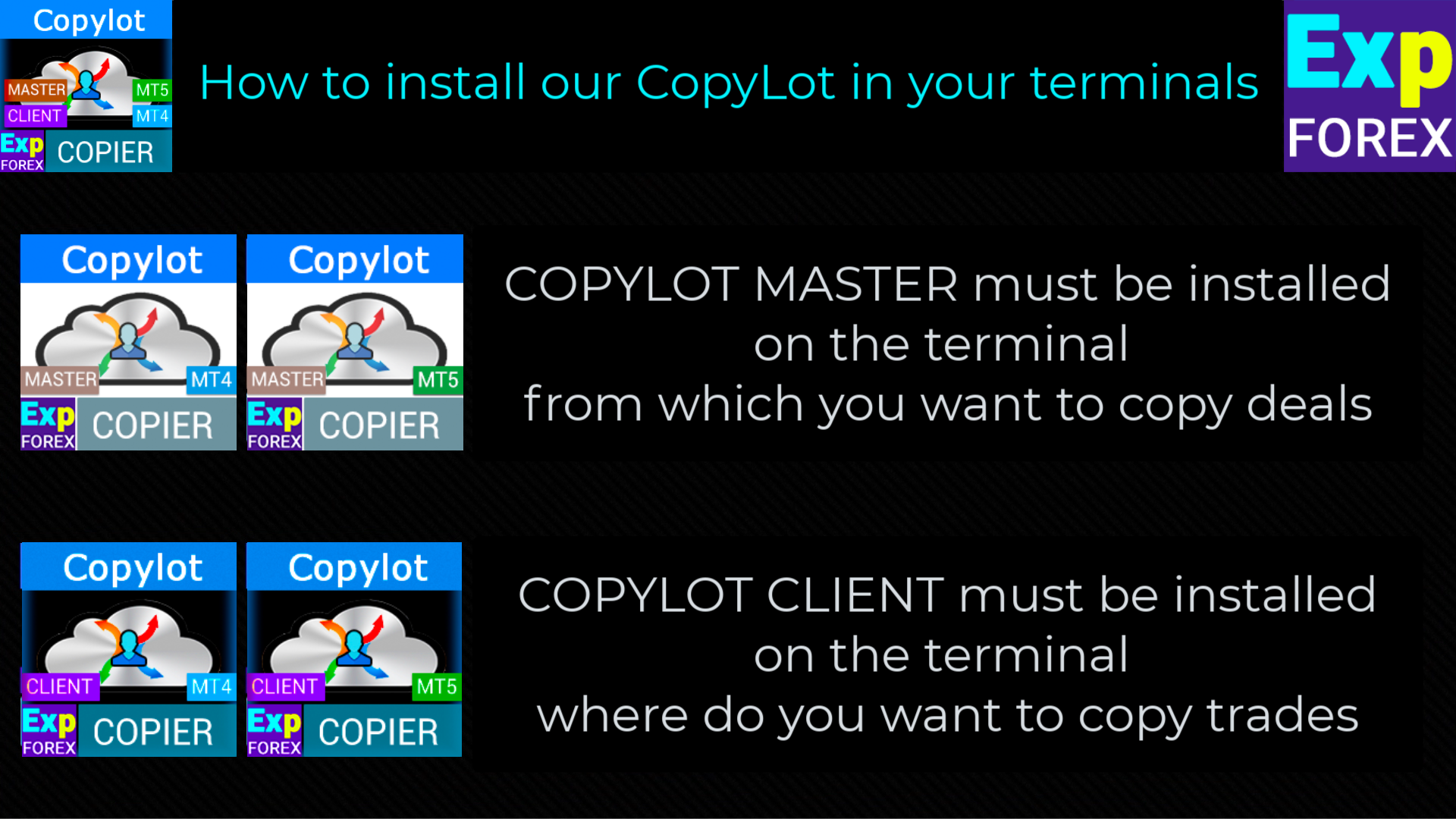
  • COPYLOT CLIENT (Slave) 거래를 복사하려는 터미널에 Expert Advisor를 설치합니다.

  • 거래를 복사하려는 터미널 MetaTrader 5에 Expert Advisor를 설치하십시오.
  • Position이 복사될 터미널을 열고 COPYLOT CLIENT를 하나의 차트로 설정합니다.
  • 텍스트 레이블 이름을 pathRead 로 지정하십시오(예: "COPY"). 이것은 마스터 터미널 PathWrite 와 일치해야 합니다(두 터미널을 바인딩하기 위해).
  • EA는 차트 1개로 설정해야 합니다! 기본적으로 저희 고문은 귀하의 계정에서 모든 직책을 복사합니다!

연결

    거래를 복사하려면 거래를 복사하려는 터미널에 무료 마스터 복사기를 설치해야 합니다: COPYLOT Master for MT4 또는 COPYLOT Master for MT5 .

    주의: 계정에서 위치를 복제하려면 위치 복제기를 다운로드할 수 있습니다.   MT5용 Exp5 복사기

      MT5에 대한 주의

      부분 클로즈는 지원하지 않습니다! 주문은 개봉한 것과 동일한 로트에서만 마감할 수 있습니다! 주인이 닫는 데 다른 로트를 사용하는 경우 복사기가 실패할 수 있습니다!
      INOUT은 지원되지 않습니다.
      주문은 활성화 시 복사되고(포지션) 고객 계정에 복사됩니다. HEDGE 계정에 대해서만 PendingOrdersCopy 기능을 활성화할 수 있습니다.
      주의: COPYLOT 은 인터넷을 통해 복사하지 않습니다! 하나의 컴퓨터에서 터미널 간 복사!
      주목! COPYLOT 은 MetaQuotes VPS에서 작동하지 않습니다.

          #tags 복사, Копировщик, 복사 거래, 복사 거래, 복사기, 복사, 거래, 빠른 복사, kopir , Expforex, Vladon,


          클라이언트 설정: 신호가 복사될 위치

          pathREAD/pathWrite: 현재 포지션 정보를 저장할 파일 경로. 공백이나 특수 문자를 사용하지 마세요.

          Magic: 포지션/거래를 여닫기 위한 매직 넘버. 시스템 포지션을 식별하는 데 사용됩니다.

          PreFixSymbol: 클라이언트 터미널의 통화 쌍에 대한 접미사. 복사기가 접미사를 자동으로 감지합니다.

          ChangingNamesSymbols: 마스터와 클라이언트 터미널 간의 심볼 이름을 대체하기 위한 매개변수.

          Sounds: 클라이언트 터미널에서 새로운 거래가 열릴 때 소리 신호를 활성화합니다.

          Comentshow: 복사된 포지션 테이블을 차트에 표시합니다.

          TypeFilling (MT5 전용): MT5에서 포지션 및 주문의 채움 유형을 결정합니다.

          NumberTryClose/NumberTryOpen: 포지션을 닫거나 여는 시도의 횟수를 설정합니다.

          Slippage: 포지션을 열 때 허용되는 슬리피지. 슬리피지 = 0이면 스프레드로 자동 설정됩니다.

          PricePointSlip: 마스터와 클라이언트 간의 가격 차이에 따른 최대 허용 슬리피지.

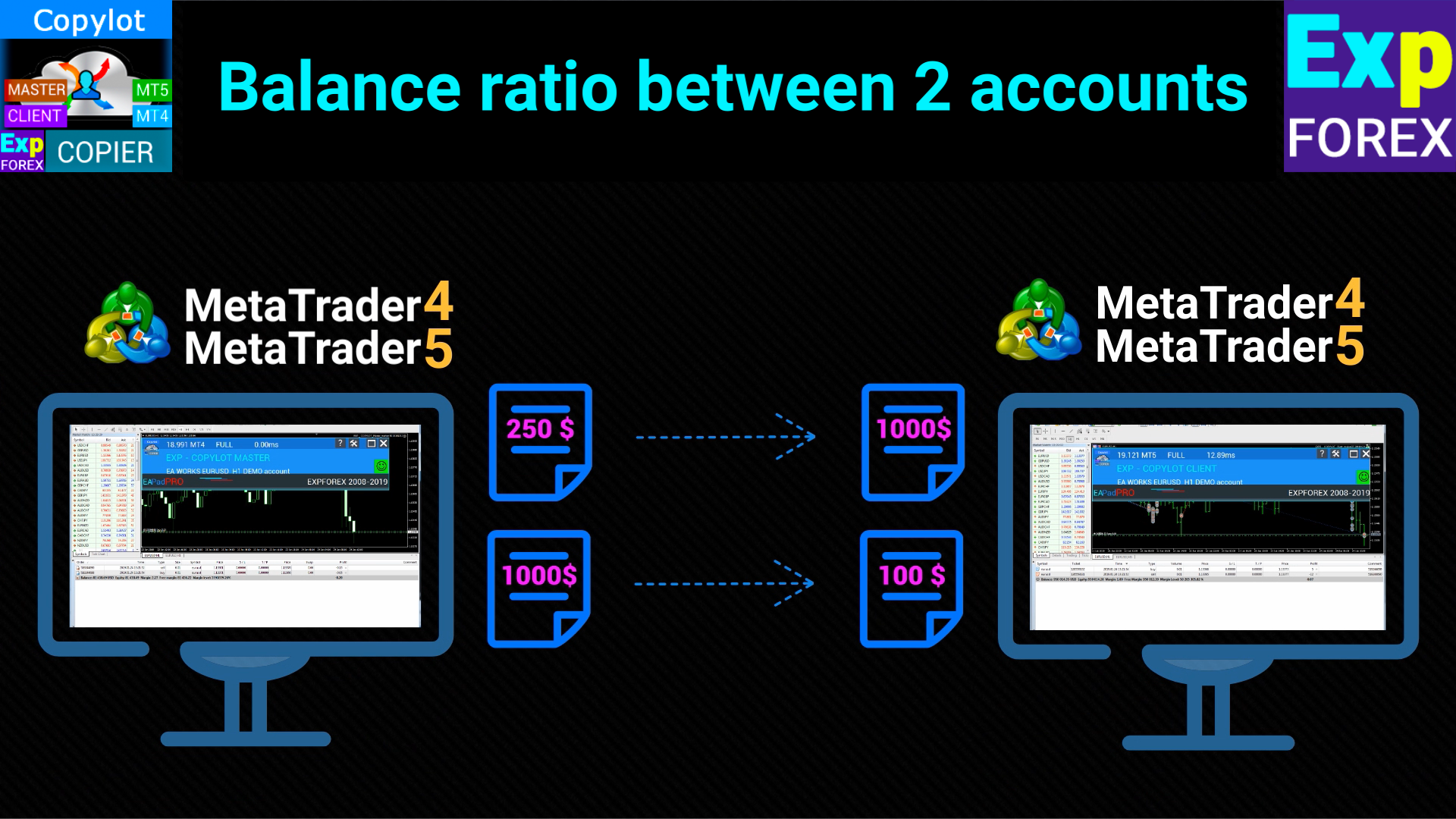
          LotRiskFromMaster: 마스터 계좌와 클라이언트 계좌 간의 로트 비율을 자동으로 계산하는 기능.

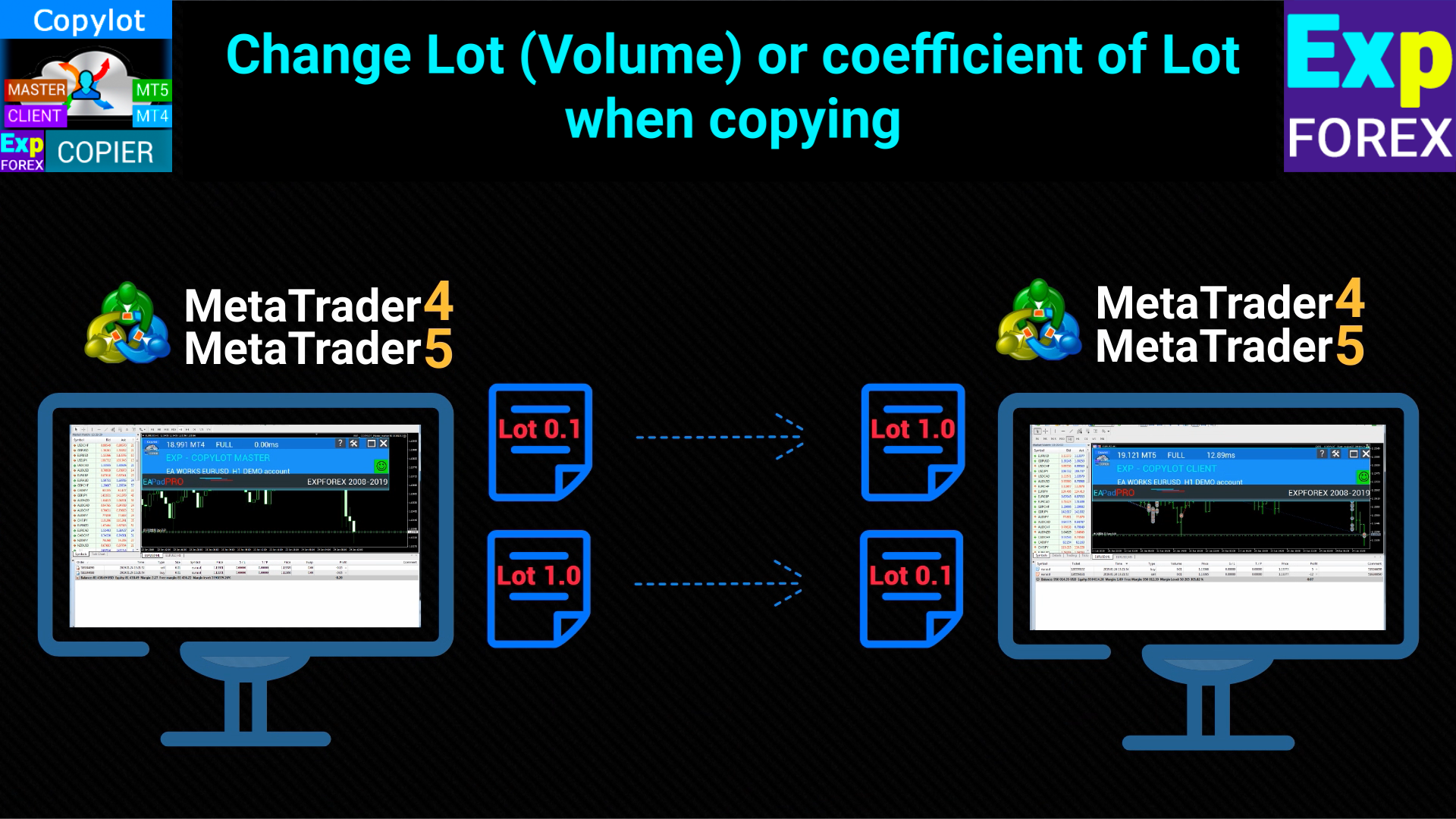
          LotExp: 마스터 터미널의 로트를 클라이언트 터미널에 복사할 때 사용되는 계수.

          Lot: 클라이언트 터미널에서 포지션을 열 때 사용하는 로트 크기.

          RiskLot: 동적 로트(자동 로트) 계산을 위한 퍼센트 값.

          RiskLotType: RiskLot 옵션을 위한 위험 계산 방식(프리마진, 잔고 또는 손절매 기준).

          RiskRate: 클라이언트 통화 대비 달러 환율.

          KoefLot: 클라이언트 터미널의 포지션 로트 크기를 결정하는 계수.

          AdditionalLot: 로트 크기에 추가 값을 더하거나 빼는 옵션.

          MinLott/MaxLott: 포지션을 열 때 사용되는 최소 및 최대 로트 크기.

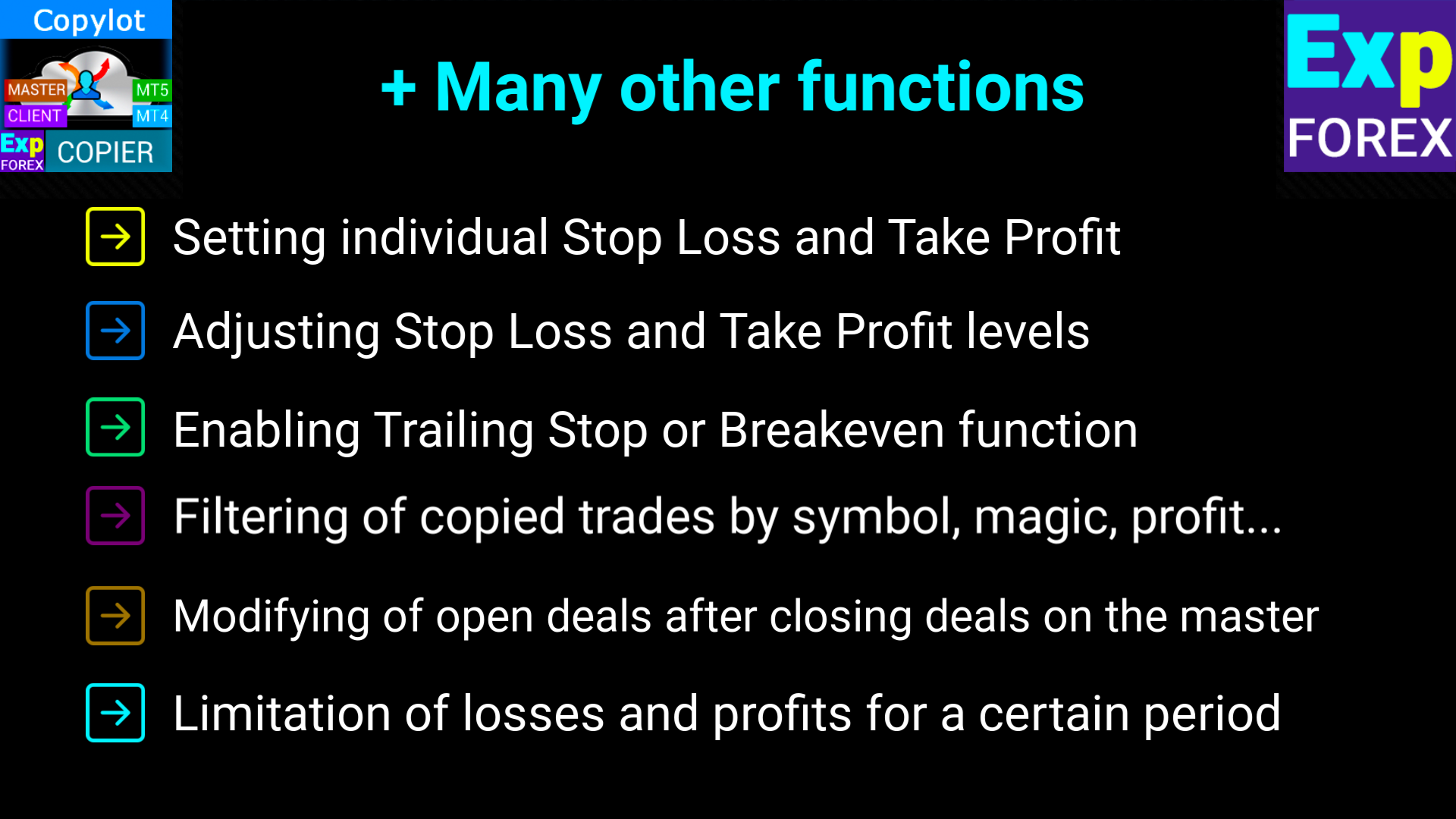
          TakeProfitCopy/StopLossCopy: 마스터 계좌에서 테이크 프로핏 및 스탑 로스를 복사합니다.

          CorrectSLTPbyMaster: 마스터와 클라이언트 간의 다른 시작 가격에 따라 스탑 로스 및 테이크 프로핏을 조정합니다.

          MarketWatch: ECN 계좌에서 포지션을 연 후 스탑 로스 및 테이크 프로핏을 설정할 수 있게 합니다.

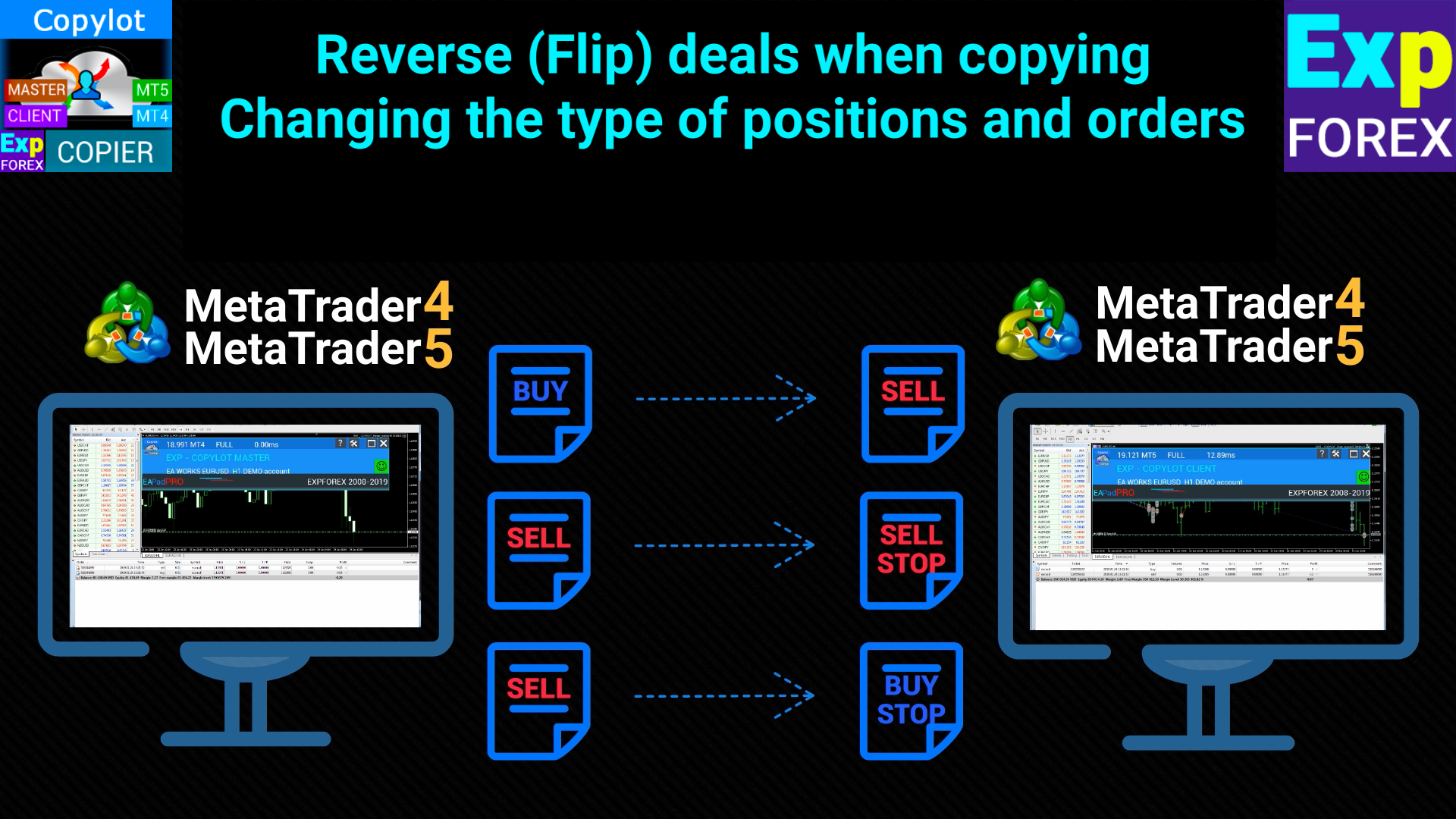
          ReverseCopy: 마스터 터미널의 포지션을 반대로 복사합니다(BUY → SELL 및 반대).

          PendingOrdersCopy: 마스터 계좌에서 보류 중인 주문을 복사합니다.

          DayToExpiration (MT5 전용): 보류 중인 주문의 만료 기간을 설정합니다.

          PositionsCopy: 마스터 터미널에서 포지션을 복사할지 여부를 결정합니다.

          PricePointSlip: 포지션을 복사할 때 허용되는 최대 가격 차이.

          TimeSecondSlip: 포지션을 복사할 때 허용되는 최대 시간 차이(초 단위).

          DeleteOrderbyMaster: 마스터 터미널에서 삭제된 보류 중인 주문을 클라이언트에서 삭제합니다.

          ReopenPosAfterClose: 클라이언트에서 닫힌 마스터 포지션을 다시 열도록 설정합니다.

          Rounding: 주문과 포지션을 열거나 수정할 때 가격을 반올림합니다.

          AutoRoundingGOLDSILVER: 금 및 은 가격을 1 소수점으로 반올림합니다.

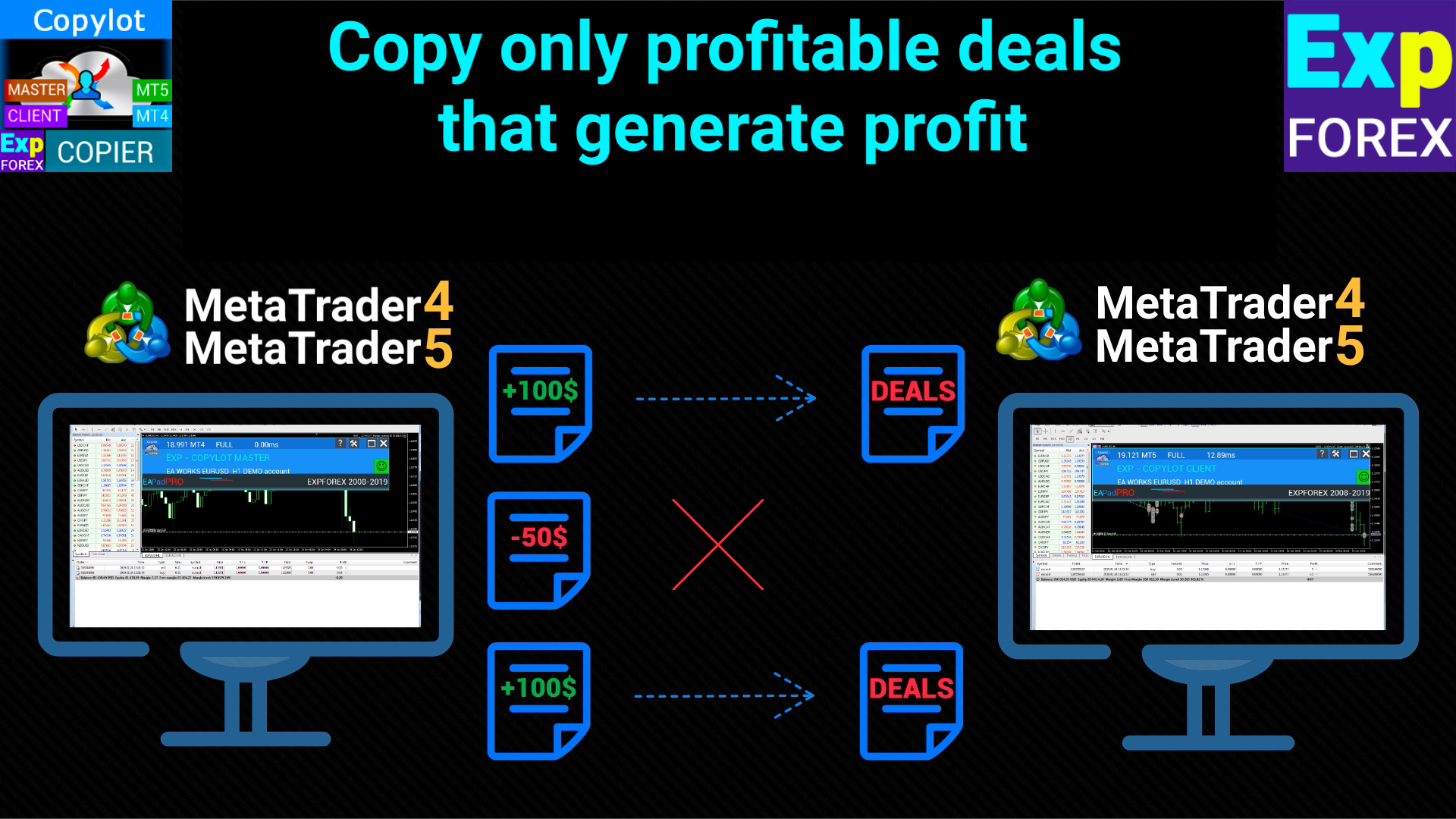
          ProfitCopyOnly: 최소 이익을 초과하는 포지션만 복사합니다.

          OnlyProfitPips: 포지션을 복사하기 위한 최소 이익 값(포인트 단위).

          LossCopyOnly: 최소 손실을 초과하는 포지션만 복사합니다.

          OnlyLossPips: 포지션을 복사하기 위한 최소 손실 값(포인트 단위).

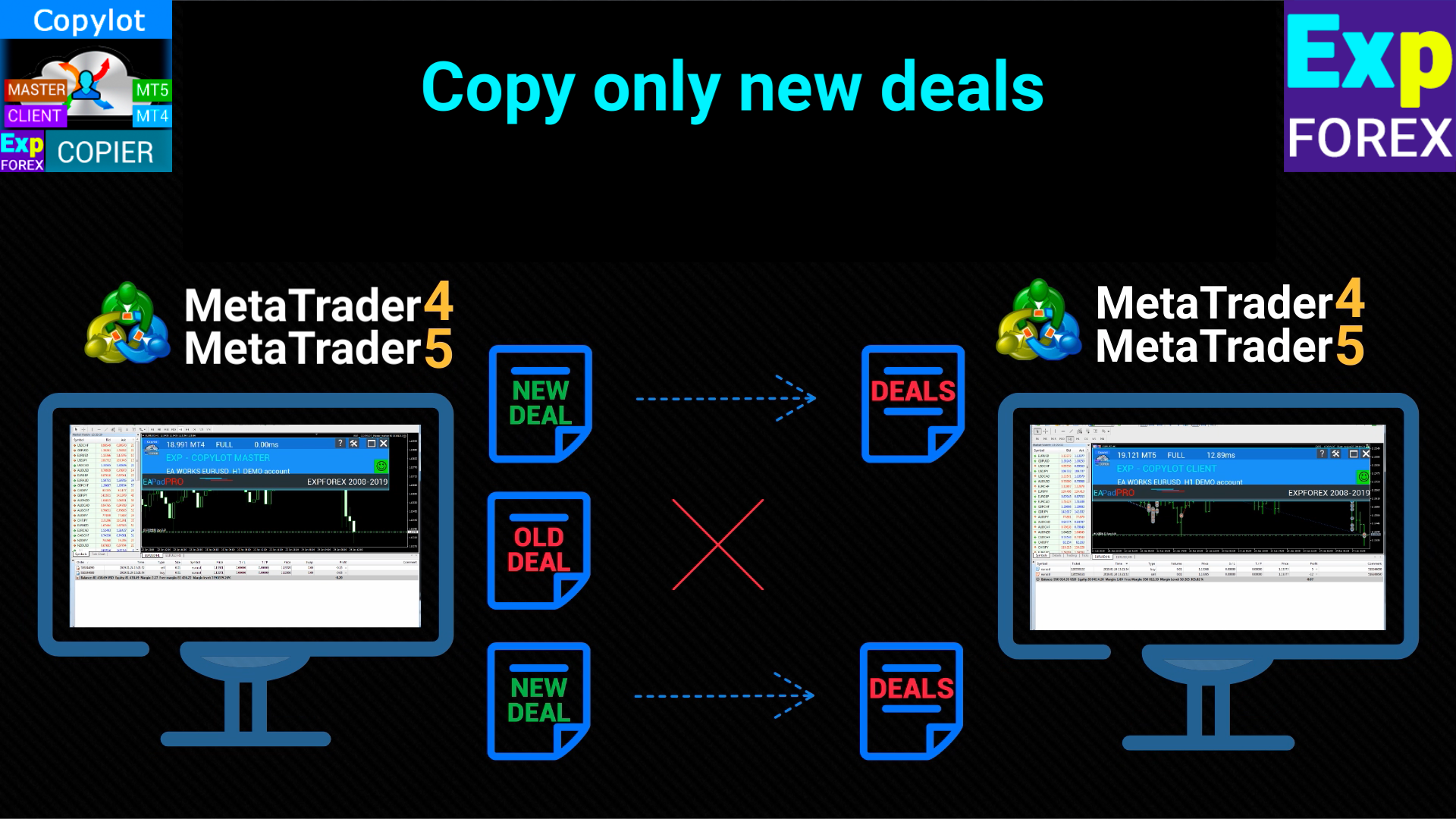
          NewTradeONLY: 프로그램 시작 후에 열리는 새로운 포지션만 복사합니다.

          FilterLotMin/FilterLotMax: 마스터 터미널에서 복사할 최소 및 최대 로트 크기를 설정합니다.

          SymbolToCopy: 복사할 심볼(통화 쌍)을 설정합니다.

          SymbolNotToCopy: 복사하지 않을 심볼을 설정합니다.

          SLEEPING: 코드 실행 사이의 지연 시간을 밀리초 단위로 설정합니다.

          ClosePosbyMaster: 마스터에서 포지션이 닫힐 때 클라이언트에서 포지션을 닫습니다.

          TP_adjust/SL_adjust: 마스터와 비교하여 클라이언트에서 테이크 프로핏과 스탑 로스를 조정합니다.

          My_STOPLOSS/My_TAKEPROFIT: 클라이언트 계좌에서 사용자 지정 스탑 로스 및 테이크 프로핏 값을 설정합니다.

          TrailingStopUSE: 복사된 포지션에 대한 트레일링 스탑을 활성화합니다.

          IfProfTrail: 포지션이 이익을 냈을 때만 트레일링 스탑을 활성화합니다.

          Trailingstop: 현재 가격에서 트레일링 스탑까지의 거리(포인트 단위).

          TrailingStep: 트레일링 스탑을 이동할 때의 단계.

          Breakeven: 포지션이 일정한 이익에 도달했을 때 손익분기 기능을 활성화합니다.

          MaxPosBySymbol/MaxOrderBySymbol/MaxSymboll: 복사할 심볼, 포지션 또는 보류 중인 주문의 최대 개수를 설정합니다.

          NumberPosbeforeCopy: 마스터 터미널에서 특정 수의 포지션이 열리면 복사를 시작합니다.

          TPWCM_Use: 마스터 포지션이 닫힌 후 클라이언트 포지션을 유지합니다.

          TPWCM_TakeProfitWhenCloseMaster: 마스터 포지션이 닫힌 후 클라이언트 포지션에 테이크 프로핏을 설정합니다.

          TPWCM_TakeProfitOnlyToProfitZone: 이익 구역에서만 테이크 프로핏을 설정합니다.

          TPWCM_StopLossWhenCloseMaster: 마스터 포지션이 닫힌 후 클라이언트 포지션에 스탑 로스를 설정합니다.

          TPWCM_TrailingStopUSE: 마스터 포지션이 닫힐 때 트레일링 스탑을 활성화합니다.

          TPWCM_IfProfTrail: 이익 구역에서만 트레일링 스탑을 활성화합니다.

          TPWCM_BreakEven: 마스터 포지션이 닫힌 후 복사된 포지션에 손익분기 기능을 활성화합니다.

          OIP_Order_Instead_Position: 클라이언트에서 포지션을 보류 중인 주문으로 변환합니다.

          OIP_TypeOrders: 보류 중인 주문의 유형(STOP 또는 LIMIT)을 결정합니다.

          OIP_DistanceOIP: 보류 중인 주문의 거리(포인트 단위).

          Clients extra Delays: 마스터 터미널에서 포지션을 복사할 때 추가 지연을 설정합니다.

          Delay_Seconds_General: 어드바이저의 서버 요청 사이의 지연 시간(초 단위).


          리뷰 38
          Marian Harwot
          151
          Marian Harwot 2024.12.24 18:40 
           

          drowndown protection by day doesnt work. for me it is most important function/closing position/. whole section clouse by day with usd, pips, and percent dont work. everything else working. i tested it on two different accounts from different providers.

          Marry Christmas

          How or where to send files?

          well ea doesnt clouse position when trigered limit by day i dont know what else i can provide becouse everything else works in ea. just section for day limits dont.

          Thanks for fixing ea great work.

          Hon Kwan Max Tse
          135
          Hon Kwan Max Tse 2024.12.06 15:59 
           

          Please explain wiht example to me for this fuction trailing. thanks

          TrailingStopUSE Use trailing stop for open positions

          Trailingstop The distance from which the trailing stop starts to turn on

          TrailingStep Step of modification stoploss

          anandnagaich
          50
          anandnagaich 2024.10.24 05:42 
           

          All in all... a great EA... appreciate the hard work that went behind it to create such an easy, plug and play type EA.. Kudos!

          추천 제품
          Episode Health Monitor Episode Health Monitor is a trading utility for MetaTrader 5 designed to analyze the real-time condition of active trading positions directly on the chart. The tool evaluates the current “trading episode” - a group of open positions - and provides a structured view of risk, stability, and distance to potential failure. Instead of relying only on profit/loss or price movement, it helps identify whether the current position is stable, weakening, or approaching a critical st
          Overview Mirror Signals Service EA (Text only)   is a powerful monitoring Expert Advisor that automatically sends   real-time Telegram notifications   for all important trade events on your MetaTrader 5 account. It is engineered specifically for   signal providers ,   trade-copier operators ,   auditors ,   educators , and   professional trading services   that require immediate, detailed, and reliable reporting. Everything from   entries, exits, SL/TP changes, comment changes, trailing sto
          Volume Profile V6
          Andrey Kolesnik
          4.67 (3)
          시장 매물대 지표(Volume Profile) + 스마트 오실레이터. 통화 쌍, 주식, 선물, 암호화폐 등 거의 모든 종목에서 작동하며, 실제 거래량(Real Volume)과 틱 거래량(Tick Volume)을 모두 지원합니다. 프로파일 생성 범위를 일주일이나 한 달 등으로 자동 설정할 수 있을 뿐만 아니라, 두 개의 수직선(빨간색과 파란색)을 이동하여 수동으로 범위를 설정할 수도 있습니다. 히스트그램 형태로 표시되며, 특정 가격 수준의 히스토그램 너비는 해당 가격대에서 발생한 거래량을 의미합니다. Mode level line color 파라미터를 사용하면 가격이 반등할 가능성이 높은 주요 매물대 수준을 자동으로 표시할 수 있으며, Maximum color 파라미터는 설정된 전체 범위에서 거래가장 많이 발생한 최대 거래량 수준을 별도로 보여줍니다. 스마트 오실레이터는 과매수 및 과매도 구간을 표시합니다. 여러 지표로부터 오는 정보를 분석하고, 처리된 데이터를 바탕으로 과매수 및 과매
          Auto Trade Copier is designed to copy trades to multiple MT4, MT5 and cTrader accounts/terminals with 100% accuracy. The provider and receiver accounts must be on the same PC/VPS. With this tool, you can copy trades to receiver accounts on the same PC/VPS. All trading actions will be copied from provider to receiver perfectly. This version can be used on MT5 accounts only. For MT4 accounts, you must use Auto Trade Copier (for MT4). Reference: - For MT4 receiver, please download Trade Receiver Fr
          Noize Absorption Index
          Ekaterina Saltykova
          Noize Absorption Index - is the manual trading system that measures the difference of pressure between bears forces and bulls forces. Green line - is a noize free index that showing curent situation. Zero value of index shows totally choppy/flat market.Values above zero level shows how powerfull bullish wave is and values below zero measures bearish forces.Up arrow appears on bearish market when it's ready to reverse, dn arrow appears on weak bullish market, as a result of reverse expectation.
          Trading Utility for Forex Currency Pairs Only not for Gold  Functions Auto Lot Calculation based on Risk Auto stoploss  Auto TakeProfit Breakeven Auto Close Half % Close in percentage with respect to the PIPs Pending Orders BuyLimit Sell Limit with distances BuyStop Sell Stop    with distances Trading Informations Risk in percentage For Multiple trades Combine Takeprofit and Combine Stoplosses
          TradePilotmt5
          Hossein Khalil Alishir
          TradePilot Expert Advisor (EA) for MetaTrader 5 TradePilot is a professional and user-friendly Expert Advisor (EA) for MetaTrader 5 (MT5) . It simplifies automated trading , risk management , and trade execution with a smart trading panel . Perfect for beginners and experienced traders looking for a reliable trade manager EA with automated lot size calculation and smart position management. Key Advantages User-Friendly Trading Panel: Customizable panel with buttons and hotkeys for fast ex
          Trade Assistant 38 in 1
          Makarii Gubaydullin
          4.91 (23)
          다기능 도구: 로트 계산기, 그리드 주문, R/R 비율, 트레이드 관리자, 수급 구역, 가격 행동 등 데모 버전   |   사용자 설명서 트레이드 어시스턴트   는 전략 테스터에서 작동하지 않습니다 :   여기에서 데모 버전을 다운로드  하여 유틸리티 를 테스트하세요. 질문/개선 아이디어/버그 발견 시 연락주세요 MT4 버전이 필요하시면 여기 에서 이용 가능합니다 거래   프로세스 를 간소화, 가속화, 자동화하세요. 이   대시보드 로 표준 터미널 기능을 확장합니다. 트레이딩 패널은  모든 거래 상품에서 작동: 외환, 주식, 지수, 암호화폐 등. 1. 새 거래 개시 : 로트 / 위험 / RR 계산 : 수동 거래를 위한 위험 관리 로트 계산기 (위험 크기 기반 거래량 계산) 위험 계산기 (로트 크기 기반 위험 금액) 위험 대비 보상   비율 그리드 주문:  + 동적 간격 옵션, 로트 분할 옵션 주문 활성화 트리거, + 매수 스톱리밋 / 매도 스톱리밋 가상 SL, 가상 TP (숨김
          자동 주문 및 위험 관리를 위한 유틸리티입니다. 이익을 최대한 활용하고 손실을 제한할 수 있습니다. 트레이더를 위한 실무 트레이더가 만들었습니다. 유틸리티는 사용하기 쉽고 거래자가 수동으로 또는 고문의 도움을 받아 열린 시장 주문과 함께 작동합니다. 매직 넘버로 거래를 필터링할 수 있습니다. 유틸리티는 동시에 원하는 수의 주문을 처리할 수 있습니다. 다음과 같은 기능이 있습니다. 1. 손절매 및 이익 수준 설정 2. 후행 정지 수준으로 거래를 마감합니다. 3. 손익분기점 설정. 유틸리티는 다음을 수행할 수 있습니다. 1. 각 주문에 대해 개별적으로 작업(각 주문에 대해 수준이 별도로 설정됨) 2. 단방향 주문 바스켓으로 작업(레벨은 모든 주문에 대해 공통으로 설정되며 별도로 구매 및 판매) 3. 다방향 주문 바구니로 작업(레벨은 모든 주문에 대해 공통으로 설정되며 BUY 및 SELL 함께) 옵션: STOPLOSS - =-1이 사용되지 않는 경우 핍에서
          Visual CrossPulse Dynamics Indicator
          AL MOOSAWI ABDULLAH JAFFER BAQER
          Visual CrossPulse Dynamics: Trade with the Market's True Rhythm Unlock a new level of market insight with Visual CrossPulse Dynamics, a sophisticated trading indicator designed to adapt to ever-changing volatility and reveal the true direction of the trend. Are you tired of indicators that lag in fast-moving markets or give false signals during consolidation? The Visual CrossPulse Dynamics indicator solves this problem by using an advanced, adaptive algorithm that intelligently adjusts to the m
          Reverse Trader
          ELITE FOREX TRADERS LLC
          ELITE REVERSE TRADER (MT5) Instantly hedge or invert any trade opened on your account—manual or EA. Reverse Mirror EA monitors your live positions and opens an opposite trade using your chosen lot mode (Fixed or Multiplier). When the original position is closed (manual close, SL/TP hit, EA exit—any method), the mirrored position closes automatically. Because it runs in the same terminal, it reacts faster than third-party copy tools. WHY THIS MATTERS It is widely cited that a large majority of
          RSI Currency Strength Meter is a powerful and elegant multi-currency indicator that measures the real-time relative strength of the 8 major currencies using RSI logic. By calculating the smoothed performance of each currency across its major pairs and applying the RSI formula, it delivers clean and responsive strength lines that make it easy to spot which currencies are truly strong or weak at any moment. This indicator is particularly useful for visualizing currency correlations and divergence
          Trade Command Center
          Nguyen Thanh Trieu
          5 (2)
          펀딩 계좌. 로트 계산 한 번의 실수. 드로다운 한도 초과. 계좌 폐쇄. 전략이 잘못된 게 아니었다. 실행 순간에 리스크가 통제되지 않았기 때문이다. Trade Command Center 는 시각적 매매 실행 및 리스크 관리 패널입니다. SL 거리에서 로트 계산. 포지션 자동 관리. 드로다운 한도 실시간 모니터링. 5개 탭. 차트 패널 하나. DLL 없음. 외부 연결 없음. 정확한 실행과 프롭 펌 준수가 필요한 수동 트레이더를 위해 설계. FTMO 및 MFF 규칙 프리셋 내장. 일일 손실, 주간 손실, 에퀴티 드로다운, 부동 손실 지원. 핵심 기능 시각적 매매 계획: 차트에서 Entry, SL, TP 박스를 드래그. 로트, 핍 거리, 달러 금액, R:R을 실시간 확인. 원클릭 실행. 리스크 계산기: 리스크 모드 선택 — 잔고 비율, 고정 금액, 고정 로트. 패널이 포지션 크기 자동 계산. 멀티 레벨 테이크 프로핏: 최대 5개 부분 청산 레벨. 각 레벨에 독립적인 트리거 거리와 청산
          Smart TP SL Manager MT5 Smart TP SL Manager MT5 is a trade management utility for MetaTrader 5 designed to monitor and manage position protection directly from the chart through a compact panel. The tool focuses on a common problem in manual trading: loss of control over stop loss, take profit, and position risk when multiple trades are active. Instead of relying on manual checking or switching between terminal windows, the panel provides a structured view of protection status and risk conditio
          Premium level Pro
          Dmitriy Kashevich
          Premium level is a unique indicator with more than 80% accuracy of correct predictions! This indicator has been tested for more than two months by the best Trading Specialists! The author's indicator you will not find anywhere else! From the screenshots you can see for yourself the accuracy of this tool! 1 is great for trading binary options with an expiration time of 1 candle. 2 works on all currency pairs, stocks, commodities, cryptocurrencies Instructions: As soon as the red arrow app
          Trade Copier Professional — 로컬 복사 솔루션   Trade Copier Professional 은 MetaTrader 4/5 용 신뢰성 높은 로컬 거래 복사 시스템입니다. 동일한 컴퓨터 내 여러 계좌에서 포지션을 즉시 복제할 수 있으며, 내장된 안전 제어 기능과 전문적인 대시보드를 제공합니다.   개요   이 EA는 단일 파일에서 Master 모드와 Slave 모드 모두로 작동하며, 매끄럽게 전환할 수 있습니다. MT4 와 MT5 터미널 간 거래를 인터넷에 의존하지 않고 복사할 수 있으며, 로컬 파일 기반 통신을 통해 최대 속도와 안정성을 보장합니다. 실시간 대시보드는 연결 상태, 복사 통계, 일일 성과를 표시합니다.   로트 및 리스크 관리   네 가지 로트 계산 모드가 제공됩니다: 고정 로트, 배수, 리스크 비율, 잔액 비율. 손절매와 익절은 조정 또는 스케일링이 가능하며, 필요 시 신호를 반대로 복사할 수 있습니다. 안전 기능에는 일일 손실 및 거
          RRtoolBox
          David Ruiz Moreno
          RRtoolbox - Professional Tools: Risk:Reward Trading Tool (SL/TP Horizontals + Pending orders + Diagonals), Alerts set on trend lines (for alerts on diagonal levels), SelfManagement (BE, partials...), close/cancelling by time, Statistics, Info and trading on chart. One-Click Trading with Visual Risk:Reward Management RRtoolbox is a comprehensive trading panel that combines one-click order execution,  statistics and  powerful visual Risk:Reward tools, alerts set with trendlines, on chart butt
          Delta Profile Volume
          Teresinha Moraes Correia
          기술 설명 – MetaTrader 5용 Delta Profile Delta Profile 은 MetaTrader 5에서 정의된 캔들 범위 내의 거래량 흐름을 세부적으로 분석하기 위해 설계된 지표입니다. 이 도구는 각 가격 수준에서 양의 거래량(상승과 관련) 과 음의 거래량(하락과 관련) 간의 불균형을 구조화하고 시각화합니다. 이를 통해 사용자는 실제로 거래가 집중되는 가격 영역과 시장 불균형이 형성되는 구간을 명확하게 파악할 수 있습니다. 핵심 개념 지표는 가격 레벨 을 인식하고 이를 양의 거래량, 음의 거래량 및 순 델타(양-음 차이)로 분류합니다. 각 가격 레벨은 수평 막대 로 차트에 표시되며, 거래가 집중되는 구간을 직관적으로 보여줍니다. 사용자는 분석할 캔들의 개수 , 가격 반올림 정밀도 , 최대 표시 레벨 수 , 표시 옵션 등을 직접 설정할 수 있습니다. 주요 기능 가격 레벨 매핑 : 사용자가 지정한 자릿수에 맞게 가격을 반올림하여 거래량을 집계합니다. 순 델타 계산 : 양
          FTMO Protector 8
          Vyacheslav Izvarin
          PROTECT YOUR FTMO Account in a simplest way Must-Have Account Protector for any Prop-trading Account and Challenge MT4 / MT5 Expert Advisor that protects your Forex Prop Trading account from an unexpected drawdown! FTMO Protector  is a Tool that lets you manage trades and control your profit and loss across multiple Robots and currency pairs using a simple parameters and settings. Use as many EAs and Instruments you need, the Protector will: 1.   Calculate your midnight (01:00 System time) Balan
          Inverted_Chart_EA Utility Expert Advisor Inverted_Chart_EA creates and maintains a mirror-inverted chart of any symbol and timeframe. It automatically generates a custom instrument (e.g. US30_INV ) and keeps its price history updated in real time, with bars mirrored around a chosen pivot. This utility gives traders a new way to analyze the market from a different perspective by flipping the chart upside down. Why use an inverted chart? Highlight hidden patterns – price formations that look ordin
          Aura Smc Quantum H4
          Chaibadee Dechtanankul
          AURA SMC QUANTUM V1.01 code in English, structured for a professional presentation or MQL5 Market description: AURA SMC QUANTUM V1.01 | Logic Breakdown The Aura SMC Quantum is an advanced automated trading system (EA) specifically engineered for Gold (XAUUSD) on the H4 timeframe. It combines high-probability Smart Money Concepts (SMC) with a sophisticated Hybrid Grid management system. 1. Market Analysis Strategy (SMC & Trend Filter) The core "intelligence" of the EA relies on a dual-layer confi
          Equity Shield Pro 1.1 NEW VERSION  Equity Shield Pro 1.1 is a powerful utility EA designed to safeguard your trading account by actively monitoring and enforcing equity protection and profit management rules. Whether you’re trading personal accounts or working through proprietary firm challenges, this EA ensures strict adherence to risk and profit targets, enabling you to maintain discipline and consistency. Fully compatible with all challenge types, Equity Shield Pro 1.1 is specifically craft
          Overview Mirror Signals EA is a powerful monitoring Expert Advisor that automatically sends real-time Telegram notifications for all important trade events on your MetaTrader 5 account. It is engineered specifically for signal providers , trade-copier operators , auditors , educators , and professional trading services that require immediate, detailed, and reliable reporting. Everything from entries, exits, SL/TP changes, comment changes, trailing stop activations, pending order modifications
          Easy Copier Limited  is utility tool to copy trade / trade copier form one account (master) to other account (slave) .  It works only with a single forex ( EURUSD ) . You can use this tool as local copier ( Terminals have to be in same PC / VPS ) as well as Remote Copier ( Terminals can be in different PC / VPS ). For remote copy you can use my server or it can be configured to your server . Trades are possible to copy from    MT4 => MT4     MT4 => MT5         MT5 => MT5       MT5 => M
          Royal Copier
          Janet Abu Khalil
          Royal Copier — 전문 MT5 트레이드 복사기 Royal Copier는 MetaTrader 5용 전문 로컬 실시간 트레이드 복사기입니다. 이제 두 기능이 하나의 MT5 Expert Advisor 안에 통합되었습니다. 입력값에서 EA를 Master 모드 로 실행할지 Client 모드 로 실행할지 선택하면 됩니다. 즉, 동일한 EA를 원본 계정과 수신 계정 모두에서 사용할 수 있으며, 기존 복사기의 동작 방식은 그대로 유지됩니다. Royal Copier는 다음과 같은 일반적인 계정 간 복사를 지원합니다. MT5에서 MT5 MT5에서 MT4 MT4에서 MT4 MT4에서 MT5 MT4와 복사하려면 MT4_Copier 를 사용하십시오. 작동 방식 Royal Copier는 동일한 Windows PC의 공유 파일을 통해 작동하는 로컬 복사기입니다. EA가 Master 모드 로 설정되면 원본 계정을 모니터링하고 모든 거래 활동을 공유 파일에 기록합니다. EA가 Client 모드 로 설정되
          This tool will perform Trailing stop loss and Break even management for orders. Helps you limit or reduce the time spend watching orders on the screen, especially when you need to go to sleep. Just add this EA to 1 chart, you can manage all pairs. You can filter orders by comment, magic number, symbol and order ticket number. When Breakeven it can add shift/offset pips (to cover the commission...). You can try in strategy tester before purchase. The EA will add Buy and Sell alternately, so you
          Step into the world of Forex trading with confidence, clarity, and precision using Gold Indicator a next-generation tool engineered to take your trading performance to the next level. Whether you’re a seasoned professional or just beginning your journey in the currency markets, Gold Indicator equips you with powerful insights and help you trade smarter, not harder. Built on the proven synergy of three advanced indicators, Gold Indicator focuses exclusively on medium and long-term trends elimina
          Supply and Demand Pro
          Godbless C Nygu
          4 (1)
          Join Deriv link on profile>>> GET THIS FULL COPY AND GET ANOTHER FREE INDICATOR ONE OF THE BEST AND USEFULL INDICATORS IN THE WORLD ..This is the one of the best usefull indicators which has chosen to be used by top traders in the world. AUTOMATIC SUPPORT AND RESISTANCE This way of trading is also called Supply and demand, On this way of trading you can see auto colours appear where the market changes direction buying or selling Direction. ALL KIND OF PAIRS METALS AND INDICIES ARE INCLUDED A
          ID Trade_Bot BS - an effective tool for automated trading using RSI Trade_Bot BS is an efficient solution for automated trading based on RSI, allowing flexible parameter customization and risk management. Thanks to the ability to choose a trading mode, dynamic Stop-Loss and Take-Profit levels, and trading mode adjustment (buying, selling, or both), it is suitable for various trading strategies. Key Features: Uses the RSI indicator to determine market conditions. Automatically opens an
          US30NinjaMT5
          Satyaseelan Shankarananda Moodley
          US30 Ninja is a 5 minute scalping indicator that will let know you when there is a trade set up (buy or sell). Once the indicator gives the trade direction, you can open a trade and use a 30 pip stop loss and a 30 pip to 50 pip take profit. Please trade at own own risk. This indicator has been created solely for the US30 market and may not yield positive results on any other pair. 
          이 제품의 구매자들이 또한 구매함
          Trade Assistant MT5
          Evgeniy Kravchenko
          4.42 (207)
          거래당 위험 계산, 라인을 사용한 손쉬운 신규 주문, 부분 청산 기능을 통한 주문 관리, 7가지 유형의 트레일링 스탑 및 기타 유용한 기능을 제공합니다. 추가 자료 및 지침 설치 지침   -   애플리케이션 지침   -   데모 계정용 애플리케이션 평가판 라인 기능       - 차트에 개시선, 손절매, 차익실현을 표시합니다. 이 기능을 사용하면 새로운 주문을 쉽게 하고 개봉 전에 추가 특성을 볼 수 있습니다. 위기 관리       -       위험 계산 기능은 설정된 위험과 손절매 주문의 크기를 고려하여 새 주문의 볼륨을 계산합니다. 이를 통해 손절매 크기를 설정하고 동시에 설정된 위험을 존중할 수 있습니다. 로트 계산 버튼 - 위험 계산을 활성화/비활성화합니다. 필요한 위험 값은 위험 필드에 0에서 100 사이의 백분율 또는 예금 통화로 설정됩니다. 설정 탭에서 위험 계산 옵션을 선택합니다. $ 통화, % 잔액, % 지분, % 자유 마진, % 사용자 정의, % AB 이전
          Trade Manager EA에 오신 것을 환영합니다. 이 도구는 거래를 보다 직관적이고 정확하며 효율적으로 만들기 위해 설계된 궁극적인 리스크 관리 도구 입니다. 단순한 주문 실행 도구가 아닌, 원활한 거래 계획, 포지션 관리 및 리스크 제어를 위한 종합 솔루션입니다. 초보자부터 고급 트레이더, 빠른 실행이 필요한 스캘퍼에 이르기까지 Trade Manager EA는 외환, 지수, 상품, 암호화폐 등 다양한 시장에서 유연성을 제공합니다. Trade Manager EA를 사용하면 복잡한 계산은 이제 과거의 일이 됩니다. 시장을 분석하고 진입, 손절 및 익절 수준을 차트의 수평선으로 표시한 후 리스크를 설정하면, Trade Manager가 이상적인 포지션 크기를 즉시 계산하고 SL 및 TP 값을 실시간으로 표시합니다. 모든 거래가 간편하게 관리됩니다. 주요 기능: 포지션 크기 계산기 : 정의된 리스크에 따라 거래 크기를 즉시 결정합니다. 간단한 거래 계획 : 진입, 손절, 익절을 위한
          Farmed Hedge Yield Farming |  Arbitrage x Correlation x Currency Strength  (Manual - Hybrid - Semi/Automated EA) VERIFIED TRADING RESULTS - Farmed Hedge Yield Axi Copy:  https://www.mql5.com/en/signals/2356376 - Farmed Hedge Yield Exn Copy:   https://www.mql5.com/en/signals/2356404 - Farmed Hedge Yield V Copy:  https://www.mql5.com/en/signals/2357156 Contact me via private message to receive the User Manual and Setup Video. * Thai Lauguage Support Available VERSION 3 - WILD HARVEST UPDATE
          Copy Cat More Trade Copier MT5 (복사 고양이 MT5) 는 오늘날의 거래 과제를 위해 설계된 로컬 거래 복사기이자 완전한 위험 관리 및 실행 프레임워크입니다. 프롭펌 챌린지부터 개인 포트폴리오 관리까지, 견고한 실행, 자본 보호, 유연한 구성 및 고급 거래 처리의 조합으로 모든 상황에 적응합니다. 복사기는 마스터(송신자)와 슬레이브(수신자) 모드 모두에서 작동하며, 시장 주문과 예약 주문, 거래 수정, 부분 청산 및 헷지 청산 작업의 실시간 동기화를 제공합니다. 데모 및 실계좌, 거래 또는 투자자 로그인과 호환되며, EA, 터미널 또는 VPS가 재시작되어도 지속적인 거래 메모리 시스템을 통해 복구를 보장합니다. 고유 ID로 여러 마스터와 슬레이브를 동시에 관리할 수 있으며, 브로커 간 차이는 접두사/접미사 조정 또는 사용자 정의 심볼 매핑을 통해 자동으로 처리됩니다. 매뉴얼/설정  | Copy Cat More MT4 | 채널  특별 기능: 설정이 간편함 —
          Trade Manager DaneTrades
          Levi Dane Benjamin
          4.36 (28)
          거래 관리자는 위험을 자동으로 계산하는 동시에 거래를 빠르게 시작하고 종료하는 데 도움을 줍니다. 과잉 거래, 복수 거래 및 감정 거래를 방지하는 데 도움이 되는 기능이 포함되어 있습니다. 거래를 자동으로 관리할 수 있으며 계정 성과 지표를 그래프로 시각화할 수 있습니다. 이러한 기능은 이 패널을 모든 수동 거래자에게 이상적으로 만들고 MetaTrader 5 플랫폼을 향상시키는 데 도움이 됩니다. 다중 언어 지원. MT4 버전  |  사용자 가이드 + 데모 트레이드 매니저는 전략 테스터에서 작동하지 않습니다. 데모를 보려면 사용자 가이드로 이동하세요. 위기 관리 % 또는 $를 기준으로 위험 자동 조정 고정 로트 크기 또는 거래량과 핍을 기반으로 한 자동 로트 크기 계산을 사용하는 옵션 RR, Pips 또는 Price를 사용한 손익분기점 손실 설정 추적 중지 손실 설정 목표 달성 시 모든 거래를 자동으로 마감하는 최대 일일 손실률(%)입니다. 과도한 손실로부터 계정을 보호하고 과도한
          Footprint Chart Pro — Professional OrderFlow EA for MetaTrader 5 Version 6.34 | Professional tool for real traders | Institutional-Grade Visualization DEMO USERS - PLEASE SELECT EVERY TICK / REAL TICK WHEN TESTING AND YOU HAVE DOWNLOADED HISTORICAL DATA. IF YOU SEE A WAITING SCREEN AND IT IS NOT DOWNLOADING, IT MEANS YOU HAVE LOW HISTORICAL DATA. TRY 1 MIN AND 5 MIN FIRST ON 1 DAY DATA. ONE DAY DATA SHOULD BE THE NEWEST AND MOST CURRENT DATE. PLEASE WAIT UNTIL THE MARKET HAS ROLLED OVER PERIOD.
          Local Trade Copier EA 는 외부 소스에서 거래 신호를 실행해야 하거나 MAM 또는 PAMM 계정 없이 동시에 여러 계정을 관리해야 하는 개인 거래자 또는 계정 관리자를 위한 솔루션입니다. 최대 8개의 마스터 계정에서 무제한 슬레이브 계정으로 복사합니다. [ 설치 가이드 | 업데이트 가이드 | 문제 해결 | 자주하는 질문 | 모든 제품 ] 100% 자체 호스팅 설치 및 사용이 간편함 설치 프로그램, 구성 파일, 서버, 메모리 파이프 또는 DLL이 사용되지 않음 EA를 영원히 사용하기 위한 1000번의 활성화 로컬 실행, 네트워크 대기 시간 없음 필요한 모든 기능을 구현합니다. 최대 8개의 마스터 계정 및 무제한 슬레이브 계정 모든 브로커 및 DD/NDD/ECN/STP 실행과 함께 작동 다른 계정 통화를 사용하는 계정에서 작동 라이브 계정과 데모 계정 간에 구분 없이 작동 마스터 및 슬레이브 계정에서 기호 이름의 접미사 지원 매직 넘버 및 주문 댓글로 필터링 다른 거래
          Anchor Trade Manager
          Kalinskie Gilliam
          5 (2)
          Anchor: The EA Manager A coordination system for traders running multiple EAs. Anchor ensures only one EA can trade at a time, preventing conflicting positions and keeping your portfolio safer. Attach Anchor to any chart. Configure your EAs and their magic numbers. Anchor handles the rest. Built for portfolios. Built for discipline. Built for prop firms. The Problem Running multiple EAs on the same account creates risk. Two gold EAs can open opposite positions on the same candle. Three EA
          Ultimate Extractor
          Clifton Creath
          5 (9)
          Ultimate Extractor - Professional Trading Analytics for MT5 *****this is the local HTML version of Ultimate Extractor. For the online version please reach out to me directly****** Ultimate Extractor transforms your MetaTrader 5 trading history into actionable insights with comprehensive analytics, interactive charts, and real-time performance tracking. What It Does Automatically analyzes your MT5 trading history across all Expert Advisors and generates detailed HTML reports with interactive vi
          AntiOverfit PRO MT5
          Enrique Enguix
          5 (3)
          AntiOverfit PRO: 백테스트에 대한 불편한 진실 그 EA를 사기 전에, 잠깐만 멈춰 보세요. 연 250% 수익을 약속하는 시스템을 방금 발견했습니다. 백테스트는 정말 완벽해 보입니다. 판매자는 399달러, 어쩌면 1,999달러를 요구합니다. 겉으로 보기엔 모든 게 그럴듯합니다. 하지만 문제가 있습니다. 그 백테스트는 당신이 생각하는 것을 증명하지 않습니다. 과거 데이터만으로는 거의 아무것도 증명되지 않습니다. 그것이 보여주는 유일한 사실은 그 로직이 하나의 특정한 시장 시퀀스에서 작동했다는 점입니다. 가격이 다른 경로로 움직이기 시작하는 순간, 로봇은 무너지기 시작합니다. 그리고 대부분의 비싼 EA는 სწორედ 여기서 무너집니다. AntiOverfit PRO가 하는 일 AntiOverfit PRO는 시스템을 팔기 전에 거의 아무도 보여주지 않는 것을 제공합니다. 바로 돈을 쓰기 전에 그 시스템의 견고함을 확인할 수 있는 방법입니다. 수학자일 필요도 없고, 복잡하게 생
          HINN Lazy Trader
          ALGOFLOW OÜ
          5 (2)
          The core idea: using the user interface, you configure the parameters the chart must meet before entering a position (or positions), choose which entry models to use, and set the rules for when trading and planning should end. Lazy Trader  handles the rest: it  takes over all the routine chart watching and execution! full description  :: 3 key videos [1] ->  [2]   ->  [3] What can it do? - Understands Larry Williams market structure - Understands swing market structure by Michael Huddleston
          Crystal Trade Manager – Advanced MT5 Risk and Trade Control Utility Overview Crystal Trade Manager (CTM) is a professional MetaTrader 5 utility designed for risk management, trade automation, and instant execution control. It provides traders with an integrated system for protecting equity, managing daily drawdowns, controlling lot sizes, and applying automation features such as automatic SL/TP, break-even, and trailing stop. The tool is suitable for manual traders, prop-firm challenge particip
          Trade Manager DashPlus
          Henry Lyubomir Wallace
          5 (13)
          DashPlus 는 MetaTrader 5 플랫폼에서 거래 효율성과 효과를 향상시키기 위해 설계된 고급 거래 관리 도구입니다. 리스크 계산, 주문 관리, 고급 그리드 시스템, 차트 기반 도구 및 성과 분석 등 포괄적인 기능을 제공합니다. 주요 기능 1. 리커버리 그리드 불리한 시장 상황에서 거래를 관리하기 위한 평균화 및 유연한 그리드 시스템을 구현합니다. 거래 회복을 최적화할 수 있도록 전략적인 진입 및 종료 포인트를 제공합니다. 2. 스택 그리드 강한 시장 움직임 동안 포지션을 추가하여 유리한 거래에서 잠재적 수익을 극대화하도록 설계되었습니다. 유리한 시장 트렌드에서 승률을 높이며 거래를 확장할 수 있도록 합니다. 3. 손익(P&L) 라인 차트에서 잠재적인 수익 및 손실 시나리오를 시각적으로 표현합니다. 설정을 조정하고 P&L 라인을 드래그하여 실행 전에 다양한 거래 결과를 평가할 수 있습니다. 4. 바스켓 모드 동일한 심볼에 여러 포지션을 단일 집계 포지션으로 결합하여 관리합니
          The product will copy all telegram signal to MT5 ( which you are member) , also it can work as remote copier.  Easy to set up, copy order instant, can work with almost signal formats, image signal,  s upport to translate other language to English Work with all type of channel or group, even channel have "Restrict Saving Content", work with  multi channel, multi MT5 Work as remote copier: with signal have ticket number, it will copy exactly via ticket number. Support to backtest signal. How to s
          Entry In The Zone and SMC Multi Timeframe   is a real-time 2-in-1 market analysis tool that combines market structure analysis and a No Repaint BUY / SELL signal system into a single indicator, built on Smart Money Concepts (SMC) — a widely adopted framework used by professional traders to understand market structure. This indicator helps you see the market more clearly, make decisions based on structure rather than guesswork, and focus on high-probability zones where price is more likely to rea
          Telegram To MT5 Receiver
          Levi Dane Benjamin
          4.31 (16)
          가입한 모든 채널에서 (개인 및 제한된 채널 포함) 시그널을 바로 MT5로 복사합니다.   이 도구는 사용자를 고려하여 설계되었으며 거래를 관리하고 모니터하는 데 필요한 많은 기능을 제공합니다. 이 제품은 사용하기 쉽고 시각적으로 매력적인 그래픽 인터페이스로 제공됩니다. 설정을 사용자 정의하고 제품을 몇 분 안에 사용할 수 있습니다! 사용자 가이드 + 데모  | MT4 버전 | 디스코드 버전 데모를 시도하려면 사용자 가이드로 이동하십시오. Telegram To MT5 수신기는 전략 테스터에서 작동하지 않습니다! Telegram To MT5 특징 여러 채널에서 동시에 신호를 복사합니다. 개인 및 제한된 채널에서 신호를 복사합니다. Bot 토큰이나 채팅 ID가 필요하지 않습니다.   (원하는 경우에는 사용할 수 있습니다) 위험 % 또는 고정된 로트로 거래합니다. 특정 심볼을 제외합니다. 모든 신호를 복사할지 또는 복사할 신호를 사용자 정의할지 선택할 수 있습니다. 모든 신호를 인
          YuClusters
          Yury Kulikov
          4.93 (43)
          Attention: You can view the program operation in the free version  YuClusters DEMO .  YuClusters is a professional market analysis system. The trader has unique opportunities to analyze the flow of orders, trade volumes, price movements using various charts, profiles, indicators, and graphical objects. YuClusters operates on data based on Time&Sales or ticks information, depending on what is available in the quotes of a financial instrument. YuClusters allows you to build graphs by combining da
          EmoGuardian
          Samuel Bandi Roccatello
          5 (6)
          EmoGuardian을 사용하여 거래 계정에 고급 위험 한도를 부과하여 과잉 거래, FOMO 및 강박적인 행동을 피하십시오. 포지션에 손절매  를 자동으로 추가하고, EA 손실을 관리하고, EA를 자동으로 로드/언로드합니다.  포지션당, 거래당, 시간 범위별, 일별로 위험을 제한합니다. 위험 관리 옵션은 거래자가 계정을 날려버리게 만드는 감정과 강박적인 행동을 구체적으로 다루기 위해 개발되었습니다. 주의: 이것은 유틸리티이므로 전략 테스터에서는 작동하지 않습니다. EmoGuardian은 Netting 계정에서 작동하지 않습니다(대부분의 거래 계정은 헤징 계정임). 매뉴얼 및 데모 버전 주의: 이것은 유틸리티이므로 전략 테스터에서는 작동하지 않습니다. EmoGuardian은 Netting 계정에서 작동하지 않습니다(대부분의 거래 계정은 헤징 계정임). 독특한 기능:  계좌 잔액의 백분율 또는 핍 단위로 포지션에 손절매를 자동으로 추가합니다.  위험 한도에 도달하면 EA를 종료하
          EA Auditor
          Stephen J Martret
          EA AUDITOR - VERIFY EA'S BEFORE YOU BUY The Only Independent EA & Signal Verification Tool for MetaTrader 5 MAKE SMARTER EA PURCHASES. EVERY TIME. The MQL5 market is home to some genuinely outstanding Expert Advisors built by talented developers — strategies that can transform your trading. But it can also include EAs with history readers coded in to produce fake backtest results, curve-fitted strategies, manipulated signals, and EAs falsely marketed as "AI-powered" or "machine learning" when th
          ManHedger MT5
          Peter Mueller
          4.83 (6)
          THIS EA IS A SEMI-AUTO EA, IT NEEDS USER INPUT. Manual & Test Version Please TEST this product before BUYING  and watch my video about it. The price of the ManHedger will increase to 250$ after 20 copies sold. Contact me for user support or bug reports or if you want the MT4 version! MT4 Version  I do not guarantee any profits or financial success using this EA. With this Expert Advisor, you can: Implement your own Zone Recovery strategy to capitalize on trending markets. Create Grid trading s
          Trader Evolution
          Siarhei Vashchylka
          5 (7)
          " Trader Evolution " - A utility designed for traders who use wave and technical analysis in their work. One tab of the utility is capable of money management and opening orders, and the other can help in making Elliott wave and technical analysis. Manual (Be sure to read before purchasing) | Version for MT4 Advantages 1. Trading in a few clicks. Immediate and pending orders are available in the panel 2. Money management. The program automatically selects the appropriate lot size 3. Simplifies
          MT5-StreamDeck offers the possibility to use a certain number of pre-programmed Hot-keys with a clearly defined role. So by the push of a button you can open a trade with a pre-defined lot size, stoploss and take profit. Close all your trades, close the ones in profit, or in loss, set Break-even or set a trailing stop. All this with a Hot key button. See the feature list for all the actions that can take place at the push of a button. Ideal for Quick Scalping or day trading with set risk managem
          Trend Cue Basket Manager
          Mohammadreza Faghanimakrani
          Trend Cue is a basket-management utility for MetaTrader 5 hedging accounts. You open the first trade. You choose the direction, the timing, and the lot size. Trend Cue then manages the basket that forms around that decision — setting take-profit levels based on real market volatility, optionally building a grid of additional entries, tracking your average price, and protecting your account with drawdown limits that act on the entire basket rather than on individual positions. It works on any ins
          Copy trades locally between MetaTrader terminals with a simple interface and professional risk controls. Use it to mirror trades across accounts, brokers, and platforms in any MT4/MT5 combination. Designed for reliability : supports trade updates such as breakeven, trailing stop, partial closes, and more. User Guide + Demo | MT4 Version Important notes Local Trade Copier MT5 does not work in the Strategy Tester. For a demo, please use the User Guide + Demo link above. To copy to MT4, you will n
          Crypto Charting
          Rajesh Kumar Nait
          5 (5)
          Crypto Charting for MT5 – MetaTrader 5용 암호화폐 차트 통합 도구 개요 Crypto Charting for MT5는 WebSocket을 통해 실시간 OHLC 차트 데이터를 제공합니다. 여러 거래소를 지원하며 MT5에서 자동으로 데이터가 동기화됩니다. 기능 WebSocket을 통한 실시간 차트 자동 역사 데이터 업데이트 네트워크 중단 시 예약된 동기화 모든 MT5 타임프레임 지원 OHLCV 데이터 지원 전략 테스터 지원 자동 재연결 기능 지원 거래소 Binance, Bybit, OKX, KuCoin, MEXC, Gate.io, Bitget, XT.com 추가 정보 Crypto Ticks 라는 별도 제품에서 틱 데이터와 오더북 정보를 제공합니다. 참고 사항 DLL 미사용, VPS 환경에 적합합니다. Strategy Tester에서는 WebRequest 기능이 작동하지 않습니다. 데모가 필요하신 경우 MQL5의 개인 메시지를 통해 문의하십시오. Full
          Telegram to MT5 Coppy
          Sergey Batudayev
          5 (8)
          Telegram에서 MT5로:   최고의 신호 복사 솔루션 DLL 없이도 Telegram 채널과 채팅에서 MetaTrader 5 플랫폼으로 거래 신호를 직접 복사하는 최신 도구인 Telegram to MT5를 사용하여 거래를 간소화하세요. 이 강력한 솔루션은 정밀한 신호 실행, 광범위한 사용자 정의 옵션을 제공하고 시간을 절약하며 효율성을 높여줍니다. [ Instructions and DEMO ] 주요 특징 직접 Telegram API 통합 전화번호와 보안 코드를 통해 인증하세요. 사용자 친화적인 EXE 브리지를 통해 채팅 ID를 쉽게 관리하세요. 여러 채널/채팅을 추가, 삭제, 새로 고침하여 동시에 신호를 복사합니다. 고급 필터를 사용한 신호 파싱 예외 단어(예: "보고서", "결과")가 포함된 원치 않는 신호를 건너뜁니다. 유연한 SL 및 TP 형식을 지원합니다: 가격, 핍 또는 포인트. 가격 대신 포인트를 지정하는 신호에 대한 진입 포인트를 자동으로 계산합니다. 주문 맞춤화 및
          EasyInsight AIO MT5
          Alain Verleyen
          4.92 (12)
          EASY Insight AIO – 스마트하고 손쉬운 트레이딩을 위한 올인원 솔루션 개요 외환, 금, 암호화폐, 지수, 심지어 주식까지 — 전 시장을 몇 초 만에, 수동 차트 확인이나 복잡한 설치, 인디케이터 설정 없이 스캔할 수 있다고 상상해 보세요. EASY Insight AIO 는 AI 기반 트레이딩을 위한 궁극의 플러그 앤 플레이(Plug & Play) 데이터 내보내기 도구입니다. 단 하나의 깔끔한 CSV 파일로 전체 시장 스냅샷을 제공하며, ChatGPT, Claude, Gemini, Perplexity 등 다양한 AI 플랫폼에서 즉시 분석할 수 있습니다. 창 전환, 복잡함, 차트 오버레이는 더 이상 필요 없습니다. 자동으로 내보내지는 순수하고 구조화된 데이터 인사이트만으로, 반복적인 차트 감시 대신 데이터 기반의 스마트한 의사결정에 집중할 수 있습니다. 왜 EASY Insight AIO인가요? 진정한 올인원 • 별도의 설정, 인디케이터 설치, 차트 오버레이가 필요 없습
          Comprehensive on chart trade panel with the unique ability to be controllable from mobile as well. Plus has a library of downloadable configuration, e.g. exit rules, extra panel buttons, pending order setup and more. Please see our product video. Works with all symbols not just currency pairs. Features On chart panel plus controllable from free app for Windows, iPhone and Android Built-in script engine with library of downloadable configuration, e.g. add 'Close All Trades in Profit' button, exit
          Becktester Telegram Signals — Turn Telegram Signals into Real Backtests Automatically read signals from real Telegram channels , parse them (Buy/Sell/Entry/SL/TP), and backtest in MetaTrader 5 Strategy Tester . Verify parsing first with Live Parsing Test Mode . Multi currency testing mode in MT5. Important Information After purchasing the product, please leave a comment on the product page, and I will send you the Telegram Signal History Parser file. This file is not publicly available at the m
          Prop Guardian Risk Manager MT5 – Daily and Overall Drawdown Protection for Prop Firm Traders Prop Guardian Risk Manager is a professional risk-control utility for MetaTrader 5, created for traders who operate under prop firm rules. It does not open trades and does not implement any trading strategy. Instead, it runs in the background, monitors your account risk and can automatically block trading or close exposure when your own limits are reached. Use it as a safety layer on top of your manual t
          제작자의 제품 더 보기
          Exp TickSniper PRO FULL
          Vladislav Andruschenko
          3.97 (58)
          Exp-TickSniper -   자동으로 각 통화 쌍에 대한 매개변수를 자동으로 선택하는 고속 틱 스캘퍼. 거래 매개 변수를 자동으로 계산하는 고문을 꿈꾸십니까? 자동으로 최적화되고 조정됩니까? MetaTrader 4용 시스템 정식 버전:       MetaTrader 4용   TickSniper   스캘퍼 TickSniper - 전체 설명       + 데모 + PDF EA는 10년 가까운 EA 프로그래밍 경험을 바탕으로 개발되었습니다. EA 전략은 모든 기호와 함께 작동합니다. 기간은 중요하지 않습니다. 로봇은 현재 시세, 틱 도달 속도, 스프레드 크기 및 기타 계약 사양 매개변수를 기반으로 합니다. 시스템은 유리한 정지 손실 및 이익 실현 수준을 자동으로 정의할 뿐만 아니라 평균 위치의 거리, 후행 정지 거리 등을 정의합니다. EA는 추세에 대해 추가 개방 시스템을 적용합니다("평균"). 설정은 실제 계정에서 테스트할 수 있도록 최적화되었습니다. Expert Advisor
          Exp COPYLOT CLIENT for MT4
          Vladislav Andruschenko
          4.65 (66)
          MetaTrader 4용 트레이드 복사기.       모든 계정의 외환 거래, 포지션, 주문을 복사합니다. 그것은 최고의 무역 복사기 중 하나입니다       MT4 - MT4, MT5 - MT4       위해       카피롯 MT4       버전(또는       MT4 -  MT5   MT5 - MT5       위해       카피롯 MT5       버전). MT5 버전 전체 설명   +DEMO +PDF 구입 방법 설치하는 방법     로그 파일을 얻는 방법     테스트 및 최적화 방법     Expforex의 모든 제품 복사기   버전         MetaTrader 5   터미널 (   МТ5 - МТ5, МТ4 - МТ5   ) -   Copylot Client MT5 고유한 복사 알고리즘은 마스터 계정에서 고객 계정으로 모든 거래를 정확하게 복사합니다. 이 제품은 또한 높은 작동 속도에서 높은 오류 처리로 유명합니다. 강력한 기능 세트. 프로그램은 여러 터
          한 번의 클릭으로 거래할 수 있는 거래 패널.   위치 및 주문 작업!   차트 또는 키보드에서 거래. 당사의 거래 패널을 사용하면 차트에서 직접 클릭 한 번으로 거래를 실행할 수 있으며 표준 MetaTrader 컨트롤보다 30배 빠르게 거래 작업을 수행할 수 있습니다. 매개변수와 기능의 자동 계산을 통해 트레이더는 더욱 빠르고 편리하게 거래할 수 있습니다. 그래픽 팁, 정보 라벨, 무역 거래에 대한 전체 정보는 MetaTrader 차트에 있습니다. MT4 버전 전체 설명   +DEMO +PDF 구입 방법 설치하는 방법     로그 파일을 얻는 방법     테스트 및 최적화 방법     Expforex의 모든 제품 열기 및 닫기, 반전 및 잠금, 부분 닫기/오토로트. 가상/실제 손절매/이익 실현/후행 정지/손익분기점, 주문 그리드 ... MetaТrader 5   의 주요 주문 거래 컨트롤 패널: 구매, 판매, 구매 중지, 구매 제한, 판매 중지, 판매 제한, 닫기, 삭제, 수
          Exp5 AI Sniper for MT5
          Vladislav Andruschenko
          2 (2)
          우리 팀은 MetaTrader 터미널을 위한 최첨단 스마트 트레이딩 전문가 자문인 트레이딩 로봇을 소개하게 되어 기쁘게 생각합니다. AI Sniper   는  MT5 터미널 모두를 위해 설계된 지능형 자체 최적화 거래 로봇입니다. 스마트 알고리즘과 고급 거래 전략을 활용하여 거래 잠재력을 극대화합니다. 거래소 및 주식 시장 분야에서 15년의 경험을 바탕으로 우리는 혁신적인 전략 관리 기능, 추가 지능형 기능 및 사용자 친화적인 그래픽 인터페이스를 개발했습니다. AI Sniper   의 모든 기능은 최적화된 프로그램 코드와 엄격한 테스트를 통해 뒷받침됩니다. 고급 컴퓨팅 지능은 각 가격 변동 단계에서 세심한 기술 분석과 수천 가지 수학적 계산을 통해 거래에 가장 적합한 진입 및 청산 지점을 식별합니다. 추세가 약세이든 강세이든   AI Sniper는   신호를 정확하게 분석하여 정확한 매수 또는 매도 거래를 실행합니다. 비전. 사명. 전략. 최고의 도구를 통해 거래자에게 힘을 실어주
          Exp5 Swing PRO for MT5
          Vladislav Andruschenko
          5 (1)
          Swing 모델 기반 거래 전략에는 증가된 랏으로 두 개의 반대되는 보류 주문을 넣는 것이 포함됩니다. 시장 가격이 특정 방향으로 움직이면 주문 중 하나가 실행되고 다른 주문의 로트 크기가 늘어납니다. 이 접근 방식을 통해 거래자는 위험을 최소화하면서 이익을 얻을 수 있으므로 외환, 주식 및 상품을 거래하는 안정적인 방법이 됩니다. 금융 거래에서 이 전략을 사용하는 것은 특히 변동성이 큰 시장에서 정보에 입각한 의사 결정을 촉진하는 능력으로 널리 인식되어 왔습니다. 그 효과는 시장 동향을 파악하고 이를 활용하는 동시에 시장 위험에 대한 노출을 줄이는 능력에 기인합니다. 따라서 거래 성과를 최적화하려는 거래자들에게 인기 있는 선택입니다. ONLY for HEDGING account type EA는 세 가지 유형의 보류 주문 개시(TypeofTrade)를 제공합니다. 배치 후 자동 개설(즉시 AutoTrade 개설) 수동개설 후 개설 및 관리(수동개설 ManualTrade) 고/저 레벨
          VirtualTradePad mt4 Extra
          Vladislav Andruschenko
          4.85 (61)
          한 번의 클릭으로 거래할 수 있는 거래 패널.   위치 및 주문 작업!   차트 또는 키보드에서 거래. 거래 패널을 사용하면 차트에서 클릭 한 번으로 거래하고 표준 MetaTrader 컨트롤보다 30배 빠르게 거래 작업을 수행할 수 있습니다. 거래자의 삶을 더 쉽게 만들고 거래자가 훨씬 빠르고 편리하게 거래 활동을 수행할 수 있도록 도와주는 매개변수 및 기능의 자동 계산. 차트의 무역 거래에 대한 그래픽 팁 및 전체 정보. MT5 버전 전체 설명   +DEMO +PDF 구입 방법 설치하는 방법     로그 파일을 얻는 방법     테스트 및 최적화 방법     Expforex의 모든 제품 열기 및 닫기, 반전 및 잠금, 부분 닫기/오토로트. 가상/실제 손절매/이익 실현/후행 정지/손익분기점, 주문 그리드 .... MetaТrader 4   의 주요 요청 거래 제어판   : 구매, 판매, 구매 중지, 구매 제한, 판매 중지, 판매 제한, 닫기, 삭제, 수정, 후행 중지, 손절매,
          Profit or Loss Pad
          Vladislav Andruschenko
          4.27 (11)
          이익 추적 기능으로 총 이익/손실에 도달하면 MetaTrader 5에서 포지션을 청산합니다.   CloseIfProfitorLoss with Trailing 가상 정류장(별도 주문)을   활성화할 수 있습니다. BUY 및 SELL 포지션을 별도로   계산 및 마감(BUY SELL 별도) , 모든 기호 또는 현재 기호만   닫고 계산(모든 기호) , 이익을 위해   후행   활성화( 후행 이익) 포지션은 예치 통화, 포인트, % 및 인출 금액을   기준으로 마감됩니다. 응용 프로그램은 다른 EA와 함께 또는 수동 거래와 함께 모든 계정에서 사용하도록 설계되었습니다. MT4 버전 전체 설명   +DEMO +PDF 구입 방법 설치하는 방법     로그 파일을 얻는 방법     테스트 및 최적화 방법     Expforex의 모든 제품 일부 쌍 또는 모든 쌍의 총 거래 잔액이 설정에 지정된 값보다 크거나 같으면 모든 위치가 닫히고 주문이 삭제됩니다. 이 버전은 지정된 이익 수준에서
          Exp Assistant 5
          Vladislav Andruschenko
          4.77 (125)
          자동 설정, 손실 중지, 이익 실현, 추적 중지, 손익분기 수준,   가상   중지 손실 및 이익 실현. Exp Assistant는   귀하의 직위 유지 관리를 조직하는 데 도움을 줄 것입니다. Expert Advisor라는 이 프로그램은   Real 또는 Virtual을   자동으로 설정하도록 설계되었습니다.       거래하는 동안 포지션에 대한   손실 중지 및 이익 실현   수준. Expert Advisor의 모든 작업을 차트의 제어판에서 쉽게 관리할 수 있습니다. 미결 포지션   에 대해 손절매, 이익실현,   추적 손절매   ,   손익분기   점을 설정하는 데 어려움이 있거나 수동으로 거래하는 것을 선호하는 경우 보조 도구를 사용할 수 있습니다. 거래에 대한 손절매 설정 및 이익 실현, 추적 손절 설정, 필요한 경우 손절매를 손익분기점으로 이동하는 등 필요한 작업을 자동으로 수행합니다. 보조 도구에는   포물선형 Sar   표시를   기반으로 하는 후행 중지 기능도 있습
          FREE
          Exp5 Duplicator
          Vladislav Andruschenko
          4.78 (9)
          Expert Advisor Duplicator   는   귀하의 계정 MetaTrader 5   에서 미리 설정된 횟수만큼 거래/포지션/신호를 반복합니다. 수동으로 또는 다른 Expert Advisor에 의해 열린 모든 거래를 복사합니다. 신호의 로트 크기를 늘릴 수 있습니다. 포지션을 복사하고 포지션을 기준으로 로트를 증가시킵니다! 다음 기능이 지원됩니다: 복사된 거래에 대한 사용자 지정 로트, StopLoss 복사, TakeProfit, 후행 정지 사용 등. MT4 버전 전체 설명 +DEMO +PDF 구입 방법 설치하는 방법     로그 파일을 얻는 방법     테스트 및 최적화 방법     Expforex의 모든 제품 연결 MetaTrader용 무역 복사기는 여기에서 사용할 수 있습니다:   COPYLOT 주목 참고   : 단말기간 거래용 복사기가 아닙니다. 복제기는 네팅 계정에서 사용할 수 없습니다. 전략 테스터에서 Expert Advisor를 테스트하고 비주얼 모드에
          CloseIfProfitorLoss with Trailing
          Vladislav Andruschenko
          4.87 (31)
          이익 추적 기능으로 총 이익/손실에 도달하면 MetaTrader 4에서 포지션을 청산합니다. 가상 정지 (별도 주문) 을 활성화할 수 있습니다. BUY 및 SELL 포지션을 별도로 계산하고 마감합니다 (BUY SELL 별도). 모든 심볼 또는 현재 심볼 만 닫고 계산합니다 (모든 심볼). 이익을 위해 후행 추적 을 활성화합니다 (후행 이익). 예금 통화, 포인트, 잔액의 %에 대한 총 손익을 마감합니다. 이 애플리케이션은 다른 EA와 함께 또는 수동 거래와 함께 모든 계정에서 사용하도록 설계되었습니다. MT5 버전 전체 설명 + DEMO + PDF 구입 방법 설치하는 방법 로그 파일을 얻는 방법 테스트 및 최적화 방법 Expforex의 모든 제품 일부 쌍 또는 모든 쌍의 총 거래 잔액이 설정에서 지정된 값보다 크거나 같으면 모든 포지션이 닫히고 주문이 삭제됩니다. 이 버전은 지정된 이익 수준에서 포지션을 마감할 수 있을 뿐만 아니라 더 나은 결과를 위해 이익을 추적할 수도 있습니다
          Exp5 The xCustomEA for MT5
          Vladislav Andruschenko
          4.27 (11)
          MetaTrader 5용 맞춤형 지표에 대한 범용 거래 고문. 전략의 빌더. Arrow   및 신호 버퍼로 표시기의 이름을 작성하면   EA xCustomEA   가 이러한 신호를 거래합니다. 또한 많은 내장 기능을 사용할 수 있습니다. MetaTrader4용 버전:   MetaTrader 4 터미널용   xCustomEA   버전 범용 거래 고문 xCustomEA의 기능은 다음 하나만 제외하고   고문 X의 모든 매개변수를 정확히 복제합니다. xCustomEA   는 맞춤형 지표에서 작동하며 MT5 터미널에 대한 거래 전략을 프로그래밍할 수 있습니다. xCustomEA   에는 인터넷이나 mql5 시장에서 다운로드할 수 있는 사용자 지정 지표에 대한 링크가 있습니다. The X EA의 표준 지표에서 +20 전략 우리의 새로운 조언자   xCustomEA   는 조언자 The X - Universal EA를   기반으로 합니다. 맞춤형 지표   와 어드바이저를 프로그래밍할 수 있습
          Lib5 EAPadPRO for MT5
          Vladislav Andruschenko
          4.5 (6)
          Library to add the Information Panel to your Expert Advisor for MetaTrader 5. We can not guarantee that the information and interface of the program will give you a profit on deals, but we will definitely say that even the simplest interface of the program can strengthen the first impression. Detailed description and instructions for adding our panel to your Expert Advisor are in our blog: LIB - EAPADPRO Step-by-step instruction Detailed description of our panel and instructions for using EAPADP
          FREE
          Averager FULL
          Vladislav Andruschenko
          4.62 (13)
          Exp-Averager는   평균 거래를 개시하여 특정 하락폭을 받은 거래를 평균화하도록 설계되었습니다. 고문은 추세와 추세에 반대하는 추가 포지션을 열 수 있습니다! 일련의 위치에 대한 평균 후행 중지를 포함합니다! 그들은 많이 증가하고 감소하고 있습니다. 수익성 없는 포지션을 평균 가격으로 끌어올리기 위한 인기 있는 전략입니다. MT4 버전 전체 설명 +DEMO +PDF 구입 방법 설치하는 방법     로그 파일을 얻는 방법     테스트 및 최적화 방법     Expforex의 모든 제품 연결 MetaTrader 5 터미널의 Expert Advisor에서 평균기 작동 예:   Exp - TickSniper   . 평균화 기능을 갖춘 범용 트레이딩 어드바이저   The X 메모 이것은 자동화된 거래 시스템이 아닙니다. 거래를 모니터링하고 손실이 발생할 경우 이익을 얻을 때까지 평균을 냅니다. 전략 테스터에서 Expert Advisor를 테스트하고 시각적 모드에서 EAPAD
          Exp5 Tester PAD for Strategy Tester
          Vladislav Andruschenko
          4.53 (30)
          이 유틸리티를 사용하면 전략 테스터에서 전략을 수동으로 테스트할 수 있습니다. 시각화 차트에서 원클릭 거래. 거래 기술을 테스트하기 위한 편리하고 완벽한 기능을 이제 전략 테스터에서도 사용할 수 있습니다. Forex Tester Pad는 전략 테스터를 위한 트레이딩 시뮬레이터입니다. 지표를 이용한 거래. 우리 유틸리티의 주요 기능 MT4 버전 전체 설명 +DEMO +PDF 구입 방법 설치하는 방법     로그 파일을 얻는 방법     테스트 및 최적화 방법     Expforex의 모든 제품 MetaTrader 전략 테스터 4 및 5에서 작동합니다. 거래, 포지션, 주문 관리 모든 지표로 작업할 가능성 Stoploss, Takeprofit, Trailingstop, 주문 그리드; EAPAD PRO 차트 친화적 대시보드; 1클릭으로 속도제어, 일시정지, 차트제어가 가능합니다. 등등. 경고: 이 패널은 전략 테스터를 위한 것입니다! 실시간 차트에서 원클릭 거래를 하려면   Meta
          FREE
          Exp Swing
          Vladislav Andruschenko
          4.51 (59)
          그것은 Swinger(Pendulum, Cheburashka)라고 하는 유명한 전략의 모델을 사용합니다. 전략은 두 개의 반대되는 보류 중인 주문을 배치하는 것입니다. 가격이 특정 방향으로 이동하면 하나의 보류 주문이 트리거되고 다른 주문의 로트 크기가 증가합니다. EA는 세 가지 유형의 개설 보류 주문(TypeofTrade)을 제공합니다. 배치 후 자동 개설(즉시 개설 AutoTrade) 수동 개봉 후 개봉 및 관리 (수동 개봉 ManualTrade) 높음/낮음 수준으로 열기(과거 막대 TFTrade의 경우 높음 낮음) OCO(One-Cancels-the-Other) 주문은 두 개의 주문으로 구성된 조건부 주문의 일종입니다. 두 번째 주문이 체결되면 첫 번째 주문은 자동으로 취소됩니다. 스윙 - 전체 설명 MT5 version 구입 방법 설치하는 방법     로그 파일을 얻는 방법     테스트 및 최적화 방법     Expforex의 모든 제품 작동 원리 시작 시 Expe
          FREE
          Exp5 COPYLOT MASTER for MT5
          Vladislav Andruschenko
          4.42 (12)
          Exp5 - COPYLOT MASTER는 MetaТrader 5 및 MetaTrader 4용 거래 복사기입니다. 모든 계정에서 Forex 거래를 복사합니다. 설치 이 Expert Advisor는 마스터 복사기입니다. 거래를 복사하려는 터미널에 Expert Advisor를 설치합니다. 텍스트 레이블 이름을 pathWrite로 지정하십시오(예: "COPY"). 거래를 복사하려는 터미널에 COPYLOT MASTER for MT5를 설치합니다. 그런 다음 복사하려는  MT4  터미널에 COPYLOT Client MT4를 설치합니다.  또는  MetaTrader 5용  Copylot 클라이언트 MT5 MT4용 COPYLOT MASTER를   다운로드할 수도 있습니다. COPYLOT - 전체 설명 및 매뉴얼 참고: 설정 목록은 설명 탭에서 찾을 수 있습니다. EA는 차트 1개로 설정해야 합니다! 기본적으로 저희 고문은 귀하의 계정에서 모든 포지션과 주문을 복사합니다! 주문은 활성화(포지션)
          FREE
          Exp4 Duplicator
          Vladislav Andruschenko
          4.5 (22)
          Expert Advisor   는   귀하의 계정 MetaTrader 4   에서 사전 설정된 횟수만큼 거래 및 포지션을 반복하거나 신호를 보냅니다. 수동으로 또는 다른 Expert Advisor에 의해 열린 모든 거래를 복사합니다. 포지션을 복사하고 포지션을 기준으로 로트를 증가시킵니다! 다른 EA의 수를 늘립니다. 다음 기능이 지원됩니다: 복사된 거래에 대한 사용자 지정 로트, 손절매 복사, 이익 실현, 후행 정지 사용. MT5 버전 전체 설명 +DEMO +PDF 구입 방법 설치하는 방법     로그 파일을 얻는 방법     테스트 및 최적화 방법     Expforex의 모든 제품 연결 MetaTrader용 무역 복사기는 여기에서 사용할 수 있습니다:   COPYLOT 주목 참고: 터미널 간 거래를 위한 복사기가 아닙니다. 전략 테스터에서 Expert Advisor를 테스트하고 비주얼 모드에서 EAPADPRO 도구 모음과 거래할 수 있습니다! 1개의 통화 쌍에 EA를 설
          SAFETYLOCK for MetaTrader 5 는 반대 방향의 안전 주문을 자동으로 배치하여 열린 포지션을 갑작스러운 시장 반전으로부터 보호하도록 설계된 프리미엄 리스크 관리 유틸리티입니다. 트레이더 또는 Expert Advisor (EA)가 포지션을 열면 SAFETYLOCK for MT5 는 즉시 해당하는 대기 주문(Buy Stop 또는 Sell Stop)을 생성합니다. 원래 포지션이 드로우다운에 들어가기 시작하면 대기 주문이 활성화되어 보호용 safety lock을 형성하며, 이를 통해 리스크를 줄이고 거래 관리를 안정화하는 데 도움을 줍니다. 이 Expert Advisor는 유연한 거래 제어 로직을 제공합니다. 원래 포지션을 닫거나, 활성화된 안전 포지션에 트레일링을 적용하거나, 수익을 더 효율적으로 관리하거나, 랏 크기를 늘려 복구 시나리오를 강화할 수 있습니다. 또한 SAFETYLOCK for MT5 는 대기 주문 가격을 실시간으로 동적으로 이동시켜, 더 정밀한 실행을
          Exp Tick Hamster MT5
          Vladislav Andruschenko
          3.59 (17)
          MetaTrader 5의 모든 거래 기호에 대한 모든 매개변수를 자동으로 최적화하는 전문가입니다. T rading EA 설정없이! 진드기   햄스터   - 이것은   고문을 설정하고 싶지 않은 초보자와 사용자를 위한 자동 거래 전문가입니다! 이 거래 고문의 거래 전략은   7년 동안 테스트되었습니다. 초보자를 위해 특별히 설계된 자동매매 전문가를 통해 그 어느 때보다 쉽게 거래할 수 있습니다. 어드바이저를 설정하는 번거로움과 작별하고 스트레스 없는 트레이딩을 시작하세요. 지금 바로 시작하여 성공적인 트레이딩을 위한 첫걸음을 내딛으세요. MT4 버전 전체 설명   +DEMO +PDF 구입 방법 설치하는 방법     로그 파일을 얻는 방법     테스트 및 최적화 방법     Expforex의 모든 제품 어떻게 작동합니까? 다운로드; 차트에 설치하십시오. 고문은 자동으로 거래됩니다. 리뷰를 남겨주세요. 전문가를 설정하는 방법? 아무것도 사용자 정의할 필요가 없습니다! 우리는 당신을
          MetaTrader 5용 프리미엄 부분 청산 및 트레일링 스톱 보조 EA. 수익 중인 포지션이 되돌림을 보일 때 일부 물량을 자동으로 청산하고, 남은 수량은 스마트한 트레일링 로직으로 계속 관리합니다. Exp Trail Partial Close PRO for MT5 는 부유 수익을 단계적으로 보호하도록 설계된 전문 트레이드 관리 Expert Advisor입니다. 이 EA는 수익 중인 오픈 포지션을 추적하고, 가격이 유리한 방향으로 움직일 때마다 수익 레벨을 고정한 뒤, 제어된 되돌림을 기다렸다가 지정된 일부 수량을 청산하고 남은 포지션을 계속 관리합니다. 이 알고리즘은 전체 포지션을 한 번에 닫는 대신 수익을 점진적으로 확보할 수 있도록 도와줍니다. 특히 추세 매매, 스윙 매매, 그리고 규율 있는 청산 관리가 필요한 수동 포지션에 매우 유용합니다. Exp Trail Partial Close FREE for MT4 전체 설명 +DEMO +PDF   구매 방법   설치 방법    
          Exp COPYLOT MASTER for MT4
          Vladislav Andruschenko
          4.52 (27)
          MetaТrader 4용 거래 복사기. 모든 계정에서 외환 거래, 포지션, 주문을 복사합니다. 오늘날 최고의 МТ4   -   МТ4, МТ5   -   МТ5, МТ4   -   МТ5, МТ5   -   МТ4 무역 복사기 중 하나입니다. 고유한 복사 알고리즘은 마스터 계정에서 고객 계정으로 모든 거래를 정확하게 복사합니다. 높은 작동 속도. 힘든 오류 처리. 강력한 기능 세트. 이러한 모든 자질은 단일 프로그램인 EXP - COPYLOT에 결합됩니다. 프로그램은 여러 터미널 바인딩에서 실행할 수 있습니다. 하나의 계정에서 거래되는 다양한 투자자 계정 거래의 동기화 장치로 사용하십시오. - COPYLOT은 거래를 다른 터미널로 복사합니다. 설치 CopyLot Master - 위치 및 주문을 복사하려는 계정에 설치할 전문가. 포지션을 투자 계좌로 복사하려는 터미널에 이 전문가를 설치하십시오. 텍스트 레이블 이름을 pathWrite(pathRead)로 지정하십시오(예: "COPY")
          FREE
          Exp Assistant 4
          Vladislav Andruschenko
          4.88 (76)
          자동 설정 손절매, 이익실현, 후행 정지, 손익분기점 수준, 가상 정지 활성화. Exp Assistant   는 직위 유지 관리를 도와드립니다. 이 전문가 고문은 필요한 모든 손절매를 설정하고 귀하의 포지션에 대한 이익 수준을 취할 것입니다. 모든 Expert Advisor 작업은 차트의 제어판에서 관리됩니다. 열린 포지션이 있지만 Expert Advisor가 손절매, 이익 실현, 후행 정지 또는 손익분기점을 설정할 수 없고 수동으로 거래하는 경우 보조자를 사용할 수 있습니다. 자동으로 손절매를 배치하고 거래에 대한 이익을 얻고 필요할 때 후행 손절매를 켜거나 손절매를 손익분기점으로 이동합니다. 또한 Parabolic Sar 표시기를 기반으로 한 후행 정지 기능이 있습니다. MT5 버전 전체 설명 +DEMO +PDF 구입 방법 설치하는 방법     로그 파일을 얻는 방법     테스트 및 최적화 방법     Expforex의 모든 제품 어시스턴트의 9가지 주요 기능: 매수 매도
          FREE
          Exp TickSniper
          Vladislav Andruschenko
          3.97 (30)
          Exp-TickSniper   는 각 통화 쌍에 대해 개별적으로 매개변수를 자동으로 선택하는 빠른 틱 스캘퍼입니다. EA는 10년 가까운 EA 프로그래밍 경험을 바탕으로 개발되었습니다. EA는 스마트 후행 정지를 사용하고 현재 통화 쌍 데이터, 시세, 사양 및 스프레드를 기반으로 단기 거래를 수행합니다. 평균화 전략은 신호 감지 알고리즘으로 인한 손실을 방지하는 데 사용됩니다. 오픈 포지션이 특정 손실을 입으면 포지션 평균화 기능이 발동됩니다. 극단적인 경우 TickSniper가 개설한 포지션에는 손절매가 수반됩니다. 자동 거래 시스템이 최소한의 이익을 얻을 수 없는 경우 포지션은 하나씩 손절매로 청산됩니다. 시스템은 유리한 정지 손실 및 이익 실현 수준을 자동으로 정의할 뿐만 아니라 평균 위치의 거리, 후행 정지 거리 등을 정의합니다. EA는 통화 쌍 사양, 현재 가격 및 전략의 일부인 기타 요소에서 이러한 매개변수에 대한 데이터를 얻습니다. 전체 MetaTrader 5 버전:
          Exp4 AI Sniper for MT4
          Vladislav Andruschenko
          2.33 (3)
          우리 팀은 MetaTrader 터미널을 위한 최첨단 스마트 트레이딩 전문가 자문인 트레이딩 로봇을 소개하게 되어 기쁘게 생각합니다. AI Sniper   는  MT4   터미널 모두를 위해 설계된 지능형 자체 최적화 거래 로봇입니다. 정교한 알고리즘과 최첨단 거래 방법론을 활용하는   AI Sniper는   거래 최적화의 우수성을 보여줍니다. 거래소와 주식 시장 모두에서 15년 이상의 폭넓은 경험을 바탕으로 우리 팀은 혁신적인 전략 관리 기능, 지능형 기능 및 직관적인 그래픽 인터페이스를 통합한 이 Expert Advisor를 제작했습니다. AI Sniper   의 각 측면은 엄격하게 테스트된 프로그램 코드에 의해 꼼꼼하게 설계되고 지원됩니다. 고급 컴퓨터 지능은 복잡한 기술 분석을 통해 작동하며 가격 변동이 있을 때마다 수천 건의 수학적 계산을 수행합니다. 이를 통해   AI Sniper는   강세 또는 약세 시장 추세에 관계없이 거래에 대한 최적의 진입 및 청산 지점을 정확히
          Ind5 Extra Report Pad
          Vladislav Andruschenko
          4.76 (34)
          Traders Diary: MetaTrader 5의 거래 계정에 대한 분석을 제공하는 통계 패널입니다. 분석 결과는 실시간으로 차트에 표시됩니다. 다중 통화 거래는 매우 인기가 있습니다.  MT4 버전 전체 설명 +PDF 구입 방법 설치하는 방법     로그 파일을 얻는 방법     테스트 및 최적화 방법     Expforex의 모든 제품 하지만 거래량이 많을수록 각 거래의 수익성을 분석하기는 더 어려워집니다. 월별 거래를 분석하고 각 거래별 통계를 계산하는 것은 훨씬 더 어려운 작업입니다. 트레이딩 시스템의 성과를 종합적으로 파악하고 싶다면 이 목표를 달성하는 데 도움이 되는 여러 도구를 사용할 수 있습니다. 이러한 도구에는 보고서, 통계, myfxbook, 트레이딩 일지, 계좌 분석, 수익률 통계, 분석, 혁신적인 대시보드 등이 있습니다. 이러한 도구를 활용하면 트레이딩 시스템의 성과를 자세히 분석하고 강점 및 잠재적 약점 영역에 대한 귀중한 통찰력을 얻을 수 있습니다
          FREE
          Exp THE X FULL
          Vladislav Andruschenko
          4.79 (29)
          표준 지표에서 작업하는 MetaTrader 5용 범용 자동 전문가 고문. 유니버셜EA 생성자 EA에는 다양한 기능이 제공됩니다. 20개의 신호 중 하나를 선택하여 포지션을 열고 20개의 필터 중 5개를 선택하여 MetaTrader 패키지에 포함된 표준 지표의 신호를 분류할 수 있습니다. 또한, 표시기 매개변수를 조정하고, 시간 프레임을 선택하고, 각 신호에 대한 신호 막대를 지정할 수 있습니다. 또한 메타 트레이더 4 터미널위한 X EA를 다운로드 할 수 있습니다   MT4에 대한 X 주의   ! 새로운 범용 거래 고문   Exp -   맞춤형 지표에서 작업하는 xCustomEA: MetaTrader 5   용   xCustomEA 확장 MetaTrader 4   용   xCustomEA 확장 EA에는 다음 기능이 포함됩니다. 반대 추세 평균, 추세 방향으로 추가 개방, 후행 정지, 손익분기점, 총 손익으로 마감, 가상 손절매 이익 실현 및 후행 정지, 포지션 또는 보류/지정가 주
          Exp SafetyLock PRO
          Vladislav Andruschenko
          4.57 (28)
          SAFETYLOCK for MetaTrader 4 는 급격한 시장 반전에 대비해 반대 방향의 안전 주문을 자동으로 배치하여 열린 포지션을 보호하도록 설계된 프리미엄 거래 보호 유틸리티입니다. 트레이더 또는 Expert Advisor (EA)가 포지션을 열자마자 SAFETYLOCK for MT4 는 반대 방향의 해당 대기 주문(Buy Stop 또는 Sell Stop)을 생성합니다. 시장이 원래 거래에 불리하게 움직이면 대기 주문이 활성화되어 보호 잠금 구조를 형성하며, 이를 통해 트레이더는 드로우다운을 제어하고 복구 로직을 더욱 효율적으로 구성할 수 있습니다. 이 Expert Advisor는 포지션을 유연하게 관리할 수 있도록 해줍니다. 원래 거래를 닫거나, 활성화된 안전 포지션에 트레일링을 적용하거나, 더 큰 랏으로 잠금 구조를 확장하거나, 시장 상황에 따라 여러 안전 관리 시나리오를 조합할 수 있습니다. SAFETYLOCK for MT4 는 또한 대기 주문 가격의 동적 이동을 지원
          Exp4 Tester PAD for Strategy Tester
          Vladislav Andruschenko
          4.89 (19)
          이 유틸리티를 사용하면 전략 테스터에서 전략을 수동으로 테스트할 수 있습니다. 시각화 차트에서 원클릭 거래. 최신 버전의 유틸리티는 거래자가 거래 전략을 수동으로 테스트할 수 있는 고급 기능을 제공합니다. 이제 전략 테스터를 사용하여 시뮬레이션된 환경에서 거래 전략의 효율성을 평가할 수 있습니다. 이 기능을 사용하면 거래 기술의 성과를 분석하고 이를 개선하여 거래 기술을 향상시킬 수 있습니다. 또한, 전략 테스터는 시각화 차트에서 원클릭 거래를 통해 편리하고 효율적인 거래 실행 방법을 제공합니다. 이 기능을 사용하면 다른 화면을 전환할 필요 없이 원하는 가격 수준에서 즉시 거래를 시작하고 종료할 수 있습니다. 전략 테스터에서 사용할 수 있는 전체 기능을 사용하면 거래 전략을 시뮬레이션 및 개선하고 결과를 분석하며 거래 기술을 효과적이고 효율적으로 최적화할 수 있습니다. MT5 버전 전체 설명 +DEMO +PDF 구입 방법 설치하는 방법     로그 파일을 얻는 방법     테스
          FREE
          Exp Averager
          Vladislav Andruschenko
          4.82 (22)
          Exp-Averager는   평균 거래를 개시하여 특정 하락폭을 받은 거래를 평균화하도록 설계되었습니다. 고문은 추세에 맞춰 또는 현재 추세에 반대하여 새로운 위치를 열 수 있는 능력이 있습니다. 또한 일련의 위치에 적용되는 스마트 트레일링 스톱 기능도 포함되어 있습니다. 고문은 직위의 로트 크기를 늘리거나 줄일 수 있습니다. 이는 손실 포지션을 평균 가격으로 가져오기 위해 널리 사용되는 전략입니다. MT5 버전 전체 설명 +DEMO +PDF 구입 방법 설치하는 방법     로그 파일을 얻는 방법     테스트 및 최적화 방법     Expforex의 모든 제품 연결 TickSniper   스캘퍼   의 평균화 시스템 예 평균화 기능을 갖춘 범용 트레이딩 어드바이저   The X Expert Advisor는 차트가 첨부된 통화 쌍에 대해 작업합니다. 예를 들어 EURUSD에 대한 평균을 활성화하려면 EURUSD 차트를 열고 Expert Advisor를 실행하십시오. 메모
          Ind5 InfoPad Information Panel
          Vladislav Andruschenko
          4.89 (9)
          INFOPad는 MetaTrader 5 터미널에서 선택한 통화 쌍에 대한 정보를 생성하는 정보 패널입니다. 이 표시기에는 5가지 기능이 있습니다. 선택한 기호에 대한 주요 및 주요 정보를 표시합니다. 매도호가 매수, 스프레드, 스탑 레벨, 스왑, 틱 값, 수수료 가격; SL 목표와 TP 목표의 미래 목표를 보여줍니다(설정된 손절매와 이익실현의 포인트 수, 달러 금액). 그것은 기간 동안 받은 이익을 보여줍니다: 오늘, 주, 월, 연도, 선택한 통화에 대한 총 이익; 현재 오픈 포지션, 로트(볼륨), 포지션 수, 포지션 이익(포인트, 달러, 퍼센트)을 보여줍니다. 미결 거래에 대한 차트에 대한 추가 정보를 표시합니다. 그것은 손절매 및 이익 수준 및 이러한 정지 수준의 목표를 보여줍니다. 심볼에서 트랜잭션이 열리거나 트랜잭션이 닫히거나 트랜잭션이 수정될 때 로그 파일에 정보를 기록합니다. 거래를 열 때, 거래를 닫을 때, 거래를 수정할 때 사운드 파일을 재생합니다. 거래 개시, 거래
          FREE
          필터:
          Belcrow MG
          23
          Belcrow MG 2026.03.27 13:15 
           

          사용자가 평가에 대한 코멘트를 남기지 않았습니다

          Vladislav Andruschenko
          304124
          개발자의 답변 Vladislav Andruschenko 2026.03.27 13:30
          Olá, os índices são um tipo especial de ferramenta e precisam ser configurados corretamente. Por favor, deixe um comentário e anexe uma captura de tela do assistente com o índice – tanto do terminal quanto do cliente.
          Nhut Anh Phan
          1757
          Nhut Anh Phan 2025.09.01 06:34 
           

          too many updates, unstable, damages the user's system, 1 star, too bad

          Vladislav Andruschenko
          304124
          개발자의 답변 Vladislav Andruschenko 2025.09.01 07:14
          Updates are required for system stability. The functionality of the copier is not affected. I am not going to stop updating my programs.
          Thien Long Do
          771
          Thien Long Do 2025.08.01 01:14 
           

          I want the master account to copy the trade volume exactly from the client account, ignoring the account balance difference. How can I configure this?

          Hok Hin Woo
          151
          Hok Hin Woo 2025.06.15 15:54 
           

          I would like to ask how to due with "Forbidden to trade on a symbol - hedge:, EA doesnt work

          Vladislav Andruschenko
          304124
          개발자의 답변 Vladislav Andruschenko 2025.06.15 18:34
          Hello NoSymbol — Trading this symbol is prohibited! The broker has banned trades on this symbol. Right-click in the Market Watch, select Display All Symbols, find a symbol with a suffix (for example, _i, .m, s), and drag it to the chart!Please find a symbol with a suffix or one that is allowed for trading.Is your symbol grayed out? That means this symbol is not allowed to be traded by your broker.
          Damir Tulemaganbetov
          147
          Damir Tulemaganbetov 2025.04.01 10:45 
           

          Я купил вашего копиршика, но не могу разобраться как заставить его копировать алгоритмические сделки (Expert Advisor) с Мастер аккаунта

          Vladislav Andruschenko
          304124
          개발자의 답변 Vladislav Andruschenko 2025.04.01 10:48
          Здравствуйте. Это стандартная процедура копирования. Вы можете посмотреть видео и инструкцию: https://expforex.com/ru/copylot/ дополнительные вопросы прошу писать в раздел комментарии.
          steveyu1212
          213
          steveyu1212 2025.03.13 06:26 
           

          I have some problem using this after the new update. It could not copy the trades made by EAs from master to client, but it could copy the manual trades. At the client side, I can see "master ready OK", and also the information of the master side. However, the "table of deals" will not show any trades made by EAs. Can you please help? Thankyou

          Vladislav Andruschenko
          304124
          개발자의 답변 Vladislav Andruschenko 2025.03.13 08:08
          FULL INFO about your problem: How to make Files https://www.mql5.com/en/blogs/post/732566 ⚠️⚠️⚠️
          🌐🌐🌐 https://expforex.com/mt5-expert-reports-and-server-log-files-for-bug-report/ 🌐🌐🌐
          ▶️Youtube: https://www.youtube.com/watch?v=yedpin0LPnQ
          metatradercleia
          24
          metatradercleia 2025.03.04 21:08 
           

          Não estou conseguindo usar no MT5 real para MT5 real no cliente a carinha só fica vermelha....na demo roda de boa

          Vladislav Andruschenko
          304124
          개발자의 답변 Vladislav Andruschenko 2025.03.05 07:43
          Clique no smiley vermelho e leia o motivo do erro no seu terminal.
          I-hua Wang
          125
          I-hua Wang 2025.02.24 01:16 
           

          How to set master MT4 to client MT5,When I use it, a warning window pops up (Please turn AUTOTRADING ON)。

          Vladislav Andruschenko
          304124
          개발자의 답변 Vladislav Andruschenko 2025.02.24 03:07
          Hello. In your terminal master mt4, you need to install Copylot Master Mt4. It's free. On the terminal mt5, you need to install copylot client mt5. In your pop-up window it says that you do not have the autotrading button enabled. Look at my picture.
          Arvind Verma
          269
          Arvind Verma 2025.02.07 04:43 
           

          Hello Team, This copier I have use many time. It is good for manual Trader, but if you want to copy bulk trade from ea Then it will have a huge delay, and it will stop copying Master to slave. In this case, the reliability and trust is zero. I request, we pay more money as you want, but we need a good and quality product Which instant copy trade Master and slave. In this copier, the average delay is 3 to 15 second minimum. I don’t know. Maybe they updated new version. So recently not check. I checked last month and the result was horrible. So this is my honest feedback. I hope team will improve it so I will back to use it. edit | delete | complain

          Vladislav Andruschenko
          304124
          개발자의 답변 Vladislav Andruschenko 2025.02.07 04:50
          The speed depends on your broker.  My Copier COPYLOT copies the deal table 3 times a second!  That means that the table of positions is synchronized every 300-500 ms and immediately sends a request to your broker’s server; all other delays depend on your broker. The advisor copies the table of deals/positions 3 times per second. After that, the client reads the data file 3 times per second. If a new order to open a position or modify positions appears, the client sends the order to the server, and the broker opens the position. Not suitable for scalping! The average copy time is 0.1-1 seconds. If there are many positions, for example, more than 10.20, then the average copy time is 1-3 seconds. This is the execution time of the algorithm and sending orders to your server. My EA COPYLOT sends a request for opening positions and deals to your server!  Your server/broker opens this position. If your server slows down or returns requotes or other problems with opening deals/positions, then copying will be delayed! Copy speed depends on your broker! Copy speed does not depend on our program COPYLOT!
          Marian Harwot
          151
          Marian Harwot 2024.12.24 18:40 
           

          drowndown protection by day doesnt work. for me it is most important function/closing position/. whole section clouse by day with usd, pips, and percent dont work. everything else working. i tested it on two different accounts from different providers.

          Marry Christmas

          How or where to send files?

          well ea doesnt clouse position when trigered limit by day i dont know what else i can provide becouse everything else works in ea. just section for day limits dont.

          Thanks for fixing ea great work.

          Vladislav Andruschenko
          304124
          개발자의 답변 Vladislav Andruschenko 2024.12.26 19:33
          Thanks for the detailed feedback. If I can reproduce the error with your detailed details, I can fix it.
          Merry Christmas!
          I have retested this function and everything works as written in the instructions. Please add your log files, like this: ⚠️⚠️⚠️ FULL INFO about your problem: How to make Files https://www.mql5.com/en/blogs/post/732566 ⚠️⚠️⚠️ Yuou can send via COMMENTS section^^^^^:::::::::::::: https://mql5.com/en/market/product/11953?source=Site+Messages#!tab=comments&page=42
          Hon Kwan Max Tse
          135
          Hon Kwan Max Tse 2024.12.06 15:59 
           

          Please explain wiht example to me for this fuction trailing. thanks

          TrailingStopUSE Use trailing stop for open positions

          Trailingstop The distance from which the trailing stop starts to turn on

          TrailingStep Step of modification stoploss

          anandnagaich
          50
          anandnagaich 2024.10.24 05:42 
           

          All in all... a great EA... appreciate the hard work that went behind it to create such an easy, plug and play type EA.. Kudos!

          Vladislav Andruschenko
          304124
          개발자의 답변 Vladislav Andruschenko 2024.10.24 06:49
          Thank you )))
          Andrey Zharkov
          154
          Andrey Zharkov 2024.10.14 10:22 
           

          Купил обе клиентских программы. Копирует мт4 в мт5, мт5 в мт4 и мт5. Из мт4 в мт5 копировать не хочет. В чем проблема?

          Спасибо, все заработало. Пожалуйста добавьте в описание эту особенность МТ5 чтобы другие не мучались.

          Vladislav Andruschenko
          304124
          개발자의 답변 Vladislav Andruschenko 2024.10.14 21:52
          Проверил сет файл. В нем по умолчанию отключено копирование отложенных ордеров из-за особенности ей терминала мт5.  Параметр PendingOrdersCopy=false Необходимо включить.  ================================================================================================
          ?????? Подробная информация по ошибке: Где найти Лог файлы:  https://www.mql5.com/ru/blogs/post/653257  ??????
          🌐🌐🌐  https://expforex.com/mt5-expert-reports-and-server-log-files-for-bug-report/  🌐🌐🌐
          ▶️Youtube:  https://www.youtube.com/watch?v=yedpin0LPnQ ===========================
          Ruslan Fakhretdinov
          805
          Ruslan Fakhretdinov 2024.08.09 20:35 
           

          Лучший копировщик!

          Vladislav Andruschenko
          304124
          개발자의 답변 Vladislav Andruschenko 2024.08.09 20:41
          Спасибо :-)
          moabud Abud
          48
          moabud Abud 2024.08.01 01:13 
           

          I currently have an account, in this account I have four expert advisors in a single account, opening BUY LIMIT and SELL LIMIT orders, some orders are executed with defined take profit, however, when one of the positions is finalized by no stop gain for example, automatically the other position is cancelled. Is there any configuration in COPYLOT to prevent this from happening?

          Vladislav Andruschenko
          304124
          개발자의 답변 Vladislav Andruschenko 2024.08.01 08:09
          Hello. Can you write in a comment with an example and a picture what exactly do you need?
          RAAMP System
          349
          RAAMP System 2024.06.20 15:44 
           

          사용자가 평가에 대한 코멘트를 남기지 않았습니다

          Vladislav Andruschenko
          304124
          개발자의 답변 Vladislav Andruschenko 2024.06.20 15:54
          Hello. If your account allows you to copy 1 lot, then my copier will copy 1 lot. Do you have btcusd on master and client accounts? Please write details on the discussion page (comments)
          Luciano Da Silva Moreira
          135
          Luciano Da Silva Moreira 2024.06.10 18:58 
           

          It is not copying the orders on the Nasdaq index, what should I do? I tested it on forex and it worked.

          Vladislav Andruschenko
          304124
          개발자의 답변 Vladislav Andruschenko 2024.06.12 12:46
          No seu terminal do Wizard existe uma transação com o símbolo USATec N.S. 0 13:47:12.820 Exp COPYLOT CLIENT para MT5 (EURUSD,H1) [0] UsaTec 1 38880975201 0,2 0 0 1 NÃO ABRIR -156 19081 2024.06.10 18:47:37 | NÃO DISPONÍVEL | NÃO existe tal símbolo no terminal do seu cliente! Seu cliente só tem ( US100.cash,M1 ) Como uma copiadora pode descobrir isso? Se você estiver tentando copiar caracteres diferentes, precisará escrevê-los nas configurações.
          ChangingNamesSymbols FULL INFO about your problem: How to make Files  https://www.mql5.com/en/blogs/post/732566  ⚠️⚠️⚠️
          ▶️Youtube:  https://www.youtube.com/watch?v=yedpin0LPnQ
          Jules Andy Philippe Bouillar
          143
          Jules Andy Philippe Bouillar 2024.05.29 09:29 
           

          Bonjour , le copieur est tres performant et tres bien , bon travail ! Est il possible d ajouter une fonctione de copie des commentaires S il vous plait ? Merci de votre attention. Hello, the copier is very powerful and very good, good work! Is it possible to add a function to copy comments please? Thank you for your attention.

          Vladislav Andruschenko
          304124
          개발자의 답변 Vladislav Andruschenko 2024.05.29 10:35
          Hello. Thank you. The comment is the technical ticket number from the master. it is copied to identify positions and orders. In MT4 I made such a function, but in certain situations (transferring an account, activating other indicators, etc.) the copier cannot find transactions on tickets. Unfortunately, this is not possible in MT5. I tried. But it doesn't work well. And I want everything to work well.
          Viasheslav Martyushev
          152
          Viasheslav Martyushev 2024.05.14 09:00 
           

          Привет, я пытаюсь написать тебе в личных сообщениях, но ты принимаешь только от друзей. Я давно пользуюсь твоим ботом и он перестал работать, мне нужна помощь в настройке. Пожалуйста добавь меня в друзья

          Vladislav Andruschenko
          304124
          개발자의 답변 Vladislav Andruschenko 2024.05.14 09:02
          Привет. Отключил личные сообщения, потому что много пишут тех, кто купил на хакнутом сайте, поэтому заваливают спамом. Кстати в разделе комментарии тоже можно писать сообщения. для этого его и создали
          REX Alufa Ehigie
          24
          REX Alufa Ehigie 2024.01.12 16:11 
           

          FRAUD CASE...

          I bought this software few weeks ago... it is not copying any trading position... only Master copylot file, was able to install on my MT5 platform..

          No Slave copylot file was find... i have tried to contact this creator Mr. Vladislav Andruschenko, He sent general video guidelines of all his selling products on MQL5 on comment section,... non of this video teaches or explain how i can be able install the Slave Copylot Client file on my MT5...

          Please I need MQL5 to review my case.. if he can not guide me through to success fully install this SLAVE COPYLOT on my computer.. then he should refund back my money... this is fraud or i will report to British authorities here in my country.

          ........................................................................................................................................................................................

          /////////////////////////////////////////////////////////////////////////////////////////////////////////////////////////////////

          ........................................................................................................................................................................................

          i bought this software two days ago... it is not copying any trading position... only master copylot, not slave copy lot... i have tried to contact this creator Mr. Vladislav Andruschenko... but not possible... please i need you to refund my 50usd... i am tired of this stress... no manual installation or any guide

          before i bought this software... i was using the demo version early last year... on two MT4 brokers (master and slave) and was working fine but can not copy opposite reverse loss trade position... i choose to buy this live version so i can copy opposite Reverse trade position....

          WHEN I CLICK ON INSTALL AFTER PAYMENT.. INSTALLATION WAS DONE ONLY ON MASTER MT5 PLATFORM... TRYING TO RE-INSTALL ON ANOTHER MT5, SLAVE ACCOUNT, BUT NOT POSSIBLE.. I HAVE DONE MY BEST.. NOT POSSIBLE...

          Aslo you personalize your chat to only your few friends to contact you. Also no buyer can contact you apart from your friends on your added list... if you can not fix this issue for me.. please refund to me my money.

          Vladislav Andruschenko
          304124
          개발자의 답변 Vladislav Andruschenko 2024.01.29 21:56
          How to install Expert Advisor in MetaTrader 5?
          https://www.youtube.com/watch?v=zT76FoAjX9A&t=297s
          ============================================================================================================================================== All questions about my program, you can write to the comment page. My chat is my chat. I want you to write your message only on the comment page
          ============================================================================================================================================== —installation and activation of the purchased Expert adviser in the terminal. https://expforex.com/metatrader-market-how-to-buy-an-advisor-on-mql5-com-how-to-rent-how-to-update-how-to-install/#installation-and-activation-of-the-purchased-expert-adviser-in-the-terminal ======================================================================================================================================= ======= you have never written in the comments about your problem. I haven't received any messages from you. =======================================================================================================================================
          Full installation instructions are in English. 📰↔️↔️↔️ FULL GUIDE for COPYLOT:  https://www.mql5.com/en/blogs/post/684303 =======================================================================================================================================
          🌐↔️↔️↔️ FULL GUIDE for COPYLOT:  https://www.expforex.com/?p=44 =======================================================================================================================================
          To install the program on the second terminal, I wrote you instructions in the comment:
          https://www.mql5.com/en/market/product/11953#!tab=comments&page=31&comment=51681608 =======================================================================================================================================
          If you continue to deceive me and write untrue information, I will be forced to apply to the Administration for libel. In many countries, insult and libel are considered crimes.
          =======================================================================================================================================
          12
          리뷰 답변