Lib5 EAPadPRO for MT5

4.5

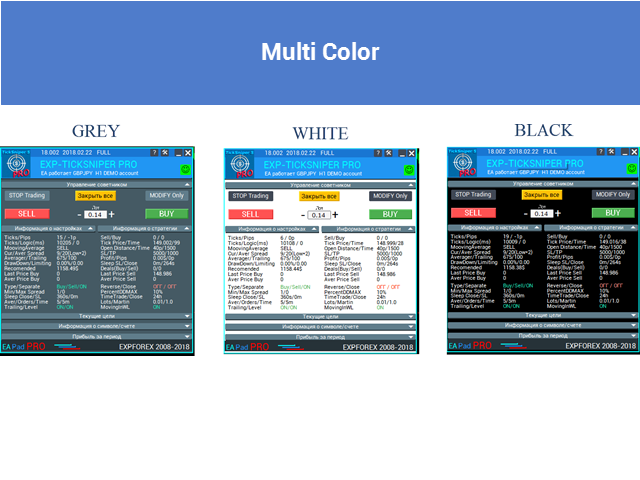
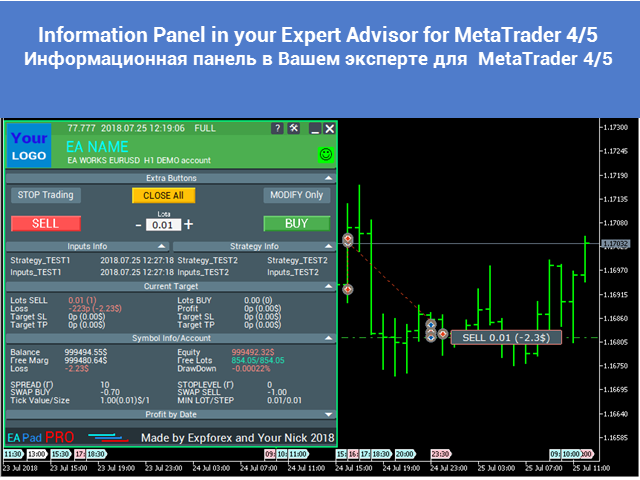
EAPADPRO Library for MetaTrader 5는 Expert Advisor에 현대적인 정보 패널을 추가하기 위한 무료 전문 인터페이스 라이브러리입니다.

이 라이브러리는 MetaTrader 5 차트에서 자신의 거래 프로그램을 더 깔끔하고, 정보성이 높고, 전문적으로 보여주고 싶은 MQL5 개발자를 위해 설계되었습니다.

MetaTrader 5용 Expert Advisors는 복잡한 로직, 다양한 설정, Magic number 필터, 주문 실행 규칙 및 내부 전략 값을 포함하는 경우가 많습니다. EAPADPRO는 이러한 정보를 구조화된 패널로 정리하여 사용자가 프로그램의 현재 상태를 더 빠르고 명확하게 이해할 수 있도록 도와줍니다.

EAPADPRO for MT5는 무료 라이브러리입니다. Expert Advisor의 인터페이스, 정보 출력, 시각적 품질을 개선하는 데 사용할 수 있습니다.

전체 단계별 통합 가이드: LIB - EAPADPRO 단계별 설치 안내

EAPADPRO 패널 상세 설명: EAPADPRO 정보 패널

MetaTrader 4 버전: EAPADPRO Library for MT4

MQL5 Channel https://www.mql5.com/en/channels/expforex


MT5 Expert Advisors를 위한 전문 인터페이스

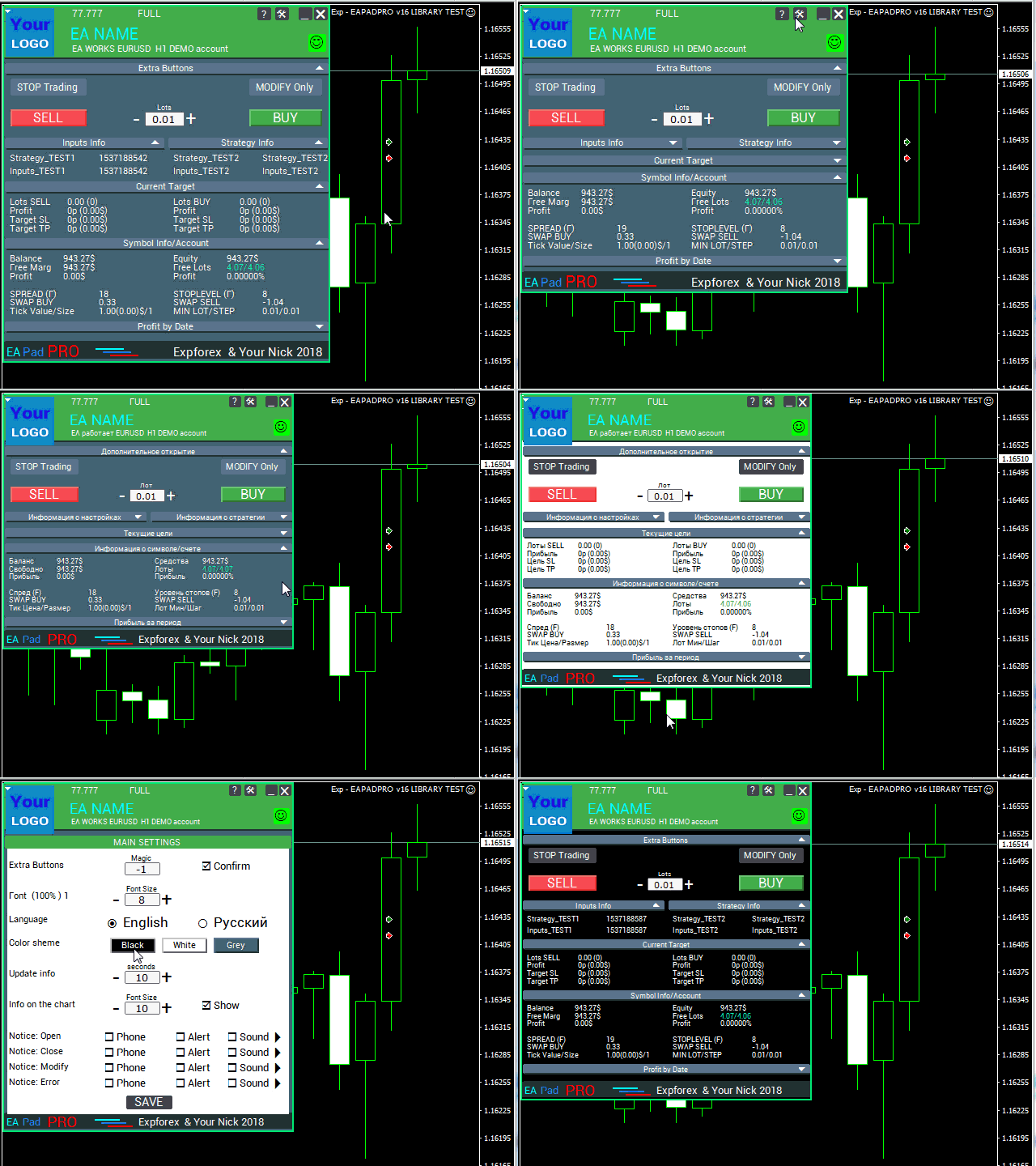
EAPADPRO를 사용하면 전체 패널 시스템을 처음부터 만들 필요 없이 Expert Advisor에 시각적 정보 dashboard를 추가할 수 있습니다.

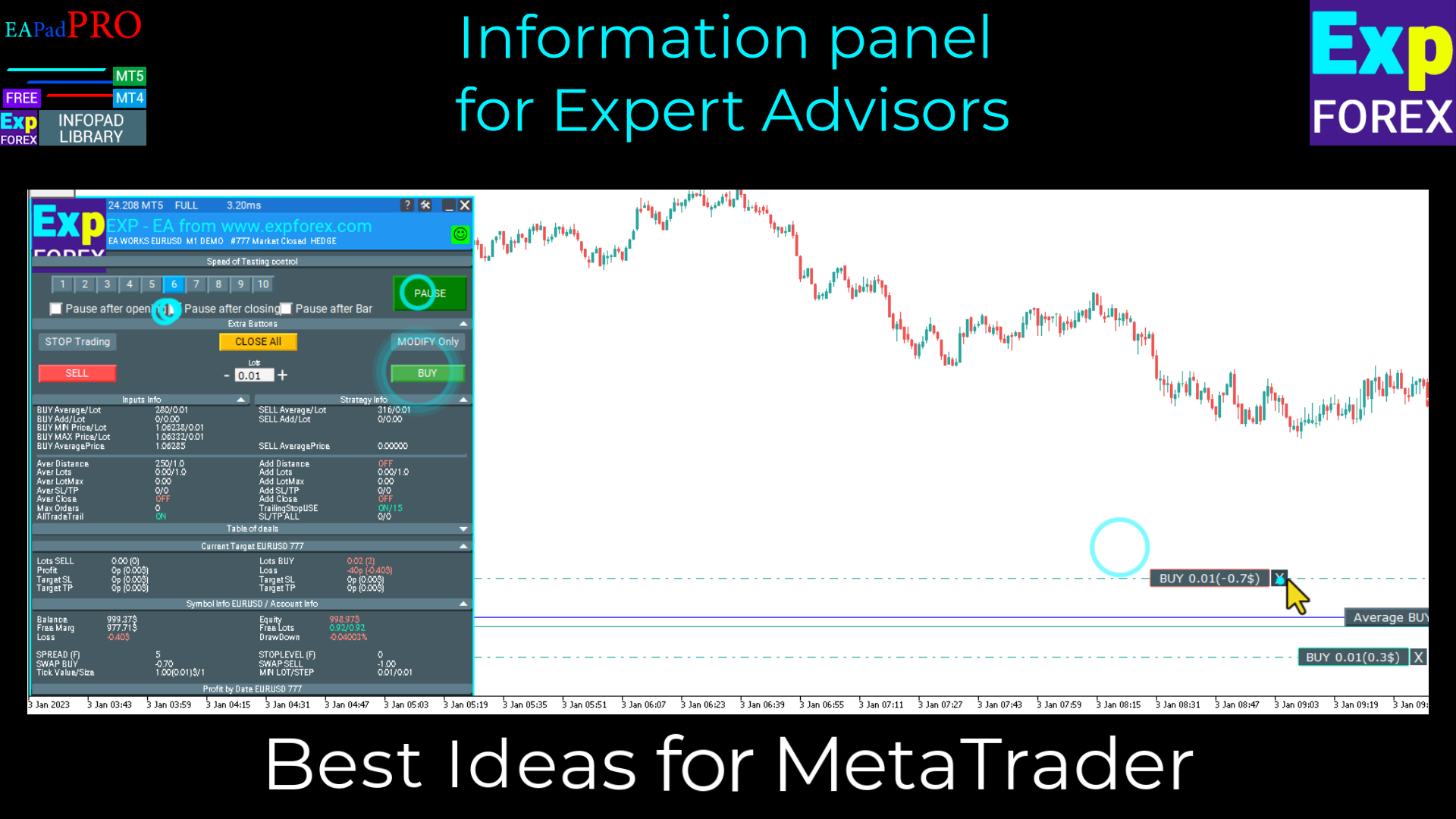
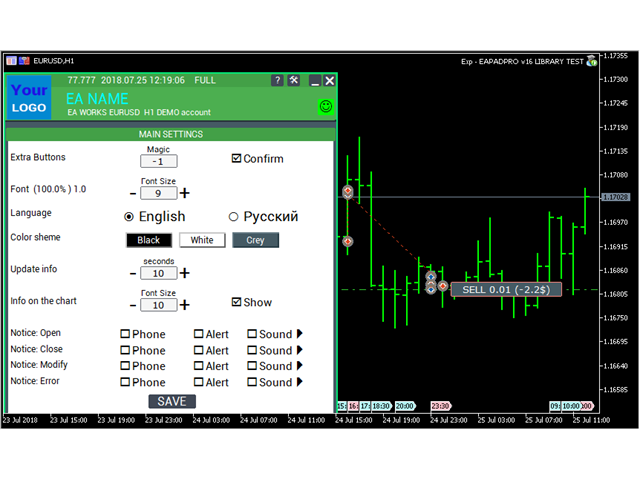
이 패널은 EA, 현재 심볼, 계좌, 전략 값, Magic number 로직, 거래 권한, 알림 및 선택적 원클릭 거래 제어 요소에 대한 중요한 정보를 표시할 수 있습니다.

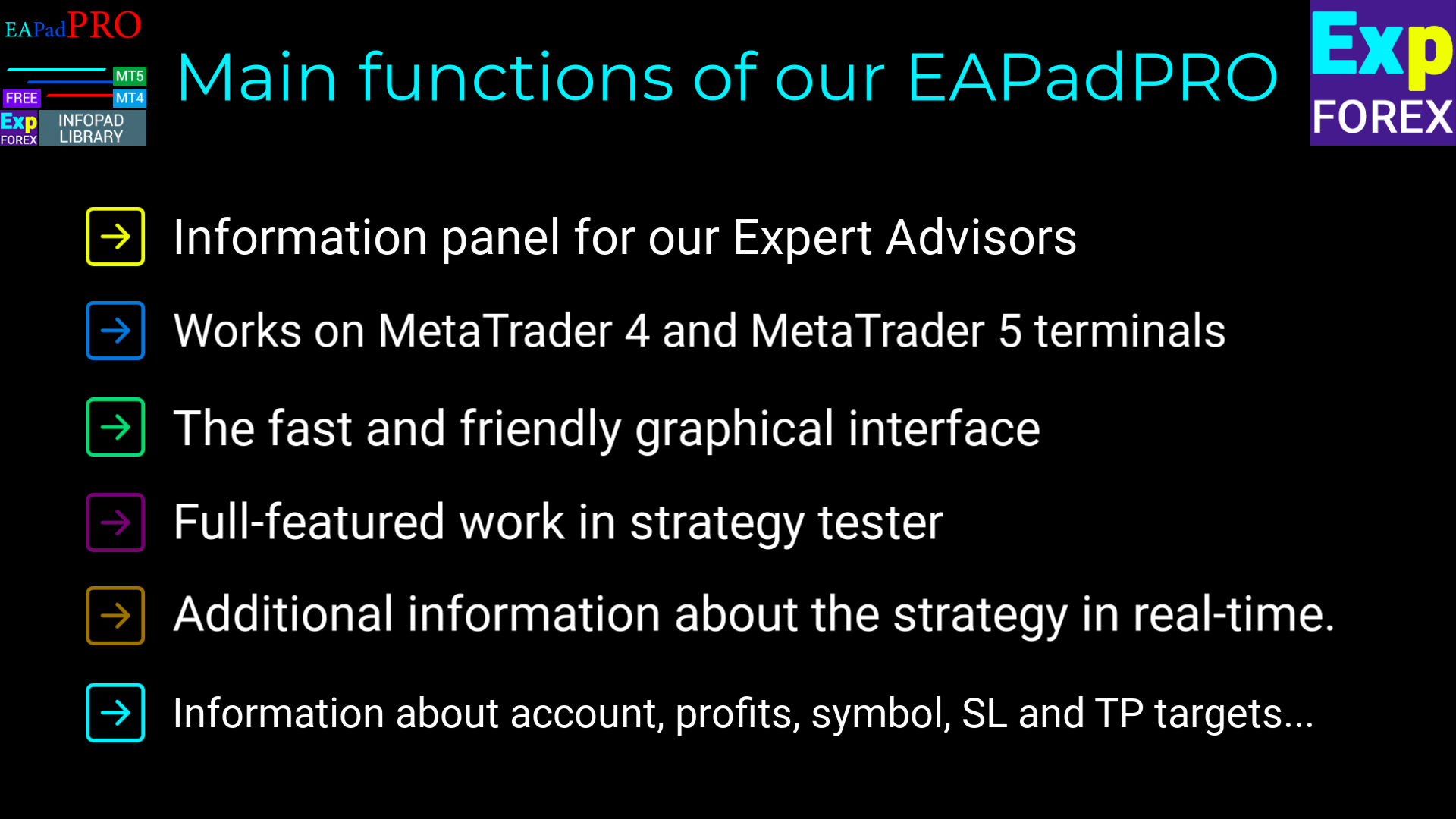
  • MetaTrader 5 차트에 직접 표시되는 현대적인 정보 패널;
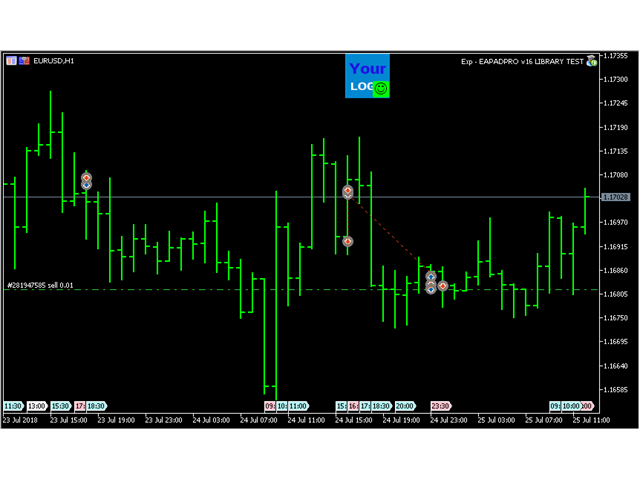
  • Expert Advisor 이름, 버전, 로고 및 작성자 정보 표시;
  • 선택한 input 매개변수와 중요한 전략 값 표시;
  • Magic number 기준으로 패널 정보 필터링;
  • MT5 주문 실행 타입 설정 지원;
  • 원클릭 제어가 가능한 선택적 BUY / SELL 거래 블록;
  • 알림, 로그 및 오류 정보를 통한 더 높은 투명성;
  • 거래 제품에 더 깔끔하고 전문적인 표현 제공.


이 라이브러리가 유용한 이유

거래 로봇은 강력한 로직을 가지고 있어도, 좋은 인터페이스가 없으면 사용자가 Expert Advisor가 실제로 무엇을 하고 있는지 이해하기 어려울 수 있습니다.

EAPADPRO를 사용하면 EA가 핵심 정보를 차트에 직접 표시할 수 있습니다. 이는 제품을 더 이해하기 쉽고, 지원하기 쉽고, 명확한 시각적 피드백을 선호하는 사용자에게 더 매력적으로 만듭니다.

이 라이브러리는 거래 신호를 제공하지 않으며 전략 로직을 변경하지 않습니다. 목적은 MetaTrader 5 Expert Advisor의 인터페이스, 정보 표시, 사용자 경험을 개선하는 것입니다.


통합 과정

통합 과정은 10개의 실용적인 단계로 구성됩니다. 각 단계는 상세한 안내 문서에서 설명됩니다.

  1. MQL5 Market에서 EAPADPRO 라이브러리를 설치합니다;
  2. MetaTrader 5 Expert Advisor 소스 코드를 엽니다;
  3. 단계별 안내의 예제 파일을 엽니다;
  4. 필요한 코드 블록을 EA에 추가합니다;
  5. 초기화, tick, 거래 이벤트 및 차트 이벤트 함수를 연결합니다;
  6. 자신의 제품에 맞게 패널을 사용자 지정합니다;
  7. MetaTrader 5에서 컴파일하고 결과를 테스트합니다.


EAPADPRO 개인화 설정

패널을 자신의 Expert Advisor에 맞게 조정할 수 있습니다:

  1. versionea — 패널에 표시되는 Expert Advisor 버전;
  2. BMPLOGO — 패널에 표시되는 60x60 BMP 로고;
  3. icon — 터미널 속성에 표시되는 Expert Advisor 아이콘;
  4. defEANAME — 패널에 표시되는 Expert Advisor 이름;
  5. YourName — 패널에 표시되는 이름 또는 닉네임;
  6. copyright — Expert Advisor 속성에 표시되는 copyright 정보;
  7. CreateInputs — 선택한 외부 input 변수를 패널에 표시하는 함수;
  8. CreateStrategy — 선택한 전략 값을 패널에 표시하는 함수;
  9. MagicForEaPadPRO — Magic number 기준으로 패널 정보를 필터링하는 설정;
  10. MagicForEaPadPRO_Open — 패널에서 열린 포지션에 할당될 Magic number;
  11. CommentForEaPadPRO — 패널에서 열린 포지션에 할당될 거래 코멘트;
  12. TypeFillingForEaPadPRO — MT5 거래 작업에서 사용하는 주문 실행 타입;
  13. ShowBuySell — 원클릭 BUY / SELL 거래 블록을 표시하거나 숨기는 옵션.

외부 변수도 설정할 수 있습니다:

  1. ShowEaPadPro — EAPADPRO 패널을 표시하거나 숨깁니다;
  2. FontName — 패널에서 사용하는 글꼴.


사용 조건

MetaTrader 5용 EAPADPRO 정보 패널 라이브러리는 무료로 배포됩니다. 단, 작성자 표시가 필요합니다.

이 라이브러리를 공개, 판매 또는 배포하는 Expert Advisor, 지표 또는 기타 거래 제품에서 사용하는 경우, 제품 설명에 다음 출처 표시를 추가해 주십시오:

  1. EAPADPRO 정보 패널은 Expforex에서 개발했습니다.
  2. EAPADPRO 패널의 모든 권리는 Vladislav / Expforex에게 있습니다.
  3. EAPADPRO 패널의 작성자는 이 패널을 사용하는 Expert Advisor, 지표 또는 전략에 대해 책임지지 않습니다.
  4. EAPADPRO 패널은 MetaTrader 내부에서 추가적인 시각 정보와 거래 정보를 제공하기 위한 목적으로만 설계되었습니다.


중요 안내

EAPADPRO는 인터페이스 및 정보 표시 라이브러리입니다. Expert Advisor에서 해당 제어 기능을 연결하고 활성화하지 않는 한, 스스로 거래를 열지 않습니다.

이 라이브러리는 수익을 보장하지 않으며, 거래 전략을 대체하지 않고, 거래 신호를 제공하지 않습니다.

EAPADPRO를 사용하여 MetaTrader 5 Expert Advisor를 더 정보성 있고, 사용자에게 더 편리하며, 더 전문적인 제품으로 만들어 보십시오.

리뷰 11
Benjamin Afedzie
3945
Benjamin Afedzie 2025.07.02 22:08 
 

great product

Seth Tetteh
2588
Seth Tetteh 2024.04.25 12:47 
 

not bad

Nepomnjashchy
78
Nepomnjashchy 2023.12.16 02:08 
 

Пока все классно. тестируют

추천 제품
메타트레이더 5 (MT5)용 UZFX - 지정가 주문만 삭제 스크립트는 거래 계좌에서 모든 지정가 주문(매수 제한, 매도 제한, 매수 중지, 매도 중지)을 자동으로 제거하는 간단하면서도 효과적인 도구입니다. 이 스크립트는 활성 시장가 포지션에 영향을 주지 않고 대기 주문을 즉시 청산하려는 트레이더에게 이상적입니다. 다른 모든 MT4/MT5 보조지표 및 EA 확인 >> 여기 기능: 모든 지정가 주문(매수 제한, 매도 제한, 매수 중지, 매도 중지)을 삭제합니다. 오픈 마켓 포지션에는 영향을 미치지 않습니다. 전문가 탭을 통해 실시간 체결 피드백을 제공합니다. 트레이더가 수동 개입 없이 지정가 주문 전략을 빠르게 재설정할 수 있도록 도와줍니다. 사용 방법: 스크립트를 MT5 차트에 첨부합니다. 스크립트가 모든 지정가 주문을 자동으로 스캔하고 삭제합니다. 참고: 이 스크립트는 활성 거래를 청산하지 않으며 지정가 주문만 제거합니다. 스크립트를 실행하기 전에 모든 대기 주문을 제거할 것
FREE
UZFX - 차트에서 모든 드로잉 및 개체 즉시 삭제는 활성 차트에서 모든 드로잉 개체를 즉시 제거하도록 설계된 간단하면서도 강력한 MetaTrader 5(MT5) 스크립트입니다. 이 스크립트는 기술 분석 도면, 추세선, 피보나치 도구, 텍스트 레이블 및 기타 개체를 일일이 수동으로 삭제하지 않고 차트를 빠르게 지워야 하는 트레이더에게 유용합니다. 특징: 활성 차트에서 모든 개체와 도면을 삭제합니다. 한 번의 실행으로 즉시 작동합니다. 삭제 성공 및 실패에 대한 확인 메시지를 표시합니다. 트레이더가 더 나은 분석을 위해 깨끗하고 깔끔한 차트를 유지할 수 있도록 도와줍니다. 사용 방법: 모든 개체를 제거하려는 차트에 스크립트를 첨부합니다. 스크립트가 모든 개체를 자동으로 반복하여 삭제합니다. 전문가 탭에 메시지가 나타나면 개체가 성공적으로 제거되었음을 확인할 수 있습니다. 참고: 이 스크립트는 차트에서 실행 중인 미체결 주문, 인디케이터 또는 전문가 자문에는 영향을 주지 않으
FREE
메타트레이더 5(MT5)용 UZFX - 모든 미체결 매수 및 매도 주문 즉시 청산 스크립트는 한 번의 실행으로 모든 활성 시장가 포지션을 즉시 청산할 수 있는 강력한 도구입니다. 이 스크립트는 변동성이 높거나 뉴스 이벤트 또는 전략 조정 시 트레이더가 신속하게 시장에서 빠져나올 수 있도록 도와주는 긴급 거래 관리에 이상적입니다. 특징: 모든 종목의 모든 오픈 매수 및 매도 포지션을 청산합니다. 정확한 체결을 위해 최신 매수/매도 호가를 사용합니다. 트레이더가 최소한의 수작업으로 즉시 시장에서 빠져나올 수 있도록 도와줍니다. 사용 방법: MT5 차트에 스크립트를 첨부합니다. 스크립트가 모든 오픈 매수 및 매도 포지션을 스캔하고 청산합니다. 청산된 각 주문에 대해 전문가 탭에 확인 메시지가 표시됩니다. 참고: 이 스크립트는 대기 중인 주문을 삭제하지 않으며 활성 시장가 포지션만 청산합니다. 첨부된 차트뿐만 아니라 모든 트레이딩 심볼에서 작동합니다. 스크립트는 즉시 실행되므로 스크립
FREE
Trading Notes   is an innovative tool designed for traders to streamline their decision-making process by allowing them to write and display important reminders or short details directly over their trading charts. This essential feature ensures that traders have quick access to their personalized checklist before opening any positions, enhancing their trading efficiency and accuracy. MT4 Version -  https://www.mql5.com/en/market/product/120613 Join To Learn Market Depth -  https://www.mql5.co
FREE
메타트레이더 5 (MT5)용 UZFX - 필요 증거금 및 최대 랏 크기 스크립트는 트레이더가 1랏 포지션 개설에 필요한 증거금을 신속하게 결정하고 현재 계좌 잔고에 따라 거래 가능한 최대 랏 크기를 계산할 수 있도록 설계되었습니다. 이 도구는 위험 관리 및 포지션 크기 조정에 필수적이며 트레이더가 효율적으로 거래를 계획할 수 있도록 도와줍니다. 특징: 선택한 종목에서 1랏 거래를 개시하는 데 필요한 증거금을 계산합니다. 사용 가능한 편일예탁잔고에 따라 트레이더가 개설할 수 있는 최대 랏 크기를 결정합니다. 정확한 증거금 계산을 위해 현재 매도 호가를 사용합니다. 코멘트 기능을 사용하여 차트에 결과를 직접 표시합니다. 트레이더가 레버리지와 리스크를 관리하면서 포지션 규모를 최적화할 수 있도록 도와줍니다. 사용법: 원하는 트레이딩 심볼의 차트에 스크립트를 첨부합니다. 스크립트가 계산하여 표시합니다: 1랏에 필요한 증거금 사용 가능한 편일예탁잔고에 따라 거래 가능한 최대 랏 크기
FREE
MarketPro toolkit
Johannes Hermanus Cilliers
Start earning profits by copying All trades are sent by our successful Forex trader & are extremely profitable. You can earn profits by copying trades daily Trial Period included You'll also get access to extremely powerful trading education which is designed in a simple way for you to become a profitable trader, even if you have no trading experience. https://ec137gsj1wp5tp7dbjkdkxfr4x.hop.clickbank.net/?cbpage=vip
FREE
NATS (Niguru Automatic Trailing Stop) will help you achieve more profits, by setting the trailing stop automatically. Pair this NATS application with EA, or can also be used as a complement to manual trading. A trailing stop is a powerful tool in trading that combines risk management and profit optimization.  A trailing stop is a type of market order that sets a stop-loss at a percentage below the market price of an asset, rather than a fixed number. It dynamically adjusts as the asset’s pric
FREE
INTRODUCING MML Data Bridge The demand for bridging external data and machine learning with trading platforms is higher than ever. MetaTrader 5 is a powerful environment for trading and back testing, but without a data bridge, MT5 is largely isolated from using any external data. MML Bridge is a developer tool that allows users to bridge external data into MT5 for back testing, live trading, and optimization. It's built for ease of use, providing users with a simple function API that drip-feeds
FREE
Simple program i created, to help close all your orders instantly when you are busy scalping the market or if you want to avoid news days but still have a lot of orders and pending orders open and can't close them in time.. with this script all you're problems will be solved. Simple drag and drop and the script automatically does it's thing, quick and easy  also a very good tool to use when scalping
FREE
This simple logging library is designed to provide clear and contextual log output with minimal hassle. It exposes five  methods: LogError Message (message) LogWarn Message (message) LogInfo Message (message) LogDebug Message (message) LogTrace Message (message) Each method prints the provided message to the console only if the severity level meets or exceeds the current threshold set by a global variable logLevel. This means you control the verbosity of your application's logs by adjusting logL
FREE
Overview AlgoNLP.mqh   is a standalone MQL5 library that converts   human-written trading instructions   into   structured trade intents   that your Expert Advisor (EA) or indicator can understand. Example input: Buy gold at 2370 with TP 0.3% and SL 1% Output intent: Side: BUY | Type: LIMIT | Symbol: XAUUSD | Entry: 2370 | TP: 0.3% | SL: 1% | Lot: 0.00 This enables you to build   chat-controlled   or   Telegram-integrated EAs   that can interpret plain English commands and execute structured
FREE
메타트레이더 5 (MT5)용 UZFX - 손익분기점 즉시 설정 스크립트는 모든 오픈 포지션의 손절가를 진입 가격으로 빠르게 이동시켜 위험 없이 거래할 수 있는 강력한 도구입니다. 이 스크립트는 특히 활성 거래를 효율적으로 관리하는 데 유용하며 포지션이 유리하게 움직이면 잠재적 손실로부터 트레이더를 보호합니다. (프로필 방문 및 다른 모든 MT4/MT5 상품 확인) (리뷰 작성 잊지 마세요) 특징: 모든 오픈 포지션의 손절가를 손익분기점(진입가)으로 자동 설정합니다. 수익을 확보하고 잠재적 손실을 최소화하여 리스크 관리를 강화합니다. 사용 방법: 스크립트를 차트에 첨부하면 모든 오픈 포지션이 자동으로 조정됩니다. 포지션의 손절이 이미 손익분기점에 도달한 경우 건너뜁니다. 참고: 이 스크립트는 기존 거래만 수정하며 새 주문은 하지 않습니다. 심볼에 관계없이 모든 오픈 포지션에 적용됩니다. 브로커가 정확한 진입 가격으로 손절가 수정을 허용하는지 확인하세요.
FREE
Next Arrival : Flip or Die Trading Arena. Flip a trading account:  https://flipordie.com/chapter-1-thirteen-doublings-double-a-trading-account/ https://trenddaytrader.com/smc-ct5f-xauusd-free-gold-trading-robot/ sample  .set file for XAUUSD 5 Minute  is in the comment section. SMC CT5F XAUUSD   is a fully automated   Smart Money Concept (SMC) execution framework   engineered specifically for   Gold( XAUUSD ) . It is not a signal copier, not an indicator, and not a position manager — it is a   r
FREE
The Amazing Chart Manager is a lightweight solution that allows you to restore and preserve your preferred chart colours and settings cluttered by the dirty EAs. Simply drop it on any chart to instantly apply and keep your chosen theme and configuration. Zero indicator buffers. No tick processing. Colours are resolved once on load. 7 THEMES - T.View — TradingView's dark blue with teal and red candles - Black — pure black OLED-friendly with deep green and red - Dim — soft dark theme with mute
FREE
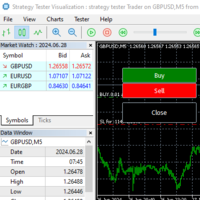
Gives you a trading environment where you can do forward testing without the use of a live trading account. You will be able to trade the same Market without having to wait for the next day, but by just fast forwarding  on the strategy tester and going straight to that session. You can trade it over and over again without having to just look at the charts and have a bias analysis when  back testing on a chart that is not moving
FREE
Exact Time — detailed time on the seconds chart. The utility shows the opening time of the selected candle. This is necessary when working with seconds charts. For example, it can be used on a seconds chart built using the Seconds Chart utility. Inputs Base corner — the chart corner to which an object Is attached. X distance — the horizontal distance from the chart corner. Y distance — the vertical distance from the chart corner. Text font — font name Font size — font size Color — text color
FREE
IMPORTANT NOTE: This is a professional Trade Management Utility and on-chart assistant. It is NOT an automated trading robot. It does not open trades on its own. The UltraFast Trade Manager MT5 is the ultimate execution and risk-management suite designed to give you absolute control over your manual and algorithmic trades. When managing multiple positions, calculating complex net break-even points, or constantly monitoring the economic calendar, hesitation can lead to costly mistakes. This utili
FREE
MACD Colored ZeroLag
Farzin Sadeghi Bonjar
4.73 (11)
It is the MQL5 version of zero lag MACD that was available for MT4 here: https://www.mql5.com/en/code/9993 Also there was a colored version of it here but it had some problems: https://www.mql5.com/en/code/8703 I fixed the MT4 version which has 95 lines of code. It took me 5 days to write the MT5 version.(reading the logs and testing multiple times and finding out the difference of MT5 and MT4!) My first MQL5 version of this indicator had 400 lines of code but I optimized my own code again and n
FREE
Click Trading
Jawad Tauheed
5 (2)
One Click Trading – Auto TP SL Developer TraderLinkz Version 1.00 Category Utility What it does Adds missing TP and SL to your manual trades and pending orders Sets them once per ticket Lets you move TP and SL afterward Works on hedging and netting accounts Scans on every tick and reacts on trade events Why you want it You place faster entries You get consistent risk and exit targets You reduce fat finger errors You keep full manual control Quick start Attach the EA to any chart Keep TP and SL e
FREE
EV Adaptative Stack Trader
Enrique Valeros Muriana
5 (2)
RSI Weighted Scaler Pro 2.8 is a controlled multi-entry trading system designed to exploit RSI-based reversal and exhaustion points with stable, fixed-lot scaling. The EA adds positions only when market conditions remain favorable, without increasing lot sizes or applying aggressive risk models. The strategy uses RSI overbought and oversold levels to generate high-probability entry zones. Traders can enable new-bar confirmation to reduce noise and limit entries using a configurable maximum numbe
FREE
PZ Goldfinch Scalper EA MT5
PZ TRADING SLU
3.34 (56)
This is the latest iteration of my famous scalper, Goldfinch EA, published for the first time almost a decade ago. It scalps the market on sudden volatility expansions that take place in short periods of time: it assumes and tries to capitalize of inertia in price movement after a sudden price acceleration. This new version has been simplified to allow the trader use the optimization feature of the tester easily to find the best trading parameters. [ Installation Guide | Update Guide | Troublesh
FREE
Indicator measures strength of each currency in your list. Main idea: It simply iterates through all combinations of pairs and adds difference between open and close in percent. Parameters: List of currencies - what currencies will be calculated (maximum is 8) Calculation type - from which data will be strength calculated Calculation data input - used as input related to calculation type Symbol suffix - used in case of suffix on symbols, e.g: when your symbols look like EURUSDm, EURUSDmicro etc
FREE
The XU_H4_910440109_S_PS_CF_SQX is an algorithmic trading strategy for MetaTrader, tested on XAUUSD (Gold) using the H4 timeframe from April 1, 2004, to April 24, 2024.  There is no need to set up parameters, all settings are already optimized and fine-tuned. Recommended broker  RoboForex  because of EET timezone. You can find the strategy source code for StrategyQuant at the link:   https://quantmonitor.net/gold-bulls-power-trader/ Key details are: Parameters MagicNumber: 910440109 Main Ch
FREE
Go Long Advanced
Phantom Trading Inc.
4.78 (9)
Go Long EA는 다중 기술적 확인을 통한 체계적인 일일 거래 원칙을 기반으로 한 고급 장중 거래 전략을 구현합니다. 많은 트레이더들이 복잡한 알고리즘을 찾는 반면, 이 EA는 단순하지만 효과적인 개념과 정교한 위험 관리 및 다중 기술적 필터를 결합합니다. EA는 매일 특정 시간에 포지션을 열지만, 시장 조건이 여러 기술적 지표와 일치할 때만 실행됩니다. 이러한 체계적인 접근 방식은 수익을 잠식할 수 있는 야간 보유 비용을 피하면서 장중 움직임을 포착하는 데 도움이 됩니다. EA는 사전 설정된 시간에 자동으로 포지션을 종료하므로, 야간 노출을 피하고자 하는 트레이더에게 완벽합니다. 이 EA를 특별하게 만드는 것은 적응형 위험 관리 시스템입니다. 포지션 크기는 여러 요인을 기반으로 자동 조정됩니다: - 기본 자금 및 위험 비율 설정 - 기술적 지표 조건 (이동평균선, RSI, MACD 등) - 조건이 특히 유리할 때 포지션 크기를 증가시키는 특별 승수 EA는 활성화/비활성화
FREE
Trading panel for manual trading. Has a fairly wide functionality. Allows you to automatically calculate the order size, open both market and pending orders. It has a wide range of options for closing orders, it is possible to partially close orders, close orders after reaching a certain profit or loss, separately close profitable and unprofitable, buy and sell, as well as pending orders. The panel also contains a simple implementation of a grid of pending orders, reverse and lock functions, tr
FREE
This tool allows you to export Ticks for any financial instrument available in MetaTrader 5. You can download multiple symbols into the same CSV file. You can also schedule the download frequency (every 5 minutes, 60 minutes, etc.). There is no need to open multiple charts to get the latest data—the tool downloads the data directly. The CSV file will be stored in the following folder: \MQL5\Files . How it works Select the symbols to download: Click an item to select or deselect it. Enter the CSV
FREE
TrendEA FourAverage
Mikhail Sergeev
3 (2)
트렌드 전문가는"평균"지표에 대한 최적의 매개 변수를 찾기 위해 특별히 만들어졌습니다. 자문가는 항상 거래 모드(구매 거래를 닫고 반대 거래를 즉시 열)에서 거래합니다. 이 접근 방식을 사용하면 지표가 추세를 가능한 한 정확하게 결정할 수있는 능력을 식별 할 수 있습니다. 전문가 고문은 완전 자동이며 마틴 방법을 사용하여 자본을 관리 할 수있는 능력을 가지고 있습니다. 기본 설정은"골드"입니다. 표시기: hhttps://www.mql5.com/ko/market/product/597 전문가 고문은 다른 기호 및 시간대에 대한 매개 변수 세트를 추가했습니다. 현재 모스크바 증권거래소에서 금,비트코인,유로달러,스베르뱅크 주식과 같은 기호가 준비된 세트에 추가되었습니다. 그들은"평균"지표의 매개 변수 세트와 완전히 일치합니다. 새로운 설정 세트를 추가해야하는 경우"평균 5"표시기에 대한 리뷰에 대해 작성하십시오. 전문가 고문 테스트 및 개방 가격에 따라 최적화 할 수 있습니다. 빠른 최
FREE
Universal MarketInfo Service Library for MT4 & MT5 Bring simplicity and power to your trading projects with the Universal MarketInfo Service — a professional library that exposes a unified API for both MetaTrader 4 and MetaTrader 5. No more rewriting code for each platform. With this library, you can: Access symbol data, OHLC prices, spreads, and volatility with a single call. Query account balance, free margin, stop levels, and lot constraints. Work with currency precision, pip values, and n
FREE
What is SMC Market Structure Pro? SMC Market Structure Pro is an automated trading Expert Advisor for MetaTrader 5 , developed based on Smart Money Concept (SMC) and market structure analysis . The EA is designed to help traders follow the natural flow of the market , focusing on price structure instead of indicators or lagging signals. How Does the EA Work? The EA analyzes market structure changes using pure price action: Detects higher highs & higher lows for bullish structure Detects l
FREE
Risk Manager – Account Protection Tool Risk Manager is an Expert Advisor for MetaTrader 5 designed to protect your trading account by applying automatic risk management rules. This tool does not open trades . It continuously monitors your account and enforces predefined limits to help prevent excessive losses and maintain disciplined trading. Risk Manager works in the background and can manage positions opened by manual trading or other Expert Advisors. It is particularly useful for: • Manual tr
FREE
이 제품의 구매자들이 또한 구매함
MetaTrader 5용 ModernUI 라이브러리 ModernUI는 MetaTrader 5 차트 위에서 동작하는 사용자 인터페이스 라이브러리입니다. MQL5 개발자가 MT5 차트 환경 안에서 더 깔끔한 EA 패널, 대시보드, 설정 창, 폼, 테이블, 다이얼로그, 드로어, 컴팩트한 트레이딩 스타일 인터페이스를 만들 수 있도록 도와줍니다. 흩어진 차트 객체보다 더 전문적인 인터페이스 레이어를 원하면서도, 자신의 EA, 인디케이터 또는 유틸리티 로직은 계속 완전히 직접 제어하고 싶은 개발자를 위해 만들어졌습니다. Modern UI - 사용자 가이드   | EA 예제 데모 무엇을 만들 수 있나요? ModernUI는 한 가지 유형의 패널에만 제한되지 않습니다. MetaTrader 5 차트 위에 배치할 거의 모든 도구를 만들 수 있는 재사용 가능한 인터페이스 레이어를 제공합니다. 간단한 설정 화면, 컴팩트한 트레이딩 패널, 전체 대시보드, 데이터 뷰, 컨트롤 패널, 계정 도구, 워크플로
WalkForwardOptimizer MT5
Stanislav Korotky
3.78 (9)
WalkForwardOptimizer library allows you to perform rolling and cluster walk-forward optimization of expert advisers (EA) in MetaTrader 5. To use the library include its header file WalkForwardOptimizer.mqh into your EA source code, add call provided functions as appropriate. Once the library is embedded into EA, you may start optimization according to the procedure described in the User guide . When it's finished, intermediate results are saved into a CSV file and some special global variables.
If you just want to simply copy your positions and orders from MetaTrader to Binance use the Binance Copier If you're a developer looking to use Binance.com and Binance.us exchanges directly from your MetaTrader 5 terminal, you'll want to check out Binance Library MetaTrader 5. This powerful tool allows you to trade all asset classes on both exchanges, including Spot, USD-M   and COIN-M futures, and includes all the necessary functions for trading activity. Important: you need to have source c
Native Websocket
Racheal Samson
5 (6)
An   easy to use, fast,  asynchronous   WebSocket library  for MQL5. It supports: ws://   and   wss://  (Secure "TLS" WebSocket) text   and   binary   data It handles: fragmented message  automatically (large data transfer) ping-pong   frames  automatically (keep-alive handshake) Benefits: No DLL required. No OpenSSL installation required. Up to 128 Web Socket Connections from a single program. Various Log Levels for error tracing Can be synchronized to MQL5 Virtual Hosting . Completely native t
After downloading this service program, it will be used as a service support program for Dom BookHeatMAP Lightning Trading Panel. Dom BookHeatMAP Lightning Trading Panel   download link: https://www.mql5.com/zh/market/product/159414?source=Site+Market+MT5+Search+Rating006%3aDom+BookHeatMAP+Lightning+Trading+Panel Please first drag and drop the downloaded file to the corresponding service folder (` MQL5 \ Services `) in the MT5 data directory, and confirm that the file has been successfully pla
이 라이브러리를 사용하면 EA를 사용하여 거래를 관리할 수 있으며 설명에 언급된 스크립트 코드와 전체 프로세스를 보여주는 비디오의 데모 예제를 사용하여 모든 EA에 통합하기가 매우 쉽습니다. - Place Limit, SL Limit, Take Profit Limit 주문 - 플레이스 마켓, SL-마켓, TP-마켓 주문 - 지정가 주문 수정 - 주문 취소 - 쿼리 주문 - 레버리지, 마진 변경 - 위치 정보 얻기 그리고 더... MT5에 바이낸스 차트가 없는 경우를 제외하고 암호화폐 차트 대여는 선택 사항입니다. 스크립트 데모를 보려면 여기를 클릭하세요. 트레이딩 패널과 거래하고 싶다면 이 제품에 관심이 있으실 것입니다. 이 제품은 Crypto Charting의 애드온입니다. 이 라이브러리를 사용하면 EA를 사용하여 거래를 관리할 수 있으며 설명에 언급된 스크립트 코드와 전체 프로세스를 보여주는 비디오의 데모 예제를 사용하여 모든 EA에 통합하기가 매우 쉽습니
Want to get all events like Previous/Forecast/Actual values for each news to analyze/predict it? By this simple library you can do it easily,Just import/integrate the library into your system,then get all possible values for each news   Even In Strategy Tester   . Note: Please add the address " https://www.forexfactory.com/ " of news feed at your MT5 tab > Tools > Options > Expert Advisors > Check Allow web request for listed URL. Since the WebRequest() function can't be called from indicator ba
Here   is   the   English translation   of   your   description   for   the EA   (Expert   Advisor): --- This   is a   time -based   automatic trading   EA . It allows   you   to   set the   exact   time   for trading , down   to   the   second , and   specify the   maximum number   of   orders . You   can choose   to   place   either   buy   or   sell   orders . It   is possible to   set take   profit and   stop   loss   points . Additionally , you can   specify   how   long after   placing  
The library is dedicated to help manage your trades, calculate lot, trailing, partial close and other functions. Lot Calculation Mode 0: Fixed Lot. Mode 1: Martingale Lot (1,3,5,8,13) you can use it in different way calculate when loss=1 ,when profit=0. Mode 2: Multiplier Lot (1,2,4,8,16) you can use it in different way calculate when loss=1 ,when profit=0. Mode 3: Plus Lot (1,2,3,4,5) you can use it in different way calculate when loss=1 ,when profit=0. Mode 4: SL/Risk Lot calculate based on s
Friends, join us! Ask questions and connect with like-minded traders: MetaCOT Public Group MetaCOT Information Channel: news, CFTC reports, and signals: MetaCOT Channel Here’s to successful trading and new profitable signals for us all! Attention! Recently, certain countries have been blocking access to the cftc.gov website. As a result, users in these countries are giving the product low ratings. MetaCOT has always adhered to the highest quality standards and is in no way associated with th
This is a simplified and effective version of the library for walk forward analysis of trading experts. It collects data about the expert's trade during the optimization process in the MetaTrader tester and stores them in intermediate files in the "MQL5\Files" directory. Then it uses these files to automatically build a cluster walk forward report and rolling walk forward reports that refine it (all of them in one HTML file). Using the WalkForwardBuilder MT5 auxiliary script allows building othe
Order Book, known also as Market Book, market depth, Level 2, - is a dynamically updated table with current volumes of orders to buy and to sell specific financial instument at price levels near Bid and Ask. MetaTrader 5 provides the means for receiving market book from your broker, but in real time only, without access to its history. The library OrderBook History Library reads market book state in the past from archive files, created by OrderBook Recorder . The library can be embedded into you
Cryptocurrency analysis has never been easier with Crypto Charts for MetaTrader 5. Now, trading on BitMEX has never been easier with BitMEX Trading API for MetaTrader 5. BitMEX Trading API library was built to be as easy to use as possible. Just include the library into your Expert Advisor or Script, call the corresponding methods and start trading! Features Trade on BitMEX and BitMEX Testnet. Build and automate your strategies. Concern more with the trading strategy logic and less with the co
Teclado trader, é uma BIBLIOTECA que você pode chamar no OnChartEvent para abrir posição de compra/venda/zerar, os botões padrões são: V = venda C = compra Z = zerar posições a mercado S = zerar posições opostas e depois a mercado X = zerar posições opostas Além da função de teclado, é possível mostrar os estados do ExpertAdvisor usando o MagicId, com informação de: lucro mensal, semanal, diario, e posição aberta, para isto use o OnTick, ou qualquer outro evento (OnTimer / OnTrade / OnBookEven
Goliath Mt5
Nicolokondwani Biscaldi
Goliath MT5 - scalper fully automated Expert Advisor for medium-volatile forex markets P roperties: The Library trades 10 currency pairs (USDCHF, EURCHF, EURGBP, AUDUSD, USDCAD, GBPUSD, EURUSD, NZDUSD, CADCHF, EURAUD, EURCAD, AUDJPY) The Library does not use martingale The Library sets a fixed stop loss and take profit for all orders The Library only trades a user input volume The Library can be installed on any currency pair and any timeframe Recommendations: Before using on a real account, t
Binance Library
Hadil Mutaqin SE
5 (1)
The library is used to develop automatic trading on Binance Spot Market from MT5 platform. Support all order types: Limit, Market, StopLimit and StopMarket Support Testnet mode Automatically display the chart on the screen Usage: 1. Open MQL5 demo account 2. Download Header   file and EA sample   https://drive.google.com/uc?export=download&id=1kjUX7Hyy02EiwTLgVi8qdaCNvNzazjln Copy Binance.mqh to folder \MQL5\Include Copy  BinanceEA-Sample.mq5 to folder \MQL5\Experts 3. Allow WebRequest from MT5
Gold plucking machine   Gold plucking machine is an Expert Advisor designed specifically for trading gold. The operation is based on opening orders using the Fast and Slow lines indicator, thus the EA works according to the "Trend Follow" strategy, which means following the trend. Use grid strategy to place orders without stop loss operation, so please make sure the account has sufficient funds. magic number      -  is a special number that the EA assigns to its orders. Lot Multiplier        - 
The library is used to develop automatic trading on Binance Futures Market from MT5 platform. Support Binance Futures USD-M and COIN-M Support Testnet mode Support all order types: Limit, Market, StopLimit, StopMarket, StopLoss and TakeProfit Automatically display the chart on the screen Usage: 1. Open MQL5 demo account 2. Download Header file and EA sample https://drive.google.com/uc?export=download&id=17fWrZFeMZoSvH9-2iv4WDJhcyxG2eW17 Copy BinanceFutures.mqh to folder \MQL5\Include Copy  Bina
MT4/5通用交易库(  一份代码通用4和5 ) #ifdef __MQL5__      #define KOD_TICKET ulong      #define KOD_MAGIC   long #else        #define KOD_TICKET long      #define KOD_MAGIC   int #endif class ODLIST; #import "K Trade Lib Pro 5.ex5"       //祝有个美好开始,运行首行加入    void StartGood() ;    //简单开单    long OrderOpen( int type, double volume, int magic, string symbol= "" , string comment= "" , double opprice= 0 , double sl= 0 , double tp= 0 , int expiration= 0 , bool slsetmode= false , bool tpsetmode= false );    //复杂开单
1. What is this The MT5 system comes with very few optimization results. Sometimes we need to study more results. This library allows you to output more results during backtest optimization. It also supports printing more strategy results in a single backtest. 2. Product Features The results of the optimized output are quite numerous. CustomMax can be customized. The output is in the Common folder. It is automatically named according to the name of the EA, and the name of the same EA will be au
T5L Library is necessary to use the EAs from TSU Investimentos, IAtrader and others. It contains all the functions framework needed to Expert Advisors working properly.  ツ - The Expert Advisors from  TSU Investimentos does not work without this library,  the T5L library can have updates during the year - At this Library you will find several funcionalities like order sends, buy and sell, trigger entry points check, candlestick analyses, supply and demmand marking and lines, and much more. 
AO Core
Andrey Dik
3.67 (3)
AO Core is the core of the optimization algorithm, it is a library built on the author's HMA (hybrid metaheuristic algorithm) algorithm. Pay attention to the MT5 Optimization Booster product , which makes it very easy to manage the regular MT5 optimizer . An example of using AO Core is described in the article: https://www.mql5.com/ru/articles/14183 https://www.mql5.com/en/blogs/post/756510 This hybrid algorithm is based on a genetic algorithm and contains the best qualities and properties of p
EA Toolkit
Esteban Thevenon
EA Toolkit   is a library that allows any developer to quickly and easily program Advisor experts. It includes many functions and enumerations such as trailing stop, lot, stop loss management, market trading authorisations, price table updates, trading conditions and many more. Installation + Documentation : You will find all the information to install this library and the documentation of its functions on this GitHub : https://github.com/Venon282/Expert-Advisor-Toolkit WARNING : The installat
A Simple Moving Average (SMA) is a statistical indicator used in time series analysis. This indicator represents the arithmetic mean of a sequence of values over a specific period of time. SMA is used to smooth short-term fluctuations in data, helping to highlight the overall trend or direction of changes. This aids analysts and traders in better understanding the general dynamics of the time series and identifying potential trends or changes in direction.  More information you can find in Wiki 
Hello everyone! I am a professional MQL programmer , Making EAs, Indicators and Trading Tools for my clients all over the world. I build 3-7 programs every week but I seldomly sell any ready-made Robots. Because I am fastidious and good strategy is so few...  this EA is the only one so far I think its good enough to be published here.  As we all know, the Ichimoku indicator has become world popular for decades, but still, only few people knows the right way of using it, and if we check the clo
Applying these methods, I managed to arrive at a nuanced conclusion that is crucial to understanding the importance of unique strategies in contemporary trading. Although the neural network advisor showed impressive efficiency in the initial stages, it proved to be highly unstable in the long run. Various factors such as market fluctuations, trend changes, external events, etc. cause its operation to be chaotic and eventually lead to instability. With these experiences, I accepted the challenge
Introducing "TG Risk Service Manager" — your comprehensive toolkit for swift and precise risk management and lot size calculations in the dynamic world of trading. Designed to streamline development processes and enhance trading strategies, this indispensable library equips developers with essential tools for optimizing risk assessment and trade profitability. Metatrader4 Version |  All Products  |  Contact   Key Features: Efficient Lot Size Calculation : Harness the power of precise lot size c
Introducing "TG Trade Service Manager" — your all-in-one solution for seamless trade management in both MQL4 and MQL5 environments. With a focus on speed, reliability, and convenience, this powerful library simplifies the complexities of trade execution and management, empowering developers with a single interface for enhanced efficiency. Metatrader4 Version   |   All Products   |   Contact   Key Features: Unified Interface : TG Trade Service Manager" provides a unified interface for   MQL4   an
The following library is proposed as a means of being able to use the OpenAI API directly on the metatrader, in the simplest way possible. For more on the library's capabilities, read the following article: https://www.mql5.com/en/blogs/post/756098 The files needed to use the library can be found here: Manual IMPORTANT: To use the EA you must add the following URL to allow you to access the OpenAI API as shown in the attached images In order to use the library, you must include the following Hea
This trailing stop application will helping trader to set the trailing stop value for many open positions, that apply a grid or martingale strategy as a solution. So if you apply a grid or martingale strategy (either using an EA or trading manually), and you don't have an application to set a trailing stop, then this application is the solution. For EAs with a single shot strategy, just use the FREE trailing stop application which I have also shared on this forum.
제작자의 제품 더 보기
Exp COPYLOT CLIENT for MT5
Vladislav Andruschenko
3.91 (33)
MetaTrader 5용 전문 트레이드 복사기 MetaTrader 용 빠르고 전문적이며 신뢰할 수 있는 트레이드 복사기 입니다. COPYLOT 은 MT4와 MT5 터미널 간의 Forex 거래 복사를 지원하며, Hedge 및 Netting 계좌를 모두 지원합니다. COPYLOT MT5 버전 지원 구성: - MT5 Hedge → MT5 Hedge - MT5 Hedge → MT5 Netting - MT5 Netting → MT5 Hedge - MT5 Netting → MT5 Netting - MT4 → MT5 Hedge - MT4 → MT5 Netting MT4 버전 전체 설명 + DEMO + PDF 구매 방법 설치 방법 로그 파일 확인 방법 테스트 및 최적화 방법 Expforex의 모든 제품 MT4 터미널로도 거래를 복사할 수 있습니다(MT4 → MT4, MT5 → MT4): COPYLOT CLIENT for MT4 COPYLOT은 2개, 3개, 심지어 10개의 터미널과 동시에 작동할
Exp5 AI Sniper for MT5
Vladislav Andruschenko
2 (3)
AI Sniper for MetaTrader 5 — 정밀한 실행을 위해 설계된 지능형 트레이딩 로봇 AI Sniper 는 MetaTrader 5 를 위해 개발된 강력하고 지능적인 트레이딩 로봇으로, 단순한 일반형 Expert Advisor를 넘어서는 성능과 완성도를 원하는 트레이더를 위해 설계되었습니다. 고급 시장 로직, 적응형 매매 구조, 그리고 정교한 진입 타이밍 분석을 결합하여 변동성이 큰 시장에서 확률 높은 BUY 및 SELL 기회를 식별할 수 있도록 돕습니다. AI Sniper 는 MT5 환경에 최적화된 자기 최적화형 트레이딩 시스템으로, 시장을 실시간으로 분석하고 변화하는 조건에 반응하며, 속도·논리·정밀성을 바탕으로 거래를 실행하도록 설계되었습니다. AI Sniper 는 단순한 진입 공식만 사용하는 일반적인 자동매매 로봇이 아닙니다. 더 깊이 있는 시장 평가를 기반으로 하며, 기술적 분석, 전략 필터, 그리고 가격 변동마다 수행되는 지속적인 내부 계산을 결합해 구축되었습
Exp TickSniper PRO FULL
Vladislav Andruschenko
3.95 (57)
TickSniper for MetaTrader 5 — 자동 파라미터 적응 기능을 갖춘 고속 Tick Scalper 복잡한 수동 설정 없이 현재 거래 종목에 맞춰 자동으로 로직을 조정하는 완전 자동 Expert Advisor입니다. TickSniper for MetaTrader 5는 통화쌍마다 수많은 설정을 직접 맞추지 않고도, 빠르고 똑똑하며 거의 바로 사용할 수 있는 시스템을 원하는 트레이더를 위해 설계되었습니다. 이 Expert Advisor는 시세 흐름, 틱 도착 속도, 스프레드 특성, 심볼 사양을 분석한 뒤, 거래와 포지션 관리에 필요한 핵심 파라미터를 자동으로 계산합니다. 그 결과 하나의 로직으로도 여러 통화쌍에서 최소한의 개입만으로 운용할 수 있습니다. TickSniper는 단순한 자동 스캘퍼가 아닙니다. Forex와 MetaTrader용 Expert Advisor를 오랫동안 개발해 온 실전 경험을 바탕으로 구축된, 완성도 높은 자동매매 시스템입니다. TickSniper
MetaTrader 5용 트레이딩 패널 — 차트와 키보드에서 실행하는 프로페셔널 원클릭 트레이딩 활동적인 트레이더를 위해 설계된 고급 Trading Panel로, MetaTrader 기본 인터페이스보다 훨씬 빠르고 직관적으로 포지션과 주문을 열고, 관리하고, 종료할 수 있습니다. 이 패널은 포지션 관리, 대기 주문 제어, 총수익 관리, 체결 속도를 하나의 전문적인 작업 공간에 통합하고 싶은 트레이더를 위한 솔루션입니다. 이것은 단순한 보조 유틸리티가 아닙니다. MetaTrader 5를 위한 진정한 trading cockpit입니다. 차트에서 직접 거래하고, 키보드로 빠르게 명령을 실행하며, 자동 계산과 시각적 가이드를 통해 수동 트레이딩을 더 빠르고, 더 명확하고, 더 편리하게 만들어 줍니다.  이 패널을 사용하면 차트에서 단 한 번의 클릭으로 거래를 실행할 수 있으며, 표준 MetaTrader 컨트롤보다 최대 30배 빠르게 거래 작업을 수행할 수 있습니다. 새로운 프리미엄 버전
VirtualTradePad PRO SE MT4 — MetaTrader 4용 고급 트레이딩 패널 및 차트 워크스페이스 VirtualTradePad PRO SE 는 MetaTrader 4 용 전문 트레이딩 패널이자 거래 관리 워크스페이스입니다. 하나의 차트 기반 인터페이스에서 거래를 더 빠르게 열고, 관리하고, 보호하고, 닫고, 분석할 수 있도록 도와줍니다. 이 제품은 단순한 버튼 모음 이상의 기능이 필요한 적극적인 수동 트레이더를 위해 만들어졌습니다. PRO SE는 원클릭 실행, 예약 주문, 포지션 제어, 부분 청산, 바스켓 손익 로직, 평균가 레벨, ATM 규칙, 신호 모니터링, 시장 정보, 전략 테스터 워크플로, VPS 중심 준비를 하나의 구조화된 워크스페이스로 통합합니다. MT5 버전 | 전체 설명 및 스크린샷 | 구입 방법 | 설치 방법 | 로그 파일을 얻는 방법 | 테스트 및 최적화 방법 | Expforex의 모든 제품 일반 수동 트레이딩 대비 장점 여러 창 대신 하나의 워
Exp COPYLOT CLIENT for MT4
Vladislav Andruschenko
4.69 (65)
MetaTrader 4용 전문 트레이드 복사기 MetaTrader 4 용 빠르고 안정적이며 전문적인 트레이드 복사기입니다. COPYLOT 은 MetaTrader 4 와 MetaTrader 5 터미널 간에 Forex 거래를 복사할 수 있으며, 다양한 계좌 유형과 운용 방식에 맞춰 유연한 동기화 환경을 제공합니다. COPYLOT MT4 버전 지원 방식: MetaTrader 4 → MetaTrader 4 MetaTrader 5 Hedge → MetaTrader 4 MetaTrader 5 Netting → MetaTrader 4   MT5 버전 상세 설명 + DEMO + PDF 구매 방법 설치 방법 로그 파일 확인 방법 테스트 및 최적화 방법 Expforex의 모든 제품 MetaTrader 5 버전 을 사용하면 MetaTrader 5 → MetaTrader 5 및 MetaTrader 4 → MetaTrader 5 복사도 지원됩니다: COPYLOT CLIENT for MT5 COPYLOT 은
Exp THE X FULL
Vladislav Andruschenko
4.79 (28)
표준 지표에서 작업하는 MetaTrader 5용 범용 자동 전문가 고문. 유니버셜EA 생성자 EA에는 다양한 기능이 제공됩니다. 20개의 신호 중 하나를 선택하여 포지션을 열고 20개의 필터 중 5개를 선택하여 MetaTrader 패키지에 포함된 표준 지표의 신호를 분류할 수 있습니다. 또한, 표시기 매개변수를 조정하고, 시간 프레임을 선택하고, 각 신호에 대한 신호 막대를 지정할 수 있습니다. 또한 메타 트레이더 4 터미널위한 X EA를 다운로드 할 수 있습니다   MT4에 대한 X 주의   ! 새로운 범용 거래 고문   Exp -   맞춤형 지표에서 작업하는 xCustomEA: MetaTrader 5   용   xCustomEA 확장 MetaTrader 4   용   xCustomEA 확장 EA에는 다음 기능이 포함됩니다. 반대 추세 평균, 추세 방향으로 추가 개방, 후행 정지, 손익분기점, 총 손익으로 마감, 가상 손절매 이익 실현 및 후행 정지, 포지션 또는 보류/지정가 주
Averager FULL
Vladislav Andruschenko
4.64 (14)
MetaTrader 5용 Averager — 전문적인 평균 단가 조정 및 포지션 시리즈 관리 시스템 드로우다운에 들어간 포지션을 평균 단가 조정으로 관리하고, 추세 방향과 역추세 방향 모두에서 추가 진입까지 지원하는 강력한 Expert Advisor입니다. 이것은 단순한 물타기 도구가 아닙니다. 포지션 시리즈의 평균 진입가를 조정하고, 전체 바스켓의 공통 청산 지점을 관리하며, 수익 회복 구조를 더 유연하게 만들기 위한 전문 관리 시스템입니다. Averager는 독립적인 자동매매 전략이 아닙니다. 이미 열려 있는 거래를 감시하고, 평균 단가 조정, 추가 진입, 공통 트레일링 스톱을 통해 전체 포지션 시리즈를 관리하는 데 특화된 도구입니다. 수동 매매를 하는 트레이더, 자신의 진입 신호를 사용하는 트레이더, 또는 다른 매매 시스템과 함께 운용하려는 트레이더에게 적합합니다. 손실 구간에 들어간 포지션과 진행 중인 포지션을 하나의 명확한 구조 안에서 전문적으로 관리하고 싶은 사용자에게
Exp5 The xCustomEA for MT5
Vladislav Andruschenko
4.27 (11)
The xCustomEA for MetaTrader 5 — 사용자 지정 지표용 범용 Expert Advisor 거의 모든 사용자 지정 지표를 자동매매 전략으로 전환할 수 있습니다. The xCustomEA for MetaTrader 5는 사용자의 커스텀 지표에서 신호를 읽고, 설정한 로직에 따라 자동으로 주문을 실행하는 범용 Expert Advisor입니다. 지표 이름, 신호 버퍼, 핵심 파라미터만 지정하면 EA가 해당 정보를 바탕으로 자동매매를 수행합니다. 새로운 아이디어가 생길 때마다 로봇을 처음부터 다시 만들지 않아도 되기 때문에, 지표 기반 전략을 빠르게 실전 운용에 연결하고 싶은 트레이더와 개발자에게 매우 실용적인 솔루션입니다. The xCustomEA는 단순한 신호 연결 도구가 아닙니다. 사용자 지정 지표 연동 기능과 The X 제품군의 강력한 거래 프레임워크를 결합하여, 진입, 청산, 필터, 보호, 포지션 관리까지 하나의 환경 안에서 구성할 수 있습니다. The xCus
Exp4 AI Sniper for MT4
Vladislav Andruschenko
2.33 (3)
AI Sniper for MetaTrader 4 — 정밀한 실행을 위해 설계된 지능형 트레이딩 로봇 AI Sniper 는 MetaTrader 4 전용으로 개발된 스마트하고 적응형인 트레이딩 로봇입니다. 단순한 일반형 Forex 봇이 아니라, 더 높은 정밀도와 더 명확한 구조, 그리고 더 전문적인 자동매매 환경을 원하는 트레이더를 위해 설계되었습니다. AI Sniper for MT4 는 고급 알고리즘 로직, 실시간 시장 해석, 그리고 정교하게 설계된 실행 구조를 결합하여 BUY 및 SELL 기회를 더욱 높은 품질로 포착할 수 있도록 돕습니다. AI Sniper 는 시장의 원초적인 가격 움직임을 보다 명확하고 구조적인 트레이딩 판단으로 전환합니다. 시스템은 가격 행동, 시장 환경, 기술적 조건을 지속적으로 평가하여 더 유리한 진입 구간과 더 견고한 관리 시나리오를 찾아냅니다. Forex 시장과 금융시장 전반에서 축적된 15년 이상의 실전 경험을 바탕으로, 이 Expert Advisor는
CloseIfProfitorLoss with Trailing
Vladislav Andruschenko
4.87 (31)
이익 추적 기능으로 총 이익/손실에 도달하면 MetaTrader 4에서 포지션을 청산합니다. 가상 정지 (별도 주문) 을 활성화할 수 있습니다. BUY 및 SELL 포지션을 별도로 계산하고 마감합니다 (BUY SELL 별도). 모든 심볼 또는 현재 심볼 만 닫고 계산합니다 (모든 심볼). 이익을 위해 후행 추적 을 활성화합니다 (후행 이익). 예금 통화, 포인트, 잔액의 %에 대한 총 손익을 마감합니다. 이 애플리케이션은 다른 EA와 함께 또는 수동 거래와 함께 모든 계정에서 사용하도록 설계되었습니다. MT5 버전 전체 설명 + DEMO + PDF 구입 방법 설치하는 방법 로그 파일을 얻는 방법 테스트 및 최적화 방법 Expforex의 모든 제품 일부 쌍 또는 모든 쌍의 총 거래 잔액이 설정에서 지정된 값보다 크거나 같으면 모든 포지션이 닫히고 주문이 삭제됩니다. 이 버전은 지정된 이익 수준에서 포지션을 마감할 수 있을 뿐만 아니라 더 나은 결과를 위해 이익을 추적할 수도 있습니다
Exp5 Swing PRO for MT5
Vladislav Andruschenko
5 (1)
Swing 모델 기반 거래 전략에는 증가된 랏으로 두 개의 반대되는 보류 주문을 넣는 것이 포함됩니다. 시장 가격이 특정 방향으로 움직이면 주문 중 하나가 실행되고 다른 주문의 로트 크기가 늘어납니다. 이 접근 방식을 통해 거래자는 위험을 최소화하면서 이익을 얻을 수 있으므로 외환, 주식 및 상품을 거래하는 안정적인 방법이 됩니다. 금융 거래에서 이 전략을 사용하는 것은 특히 변동성이 큰 시장에서 정보에 입각한 의사 결정을 촉진하는 능력으로 널리 인식되어 왔습니다. 그 효과는 시장 동향을 파악하고 이를 활용하는 동시에 시장 위험에 대한 노출을 줄이는 능력에 기인합니다. 따라서 거래 성과를 최적화하려는 거래자들에게 인기 있는 선택입니다. ONLY for HEDGING account type EA는 세 가지 유형의 보류 주문 개시(TypeofTrade)를 제공합니다. 배치 후 자동 개설(즉시 AutoTrade 개설) 수동개설 후 개설 및 관리(수동개설 ManualTrade) 고/저 레벨
Exp Assistant 5
Vladislav Andruschenko
4.77 (125)
자동 설정, 손실 중지, 이익 실현, 추적 중지, 손익분기 수준,   가상   중지 손실 및 이익 실현. Exp Assistant는   귀하의 직위 유지 관리를 조직하는 데 도움을 줄 것입니다. Expert Advisor라는 이 프로그램은   Real 또는 Virtual을   자동으로 설정하도록 설계되었습니다.       거래하는 동안 포지션에 대한   손실 중지 및 이익 실현   수준. Expert Advisor의 모든 작업을 차트의 제어판에서 쉽게 관리할 수 있습니다. 미결 포지션   에 대해 손절매, 이익실현,   추적 손절매   ,   손익분기   점을 설정하는 데 어려움이 있거나 수동으로 거래하는 것을 선호하는 경우 보조 도구를 사용할 수 있습니다. 거래에 대한 손절매 설정 및 이익 실현, 추적 손절 설정, 필요한 경우 손절매를 손익분기점으로 이동하는 등 필요한 작업을 자동으로 수행합니다. 보조 도구에는   포물선형 Sar   표시를   기반으로 하는 후행 중지 기능도 있습
FREE
Exp5 Tester PAD for Strategy Tester
Vladislav Andruschenko
4.53 (30)
이 유틸리티를 사용하면 전략 테스터에서 전략을 수동으로 테스트할 수 있습니다. 시각화 차트에서 원클릭 거래. 거래 기술을 테스트하기 위한 편리하고 완벽한 기능을 이제 전략 테스터에서도 사용할 수 있습니다. Forex Tester Pad는 전략 테스터를 위한 트레이딩 시뮬레이터입니다. 지표를 이용한 거래. 우리 유틸리티의 주요 기능 MT4 버전 전체 설명 +DEMO +PDF 구입 방법 설치하는 방법     로그 파일을 얻는 방법     테스트 및 최적화 방법     Expforex의 모든 제품 MetaTrader 전략 테스터 4 및 5에서 작동합니다. 거래, 포지션, 주문 관리 모든 지표로 작업할 가능성 Stoploss, Takeprofit, Trailingstop, 주문 그리드; EAPAD PRO 차트 친화적 대시보드; 1클릭으로 속도제어, 일시정지, 차트제어가 가능합니다. 등등. 경고: 이 패널은 전략 테스터를 위한 것입니다! 실시간 차트에서 원클릭 거래를 하려면   Meta
FREE
Profit or Loss Pad
Vladislav Andruschenko
4.27 (11)
Close If Profit or Loss with Trailing for MetaTrader 5 — 총 이익 또는 총 손실 기준 자동 청산 도구 MetaTrader 5용 전문 리스크 관리 유틸리티로, 설정한 총 이익 또는 총 손실 수준에 도달하면 포지션을 자동으로 청산하도록 설계되었습니다. Expert Advisor는 열린 포지션을 모니터링하고, 현재 변동 손익을 계산하며, 이익 트레일링을 적용하고 설정된 규칙에 따라 포지션을 청산할 수 있습니다. 이 제품은 단순한 “전체 청산” 스크립트가 아닙니다. 이익, 손실, 드로다운, 변동 손익을 관리하기 위한 실전형 트레이딩 관리 도구입니다. 트레이더가 미리 명확한 청산 규칙을 설정하고, 시장 변동성이 큰 상황에서도 수동 대응의 지연과 감정적 판단을 줄일 수 있도록 도와줍니다. Close If Profit or Loss with Trailing 은 수동 매매, 다른 Expert Advisors, 그리드 시스템, 물타기 전략, 복구 전략,
MetaTrader 5용 프리미엄 부분 청산 및 트레일링 스톱 보조 EA. 수익 중인 포지션이 되돌림을 보일 때 일부 물량을 자동으로 청산하고, 남은 수량은 스마트한 트레일링 로직으로 계속 관리합니다. Exp Trail Partial Close PRO for MT5 는 부유 수익을 단계적으로 보호하도록 설계된 전문 트레이드 관리 Expert Advisor입니다. 이 EA는 수익 중인 오픈 포지션을 추적하고, 가격이 유리한 방향으로 움직일 때마다 수익 레벨을 고정한 뒤, 제어된 되돌림을 기다렸다가 지정된 일부 수량을 청산하고 남은 포지션을 계속 관리합니다. 이 알고리즘은 전체 포지션을 한 번에 닫는 대신 수익을 점진적으로 확보할 수 있도록 도와줍니다. 특히 추세 매매, 스윙 매매, 그리고 규율 있는 청산 관리가 필요한 수동 포지션에 매우 유용합니다. Exp Trail Partial Close FREE for MT4 전체 설명 +DEMO +PDF   구매 방법   설치 방법    
Exp5 Duplicator
Vladislav Andruschenko
4.78 (9)
Duplicator for MetaTrader 5 — 하나의 터미널 안에서 동작하는 전문 포지션 복제 시스템 MetaTrader 5에서 이미 열려 있는 포지션을 자동으로 복제하고, 전체 거래 규모를 확장하며, 사용자 지정 로트 규칙을 적용하고, 복제 포지션을 정교한 로직으로 관리하려는 트레이더를 위한 신뢰성 높은 Expert Advisor입니다. 수동 매매, 알고리즘 매매, 그리고 이미 존재하는 포지션을 더 유연하게 관리하려는 사용자에게 적합한 실전형 도구입니다. Duplicator for MT5는 자체 매매 전략으로 새로운 포지션을 열지 않습니다. 이 제품의 역할은 MetaTrader 5 계정 안에 이미 존재하는 포지션을 감시하고, 사용자가 설정한 조건에 따라 복제 포지션을 생성하는 것입니다. 복제 횟수, 로트 크기, Stop Loss, Take Profit, 코멘트, 추가 관리 조건까지 세밀하게 설정할 수 있습니다. 서로 다른 플랫폼이나 다른 터미널 간 복사 기능이 아니라, 같
Exp SafetyLock PRO
Vladislav Andruschenko
4.57 (28)
SAFETYLOCK for MetaTrader 4 는 급격한 시장 반전에 대비해 반대 방향의 안전 주문을 자동으로 배치하여 열린 포지션을 보호하도록 설계된 프리미엄 거래 보호 유틸리티입니다. 트레이더 또는 Expert Advisor (EA)가 포지션을 열자마자 SAFETYLOCK for MT4 는 반대 방향의 해당 대기 주문(Buy Stop 또는 Sell Stop)을 생성합니다. 시장이 원래 거래에 불리하게 움직이면 대기 주문이 활성화되어 보호 잠금 구조를 형성하며, 이를 통해 트레이더는 드로우다운을 제어하고 복구 로직을 더욱 효율적으로 구성할 수 있습니다. 이 Expert Advisor는 포지션을 유연하게 관리할 수 있도록 해줍니다. 원래 거래를 닫거나, 활성화된 안전 포지션에 트레일링을 적용하거나, 더 큰 랏으로 잠금 구조를 확장하거나, 시장 상황에 따라 여러 안전 관리 시나리오를 조합할 수 있습니다. SAFETYLOCK for MT4 는 또한 대기 주문 가격의 동적 이동을 지원
Exp Swing
Vladislav Andruschenko
4.51 (59)
그것은 Swinger(Pendulum, Cheburashka)라고 하는 유명한 전략의 모델을 사용합니다. 전략은 두 개의 반대되는 보류 중인 주문을 배치하는 것입니다. 가격이 특정 방향으로 이동하면 하나의 보류 주문이 트리거되고 다른 주문의 로트 크기가 증가합니다. EA는 세 가지 유형의 개설 보류 주문(TypeofTrade)을 제공합니다. 배치 후 자동 개설(즉시 개설 AutoTrade) 수동 개봉 후 개봉 및 관리 (수동 개봉 ManualTrade) 높음/낮음 수준으로 열기(과거 막대 TFTrade의 경우 높음 낮음) OCO(One-Cancels-the-Other) 주문은 두 개의 주문으로 구성된 조건부 주문의 일종입니다. 두 번째 주문이 체결되면 첫 번째 주문은 자동으로 취소됩니다. 스윙 - 전체 설명 MT5 version 구입 방법 설치하는 방법     로그 파일을 얻는 방법     테스트 및 최적화 방법     Expforex의 모든 제품 작동 원리 시작 시 Expe
FREE
Exp5 COPYLOT MASTER for MT5
Vladislav Andruschenko
4.42 (12)
Exp5 - COPYLOT MASTER는 MetaТrader 5 및 MetaTrader 4용 거래 복사기입니다. 모든 계정에서 Forex 거래를 복사합니다. 설치 이 Expert Advisor는 마스터 복사기입니다. 거래를 복사하려는 터미널에 Expert Advisor를 설치합니다. 텍스트 레이블 이름을 pathWrite로 지정하십시오(예: "COPY"). 거래를 복사하려는 터미널에 COPYLOT MASTER for MT5를 설치합니다. 그런 다음 복사하려는  MT4  터미널에 COPYLOT Client MT4를 설치합니다.  또는  MetaTrader 5용  Copylot 클라이언트 MT5 MT4용 COPYLOT MASTER를   다운로드할 수도 있습니다. COPYLOT - 전체 설명 및 매뉴얼 참고: 설정 목록은 설명 탭에서 찾을 수 있습니다. EA는 차트 1개로 설정해야 합니다! 기본적으로 저희 고문은 귀하의 계정에서 모든 포지션과 주문을 복사합니다! 주문은 활성화(포지션)
FREE
VirtualTradePad mt4 Extra
Vladislav Andruschenko
4.85 (61)
한 번의 클릭으로 거래할 수 있는 거래 패널.   위치 및 주문 작업!   차트 또는 키보드에서 거래. 거래 패널을 사용하면 차트에서 클릭 한 번으로 거래하고 표준 MetaTrader 컨트롤보다 30배 빠르게 거래 작업을 수행할 수 있습니다. 거래자의 삶을 더 쉽게 만들고 거래자가 훨씬 빠르고 편리하게 거래 활동을 수행할 수 있도록 도와주는 매개변수 및 기능의 자동 계산. 차트의 무역 거래에 대한 그래픽 팁 및 전체 정보. 새로운 프리미엄 버전 출시:   VirtualTradePad PRO SE 로 트레이딩 워크플로를 업그레이드하세요.   MetaTrader 5   및   MetaTrader 4 를 위한 차세대 전문 트레이딩 패널입니다. MT5 버전 전체 설명   +DEMO +PDF 구입 방법 설치하는 방법     로그 파일을 얻는 방법     테스트 및 최적화 방법     Expforex의 모든 제품 열기 및 닫기, 반전 및 잠금, 부분 닫기/오토로트. 가상/실제 손절매/이익
Exp Tick Hamster MT4
Vladislav Andruschenko
3.62 (13)
Tick Hamster for MetaTrader 4 — 간편하게 사용할 수 있는 완전 자동 Expert Advisor 복잡한 설정 없이 바로 사용할 수 있습니다. Tick Hamster는 MetaTrader 4용 자동 매매 Expert Advisor로, 다양한 거래 심볼에 맞춰 내부 로직을 자동으로 최적화하며 빠르고 간편하게 자동매매를 시작하고 싶은 트레이더를 위해 설계되었습니다. 세부 파라미터를 직접 조정하고 싶지 않거나, 최대한 단순한 방식으로 자동매매를 시작하고 싶은 사용자를 위한 제품입니다. 차트에 설치하고 거래 로트만 지정하면, 나머지 핵심 로직은 EA가 자동으로 처리합니다. Tick Hamster는 TickSniper와 동일한 기본 매매 아이디어를 기반으로 하지만, 대부분의 설정 항목을 제거한 간소화 버전입니다. 지속적인 수동 조정 없이 자동화를 선호하는 사용자에게 더 편리한 구성을 제공합니다. MT5 버전 | 전체 설명 + DEMO + PDF | 구매 방법 | 설치 방
Exp4 Duplicator
Vladislav Andruschenko
4.5 (22)
Duplicator for MetaTrader 4 — 하나의 터미널 안에서 동작하는 전문 거래 및 주문 복제 시스템 이미 열려 있는 거래를 자동으로 복제하고, 로트를 확장하며, 자체적인 수량 규칙을 적용하고, 복제 포지션을 정교한 로직으로 관리하고 싶은 트레이더를 위한 강력한 Expert Advisor입니다. 수동 매매, 자동매매 시스템, 그리고 이미 존재하는 포지션을 더 유연하게 관리하려는 사용자에게 매우 실용적인 도구입니다. Duplicator는 자체 매매 전략으로 새로운 거래를 열지 않습니다. 이 제품의 역할은 MetaTrader 4 안에 이미 존재하는 포지션과 주문을 감시하고, 사용자가 지정한 규칙에 따라 정확한 복제본을 만드는 것입니다. 복제 개수, 로트 크기, Stop Loss, Take Profit, 필터, 추가 관리 조건까지 세밀하게 설정할 수 있습니다. 서로 다른 터미널 사이에서 거래를 복사하는 도구가 아니라, 같은 터미널 내부에서 스마트하게 거래와 주문을 복제하고
Ind5 Extra Report Pad
Vladislav Andruschenko
4.76 (34)
Traders Diary: MetaTrader 5의 거래 계정에 대한 분석을 제공하는 통계 패널입니다. 분석 결과는 실시간으로 차트에 표시됩니다. 다중 통화 거래는 매우 인기가 있습니다.  MT4 버전 전체 설명 +PDF 구입 방법 설치하는 방법     로그 파일을 얻는 방법     테스트 및 최적화 방법     Expforex의 모든 제품 하지만 거래량이 많을수록 각 거래의 수익성을 분석하기는 더 어려워집니다. 월별 거래를 분석하고 각 거래별 통계를 계산하는 것은 훨씬 더 어려운 작업입니다. 트레이딩 시스템의 성과를 종합적으로 파악하고 싶다면 이 목표를 달성하는 데 도움이 되는 여러 도구를 사용할 수 있습니다. 이러한 도구에는 보고서, 통계, myfxbook, 트레이딩 일지, 계좌 분석, 수익률 통계, 분석, 혁신적인 대시보드 등이 있습니다. 이러한 도구를 활용하면 트레이딩 시스템의 성과를 자세히 분석하고 강점 및 잠재적 약점 영역에 대한 귀중한 통찰력을 얻을 수 있습니다
FREE
Exp Tick Hamster MT5
Vladislav Andruschenko
3.59 (17)
Tick Hamster for MetaTrader 5 — 간편하게 사용할 수 있는 완전 자동 Expert Advisor 복잡한 설정 없이 바로 시작할 수 있습니다. Tick Hamster for MetaTrader 5는 빠르게 자동매매를 시작하고 싶지만 복잡한 설정에는 시간을 쓰고 싶지 않은 트레이더를 위해 설계된 Expert Advisor입니다. 다양한 거래 심볼에 맞춰 내부 로직을 자동으로 최적화하여 보다 간결하고 효율적인 운용 환경을 제공합니다. 긴 파라미터 목록을 직접 조정하고 싶지 않거나, 더 직관적이고 가벼운 자동매매 솔루션을 원하는 사용자에게 적합합니다. 차트에 설치하고 거래 로트만 지정하면, 핵심 거래 로직은 시스템이 자동으로 처리합니다. Tick Hamster는 TickSniper와 동일한 핵심 매매 아이디어를 기반으로 하지만, 대부분의 수동 설정을 제거한 간결한 버전입니다. 지속적인 세부 조정 없이 자동화의 장점을 활용하고 싶은 사용자에게 잘 맞는 구조입니다. MT
Exp4 Tester PAD for Strategy Tester
Vladislav Andruschenko
4.9 (20)
이 유틸리티를 사용하면 전략 테스터에서 전략을 수동으로 테스트할 수 있습니다. 시각화 차트에서 원클릭 거래. 최신 버전의 유틸리티는 거래자가 거래 전략을 수동으로 테스트할 수 있는 고급 기능을 제공합니다. 이제 전략 테스터를 사용하여 시뮬레이션된 환경에서 거래 전략의 효율성을 평가할 수 있습니다. 이 기능을 사용하면 거래 기술의 성과를 분석하고 이를 개선하여 거래 기술을 향상시킬 수 있습니다. 또한, 전략 테스터는 시각화 차트에서 원클릭 거래를 통해 편리하고 효율적인 거래 실행 방법을 제공합니다. 이 기능을 사용하면 다른 화면을 전환할 필요 없이 원하는 가격 수준에서 즉시 거래를 시작하고 종료할 수 있습니다. 전략 테스터에서 사용할 수 있는 전체 기능을 사용하면 거래 전략을 시뮬레이션 및 개선하고 결과를 분석하며 거래 기술을 효과적이고 효율적으로 최적화할 수 있습니다. MT5 버전 전체 설명 +DEMO +PDF 구입 방법 설치하는 방법     로그 파일을 얻는 방법     테스
FREE
Exp COPYLOT MASTER for MT4
Vladislav Andruschenko
4.52 (27)
MetaТrader 4용 거래 복사기. 모든 계정에서 외환 거래, 포지션, 주문을 복사합니다. 오늘날 최고의 МТ4   -   МТ4, МТ5   -   МТ5, МТ4   -   МТ5, МТ5   -   МТ4 무역 복사기 중 하나입니다. 고유한 복사 알고리즘은 마스터 계정에서 고객 계정으로 모든 거래를 정확하게 복사합니다. 높은 작동 속도. 힘든 오류 처리. 강력한 기능 세트. 이러한 모든 자질은 단일 프로그램인 EXP - COPYLOT에 결합됩니다. 프로그램은 여러 터미널 바인딩에서 실행할 수 있습니다. 하나의 계정에서 거래되는 다양한 투자자 계정 거래의 동기화 장치로 사용하십시오. - COPYLOT은 거래를 다른 터미널로 복사합니다. 설치 CopyLot Master - 위치 및 주문을 복사하려는 계정에 설치할 전문가. 포지션을 투자 계좌로 복사하려는 터미널에 이 전문가를 설치하십시오. 텍스트 레이블 이름을 pathWrite(pathRead)로 지정하십시오(예: "COPY")

FREE
Exp Assistant 4
Vladislav Andruschenko
4.88 (76)
자동 설정 손절매, 이익실현, 후행 정지, 손익분기점 수준, 가상 정지 활성화. Exp Assistant   는 직위 유지 관리를 도와드립니다. 이 전문가 고문은 필요한 모든 손절매를 설정하고 귀하의 포지션에 대한 이익 수준을 취할 것입니다. 모든 Expert Advisor 작업은 차트의 제어판에서 관리됩니다. 열린 포지션이 있지만 Expert Advisor가 손절매, 이익 실현, 후행 정지 또는 손익분기점을 설정할 수 없고 수동으로 거래하는 경우 보조자를 사용할 수 있습니다. 자동으로 손절매를 배치하고 거래에 대한 이익을 얻고 필요할 때 후행 손절매를 켜거나 손절매를 손익분기점으로 이동합니다. 또한 Parabolic Sar 표시기를 기반으로 한 후행 정지 기능이 있습니다. MT5 버전 전체 설명 +DEMO +PDF 구입 방법 설치하는 방법     로그 파일을 얻는 방법     테스트 및 최적화 방법     Expforex의 모든 제품 어시스턴트의 9가지 주요 기능: 매수 매도
FREE
SAFETYLOCK for MetaTrader 5 — 프리미엄 보호 잠금 및 리스크 관리 시스템 SAFETYLOCK for MT5 는 MetaTrader 5용 전문 유틸리티로, 이미 열린 포지션에 대해 반대 방향의 보호용 대기 주문을 자동으로 생성합니다. 트레이더 또는 다른 Expert Advisor가 포지션을 열면 SAFETYLOCK은 지정된 거리에서 보호용 Buy Stop 또는 Sell Stop을 배치할 수 있습니다. 시장이 원래 포지션과 반대 방향으로 움직이면 이 주문이 활성화되어 제어된 safety lock 구조를 형성합니다. 이는 단순한 hedge도 아니고 무계획적인 물타기도 아닙니다. SAFETYLOCK은 열린 포지션 모니터링, 보호 주문 활성화, 랏 배수 사용, 보호 포지션 관리, 사전 정의된 규칙에 따른 후속 작업 제어 등 recovery 시나리오를 미리 준비할 수 있도록 도와줍니다. 중요: SAFETYLOCK은 수익을 보장하지 않으며 시장 리스크를 제거하지 않습니다.
Ind5 InfoPad Information Panel
Vladislav Andruschenko
4.89 (9)
INFOPad는 MetaTrader 5 터미널에서 선택한 통화 쌍에 대한 정보를 생성하는 정보 패널입니다. 이 표시기에는 5가지 기능이 있습니다. 선택한 기호에 대한 주요 및 주요 정보를 표시합니다. 매도호가 매수, 스프레드, 스탑 레벨, 스왑, 틱 값, 수수료 가격; SL 목표와 TP 목표의 미래 목표를 보여줍니다(설정된 손절매와 이익실현의 포인트 수, 달러 금액). 그것은 기간 동안 받은 이익을 보여줍니다: 오늘, 주, 월, 연도, 선택한 통화에 대한 총 이익; 현재 오픈 포지션, 로트(볼륨), 포지션 수, 포지션 이익(포인트, 달러, 퍼센트)을 보여줍니다. 미결 거래에 대한 차트에 대한 추가 정보를 표시합니다. 그것은 손절매 및 이익 수준 및 이러한 정지 수준의 목표를 보여줍니다. 심볼에서 트랜잭션이 열리거나 트랜잭션이 닫히거나 트랜잭션이 수정될 때 로그 파일에 정보를 기록합니다. 거래를 열 때, 거래를 닫을 때, 거래를 수정할 때 사운드 파일을 재생합니다. 거래 개시, 거래
FREE
필터:
Benjamin Afedzie
3945
Benjamin Afedzie 2025.07.02 22:08 
 

great product

wilaim67
44
wilaim67 2025.06.20 05:54 
 

사용자가 평가에 대한 코멘트를 남기지 않았습니다

Vladislav Andruschenko
307625
개발자의 답변 Vladislav Andruschenko 2026.02.06 18:05
This is spam
Seth Tetteh
2588
Seth Tetteh 2024.04.25 12:47 
 

not bad

Shigeo Sorihashi
99
Shigeo Sorihashi 2024.03.24 11:17 
 

よくわからないです?効果が今ひとるわからないのです。申し訳ありません。もう一つ成果が出ていないように思うのです。しっくりこないのです。ごめんなさい!

Vladislav Andruschenko
307625
개발자의 답변 Vladislav Andruschenko 2024.03.24 12:47
なぜ
This is spam
Nepomnjashchy
78
Nepomnjashchy 2023.12.16 02:08 
 

Пока все классно. тестируют

Pasadena.VP
14
Pasadena.VP 2022.03.15 17:33 
 

Пока тестирую. К каждому терминалу надо привыкать. Пока привыкаю. Немного неудобно - закрытие открытых позиций

Xiaoyu Huang
9226
Xiaoyu Huang 2021.07.22 03:58 
 

good !

geo6688
44
geo6688 2021.03.07 05:51 
 

супер!

hrhugd
57
hrhugd 2020.09.27 10:54 
 

사용자가 평가에 대한 코멘트를 남기지 않았습니다

Barour Bilal
2466
Barour Bilal 2019.06.17 00:20 
 

사용자가 평가에 대한 코멘트를 남기지 않았습니다

[삭제] 2019.01.07 17:45 
 

사용자가 평가에 대한 코멘트를 남기지 않았습니다

리뷰 답변