Exp COPYLOT CLIENT for MT5

3.82

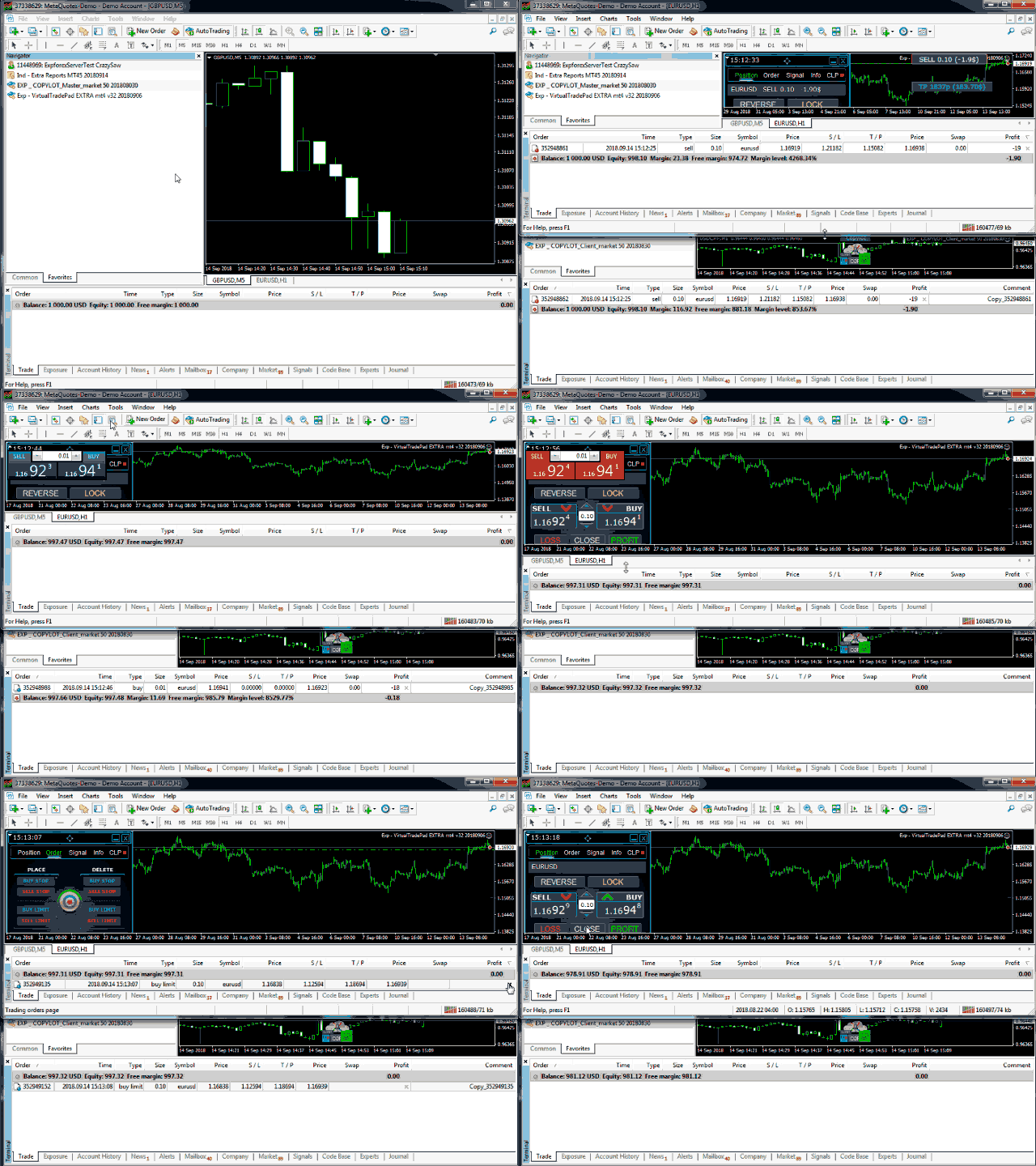
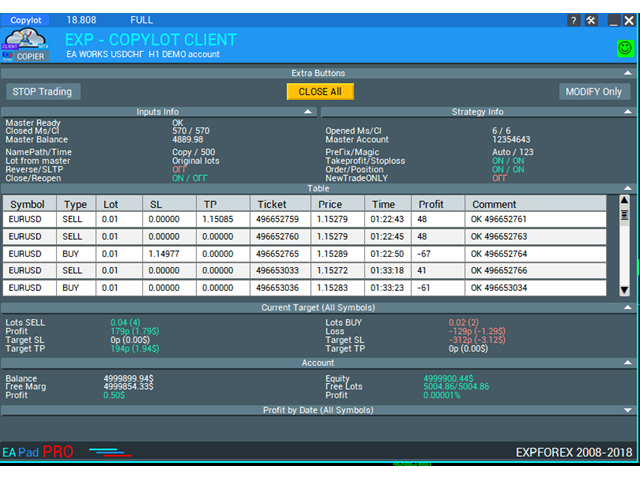
MT5のトレードコピー機は、МetaТrader5プラットフォームのトレードコピー機です

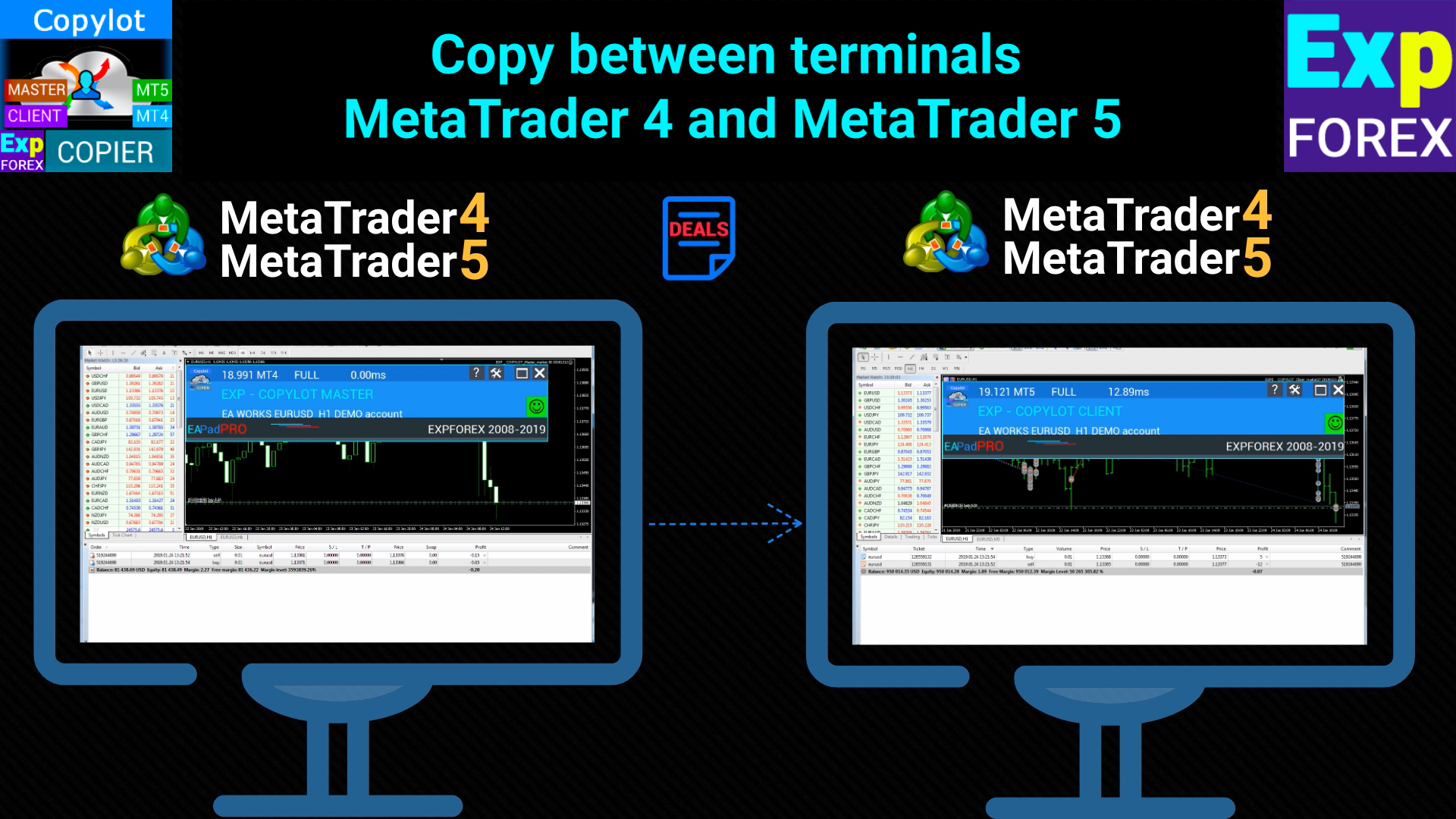
それは間の外国為替取引をコピーします 任意のは、MT5 - MT5、MT4 - MT5 COPYLOT MT5版のアカウント(またはをMT4 - MT4 MT5 - MT4 COPYLOT MT4版用)

信頼できるコピー機!

МТ4ターミナルでトレードをコピーすることもできます( МТ4  -  МТ4、МТ5  -  МТ4 ): MT4のCOPYLOT CLIENT

このバージョンには、端末間МТ5  -  МТ5、МТ4  -  МТ5が含まれます。

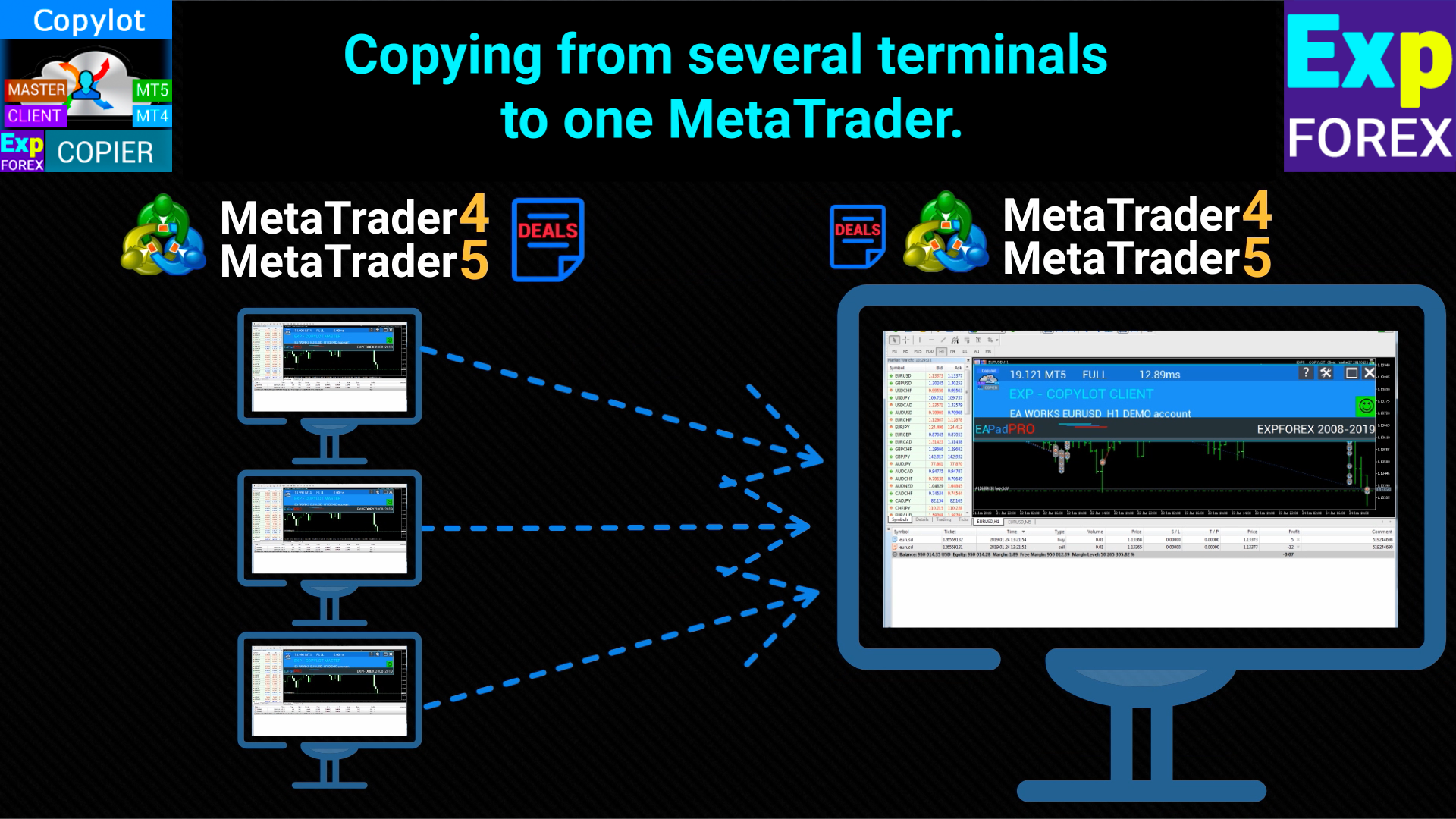
  1. ディールコピー機は、2/3/10端末間でディール/ポジションをコピーするために作成されます。
  2. デモ口座と投資口座からのコピーがサポートされています。
  3. プログラムは、複数の端末バインディングで実行できます。
  4. 1つのアカウントで取引されているさまざまな投資家アカウントでの取引のシンクロナイザーとして使用します。-COPYLOTは取引を他の端末にコピーします。
  5. 複数の端末から1つにコピーします。
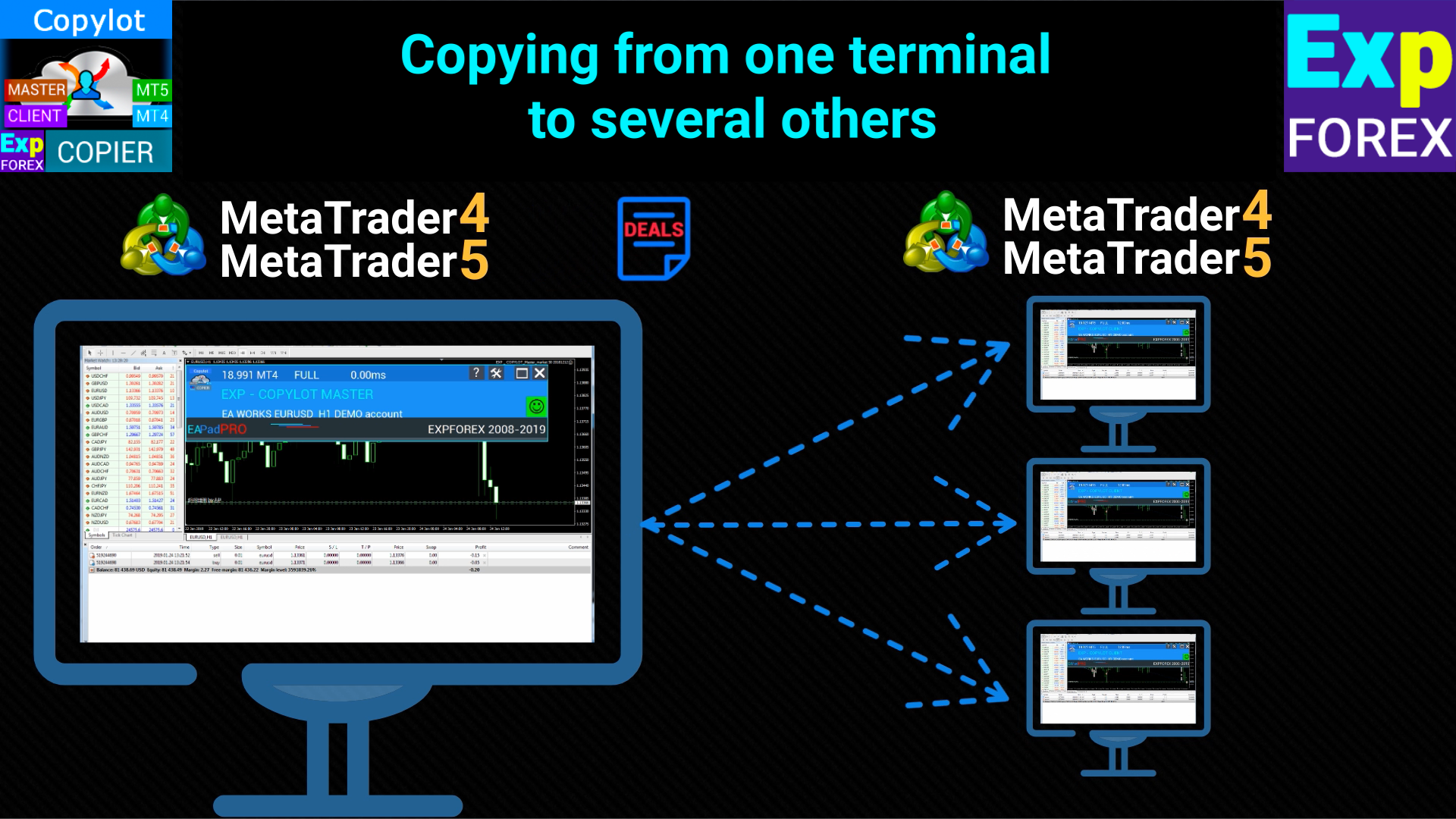
  6. 1つの端末から他の複数の端末にコピーします;
  7. さまざまなブローカーからさまざまなブローカーにコピーします。
  8. Investパスワードで開設された閉鎖されたアカウントからコピーします;
  9. DEMOアカウントから実際のアカウントにコピーします。
  10. ヘッジおよびネッティングアカウント

設定

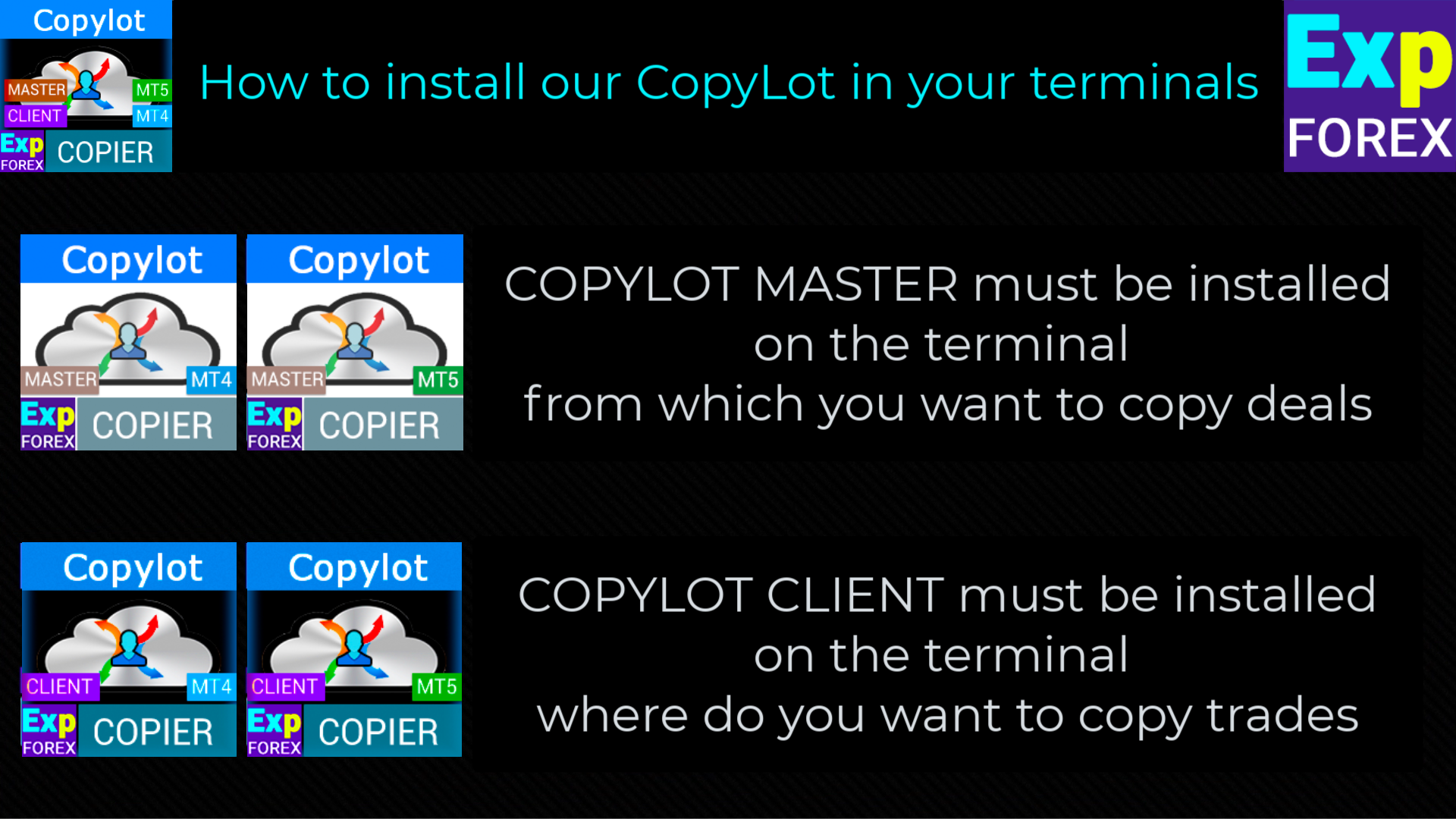
  • COPYLOT CLIENT(スレーブ)取引をコピーしたいターミナルにエキスパートアドバイザーをインストールします。
  • トレードをコピーしたいターミナルMetaTrader5にエキスパートアドバイザーをインストールします。
  • ポジションがコピーされるターミナルを開き、COPYLOTCLIENTを1つのチャートに設定します
  • 「COPY」など、任意のテキストラベル名をpathReadとして指定します。これは、マスター端末のPathWriteと一致する必要があります(2つの端末をバインドするため)。
  • EAは1チャートに設定する必要があります!デフォルトでは、アドバイザーがアカウントからすべてのポジションをコピーします。

リンク

    トレードをコピーするには、トレードをコピーしたいターミナルに無料のマスターコピー機をインストールする必要があります: MT4の場合はCOPYLOTマスター、MT5の場合はCOPYLOTマスター。
    注意:アカウントでポジションを複製するには、ポジションの複製をダウンロードできます  MT5用Exp5デュプリケーター

      MT5への注意

      部分的なクローズはサポートされていません!注文は、開封されたのと同じロットでのみ閉じることができます!マスターが閉鎖に異なるロットを使用すると、コピー機が故障する可能性があります。
      INOUTはサポートされていません。
      注文はアクティベーション時にコピーされ(ポジション)、クライアントアカウントにコピーされます。この関数PendingOrdersCopyは、HEDGEアカウントに対してのみアクティブ化できます。
      注意: COPYLOTはインターネット経由でコピーしません! 1台のコンピューターの端末間でコピーしてください!
       注意! COPYLOTはMetaQuotes VPS上では動作しません。

          #tagsコピー、Копировщик、コピートレード、コピートレード、コピー機、コピー、トレード、高速コピー、 kopir  Expforex、Vladon


          クライアント設定:シグナルがコピーされる場所

          pathREAD/pathWrite: 現在のポジションに関する情報を保存するファイルのパス。スペースや特殊文字は使用しないでください。

          Magic: 複数のマスター端末でシステムを使用するために、ポジション/取引を識別するためのマジックナンバー。

          PreFixSymbol: クライアントの通貨ペアに付随するシンボルのサフィックス。自動モードではコピーが自動的にサフィックスを検出します。

          ChangingNamesSymbols: マスターとクライアント間のシンボル名の変換を設定するためのパラメータ。

          Sounds: 新しい取引が開かれたときに、クライアント端末でサウンドアラートを有効にします。

          Comentshow: コピーされた取引のテーブルをグラフ上に表示します。

          TypeFilling (MT5専用): MT5でのポジションや注文の埋め方のタイプを設定します。

          NumberTryClose/NumberTryOpen: ポジションを閉じたり開いたりする際の試行回数を設定します。

          Slippage: 取引を開く際の許容スリッページ。スリッページが0の場合、スプレッドに応じて自動的に調整されます。

          PricePointSlip: マスターとクライアントの間で許容される価格差の最大値。

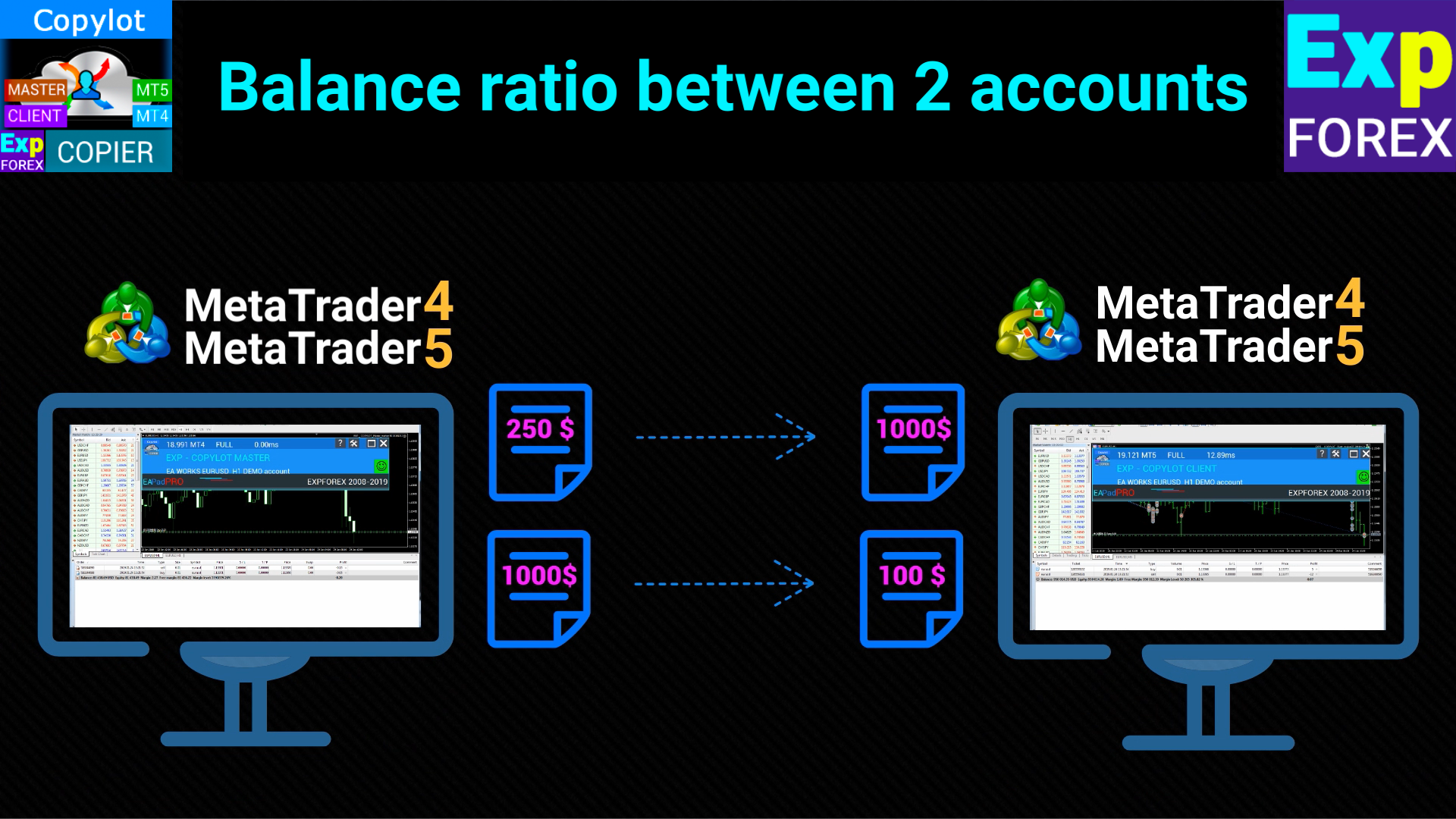
          LotRiskFromMaster: マスターのリスクを基にクライアントのロットサイズを調整する機能。

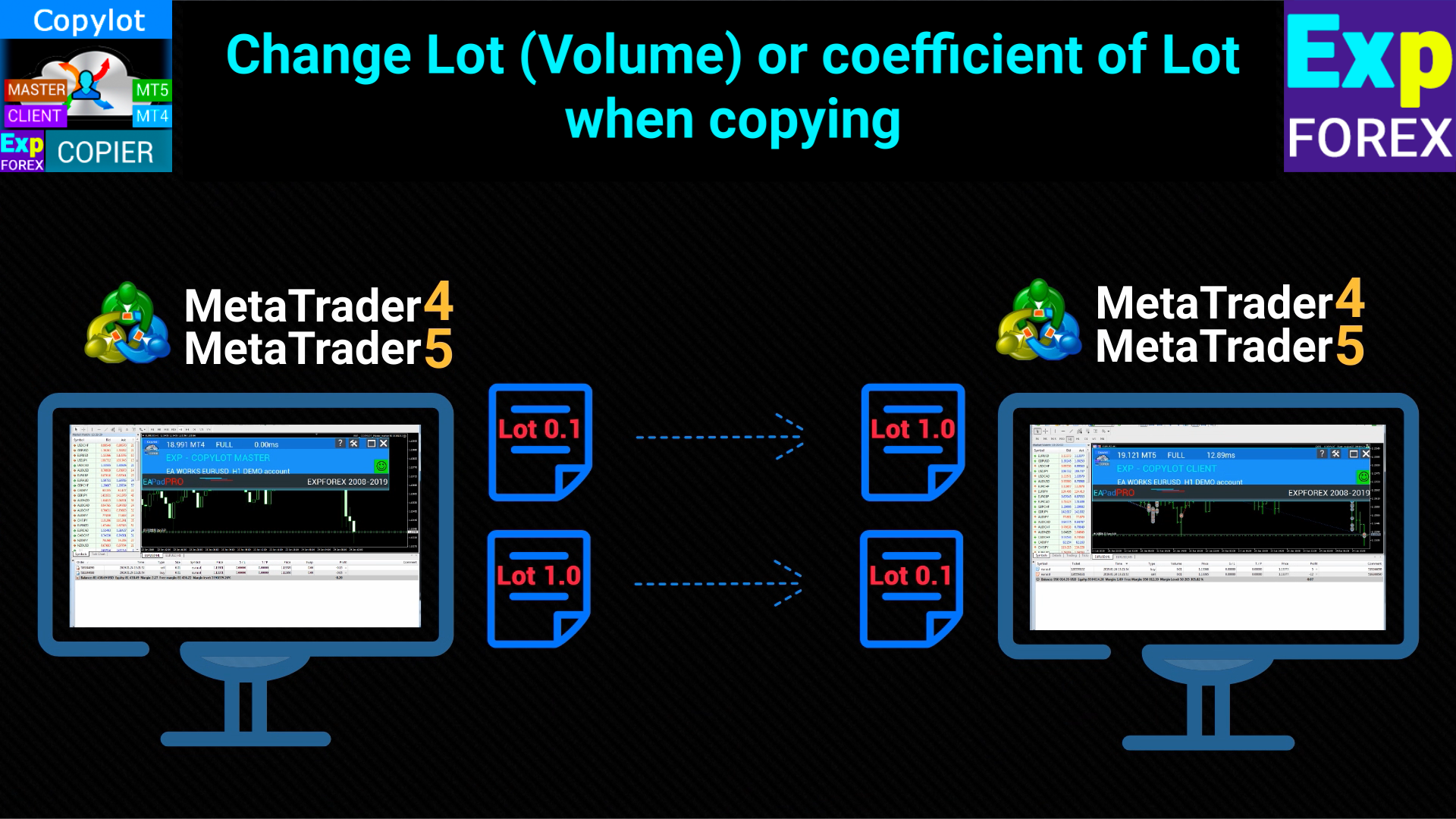
          LotExp: マスター端末からクライアントにコピーする際のロットサイズ調整の係数。

          Lot: クライアントで開かれるロットサイズを設定します。

          RiskLot: ロットの自動計算に使われるパーセンテージを設定します。

          RiskLotType: RiskLotオプションのリスク計算方法を設定します(フリーマージン、バランス、ストップロスから選択)。

          RiskRate: クライアントの通貨と米ドルの為替レート。デフォルトでは自動的に計算されます。

          KoefLot: マスターからコピーされるポジションのロットサイズを調整するための係数。

          AdditionalLot: クライアントでのロットサイズに追加する値を設定します。

          MinLott/MaxLott: ポジションを開く際の最小ロット/最大ロットを設定します。

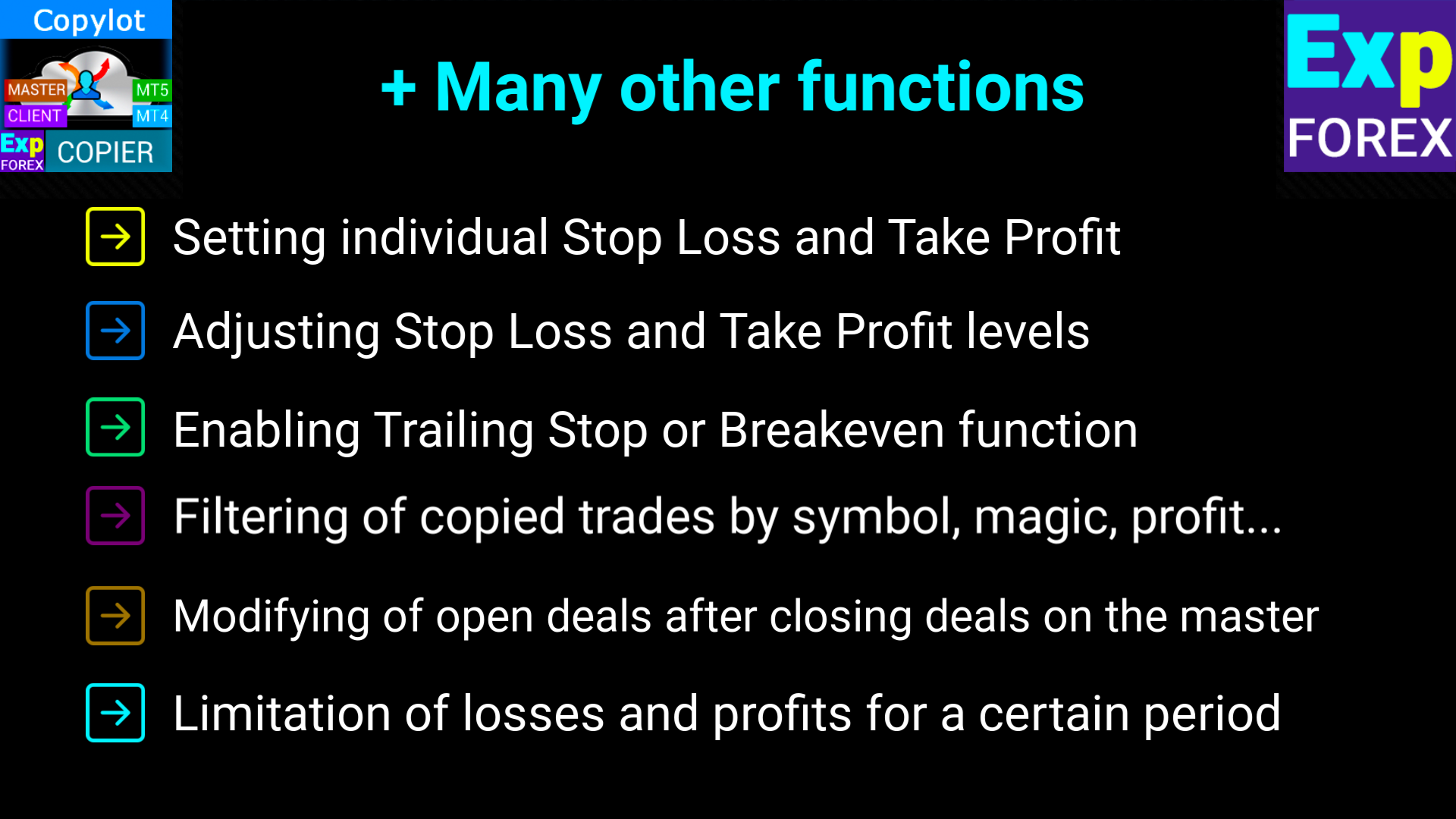
          TakeProfitCopy/StopLossCopy: マスター端末からテイクプロフィットとストップロスをコピーします。

          CorrectSLTPbyMaster: マスターとクライアントの価格差を基にストップロスとテイクプロフィットを調整します。

          MarketWatch: ECNアカウント用に、ポジションを開いた後でストップロスやテイクプロフィットのレベルを修正します。

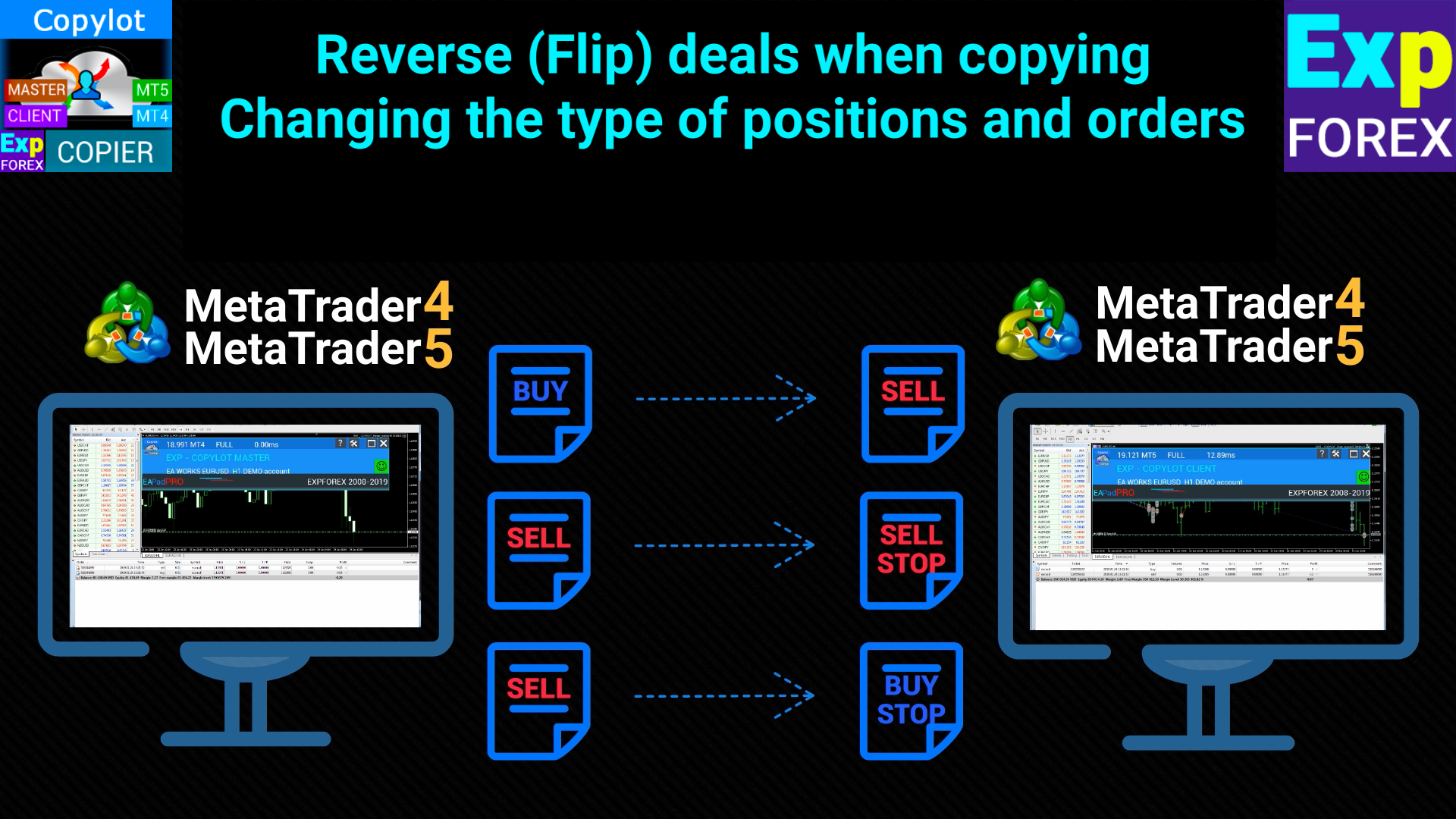
          ReverseCopy: マスターのポジションを反転させてコピーします(BUY→SELL、SELL→BUY)。

          PendingOrdersCopy: マスターから保留中の注文をコピーするかどうかを設定します。

          DayToExpiration (MT5専用): 保留中の注文の有効期限を設定します。

          PositionsCopy: マスター端末のポジションをコピーするかどうかを設定します。

          PricePointSlip: マスターとクライアント間の価格差が一定の範囲内であるときにのみポジションをコピーします。

          TimeSecondSlip: マスターとクライアントのポジションが開かれた時間の差を秒単位で設定します。

          DeleteOrderbyMaster: マスターで削除された保留中の注文をクライアントでも削除します。

          ReopenPosAfterClose: クライアントのポジションが閉じられた場合、再度マスターからコピーして開きます。

          Rounding: 価格を丸める機能。ゴールドやシルバー取引のために使用されます。

          AutoRoundingGOLDSILVER: ゴールドやシルバーの価格を1桁に丸めます。

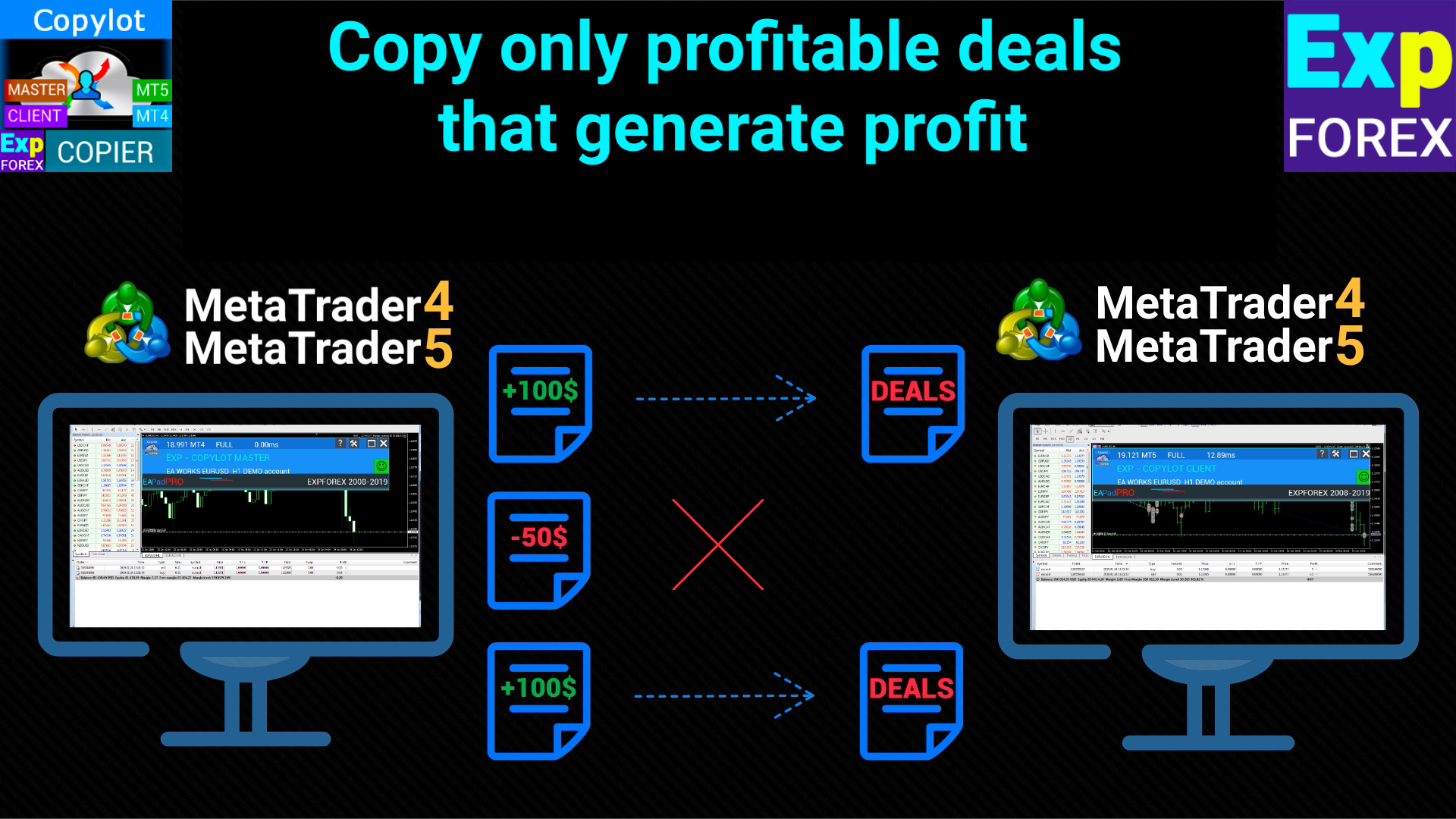
          ProfitCopyOnly: 一定の利益があるポジションのみをコピーします。

          OnlyProfitPips: コピーされるポジションの最低利益ポイントを設定します。

          LossCopyOnly: 損失が一定値を超えたポジションのみをコピーします。

          OnlyLossPips: 損失が指定されたポイントを超えたポジションのみをコピーします。

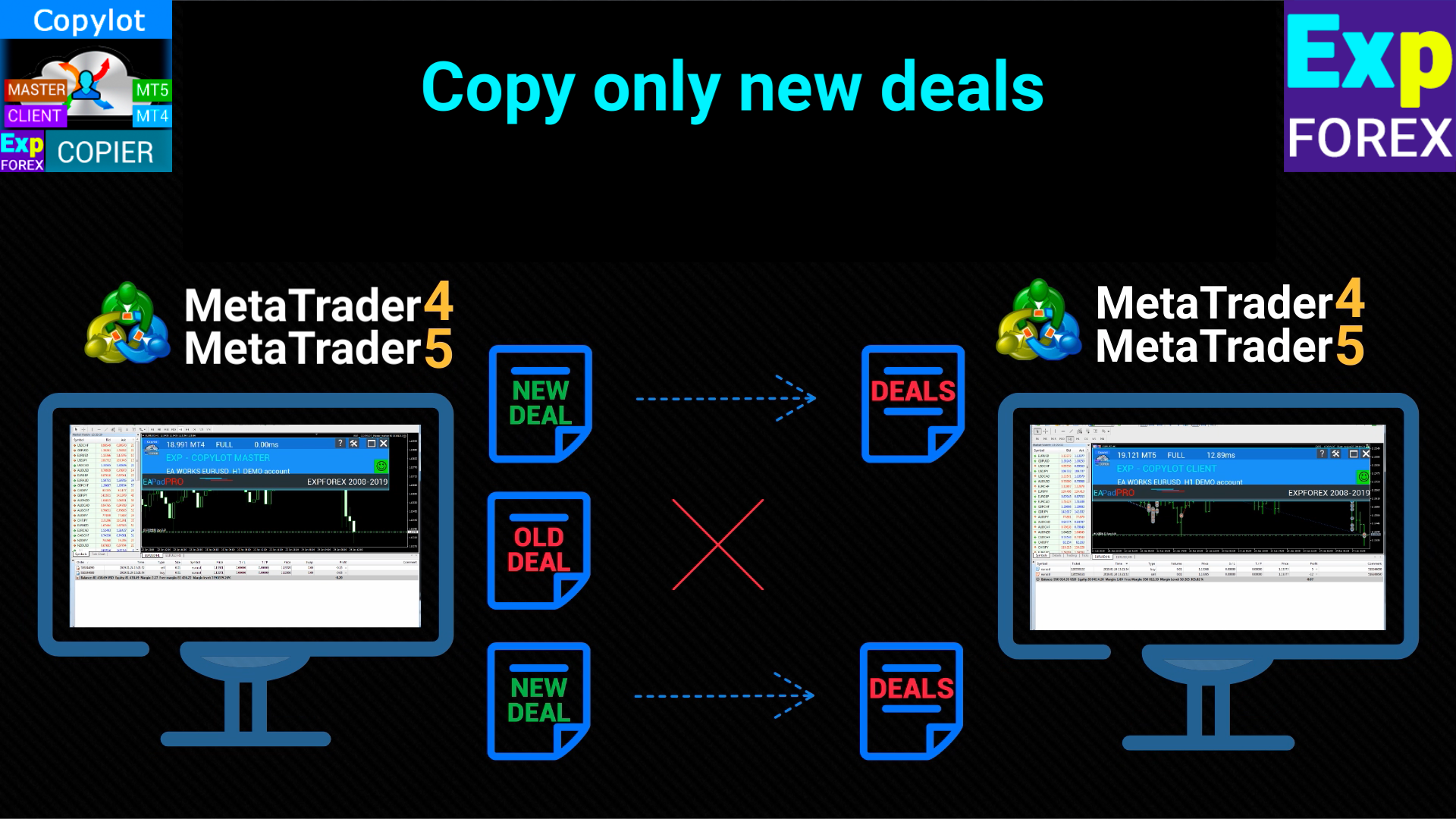
          NewTradeONLY: クライアントコピー開始後に開かれた新しいポジションのみをコピーします。

          FilterLotMin/FilterLotMax: マスターからコピーされる最小/最大ロットサイズを設定します。

          SymbolToCopy: コピーするシンボルを指定します。空欄にすると全てのシンボルがコピーされます。

          SymbolNotToCopy: コピーしないシンボルを指定します。

          SLEEPING: 処理の間に発生する遅延をミリ秒単位で設定します。

          ClosePosbyMaster: マスターで閉じられたポジションをクライアントでも閉じます。

          TP_adjust/SL_adjust: マスターに比べてクライアントのテイクプロフィット/ストップロスを調整します。

          My_STOPLOSS/My_TAKEPROFIT: クライアントで独自のストップロス/テイクプロフィットを設定します。

          TrailingStopUSE: コピーされたポジションに対してトレーリングストップを有効にします。

          IfProfTrail: トレーリングストップを利益ゾーンに到達したときのみ有効にします。

          Trailingstop: 現在の価格からのトレーリングストップの距離を設定します。

          TrailingStep: トレーリングストップが動くステップを設定します。

          Breakeven: ポジションが一定の利益に達したときにストップロスを利益確定ラインに変更します。

          MaxPosBySymbol/MaxOrderBySymbol/MaxSymboll: シンボルごとの最大ポジション数、最大保留中注文数、またはコピーされる最大シンボル数を制限します。

          NumberPosbeforeCopy: 一定の数のポジションがマスターで開かれた後にコピーを開始します。

          TPWCM_Use: マスターのポジションが閉じられた後も、クライアントでポジションを維持し、トレーリングストップを使用できます。

          TPWCM_TakeProfitWhenCloseMaster: マスターのポジションが閉じられた後にクライアントのポジションにテイクプロフィットを設定します。

          TPWCM_TakeProfitOnlyToProfitZone: 利益ゾーンでのみテイクプロフィットを設定します。

          TPWCM_StopLossWhenCloseMaster: マスターのポジションが閉じられた後にクライアントのポジションにストップロスを設定します。

          TPWCM_TrailingStopUSE: マスターのポジションが閉じられた後にトレーリングストップを有効にします。

          TPWCM_IfProfTrail: 利益ゾーンでのみトレーリングストップを使用します。

          TPWCM_BreakEven: マスターのポジションが閉じられた後に、クライアントのポジションでブレイクイーブンを有効にします。

          OIP_Order_Instead_Position: クライアントのポジションを保留中の注文に変換します。

          OIP_TypeOrders: コピーされたポジションをSTOP注文またはLIMIT注文に変換します。

          OIP_DistanceOIP: 保留中の注文を設定する距離をポイントで指定します。

          Clients extra Delays: マスターからのポジションコピーに対する追加の遅延を制御します。

          Delay_Seconds_General: サーバーへのリクエスト間に発生する遅延を秒単位で設定します。


          レビュー 37
          Marian Harwot
          151
          Marian Harwot 2024.12.24 18:40 
           

          drowndown protection by day doesnt work. for me it is most important function/closing position/. whole section clouse by day with usd, pips, and percent dont work. everything else working. i tested it on two different accounts from different providers.

          Marry Christmas

          How or where to send files?

          well ea doesnt clouse position when trigered limit by day i dont know what else i can provide becouse everything else works in ea. just section for day limits dont.

          Thanks for fixing ea great work.

          Hon Kwan Max Tse
          125
          Hon Kwan Max Tse 2024.12.06 15:59 
           

          Please explain wiht example to me for this fuction trailing. thanks

          TrailingStopUSE Use trailing stop for open positions

          Trailingstop The distance from which the trailing stop starts to turn on

          TrailingStep Step of modification stoploss

          anandnagaich
          48
          anandnagaich 2024.10.24 05:42 
           

          All in all... a great EA... appreciate the hard work that went behind it to create such an easy, plug and play type EA.. Kudos!

          おすすめのプロダクト
          The volume profile indicator of the market + a smart oscillator. It works on almost all instruments-currency pairs, stocks, futures, cryptocurrency, on real volumes and on tick ones. You can set both the automatic definition of the profile range, for example, for a week or a month, etc., and set the range manually by moving the boundaries (two vertical lines red and blue). It is shown as a histogram. The width of the histogram at this level means, conditionally, the number of transactions condu
          Auto Trade Copier is designed to copy trades to multiple MT4, MT5 and cTrader accounts/terminals with 100% accuracy. The provider and receiver accounts must be on the same PC/VPS. With this tool, you can copy trades to receiver accounts on the same PC/VPS. All trading actions will be copied from provider to receiver perfectly. This version can be used on MT5 accounts only. For MT4 accounts, you must use Auto Trade Copier (for MT4). Reference: - For MT4 receiver, please download Trade Receiver Fr
          Noize Absorption Index - is the manual trading system that measures the difference of pressure between bears forces and bulls forces. Green line - is a noize free index that showing curent situation. Zero value of index shows totally choppy/flat market.Values above zero level shows how powerfull bullish wave is and values below zero measures bearish forces.Up arrow appears on bearish market when it's ready to reverse, dn arrow appears on weak bullish market, as a result of reverse expectation.
          Trading Utility for Forex Currency Pairs Only not for Gold  Functions Auto Lot Calculation based on Risk Auto stoploss  Auto TakeProfit Breakeven Auto Close Half % Close in percentage with respect to the PIPs Pending Orders BuyLimit Sell Limit with distances BuyStop Sell Stop    with distances Trading Informations Risk in percentage For Multiple trades Combine Takeprofit and Combine Stoplosses
          TradePilotmt5
          Hossein Khalil Alishir
          TradePilot Expert Advisor (EA) for MetaTrader 5 TradePilot is a professional and user-friendly Expert Advisor (EA) for MetaTrader 5 (MT5) . It simplifies automated trading , risk management , and trade execution with a smart trading panel . Perfect for beginners and experienced traders looking for a reliable trade manager EA with automated lot size calculation and smart position management. Key Advantages User-Friendly Trading Panel: Customizable panel with buttons and hotkeys for fast ex
          Visual CrossPulse Dynamics: Trade with the Market's True Rhythm Unlock a new level of market insight with Visual CrossPulse Dynamics, a sophisticated trading indicator designed to adapt to ever-changing volatility and reveal the true direction of the trend. Are you tired of indicators that lag in fast-moving markets or give false signals during consolidation? The Visual CrossPulse Dynamics indicator solves this problem by using an advanced, adaptive algorithm that intelligently adjusts to the m
          Manus Pro
          Itumeleng Mohlouwa Kgotso Tladi
          MANUS PRO EA The Trading Revolution You've Been Waiting For Are you TIRED of watching other traders make consistent profits while your account bleeds red?   The financial markets don't wait for anyone – and neither should you. MANUS PRO isn't just another Expert Advisor... it's your   TICKET TO FINANCIAL FREEDOM . Why MANUS PRO is Different (And Why Everyone's Talking About It) FOR BEGINNERS: Your Trading Mentor That Never Sleeps Zero Learning Curve   – Install, activate, and watch it wo
          プレミアムレベルは、正しい予測の精度が80%を超える独自の指標です。 この指標は、最高のトレーディングスペシャリストによって2か月以上テストされています。 あなたが他のどこにも見つけられない作者の指標! スクリーンショットから、このツールの正確さを自分で確認できます。 1は、1キャンドルの有効期限を持つバイナリーオプションの取引に最適です。 2はすべての通貨ペア、株式、商品、暗号通貨で機能します 手順: 赤い矢印が表示されたらすぐにダウントレードを開き、青い矢印が表示されたら閉じます。青い矢印の後に開くこともできます。 試してテストしてください!推奨設定はデフォルトです! 日足チャートで最高の精度を示します! インディケータは、2600 Pipsの収益性に対して、約10Pipsという非常に小さなマージンを使用します。
          インジケーター技術仕様 – Delta Profile for MetaTrader 5 Delta Profile は MetaTrader 5 用に開発されたインジケーターで、指定されたローソク足範囲内の出来高フローを詳細に分析するためのものです。異なる価格レベルにおける正の出来高(上昇に関連)と負の出来高(下降に関連)の不均衡を構造化し、可視化します。その結果、ユーザーは最も多くの取引が集中する価格帯や実際の市場不均衡が形成される領域を明確に把握できます。 以下に、本インジケーターの主要な技術特性と設定パラメータを示します。 基本コンセプト インジケーターは 価格レベル を識別し、それらを正の出来高、負の出来高、および純 Delta(正負の出来高差)に分類します。 各価格レベルは 水平バー としてチャートに表示され、市場の活動ゾーンや不均衡領域を視覚的に確認できます。 ユーザーは 分析対象ローソク足数 、 価格の丸め精度 、 最大表示レベル数 、および 表示スタイル を自由に設定できます。 主要機能 価格レベルのマッピング :設定された精度に基づき価格を丸め、対応するローソク足の
          PROTECT YOUR FTMO Account in a simplest way Must-Have Account Protector for any Prop-trading Account and Challenge MT4 / MT5 Expert Advisor that protects your Forex Prop Trading account from an unexpected drawdown! FTMO Protector  is a Tool that lets you manage trades and control your profit and loss across multiple Robots and currency pairs using a simple parameters and settings. Use as many EAs and Instruments you need, the Protector will: 1.   Calculate your midnight (01:00 System time) Balan
          Inverted_Chart_EA Utility Expert Advisor Inverted_Chart_EA creates and maintains a mirror-inverted chart of any symbol and timeframe. It automatically generates a custom instrument (e.g. US30_INV ) and keeps its price history updated in real time, with bars mirrored around a chosen pivot. This utility gives traders a new way to analyze the market from a different perspective by flipping the chart upside down. Why use an inverted chart? Highlight hidden patterns – price formations that look ordin
          Equity Shield Pro 1.1 NEW VERSION  Equity Shield Pro 1.1 is a powerful utility EA designed to safeguard your trading account by actively monitoring and enforcing equity protection and profit management rules. Whether you’re trading personal accounts or working through proprietary firm challenges, this EA ensures strict adherence to risk and profit targets, enabling you to maintain discipline and consistency. Fully compatible with all challenge types, Equity Shield Pro 1.1 is specifically craft
          Easy Copier Limited  is utility tool to copy trade / trade copier form one account (master) to other account (slave) .  It works only with a single forex ( EURUSD ) . You can use this tool as local copier ( Terminals have to be in same PC / VPS ) as well as Remote Copier ( Terminals can be in different PC / VPS ). For remote copy you can use my server or it can be configured to your server . Trades are possible to copy from    MT4 => MT4     MT4 => MT5         MT5 => MT5       MT5 => M
          This tool will perform Trailing stop loss and Break even management for orders. Helps you limit or reduce the time spend watching orders on the screen, especially when you need to go to sleep. Just add this EA to 1 chart, you can manage all pairs. You can filter orders by comment, magic number, symbol and order ticket number. When Breakeven it can add shift/offset pips (to cover the commission...). You can try in strategy tester before purchase. The EA will add Buy and Sell alternately, so you
          Join Deriv link on profile>>> GET THIS FULL COPY AND GET ANOTHER FREE INDICATOR ONE OF THE BEST AND USEFULL INDICATORS IN THE WORLD ..This is the one of the best usefull indicators which has chosen to be used by top traders in the world. AUTOMATIC SUPPORT AND RESISTANCE This way of trading is also called Supply and demand, On this way of trading you can see auto colours appear where the market changes direction buying or selling Direction. ALL KIND OF PAIRS METALS AND INDICIES ARE INCLUDED A
          ID Trade_Bot BS - an effective tool for automated trading using RSI Trade_Bot BS is an efficient solution for automated trading based on RSI, allowing flexible parameter customization and risk management. Thanks to the ability to choose a trading mode, dynamic Stop-Loss and Take-Profit levels, and trading mode adjustment (buying, selling, or both), it is suitable for various trading strategies. Key Features: Uses the RSI indicator to determine market conditions. Automatically opens an
          US30NinjaMT5
          Satyaseelan Shankarananda Moodley
          US30 Ninja is a 5 minute scalping indicator that will let know you when there is a trade set up (buy or sell). Once the indicator gives the trade direction, you can open a trade and use a 30 pip stop loss and a 30 pip to 50 pip take profit. Please trade at own own risk. This indicator has been created solely for the US30 market and may not yield positive results on any other pair. 
          Trade History By Magic Indicator Unlock Your Trading Insights with Trade History By Magic! Enhance your MetaTrader 5 experience with this powerful indicator designed for traders who demand precision and clarity. Trade History By Magic provides a clear, real-time display of your trading history, organized by magic numbers, directly on your chart. Perfect for both automated and manual traders, this tool helps you track performance effortlessly. Key Features: Organized Trade Tracking : Displays tra
          This indicator presents an alternative approach to identify Market Structure. The logic used is derived from learning material created by   DaveTeaches (on X) Upgrade v1.10: + add option to put protected high/low value to buffer (figure 11, 12) + add  Retracements  value to buffer when Show Retracements When quantifying Market Structure, it is common to use fractal highs and lows to identify "significant" swing pivots. When price closes through these pivots, we may identify a Market Structure S
          Mine Farm is one of the most classic and time-tested scalping strategies based on the breakdown of strong price levels. Mine Farm is the author's modification of the system for determining entry and exit points into the market... Mine Farm - is the combination of great potential with reliability and safety. Why Mine Farm?! - each order has a short dynamic Stop Loss - the advisor does not use any risky methods (averaging, martingale, grid, locking, etc.) - the advisor tries to get the most
          **   All Symbols   x   All Timeframes   scan just by pressing scanner button ** Discount: The price is $50$, But now it is just $35, Limited time offer is active. *** Contact me  to send you instruction and add you in "Trend Reversal group" for sharing or seeing experiences with other users. Introduction: Trendlines are the most famous technical analysis in trading . Trendlines continually form on the charts of markets across all the different timeframes providing huge opportunities for traders
          Crash 1000 Scalping Indicator for the Crash 1000 Deriv Synthetic Index. Introduction The Crash 1000 Scalping Indicator is a specialized tool designed for the Crash 1000 index on the Deriv Synthetic market. This indicator is particularly useful for scalping on the M1 timeframe, helping traders to identify precise entry and exit points for buy positions. It is designed to be non-repainting, providing clear signals with audible alerts and push notifications, and is compatible with mobile devices th
          Was: $249  Now: $149   Market Profile defines a number of day types that can help the trader to determine market behaviour. A key feature is the Value Area, representing the range of price action where 70% of trading took place. Understanding the Value Area can give traders valuable insight into market direction and establish the higher odds trade. It is an excellent addition to any system you may be using. Inspired by Jim Dalton’s book “Mind Over Markets”, this indicator is designed to suit the
          Your Trend Friend
          Luigi Nunes Labigalini
          5 (1)
          The trend is your friend! Look at the color of the indicator and trade on that direction. It does not  repaint. After each candle is closed, that's the color of the trend. You can focus on shorter faster trends or major trends, just test what's most suitable for the symbol and timeframe you trade. Simply change the "Length" parameter and the indicator will automatically adapt. You can also change the color, thickness and style of the lines. Download and give it a try! There are big movements w
          Mac-Binary option Signals is unique mathematical concept to trade iqoptions,binary,rocketoptions specter or any other binary options company 1 min 5 expiry run robot 30min everyday and fill profit and loss ratios inside mt2iq/mt2binary and run or 1min to 5min expiry ...go to setting in mt2iq robot allow otc and digital options. and select risk 500and profit 300$ per day it can stop automatically after profit or loss... If it can close after loss restart and Reset profit and loss button run again
          The Gann Box (or Gann Square) is a market analysis method based on the "Mathematical formula for market predictions" article by W.D. Gann. This indicator can plot three models of Squares: 90, 52(104), 144. There are six variants of grids and two variants of arcs. You can plot multiple squares on one chart simultaneously. Parameters Square — selection of a Gann square model 90 — square of 90 (or square of nine); 52 (104) — square of 52 (or 104); 144 — universal square of 144; 144 (full) — "ful
          ADVANCED FUNCTIONALITIES: Trend Score (0-100) with visual bar Intelligent signals with adjustable strength (1-10) Risk management with automatic TP/SL Audible and visual alerts Price zones with smooth filling Multi-indicator analysis (RSI, ATR, BB, EMAs) DESIGN FEATURES Modern Visual: Smooth and well-spaced lines (EMA with 2-3px width) Vibrant and professional colors (Sky Blue, Orange, Gold) Modern arrows (code 233/234) for buy/sell signals Configurable dark/light theme Adjustable transparency f
          TRI Visualizer Enhanced - 熱力学的市場分析の革命 概要 TRI(Thermal Range Indicator)Visualizer Enhanced は、従来のテクニカル分析を超越した、物理学の熱力学理論を応用した革新的なマーケット分析インジケーターです。市場の価格変動を「熱力学的エネルギー」として捉え、これまで見落とされていた市場の微細な変化を高精度で検出します。 革新的な仕組み 1. デュアル計算エンジン クラシックTRIモード 基本公式: |終値-始値| + (高値-安値) ローソク足の実体とヒゲを統合した純粋なボラティリティ測定 シンプルで直感的、あらゆる市場環境で安定動作 熱力学的TRIモード(独自開発) 価格加速度 :2次微分による価格変化の勢いを測定 出来高変化率 :相対的な出来高の変化を動的に評価 ポジションエネルギー :正規化された価格変動エネルギーを計算 熱力学的係数 :物理学の熱力学法則を市場分析に応用 2. 高度な平滑化システム SMA(単純移動平均) :基本的なノイズ除去 EMA(指数移動平均) :最新データ重視の平滑化
          Arrow Micro Scalper は、スキャルピングと短期取引用に設計されたインジケーターで、あらゆるチャートや金融商品 (通貨、仮想通貨、株式、金属) に統合されています。 彼女は仕事で波動分析とトレンド方向フィルターを使用しています。 M1 から H4 までのタイムフレームでの使用が推奨されます。 インジケーターの操作方法。 インジケーターには設定を変更するための 2 つの外部パラメーターが含まれており、残りはデフォルトですでに構成されています。 大きな矢印はトレンド方向の変化を示し、青い矢印は下降トレンドの始まりを、ピンクの矢印は上昇トレンドの始まりを示します。 「 Only trending direction 」パラメータは、内部トレンドを使用するモードを有効または無効にし、独自のトレンドを使用するか、トレンドを使用せずに作業する機会を提供します。また、トレンド矢印とシグナルのみのトレンド矢印の表示を有効または無効にします。 小さなシグナル矢印、インジケーターの最も重要なオブジェクト、ピンクは「買い」トランザクション、青は「売り」トランザクション。 「 Smooth
          Classic Market Surfer EA - A Timeless, Proven Strategy for Gold Trading For years, this powerful trading strategy has been hidden from the public-reserved for a select few. Now, for the first time, the Classic Market Surfer EA is available to traders like you.   Built on pure, time-tested trading principles, this EA doesn't rely on trendy gimmicks like AI or machine learning. Instead, it harnesses a classic, robust strategy that has consistently delivered results over the years. This is not a "g
          このプロダクトを購入した人は以下も購入しています
          Trade Assistant MT5
          Evgeniy Kravchenko
          4.44 (198)
          取引 ごとのリスクの 計算、新規注文 の 簡単 な 設置、部分的 な 決済機能 を 持 つ 注文管理、 7 種類 のトレーリングストップなど 、便利 な 機能 を 備 えています 。 追加の資料と説明書 インストール手順   -   アプリケーションの手順   -   デモアカウント用アプリケーションの試用版 ライン機能 チャート上にオープニングライン、ストップロス、テイクプロフィットを表示します。この機能により、新規注文を簡単に設定することができ、注文を出す前にその特徴を確認することができます。   リスク計算 リスク計算機能は、設定されたリスクとストップロス注文のサイズを考慮して、新規注文のボリュームを計算します。ストップロスの大きさを自由に設定できると同時に、設定したリスクを守ることができます。 Lot calc ボタン - リスク 計算 を 有効 / 無効 にします 。 Risk フィールドでは 、必要 なリスクの 値 を 0 から 100 までのパーセンテージまたは 預金通貨 で 設定 します 。 設定」 タブで 、 リスク 計算 の 種類 を 選択 します :「 $ 通
          Trade Manager EAへようこそ。これは、取引をより直感的、正確、そして効率的にするために設計された究極の リスク管理ツール です。これは単なるオーダー実行ツールではなく、包括的な取引計画、ポジション管理、リスク管理のためのソリューションです。初心者から上級者、迅速な実行を必要とするスキャルパーまで、Trade Manager EAはあらゆるニーズに対応し、為替、指数、商品、暗号通貨などさまざまな市場で柔軟に対応します。 Trade Manager EAを使用すると、複雑な計算が過去のものになります。市場を分析し、エントリーポイント、ストップロス、テイクプロフィットのレベルをチャート上のラインでマークし、リスクを設定するだけで、Trade Managerが最適なポジションサイズを即座に計算し、SLとTPをピップ、ポイント、口座通貨でリアルタイムに表示します。すべての取引が簡単かつ効果的に管理されます。 主な機能: ポジションサイズ計算機 :定義されたリスクに基づいて取引サイズを瞬時に決定します。 簡単な取引計画 :エントリー、ストップロス、テイクプロフィットを設定するためのド
          TradePanel MT5
          Alfiya Fazylova
          4.86 (141)
          Trade Panel は、多機能の取引アシスタントです。このアプリケーションには手動取引用の 50 を超える取引機能が含まれており、ほとんどの取引操作を自動化できます。 注意、アプリケーションはストラテジー テスターでは動作しません。購入する前に、デモアカウントでデモ版をテストできます。デモ版 ここ 。 完全な手順 こちら 。 取引。 ワンクリックで取引操作を実行できます: 自動リスク計算を使用して未決の注文とポジションをオープンします。 ワンクリックで複数の注文とポジションをオープンします。 注文グリッドを開きます。 未決の注文とポジションをグループごとにクローズします。 ポジション反転 (買いを閉じて売りを開く、または売りを閉じて買いを開く)。 ポジションをロックします(買いポジションと売りポジションの量を均等にする追加のポジションをオープンします)。 ワンクリックですべてのポジションを部分的にクローズします。 すべてのポジションのテイクプロフィットとストップロスを同じ価格レベルに設定します。 すべてのポジションのストップロスをポジションの損益分岐点レベルに設定します。 注文とポ
          ベータリリース Telegram to MT5 Signal Trader はまもなく正式なアルファ版をリリースします。いくつかの機能はまだ開発中で、小さな不具合に遭遇する可能性があります。問題が発生した場合はぜひご報告ください。皆さまのフィードバックがソフトウェア改善に役立ちます。 価格は20件の販売後に上がります。残り $90 のコピー: 15/20 。 Telegram to MT5 Signal Trader は、 Telegram のチャンネルやグループからの取引シグナルを自動的に MetaTrader 5 にコピーする強力なツールです。 パブリックおよびプライベートの両方のチャネルに対応し、複数のシグナル提供元を複数のMT5口座に接続可能です。ソフトウェアは高速で安定し、すべての取引を細かく制御できます。 インターフェースは直感的で、ダッシュボードとチャートは見やすく設計されており、リアルタイムで動作状況をモニターできます。 必要環境 MQL の制限により、EA は Telegram と通信するためのデスクトップアプリが必要です。 インストーラーは公式の インストールガ
          EASY Insight AIO – スマートで手間いらずな取引のオールインワンソリューション 概要 数秒で市場全体——FX、ゴールド、暗号資産、指数、さらには株式まで——を、手作業のチャート確認や複雑なセットアップ・インジケーター導入なしにスキャンできたらどうでしょうか? EASY Insight AIO はAIトレードのための究極のプラグ&プレイ型エクスポートツールです。市場全体のスナップショットを、クリーンなCSVファイルで一括出力。ChatGPT、Claude、Gemini、Perplexityなど、さまざまなAIプラットフォームで即座に解析できます。 ウィンドウの切り替えやグラフのごちゃごちゃしたオーバーレイはもう不要。自動エクスポートされる純粋で構造化されたインサイトだけで、無駄なチャート監視に悩まされず、スマートなデータ主導の判断に集中できます。 なぜEASY Insight AIOなのか? 本当のオールインワン • セットアップ不要、インジケーターのインストール不要、チャートへのオーバーレイ不要。インストールして起動し、エクスポートするだけです。 マルチアセット対
          Grid Manual MT5
          Alfiya Fazylova
          4.89 (19)
          「Grid Manual」は、注文のグリッドを操作するための取引パネルです。 ユーティリティはユニバーサルで、柔軟な設定と直感的なインターフェイスを備えています。 それは、損失を平均化する方向だけでなく、利益を増やす方向でも注文のグリッドで機能します。 トレーダーは注文のグリッドを作成して維持する必要はありません。 すべてが「Grid Manual」によって行われます。 注文を開くだけで十分であり、「Grid Manual」は注文のグリッドを自動的に作成し、非常に閉じるまでそれに付随します。 完全な説明とデモバージョン ここ。 ユーティリティの主な機能と機能 ユーティリティは、モバイル端末から開かれた注文を含め、あらゆる方法で開かれた注文を処理します。 「制限」と「停止」の2種類のグリッドで機能します。 グリッド間隔の計算には、固定と動的(ATRインジケーターに基づく)の2つの方法で機能します。 オープンオーダーグリッドの設定を変更できます。 チャート上の各注文グリッドの損益分岐点を表示します。 各注文グリッドの利益率を表示します。 ワンクリックでグリッドから収益性の高い注文を閉じるこ
          Copy Cat More Trade Copier MT5 (コピーキャット MT5) は、今日の取引課題に対応して設計されたローカルトレードコピーシステムと完全なリスク管理・実行フレームワークです。プロップファームのチャレンジから個人ポートフォリオ管理まで、堅牢な実行、資本保護、柔軟な設定、高度な取引処理の組み合わせで、あらゆる状況に適応します。 コピーシステムはマスター(送信側)とスレーブ(受信側)の両方のモードで動作し、成行注文と指値注文、取引修正、部分決済、両建て決済操作のリアルタイム同期を行います。デモ口座とライブ口座、取引ログインまたは投資家ログインの両方に対応し、EA、ターミナル、またはVPSが再起動してもパーシスタント取引メモリシステムを通じて復旧を保証します。複数のマスターとスレーブをユニークIDで同時に管理でき、ブローカー間の違いはプレフィックス/サフィックス調整またはカスタムシンボルマッピングを通じて自動的に処理されます。 マニュアル/設定  | Copy Cat More MT4 | チャンネル  特別機能: 設定が簡単 — わずか30秒で完了(ビデオをご覧
          Custom Alerts AIO:マルチマーケット監視を一括で実現 — 設定不要ですぐに使えるインテリジェントツール 概要 Custom Alerts AIO は、追加のインジケーター設定が不要で、インストール後すぐに利用できる高機能マーケットスキャナーです。FX Power、FX Volume、FX Dynamic、FX Levels、IX Power を内部にすべて統合し、主要なすべての資産クラス(為替、金属、指数、暗号資産)を一括監視できます。MetaTrader の仕様により、株式は個別のシンボルとして追加可能ですが、一般的には利用頻度は低めです。 1. なぜ Custom Alerts AIO を選ぶべきか 追加ライセンス不要 • 必要なすべての Stein Investments インジケーターが内蔵されており、すぐに使用可能です。 • チャートに表示されるグラフィックは省略されており、アラート生成に特化した構成です。 市場を広範囲にカバー • 為替、金属、暗号資産、株価指数に対応(株式は手動追加可能)。 • シンボル名を入力する必要はなく、プロパティで資産クラス
          Ultimate Trade Assistant MT5 — Çok Fonksiyonlu Ticaret Asistanı 66'dan fazla profesyonel araç tek bir panelde — daha hızlı, güvenli ve verimli işlem yapın. Bu asistan; risk yönetimi, emir kontrolü, piyasa analizi ve pozisyon takibini tek bir güçlü arayüzde birleştirir. Hem yeni başlayanlar hem de profesyonel yatırımcılar için uygundur. Neden trader’lar bu aracı tercih ediyor Tek tıklamayla hızlı emir açma ve yönetim Otomatik lot ve risk hesaplama Akıllı emirler: grid, OCO, gizli emirler, sanal S
          The product will copy all telegram signal to MT5 ( which you are member) , also it can work as remote copier.  Easy to set up, copy order instant, can work with almost signal formats, image signal,  s upport to translate other language to English Work with all type of channel or group, even channel have "Restrict Saving Content", work with  multi channel, multi MT5 Work as remote copier: with signal have ticket number, it will copy exactly via ticket number. Support to backtest signal. How to s
          Trade on crypto exchanges in MT5! GRat_Crypto is a tool for manual and automated trading , including ANY available EA, ANY  cryptocurrency  on most popular crypto exchanges in the familiar MT5 environment 24/7. Features 1. ALL instruments of the 9 most popular crypto exchanges are available: Binance, BingX, Bybit, Coinbase, CoinEx, Kraken,   KuCoin, MEXC and OKX . 2. The ability to place ANY type of order available in MT5, both market and pending, to modify orders and positions, to delete order
          あなたがメンバーである任意のチャネルから(プライベートおよび制限されたものを含む)シグナルを直接あなたのMT5にコピーします。  このツールは、トレードを管理し監視するために必要な多くの機能を提供しながら、ユーザーを考慮して設計されています。 この製品は使いやすく、視覚的に魅力的なグラフィカルインターフェースで提供されています。設定をカスタマイズして、数分で製品を使用を開始できます! ユーザーガイド + デモ  | MT4版 | Discord版 デモを試してみたい場合は、ユーザーガイドにアクセスしてください。 Telegram To MT5 受信機は、ストラテジーテスターで動作しません! Telegram To MT5の特徴 複数のチャネルから一度にシグナルをコピー プライベートおよび制限されたチャネルからシグナルをコピー BotトークンまたはChat IDは必要ありません   (必要に応じて使用することができます) リスク%または固定ロットを使用して取引 特定のシンボルを除外 すべてのシグナルをコピーするか、コピーするシグナルをカスタマイズするかを選択 すべてのシグナルを認
          Trade Manager DashPlus
          Henry Lyubomir Wallace
          5 (11)
          DashPlus は、MetaTrader 5プラットフォーム上での取引効率と効果を向上させるために設計された高度なトレード管理ツールです。リスク計算、注文管理、高度なグリッドシステム、チャートベースのツール、パフォーマンス分析など、包括的な機能を提供します。 主な機能 1. リカバリーグリッド 逆境の市場環境下で取引を管理するための平均化および柔軟なグリッドシステムを実装します。 取引回復のための戦略的なエントリーおよびエグジットポイントを可能にします。 2. スタックグリッド 強い市場の動きの中でポジションを追加することで、有利な取引での潜在的なリターンを最大化するように設計されています。 トレンド市場で利益を得られるよう、勝ち取引を拡大します。 3. 損益(P&L)ライン チャート上に直接、潜在的な利益と損失のシナリオを視覚的に表示します。 設定を調整し、P&Lラインをドラッグして、実行前にさまざまな取引結果を評価します。 4. バスケットモード 同じシンボルでの複数ポジションの管理を簡素化し、それらを単一の集約ポジションにまとめます。 平均価格に基づいて、ストップロスやテイクプ
          Trade Manager は、リスクを自動的に計算しながら、取引を迅速に開始および終了するのに役立ちます。 過剰取引、復讐取引、感情的な取引を防止する機能が含まれています。 取引は自動的に管理され、アカウントのパフォーマンス指標はグラフで視覚化できます。 これらの機能により、このパネルはすべてのマニュアル トレーダーにとって理想的なものとなり、MetaTrader 5 プラットフォームの強化に役立ちます。多言語サポート。 MT4バージョン  |  ユーザーガイド + デモ Trade Manager はストラテジー テスターでは機能しません。 デモについてはユーザーガイドをご覧ください。 危機管理 % または $ に基づくリスクの自動調整 固定ロットサイズを使用するか、ボリュームとピップに基づいた自動ロットサイズ計算を使用するオプション RR、Pips、または価格を使用した損益分岐点ストップロス設定トレーリングストップロス設定 目標に達したときにすべての取引を自動的に終了するための 1 日あたりの最大損失 (%)。 過度のドローダウンからアカウントを保護し、オーバートレードを防ぎます
          Lazy Trader is your personal risk management assistant that independently finds the best market entries, manages positions, and helps you extract maximum profit from every trading idea! It monitors charts from M1 to W1 , finds optimal entry points based on your parameters, and manages trades without your involvement: - Got an idea on the daily chart? No need to wait for lower timeframes to form a signal — Lazy Trader will check everything and open all necessary positions while you live your lif
          Remote Trade Copier is an advanced tool designed for efficiently copying trades between accounts in both local and remote modes. It allows for lightning-fast order replication from a master account to a slave account. In local mode, trades are copied instantly, while in remote mode, the copying process takes less than 1 second. MT4 Version (Only Local) MT5 Version (Only Local) MT4 Full Version (Local & Remote) Local mode refers to both MetaTrader platforms being installed on the same system,
          Trade Copier Pro MT5 is a tool to copy trade remotely to multiple MT4, MT5 and cTradfer accounts at different computers/locations over internet. This is an ideal solution for you if you are a signal provider and want to copy your trades to other receivers globally on your own rules. One provider can copy trades to multiple receivers and one receiver can get trade from multiple providers as well. The provider can even set the subscription expiry for each receiver, so that receiver will not be abl
          The product will copy all  Discord  signal   to MT5   ( which you are member  ) , also it can work as remote copier.  Easy to set up. Work with almost signal formats, support to translate other language to English Work with multi channel, multi MT5. Work with Image signal. Copy order instant, auto detect symbol. Work as remote copier: with signal have ticket number, it will copy exactly via ticket number. How to setup and guide: Let read all details about setup and download Discord To MetaTrader
          Local Trade Copier EA は、MAMまたはPAMMアカウントを必要とせずに、外部ソースからのトレードシグナルを実行する必要がある、または同時に複数のアカウントを管理する必要がある個々のトレーダーまたはアカウントマネージャー向けのソリューションです。最大8つのマスターアカウントから無制限のスレーブアカウントにコピーします [ インストールガイド | アップデートガイド | トラブルシューティング | FAQ | すべての製品 ] 100%セルフホスト インストールと使用が簡単 インストーラー、構成ファイル、サーバー、メモリパイプ、DLLは使用されていません EAを永久に使用するための1000回のアクティベーション ローカル実行、ネットワーク遅延なし それはあなたがこれまでに必要とするすべての機能を実装します: 最大8つのマスターアカウントと無制限のスレーブアカウント すべてのブローカーおよびDD / NDD / ECN / STP実行で動作します 異なる口座通貨の口座で動作します ライブアカウントとデモアカウントの間で区別なく機能します マスターアカウントとスレーブア
          EmoGuardian
          Samuel Bandi Roccatello
          5 (5)
          EmoGuardianを使用して取引口座に高度なリスク制限を課すことで、過剰取引、FOMO、強迫的な行動を回避します。 ポジションにストップロス を自動的に追加 し、 EA の損失を管理し 、 EA を自動的にロード / アンロードします。   ポジションごと、取引ごと、時間範囲ごと、日ごとに リスクを制限します。 リスク管理オプションは、トレーダーが口座を吹き飛ばすような強迫的な行動に特化して開発されました。 注意 : これはユーティリティであるため、ストラテジーテスターでは動作しません。EmoGuardianはネッティング口座では機能しません (ほとんどの取引口座はヘッジ口座です) 完全マニュアル+デモ版 ユニークな機能: 口座残高のパーセンテージまたはピップでポジションにストップロスを自動的に追加します リスク限度に達したらEAを強制終了し、翌日自動的にリロードします   VPSサーバー上で動作する EAを管理する ための緊急信号を作成する 日次制限 口座通貨で最小/最大エクイティレベルを設定します 1日あたりの最大損失/最大利益を通貨価値またはパーセンテージで設定します 一日の
          Advanced trading tool: One click smart orders that execute under your conditions Developed by trader for trading community:  position size calculator (lot size), open position after price action, strategy builder, set and forget trading, mobile notifications Risk Management -  Risk percentage position size calculator, gain percentage, target risk reward ratio, spread and commissions are included in calculations 7 Advanced order types  - Set and forget trading with price action automation (OCO,
          YuClusters
          Yury Kulikov
          4.93 (41)
          Attention: You can view the program operation in the free version  YuClusters DEMO .  YuClusters is a professional market analysis system. The trader has unique opportunities to analyze the flow of orders, trade volumes, price movements using various charts, profiles, indicators, and graphical objects. YuClusters operates on data based on Time&Sales or ticks information, depending on what is available in the quotes of a financial instrument. YuClusters allows you to build graphs by combining da
          This EA Utility allows you to manage (with advanced filtering) unlimited open orders (manual or EA) with 16 trailing stop methods: fixed, percent, ATR Exit, Chandelier Exit, Moving Average, Candle High Low Exit, Bollinger Bands, Parabolic, Envelope, Fractal, Ichimoku Kijun-Sen, Alligator, Exit After X Minutes or Bars, RSI and Stochastic. The trailing stop can be either real or virtual, and you can exit fully or with a partial close percent on touch or bar close.  Moreover, you can add (override
          The  Easy Strategy Builder (ESB)  is a " Do It Yourself " solution that allows you to create a wide range of the automated trading strategies without any line of codes. This is the world’s easiest method to automate your strategies that can be used in STP, ECN and FIFO brokers. No drag and drop is needed. Just by set conditions of your trading strategy and change settings on desired values and let it work in your account. ESB has hundreds of modules to define unlimited possibilities of strategi
          Unlimited Trade Copier Pro MT5 is a tool to copy trade remotely to multiple MT4, MT5 and cTrader accounts at different computers/locations over internet. This is an ideal solution for you if you are a signal provider and want to copy your trades to other receivers globally on your own rules. One provider can copy trades to multiple receivers and one receiver can get trade from multiple providers as well. The provider can even set the subscription expiry for each receiver, so that receiver will n
          Mentfx Mmanage mt5
          Anton Jere Calmes
          4.25 (8)
          The added video will showcase all functionality, effectiveness, and uses of the trade manager. Drag and Drop Trade Manager. Draw your entry and have the tool calculate the rest. Advanced targeting and close portions of a trade directly available in tool (manage trades while you sleep). Market order or limit order on either side with factored spread. Just draw the entry, the tool does the rest. Hotkey setup to make it simple. Draw where you want to enter, and the stop loss, the tool calculates al
          Everything for chart Technical Analysis indicator MT5 in one tool Draw your supply demand zone with rectangle and support resistance with trendline and get alerts to mobile phone or email alert -  Risk reward indicator mt5 Video tutorials, manuals, DEMO download   here .   Find contacts on my   profile . 1.   Extended rectangles and trendlines Object will be extended to the right edge of the chart when price will draw new candles on chart. This is rectangle extender or trendline extender. 2. Pri
          Custom Alerts:複数市場を監視し、重要なチャンスを見逃さない 概要 Custom Alerts は、複数の銘柄にまたがるトレードチャンスを一元的に監視したいトレーダーのためのダイナミックなソリューションです。FX Power、FX Volume、FX Dynamic、FX Levels、IX Power などの主要ツールと連携し、複数のチャートを切り替える手間なく、重要な市場変動を自動で通知します。ブローカーが提供するすべての資産クラスに対応しており、シンボルを入力する必要はありません。設定で資産クラスを選択するだけで、すぐにアラートを構成できます。 1. Custom Alerts がトレーダーにとって非常に有益な理由 オールインワンの市場監視 • Custom Alerts は、為替、金属、暗号資産、指数、株式(ブローカーが対応している場合)からのシグナルを収集・統合します。 • 複数のチャートを切り替える必要がなくなり、明確で一元化された通知が得られます。 戦略に合わせたアラート構成 • ボリューム急増、通貨強弱の閾値、極端な価格変動など、目的に応じたアラート
          Click and Go Trade Manager, the ultimate solution for seamless trading execution. With a simple click on the chart, you can effortlessly define your stop loss, entry price, and target levels. No more hassle of inputting values manually - it's made incredibly intuitive and easy. Embedded risk management is a key feature of our Trade Manager. We understand the importance of protecting your investments, which is why the Click and Go Trade Manager incorporates risk management. When placing orders, y
          This Utility is designed for price action strategies, trading flags and retests, such as Guerrilla Trading and similar strategies It allows to: place pending orders for retests (on the Retest line or x PIPs away from the retest line) place orders for flag formations calculate lotsizes based on account size, currency pair and risk percentage split trades and place multiple trades if lot size exceeds max lot size given by broker manage trades with a trailing SL/TP behind the most recent highs/lows
          作者のその他のプロダクト
          Exp TickSniper PRO FULL
          Vladislav Andruschenko
          3.97 (58)
          Exp-TickSniper- 各通貨ペアのパラメーターを自動的に自動選択する高速ティックスカルパー。 取引パラメータを自動的に計算するアドバイザーを夢見ていますか?自動的に最適化および調整されますか? MetaTrader4のシステムのフルバージョン:       MetaTrader4用の TickSniper   スカルパー TickSniper-完全な説明     +デモ+ PDF EAは、ほぼ10年間のEAプログラミングで得られた経験に基づいて開発されました。 EA戦略はどのシンボルでも機能します。 時間枠は関係ありません。 ロボットは、現在の相場、ティックの到着速度、スプレッドサイズ、およびその他の契約仕様パラメーターに基づいています。 システムは、有利なストップロスとテイクプロフィットレベル、平均ポジションの距離、トレーリングストップ距離などを自動的に定義します。 EAは、トレンドに対して追加のオープニングのシステムを適用します(「平均化」)。 その設定は、実際のアカウントでテストするために最適化されています。 Expert Advisorは、絶対にすべての通貨ペアで
          Exp COPYLOT CLIENT for MT4
          Vladislav Andruschenko
          4.69 (64)
          MetaTrader4のコピー機を取引します。     それは任意の口座からの外国為替取引、ポジション、注文をコピーします。 それは最高の貿易コピー機の1つです     MT4 - MT4、MT5 - MT4     のために     COPYLOT MT4     バージョン(または     MT4 - MT5  MT5 - MT5     のために     COPYLOT MT5     バージョン)。 MT5のバージョン 完全な説明   +DEMO +PDF 購入する方法 インストールする方法     ログファイルの取得方法     テストと最適化の方法     Expforex のすべての製品 のコピー機 バージョン       MetaTrader 5 ターミナル(   МТ5 - МТ5、МТ4 - МТ5   )-   コピーロットクライアントMT5 独自のコピーアルゴリズムにより、すべての取引がマスターアカウントからクライアントアカウントに正確にコピーされます。 また、動作速度が速いことでも知られています。タフなエラー処理。 強力な機能セット。 プログラムは、複数

          Exp5 AI Sniper for MT5
          Vladislav Andruschenko
          3 (3)
          私たちのチームは、MetaTrader ターミナル向けの最先端のスマート トレーディング エキスパート アドバイザーである Trading Robot をご紹介できることを嬉しく思っています。 AI Sniper は、   MT5 の両方の端末向けに設計された、インテリジェントな自己最適化取引ロボットです。 スマートなアルゴリズムと高度な取引戦略を活用して、取引の可能性を最大限に引き出します。 取引所取引と株式市場での 15 年の経験を活かし、革新的な戦略管理機能、追加のインテリジェント機能、ユーザーフレンドリーなグラフィカル インターフェイスを開発しました。 AI Sniper 内のすべての機能は、最適化されたプログラム コードと厳格なテストによってサポートされています。 高度な計算インテリジェンスは、綿密なテクニカル分析と、価格変動の各段階での何千もの数学的計算を通じて、取引の最適なエントリーポイントとエグジットポイントを特定します。 トレンドが弱気か強気かに関係なく、   AI Sniper は シグナルを正確に分析し、正確な買いまたは売り取引を実行します。 ビジョン。ミッショ
          VirtualTradePad mt4 Extra
          Vladislav Andruschenko
          4.86 (58)
          ワンクリックで取引できるトレーディングパネル。ポジションと注文の操作!チャートまたはキーボードから取引。 手動取引用の取引パネル。チャート(チャートウィンドウ)またはキーボードから取引できます。開閉、リバース、ロックポジションと注文を処理する МetaТrader4のメインオーダーのトレーディングコントロールパネル:売買、売却、売却、売却、売却、閉じる、削除、修正、トレーリングストップ、ストップロス、takeproft MT5のバージョン 完全な説明   +DEMO +PDF 購入する方法 インストールする方法     ログファイルの取得方法     テストと最適化の方法     Expforex のすべての製品 シンボルウィンドウからの取引とキーボードからの取引! あなたはMetaTrader 4ターミナル - バーチャルコントロールパネルVirtualTradePadのためのユニークなプラグインを持っています。 Description on English 注意!  ストラテジーテスターの 取引方法を学びたい場合は、無料の TesterPad ユーティリティをチェックしてくだ
          ワンクリックで取引できるトレーディングパネル。ポジションと注文の操作!チャートまたはキーボードから取引。 当社の取引パネルを使用すると、チャートから直接シングルクリックで取引を実行でき、標準の MetaTrader コントロールよりも 30 倍高速に取引操作を実行できます。 パラメータと関数の自動計算により、トレーダーにとって取引がより速く、より便利になります。 グラフィックのヒント、情報ラベル、取引取引に関する完全な情報はチャート MetaTrader にあります。 MT4のバージョン 完全な説明   +DEMO +PDF 購入する方法 インストールする方法     ログファイルの取得方法     テストと最適化の方法     Expforex のすべての製品 手動取引用の取引パネル。チャート(チャートウィンドウ)またはキーボードから取引できます。  開閉、リバース、ロックポジションと注文を処理する МetaТrader5 のメインオーダーのトレーディングコントロールパネル:売買、売却、売却、売却、売却、閉じる、削除、修正、トレーリングストップ、ストップロス、takeproft
          Profit or Loss Pad
          Vladislav Andruschenko
          4.27 (11)
          利益追跡機能で総利益/損失に達したときにMetaTrader5のポジションをクローズします。   CloseIfProfitorLoss with Trailing 仮想停止(個別注文)を 有効にできます。 買いポジションと売りポジションを別々に 計算して閉じる(別々の買い売り)、 すべてのシンボルまたは現在のシンボルのみを 閉じて計算する(すべてのシンボル)、 利益のためにトレーリングを有効にする( トレーリング 利益) ポジションは、預金通貨、ポイント、%、およびドローダウンの 値に基づいてクローズされます。 このアプリケーションは、他のEAと一緒に、または手動取引と組み合わせて、任意のアカウントで使用するように設計されています。 MT4のバージョン 完全な説明   +DEMO +PDF 購入する方法 インストールする方法     ログファイルの取得方法     テストと最適化の方法     Expforex のすべての製品 一部またはすべてのペアの貿易収支の合計が設定で指定された値以上になるとすぐに、すべてのポジションがクローズされ、注文が削除されます。 このバージョンは
          Exp TickSniper
          Vladislav Andruschenko
          3.97 (30)
          Exp-TickSniper は、各通貨ペアのパラメーターを個別に自動的に選択する高速ティックスカルパーです。 EAは、ほぼ10年間のEAプログラミングで得られた経験に基づいて開発されました。 EAは、スマートトレーリングストップを使用し、現在の通貨ペアデータ、その相場、仕様、スプレッドに基づいて短期取引を実行します。 平均化戦略は、信号検出アルゴリズムによって引き起こされる損失を防ぐために使用されます。 オープンポジションが特定の損失を被った場合、ポジションを平均化する機能がトリガーされます。 極端な場合、TickSniperによって開かれたポジションにはストップロスが伴います。自動取引システムが最小利益を得ることができない場合、ポジションはストップロスによって1つずつクローズされます。 システムは、有利なストップロスとテイクプロフィットレベル、平均ポジションの距離、トレーリングストップ距離などを自動的に定義します。 EAは、通貨ペアの仕様、現在の価格、および戦略の一部であるその他の要因から、これらのパラメーターに関するデータを取得します。 MetaTrader 5のフルバージョン
          MetaTrader 4のためのカスタムインディケータに関するユニバーサルトレーディングアドバイザー。 MetaTrader 4のバージョン:  MetaTrader 5ターミナル   のxCustomEA バージョン ユニバーサルトレーディングアドバイザTheCustomEAの機能は、1つを除いて、私たちのアドバイザ The X の すべてのパラメータを正確に複製します。 xCustomEA はカスタムインディケータ上で動作し、MT4端末向けに独自の取引戦略をプログラムすることができます。 xCustomEA は、インターネットまたはmql5市場からダウンロードできるカスタム指標へのリンクを持っています。 あなたはあなたの  習慣  をプログラムすることができます   インジケータ  、  そして私達のアドバイザー  xCustomEA  はシグナルのポジションを開く  でしょ  う。 私たちのユニバーサル展覧会顧問 ザ・を 購入 し て   xCustomEA  、  あなたは毎日指標に関するアドバイザをプログラムすることができます! 指標PIPFINITE TREND PRO上
          Exp Assistant 5
          Vladislav Andruschenko
          4.76 (119)
          自動設定、ストップロス、テイクプロフィット、トレーリングストップ、損益分岐点レベルにより、 仮想 ストップロスとテイクプロフィットが可能になります。 Exp Assistant は、 ポジションの維持を計画するのに役立ちます。 このプログラムである Expert Advisor は、 リアルまたはバーチャルを 自動的に設定するように設計されています。     取引中のポジションの ストップロスとテイクプロフィット のレベル。 Expert Advisor のすべての操作は、チャート上のコントロール パネルから簡単に管理できます。 オープンポジションの ストップロス、テイクプロフィット、 トレーリングストップ 、 損益 分岐点 の設定が難しい場合 、または手動で取引したい場合は、アシスタントを使用できます。 取引のストップロスとテイクプロフィットの設定、トレーリングストップのオン、必要に応じてストップロスを損益分岐点に移動するなど、必要なアクションが自動的に実行されます。 アシスタントには、 パラボリック Sar インジケーターに基づくトレーリング ストップ機能も備えています。 MT4
          FREE
          Exp4 Duplicator
          Vladislav Andruschenko
          4.48 (21)
          Expert Advisor は 、アカウントMetaTrader 4で 取引を繰り返し、ポジションを設定するか、事前に設定された回数だけシグナルを送信します。 手動または別のエキスパートアドバイザーによって開かれたすべての取引をコピーします。 シグナルをコピーし、シグナルからロットを増やします ! 他のEAの多くを増やします。 次の機能がサポートされています:コピーされた取引のカスタムロット、ストップロスのコピー、テイクプロフィット、トレーリングストップの使用。 MT5のバージョン 完全な説明 +DEMO +PDF 購入する方法 インストールする方法     ログファイルの取得方法     テストと最適化の方法     Expforex のすべての製品 リンク MetaTraderのトレードコピー機はこちらから入手できます:   COPYLOT 注意 注:これは、端末間の取引用のコピー機ではありません。 ストラテジーテスターでエキスパートアドバイザーをテストし、ビジュアルモードでEAPADPROツールバーと取引することができます! EAを1つの通貨ペアにインストールするだけで
          Averager FULL
          Vladislav Andruschenko
          4.58 (12)
          Exp-Averager は、 平均化取引を開始することで、特定のドローダウンを受けた取引を平均化するように設計されています。 アドバイザーは、トレンドおよび逆トレンドに合わせて追加のポジションをオープンできます。 一連のポジションの平均トレーリングストップが含まれています。 ロットが増えたり減ったりしています。 不採算ポジションを平均価格に近づける一般的な戦略。 MT4のバージョン 完全な説明 +DEMO +PDF 購入する方法 インストールする方法     ログファイルの取得方法     テストと最適化の方法     Expforex のすべての製品 リンク MetaTrader 5 ターミナルの Expert Advisor でのアベレージャの操作の例:   Exp - TickSniper   。 平均化機能を備えたユニバーサル取引アドバイザー The X 注記 これは自動取引システムではありません。 取引を監視し、ドローダウンが発生した場合に利益が得られるまで平均化します。 ストラテジー テスターでエキスパート アドバイザーをテストし、ビジュアル モードで EAPAD
          スイング モデル ベースの取引戦略では、ロット数を増やした 2 つの反対の保留注文を出します。市場価格が特定の方向に動くと、一方の注文がトリガーされ、もう一方の注文のロット サイズが増加します。 このアプローチにより、トレーダーはリスクを最小限に抑えながら利益を獲得できるため、外国為替、株式、商品を取引する信頼性の高い方法となります。金融取引におけるこの戦略の使用は、特に不安定な市場において情報に基づいた意思決定を促進する能力があることで広く認識されています。 その有効性は、市場リスクへのエクスポージャーを減らしながら、市場のトレンドを識別してそれを利用する能力に起因しています。そのため、取引パフォーマンスの最適化を求めるトレーダーに人気の選択肢となっています。 ONLY for HEDGING account type EAは3種類の保留注文(TypeofTrade)を提供します。 発注後自動オープン(即時オープンAutoTrade) 手動開設後の開設と管理(手動開設ManualTrade) 高値/安値間の距離によるオープン(過去バーの高値安値TFTrade) OCO   (One-
          Exp SafetyLock PRO
          Vladislav Andruschenko
          4.57 (28)
          SAFETYLOCKを使用すると、トレーダーはすでにオープンしているポジションに対して反対の注文を設定することで、強い市場の反転を回避できます。 トレーダーまたはEAがポジションをオープンすると、SAFETYLOCKは自動的に反対の保留中の注文を設定します。 ポジションが損失に転じた場合、その保留中の注文がアクティブになり、ロックを作成して損失を最小限に抑えます。 このEAは、初期のポジションを閉じる、トレーリングストップを使用して利益を最大化する、またはロットを増やしてリスクを調整するなど、さまざまな操作を可能にします。 さらに、ポジションの価格に合わせて、保留中の注文の始値を変更することもでき、市場の動きに柔軟に対応することができます。 完全な説明 +DEMO +PDF 購入する方法 インストールする方法     ログファイルの取得方法     テストと最適化の方法     Expforex のすべての製品 基本的なパラメーター(ブログのパラメーターの完全な説明) MilliSecondsTimerForMonitoring – アルゴリズムの実行時間をミリ秒単位で指定します
          Exp THE X FULL
          Vladislav Andruschenko
          4.79 (29)
          これは標準的な指標に取り組んでいるMetaTrader 5のための万能自動エキスパートアドバイザーです。 UniversalEA コンストラクタEAには多数の関数が用意されています。 ポジションを開くために20のシグナルのうちの1つを選択し、MetaTraderパッケージに含まれる標準インディケータのシグナルを選別するために20のうち5つのフィルターを選択することができます。 さらに、指標のパラメータを調整したり、時間枠を選択したり、各信号の信号バーを指定したりできます。 注意!新しいユニバーサルトレーディングアドバイザーの Exp - カスタム指標に取り組んでいる xCustomEA  : MetaTrader 5の ための Exp The xCustomEA MetaTrader 4の ための Exp The xCustomEA Description on English 自動取引アドバイザーを購入したい場合は、  TickSniperを チェックして ください  。 EAには以下の機能があります。  カウンタートレンド平均 トレンドの方向への追加の開口部 トレーリングストッ
          Lib5 EAPadPRO for MT5
          Vladislav Andruschenko
          4.5 (6)
          MetaTrader5のエキスパートアドバイザーに情報パネルを追加するためのライブラリ。 プログラムの情報とインターフェースが取引で利益をもたらすことを保証することはできませんが、プログラムの最も単純なインターフェースでさえ第一印象を強めることができると断言できます。 エキスパートアドバイザーに パネルを追加するための詳細な説明と手順は、ブログにあります:   LIB-EAPADPROステップバイステップの説明 パネルの詳細な説明と EAPADPROの使用手順 MetaTrader4ライブラリバージョン 追加のプロセスは 10のステップで 構成されており、それらについては記事で詳しく説明しています。 ライブラリのインストール このサイトからライブラリをインストールします。 エキスパートアドバイザーを開きます。 コードをインストールするためのサンプルとステップバイステップガイド、ファイル Exp-EAPADPRO LIBRARY TEST(ブログにあります)を開き ます。 推奨事項に記載されているように各ステップを実行するか、サイトからのステップバイステップの説明を使用してください。
          FREE
          このユーティリティを使用すると、戦略テスターで戦略を手動でテストできます。視覚化チャート上でワンクリック取引。 トレードス​​キルをテストするための便利で完全な機能がストラテジーテスターでも利用できるようになりました。 Forex Tester Pad は、ストラテジーテスター用のトレーディングシミュレーターです。インジケーターを使用した取引。 私たちのユーティリティの主な機能 MT4のバージョン 完全な説明 +DEMO +PDF 購入する方法 インストールする方法     ログファイルの取得方法     テストと最適化の方法     Expforex のすべての製品 MetaTrader ストラテジー テスター 4 および 5 で動作します。 取引、ポジション、注文の管理。 あらゆるインジケーターを操作する可能性; ストップロス、テイプロフィット、トレーリングストップ、注文グリッド; EAPAD PRO チャートフレンドリーなダッシュボード; 速度制御、一時停止、チャート制御を 1 クリックで実行できます。等々。 警告: このパネルは戦略テスター向けです。 ライブ チャートでワ
          FREE
          Exp4 AI Sniper for MT4
          Vladislav Andruschenko
          2.33 (3)
          私たちのチームは、MetaTrader ターミナル向けの最先端のスマート トレーディング エキスパート アドバイザーである Trading Robot をご紹介できることを嬉しく思っています。 AI Sniper は、   MT4     の両方の端末向けに設計された、インテリジェントな自己最適化取引ロボットです。 洗練されたアルゴリズムと最先端の取引手法を活用した AI Sniper は 、取引の最適化における卓越性を体現しています。 当社のチームは、取引所と株式市場の両方で 15 年を超える豊富な経験を活かし、革新的な戦略管理機能、インテリジェントな機能、直感的なグラフィカル インターフェイスを組み込んだこのエキスパート アドバイザーを作成しました。 AI Sniper の各側面は細心の注意を払って設計され、厳密にテストされたプログラム コードによってサポートされています。 高度な計算インテリジェンスは複雑なテクニカル分析を通じて機能し、あらゆる価格変動に対して何千もの数学的計算を実行します。 これにより、   AI Sniper は 、強気市場トレンドでも弱気市場トレンドでも、
          Exp5 Duplicator
          Vladislav Andruschenko
          4.75 (8)
          Expert Advisor Duplicator は 、アカウントMetaTrader5 で事前に設定された回数の取引/ポジション/シグナルを繰り返します。 手動または別のエキスパートアドバイザーによって開かれたすべての取引をコピーします。信号のロットサイズを大きくすることが可能です。 シグナルをコピーし、シグナルから多くを増やします! MQL5信号ロットの増加 次の機能がサポートされています:コピーされた取引のカスタムロット、StopLossのコピー、TakeProfit、トレーリングストップの使用など。 MT4 のバージョン 完全な説明 +DEMO +PDF 購入する方法 インストールする方法     ログファイルの取得方法     テストと最適化の方法     Expforex のすべての製品 リンク MetaTraderのトレードコピー機はこちらから入手できます:   COPYLOT 注意 注 :これは端末間の取引用のコピー機ではありません。 複製機はネッティングアカウントでは使用できません。 ストラテジーテスターでエキスパートアドバイザーをテストし、ビジュアルモード
          Exp5-COPYLOT MASTERは、МetaТrader5とMetaTrader4のトレードコピー機です。任意のアカウントから外国為替取引をコピーします。 インストール このエキスパートアドバイザーはマスターコピー機です。トレードをコピーしたいターミナルにエキスパートアドバイザーをインストールします。 「COPY」のように、任意のテキストラベル名をpathWriteとして指定します。 トレードをコピーしたい端末にMT5用のCOPYLOTMASTERをインストールします。 次に、コピー先の MT4  端末にCOPYLOTクライアントMT4をインストールします。 または MetaTrader5用の CopylotクライアントMT5 MT4用のCOPYLOTMASTERを ダウンロードすることもできます COPYLOT-完全な説明とマニュアル 注:設定のリストは[コメント]タブにあります。 EAは1チャートに設定する必要があります!デフォルトでは、アドバイザーがアカウントからすべてのポジションと注文をコピーします。 注文はアクティベーション時にコピーされ(ポジション)、クライアントア
          FREE
          Exp Swing
          Vladislav Andruschenko
          4.46 (54)
          これは、Swinger(Pendulum、Cheburashka)と呼ばれる有名な戦略のモデルを使用しています。 戦略は、2つの反対の保留中の注文を出すことにあります。価格が特定の方向に移動すると、一方の保留中の注文がトリガーされ、もう一方の注文のロットサイズが増加します。 EAは3種類のオープン保留中の注文を提供します(TypeofTrade) 配置後の自動オープン(インスタントオープンAutoTrade) 手動開封後の開封と管理(手動開封ManualTrade) 高/低レベルで開く(過去のバーTFTradeの高低) OCO(One-Cancels-the-Other)注文は、2つの注文で構成される条件付き注文の一種です。2つ目の注文が約定すると、1つ目の注文は自動的にキャンセルされます。 スイング-完全な説明 MT5 version 購入する方法 インストールする方法     ログファイルの取得方法     テストと最適化の方法     Expforex のすべての製品 使い方? 開始時に、エキスパートアドバイザーは2つの注文を出します-現在の価格から StopOrderDe
          FREE
          Exp Averager
          Vladislav Andruschenko
          4.82 (22)
          Exp-Averager は、 平均化取引を開始することで、特定のドローダウンを受けた取引を平均化するように設計されています。 アドバイザーは、現在のトレンドに沿って、または逆に新しいポジションを開くことができます。 一連のポジションに適用されるスマート トレーリング ストップ機能も含まれています。 アドバイザはポジションのロットサイズを増減できます。 これは、損失ポジションを平均価格に近づけるために広く使用されている戦略です。 MT5のバージョン 完全な説明 +DEMO +PDF 購入する方法 インストールする方法     ログファイルの取得方法     テストと最適化の方法     Expforex のすべての製品 リンク TickSniper スキャルパー の平均化システムの例 平均化機能を備えたユニバーサル取引アドバイザー The X Expert Advisor は、チャートが関連付けられている通貨ペアで動作します。 たとえば、EURUSD の平均化を有効にするには、EURUSD チャートを開いて Expert Advisor を実行します。 注記 このシステムは
          利益追跡機能により、MetaTrader 4で総利益/損失に達した時にポジションをクローズします。 仮想ストップ(個別注文) を有効にできます。 買いと売りのポジションを別々に計算してクローズ(別々の買い/売り) します。 すべてのシンボルまたは現在のシンボルのみをクローズして計算(すべてのシンボル) します。 利益追跡(トレーリング・プロフィット) を有効にします。 預金通貨、ポイント、残高の%で総利益または損失をクローズします。 このアプリケーションは、他のEAと一緒に、または手動取引と組み合わせて、任意のアカウントで使用するために設計されています。 MT5 のバージョン 完全な説明 +DEMO +PDF 購入する方法 インストールする方法 ログファイルの取得方法 テストと最適化の方法 Expforex のすべての製品 取引ペアの全てまたは一部の合計バランスが設定された値以上になった時点で、すべてのポジションがクローズされ、注文が削除されます。 このバージョンは、指定された利益レベルでポジションをクローズできるだけでなく、より良い結果を得るために利益を追跡することも可能です。 C
          Exp5 The xCustomEA for MT5
          Vladislav Andruschenko
          4.27 (11)
          MetaTrader 5のためのカスタムインディケーターに関する普遍的なトレーディングアドバイザー。 MetaTrader4のバージョン:  MetaTrader 4ターミナル   のxCustomEA  バージョン ユニバーサルトレーディングアドバイザTheCustomEAの機能は、1つを除いて、私たちのアドバイザ The X の すべてのパラメータを正確に複製します。 xCustomEA はカスタムインディケータ上で動作し、MT5端末向けに独自の取引戦略をプログラムすることができます。 xCustomEA は、インターネットまたはmql5市場からダウンロードできるカスタム指標へのリンクを持っています。 私たちの新しい顧問  The xCustomEA  は顧問  The X - Universal EAに  基づいています あなたはあなたの 習慣 をプログラムすることができます  インジケータ  、  そして私達のアドバイザー xCustomEA はシグナルのポジションを開く でしょ う。 私たちのユニバーサル展覧会顧問 ザ・を 購入 し て   xCustomEA  、  あ
          Exp Assistant 4
          Vladislav Andruschenko
          4.88 (75)
          ストップロスの設定、利益の獲得、トレーリングストップ、損益分岐点のレベル、バーチャルストップの実現。 経験アシスタント はあなたがあなたのポジションのメンテナンスを手配するのを助けます。 このエキスパートアドバイザーは必要なストップロスをすべて設定し、あなたのポジションに応じた利益レベルを取ります。 すべてのExpert Advisor操作はチャート上のコントロールパネルから管理されます。 あなたがオープンポジションを持っているが、あなたのエキスパートアドバイザーがストップロスを設定することができない、利益を上げる、トレーリングストップまたはブレークイーブン、そしてあなたが手動で取引するなら、あなたはアシスタントを使うことができます。それは自動的にストップロスを出してあなたの取引のために利益を得ます、トレーリングストップをオンにするか、または必要に応じてbreakvenvenにストップロスを移動します。 Parabolic Sarインディケータに基づくトレーリングストップもあります。 MT5のバージョン 完全な説明 +DEMO +PDF 購入する方法 インストールする方法    
          FREE
          Exp Tick Hamster MT5
          Vladislav Andruschenko
          3.59 (17)
          MetaTrader5の任意の取引シンボルのすべてのパラメーターの自動最適化のエキスパート。 設定なしでEAを取引! ダニ ハムスター -これは 、アドバイザーを設定したくない初心者やユーザー向けの自動取引エキスパートです! このトレーディングアドバイザーのトレーディング戦略は 7年間テストされています。 初心者のために特別に設計された自動売買エキスパートで、これまで以上に取引を簡単に。 アドバイザーを設定する煩わしさに別れを告げ、ストレスのない取引を実現しましょう。 今すぐ始めて、取引成功への第一歩を踏み出しましょう。 MT4のバージョン 完全な説明   +DEMO +PDF 購入する方法 インストールする方法     ログファイルの取得方法     テストと最適化の方法     Expforex のすべての製品 使い方? ダウンロード; チャートにインストールします。 アドバイザーは自動的に取引します。 レビューを残します。 エキスパートを設定するにはどうすればよいですか? 何もカスタマイズする必要はありません!私たちはあなたのためにすべてをセットアップします! 1設定パラメ
          Ind5 Extra Report Pad
          Vladislav Andruschenko
          4.76 (34)
          これはMetaTrader 5のためのあなたの取引口座の分析を提供する統計パネルです。 分析結果はリアルタイムでチャートに表示されます。 多通貨取引は非常に人気があります。 MT4のバージョン 完全な説明 購入する方法 インストールする方法     ログファイルの取得方法     テストと最適化の方法     Expforex のすべての製品 しかし、取引量が多ければ多いほど、それぞれの取引の収益性を分析するのは難しくなる。 月ごとに取引を分析し、各取引ごとに統計を計算することは、さらに困難な作業です。 取引システムのパフォーマンスを包括的に理解したい場合、この目標を達成するのに役立つツールが複数あります。 これらのツールには、レポート、統計、myfxbook、取引ジャーナル、口座分析、パフォーマンス統計、分析、革新的なダッシュボードなどがあります。 これらのツールを活用することで、取引システムのパフォーマンスを詳細に分析し、得意分野や潜在的な弱点に関する貴重な洞察を得ることができます。 パフォーマンス向上を目指す新規トレーダーであれ、取引戦略の最適化を目指す経験豊富なトレーダ
          FREE
          Exp COPYLOT MASTER for MT4
          Vladislav Andruschenko
          4.48 (25)
          МetaТrader4のトレードコピー機。外国為替取引、ポジション、注文を任意のアカウントからコピーします。 それは最高の МТ4   -   МТ4, МТ5   -   МТ5, МТ4   -   МТ5, МТ5   -   МТ4 貿易複写機、今日の一つです。 独自のコピーアルゴリズムにより、すべての取引がマスターアカウントからクライアントアカウントに正確にコピーされます。高い動作速度。厳しいエラー処理。強力な機能セット。 これらすべての品質は、単一のプログラム-EXP-COPYLOTにまとめられています。 プログラムは、複数の端末バインディングで実行できます。 1つのアカウントで取引されているさまざまな投資家アカウントでの取引のシンクロナイザーとして使用します。-COPYLOTは取引を他の端末にコピーします。 インストール CopyLotマスター-ポジションと注文をコピーしたいアカウントにインストールするエキスパート。 このエキスパートをターミナルにインストールし、そこからポジションを投資口座にコピーします。 「COPY」のように、任意のテキストラベル名をpathWrite
          FREE
          INFOPadはMetaTrader 5ターミナルで選択された通貨ペアに関する情報を作成する情報パネルです。 この指標には5つの機能があります。 選択したシンボルの主および主な情報を表示します。売値、スプレッド、ストップレベル、スワップ、ティック値、コミッション価格。 SL目標とTP目標(確立されたストップロスとテイクプロフィットのポイント数、ドル額)の将来の目標を示します。 今日、週、月、年、選択した通貨の総利益などの期間に受け取った利益が表示されます。 それは現在のオープンポジション、そのロット(ボリューム)、ポジション数、ポイントでのポジションの利益、ドル、パーセントを表示します。 オープンディールのチャートに追加情報を表示します。それはストップロスを示し、利益レベルとこれらのストップレベルの目標を取ります。 トランザクションがシンボルに対して開かれたとき、トランザクションが閉じられたとき、トランザクションが変更されたときに、ログファイルに情報を書き込みます。 取引の開始時、取引の終了時、取引の変更時にサウンドファイルを再生します。 トランザクションを開くとき、トランザクション
          FREE
          このユーティリティを使用すると、戦略テスターで戦略を手動でテストできます。視覚化チャート上でワンクリック取引。 このユーティリティの最新バージョンは、トレーダーが取引戦略を手動でテストするための高度な機能を提供します。ストラテジー テスターを使用すると、シミュレートされた環境で取引戦略の有効性を評価できるようになります。この機能を使用すると、取引テクニックのパフォーマンスを分析し、それらを改良して取引スキルを向上させることができます。 さらに、ストラテジー テスターは、視覚化チャート上でワンクリック取引で取引を実行する便利で効率的な方法を提供します。この機能により、異なる画面を切り替えることなく、希望の価格レベルで取引を迅速に開始および終了することができます。 ストラテジー テスターで利用できる完全な機能を使用すると、取引戦略をシミュレーションして洗練し、結果を分析して、取引スキルを効果的かつ効率的に最適化できます。 MT5 のバージョン 完全な説明 +DEMO +PDF 購入する方法 インストールする方法     ログファイルの取得方法     テストと最適化の方法     E
          FREE
          Lib4 EAPadPRO for MT4
          Vladislav Andruschenko
          5 (2)
          MetaTrader4のエキスパートアドバイザーに情報パネルを追加するためのライブラリ。 プログラムの情報とインターフェースが取引で利益をもたらすことを保証することはできませんが、プログラムの最も単純なインターフェースでさえ第一印象を強めることができると断言できます。 エキスパートアドバイザーに パネルを追加するための詳細な説明と手順は、ブログにあります:   LIB-EAPADPROステップバイステップの説明 パネルの詳細な説明と EAPADPROの使用手順 MetaTrader5ライブラリバージョン 追加のプロセスは 10のステップで 構成されており、それらについては記事で詳しく説明しています。 ライブラリのインストール このサイトからライブラリをインストールします。 エキスパートアドバイザーを開きます。 コードをインストールするためのサンプルとステップバイステップガイド、ファイル Exp-EAPADPRO LIBRARY TEST(ブログにあります)を開き ます。 推奨事項に記載されているように各ステップを実行するか、サイトからのステップバイステップの説明を使用してください。
          FREE
          フィルタ:
          Nhut Anh Phan
          1506
          Nhut Anh Phan 2025.09.01 06:34 
           

          too many updates, unstable, damages the user's system, 1 star, too bad

          Vladislav Andruschenko
          292600
          開発者からの返信 Vladislav Andruschenko 2025.09.01 07:14
          Updates are required for system stability. The functionality of the copier is not affected. I am not going to stop updating my programs.
          Thien Long Do
          699
          Thien Long Do 2025.08.01 01:14 
           

          I want the master account to copy the trade volume exactly from the client account, ignoring the account balance difference. How can I configure this?

          Hok Hin Woo
          144
          Hok Hin Woo 2025.06.15 15:54 
           

          I would like to ask how to due with "Forbidden to trade on a symbol - hedge:, EA doesnt work

          Vladislav Andruschenko
          292600
          開発者からの返信 Vladislav Andruschenko 2025.06.15 18:34
          Hello NoSymbol — Trading this symbol is prohibited! The broker has banned trades on this symbol. Right-click in the Market Watch, select Display All Symbols, find a symbol with a suffix (for example, _i, .m, s), and drag it to the chart!Please find a symbol with a suffix or one that is allowed for trading.Is your symbol grayed out? That means this symbol is not allowed to be traded by your broker.
          Damir Tulemaganbetov
          143
          Damir Tulemaganbetov 2025.04.01 10:45 
           

          Я купил вашего копиршика, но не могу разобраться как заставить его копировать алгоритмические сделки (Expert Advisor) с Мастер аккаунта

          Vladislav Andruschenko
          292600
          開発者からの返信 Vladislav Andruschenko 2025.04.01 10:48
          Здравствуйте. Это стандартная процедура копирования. Вы можете посмотреть видео и инструкцию: https://expforex.com/ru/copylot/ дополнительные вопросы прошу писать в раздел комментарии.
          steveyu1212
          207
          steveyu1212 2025.03.13 06:26 
           

          I have some problem using this after the new update. It could not copy the trades made by EAs from master to client, but it could copy the manual trades. At the client side, I can see "master ready OK", and also the information of the master side. However, the "table of deals" will not show any trades made by EAs. Can you please help? Thankyou

          Vladislav Andruschenko
          292600
          開発者からの返信 Vladislav Andruschenko 2025.03.13 08:08
          FULL INFO about your problem: How to make Files https://www.mql5.com/en/blogs/post/732566 ⚠️⚠️⚠️
          🌐🌐🌐 https://expforex.com/mt5-expert-reports-and-server-log-files-for-bug-report/ 🌐🌐🌐
          ▶️Youtube: https://www.youtube.com/watch?v=yedpin0LPnQ
          metatradercleia
          24
          metatradercleia 2025.03.04 21:08 
           

          Não estou conseguindo usar no MT5 real para MT5 real no cliente a carinha só fica vermelha....na demo roda de boa

          Vladislav Andruschenko
          292600
          開発者からの返信 Vladislav Andruschenko 2025.03.05 07:43
          Clique no smiley vermelho e leia o motivo do erro no seu terminal.
          I-hua Wang
          125
          I-hua Wang 2025.02.24 01:16 
           

          How to set master MT4 to client MT5,When I use it, a warning window pops up (Please turn AUTOTRADING ON)。

          Vladislav Andruschenko
          292600
          開発者からの返信 Vladislav Andruschenko 2025.02.24 03:07
          Hello. In your terminal master mt4, you need to install Copylot Master Mt4. It's free. On the terminal mt5, you need to install copylot client mt5. In your pop-up window it says that you do not have the autotrading button enabled. Look at my picture.
          Arvind Verma
          261
          Arvind Verma 2025.02.07 04:43 
           

          Hello Team, This copier I have use many time. It is good for manual Trader, but if you want to copy bulk trade from ea Then it will have a huge delay, and it will stop copying Master to slave. In this case, the reliability and trust is zero. I request, we pay more money as you want, but we need a good and quality product Which instant copy trade Master and slave. In this copier, the average delay is 3 to 15 second minimum. I don’t know. Maybe they updated new version. So recently not check. I checked last month and the result was horrible. So this is my honest feedback. I hope team will improve it so I will back to use it. edit | delete | complain

          Vladislav Andruschenko
          292600
          開発者からの返信 Vladislav Andruschenko 2025.02.07 04:50
          The speed depends on your broker.  My Copier COPYLOT copies the deal table 3 times a second!  That means that the table of positions is synchronized every 300-500 ms and immediately sends a request to your broker’s server; all other delays depend on your broker. The advisor copies the table of deals/positions 3 times per second. After that, the client reads the data file 3 times per second. If a new order to open a position or modify positions appears, the client sends the order to the server, and the broker opens the position. Not suitable for scalping! The average copy time is 0.1-1 seconds. If there are many positions, for example, more than 10.20, then the average copy time is 1-3 seconds. This is the execution time of the algorithm and sending orders to your server. My EA COPYLOT sends a request for opening positions and deals to your server!  Your server/broker opens this position. If your server slows down or returns requotes or other problems with opening deals/positions, then copying will be delayed! Copy speed depends on your broker! Copy speed does not depend on our program COPYLOT!
          Marian Harwot
          151
          Marian Harwot 2024.12.24 18:40 
           

          drowndown protection by day doesnt work. for me it is most important function/closing position/. whole section clouse by day with usd, pips, and percent dont work. everything else working. i tested it on two different accounts from different providers.

          Marry Christmas

          How or where to send files?

          well ea doesnt clouse position when trigered limit by day i dont know what else i can provide becouse everything else works in ea. just section for day limits dont.

          Thanks for fixing ea great work.

          Vladislav Andruschenko
          292600
          開発者からの返信 Vladislav Andruschenko 2024.12.26 19:33
          Thanks for the detailed feedback. If I can reproduce the error with your detailed details, I can fix it.
          Merry Christmas!
          I have retested this function and everything works as written in the instructions. Please add your log files, like this: ⚠️⚠️⚠️ FULL INFO about your problem: How to make Files https://www.mql5.com/en/blogs/post/732566 ⚠️⚠️⚠️ Yuou can send via COMMENTS section^^^^^:::::::::::::: https://mql5.com/en/market/product/11953?source=Site+Messages#!tab=comments&page=42
          Hon Kwan Max Tse
          125
          Hon Kwan Max Tse 2024.12.06 15:59 
           

          Please explain wiht example to me for this fuction trailing. thanks

          TrailingStopUSE Use trailing stop for open positions

          Trailingstop The distance from which the trailing stop starts to turn on

          TrailingStep Step of modification stoploss

          anandnagaich
          48
          anandnagaich 2024.10.24 05:42 
           

          All in all... a great EA... appreciate the hard work that went behind it to create such an easy, plug and play type EA.. Kudos!

          Vladislav Andruschenko
          292600
          開発者からの返信 Vladislav Andruschenko 2024.10.24 06:49
          Thank you )))
          Andrey Zharkov
          154
          Andrey Zharkov 2024.10.14 10:22 
           

          Купил обе клиентских программы. Копирует мт4 в мт5, мт5 в мт4 и мт5. Из мт4 в мт5 копировать не хочет. В чем проблема?

          Спасибо, все заработало. Пожалуйста добавьте в описание эту особенность МТ5 чтобы другие не мучались.

          Vladislav Andruschenko
          292600
          開発者からの返信 Vladislav Andruschenko 2024.10.14 21:52
          Проверил сет файл. В нем по умолчанию отключено копирование отложенных ордеров из-за особенности ей терминала мт5.  Параметр PendingOrdersCopy=false Необходимо включить.  ================================================================================================
          ?????? Подробная информация по ошибке: Где найти Лог файлы:  https://www.mql5.com/ru/blogs/post/653257  ??????
          🌐🌐🌐  https://expforex.com/mt5-expert-reports-and-server-log-files-for-bug-report/  🌐🌐🌐
          ▶️Youtube:  https://www.youtube.com/watch?v=yedpin0LPnQ ===========================
          Ruslan Fakhretdinov
          781
          Ruslan Fakhretdinov 2024.08.09 20:35 
           

          Лучший копировщик!

          Vladislav Andruschenko
          292600
          開発者からの返信 Vladislav Andruschenko 2024.08.09 20:41
          Спасибо :-)
          moabud Abud
          48
          moabud Abud 2024.08.01 01:13 
           

          I currently have an account, in this account I have four expert advisors in a single account, opening BUY LIMIT and SELL LIMIT orders, some orders are executed with defined take profit, however, when one of the positions is finalized by no stop gain for example, automatically the other position is cancelled. Is there any configuration in COPYLOT to prevent this from happening?

          Vladislav Andruschenko
          292600
          開発者からの返信 Vladislav Andruschenko 2024.08.01 08:09
          Hello. Can you write in a comment with an example and a picture what exactly do you need?
          RAAMP System
          349
          RAAMP System 2024.06.20 15:44 
           

          ユーザーは評価に対して何もコメントを残しませんでした

          Vladislav Andruschenko
          292600
          開発者からの返信 Vladislav Andruschenko 2024.06.20 15:54
          Hello. If your account allows you to copy 1 lot, then my copier will copy 1 lot. Do you have btcusd on master and client accounts? Please write details on the discussion page (comments)
          Luciano Da Silva Moreira
          135
          Luciano Da Silva Moreira 2024.06.10 18:58 
           

          It is not copying the orders on the Nasdaq index, what should I do? I tested it on forex and it worked.

          Vladislav Andruschenko
          292600
          開発者からの返信 Vladislav Andruschenko 2024.06.12 12:46
          No seu terminal do Wizard existe uma transação com o símbolo USATec N.S. 0 13:47:12.820 Exp COPYLOT CLIENT para MT5 (EURUSD,H1) [0] UsaTec 1 38880975201 0,2 0 0 1 NÃO ABRIR -156 19081 2024.06.10 18:47:37 | NÃO DISPONÍVEL | NÃO existe tal símbolo no terminal do seu cliente! Seu cliente só tem ( US100.cash,M1 ) Como uma copiadora pode descobrir isso? Se você estiver tentando copiar caracteres diferentes, precisará escrevê-los nas configurações.
          ChangingNamesSymbols FULL INFO about your problem: How to make Files  https://www.mql5.com/en/blogs/post/732566  ⚠️⚠️⚠️
          ▶️Youtube:  https://www.youtube.com/watch?v=yedpin0LPnQ
          Jules Andy Philippe Bouillar
          143
          Jules Andy Philippe Bouillar 2024.05.29 09:29 
           

          Bonjour , le copieur est tres performant et tres bien , bon travail ! Est il possible d ajouter une fonctione de copie des commentaires S il vous plait ? Merci de votre attention. Hello, the copier is very powerful and very good, good work! Is it possible to add a function to copy comments please? Thank you for your attention.

          Vladislav Andruschenko
          292600
          開発者からの返信 Vladislav Andruschenko 2024.05.29 10:35
          Hello. Thank you. The comment is the technical ticket number from the master. it is copied to identify positions and orders. In MT4 I made such a function, but in certain situations (transferring an account, activating other indicators, etc.) the copier cannot find transactions on tickets. Unfortunately, this is not possible in MT5. I tried. But it doesn't work well. And I want everything to work well.
          Viasheslav Martyushev
          152
          Viasheslav Martyushev 2024.05.14 09:00 
           

          Привет, я пытаюсь написать тебе в личных сообщениях, но ты принимаешь только от друзей. Я давно пользуюсь твоим ботом и он перестал работать, мне нужна помощь в настройке. Пожалуйста добавь меня в друзья

          Vladislav Andruschenko
          292600
          開発者からの返信 Vladislav Andruschenko 2024.05.14 09:02
          Привет. Отключил личные сообщения, потому что много пишут тех, кто купил на хакнутом сайте, поэтому заваливают спамом. Кстати в разделе комментарии тоже можно писать сообщения. для этого его и создали
          REX Alufa Ehigie
          24
          REX Alufa Ehigie 2024.01.12 16:11 
           

          FRAUD CASE...

          I bought this software few weeks ago... it is not copying any trading position... only Master copylot file, was able to install on my MT5 platform..

          No Slave copylot file was find... i have tried to contact this creator Mr. Vladislav Andruschenko, He sent general video guidelines of all his selling products on MQL5 on comment section,... non of this video teaches or explain how i can be able install the Slave Copylot Client file on my MT5...

          Please I need MQL5 to review my case.. if he can not guide me through to success fully install this SLAVE COPYLOT on my computer.. then he should refund back my money... this is fraud or i will report to British authorities here in my country.

          ........................................................................................................................................................................................

          /////////////////////////////////////////////////////////////////////////////////////////////////////////////////////////////////

          ........................................................................................................................................................................................

          i bought this software two days ago... it is not copying any trading position... only master copylot, not slave copy lot... i have tried to contact this creator Mr. Vladislav Andruschenko... but not possible... please i need you to refund my 50usd... i am tired of this stress... no manual installation or any guide

          before i bought this software... i was using the demo version early last year... on two MT4 brokers (master and slave) and was working fine but can not copy opposite reverse loss trade position... i choose to buy this live version so i can copy opposite Reverse trade position....

          WHEN I CLICK ON INSTALL AFTER PAYMENT.. INSTALLATION WAS DONE ONLY ON MASTER MT5 PLATFORM... TRYING TO RE-INSTALL ON ANOTHER MT5, SLAVE ACCOUNT, BUT NOT POSSIBLE.. I HAVE DONE MY BEST.. NOT POSSIBLE...

          Aslo you personalize your chat to only your few friends to contact you. Also no buyer can contact you apart from your friends on your added list... if you can not fix this issue for me.. please refund to me my money.

          Vladislav Andruschenko
          292600
          開発者からの返信 Vladislav Andruschenko 2024.01.29 21:56
          How to install Expert Advisor in MetaTrader 5?
          https://www.youtube.com/watch?v=zT76FoAjX9A&t=297s
          ============================================================================================================================================== All questions about my program, you can write to the comment page. My chat is my chat. I want you to write your message only on the comment page
          ============================================================================================================================================== —installation and activation of the purchased Expert adviser in the terminal. https://expforex.com/metatrader-market-how-to-buy-an-advisor-on-mql5-com-how-to-rent-how-to-update-how-to-install/#installation-and-activation-of-the-purchased-expert-adviser-in-the-terminal ======================================================================================================================================= ======= you have never written in the comments about your problem. I haven't received any messages from you. =======================================================================================================================================
          Full installation instructions are in English. 📰↔️↔️↔️ FULL GUIDE for COPYLOT:  https://www.mql5.com/en/blogs/post/684303 =======================================================================================================================================
          🌐↔️↔️↔️ FULL GUIDE for COPYLOT:  https://www.expforex.com/?p=44 =======================================================================================================================================
          To install the program on the second terminal, I wrote you instructions in the comment:
          https://www.mql5.com/en/market/product/11953#!tab=comments&page=31&comment=51681608 =======================================================================================================================================
          If you continue to deceive me and write untrue information, I will be forced to apply to the Administration for libel. In many countries, insult and libel are considered crimes.
          =======================================================================================================================================
          Erik Magaña
          26
          Erik Magaña 2023.03.02 02:52 
           

          Hi Vladislav, first of all I must thank you for your work, the copylot for MT5 is a great tool that has been working for me so far... It turns out that I want to copy my operations to an account of a funding company called My Forex Funds where it uses Traders Global Group Incorporated as broker and it does not copy my operations, I have configured it in different ways and I have never had problems like before, I hope you can help me with this, I have even contacted the company and they tell me that they do not have any type of restriction, so I will contact the developer, have a good day.

          Vladislav Andruschenko
          292600
          開発者からの返信 Vladislav Andruschenko 2023.03.02 07:13
          Hello.
          Thank you. I can help. But I need full info about this.
          FULL INFO about your problem: How to make Files https://www.mql5.com/en/blogs/post/732566
          12
          レビューに返信