Order Blocks Trading
- インディケータ
- バージョン: 1.0
- アクティベーション: 5

What It Does
-
Finds Order Blocks (ANN + SMC) on big and small timeframes.
-
Marks them with clean bullish/bearish zones.
-
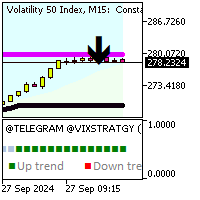
Drops arrows (blue = BUY, red = SELL) right inside each block.
-
Shows an info panel on the right with the exact high/low of the newest blocks.
-
Lets you change chart colors (background, bull candle, bear candle) instantly.
How To Use It
-
Drop the indicator into MQL5/Indicators → restart MT5.
-
Add it to your chart.
-
In the settings:
-
Pick your background, bull candle, and bear candle colors.
-
Turn ANN/SMC blocks on/off.
-
Pick the timeframes you wanna scan.
-
-
Watch the chart:
-
Blocks = zones price might react to.
-
Arrows = clean signals.
-
Panel = exact OB high/low levels.
-
Example
You set:
-
Background → Black
-
Bull candles → Lime
-
Bear candles → Red
It draws a bullish SMC block on H1, drops a blue BUY arrow, and the panel shows something like:
Bullish OB: 1.10500 / 1.10250
Now you know your zone + levels, easy.