Tradevectorlabs Pro
- Experts
- Version: 1.18
- Activations: 5

Tradevectorlabs Pro
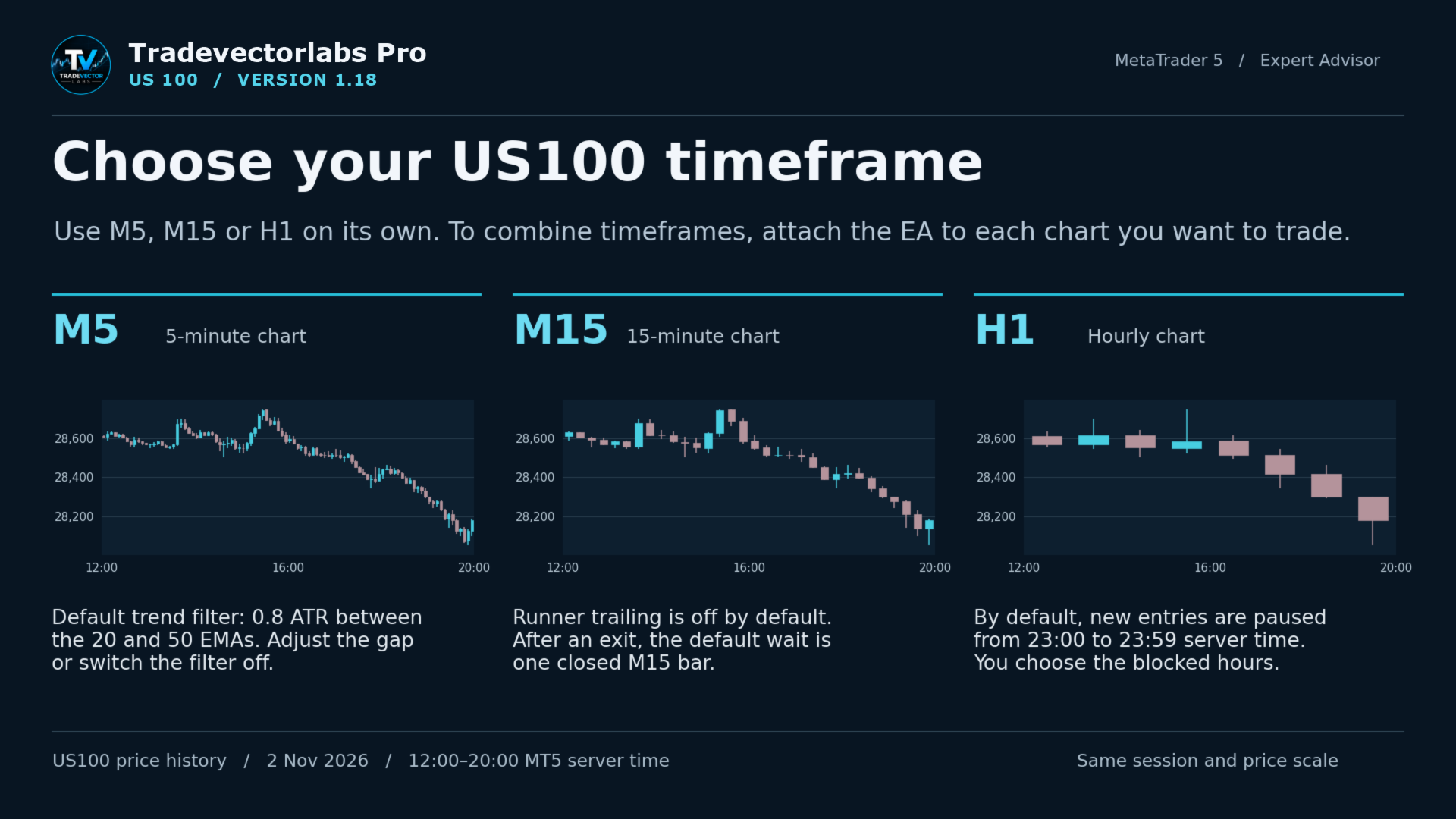
Tradevectorlabs Pro is a trend-following Expert Advisor for trading US100 in MetaTrader 5. Choose M5, M15 or H1 and run the EA on the chart you prefer. If you trade several timeframes, you can give each one its own risk settings, entry hours and exit rules.
For example, you can run M15 on its own, allow only long entries and set risk to 0.5% per position. To trade H1 as well, attach the EA to a second US100 chart and choose the settings for that timeframe. Each instance manages its own positions.
Choose your timeframe
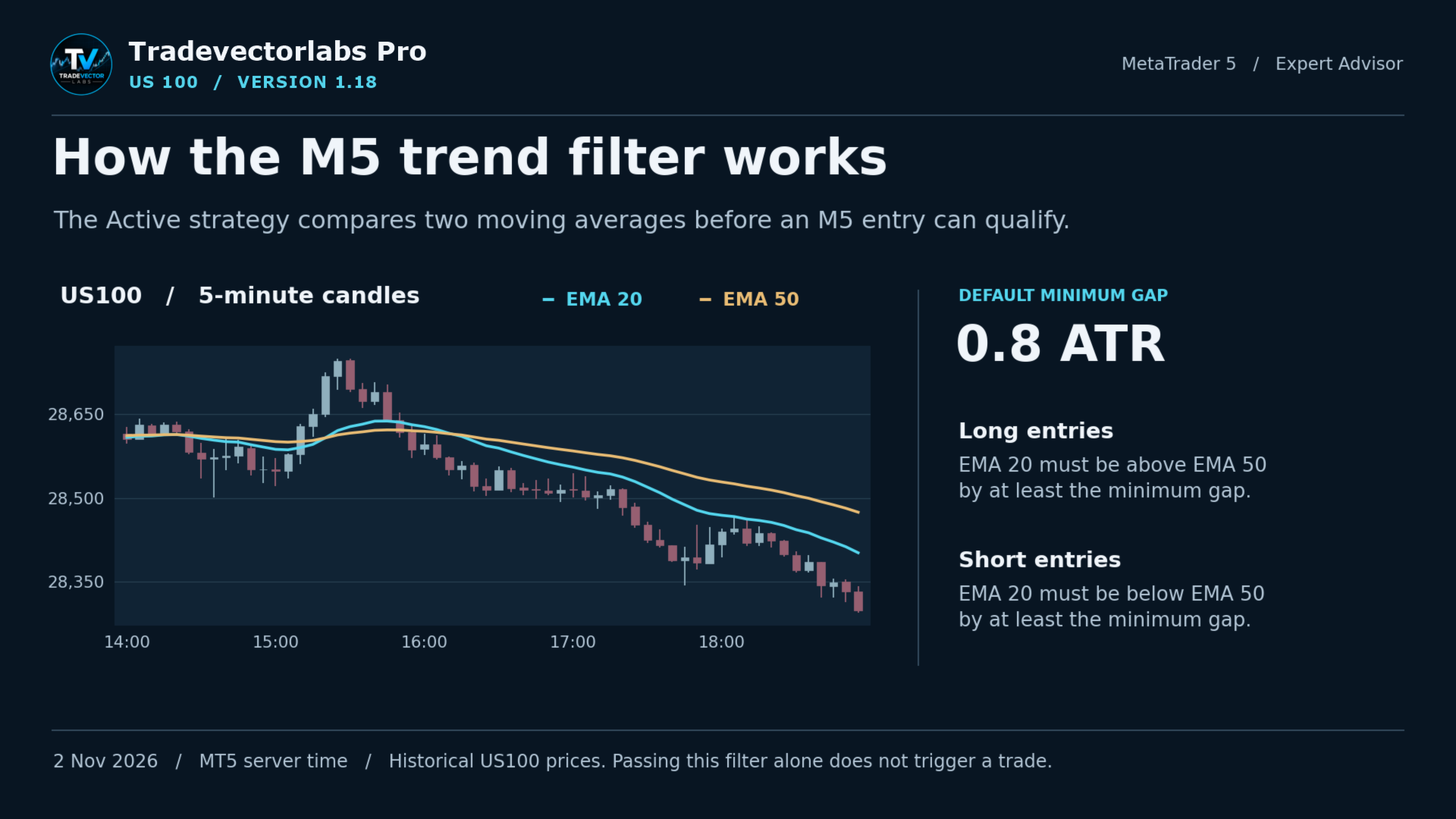
- M5 — Five-minute trading. The default trend filter requires the 20- and 50-period exponential moving averages to be at least 0.8 ATR apart in the direction of the trade. You can adjust or disable this filter. A separate setting lets you reduce M5 position risk during the morning session.
- M15 — Fifteen-minute trading. After an exit, the default profile waits one completed M15 bar before allowing another entry. Profit trailing is off by default. You can enable it and choose whether the H1 trend must confirm the direction of a new M15 entry.
- H1 — Hourly trading. Profit trailing is on by default. New entries are paused from 23:00 to 23:59 broker server time. You can change the blocked hours or give profitable trades more room by widening the trailing-stop distance.
Set your risk
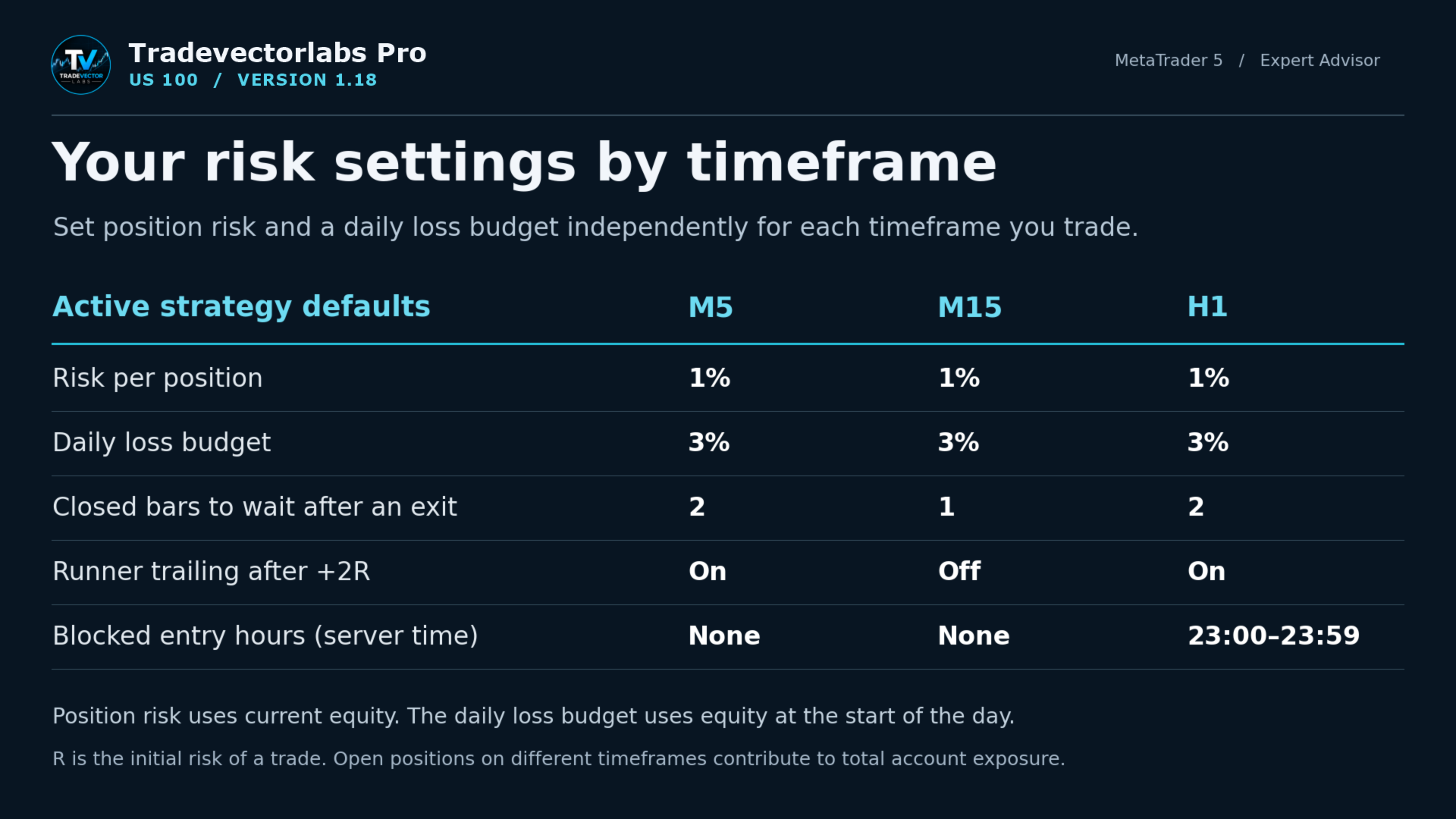
Position risk is adjustable separately for each timeframe. The default is 1% of current account equity per position, with a maximum setting of 5%. Each timeframe also has its own daily loss budget, which defaults to 3% of equity at the start of the day. If several timeframes hold positions at once, each position contributes to total account exposure.
You can enter your broker’s round-trip commission per lot so the EA accounts for it when calculating position size. An optional spread filter lets the EA skip new entries when the spread is too wide.
Manage entries and exits
Choose long only, short only or both directions. You can set a daily entry limit, block specific hours and choose how many completed bars the EA waits after an exit. If you pause new entries, the EA continues managing its open positions.
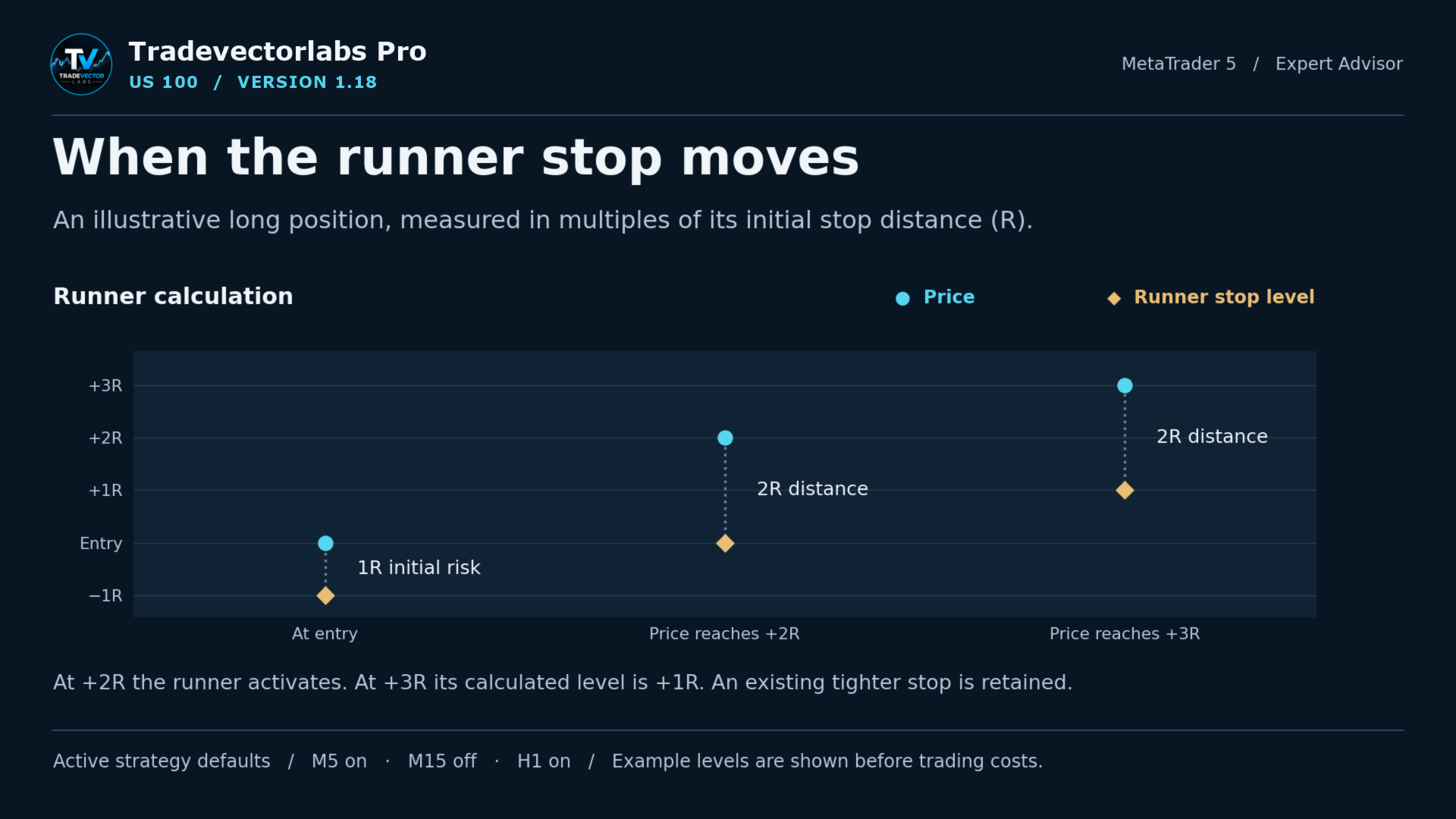
With the default Active strategy, the optional runner trail starts when a trade gains twice its initial risk. From that point, the stop follows at a distance of twice the initial risk. You can switch this feature on or off for each timeframe.
News, weekends and market closures
The optional news filter pauses new entries around scheduled USD releases. Use the MT5 economic calendar or enter your own release times and choose how long the pause lasts.
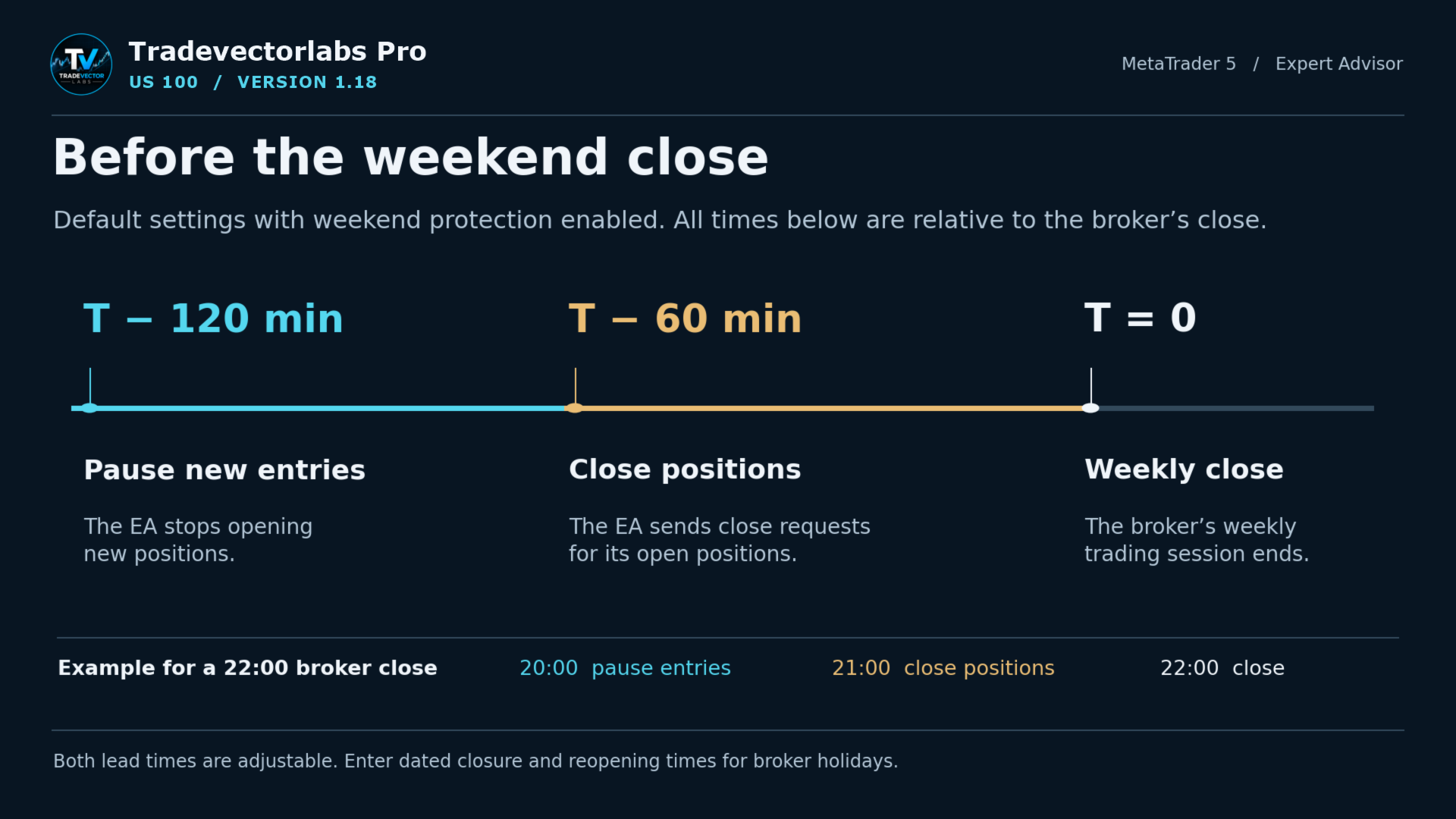
Weekend protection is enabled by default. The EA stops opening trades 120 minutes before the weekly close and closes open positions 60 minutes before it. Both lead times are adjustable. You can also enter specific closure and reopening times for broker holidays.
Getting started
Open your broker’s US100 chart on a MetaTrader 5 hedging account. Select M5, M15 or H1, attach the EA and review the inputs for that chart. For a real account, select where the EA will trade. MetaTrader VPS is the default, and the desktop terminal is also available.
The on-chart status shows the operating state. If a setting falls outside its permitted range, the EA records the reason in the log during startup.
Support
For help with installation, timeframe selection or risk settings, send TradeVector Labs a private message on MQL5 or ask a question in the Comments tab on this product page. For setup questions, include your broker’s US100 symbol, the chart timeframe and the status message shown by the EA.