MultiFXbot
- Experts
- Version: 1.19
- Activations: 5

🔥 LIMITED OFFER: 1-month rent — $30 instead of $59 Download the free demo first and test the EA in the Strategy Tester. |
MultiFXbot MT5 is a multi-currency Expert Advisor that trades several symbols from a single chart. You list the symbols in one input, and the EA opens and manages positions for each of them independently.
How it works
The robot looks for entries by RSI on a new bar of the main chart. The RSI period and signal levels are set in the inputs. If series continuation is enabled, the next entries are added at the Step distance. The volume of each next entry is set by Factor, and the number of orders per symbol is limited by MaxOrders.
Factor = 1 keeps the lot constant. MaxOrders = 1 disables averaging completely, so every symbol has only one position.
Risk control
- StopPercent sets a total loss budget as a percent of balance for all symbols of the same Magic number.
- With UseBrokerStopLoss = true every new order is sent with a physical stop loss that stays on the broker server even if the terminal is disconnected.
- ProfitPercent closes positions of the Magic number when the total profit reaches a percent of balance.
- MaxOrderDays closes market positions older than the set number of days.
Automatic lot
With UseAutoLot = true the starting lot of a new series is calculated from balance: Lotsize for every AutoLotBalance units. The lot of an already open series does not change until the series is closed.
Trading panel
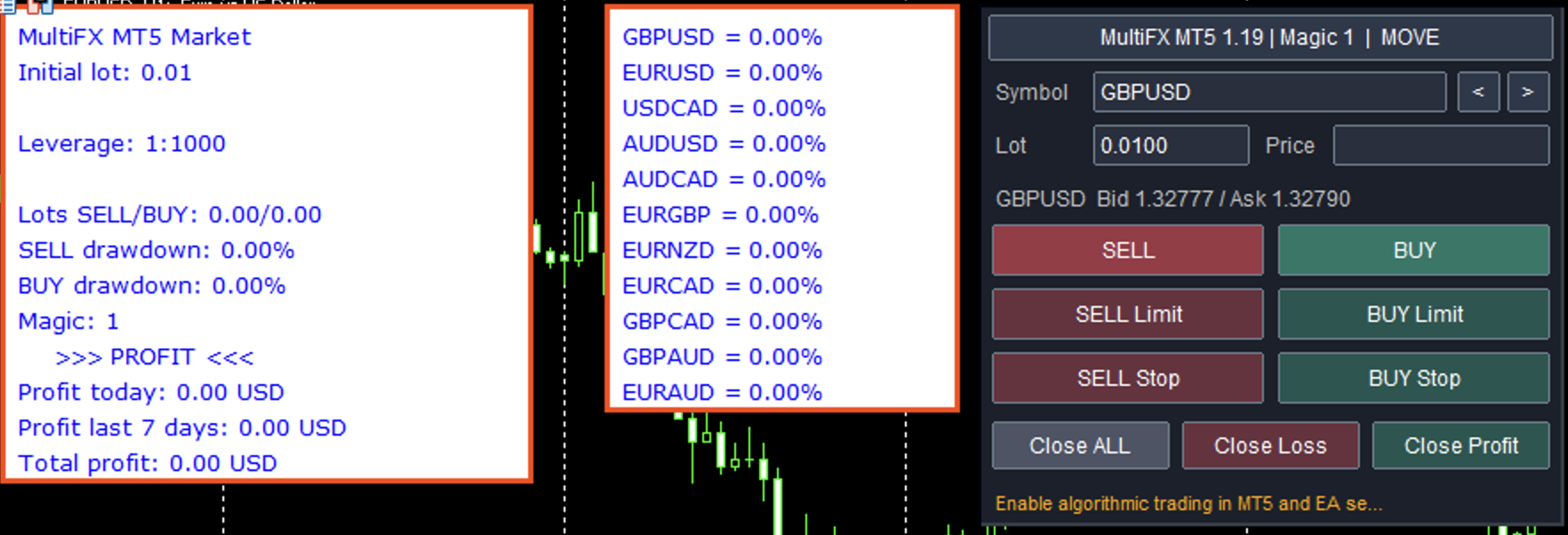
The panel lets you choose a symbol and lot, open market and pending orders, and close all, losing or profitable positions of the selected symbol. With "Manage existing grids; do not start new" = true the EA keeps managing open grids but does not start new ones.
Requirements
- Hedging account. Netting accounts are not supported.
- Recommended chart: EURUSD H1. Use the exact symbol names of your broker, including suffixes.
- Minimum balance: 5000 units of account currency for 0.01 lot (for example, a cent account).
- Leverage from 1:300.
Inputs
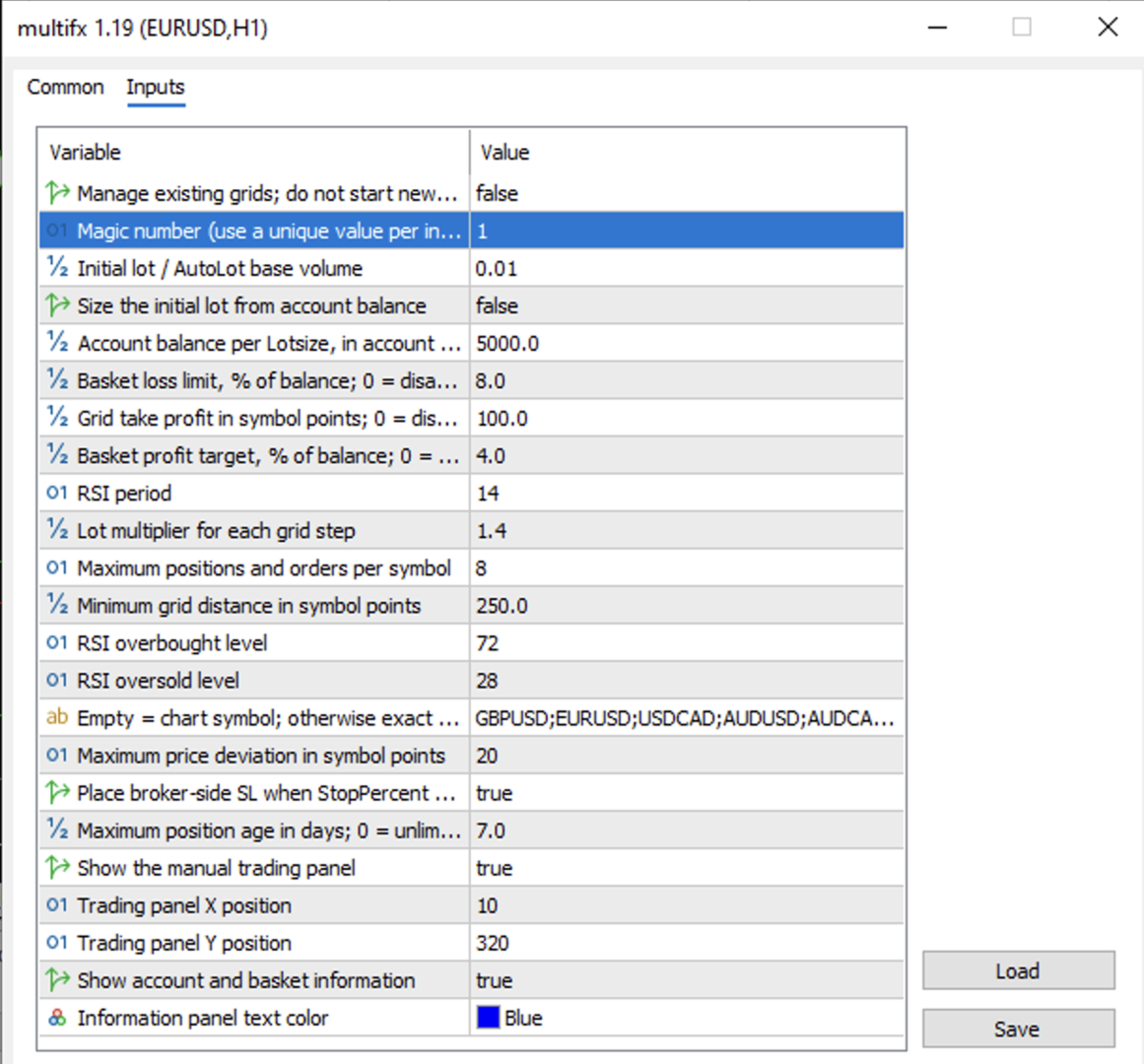
- Symbols — symbols separated by semicolon, e.g. EURUSD;GBPUSD;USDCAD
- Magic — magic number of the robot positions
- iPeriod, OverB, OverS — RSI period and signal levels
- Step — distance for the next entry, in points
- MaxOrders — maximum orders per symbol, including pending
- Lotsize — starting lot (or base lot for AutoLot)
- UseAutoLot, AutoLotBalance — automatic starting lot from balance
- Factor — lot multiplier for the next entries
- Takeprofit — take profit from the weighted average price, in points
- ProfitPercent — close all positions of the Magic at this profit, % of balance
- StopPercent — loss budget for all symbols of the Magic, % of balance
- UseBrokerStopLoss — send a physical stop loss with orders
- MaxOrderDays — maximum age of a market position, days
- Manage existing grids; do not start new — manage open grids only, no new series
- TradePanel, InfoPanel — show trading and information panels
- Slippage — allowed price deviation
Important
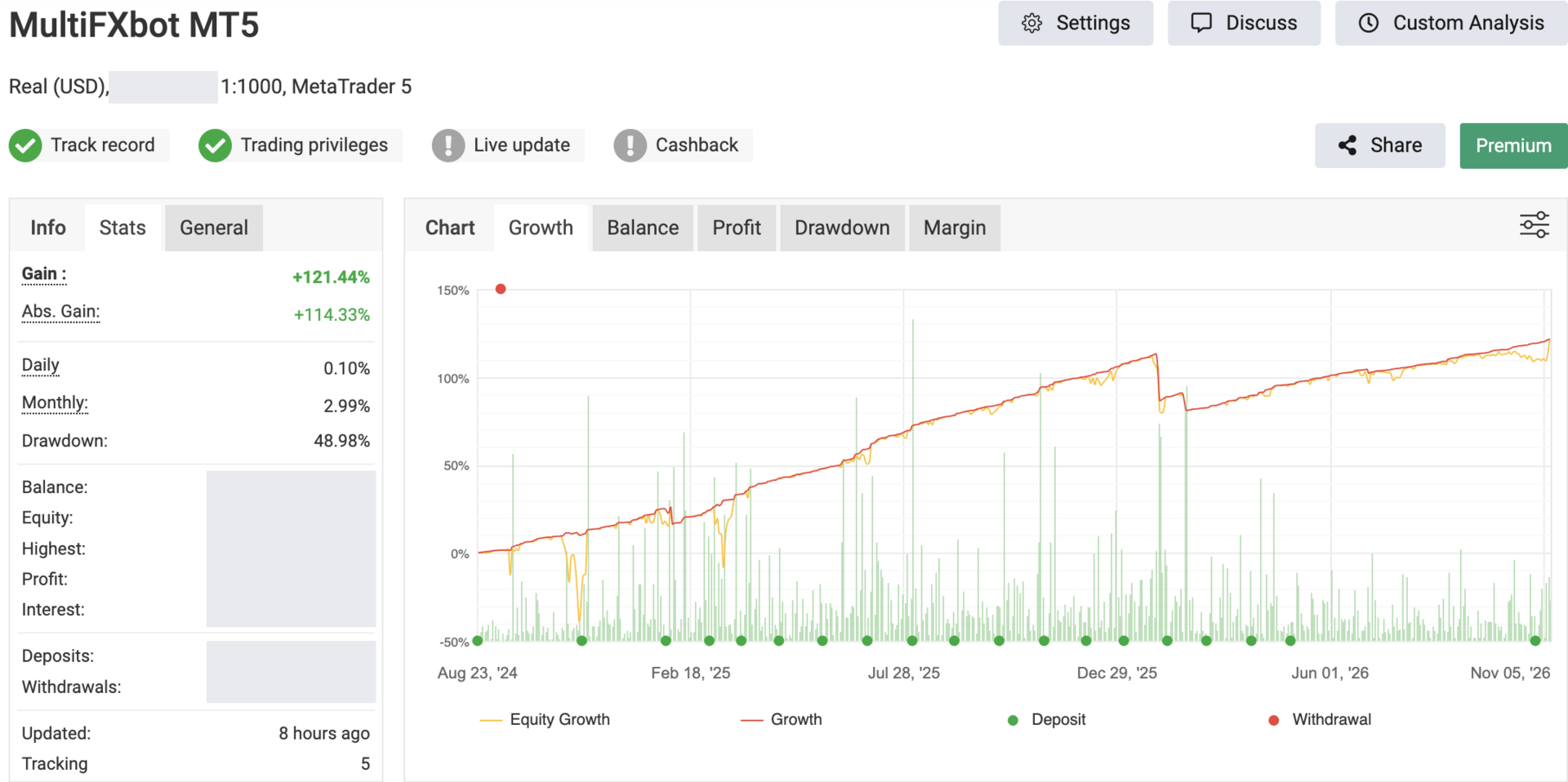
The averaging mode increases risk. Test the settings on a demo account first and choose StopPercent according to the loss you are ready to accept. Past results do not guarantee future results.