Footprint Subwindow MT5
- Indicators
- Version: 1.50

Overview
Footprint MT5 is a footprint chart indicator for MetaTrader 5, developed to provide a more detailed view of buying and selling activity at each price level.
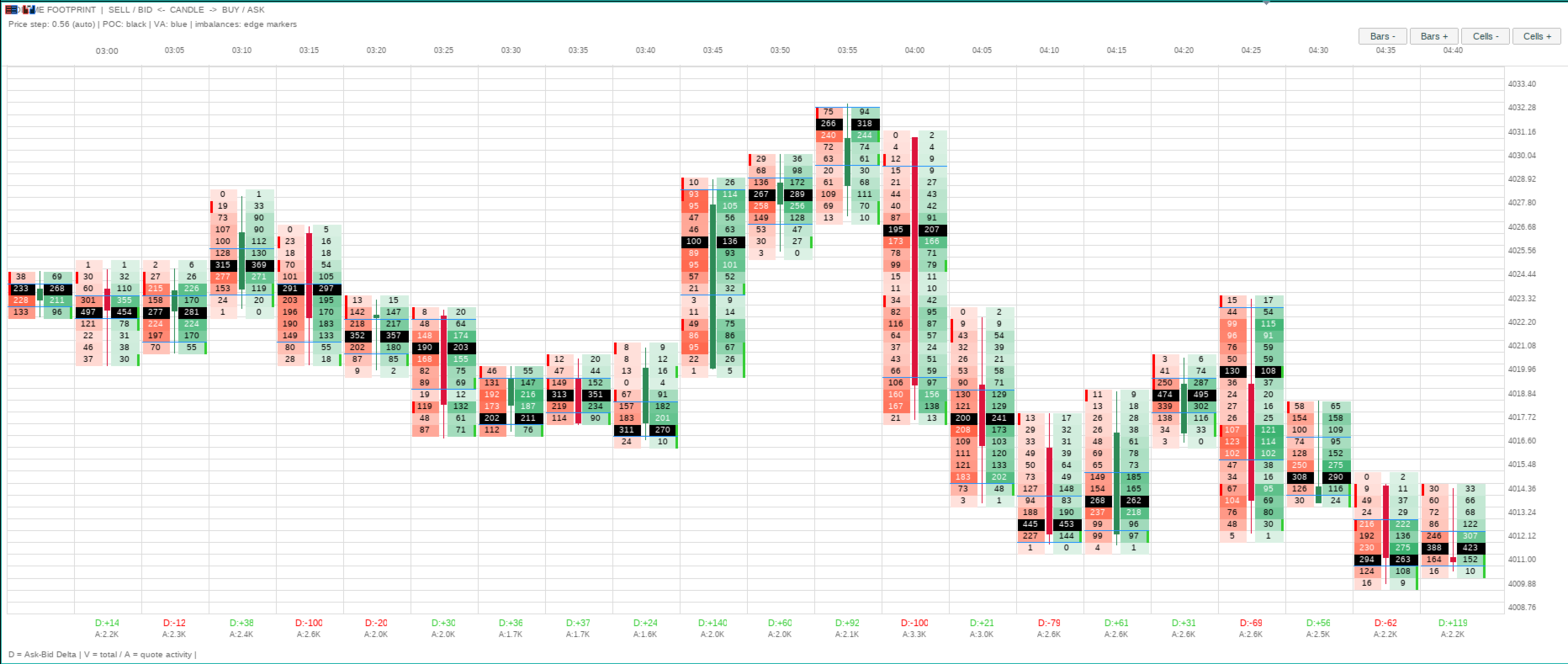
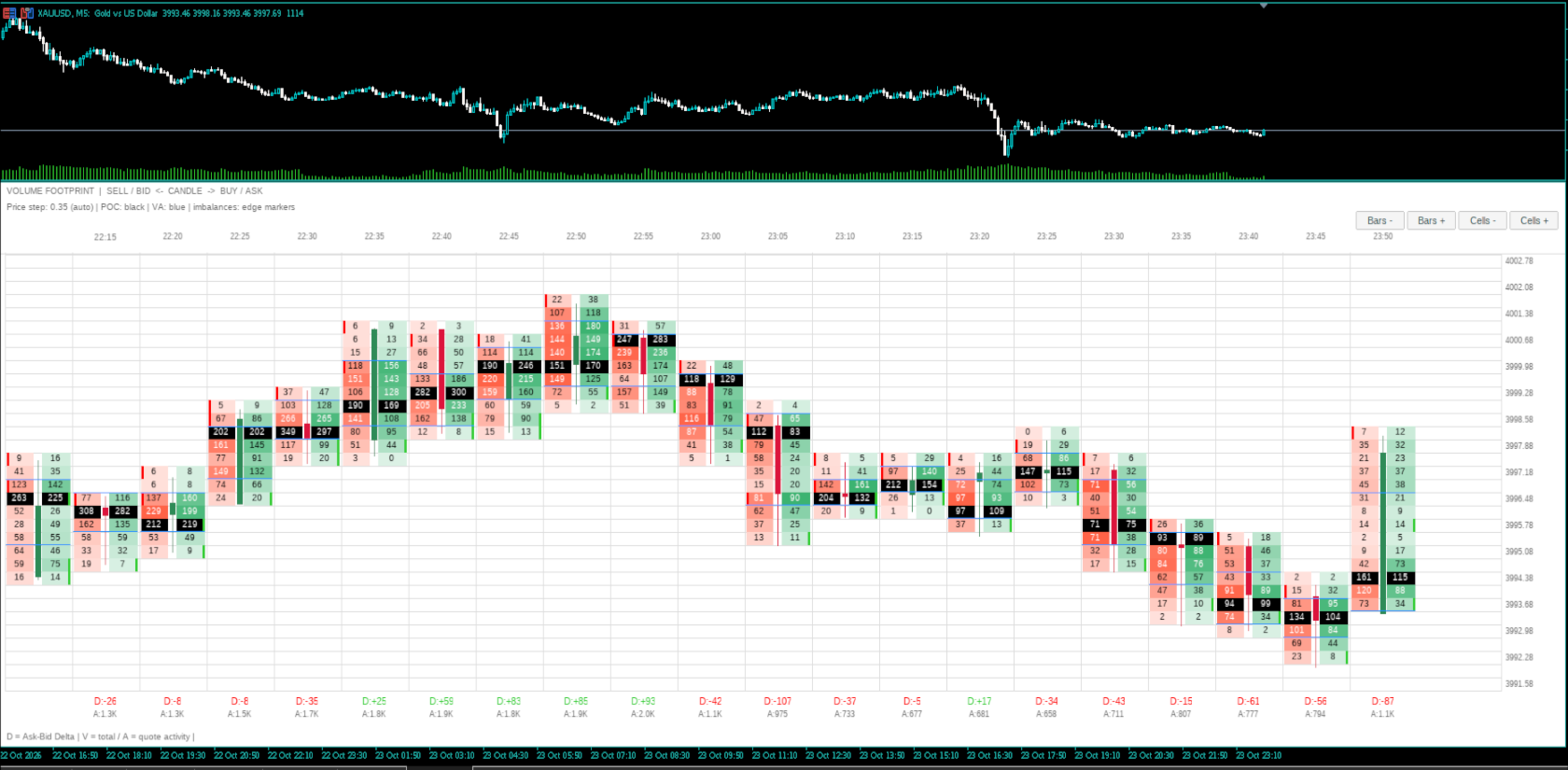
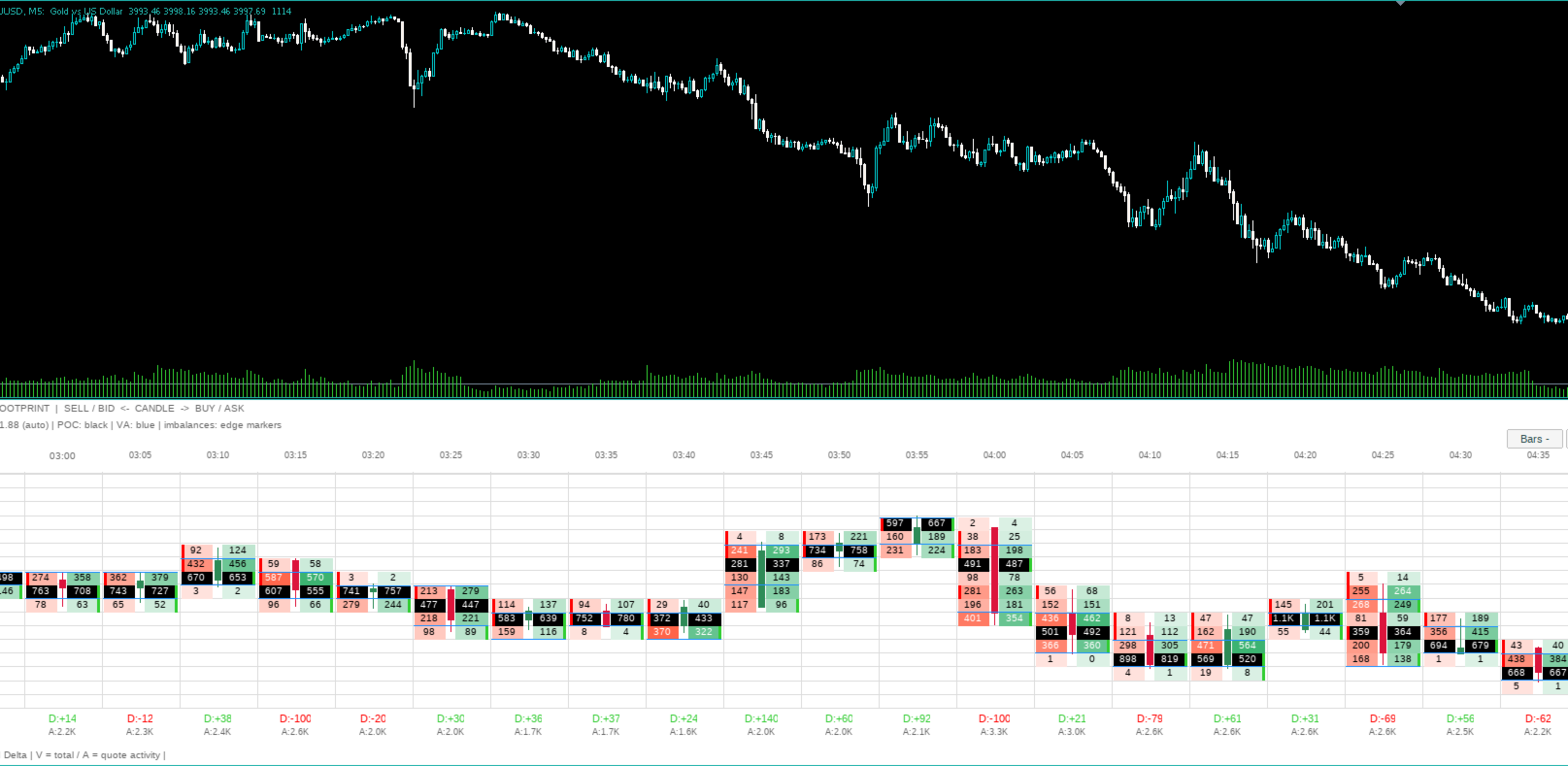
Displayed in a separate chart window, the indicator presents selling activity (Bid) on the left and buying activity (Ask) on the right of each footprint candle. A central candle provides a visual reference for price direction, while the surrounding information helps traders analyze order flow, volume concentration, Delta, and potential imbalances between buyers and sellers.
Inspired by modern volume footprint charts, Footprint MT5 offers an organized interface, customizable colors, adjustable price grouping, and controls that allow the display to be adapted to different instruments and timeframes.
Key Features
-
Bid × Ask Footprint: Displays buying and selling activity side by side at each price level.
-
Delta Analysis: Shows the difference between Ask and Bid activity for each footprint candle.
-
Point of Control (POC): Highlights the price level with the highest recorded volume or activity within each footprint.
-
Value Area: Displays Value Area High (VAH) and Value Area Low (VAL), based on a configurable percentage of the recorded activity.
-
Diagonal Imbalances: Identifies significant differences between buying and selling activity at adjacent price levels.
-
Central Candles: Displays bullish and bearish candles between the Bid and Ask columns.
-
Automatic Price Grouping: Adjusts price-level grouping to improve readability across different instruments and timeframes.
-
Customizable Appearance: Allows users to customize colors, fonts, price grouping, and the number of displayed candles.
-
Price Scale: Allows price levels to be displayed along the right side of the footprint window.
-
Adjustable Display: On-screen controls allow users to increase or decrease the number of displayed candles and adjust the vertical height of price cells.
-
Separate Window: Keeps footprint information independent of the main price chart.
Color Guide
The default color scheme is designed to make order-flow information easier to identify.
-
Red / Tomato: Selling activity on the Bid side, displayed on the left.
-
Green / MediumSeaGreen: Buying activity on the Ask side, displayed on the right.
-
Dark Green: Bullish central candles.
-
Crimson Red: Bearish central candles.
-
Black Background with White Text: Point of Control (POC), highlighting the dominant price level within the footprint.
-
Bright Green: Buying imbalance.
-
Red: Selling imbalance.
-
Blue: Value Area High (VAH) and Value Area Low (VAL).
-
Light Gray: Grid and cell boundaries.
-
Dark Gray: Headers and auxiliary information.
The background intensity of Bid and Ask cells varies according to the activity recorded at each price level, making areas of higher concentration easier to identify.
All main colors can be customized through the indicator's input parameters.
How to Interpret the Footprint
Bid and Ask
The left column represents selling activity classified on the Bid side, while the right column represents buying activity classified on the Ask side.
Comparing the two sides helps identify price levels where one side shows greater activity than the other.
Delta
Delta is calculated using the following formula:
Delta = Ask − Bid
A positive Delta indicates greater buying activity, while a negative Delta indicates greater selling activity. Delta and total activity are displayed below each footprint candle.
Point of Control (POC)
The POC identifies the price level with the highest recorded volume or activity within the footprint. It is highlighted with a black background and white text.
Value Area
The indicator can display Value Area High and Value Area Low, calculated using the configured percentage of the volume or activity recorded in the footprint. The default Value Area percentage is 70%.
Diagonal Imbalances
Diagonal imbalance detection compares buying and selling activity at adjacent price levels. The default imbalance ratio is 3:1, or 300%, with a minimum activity threshold to reduce insignificant markings.
The imbalance ratio and minimum activity threshold can be configured by the user.
Data Source and Accuracy
Footprint MT5 provides different operating modes depending on the data supplied by the broker.
Standard Mode
Uses available tick data and BUY/SELL classification provided by the feed when available. Depending on the data supplied by the broker, the indicator may estimate the aggressor side based on price changes or use quote activity when classified trade data is unavailable.
In these situations, some displayed values may represent estimated activity rather than actual traded volume.
Real Trades Only Mode
When enabled, the indicator accepts only trade ticks that have:
-
An explicit BUY or SELL aggressor flag provided by the feed.
-
A valid trade price.
-
Positive reported volume.
The indicator does not infer the aggressor side from price changes, count quote updates as traded volume, or invent replacement values for missing volume data.
Price levels or candles without data meeting these criteria are left blank instead of being filled with estimates.
Important: Data availability and classification depend on the broker, server, and traded instrument. Real Trades Only mode requires a feed that provides suitable trade ticks, volume, and explicit aggressor-side flags. Bid/Ask classification should not be considered a representation of actual aggressor volume when the supplied data does not contain the necessary information.
Customization and Parameters
The indicator provides configurable parameters for:
-
Number of displayed footprint candles.
-
Manual or automatic price grouping.
-
Cell font size and Delta font size.
-
Font family.
-
Refresh interval.
-
Visibility of the central candle and price scale.
-
Real Trades Only mode.
-
POC visibility.
-
Value Area visibility and percentage.
-
Diagonal imbalance visibility, ratio, and minimum activity threshold.
-
Background, grid, Bid, Ask, candle, POC, imbalance, and Value Area colors.
The default configuration displays approximately 10 footprint candles, with automatic price grouping enabled.
Supported Markets
Footprint MT5 can be used with Forex, metals, cryptocurrencies, exchange-traded futures, and other instruments available through MetaTrader 5.
However, the accuracy and interpretation of Bid/Ask values depend on the data supplied for each instrument. Automatic price grouping can improve readability across different price scales, but it cannot compensate for missing trade-volume or aggressor-side information.