Bracket Order Planner
- Utilities
- Version: 1.0
- Activations: 5

Pending-order panel for MT5: places buy/sell stop and limit orders or a two-sided breakout bracket, sized from your risk %, with stop-loss, take-profit, expiry and one-cancels-other.
Bracket Order Planner is a trading utility for MetaTrader 5 - pending-order panel with risk sizing, brackets and OCO. Plan the breakout before it happens - both sides, sized to your risk. It works on any symbol (designed with XAUUSD / gold in mind) and on hedging and netting accounts.
What it does
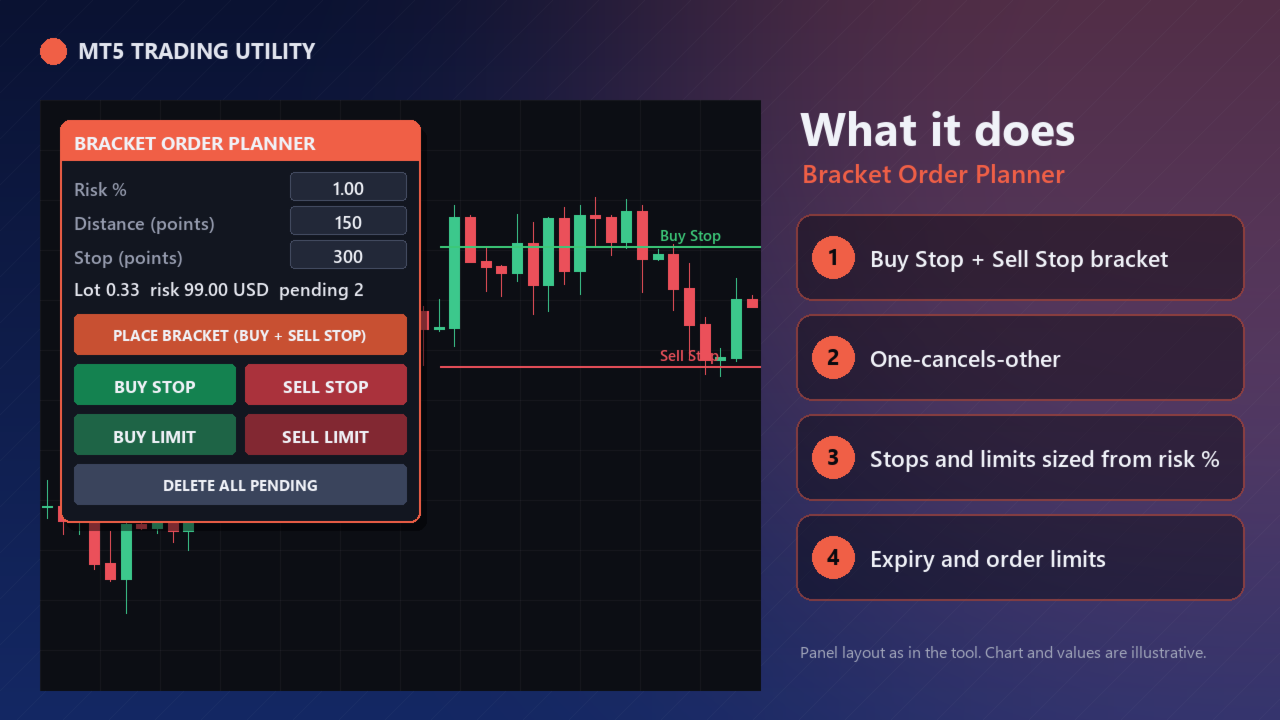
- Bracket - one click places a Buy Stop above and a Sell Stop below price; with OCO on, when one is triggered the other is deleted.
- Single orders - Buy Stop, Sell Stop, Buy Limit, Sell Limit at the distance you type, each with its stop-loss and an R-multiple take-profit.
- Risk sizing - the lot comes from your risk % and the stop distance; the panel shows lot and money at risk before you click.
- Expiry and limits - orders expire after a set number of minutes (broker expiry when supported, otherwise the tool deletes them), and the number of pending orders is capped.
Safety (built in)
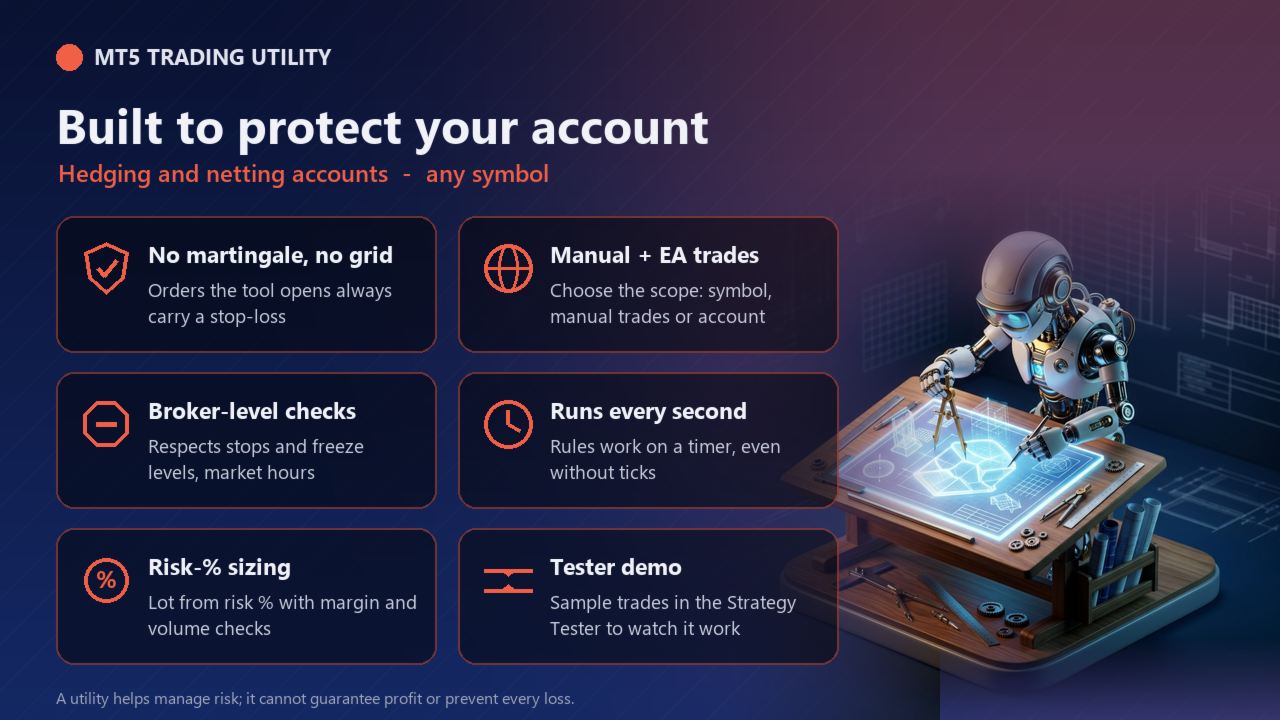
- The tool never uses martingale, grid or averaging down. Orders it opens always carry a stop-loss.
- Lot size from risk % of equity (or a fixed lot), normalised to the broker's min / max / step and reduced if free margin is not enough.
- Stop-loss and take-profit changes respect the broker's stops and freeze levels; no orders or closes are sent while the market is closed.
- Every action is printed to the Experts log so you can see what the tool did and why.
Strategy Tester demo
MetaTrader 5 does not send button clicks in the Strategy Tester, so the free demo runs an automatic demonstration: it opens sample trades every few bars and the tool manages them exactly as it would live. Run it in visual mode to watch the panel. Switch the demo off with the "Strategy Tester: run the automatic demo" input. The demo never runs on a live or demo account.
Inputs
| Input | Default |
|---|---|
| Default distance of the orders from price (points, gold: 100 = 1.00 USD) | 150 |
| Default stop-loss (points) | 300 |
| Take-profit (R multiple, 0 = none) | 2.0 |
| Orders expire after (minutes, 0 = never) | 240 |
| One-cancels-other for brackets | true |
| Maximum pending orders from this tool | 4 |
| Default risk per order (% of equity), used when Fixed lot = 0 | 1.0 |
| Fixed lot (0 = size from risk %) | 0.0 |
| Maximum lot per order (0 = broker maximum) | 10.0 |
| Max slippage (points, 2-digit gold scale: 100 = 1.00 USD) | 30 |
| Magic number of orders opened by this tool | 26102307 |
| Panel X position (pixels) | 20 |
| Panel Y position (pixels) | 30 |
| Strategy Tester: run the automatic demo (opens sample trades) | true |
| Strategy Tester demo: bars between sample trades | 24 |
How to use
- Attach the tool to a chart (allow Algo Trading).
- Set your limits in the inputs; the panel appears in the top-left corner (position adjustable).
- Use the panel buttons; the guard rules run automatically every second, even without ticks.
Important notes
- A utility helps you manage risk - it cannot guarantee profit or prevent every loss (gaps and slippage can move price past any level).
- Test on a demo account first. Times are your broker's server time.
- Keep the terminal running (a VPS is recommended) for the automatic rules to work.