Ea Gold Btc Trend
- Experts
-
Van Toan Nguyen
 Independent MQL5 developer and algorithmic trader with 7 years of hands-on financial-market experience. I build and troubleshoot MetaTrader 5 Expert Advisors, indicators and scripts from clearly defined trading rules.
 - Version: 1.8
- Activations: 10
Automated trend trading for Gold and Bitcoin on MetaTrader 5.
Ea Gold Btc Trend trades Gold (XAUUSD) and Bitcoin (BTCUSD) from one chart. Each market is evaluated separately and positions are managed independently on the same account balance. Position sizing uses a percentage of realized account balance, with an initial stop loss, rule-based stop adjustments and partial exits.
The EA waits for its entry conditions. There is no fixed daily or monthly trade target, and extended periods without new entries are possible.
Main features
- Trade Gold and Bitcoin from a single EA instance, with separate entry permissions for each market and BUY/SELL direction.
- Maintain no more than one EA-owned position per symbol.
- No grid or martingale position-sizing scheme.
- Adjust operational and risk settings while internal signal parameters remain fixed.
Setup and account requirements
- Confirm that your broker provides both instruments and check their exact symbol names, including suffixes.
- Attach one EA instance to a BTCUSD M30 chart and enter the broker's Gold and Bitcoin symbol names. A second instance on the Gold chart is not required.
- Check the broker's fixed UTC offset and risk inputs before enabling new entries.
- Enable Algo Trading and keep MT5 running and connected for active position management.
The supplied test reports use hedging accounts. Netting compatibility has not been established. The supplied tests use UTC+0; automatic daylight-saving adjustment is not supported. The UTC offset input does not reconstruct broker candles, so changing it alone does not make another broker's historical data equivalent.
Do not change the Magic number or delete the EA's local state files while it manages a position. Positions from earlier versions are not automatically adopted. Contact the seller before migrating an active installation.
Risk settings and inputs
Default risk settings: primary risk 1.00%; reduced risk level 1: 0.25%; reduced risk level 2: 0.25%. The EA determines which risk cap applies to each entry. These percentages are not added together and do not represent a combined portfolio risk limit or a maximum drawdown guarantee. Gold and Bitcoin positions share the same account balance.
Actual losses can differ from calculated risk because of price gaps, execution conditions and trading costs. Broker volume limits and available margin may prevent an entry.
Public inputs cover broker symbol names, entry permissions by market and direction, maximum accepted quote age, Expert Magic number, fixed broker UTC offset, requested execution deviation in points, and primary/reduced risk percentages. Disabling new entries does not disable management of an existing EA-owned position.
How to evaluate the demo
The Market demo is intended for Strategy Tester evaluation; its trading part does not run on a live chart.
- Download the demo through MetaTrader 5 Market and select it in Strategy Tester.
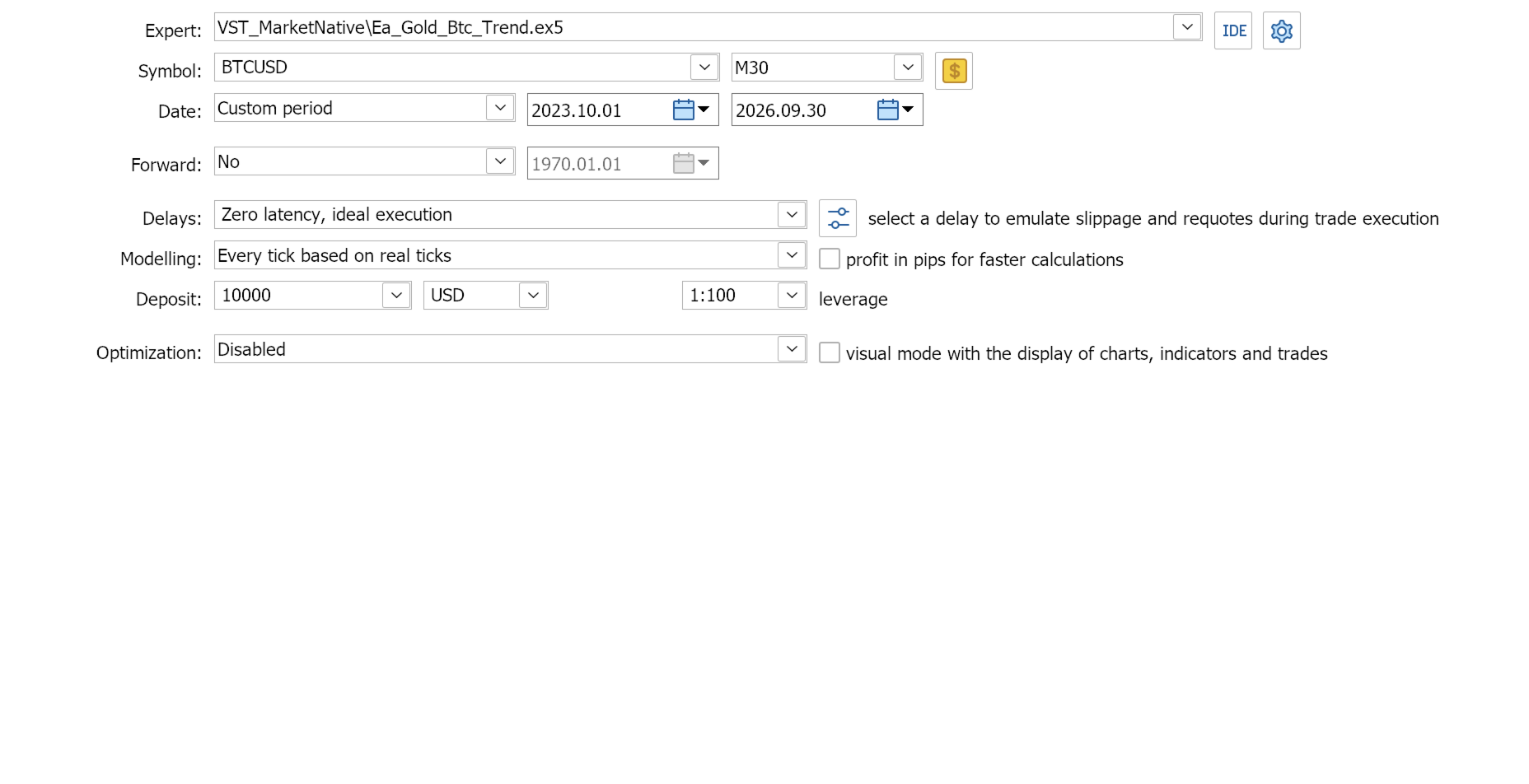
- Select the broker's BTCUSD symbol and M30 timeframe. Enter the exact symbol names for both markets and ensure that history for both is available.
- Record the test period, EA version, account mode, deposit, leverage, UTC offset and risk inputs. Use real ticks where available and check spreads, commissions and swaps.
- Inspect the Experts/Journal logs, trades and equity drawdown. Compare different periods, including a period not used for optimization, before considering deployment.
Product screenshots show historical Strategy Tester results, not live trading. Assess each report using its stated period, version and risk settings. Results depend on broker data, instrument specifications and execution conditions. Historical drawdown is not a ceiling on future losses.
Frequently asked questions
Do I need two charts? No. Use one instance on the broker's BTCUSD M30 chart to operate both configured markets.
Why has the EA not opened a trade? Waiting can be normal. First check entry permissions, exact symbols, Algo Trading, connection, data availability, quote age, available margin and the Experts/Journal messages. A short period without trades is not enough to diagnose a fault.
Can I optimize the signal rules? Internal signal parameters are fixed. The public inputs control the operational and risk settings listed above.
Can I upgrade while a position is open? Contact the seller first. Positions from earlier versions are not automatically adopted; preserve the current Magic number and local state files.
Support and risk notice
Use MQL5 messages or product comments for support. Include the EA version, MT5 build, broker symbol names, account mode, test dates or issue time, relevant input settings and a short Experts/Journal excerpt. Remove account identifiers and other personal information; never send passwords or credentials.
Evaluate the demo before purchase. Trading involves risk, including loss of capital. No profit or future performance is guaranteed.