PositionManager
- Experts
- Version: 1.0
- Activations: 5

[Product name]
PositionManager
[Short description]
One panel for order entry and position management in MetaTrader 5. One-click SELL and BUY with SL and TP, a position list you can filter, and close, break-even and SL/TP changes for exactly the positions you select. 128 languages. No automated trading, no DLL.
[Description]
PositionManager brings order entry and position management together in one clean panel on your chart. Open a trade with one click, see every position at a glance, and close, protect or adjust exactly the positions you choose.
Highlights
- One-click trading with large SELL and BUY buttons that show the live Bid and Ask.
- SL and TP attached at entry, with the resulting prices shown before you click.
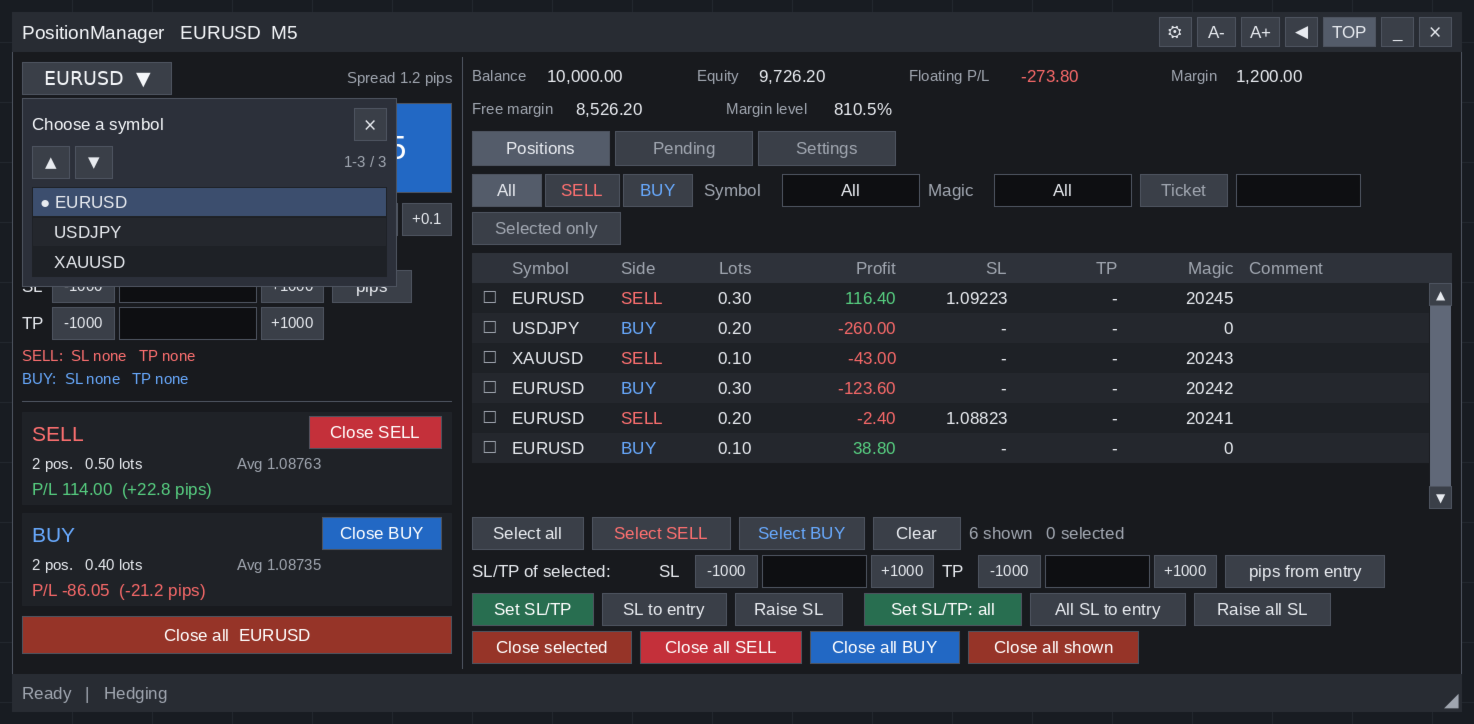
- A complete position list with filters by side, symbol, magic number and ticket.
- Work on a selection: close, set SL/TP, move SL to break-even or raise SL for the positions you tick, or for the whole list with one bulk button.
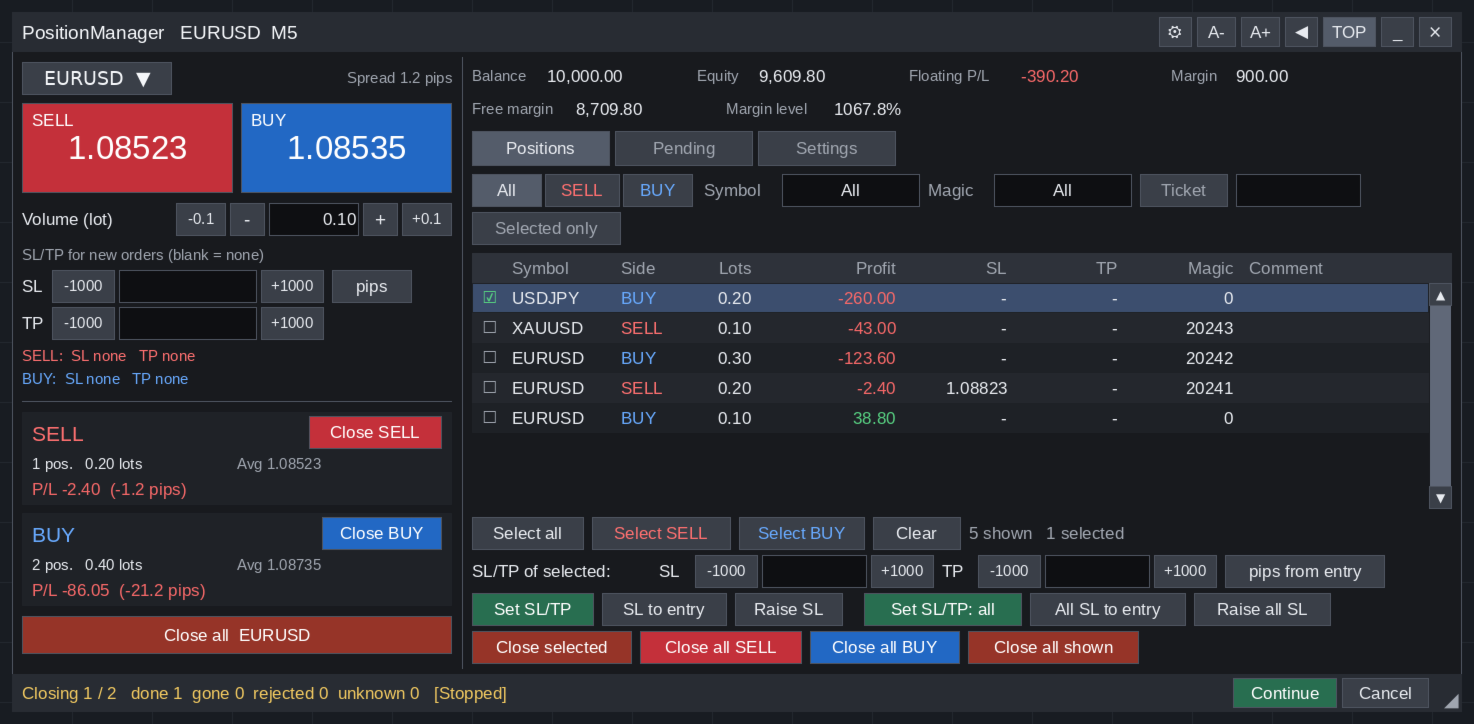
- Fast bulk close: all SELL, all BUY or everything shown, one after another, with Stop at any time.
- Orders are sent only when you click. Nothing happens when the EA is attached, when prices move or when time passes.
- 128 interface languages, a resizable and zoomable panel, no DLL and no external connection.
Order entry
- Trade any symbol from Market Watch without switching the chart.
- Volume buttons by the symbol's step and by your own step (0.1 lot by default).
- SL and TP in pips or points, with step buttons (1000 points by default, adjustable).
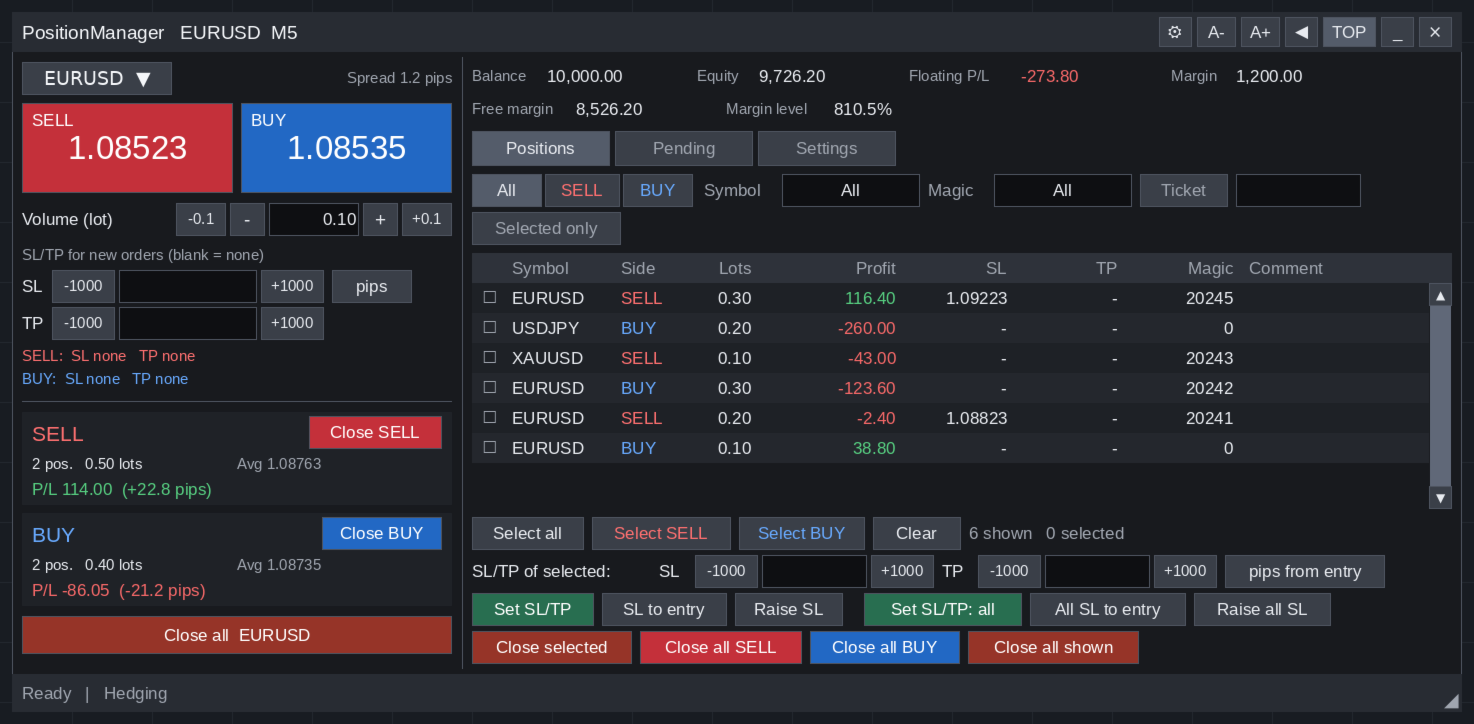
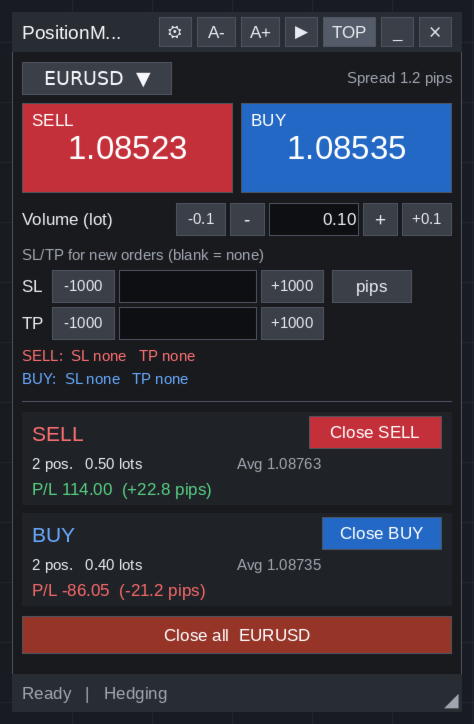
- SELL and BUY summary for the symbol: positions, lots, average price, P/L including swap and distance in pips, with Close SELL, Close BUY and Close all.
Position list
- Symbol, side, lots, P/L, SL, TP, magic number and EA comment. Widen the panel to add ticket, open price, current price, pips, swap, commission and open time.
- Filter by side, by symbol and by magic number (pick several at once from the positions you hold) or by ticket. Picking a symbol or a magic number also selects its positions.
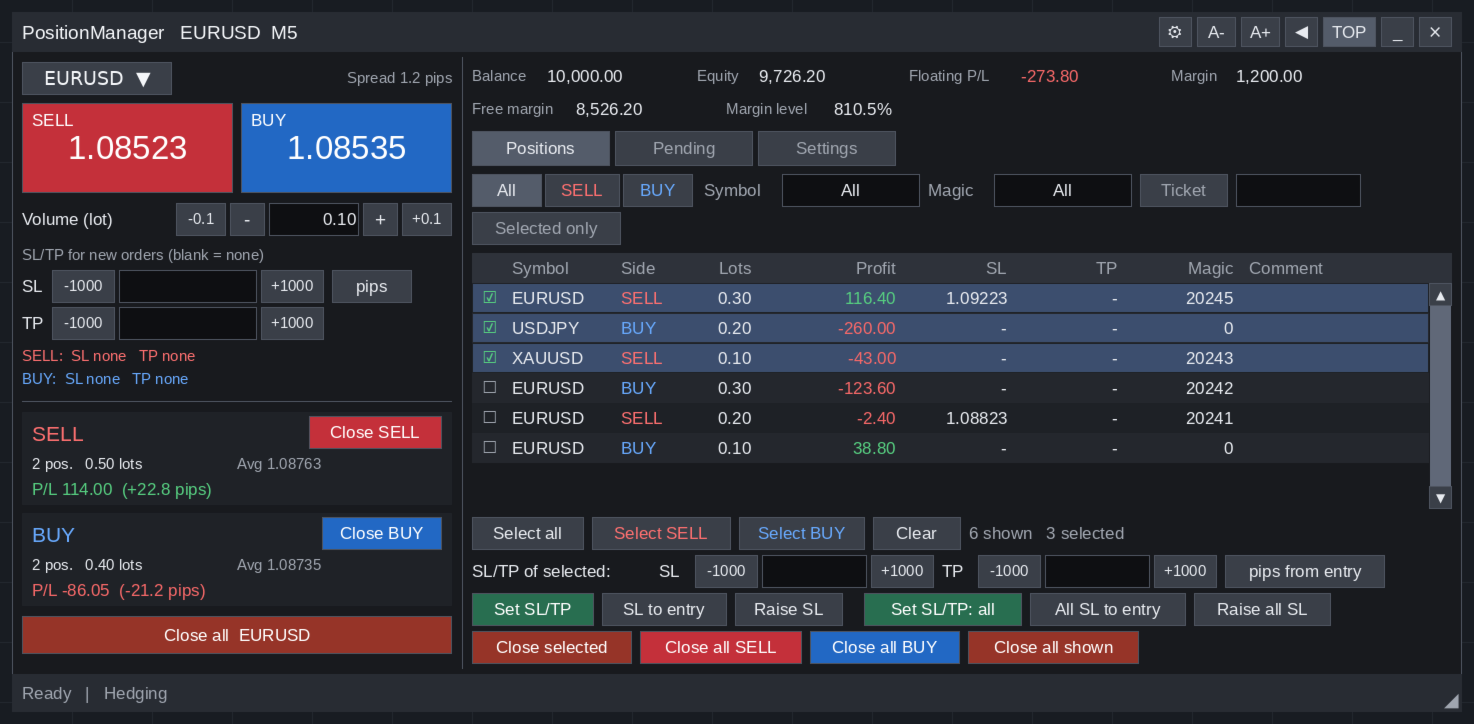
- Select with a click. Select all, Select SELL, Select BUY and Clear.
- Close selected, Close all SELL, Close all BUY and Close all shown.
SL and TP management
- Set SL/TP, SL to entry (with an optional offset) and Raise SL for the selected positions, plus bulk buttons for the whole list.
- Enter values as pips or points from the entry price, pips or points from the current price, or as an exact price.
- An empty field or 0 removes that SL or TP.
- Raise SL moves the stop only in your favour, once per click. There is no automatic trailing.
Pending orders
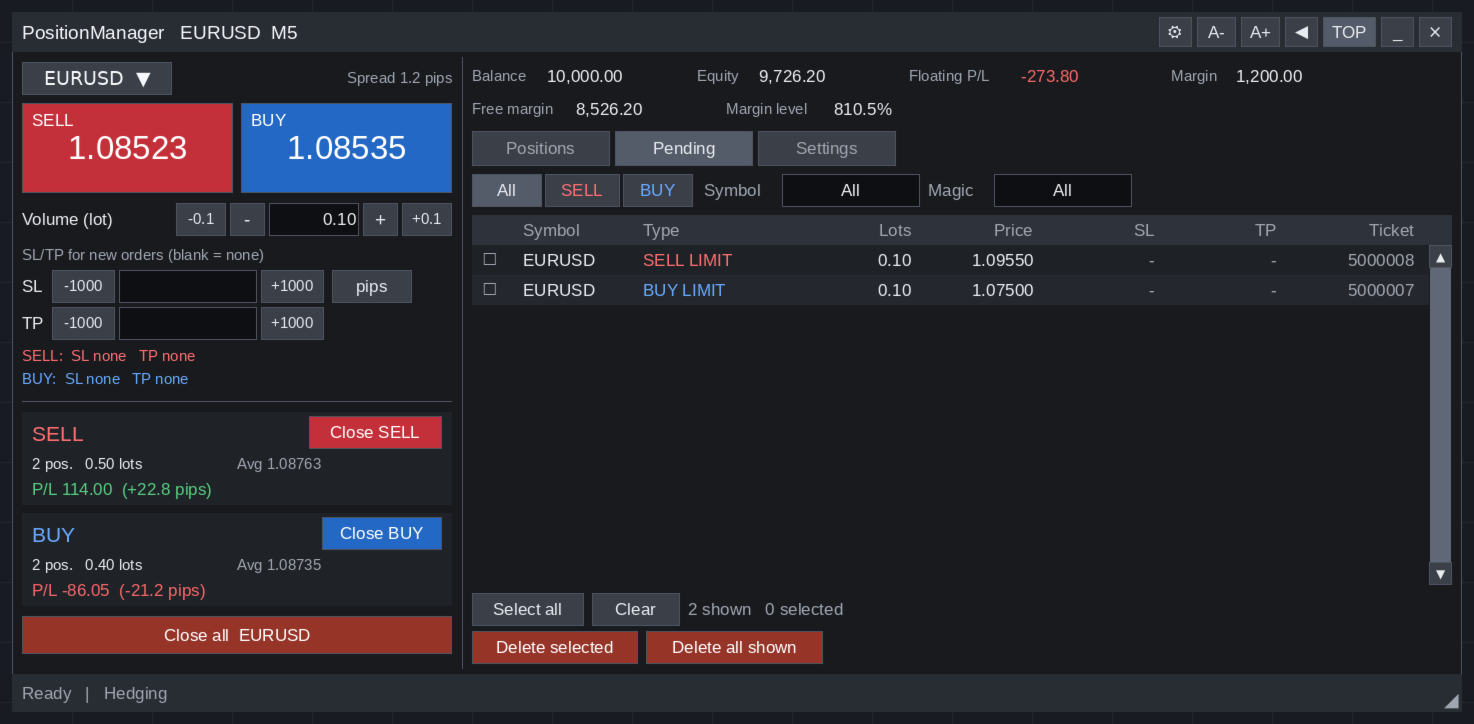
- Your limit and stop orders in their own tab, with Delete selected and Delete all shown, kept separate from closing positions.
Built for safe operation
- Bulk actions run one by one to the end, with Stop, Continue and Cancel.
- An order whose result is unknown is never resent automatically. The panel checks the account first, to avoid closing a position twice.
- Up to 1000 positions per close by default (adjustable, 0 = no limit).
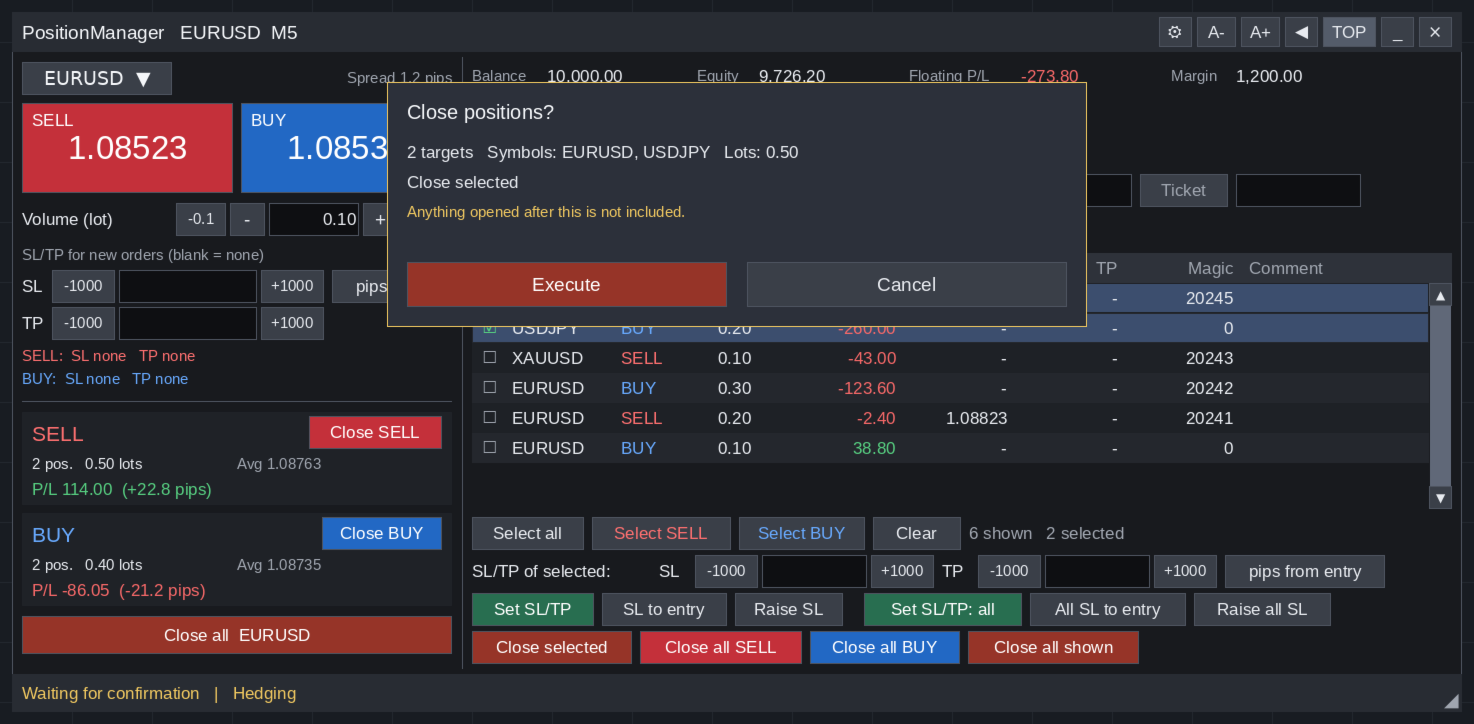
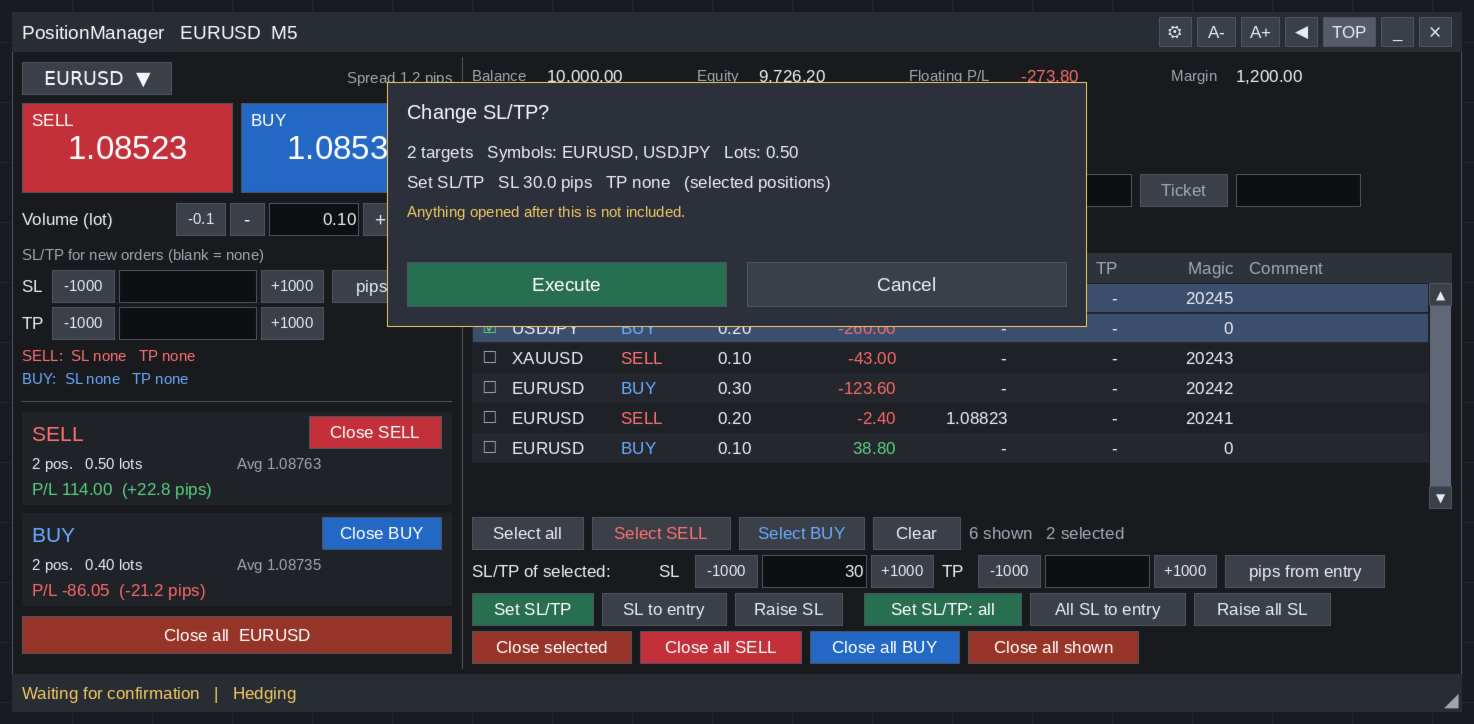
- Optional confirmation before closing, deleting or changing SL/TP.
- No DLL, no WebRequest, no external server. Account numbers are not written to the log.
128 languages
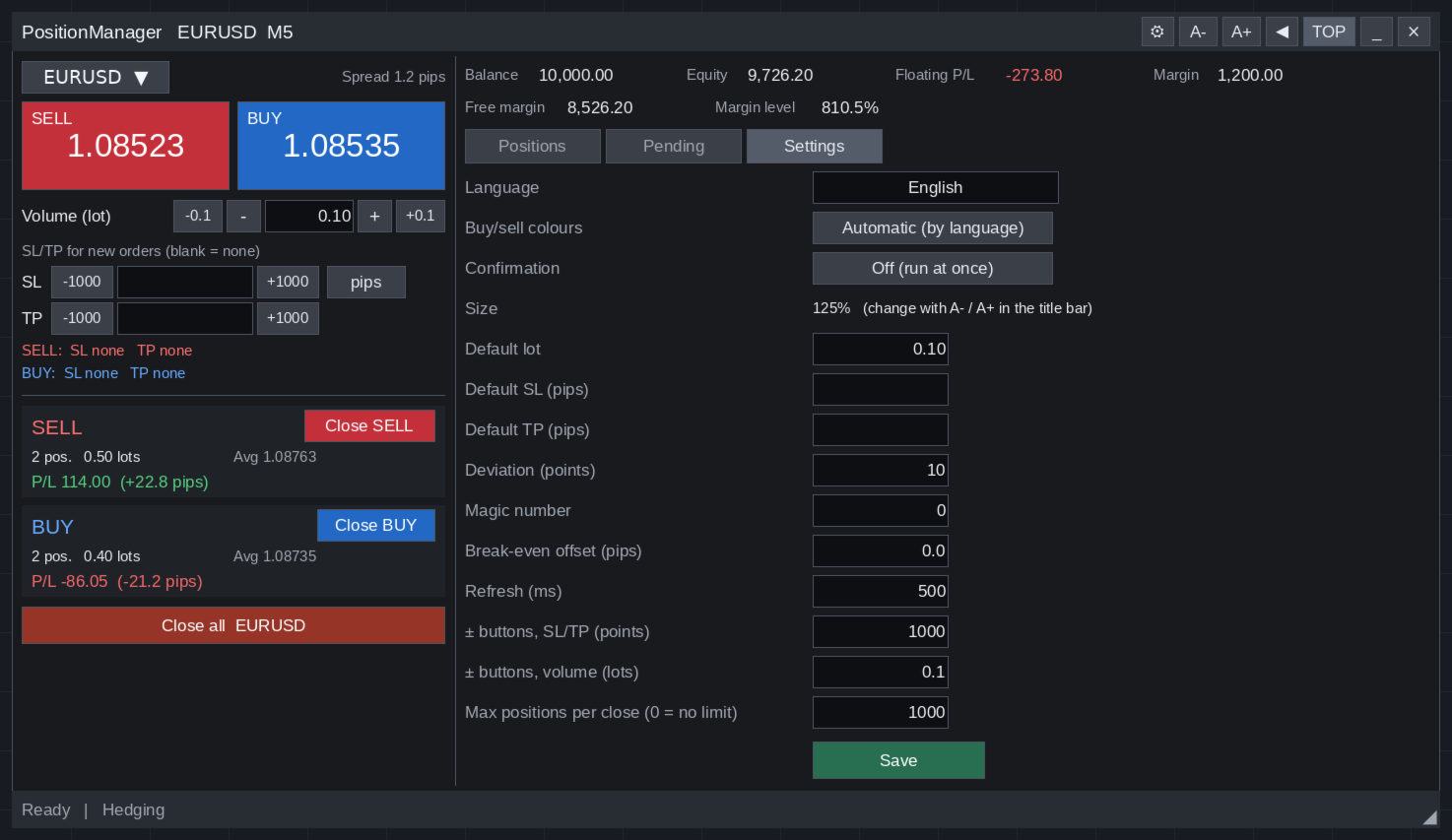
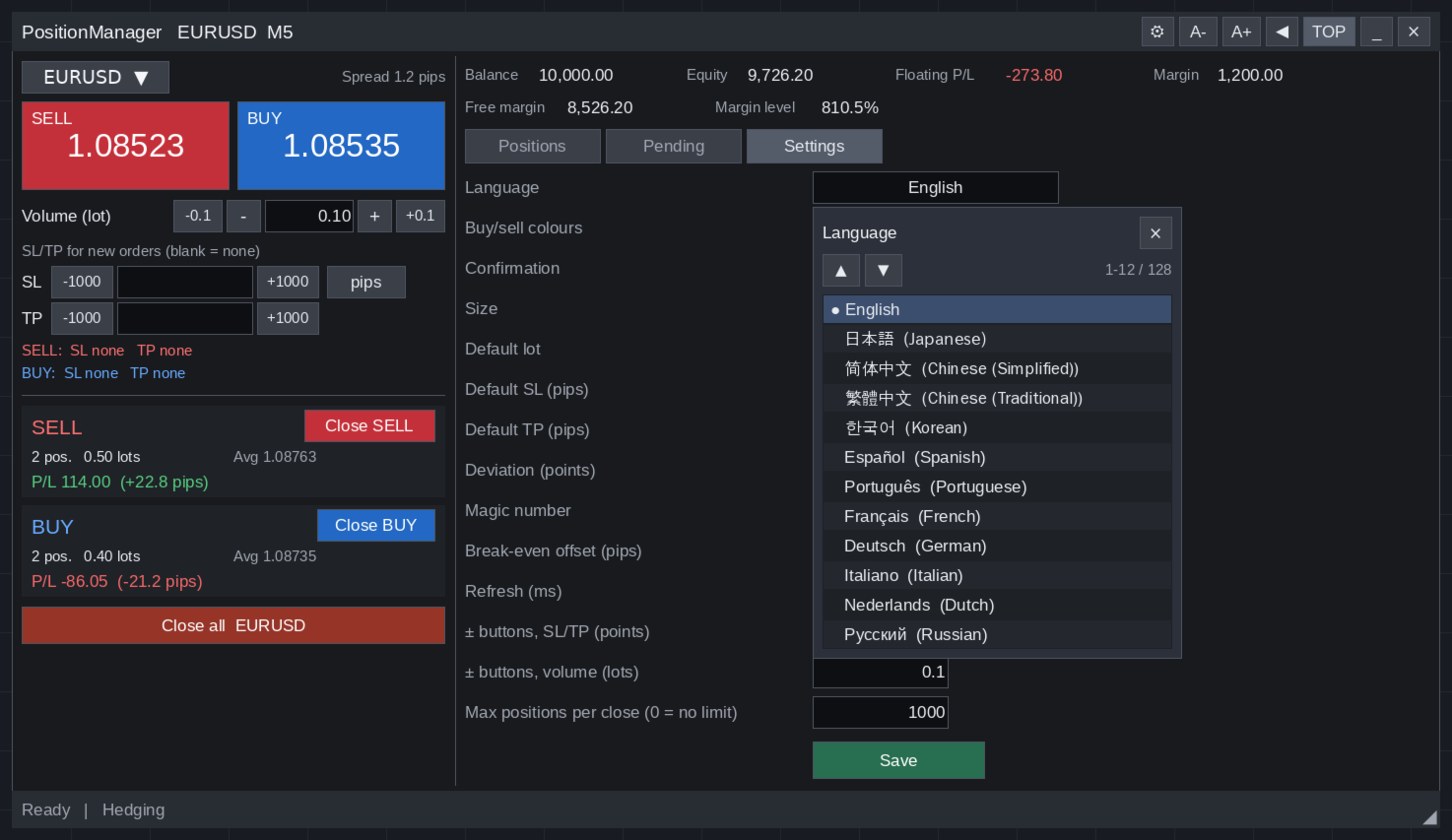
Choose the language on the Settings tab. It switches immediately and is remembered. Without a choice, the panel follows the terminal language. Only the chosen language is loaded, so the panel stays light. Languages other than English are machine translated.
English, Japanese, Chinese (Simplified), Chinese (Traditional), Korean, Spanish, Portuguese, French, German, Italian, Dutch, Russian, Ukrainian, Polish, Turkish, Vietnamese, Thai, Indonesian, Malay, Hindi, Arabic, Swedish, Afrikaans, Akan, Albanian, Amharic, Armenian, Assamese, Azerbaijani, Bashkir, Basque, Belarusian, Bengali, Bosnian, Breton, Bulgarian, Burmese, Catalan, Cebuano, Chichewa, Chinese (Hong Kong), Corsican, Croatian, Czech, Danish, Dhivehi, Esperanto, Estonian, Faroese, Filipino, Finnish, Frisian, Galician, Georgian, Greek, Gujarati, Haitian Creole, Hausa, Hawaiian, Hebrew, Hungarian, Icelandic, Igbo, Irish, Javanese, Kannada, Kazakh, Khmer, Kinyarwanda, Kurdish, Kurdish (Sorani), Kyrgyz, Lao, Latin, Latvian, Lingala, Lithuanian, Luxembourgish, Macedonian, Maithili, Malagasy, Malayalam, Maltese, Maori, Marathi, Mongolian, Nepali, Norwegian, Occitan, Odia, Oromo, Pashto, Persian, Portuguese (Portugal), Punjabi, Quechua, Romanian, Romansh, Samoan, Sanskrit, Scottish Gaelic, Serbian, Sesotho, Shona, Sindhi, Sinhala, Slovak, Slovenian, Somali, Sundanese, Swahili, Tajik, Tamil, Tatar, Telugu, Tibetan, Tigrinya, Tswana, Turkmen, Urdu, Uyghur, Uzbek, Welsh, Wolof, Xhosa, Yiddish, Yoruba, Zulu.
Comfortable to use
- Move and resize the panel freely. Zoom from 80 to 200 percent. Follows the Windows display scaling.
- Hide the list to keep only the order panel.
- SELL and BUY colours follow your language, or set them yourself.
- Settings, position and size are saved.
Inputs
- InpRefreshMs: list refresh interval in ms (0 = value from the Settings tab)
- InpTimerMs: internal timer in ms (100)
- InpLanguage: language code such as en (empty = Settings tab or terminal language)
- InpVerboseLog: detailed log (false)
- InpCommissionSec: commission refresh interval in seconds (10)
- InpDiagSec: drawing statistics interval in seconds (0 = off)
Requirements
- MetaTrader 5 for Windows. Hedging and netting accounts.
- Allow Algo Trading turned on.
Notes
- In the Strategy Tester, MetaTrader 5 does not pass chart clicks to Expert Advisors, so the buttons respond on a live or demo chart only. Please try PositionManager on a demo account.
- Trading involves risk. PositionManager does not give trading advice.
[What's new]
First release.
[Screenshot descriptions]
01_overview.png - Order entry on the left, positions on the right
02_select_and_sltp.png - Tick positions and set SL and TP for just those
03_close_confirmation.png - Optional confirmation before closing
04_batch_close.png - Bulk close with Stop, Continue and Cancel
05_sltp_confirmation.png - Optional confirmation before changing SL and TP
06_pending_orders.png - Pending orders with their own delete buttons
07_settings.png - Settings
08_languages.png - 128 languages
09_filter.png - Filter by the symbols you hold, several at once
10_symbol.png - Trade any symbol from Market Watch
11_compact.png - Compact mode: order panel only