TrendDip Portfolio
- Experts
- Version: 1.0
- Activations: 5

TrendDip Portfolio combines two simple, well known ideas in one Expert Advisor. The trend engine trades H1 breakouts in the direction of the daily trend and trails an ATR stop. The dip engine buys sharp daily pullbacks inside an uptrend and exits when the price recovers. It trades the chart symbol and an optional list of extra symbols, with fixed percent risk, one position per symbol, a drawdown guard, no martingale, no grid and no averaging down. It limits risk but cannot guarantee any result.
HOW IT TRADES
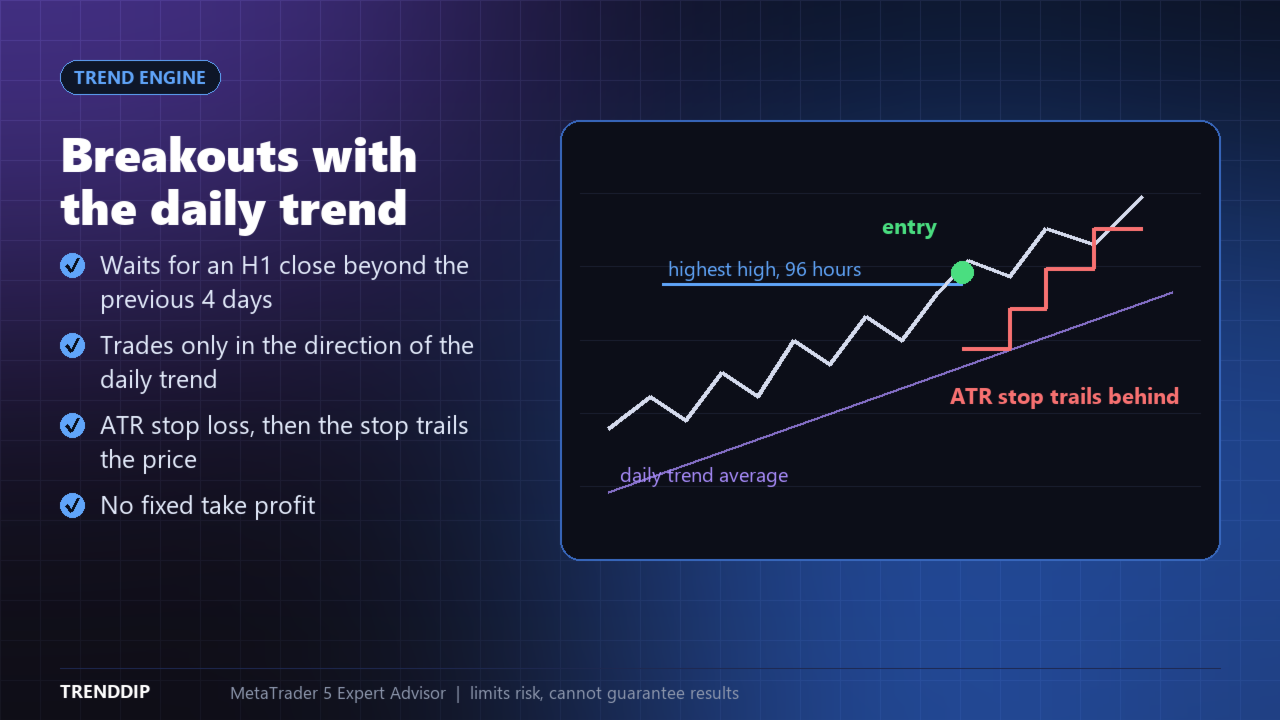
- Trend engine: on each new H1 bar it looks for a close above the highest high, or below the lowest low, of the previous 96 hours, and trades only in the direction of the daily trend (price above or below the 100-day average).
- A trend trade has an ATR stop loss (1.5 ATR). After it reaches 1.5R the stop trails behind the price at 2 ATR. There is no fixed take profit, so winning trends can run.
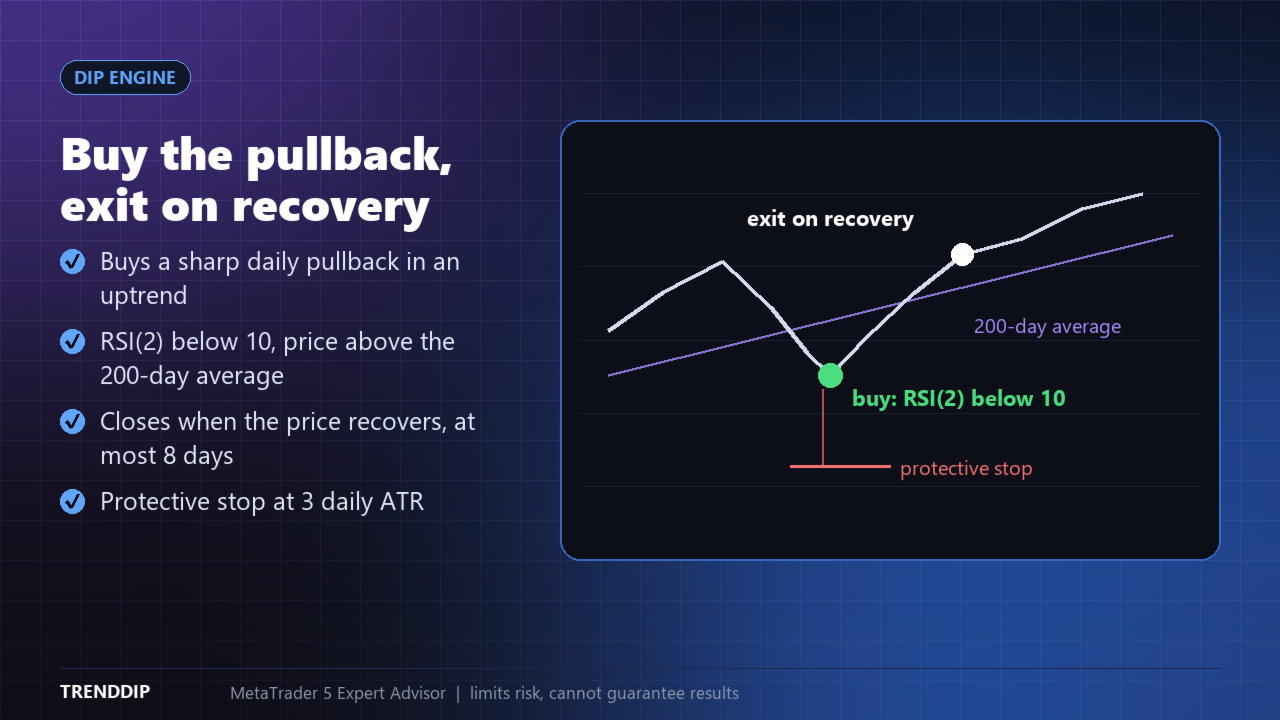
- Dip engine: on each new daily bar it buys when the 2-period RSI is below 10 while the price is above its 200-day average, with a protective stop at 3 daily ATR.
- A dip trade closes when the daily close is above the previous close and above the 5-day average, or after 8 days at the latest. One position per symbol, no martingale, no grid, no averaging down.
RISK AND POSITION SIZE
- The lot size is calculated from a fixed percent of your balance and the stop distance. The default is 0.5 percent for trend trades and 2 percent for dip trades.
- A cap on the total risk of all open trades, a daily loss stop and a spread filter based on ATR.
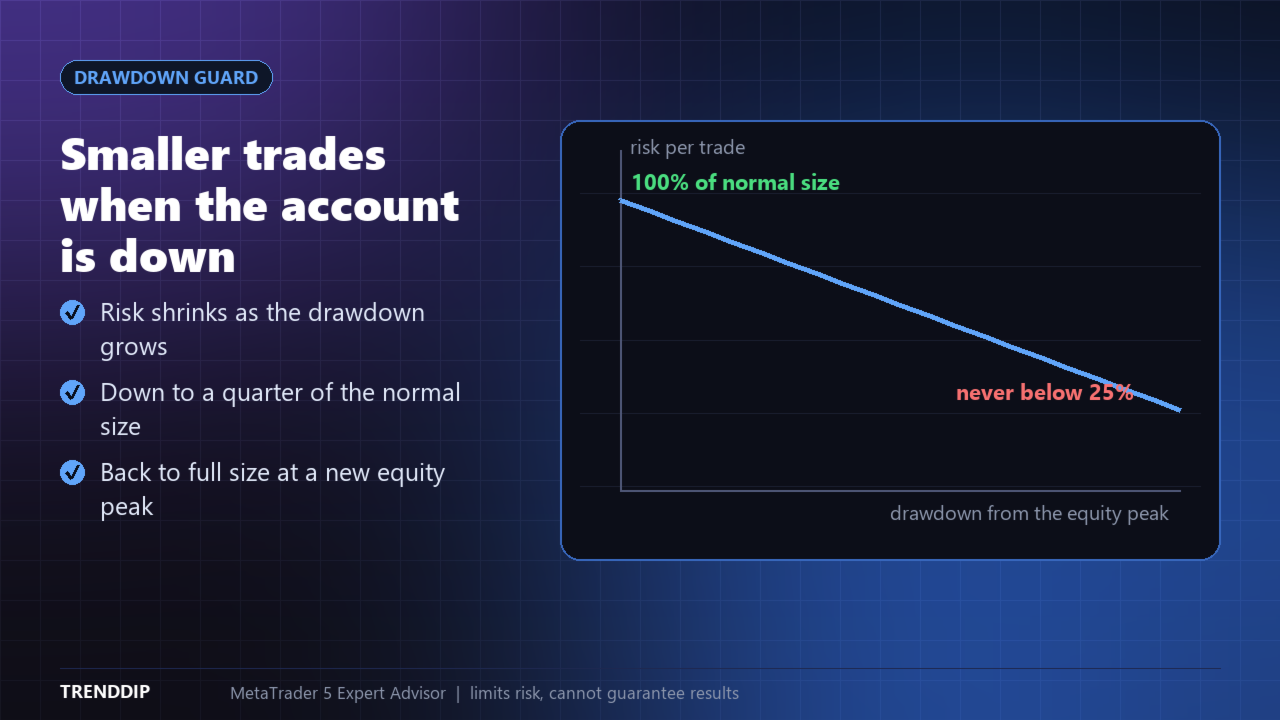
- Drawdown guard: when the account falls below its equity peak, the risk per trade shrinks automatically, down to a quarter of the normal size.
- The EA checks that the market is open and skips a trade if the smallest lot would risk too much.
PANEL ON THE CHART
- Clean on-chart panel: state, today's result, open risk and drawdown, and one line per symbol with its engine, direction, profit and R multiple.
- Dark and light themes.
- Only the panel is drawn on the chart, no lines or clutter.
SYMBOLS AND ACCOUNTS
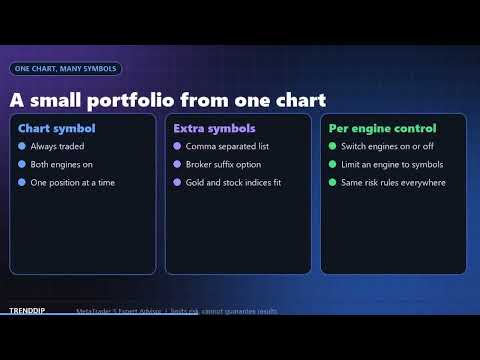
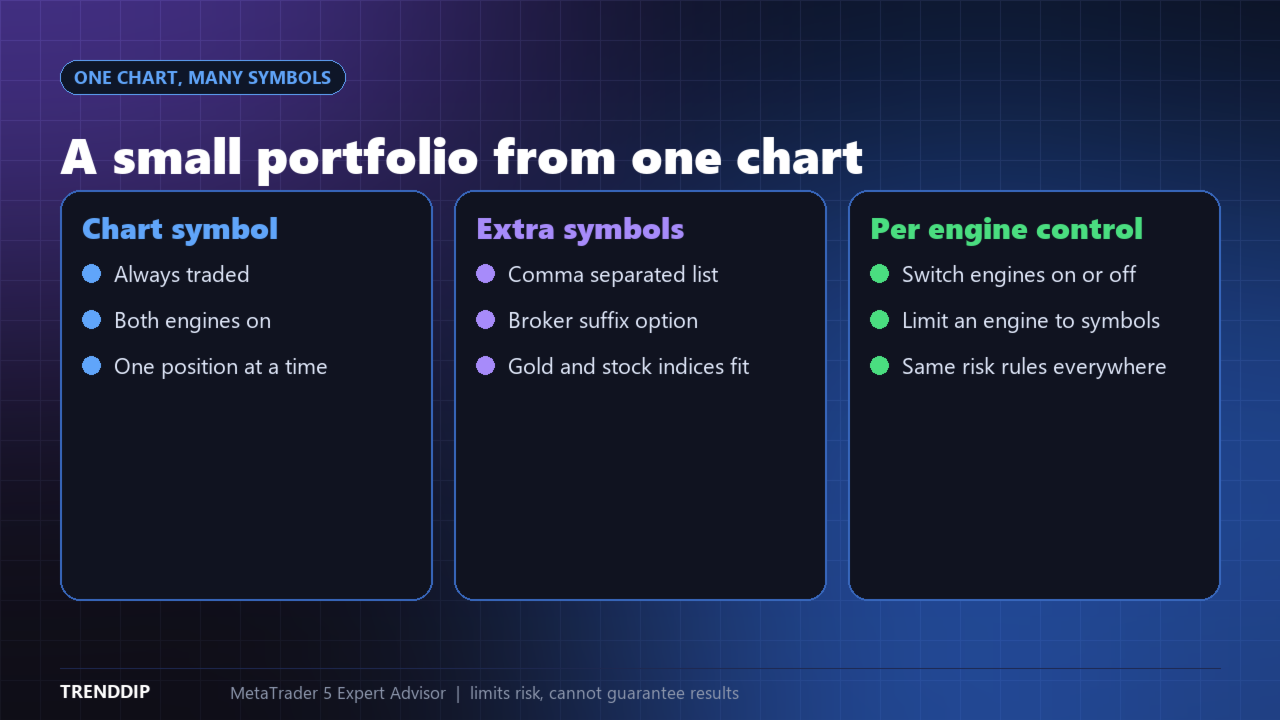
- It always trades the chart symbol. Add more symbols in a comma separated list (and a broker suffix if needed). Everything runs from one chart.
- Gold and stock indices (for example US500, US30, US100) suit both engines best. You can switch each engine on or off, or limit an engine to chosen symbols.
- Works with hedging and netting accounts. For small accounts use the Size from this balance setting. Trades are skipped if the minimum lot is too large.
IMPORTANT INFORMATION
- TrendDip Portfolio limits the risk of each trade but cannot guarantee any result. Trend strategies have losing streaks and sideways periods, and dip buying can lose when a decline continues.
- Strategy Tester results depend on broker data and settings and are not a promise of live results. Test on a demo account first.
- It works only while the terminal, the computer and the connection are running. Slippage, gaps and spread changes can make results differ.
- You are responsible for your trading decisions, settings and any losses. The developer is not responsible for losses.
SETUP
- Attach TrendDip Portfolio to an H1 chart of the symbol you want to trade and enable Algo Trading.
- Optional: type extra symbols in the Extra symbols field, for example XAUUSD,US30,US500.
- Check the risk per trade, the drawdown guard and the daily loss limit. Use a different magic number for a second copy.
- Support and updates: we keep improving the product according to customer needs and always take customer feedback into account. Questions are answered within 48 hours.
KEY SETTINGS
- Engines and symbols - switch trend and dip on or off, extra symbols, broker suffix.
- Trend engine - breakout lookback, daily trend average, ATR stop and trailing.
- Dip engine - RSI level, trend average, exit average, maximum days and protective stop.
- Risk per trade for each engine, size from balance, maximum lot, minimum lot risk limit.
- Total risk cap, drawdown guard, daily loss stop and spread filter.
- Magic number, trade comment and panel settings.
NOTES
- Designed for H1 charts. One position per symbol and magic number.
- Settings can be changed at any time, open trades keep their stop.
- Trading involves risk and you are responsible for your decisions. Test on a demo account first.