Moon Break MT5
- Experts
- Version: 1.1
- Activations: 10
Moon Break MT5
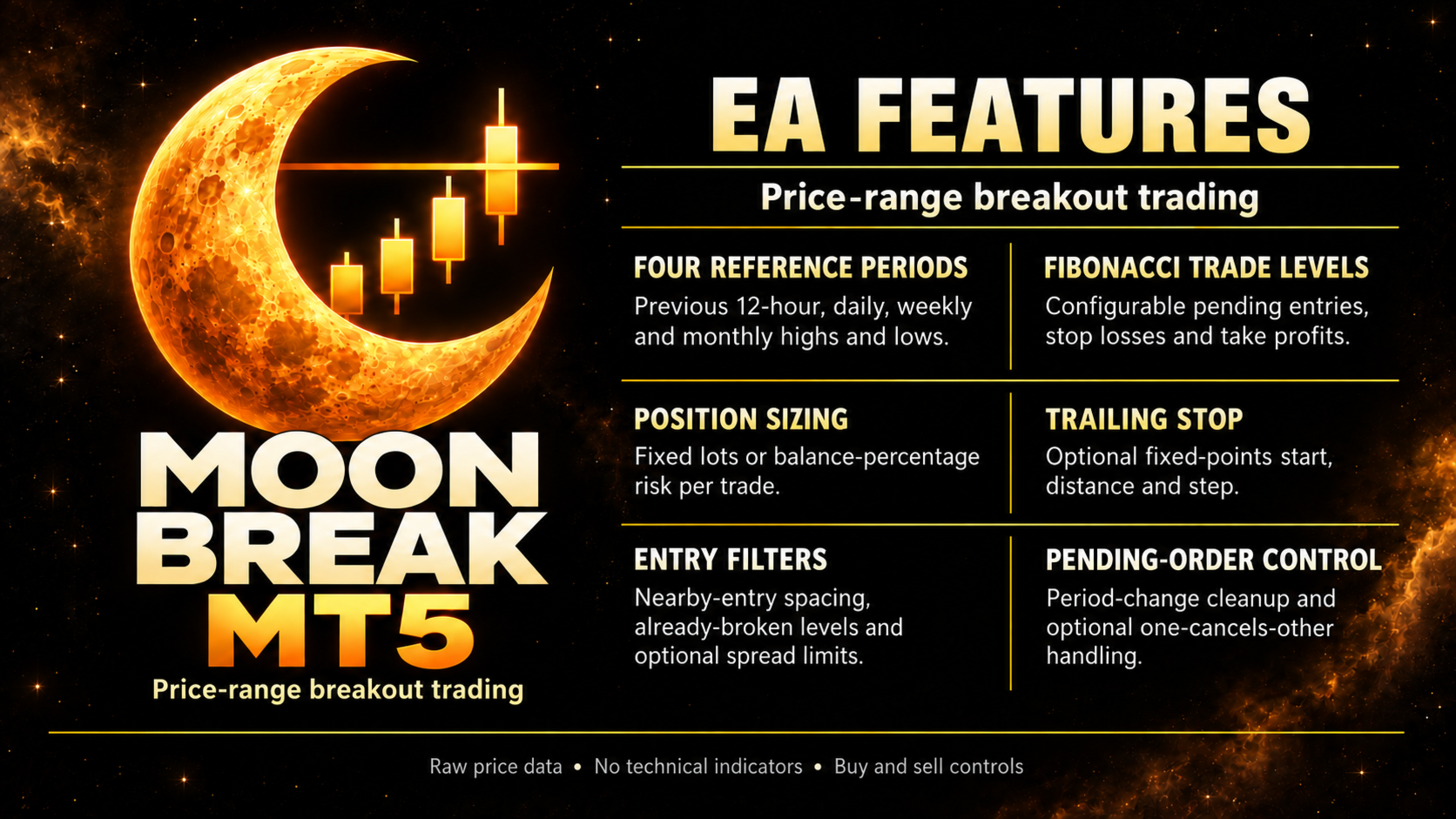
Moon Break MT5 is an automated price-range breakout Expert Advisor for MetaTrader 5. It places pending orders at levels calculated from the previous completed 12-hour, daily, weekly and monthly price ranges. Entries, stop losses and take profits follow a configurable Fibonacci range model, with an optional trailing stop to manage open positions.
The strategy uses candle highs and lows directly. It does not require technical indicators, external signals or DLL imports. It supports both buy and sell trades, with independent controls for each direction and reference period.
Trading approach
For each enabled period, the Expert Advisor maps the previous completed candle's low to 0 and its high to 100. With the default settings, a buy stop is placed at the previous high and a sell stop at the previous low, subject to placement checks and filters.
The default buy levels are entry 100, stop loss 82.5 and take profit 135. The default sell levels are entry 0, stop loss 17.5 and take profit -35. Initial stop and target distances therefore scale with the corresponding price range. These levels can be adjusted in the inputs.
The Expert Advisor reads its reference periods internally. Changing the chart timeframe does not change those reference periods. Period boundaries follow the broker's price history; the 12-hour period is not a rolling window or a lunar-cycle signal.
Order handling
Independently enable monthly, weekly, daily and 12-hour breakout levels.
Skip an entry when the current period has already traded through its level.
Filter nearby entries in the same direction using a percentage of the relevant price range. Monthly levels are processed first, followed by weekly, daily and 12-hour levels.
Optionally delete unfilled pending orders when their reference period changes.
Optionally use one-cancels-other handling to cancel the remaining order for a reference period after an entry fills.
Apply optional minimum-range and maximum-spread filters when placing orders.
The Expert Advisor records completed placement attempts after successful order placement to prevent routine replacement of the same period's order following a terminal restart. Broker distance requirements are checked before placement, and failed order submissions can be retried with a delay.
Position sizing and trade management
Choose fixed volume or balance-percentage risk sizing. Fixed volume is the default, set to 0.01 lot. Risk mode calculates volume from the selected balance percentage and the initial entry-to-stop distance, using the symbol's profit calculation. If the calculated volume is below the broker's minimum, that order is skipped in risk mode.
Every submitted entry includes an initial stop loss and take profit. The optional trailing stop uses fixed distances in broker points. By default, trailing starts after 75 points of favorable movement, follows price at a distance of 50 points and requires a minimum improvement of 10 points for a stop update. The trailing stop only moves in the position's favor and leaves the take-profit level unchanged.
There is no martingale or loss-based lot multiplier. Different reference periods can hold positions simultaneously, so the risk percentage applies to each order rather than to total account exposure. There is no account-wide drawdown limit in this version.
Main settings
Reference periods and direction: Choose which periods to trade and whether to allow buys, sells or both.
Fibonacci levels: Set the buy and sell entry, stop-loss and take-profit levels within or beyond each period's range.
Duplicate-entry filter: Set the entry spacing as a percentage of the smaller range, larger range or new order's range. A value of zero disables the filter.
Order handling: Control already-broken levels, period-change cancellation and one-cancels-other behavior. The optional minimum-range and spread filters are disabled by default.
Position size: Select fixed lots or a percentage of balance. The default risk percentage is 1.0 and is used only when risk mode is selected.
Trailing stop: Enable or disable trailing and set its start, distance and step in points. Points are broker quote units, not necessarily pips.
General: Set the magic-number base, order-comment prefix and optional Fibonacci drawings. The Expert Advisor uses four consecutive magic numbers starting from the chosen base.
Setup
Attach Moon Break MT5 to the desired symbol chart and enable algorithmic trading. For GOLD, NAS100 and US30 select your broker's symbol, including any broker suffix. Load sufficient history for all enabled reference periods and check volume, point size, spread and trading specifications before choosing settings.
A hedging account is recommended for the intended independent position management. On netting accounts, positions on the same symbol merge, changing the behavior of separate stops, targets and trailing management. Use one instance per symbol and magic-number range, with non-overlapping magic numbers for other Expert Advisors.
Keep MetaTrader 5 running and connected, or use a suitable virtual server, for trailing-stop updates and client-side pending-order management. Test the configuration in the Strategy Tester and then on a demo account before live use.