Quantora GoldVanta EA

Quantora GoldVanta EA

Automated XAUUSD Trading for MetaTrader 5

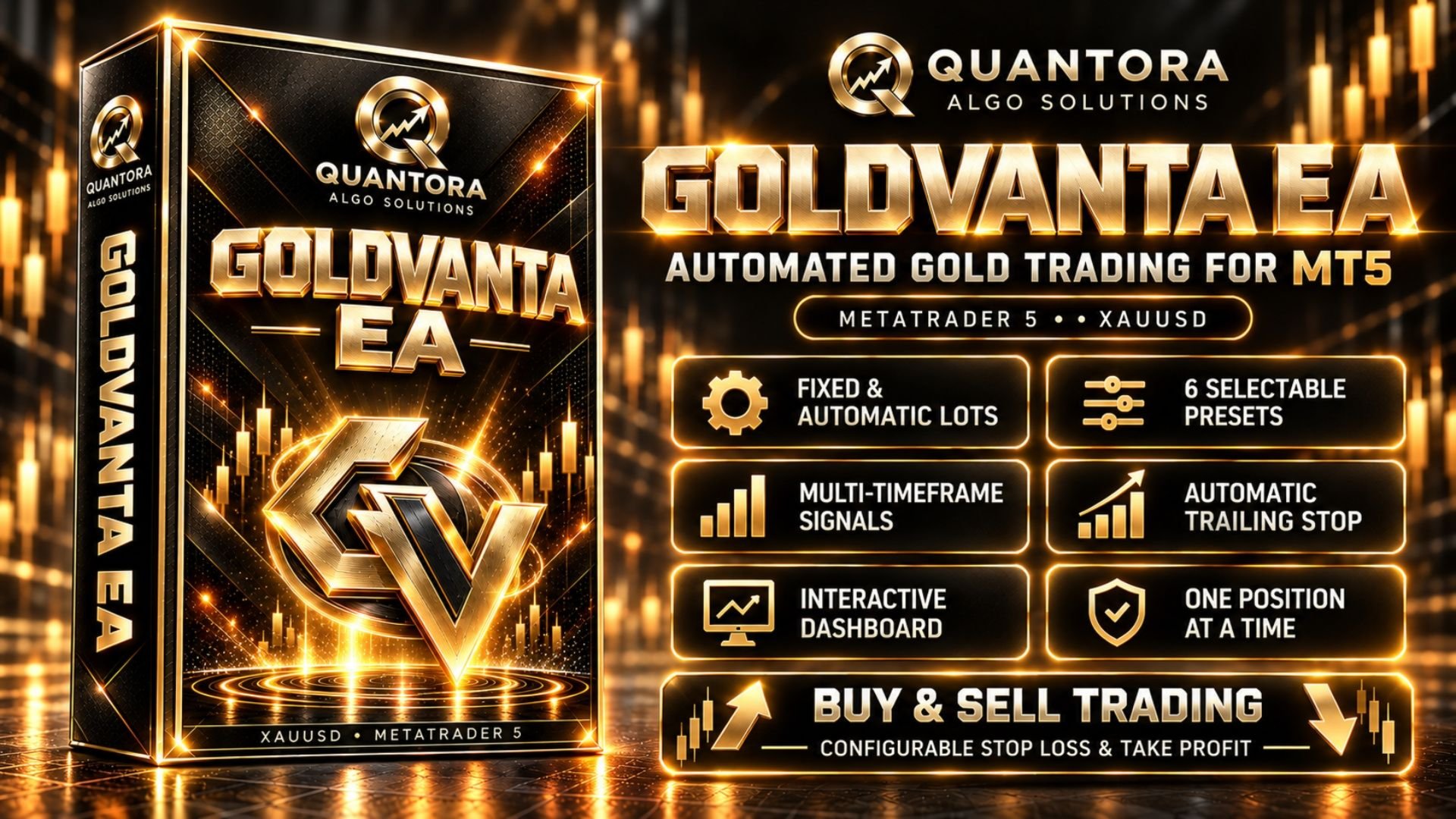
Quantora GoldVanta EA combines multi-timeframe candle analysis, automated position management and an interactive dashboard in one Expert Advisor for Gold. It evaluates market conditions, opens BUY or SELL positions when its rules are satisfied, and manages trades according to the selected exit settings.

Choose between fixed and automatic lot sizing, select one of six automatic lot presets, and monitor the EA's status directly on your chart. GoldVanta brings trading controls and account information together in a clear, accessible interface.

Trading Approach

GoldVanta evaluates completed candles across M5, M15, M30 and H1. Its entry conditions consider candle direction and body size across these timeframes before a trading decision is made.

The EA can trade in both directions. It waits for its programmed conditions rather than opening a position simply because it has been attached to a chart. Trading frequency varies with market conditions, and periods without new entries are possible.

GoldVanta is designed to manage one matching position at a time for its symbol and Magic Number. It does not build a grid of additional positions against an existing trade or increase volume specifically to recover a previous loss. Separate EA installations and other robots can still create additional account exposure.

Fixed and Automatic Lot Management

Fixed Lot: Select the volume used for new trades. This mode gives you direct control over position size, subject to broker volume requirements and any configured global lot limit.

Automatic Lot: Volume is calculated using account balance, the selected preset and broker symbol properties. The dashboard displays the calculated next-order lot, making the selected sizing configuration visible before a new entry.

The default Automatic calculation is balance-based; it is not a fixed percentage of account equity at risk at the Stop Loss. A separate Stop-Loss-based percentage-risk option is available through the inputs.

Six Automatic Lot Presets

Choose the sizing level that matches your intended exposure. Each automatic preset has its own maximum volume:

  • Very Low: maximum 0.15 lots.
  • Low: maximum 0.25 lots.
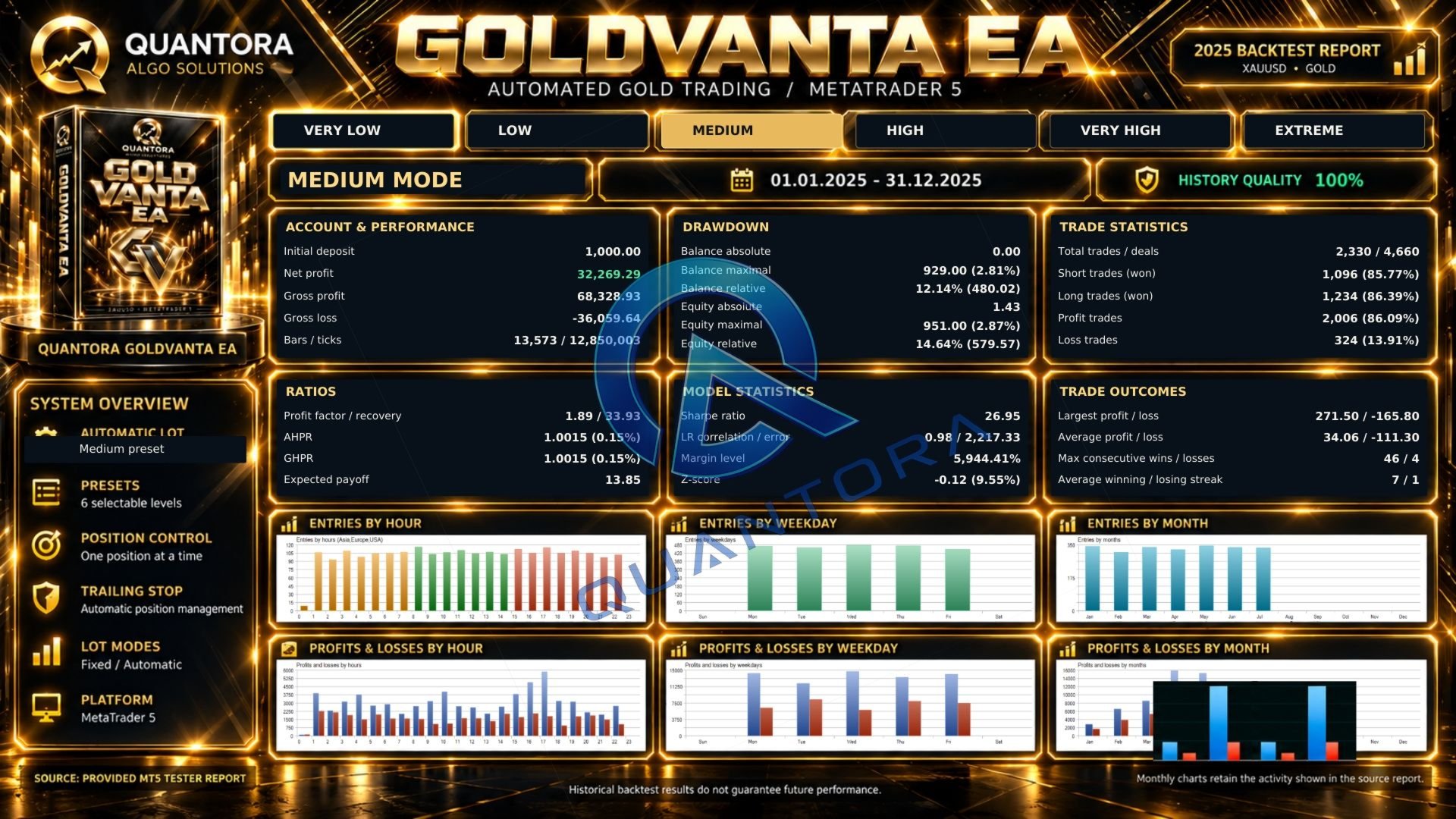
  • Medium: maximum 0.50 lots.
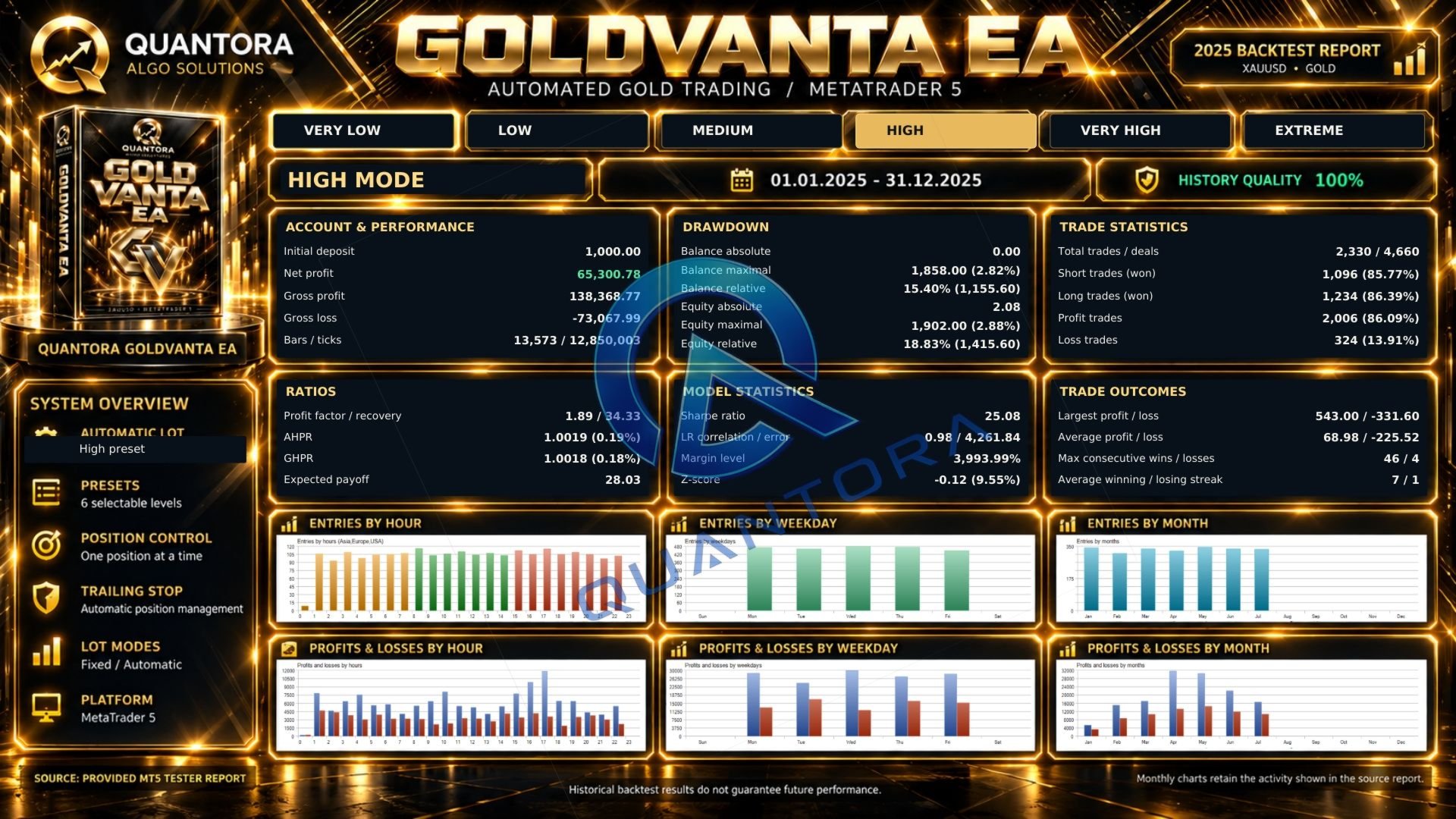
  • High: maximum 1.00 lot.
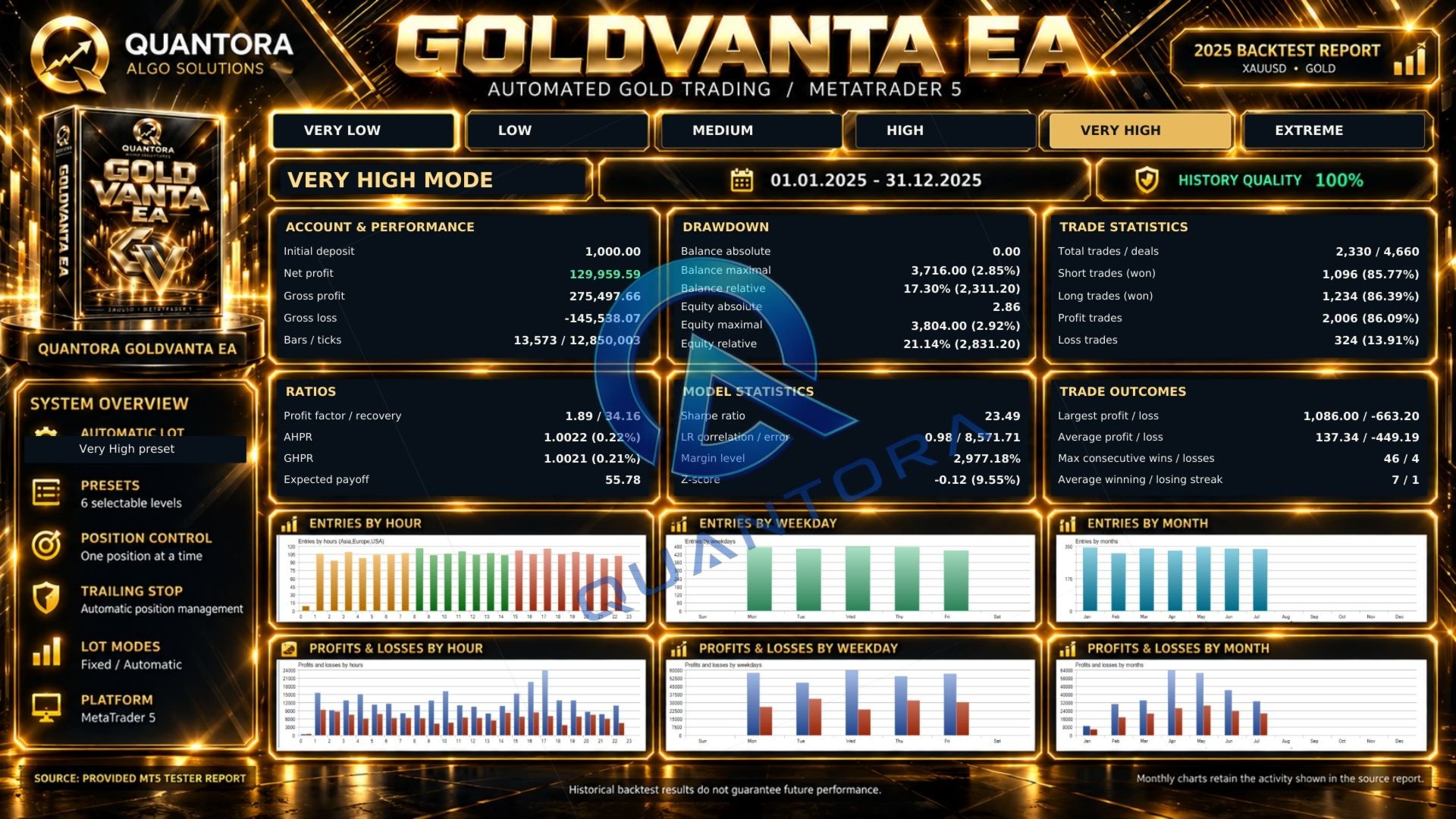
  • Very High: maximum 2.00 lots.
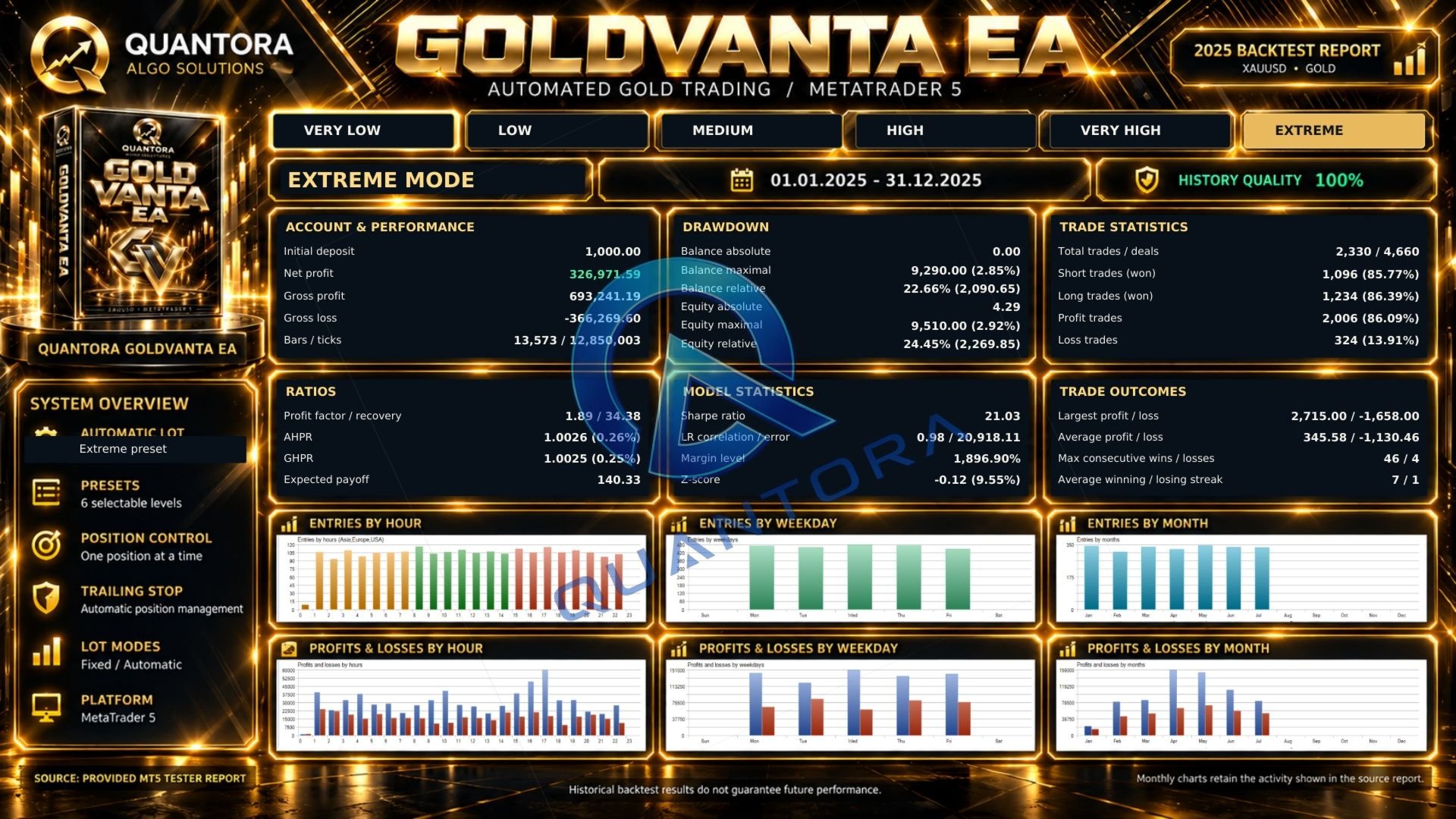
  • Extreme: maximum 5.00 lots.

These presets adjust position sizing while retaining the underlying entry strategy. The listed values are volume ceilings, not the lot size of every trade. Lower broker limits or a configured global maximum may apply.

Preset ceilings apply to automatic sizing, not Fixed Lot mode. Broker minimum volumes and lot increments can cause different presets to produce the same volume on smaller accounts. Preset names describe relative sizing levels and do not guarantee a particular drawdown or maximum financial loss.

Position Management

GoldVanta manages positions using configurable Stop Loss, Take Profit and trailing-stop settings. Trailing activation, distance and step settings determine how the trailing level follows a favorable move.

The reference configuration uses virtual SL/TP, managed by the EA. Broker-side SL/TP and a virtual-stop mode with an emergency broker Stop Loss are also available through the inputs. Changing the protection mode can change trading results.

Virtual protection and automated trailing require MetaTrader 5 and the EA to remain running, connected and permitted to trade. Execution delays, market gaps and slippage can affect the final closing price.

Interactive Dashboard

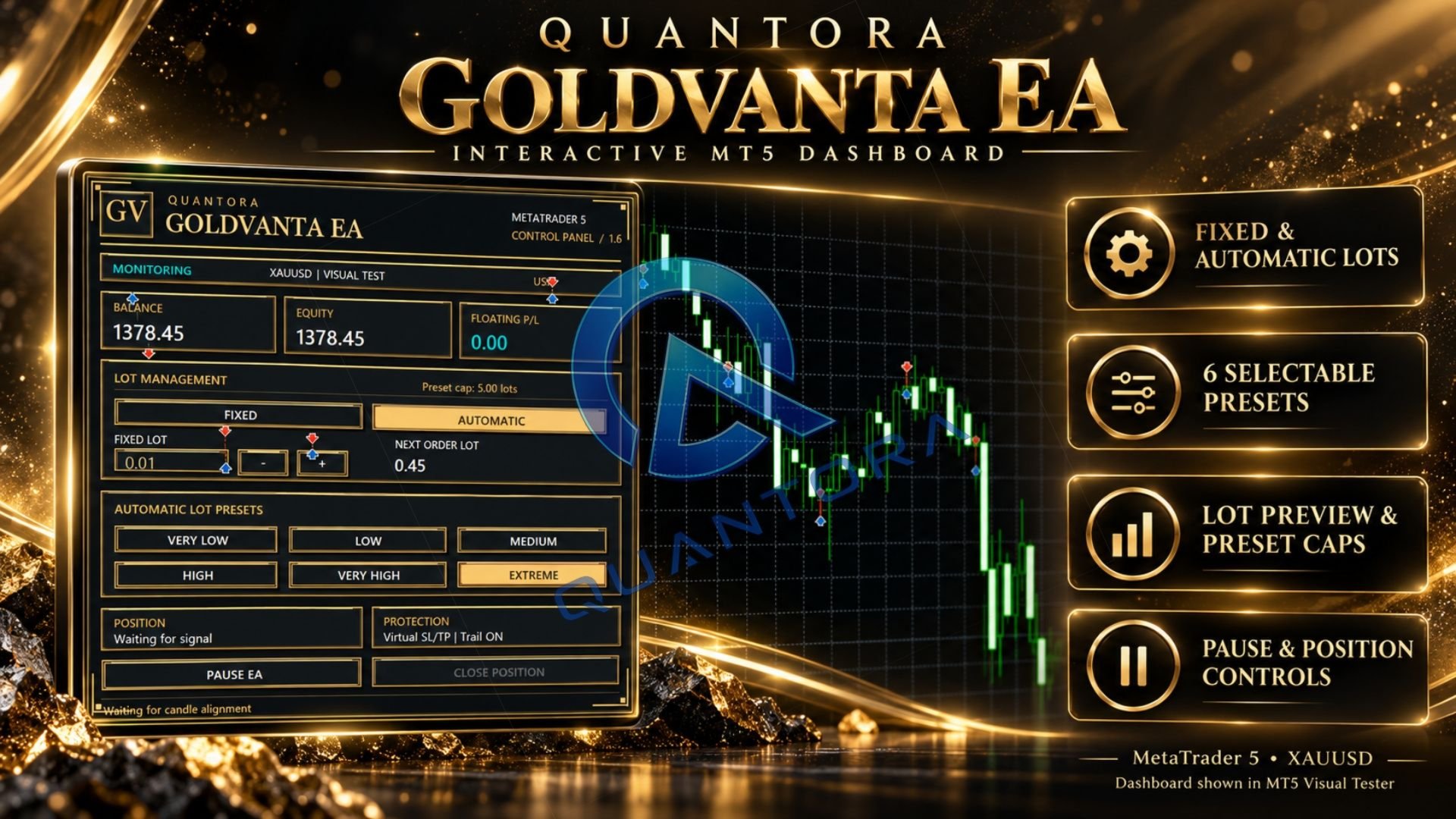
The on-chart dashboard gives you an overview of the account and the EA's current configuration:

  • Balance, equity and floating profit or loss.
  • Fixed and Automatic lot selection.
  • Six automatic lot presets and the selected volume ceiling.
  • Fixed-lot adjustment and next-order lot preview.
  • Position status and protection mode.
  • Pause, resume and position-close controls.

Pause EA stops new entries while position management remains active. Close Position requests closure of the EA-managed position and pauses new entries. Actual closure depends on incoming ticks, trading permissions and broker execution.

The dashboard uses native chart objects and does not require a separate panel image file. It can also be displayed in the Strategy Tester's visual mode.

Setup and Recommendations

  • Platform: MetaTrader 5.
  • Trading instrument: XAUUSD / Gold.
  • Internal analysis: M5, M15, M30 and H1.
  • Operation: Algo Trading enabled and reliable connectivity.
  • Hosting: a reliable VPS is recommended for continuous operation.

Attach GoldVanta to your broker's XAUUSD chart and review the lot mode, preset and protection settings before enabling trading. The EA reads its internal analysis timeframes independently of the chart's display period. Ensure sufficient history is available for all required timeframes.

Begin with one installation and test the selected settings under your broker's conditions. Check the lot preview, executed volume and margin requirements before increasing exposure.

Backtesting and Performance

Use the MetaTrader 5 Strategy Tester to evaluate GoldVanta before live use. Where reliable data is available, select Every tick based on real ticks and include realistic spread, commission and swap conditions.

Compare presets over the same period and account conditions. Evaluate equity drawdown, losing trades and position sizes alongside net profit. Broker data, contract specifications and execution conditions can produce different results.

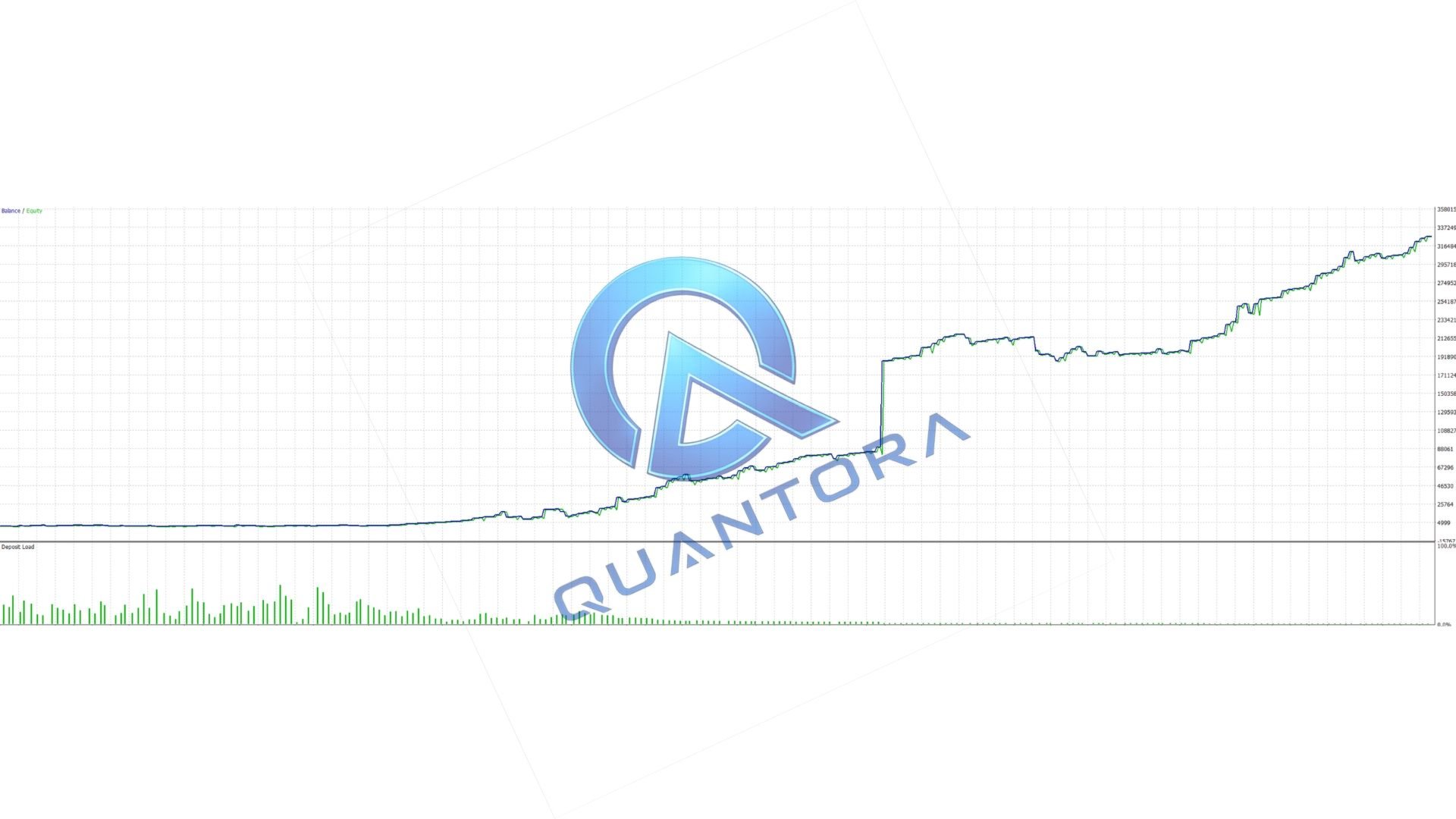
Any backtest reports displayed on this product page are historical simulations for the specified dates and settings. They are not live-account results or forecasts of future performance.

Support

For installation and settings assistance, contact Quantora through MQL5 messages or the product comments. Include your EA version, broker symbol, selected lot mode, preset and relevant Journal messages so the issue can be reviewed.

Explore other Quantora products

Risk Notice

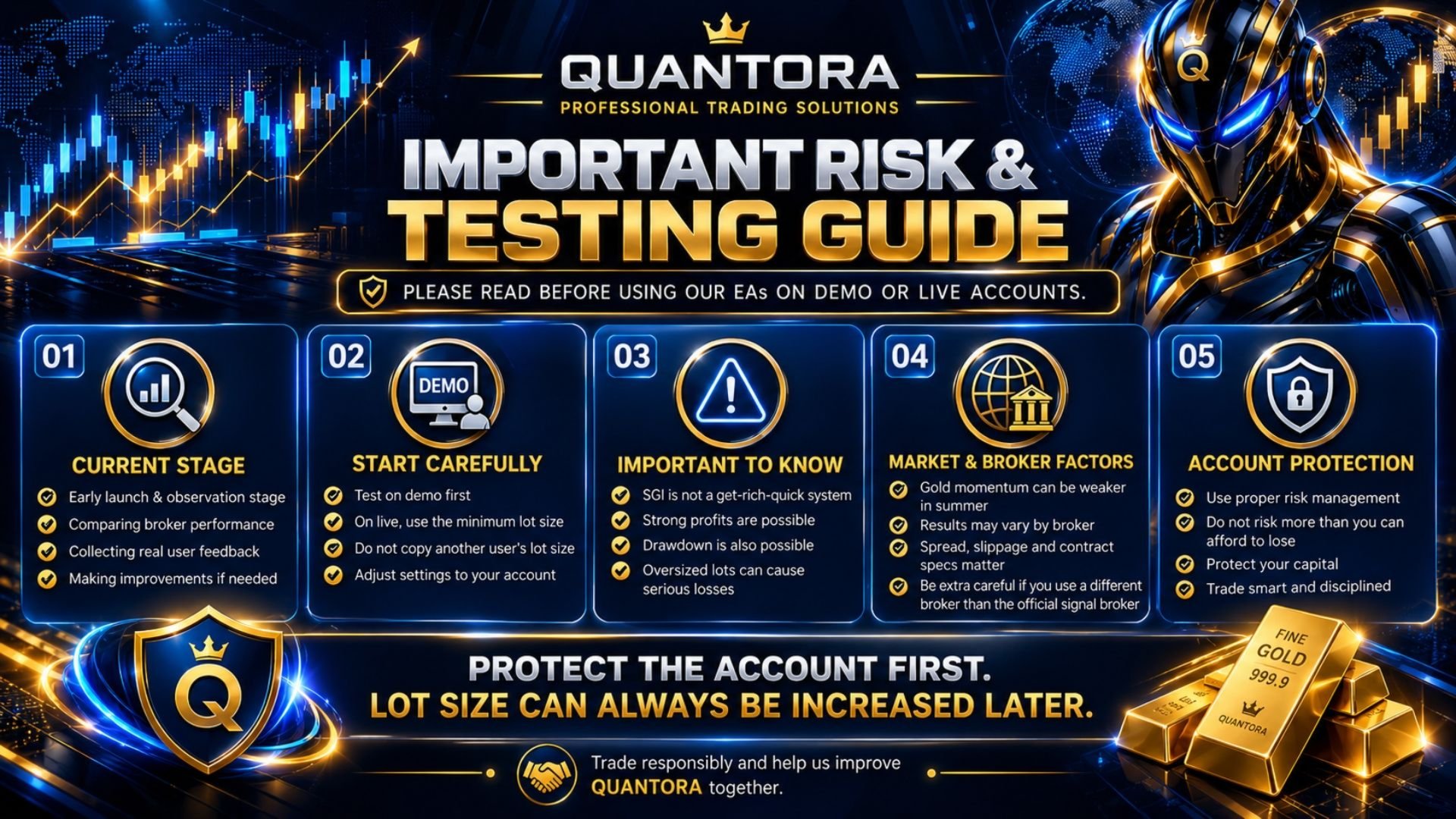
Trading Gold and leveraged CFDs involves substantial risk of loss. Automatic lot sizing, volume limits, Stop Loss and trailing mechanisms do not eliminate trading risk. Past performance does not guarantee future results. Test the EA and understand its settings before using real funds.
More from author
Quantora Level Break EA Automated Breakout Trading for MetaTrader 5 Turn market levels into a structured trading process. Quantora Level Break EA combines automatic support and resistance detection, breakout order placement and position management in one streamlined trading system. Its interactive dashboard gives you direct control over trading activity and lot management without exposing complex strategy settings. Automatic Level Detection The EA evaluates completed candles to identify qualifyi
Quantora SMT Intelligence Pro is a MetaTrader 5 indicator that identifies divergence conditions between correlated instruments based on Smart Money Technique (SMT) principles. The indicator compares the primary chart symbol with a selected comparison symbol and detects differences in swing highs and swing lows. These conditions are evaluated using internal logic and optional confirmation settings. Core Functionality Detection of bullish and bearish SMT divergence conditions Comparison between tw
Quantora Candle Scalper Pro is a MetaTrader 5 Expert Advisor that opens and manages trading positions based on internal candle analysis and predefined trading conditions. The EA evaluates completed candles and applies internal filtering logic, including spread control and signal-quality conditions, before executing a trade. Trading activity is managed through preset configurations and user-defined risk parameters. Core Functionality Automated trade execution based on candle conditions Internal
Quantora Liquidity Sweep MT5 is a MetaTrader 5 indicator that identifies potential buy-side and sell-side liquidity pools using detected swing highs and swing lows. The indicator monitors these levels and marks the first valid liquidity sweep. After a pool has generated a valid sweep, it is recorded as consumed and does not generate another signal from the same level. Liquidity Pool and Signal Logic Buy-side and sell-side liquidity pool detection Equal High and Equal Low analysis First-sweep-on
FREE
Quantora Order Blocks MT5 is a MetaTrader 5 indicator that identifies bullish and bearish Order Block zones using market structure and price-action conditions. The indicator monitors detected zones and classifies them according to their current status. It is intended to help users examine areas where price previously produced a structural movement. Order Block Detection Bullish and bearish Order Block zones Fresh Order Block identification Mitigation tracking Breaker Block identification Selecta
FREE
Quantora Smart Trend PRO MT5 is a MetaTrader 5 indicator that combines trend, momentum, volatility and multi-timeframe data. The indicator uses SuperTrend, moving averages, ATR, ADX and RSI values to calculate trend conditions and display BUY or SELL signals after the selected confirmation requirements are met. Trend and Signal Information SuperTrend-based trend calculation Moving average confirmation Trend cloud display BUY and SELL signals ATR, ADX and RSI filters Calculated entry, Stop Loss
FREE
Quantora Market Structure MT5 is a MetaTrader 5 indicator that identifies confirmed swing points and displays market structure events on the chart. The indicator classifies detected swing points as Higher High, Higher Low, Lower High or Lower Low. It also marks Break of Structure and Change of Character events according to its detection conditions. Market Structure Analysis Higher High and Higher Low detection Lower High and Lower Low detection Bullish and bearish Break of Structure events Chan
FREE
Quantora BOS & CHoCH MT5 is a MetaTrader 5 indicator that identifies Break of Structure and Change of Character events based on detected swing highs and swing lows. The indicator monitors bullish and bearish market structure and marks detected events on the chart. BOS is used to represent a structural continuation event, while CHoCH represents a possible change in the current structure. Structure Analysis Bullish and bearish BOS detection Bullish and bearish CHoCH detection Swing and internal s
FREE
Quantora Session Pro is a MetaTrader 5 indicator that displays selected global trading sessions directly on the chart. The indicator draws session boxes and calculates the High and Low prices formed during each enabled session. These levels are updated while the session is active and can remain visible after the session has ended. Sessions and Displayed Information Asia, London, New York AM, New York Lunch and New York PM sessions Session boxes with adjustable colors and transparency Current and
FREE
Quantora Fair Value Gap Pro MT5 is a MetaTrader 5 indicator that detects bullish and bearish Fair Value Gap zones created by price imbalances. Detected zones are displayed on the chart and can be extended until the selected mitigation condition is met. The indicator tracks active, mitigated and fully filled zones according to its input settings. Fair Value Gap Detection Bullish and bearish Fair Value Gap detection Active, mitigated and fully filled zone tracking First Touch and Full Fill mitigat
FREE
Quantora Liquidity Zones MT5 is a MetaTrader 5 indicator that displays selected historical price levels and detected Equal High or Equal Low areas on the chart. The indicator plots the previous day, week and month High and Low prices. It also analyzes confirmed price points to identify potential Equal High and Equal Low liquidity zones. Displayed Levels Previous Day High and Low Previous Week High and Low Previous Month High and Low Detected Equal High levels Detected Equal Low levels Optional s
FREE
LIMITED TIME OFFER — 50% OFF Quantora Rena XAU Scalper is currently available with a 50% discount for a limited time. Take advantage of the promotional price while the offer is active. Quantora Rena XAU Scalper Quantora Rena XAU Scalper is a MetaTrader 5 Expert Advisor designed to operate on XAUUSD using automated pending order placement. The EA analyzes recent price movement and places Buy Stop and Sell Stop orders around selected price levels. When one of the orders is triggered, the p
Quantora Precision Signals Pro is a MetaTrader 5 indicator that identifies BUY and SELL signals based on completed candle conditions and internal calculation logic. Signals are generated only after candle close. When a valid signal is detected, the indicator displays the corresponding entry reference and dynamically calculated price levels based on the Average True Range (ATR). The indicator is designed to provide structured signal information for chart analysis. It does not open, modify or clos
Quantora Ichimoku Pro EA is a MetaTrader 5 Expert Advisor that opens and manages trading positions based on internal conditions derived from Ichimoku components. The EA evaluates Tenkan-sen, Kijun-sen, Kumo position and price relationship on completed candles. Trade execution is based on these conditions together with internally defined filters and thresholds. The system uses predefined strategy parameters and allows user control over trading presets, lot mode, trading schedule and protection l
Quantora Bull Pulse Automated trading with a clear view of every decision you control. Quantora Bull Pulse is a MetaTrader 5 Expert Advisor developed for traders who want an automated trading experience with practical controls directly on the chart. It combines trade execution, position management and an interactive dashboard in a single product. Built Around Your Trading Style Choose between Safe, Balanced and Power operating profiles to match your preferred approach. Fixed and automatic lot o
LIMITED TIME OFFER — 50% OFF Quantora Pivot Rush EA is currently available with a 50% discount for a limited time. Get unlimited-use access for 89 USD while the promotional offer is active. The discount applies to the purchase option; rental options are priced separately. Quantora Pivot Rush EA Automated trading with flexible lot management and an interactive Quantora dashboard. Quantora Pivot Rush EA is a MetaTrader 5 Expert Advisor developed primarily for XAUUSD trading. It combines automated
Quantora CoilStrike Pro Automated trading, six risk profiles and an interactive Quantora dashboard — all in one MetaTrader 5 Expert Advisor. Quantora CoilStrike Pro combines automated market analysis, BUY-side execution and ongoing position management. It evaluates trading opportunities through its internal conditions and manages accepted positions with an initial Stop Loss, trailing stop and automatic exit rules. Choose Fixed or Automatic lot sizing, select your preferred Automatic risk profile
Quantora TwinTrigger XAU Automated Gold Trading with On-Chart Control Quantora TwinTrigger XAU is an automated Expert Advisor for XAUUSD on MetaTrader 5. It combines a rule-based execution system, flexible lot management and automated position handling in an interactive trading dashboard. Choose your lot mode, select a preset and manage the EA's settings directly from your chart. TwinTrigger handles order placement and position management according to its internal trading rules and your selected
Quantora Aurion XAUUSD EA Automated Gold Trading with Adaptive Position Management Quantora Aurion is an automated Expert Advisor for XAUUSD on MetaTrader 5. It combines selective entries, flexible lot sizing and adaptive position management with an interactive dashboard that keeps trading status and controls within reach. Aurion evaluates market conditions through its internal trading rules and can open BUY or SELL positions. Trading activity depends on those conditions; attaching the EA does n
Filter:
No reviews
Reply to review