
BirdsEyeView SingleTF
- Indicators
-
Hadi Pourkerman
 Market Atlas Labs
@MarketAtlasLabs
Welcome to Market Atlas Labs. We develop High-performance MT5 tools for Gold & All Indices.
High-performance MT5 Trading Frameworks. Specializing in Multi-Timeframe (MTF) Context & Adaptive Momentum for Gold (XAUUSD) and US100. 🏛️ - Version: 1.2
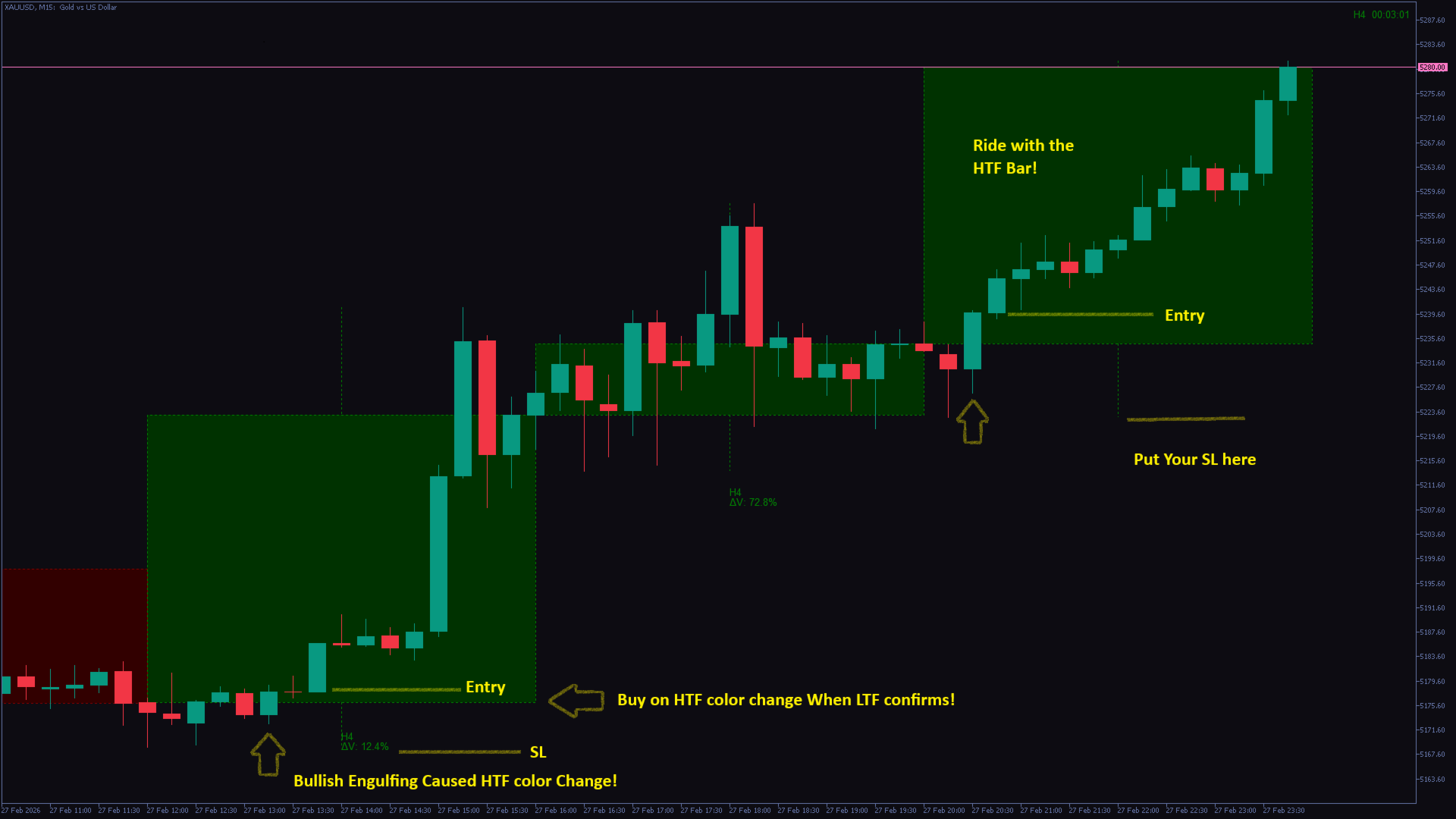
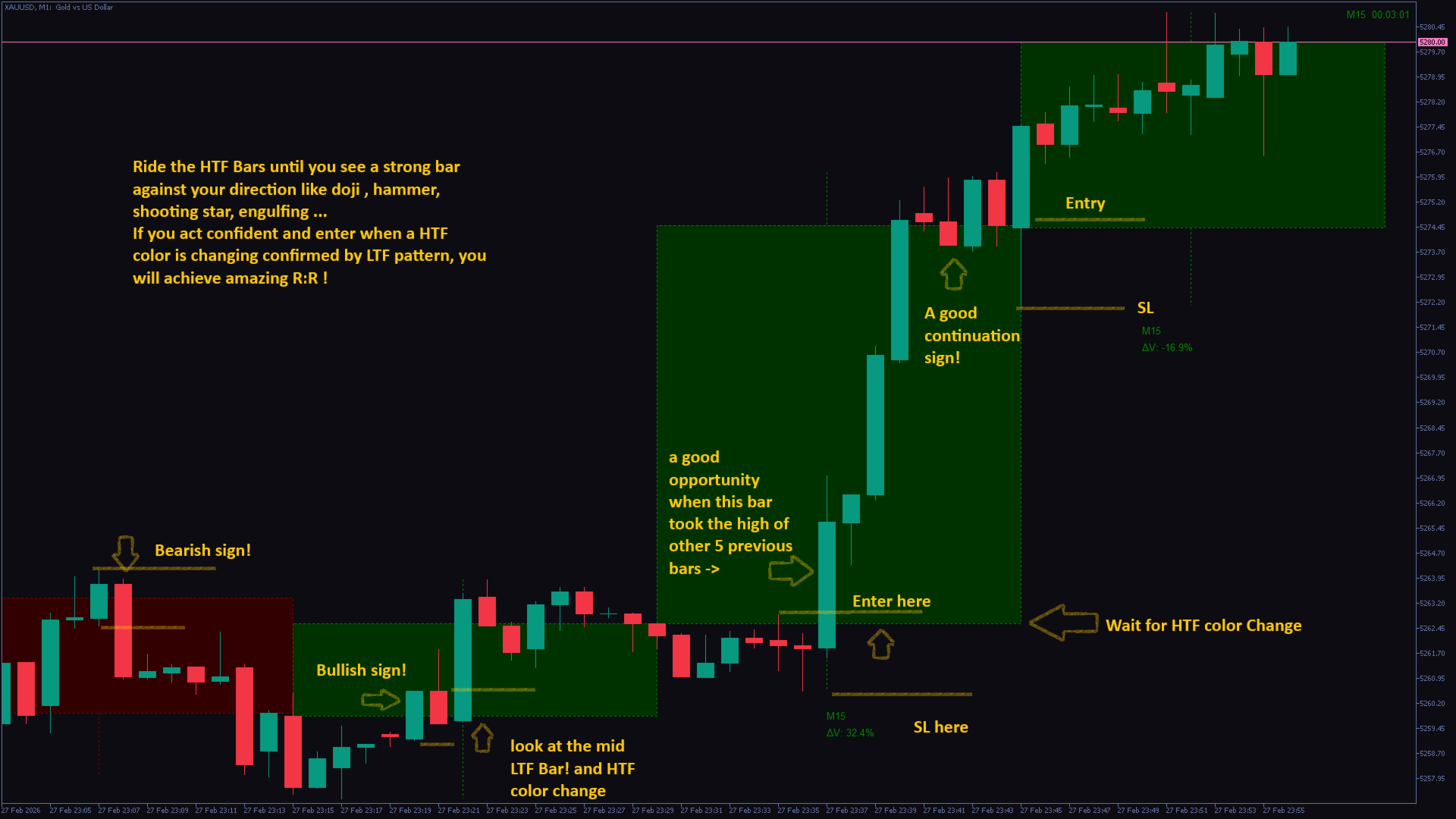
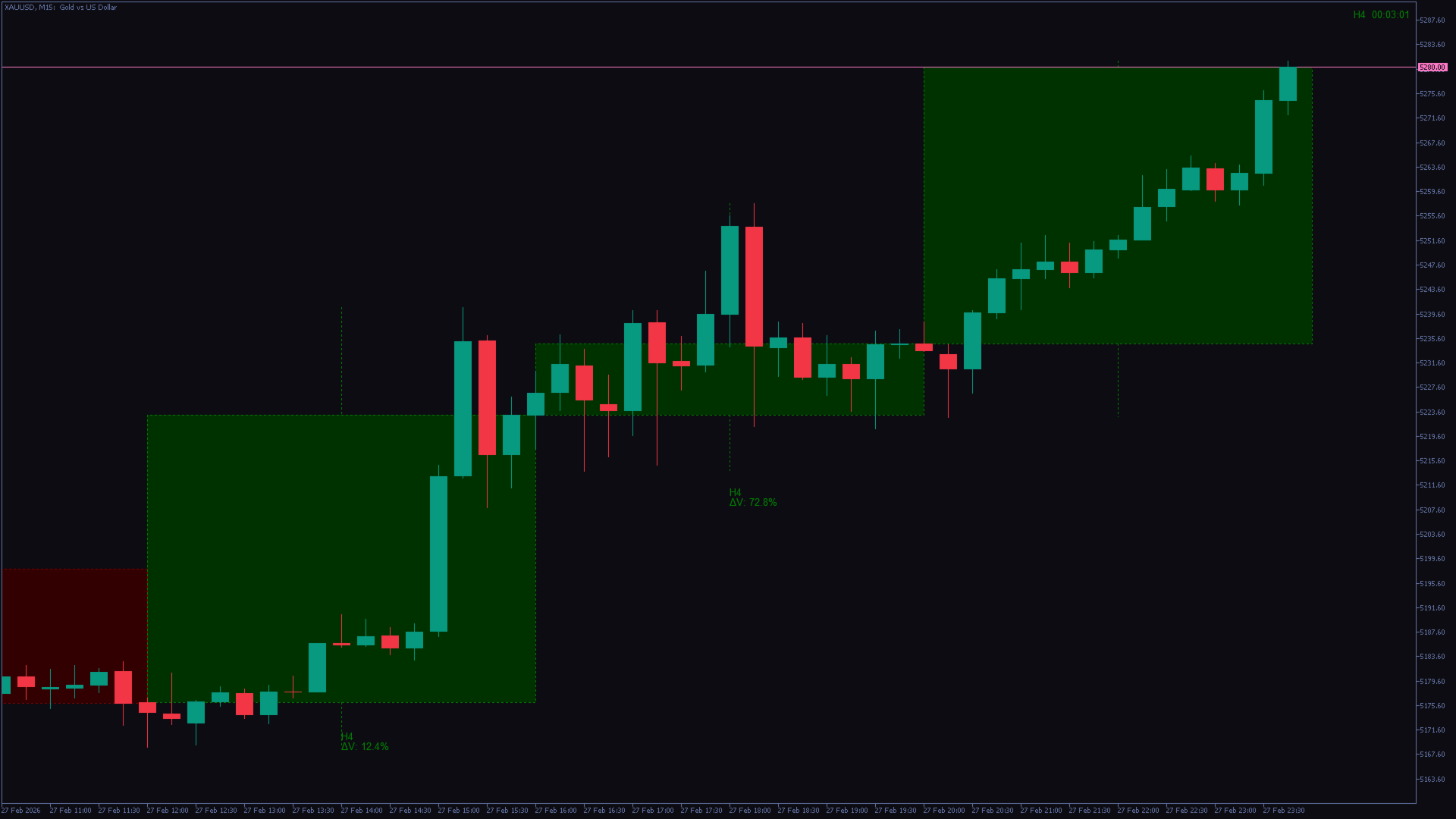
BirdsEyeView SingleTF is a MetaTrader 5 chart indicator that overlays candles from one higher timeframe on the current symbol’s chart. It displays the higher-timeframe body and wicks, optional candle fill, a countdown timer and a volume-change label. It is a visual analysis tool and does not place trades.
Attach the indicator to a lower-timeframe chart. For manual selection, leave Auto 1 Higher TF off and set TF1 to a period above the chart timeframe. For example, on an M5 chart, TF1=M15 or H1 shows the larger candles around the M5 price action. TF1 defaults to M15. A period equal to or below the chart timeframe is not displayed.
With Auto 1 Higher TF on, the indicator selects the next available higher period in its MetaTrader 5 timeframe list. This may be M2 above M1, rather than M5. Enable TF1 controls the overlay. Show Timers enables the countdown; a higher period must be available and its history loaded.
Use Theme for a preset or choose custom bullish/bearish colors. Fill TF1 Bars, Use Mono Fill, Fill Base Intensity, Border Width, Show Wick and Wick Width control candle appearance. Show Labels and Show TF1 Info/Data enable the timeframe name and volume-change information. Label alignment chooses left, center or right positioning. Lookback Up to N Bars Drawing Limit defaults to 160; Fit To Visible Auto limit and Visible Margin Bars limit drawings to the chart area and margin.
The volume label compares the current higher-timeframe candle’s tick volume with the previous candle’s volume. It is not buy/sell volume or a measure of order flow. An unfinished candle has accumulated only part of its eventual volume, so its comparison can change substantially before the close.
Use the overlay to see how lower-timeframe moves fit inside the larger candle’s body, wicks and range. For example, study a boundary break or retest together with your own confirmation rules. Candle color alone is not an entry instruction. The active higher-timeframe candle changes until it closes; the timer depends on broker time and incoming data. If your method requires a completed candle, wait for that close.
For a first setup, display one overlay with a readable outline, then enable fill, labels and timer as needed. If nothing appears, check that TF1 is enabled and higher than the chart period and that price history is available. Review the display on a demo account and define trade invalidation and risk independently. Support is available through product comments or MQL5 messaging.
































User didn't leave any comment to the rating
Thanks for reviewing. really appreciate your time.
Kindly contact us if you found any issues or have any questions,
Cheers,
Market Atlas labs