 MetaTrader 5
 Experts
 Indicators
 Libraries
 Utilities
 Widgets
 Rules
Rules
Watch the Market tutorial videos on YouTube
How to buy а trading robot or an indicator
Run your EA on
virtual hosting
virtual hosting
Test аn indicator/trading robot before buying
Want to earn in the Market?
How to present a product for a sell-through
Expert Advisors and Indicators for MetaTrader 5 - 2
 Use trading robots and indicators to make Forex trading more profitable. Trading robots allow you to automate opening and closing deals, while indicators help you predict market behavior more accurately.
The page features the catalog of MetaTrader 5 applications.
Use trading robots and indicators to make Forex trading more profitable. Trading robots allow you to automate opening and closing deals, while indicators help you predict market behavior more accurately.
The page features the catalog of MetaTrader 5 applications. 
See the higher timeframe candle form next to price, with a countdown to its close. Closed candles never change.
Any symbol. On your chart in 2 minutes. Free to download.
Get more indicators here
Baselines, volatility filters and oscillators. No repaint.
Why you need it You trade on M5 or M15, but the daily candle sets the frame for the day. To see where it opened, how far it has stretched and how long it has left, you switch to another chart or open a second window. Each switch takes your eye
FREE

Session Breakout MT5 Trading Capital P draws the range of up to three trading sessions, such as the Asian range, the London open or the New York 15-minute opening range, extends it to a cut-off time and marks every breakout on the close of a candle. It is free, with no limits, and it never repaints. Your sessions, in their own clock Up to 3 sessions, each with its own name, range hours, breakout window end, colour and alert switch Hours in broker server time, UTC, New York, London, Tokyo, Sydney
FREE

Gold Trend Sentinel is an Expert Advisor for XAUUSD on MetaTrader 5 that trades a trend rule on the H4 chart. It uses a fixed 0.01 lot (or the broker's minimum), a stop on every order and a trailing stop. It suits traders who want a simple, rule-based gold trend follower. This EA promises no profit. Gold can move against any trade. Every result below is a backtest, not live trading. Quick start Open an XAUUSD chart (a prefixed or suffixed name is fine) and attach the EA from the Navigator. Keep
FREE

Helios ICT Suite - MQL5 Market Description Helios ICT Suite Helios ICT Suite maps seven Inner Circle Trader (ICT) concepts onto any MetaTrader 5 chart using only confirmed closed bars. No signal repaints, relocates, or disappears after it has formed. Every module is individually togglable from an on-chart dashboard, and your chosen settings persist automatically when you switch timeframes, so the indicator transitions without resetting your configuration. The indicator operates on whichever time
FREE

Bravoo Sniper XAU 1M An advanced automated trading robot specifically engineered and optimized for gold (XAU/USD) trading exclusively on the 1-minute (1M) timeframe. The strategy is built upon extensive financial research, studies, and trading experience, translated into a robust Artificial Intelligence (AI) model designed to identify high-probability sniper entries around the clock. Key Features: Dedicated Gold 1M Expert Advisor: Tailored specifically for the fast-paced XAU/USD 1-minute ma
FREE

XAUUSD Gold 1M Scalper MT5 This Expert Advisor is designed for Gold (XAUUSD) on the 1-minute timeframe in MetaTrader 5. It uses a multi-timeframe trend filter combined with a momentum indicator and a volatility-based entry condition to select trade entries during the London and New York trading sessions. Strategy Overview A trade opens only when three conditions align simultaneously: the higher timeframe EMA alignment confirms the broader trend direction, the 1-minute Supertrend matches that di

** All Symbols x All Timeframes scan just by pressing scanner button ** *** Contact me to send you instruction and add you in "Market Structure group" for sharing or seeing experiences with other users. - Big Update: 2026/10/27 + FREE Trading Utility MT5
Related Product: Market Structure Gold EA Introduction: Market structure is important for both new and professional traders since it can influence the liquidity and price action of a market. It’s also one of the most commonly used te

TM Sessions MT5 from the Trade Manager family is an interactive trading sessions indicator for MetaTrader 5 with a premium control panel in dark and light styles, automatic calculation of price ranges (Range) in points, and accurate time display with the broker’s UTC offset taken into account.
Also check out our other products
View the full catalog of Trade Manager tools for MetaTrader 5
Standard Session Settings (UTC) Tokyo Session (Default UTC : 00:00-09:00) London Session (Default UTC : 0
FREE

Persistence Trend Line is an adaptive trend line indicator for MetaTrader 5. It draws one smoothed line on the price chart whose speed adapts to the market: the line speeds up while price keeps closing on one side of it and slows down while price keeps crossing it. It is blue while it rises and orange while it falls. The color of each bar is decided when the bar closes, and closed bars are never repainted. It uses only the price bars of its own chart. It has five settings and two alert switches,
FREE

The Candle Time Spread indicator is designed to smoothly display the remaining time of the current candle and the spread fluctuations. It offers full customization options, allowing you to control the appearance of the countdown timer, including size, color, and position relative to the candle, across all timeframes.
Please leave a positive review. Candle Time Indicator, Spread Clock, Spread Counter, Spread Alert, Candle Timer, Candle Clock, Candle Timer for MT5, Time Candle, Timer Candle. Can
FREE

Nexus Gold Portfolio Expert Advisor for MetaTrader 5 — multi-edge portfolio for gold
Product style: Research-grade multi-engine portfolio · English packaging What this product is Nexus Gold Portfolio is a multi-engine Expert Advisor built for traders who prefer portfolio thinking over a single idea. Instead of forcing every market day through one story, the book combines ten classical market ideas that professional and retail literature treat as pillars of modern technical trading — structure,
FREE

LOCK30X XAU M5 — Version 2.910 RC5 LOCK30X XAU M5 is an automated MetaTrader 5 Expert Advisor built around four separately managed gold trading engines. It combines range-based setups, session trading, portfolio strategies and the Lock30x Core framework in one EA, with automatic account sizing and an integrated chart dashboard. The principal trading profile is designed for USD-quoted gold, including XAUUSD and compatible broker-specific gold symbols. Version 2.910 also includes a Sessions profil

Gold Killzone Sweep Matrix trades the most famous ICT idea for gold. Every kill zone (Asia, London, New York) leaves a high and a low . Stop orders sit beyond them, and that is liquidity . Smart money takes this liquidity (the sweep ) and then turns the market (the change of character, CHoCH ). Most kill zone indicators only draw the lines and leave the rest to you. This one does the whole job. It finds the sweep, confirms the CHoCH and prints a buy or sell arrow with entry, stop loss and target

UT Bot Alerts An ATR trailing-stop trend indicator that alerts you when the trend flips, and grades how trustworthy each signal is.
MT4: https://www.mql5.com/en/market/product/187140?source=Site MT5: https://www.mql5.com/en/market/product/193099?source=Site What it does UT Bot Alerts draws a trailing line that follows price and flips sides whenever the trend changes, marking each flip with a BUY or SELL arrow. It works on any symbol and timeframe. On top of the classic trailing-stop logic, thi
FREE

Trade the ICT Silver Bullet hours without watching the clock. This indicator draws the three windows, waits for the liquidity sweep and the first fair value gap after it, alerts you, and checks on your own chart what price did next. ICT Silver Bullet Honest Stats marks the London (03:00-04:00), New York AM (10:00-11:00) and New York PM (14:00-15:00) Silver Bullet windows in New York time, draws the liquidity of the two hours before each window, shows when the window sweeps it, and marks the firs
FREE

Apex Market Structure is a complete Smart Money toolkit that maps market structure, order blocks, liquidity and multi-timeframe trend in real time, directly on your chart. It is built for traders who read price action the way institutions do: structure breaks, liquidity sweeps, and reaction zones, all detected automatically and confirmed at bar close.
Everything is drawn for you. No manual line drawing, no guesswork, no second indicator needed.
How It Works
The indicator con

Introducing RSI Robot EA: Your Ultimate Trading Partner!
Unleash the full potential of your trading strategy with the RSI Robot EA! This powerful Expert Advisor leverages the tried-and-true RSI (Relative Strength Index) and candlestick patterns to make smart, profitable trades, even in volatile markets.
Key Features: - Dynamic RSI Strategy : The RSI Robot EA expertly navigates the market using RSI levels to identify overbought and oversold conditions, ensuring timely entries and exits. - Can
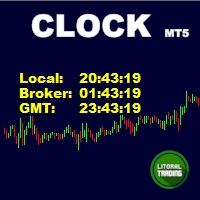
Simple indicator that draws the market hours on chart (broker, local and GMT). Functions: Horizontal distance - from border. Vertical distance - from border. Color - text color. Font - text font. Size - text size. Corner - which chart corner will be drawn. Show seconds - show or hide seconds. Draw as background - candles front or back. Label local - text before local time. Label broker - text before broker time. Label GMT - text before GMT time. Separator - separator between label and time Objec
FREE
A two-sided ATR grid for MetaTrader 5. Every grid lot is calculated from the basket's live drawdown, and every winning basket exits on a trailing stop. Six settings, nothing else to configure. MintyGrid keeps a basket of buys and a basket of sells open on the same symbol. When price moves against a basket, it adds a level one ATR step further away. The lot of each new level is worked out from the basket's drawdown at that moment, so that price coming back to the previous level brings the whole
FREE

Most liquidity indicators draw the lines. This one also checks whether price respects them. ICT Liquidity Levels Honest Stats draws the levels ICT traders watch: previous day high and low, previous week high and low, and the Asian range high and low. A table measures on your own chart how often price reached each level and how often it turned back there, next to random lines nearby. Free, part of the Honest Stats series. MT4 version | ICT Killzones Honest Stats (free) | ICT FVG Honest Stats (fre
FREE

ATTENTION: The Indicator cannot be backtested, as it is generated exclusively from live intraday calculations based on options flow.
GEX Level Converter – Gamma Exposure Mapping for CFD Charts NASDAQ-100 edition — for US100 · NDX · NAS100 · USTECH and every Nasdaq-100 CFD equivalent
Instantly see professional options-market levels directly on your MetaTrader Nasdaq-100 CFD chart. The GEX Level Converter translates the daily Gamma Exposure (GEX) zones of the NDX options market into precise pri

LIVE SIGNAL - TechnoTrader EA Showcase Index Cadence trades one instrument, the US tech index CFD, intraday and flat before the close: about 275 trades a year, 57.2% a year at a 16.9% worst equity drawdown on the default package, measured 2020 to 2026 on a 3000 USD account. This is not a holy grail and we will not sell it as one. It is one measured edge, executed with discipline, on prices that have already happened. That signal is a real account running this EA at factory defaults, alongside tw

The indicator works according to the Turtle system and classically assumes a time interval of 20 and 55 candles. A trend is monitored over a given time interval. Entry is made at the moment of breakdown of the support or resistance level. The exit signal is a price breakout in the opposite direction of the trend of the same time interval. Advantages:
Instruments: Currency pairs, stocks, commodities, indices, cryptocurrencies Timeframe: Classically D1, also suitable for working with any timefram
FREE

Pivot Points Standard Pro is a multi-timeframe pivot point indicator that automatically switches its calculation range based on the chart you're viewing, the near same auto-detection logic used by TradingView's Pivot Points Standard indicator once you've got your GMT + or - time zone with New York session start to end hours set, rebuilt natively for MetaTrader 5. Input notes:
-Refer to the Baby Pips Market Hours website page for your GMT + or - time zone and New York session start to end time
FREE

Gold VWAP Drift is a complete, self-contained trading system for XAUUSD , engineered around one of the most reliable structural relationships in intraday gold: the interaction between price, the session Volume-Weighted Average Price, and a dynamic trend filter. It does not chase breakouts and it does not guess tops or bottoms. It waits for the market to show its hand, then acts with precision. The system establishes a clear directional bias using a long-term trend filter, then engages only when
FREE

Artemis NAS100 ORB Edge EA MT5 A structured NAS100 Opening Range Breakout EA built to trade the London and New York opens with controlled execution, clear risk management, and professional on-chart visibility. NAS100 can move aggressively around the market open. Breakouts can be fast, spreads can widen, and false moves can reverse without warning. Artemis NAS100 ORB Edge EA is designed to approach those conditions with structure rather than prediction. The EA builds an opening range, monitors b

Kairos Crypto Portfolio is a MetaTrader 5 Expert Advisor built for cryptocurrency markets. It operates a portfolio of major crypto assets as a single system, instead of applying independent strategies to each asset. The system combines market regime detection, volatility analysis, portfolio exposure management, statistical trade filtering, and dynamic position management. Kairos assesses risk at the portfolio level. Exposure limits, correlation filters, and drawdown protections constrain the amo
This indicator is a technical tool based on harmonic approximations of solar and lunar cycles. It does not use exact astronomical positions. This indicator uses mathematical waves to approximate daily solar and monthly lunar cycles for trading purposes. It captures general market rhythms influenced by day/night and moon phases, but it does not track exact astronomical positions . Do your analysis and study on back test before purchase. The Advanced Astrological Indicator is a m

Minty Triangle is an Expert Advisor for MetaTrader 5 that looks for triangular arbitrage: short moments when the exchange rates of three currencies do not agree with each other. This strategy is all about speed. The price gaps it trades last only milliseconds, so the result depends on how fast your whole setup is: your hardware, your connection to the broker and, above all, how quickly your broker fills all three trades. The settings come second. On a slow setup it will not work, whatever the s
FREE

Session Levels is a free MetaTrader 5 indicator that draws the Asia, London and New York session boxes, the previous day and week high and low, and today's open. It alerts you when a closed bar breaks a level. It places no trades. It shows levels, not entries, and alerts use closed bars only. Standalone: everything is built in. You do not need to buy or install any other product named on this page. Quick start Attach it to an M1 to H4 chart. The session boxes and levels are drawn for the last 5
FREE

MarketTime - Professional Multi-Timezone Clock & Session Indicator Never Miss a Trading Session Again - Monitor Global Market Hours in Real-Time MarketTime is a professional-grade indicator that displays multiple time zones, live session countdowns, and visual trading session zones directly on your MetaTrader 5 charts. In forex trading, timing is everything - knowing when major financial centers are active and when sessions overlap can significantly impact your trading success. This comprehensiv
FREE

GTM Candle Timer shows how long the current candle has left — counted on your broker's server time , in a small panel you can drag anywhere on the chart. Everything it shows can be switched on and off from the panel itself, without opening the inputs dialog. It is free, it has no paid "full version", and every alert type — popup, sound and phone push — is included. Why another candle timer?
The most common complaints in candle-timer reviews are the same few: the colour cannot be change
FREE

Gold Pulse is a free gold indicator for MetaTrader 5 built only for XAUUSD. It puts on one panel the context a gold trader checks before every entry: a session clock for Tokyo, London and New York with a countdown to the next session, how much of the average daily range (ADR) today has already used up, ATR and the live spread, a trend bias on M15, H1 and H4, and auto-drawn key levels on the chart with their distance from price. A MACRO line reads the US dollar through the seven USD pairs and a r
FREE

Quant-X Gold Breakout Expert Advisor with ATR Risk Control for XAUUSD Gold Breakout is an Expert Advisor for XAUUSD that trades confirmed range breakouts. It measures a consolidation range on completed bars, waits for price to move beyond the range boundary, and manages every position with a stop loss defined at entry, an optional trailing stop and optional partial profit taking. There is no grid, no martingale and no averaging down. How the EA works Range detection The EA scans the last PivotL

Prior Day Breakout is an Expert Advisor for MetaTrader 5 that trades the previous-day high and low breakout on XAUEUR. It uses a fixed 0.01 lot and decides on closed bars. Two presets are included, for H1 and M15. This EA promises no profit. Every result below is a backtest on broker history, not live trading. The tests passed on gold only. Thirty-seven symbols were tested. Quick start Open an XAUEUR chart on H1 or M15 (a prefixed or suffixed name is fine). Attach the EA from the Navigator and k
FREE

EpsilonX — Multi-Symbol Decision Cockpit & Auto-Trader for MetaTrader 5 IMPORTANT! After the purchase please send me a private message to receive the installation manual and the setup instructions. Turn one chart into a full trading command center. EpsilonX scans dozens of symbols across every timeframe, reads Smart-Money structure and live order flow, grades each setup A+ to C, and lets you execute from a disciplined risk panel — with one click, or hands-free with a rule-based auto-trader that
FREE
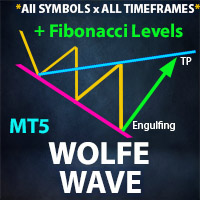
** All Symbols x All Timeframes scan just by pressing scanner button ** *** Contact me to send you instruction and add you in "Wolfe Wave Scanner group" for sharing or seeing experiences with other users. - Big Update: 2026/10/24
+ FREE Trading Utility MT5
Introduction: A Wolfe Wave is created with five-wave patterns in price. It shows supply and demand and a fight towards a balance price. T hese waves of price actions can help traders identify the boundaries of the trend . Also It h

SMC Toolbox puts the levels, candles, gaps, blocks and killzones you read on a chart into one indicator: previous day, week and month highs and lows with the month and year opens, higher timeframe candles with an approximate volume profile, fair value gaps and BPR, order blocks, breaker blocks and ICT killzones. Each layer is switched on or off with one button on a small floating panel.
Levels - Previous day, week and month highs and lows (PDH, PDL, PWH, PWL, PMH, PML), this month's open (MO)
FREE
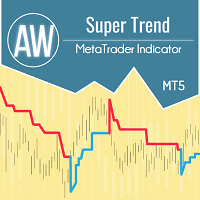
AW Super Trend -This is one of the most popular classic trend indicators. It has a simple setting, allows you to work not only with the trend, but also displays the stop loss level, which is calculated by this indicator. Benefits:
Instruments: Currency pairs , stocks, commodities, indices, cryptocurrencies. Timeframe: М15 and higher. Trading time: Around the clock. Shows the direction of the current trend. Calculates the stop loss. It can be used when working with trading. Three types of noti
FREE

Gold Breakout Sentinel is an Expert Advisor for MetaTrader 5 that trades XAUUSD on the H1 chart. It places pending stop orders at yesterday's high or low when a stochastic turn and a Bollinger Band filter agree. Every order has a fixed 0.01 lot and a fixed stop loss and take profit. The EA trades gold only. It is a rules-based daily breakout system, not a profit promise. My own tests found no proven edge. Quick start Enable Algo Trading and attach the EA to an XAUUSD H1 chart (XAUUSDm and XAUUSD
FREE

The primary function of this script, Tick Data Exporter , is to efficiently extract historical tick data. Tick data represents the most granular level of market data, capturing every single price change. The script downloads this data from a broker and formats it into CSV files for external quantitative analysis.
Five things tick data shows that bars permanently hide: Spread microstructure: Bars give you one spread number per period (typically the spread at bar close). Ticks show you the sprea

Gold Asia Open Drift is an intraday Expert Advisor for XAUUSD. It trades a short window in the early Asian session, holds at most one position, always uses a stop loss and closes the trade within the same session. Concept The Expert Advisor looks for a recurring behaviour of gold around the start of the Asian session. A daily trend filter decides whether a session is traded. Many sessions are skipped on purpose. It does not use martingale, grid, averaging, hedging or news trading. How it trades
FREE
TimeLeftCandle – Countdown Clock for Candles in MT5 Overview
TimeLeftCandle is an indicator for MetaTrader 5 that displays in real time the remaining time until the current chart candle closes. Its design is minimalist, clear, and movable, adapting to any type of chart and trading style. Ideal for traders who need to precisely track candle closing times and make timely decisions. Main Advantages Clear and precise display: A digital-style counter to know exactly how much time is left before the
FREE

See the market the way it actually moves - not the way the clock cuts it up Every standard chart - M1, M5, H1 - slices the market into equal time segments, regardless of what actually happened during that time. A quiet minute and a chaotic minute end up looking the same size. TickFlow Zones takes a different approach: instead of grouping price action by time, it groups it by activity. Each bar on the TickFlow Zones chart represents a fixed number of ticks, so the chart speeds up automatically wh
FREE

VWAP that resets when you want it to. Use a clean single VWAP line or enable up to 3 standard-deviation bands. Feel free to star rate after you've got everything set correctly! This indicator calculates a daily/session, weekly, or monthly VWAP using your chosen reset time and automatically starts a new VWAP calculation each day, week, or month at that time. Set the reset to the daily market open, a trading session open, or any custom time that fits your strategy. Features Daily/session, weekly,
FREE

Delta Volume Profile v3 — Institutional Footprint with a Clean Chart
Delta Volume Profile v3 is a professional volume profile indicator designed for Tape Reading, Order Flow, and Smart Money Concepts (SMC) traders, delivering high analytical precision without cluttering the screen.
Unlike traditional profiles that cover the candlesticks and hinder price action analysis, this version plots the profile fully aligned to the far right of the chart, ensuring a clean, elegant view without boxes
FREE

Hit&Run — Gold Strike Operations
Gold-only (XAUUSD) breakout EA with a hard stop-loss on every order. No grid, no martingale, no recovery lots, no more Quantum Queen style, no account blowing.
In fast. Out faster. Hit&Run is a gold-only breakout system built on one principle: every trade is a planned strike — armed in advance, protected from birth, and exited with speed. ONE MARKET. ONE MASTERY. Hit&Run trades one instrument: XAUUSD . Every default — entry buffer, stop distance, trailing arm,

See where Tokyo, London, New York and Sydney start and finish, right on your chart. Sessions Pro draws a clean box around each major trading session. Each box marks the session's high and low and is labelled, so you can see at a glance how every session behaved and where one handed off to the next. Boxes extend to the open of the next bar, so they line up with the next session without gaps, including across weekends and holidays. Input note : Refer to the BabyPips Forex Market Hours website page
FREE

Displays a digital clock or a countdown (until new bar) in the chart in realtime.
Benefits: Current time always in sight for market open/close, economic data, etc. Displays accurate time (server/broker time) Keep an eye on how much time is left until a new bar starts (countdown) Clearly visible (set color, size, font, position) Always runs/refreshes every second even without new price tick Hint: To display the most accurate time, use the server (broker) clock setting combined with the time (hou
FREE

Donchian Trend Engine Donchian Trend Engine is an institutional-grade dual-clock trend-following and channel breakout suite engineered for MetaTrader 5, combining Richard Donchian's breakthrough channels with the complete tactical rules of the legendary Turtle Trading experiment . The Two-Clock Architecture Unlike standard Donchian channel indicators that merely compute static highest highs and lowest lows, Donchian Trend Engine is built on a mathematically rigorous two-clock foundation : The P
FREE

GTM Sessions draws the Sydney, Tokyo, London and New York sessions and the ICT killzones on your chart, on your broker's server time . You do not have to type in a GMT offset, and daylight saving is handled for you. A small panel shows which session is open now, when the next one opens, and how today's range compares with the average. Everything can be switched on and off from the panel itself. It is free, it has no paid "full version", and every alert type (popup, sound and phone push) is inclu
FREE

AI Volatility Breakout Session Scalper trades the explosive move that often follows the opening minutes of a trading session. It measures the exact high/low range formed in the first few minutes after your chosen session opens, then scalps a breakout in either direction once price clears that range - with stop-loss and take-profit distances scaled dynamically to current market volatility (ATR), not fixed pip values. KEY FEATURES
- Define any session start time (server time) - London open, New Yo
FREE

ATLAS PORTFOLIO is a single Expert Advisor that manages a diversified trend-following portfolio across USDJPY, GBPJPY, EURJPY, BTCUSD and ETHUSD from one chart.
AT A GLANCE (MT5 backtest, 2019.01-2026.06, $10,000 — historical, not a live record)
- One EA, five markets: USDJPY, GBPJPY and EURJPY breakouts plus BTCUSD and ETHUSD trend legs
- Standard (default): Profit Factor 1.48 / equity drawdown 19.74% / 1,193 trades
- Recent real-tick check (2026.04-2026.07): Standard Profit Factor 1.11 / draw

How big is a normal Asia, London or New York session on this symbol, and how does today's compare? Session Ranges answers from the symbol's own history: the typical and big size of each session, today's size so far as a multiple of normal, and a box around every session of the last days, tinted quiet, normal or big. Free, clear, and checked against a separate implementation. What it does Session Ranges draws a box around each Asia, London and New York session on the recent days, from the session
FREE

** All Symbols x All Time frames scan just by pressing scanner button ** *** Contact me to send you instruction and add you in "Harmonic Scanner group" for sharing or seeing experiences with other users. - Big Update: 2026/10/24 + FREE Trading Utility MT5 Introduction Harmonic Patterns are best used to predict turning point. Harmonic Patterns give you high win rate and high opportunities for trade in during one day. This indicator detects the best and successful patterns based on Harmonic Tra

CYCLE CLOCK PRO - Market Cycle Indicator for MT5
Know WHEN the next turn is due - not just where.
Cycle Clock Pro finds the market's current rhythm automatically and shows the time windows where the next high and low are most likely to form. When price turns inside a window, you get a clear BUY or SELL signal.
WHO IS IT FOR - Scalpers and day traders who want better timing. - Traders who want to add a timing layer to their own method.
MAIN FEATURES - Automatic cycle detection on any symbol
FREE

UT Bot MTF is an ATR trailing stop and the flip signals it produces. The stop follows price at a distance of a chosen multiple of ATR, ratchets in the direction of the move and never gives ground back. When price closes through it, the stop flips to the other side and the indicator marks a BUY or a SELL. That is the whole engine, and it is deliberately simple. What this product adds around it is the part that decides whether you can actually use it: four independent filters, an honest account of
FREE

XAU DARK HORIZON SCALP AI — LAUNCH ACCESS A focused XAUUSD decision dashboard for traders who want market context—not another chart full of unexplained arrows. FIRST 3 BUYERS: $43 FIRST 3 BUYERS $43 NEXT PRICE TIER $55 THIRD PRICE TIER $69 FINAL LAUNCH TIER $105 PLANNED STANDARD PRICE $249 Launch pricing moves forward: when the first three copies at $43 are gone, the product moves to the next listed tier. Completed tiers are not planned to reopen. XAU DARK HORIZON SCALP AI GOLD MARKET DECISIO

Giano Session Range Breakout Automatically marks the session range and shows its first confirmed breakout on XAUUSD M15. Use it to review a fixed daily setup without drawing the session high and low manually. This free research release provides visual references for manual analysis. What you see on the chart Teal line: the highest price of the measurement session. Orange line: the lowest price of the measurement session. Green or red arrow: the first confirmed upward or downward breakout, marke
FREE

BrioQuant Day and Week Separators draws clean daily separators with weekday labels, emphasises the first trading day of each week, and marks bank holidays from the MT5 economic calendar - filtered to your symbol's currencies by default, so the chart shows the holidays that matter to what you trade. Features: - Daily separators with weekday name labels; weekends skipped automatically - Week-start line in its own colour and weight, so Mondays stand out at a glance - Bank-holiday markers from the b
FREE

See Asia, London and New York as real high-low boxes, with optional fills and opening-window overlays.
BrioQuant Trading Sessions draws Asia, London and New York as boxes fitted to each session's actual high and low. Choose broker time or GMT with automatic broker-offset handling, then add optional fills, labels and opening-window boxes.
Features: - Boxes hug each session's real range, not arbitrary full-height bands - Optional background fills, auto-tinted from your session colours - Optional
FREE

Mr_Luky_NQ_V1 is an Expert Advisor for MetaTrader 5 designed for Nasdaq trading. It analyzes price structure using an internal fractal-based calculation and confirms direction with the Stochastic oscillator. It considers an entry only when both readings agree. The analysis runs once a day at a configurable time based on the broker’s server clock. Take Profit and Stop Loss are set as monetary amounts. Users can also adjust the trading volume, the maximum daily loss, and an equity drawdown limit t
FREE

======================================================== OFX DASHBOARD — MQL5 MARKET PRODUCT DESCRIPTION (formatting notes: **bold** = editor Bold button; lines starting with "•" = bullet-list button; UPPERCASE lines = section headings) ========================================================
SHORT TITLE (product name field): OFX Dashboard — All-Engine OrderFlow Cockpit for XAUUSD (Gold)
------------------------------------------------------- OVERVIEW --------------------------------------
FREE
Session Sync MT5 displays the Tokyo, London, New York and Sydney trading sessions directly on your chart.
Each session uses its own regional daylight-saving rules and is converted to your broker's server time. The active broker time model is shown on the chart, so you can see exactly what the indicator is using.
What you get
• Tokyo, London, New York and Sydney session boxes • Session High/Low calculated from M1 data, independent of chart timeframe • Historical sessions loaded automatically
FREE

SX Sessions draws the Asia, London and New York sessions as clean boxes on your chart, with the daily open and the high and low of the previous day. The session times follow the clock changes in summer and winter by themselves, so the boxes stay in the right place all year.
What you get: - Asia, London and New York boxes from the session high to the session low, with a light fill and the session name - The running session is drawn with a dashed border and grows with the price - Asia: its size
FREE

How much room is left before a funded-account challenge's loss limit? Prop Floor Monitor shows it on the chart at a glance: the daily-loss floor, the maximum-loss floor, which one is closer, and the price at which this symbol's open position would reach it. The daily reset follows the time zone you choose, with its daylight saving: the reset moment was checked against the IANA time zone database at 18,688 moments from 2024 to 2027, including every clock change, with no difference. Every number i
FREE

GGT Index Reversion — a published dip-buying rule for US500 / USTEC (free beta) What it does Once a day, two minutes before the New York stock market closes (16:00 New York), it looks at the S&P 500 or Nasdaq 100 CFD. BUY when the 2-period RSI is below 5 and the price is above its 200-day average: a sharp short-term dip inside an uptrend. SELL at the first close above the 5-day average. A trade lasts about 3 trading days on average; most of the time the EA is out of the market. Long only. One po
FREE

Multi-Strategy Expert Advisor Based on a Deep Neural Network Trading Instrument: EURUSD. It is not recommended to run on other instruments — the network was trained strictly for this pair. Trading Timeframe: Attach the EA to M15 (H4 will also be used for the neural network). Brokers are recommended: with GMT time offset: +2 winter, +3 summer, as the neural network was trained on this offset. Deposit: Depends on the Risk parameter and account type. (For example, it can work with $5 if it is on a

Candle Timer Sessions answers three questions at a glance: how long until this candle closes, which markets are open right now, and how much the price has already moved today. Candle countdown that does not freeze Refreshed by a timer, so it keeps counting when no tick arrives Next to the price and in the panel; turns amber in the last seconds Optional alert a few seconds before the close (once per candle) Shows "market closed" during weekends and breaks instead of a wrong time Works on every ti
FREE

clock, Server Time, Local Time, MT5 Clock, Clock Indicator, Digital Clock
DualClockPro - Local and Server Clock for MetaTrader 5 DualClockPro is a visual clock indicator for MetaTrader 5 that displays local computer time and trading server time directly on the chart. It also supports displaying the corresponding dates, helping traders monitor time differences between their local environment and the broker's server. The panel has a compact design and customizable settings, allowing users to ada
FREE
The MetaTrader Market offers a convenient and secure venue to buy applications for the MetaTrader platform. Download free demo versions of Expert Advisors and indicators right from your terminal for testing in the Strategy Tester.
Test applications in different modes to monitor the performance and make a payment for the product you want using the MQL5.community Payment System.

You are missing trading opportunities:
- Free trading apps
- Over 8,000 signals for copying
- Economic news for exploring financial markets
Registration
Log in
You agree to website policy and terms of use
If you do not have an account, please register