 MetaTrader 5
 Experts
 Indicators
 Libraries
 Utilities
 Widgets
 Rules
Rules
Watch the Market tutorial videos on YouTube
How to buy а trading robot or an indicator
Run your EA on
virtual hosting
virtual hosting
Test аn indicator/trading robot before buying
Want to earn in the Market?
How to present a product for a sell-through
Expert Advisors and Indicators for MetaTrader 5 - 148
 Use trading robots and indicators to make Forex trading more profitable. Trading robots allow you to automate opening and closing deals, while indicators help you predict market behavior more accurately.
The page features the catalog of MetaTrader 5 applications.
Use trading robots and indicators to make Forex trading more profitable. Trading robots allow you to automate opening and closing deals, while indicators help you predict market behavior more accurately.
The page features the catalog of MetaTrader 5 applications. 
The indicator ColorCandlesDaily draw candles with different colors depending on the day of the week.
FREE

One-Click Trade Manager for MetaTrader 5 The Close Manager Buttons EA is a powerful utility designed to give you full control of your open positions and pending orders with just one click.
Forget about manually closing trades one by one during fast market moves—this EA does it instantly, safely, and efficiently. Key Features Close All Trades – instantly close every open position Close Only Buy Trades – exit only BUY positions while keeping SELL trades running Close Only Sell Trades – exit only
FREE

All in one Multipurpose Telegram Trade Management , Manage and Copy Trades on the go From Telegram Pro Version MT5: www.mql5.com/en/market/product/95742 Pro Version MT4: www.mql5.com/en/market/product/85691
Execute Trades on mobile with fast execution When away from desktop MT5, or scalping the market with mobile device, or needed to copy trades from telegram groups while away, or doing some other activities, Telegram EA Manager is an effective tool to perform any trade operation with swift
FREE
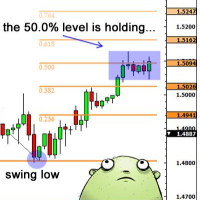
Necessary for traders: tools and indicators Waves automatically calculate indicators, channel trend trading Perfect trend-wave automatic calculation channel calculation , MT4 Perfect trend-wave automatic calculation channel calculation , MT5 Local Trading copying Easy And Fast Copy , MT4 Easy And Fast Copy , MT5 Local Trading copying For DEMO Easy And Fast Copy , MT4 DEMO Easy And Fast Copy , MT5 DEMO Fibo: from KTrade 1. Automatically calculate and analyze the band. -> Get the desired band 2.
FREE

คำอธิบายอินดิเคเตอร์ Ichimoku Future Cloud Focus PRO – รุ่นโซนรายการ อินดิเคเตอร์นี้พัฒนาจาก Ichimoku ปกติ แต่เพิ่ม "โซนเข้าออเดอร์ (Entry Zone)" + "การมอง Cloud ล่วงหน้า" เพื่อให้ตัดสินใจง่ายขึ้น โครงสร้างหลัก 1. Tenkan (เส้นฟ้า) เส้นเร็ว → บอกโมเมนตัมสั้น ใช้ดูจังหวะ “เริ่มขยับ” 2. Kijun (เส้นทอง) เส้นหลัก → แนวโน้มจริง ใช้เป็น “ฐานเข้าออเดอร์ / รีเทส” 3. Future Cloud (เมฆล่วงหน้า) สีเขียว = แนวโน้มขึ้น สีแดง = แนวโน้มลง ใช้ดู “อนาคตของเทรนด์” (ล่วงหน้า 26 แท่ง) จุดขายหลักของตัวนี้คือ
FREE

KTA Candle Timer | Art of Kushal Trading Academy
Never Miss a Candle Close Again!
KTA Candle Timer is a simple, lightweight, and essential tool for every professional trader. It shows the exact time remaining for the current candle to close on your MT5 chart. Perfect for traders who trade on Supply & Demand, Support & Resistance, and Price Action.
Knowing the candle time helps you avoid false entries and take perfect entries at the right time.
KEY FEATURES
- Accurate Countdown: Shows e
FREE
ForexRubyEA is a fully automated trading system designed to simplify your trading. Using forexruby Custome Indicator.
It manages trades with smart logic, risk control, and built-in protection features — all without requiring constant monitoring. Download EA for this indicator: forexrubyaibot DM: https://www.mql5.com/en/users/forexruby/
Key Features Plug & Play – Easy setup, works out of the box. Automated Trading – Places, manages, and closes trades automatically. Risk Management –
FREE

Description Overview : Session Sentinel Pro is a lightweight, chart-based indicator that watches your account equity live and presents a clear view of daily trading performance. It provides closed and floating P&L, session and per-day maximum drawdown, symbol-level breakdowns, and automatically persists daily summaries to the MT5 Files folder so you can review recent performance across days.
Why it helps : The indicator helps traders stay disciplined by clearly showing intraday performance, max
FREE

LogVar is an indicator that calculates and displays the logarithmic price variation , a more accurate way to measure percentage changes between periods. It compares the current closing price with the closing price n periods ago (defined by iPeriod ) and presents the result on an amplified logarithmic scale, making it easier to visualize the strength and direction of movement. The line is automatically colored according to the variation sign: Green: current price above the reference (uptrend). R
FREE

FREE! MT5 Trading Manager EA PRO / MT5 Trading Assistant EA PRO: Empowering Traders for Success! Are you ready to revolutionize your MetaTrader 5 trading experience? Our comprehensive trading assistant is meticulously crafted for efficiency, precision, and overall trading prowess. Discover what sets MT5 Trading Assistant EA PRO apart: Key Features: 1. Create Order Tab: Effortless trade execution: Seamlessly place market, pending, or stop orders with our user-friendly interface. Real-time market
FREE

Multi-timeframe trend indicator, based on the ADX / ADXWilder indicator The indicator shows trend areas using ADX or ADXWilder indicator data from multiple timeframes. The impulse mode of the indicator allows you to catch the beginning of a trend, and several "Screens" with different timeframes allow you to filter out market noise.
How the indicator works: if PDI is greater than NDI, then it`s bullish movement; if PDI is less than NDI, then it`s bearish movement; to determine any trend, it is
FREE

ClickDesk Trader is a fast, manual trade-management desk for MetaTrader 5. Open, close and protect your trades in one click — or with keyboard hotkeys — while a clean HUD keeps your P&L, risk and market pressure in view. It does not decide for you; you stay in full control.
One-click desk & hotkeys - Buy / Sell, Close All, Close Buys, Close Sells — buttons and hotkeys (B, S, C, Q, W). - Lot stepping on the fly (L / K) with a hard lot cap.
Glowing toggle tools (press again to undo) - SL/T
FREE

The MWC COX indicator shows the extreme zones of net short/long positions of the Commitments of Traders Report released by the CFTC once a week for four periods of time. Default settings are periods of 12, 26, 52 and 156 weeks.
Additional Features Displays the sum of all 4 periods in one line MA, MOM and RSI indicators are integrated ( not in the MQL5 Version 1.0 ) Please make sure that you download the MWC_Demo.zip file and unpack it into [...]/MQL5/Files folder. -> www.myweeklycot.com/t
FREE

TREND SCANNER Stay With the Trend. Trade With Confidence. Trend Scanner analyzes the market to determine trend direction and strength using a combination of technical indicators. The system combines EMA 150/365, EMA 9/21, RSI, MA to confirm market direction and filter out weak or sideways conditions. Key Features: Bullish and bearish trend detection; EMA 150/365 and EMA 9/21 analysis; RSI confirmation; MACD momentum analysis; ️ ADX ranging-market filter; Trend strength measur
FREE
Bohr Breakout Scalper: Adaptive Wave Trading Tool for Automated Markets Designed for traders seeking a dynamic approach to navigating price fluctuations, Bohr Breakout Scalper integrates multiple market-proven wave trading methodologies into a cohesive, adaptive system. It operates as a strategy integrator rather than a simple order executor, leveraging precision algorithms to identify favorable trading points amid market volatility—without relying on rigid, one-size-fits-all rules. Signal:
MT

See Your Key Trading Measurements at a Glance Smart Pips Meter is a free utility that displays important market measurements directly on your chart—so you can make faster trading decisions without manually calculating pip distances. WHAT IT SHOWS ADR (Average Daily Range)
See the current ADR pip value directly on your chart. Current Candle Size
Instantly see the size of the current candle in pips. Previous Candle Size
Quickly check the size of the last completed candle.
FREE
Mystic Pulse V2.0 is a trend-strength indicator built on the Directional Movement System (DI+ / DI−). It counts how many consecutive candles show increasing bullish or bearish momentum. Rising DI+ builds a Positive Count (uptrend pressure), while rising DI− builds a Negative Count (downtrend pressure). These counts reset when momentum weakens, giving a clear visual view of trend persistence and potential reversals. This MQL5 version is a conversion of the original TradingView script by chervolin
FREE

MT4/5通用交易库( 一份代码通用4和5 ) #import "K Trade Lib5.ex5" //简单开单 long OrderOpen( int type, double volume, int magic, string symbol= "" , string comment= "" , double opprice= 0 , double sl= 0 , double tp= 0 , int expiration= 0 , bool slsetmode= false , bool tpsetmode= false ); //复杂开单 void SetMagic( int magic, int magic_plus= 0 ); void SetLotsAddMode(int mode=0,double lotsadd=0); long OrderOpenAdvance( int mode, int type, double volume, int step, int magic, string symbol= "" , string comm
FREE

RealCost Gold Session Zones MT5 is an entry-level session map utility for gold traders using MetaTrader 5. It draws Asia, London and New York session zones on the chart and shows a compact live dashboard for current-session context.
The utility is designed for visual market timing, manual preparation and quick broker-condition checks. It does not trade, does not open or close positions, and does not provide buy or sell signals.
Main features: - Asia, London and New York session zones. - Config
FREE

SmartGuard Trading Journal helps MetaTrader 5 traders build an automatic local trading journal without manual input, external servers or trading actions.
The utility records account snapshots, risk metrics, open positions, pending orders, deal history and real-time trade transactions into local CSV files. These records help traders review equity changes, margin pressure, floating exposure, broker costs and real trading behavior over time.
SmartGuard Trading Journal does not open, close or modi
FREE

This indicator, the Phoenix Projection v1, is designed as a High-Visibility Price Action Terminal. It transforms the standard chart into a specialized trading environment by combining automated pattern recognition with a bespoke, high-contrast control interface. By serving as a Prime Execution Assistant, it bridges the gap between raw data analysis and active trade management. Core Functionality Automated Engulfing Detection: It scans every candle in real-time to identify Bullish and Bearish En
FREE
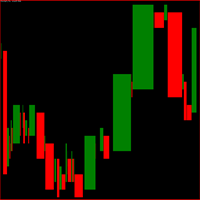
Indicador gerado a partir do tempo e da força da compra e da venda.
Quanto maior o número do parâmetro spread menos entradas será padrões pode-se ver, use para menos trades, ideal para não tomar muitos stops.
Quanto menor o número do parâmetro spread mais entradas com padrões, use para fazer scalp, operações curtas, maior probabilidade de stops. Observe o gráfico pelos menos uma semana antes de iniciar as operações. Quando começar faça somente uma operação por dia durante uma semana. vá aument
FREE

The Volume Weighted ATR indicator is a helpful tool for measuring market activity. It is based on the idea of the Volume-Weighted ATR. Combining these two elements helps identify potential turning points or breakout opportunities. The indicator for the classification of the activity of the market uses the moving average and its multiples. Accordingly, where the VWATR bar is located (relative to the moving average), it is labelled as ultra-low, low, average, high, very high or ultra high. The Vo
FREE

Nexora EA Monitoring System — Free Remote Position Monitor for MetaTrader 5 (VPS-Friendly) Nexora Monitor is a free, read-only MetaTrader 5 indicator that displays a live dashboard of your open positions — designed for traders who run an Expert Advisor on a VPS and want to check its status from a separate MT5 desktop terminal without remoting into the VPS itself.
Attach it to a chart on any MT5 desktop terminal (Windows or Mac) logged into the same trading account and it reconstructs a clear s
FREE

Cockpit v2.0 — Trading Dashboard for Scalpers See Everything. Chase Nothing. Cockpit is a real-time dashboard that watches up to 8 pairs simultaneously and tells you which ones are worth your attention right now. It ranks pairs by momentum, flags move quality, spots sweet spot entries, tracks your exposure, monitors your fatigue, and counts your session — all in one compact panel that lives on your chart. No signals to blindly follow. No arrows telling you when to click buy. Just clean, accurate
FREE

NewsOnChart is the ultimate MetaTrader 5 indicator that integrates a sleek, lightweight, and fully interactive economic calendar right onto your trading screen. Key Features 1-Click Interactive Dashboard: Instantly switch between major currencies (USD, EUR, GBP, JPY, AUD, CAD, CHF, NZD) with a simple click on the on-screen buttons—no need to open the indicator settings. Smart Auto-Detection: The moment you drop the indicator onto a chart, it automatically recognizes the base currency (e.g., EUR
FREE

TrendLinesFromFiboAndTrend2 — Proyección Dinámica de Tendencias en Niveles Fibonacci Descripción general: TrendLinesFromFiboAndTrend2 es una herramienta para MetaTrader 5 diseñada para clonar el ángulo y la velocidad de una línea de tendencia existente y proyectarla automáticamente a través de todos los niveles clave (retrocesos y extensiones) de un objeto Fibonacci dibujado en el gráfico. Ventajas principales: Proyección geométrica exacta: Mantiene la inclinación y duración exacta de la línea d
FREE

Gold Precision Execution Panel V5.3 The Ultimate Risk-Controlled Trading Dashboard for XAUUSD Gold Precision Execution Panel is a professional-grade trading tool specifically engineered for gold traders who prioritize speed, accuracy, and rigorous risk management. In the fast-moving XAUUSD market, one mistake can be costly; this panel eliminates human error by automating complex lot calculations and providing a clear visual preview of every trade before execution. Key Features Fixed Risk Managem
FREE

PropCorrelation shows whether your open positions are really different trades. Three index shorts feel like three trades; most days they are one bet, sized three times. The panel puts the number on your chart: the correlation between every pair of open positions, signed by direction, next to the money each of them risks to its stop. Free. Setup takes a minute: attach it to one chart, and the matrix appears for whatever is open on the account. No inputs are required to start. Try it first
It is
FREE

Tired of adjusting the indicator settings losing precious time? Tired of the uncertainty regarding their efficiency? Afraid of the uncertainty in their profitability? Then the indicator ACI (automatically calibrateable indicator) is designed exactly for you. Launching it, you can easily solve these three issues just performing the simplest action: clicking a single Calibrate button. To achieve the highest efficiency, you should perform another additional action: move the power slider to the maxi
FREE

Fast actions when every second counts This trading panel was originally designed for working with custom user charts , including seconds-based timeframes.
It correctly detects the real trading symbol behind a custom chart and executes trades on that symbol directly — without manual symbol binding or additional steps. The panel solves one simple task:
to reduce the distance between decision and execution. No extra windows, confirmations, or constant switching. Fast market entry The panel provides
FREE

APT – Advance Pivot Trader Indicator for MetaTrader 5 APT – Advance Pivot Trader is a technical indicator developed for MetaTrader 5.
The indicator is based entirely on mathematical and algorithmic calculations and is designed to analyze market structure using pivot-based logic. Professional Trading Tools for Every Trader: https://www.mql5.com/en/users/royalcrescent777/seller
Join our Community & Signal channels: https://www.mql5.com/en/channels/xauusd-signal Timeframe and Risk Guidance The in
FREE

[Product Overview] Transform RSI into a Precision Trend-Following Weapon Are you tired of traditional RSI indicators generating premature "Overbought/Oversold" reversal signals during strong trends, causing you to trade against the flow and incur losses? 。 signals in trending markets. The core philosophy of this system is: "Follow the Trend, Trade the Pullback, Snipe the Entry." It focuses on finding high-probability pullback entries only when the trend is clear and momentum is stro
FREE

DONCHIAN CHANNEL DC It is a trend indicator developed by “Richard Donchian”, consisting of 3 layers, the upper channel, the lower channel and the middle channel. It is created on the Donchian Channel by plotting the highest and lowest prices reached in the past period on the price chart. It is also used to measure the volatility of the market, as it is an expanding/contracting channel according to the increase/decrease of price volatility. Method 0; Donchian channel indicator drawing. BUY/SELL S
FREE

Description This is a utility tool for MT5, and it displays some useful information on charts for discretionary trading. Some of the information obtained by using indicators that are standardly installed by MT5 or by manual calculation is displayed on the chart from the beginning.
Benefits of the This Is Something Useful MT5 The minimum necessary information that needs to be confirmed in discretionary trading can be displayed on the chart at any time. By using this tool, you can quickly access
FREE
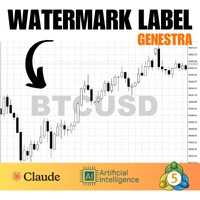
This indicator creates a watermark with the asset symbol (e.g., BTCUSD) in the center of the MetaTrader 5 chart. The text is displayed in Arial Black sans-serif font, with customizable size, color, and opacity through indicator settings. The watermark stays centered both horizontally and vertically on the chart, remaining behind candles and other elements to avoid interfering with visualization. By default, it uses light gray color with 30% opacity, creating a subtle effect that helps quickly id
FREE

批量止損止盈同步管理器 這是一款專為 MT5 多持倉交易者 設計的持倉管理工具。 當同一個商品、同一個方向同時有多張持倉時,只需要手動修改其中一張持倉的 Stop Loss(SL)或 Take Profit(TP) ,工具就會自動把該持倉目前完整的 SL / TP,同步到其他相同商品、相同方向的持倉。 例如: XAUUSD BUY #1 XAUUSD BUY #2 XAUUSD BUY #3 如果將 #1 修改為: SL = 3300 TP = 3500 其他 XAUUSD BUY 持倉會自動同步成相同設定。 主要功能 批量同步 Stop Loss 批量同步 Take Profit 可同時同步 SL + TP 支援將 SL 或 TP 設為 0,批量移除 BUY 與 SELL 分開管理 不同商品分開管理 新開持倉不會立即觸發整批同步 啟動時只記錄現有持倉,不會自動修改 平倉後自動移除內部紀錄 一個圖表即可管理帳戶中的多個商品 分組方式 工具以: 商品 + 交易方向 作為同步群組。 例如: XAUUSD BUY XAUUSD SELL EURUSD BUY EURUSD SELL 全部視
FREE

Dear friends, I present to you my TradeFields EA adapted for Forex, modeling is based on machine learning using averaging and grid trading. The EA is a fully automatic light version and it is intended for trading in a single currency mode with a fixed micro lot and has only trading session intervals for all days of the week as external settings. You can find professional versions of advisors with many settings and many additional functions at the following links: https://www.mql5.com/r
FREE
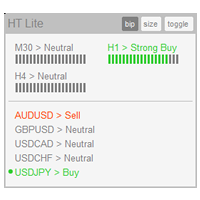
The indicator High Trend Lite monitors 5 symbols in up to 3 timeframes simultaneously and calculates the strength of their signals. The indicator notifies you when a signal is the same in different timeframes. The indicator can do this from just one chart. Therefore, High Trend Lite is a multicurrency and multitimeframe indicator. With the High Trend Pro , available at this link , you will have an unlimited number of symbols, 4 timeframes, a colourful chart of the primary MACD indicator, several
FREE
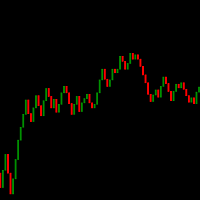
Candle de Volume Coiote O Candle de Volume Coiote é um indicador que mede a variação do volume no tempo, seu corpo é pela variação do volume anterior pelo volume atual, sua direção pelo fechamento do preço.
1. identificado um topo no indicador Candle de Volume Coiote (marcado o fechamento do preço).
2. identificado um fundo no indicador Candle de Volume Coiote (marcado o fechamento do preço).
3. fundo 3 igual fundo 2 no indicador Candle de Volume Coiote, preço no 3 é diferente de fundo 2.
P
FREE

NIVELESFIBONACCI2.12 — Órdenes Pendientes sobre Niveles Fibonacci Personalizados Este script para MetaTrader 5 permite colocar automáticamente órdenes pendientes de compra o venta utilizando como referencia los niveles Fibonacci horizontales previamente dibujados en el gráfico. El script está diseñado para funcionar conjuntamente con NIVELESFIBONACCI1.1 , aunque puede utilizar cualquier conjunto de líneas horizontales que siga la misma estructura de nombres mediante el prefijo configurado. La pr
FREE

NINJA MT5 DOCTOR OVERVIEW NINJA MT5 Doctor is a free, non-trading MT5 environment-diagnostic utility that captures a one-time snapshot of the terminal, account, open charts, selected history and current host-chart symbol. It is an Expert Advisor-format utility, not a trading EA and not an indicator. The panel and input names are in English. WHAT IT CHECKS It reviews broker-server connection, terminal and account trading permissions, Doctor's own permission, trade mode and published sessions, quo
FREE
Close all open orders, delete all pending orders, and clear the entire account's orders. Please use caution! After clicking the button, the account order will be 0! Help us quickly clear account orders! As it is a free version, only the function of closing all orders is available. If other functions are needed, customization is required! The paid version has more features!
FREE

VPOB Smart Order Block Alert MT5
VPOB Smart Order Block Alert MT5 is an Order Block detection and alert system designed for MetaTrader 5.
The system automatically analyzes price structure, detects Bullish and Bearish Order Blocks, evaluates Volume Profile information and POC, and provides a Quality Score to help traders identify important price zones.
MAIN FEATURES
• Automatic Bullish Order Block detection • Automatic Bearish Order Block detection • Volume Profile analysis • Point of Contro
FREE

Kito Session Range Projection is a MetaTrader 5 indicator for traders who organize intraday analysis around the Asia, London and New York trading sessions.
The indicator draws each configured session as a broker-time range, tracks the high, low and midpoint, and extends symmetric projection levels above and below the range. It also compares the session range with the average daily range calculated from 20 completed daily candles.
The indicator is designed for chart analysis. It does not open,
FREE

Phoenix Vision v2.1: Professional Description Phoenix Vision is a high-performance Heads-Up Display (HUD) and Algorithmic Pattern Scanner for MetaTrader 5. It is engineered to condense complex price action into a single, draggable command centre, providing traders with an "X-ray" view of market sentiment. Key User Benefits Draggable Intelligence: The HUD can be moved anywhere, ensuring your main price action area remains clear while keeping vital data in sight. Automated Pattern Detection: Scan
FREE

RSI Divergence Lite (Free) - MT5 Indicator ------------------------------------------------- This is the Lite (free) version of RSI Divergence.
- Detects basic Bullish and Bearish divergence between price and RSI - Works only on M15 timeframe - No divergence lines, no alerts - Fixed internal settings (RSI 14, pivot sensitivity, thresholds) - For educational and testing purposes
For the full PRO version (multi-timeframe, alerts, divergence lines, advanced UI), please upgrade to RSI Divergence
FREE
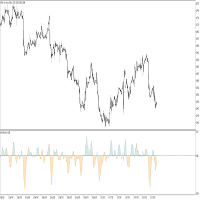
This indicator idea comes from Tushar Chande called Qstick.
Technical indicators quantify trend direction and strength in different ways.
One way is to use the difference between close and open for each bar and to sum it up over a period of time.
The formual is:
Qstick (period ) = Average ((close-open ), period )
In this indicator, we can choose how to calculate body by two famous chart types. The first and default indicator settings are based on Heiken Ashi chart, and the second is based
FREE

candlestick time it a useful indicator ,it help to keep you alert with the candlestick time ,how far to be completed at the chosen period , it help to keep you patience which is a biggest thing that holds trades down ,try it to improve you way of trading. it work on any broker any time frame and any symbol. you can customize the color on input. it can work on multiple timeframe. Thank you !
FREE

Bullish Consecutive Signal — Consecutive Bullish Candle Buy Signal with Alerts & P&L Simulation
Bullish Consecutive Signal automatically detects consecutive bullish candle patterns and marks high-probability buy entries directly on the chart. Each signal comes with an ATR-calculated Stop Loss and Take Profit level, drawn as reference lines so you can assess risk at a glance. A built-in P&L back-simulation lets you evaluate strategy performance without leaving the chart.
IMPORTANT — DEFAULT
FREE
Hey guys.
This indicator will show you, in the volume histogram, if the candle was a Doji, a bullish candle, or a bearish candle.
The construction of this indicator was requested by a trader who uses other indicators from my catalog, and I decided to release it free to help traders who think that the indicator can contribute to their operations.
The parameters are:
Volume Type: Real Volume or Tick Volume. Color if the candle is bearish: select the color. Color if the candle is high: select
FREE
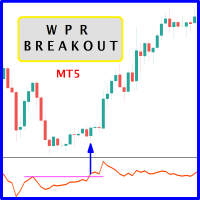
The likelihood of farther price movement increases when Larry Williams Percentage Range oscillator "WPR" breaks through its historical resistance levels in conjunction with prices breakout of resistance levels. It's strongly encouraged to confirm price breakout with oscillator breakout since they have comparable effects to price breaking support and resistance levels; similar perception is applied to short trades. Concept is based on find swing levels which based on number of bars by each side t
FREE
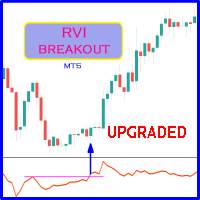
Probability emerges to record higher prices when RVi breaks out oscillator historical resistance level. It's strongly encouraged to confirm price breakout with oscillator breakout since they have comparable effects to price breaking support and resistance levels; surely, short trades will have the same perception. As advantage, a lot of times oscillator breakout precedes price breakout as early alert to upcoming event as illustrated by last screenshot. Furthermore, divergence is confirmed in
FREE

The CandleStick Scanner is a tool that allow you to perform a market scan and search any candlestick pattern that you already created in the current chart, You can perform a quick search in the current chart (500 bars will be scanned), This is a lite version of CandleStick Factory for MT5 . The full version video can be found here : https://www.youtube.com/watch?v=fq7pLXqVO94 The full version can be purchased here: https://www.mql5.com/en/market/product/75434
How it works You can
FREE
Media Móvel Grátis para uso em conjunto ao Diamond Indicator Atenção. Essa é a mm para conjugar ao indicador. Esse não é o indicador. Comprem o indicador que está tendo ótimos resultados. A seguir informações sobre o indicador: Indicador Para Opções Binarias. Usa dois gales. Instalar em mt5 Esse indicador é para ser usado no tempo de vela de 5 minutos e em M5. Este também funciona em M1, porém é mais eficiente em M5. Só descompactar e copiar os arquivos na pasta de dados do seu MT5. Arquivos
FREE

Grazia Adaptive Trend Channel Sync with the Market’s Pulse. The Ultimate Volatility-Adaptive Channel. "Limited time offer! Free" 【Recommended for traders who:】 Find that traditional fixed-width channels are easily broken and become useless. Struggle with "stop-loss hunting" due to an inability to adapt to changing volatility. Want to objectively visualize the current market’s "room to move." 【Product Overview】 "Fixed channels cannot keep up with a constantly changing market." Grazia Adaptive
FREE

RSI talking, use all your senses while trading!
The idea When trading your eyes might be very stressed. Therefore I programmed the RSItalking. Trade what you see and what you hear !
Function This indicator says "rsioverbought" when rsi is over a threshold value (default 75%) and "rsioversold" if it is under a lower threshold (default 25%). When you keep a long position be adviced to realize profit when the indicator tells you "rsioverbought" and vice versa. You will find an explanation of the
FREE

"Triple Performance" Trading Strategy Harness the market's full potential with this dynamic strategy! Main Benefits: Maximize profits by utilizing clear signals. Automatic position control with MACD. Easy customization with configurable RSI and CCI levels.
Works perfectly with EUR/CAD TIME FRAME 30 MINUTES.
Can be adapted for any requirement.
OFFER VALID UNTIL THE NEXT UPDATE
FOR ANY ISSUES, FEEL FREE TO CONTACT ME WITHOUT ANY OBLIGATION.
FREE

This indicator will help you track performance of your trades, even scalping trades. You can use it with the Arab, and many other traders.
This indicator displays essential trading account information directly on your chart. It positions itself in one of the four corners of the screen and showcases details such as: Symbol: The symbol of the asset currently displayed on the chart. Profit/Loss: The total profit or loss in dollars for the current symbol. Pips: The total number of pips gained or
FREE

Front Row Castlist Strategy Manager is a free utility for MetaTrader 5 that groups trading strategies by Magic Number. It brings strategy identity, historical performance, recent activity and saved management information into one overview. Castlist works independently and does not start or stop Expert Advisors, close positions or make trading decisions. Use the Castlist Quick Start Manual for installation and your first saved action. The Front Row User Guide 1.0 covers the Castlist, Spotlight an
FREE

Position Closer is advisor used to close all orders when the profit will cross specified value either above or below. You can close all orders with one button click.
On panel on chart you have options: Deactivate after close - If Deactivate after close is checked the advisor will disable Close above profit and Close below profit options after orders are closed either on crossing the profit or on hitting the CLOSE ALL button. Close above profit - If Close above profit is checked, the advisor wil
FREE
SMA-ATR-Visual Indicator
The SMA-ATR-Visual is a technical analysis indicator designed to assist traders in identifying market trends, measuring volatility, and visualizing potential entry signals on the chart. Main Components Simple Moving Averages (SMAs): The indicator plots two SMAs — a fast SMA (default 9-period) and a slow SMA (default 21-period) — to help detect short and medium term trend direction. ATR-Based Volatility Bands: Upper and lower bands are calculated using the Average True R
FREE

We at Minions Labs always like to defy the stablished systems and beliefs trying new things and new ways of seeing and interpreting the Market Data. And all starts with the following question...
WHAT IF...
You give more relevance and focus on the Wicks/Shadows on the candlesticks? And Why? In volatile markets wicks play an important role on determining who is winning the the fight between Bulls and Bears , and more than that, Higher and lower wicks can present you with a good status of the curr
FREE
RTS5PatternBTCPrice is an analytical tool for MetaTrader 5 that systematically searches for historical similarities in price action and evaluates how the market behaved after similar situations.
The indicator provides both visual and statistical information that can be used to support trading decisions. It compares the current price pattern, defined by a selected number of candles, with historical data.
The similarity results are displayed using a histogram with three categories: Good Match –
FREE

Investment Castle Engulfing — Never Miss an Engulfing Candle
Whether you scalp or trade the daily, bullish and bearish engulfing candles are some of the most reliable signals — but spotting them across timeframes is tedious and easy to miss. This indicator finds them for you, including an engulfing candle forming on a higher timeframe while you trade a lower one.
What it does for you Automatic engulfing detection: bullish and bearish engulfing candles are flagged for you. Multi-timeframe aware
FREE

Friends, join us!
Ask questions and connect with like-minded traders: MetaCOT Public Group
MetaCOT Information Channel: news, CFTC reports, and signals: MetaCOT Channel
Here’s to successful trading and new profitable signals for us all! Attention! Recently, certain countries have been blocking access to the cftc.gov website. As a result, users in these countries are giving the product low ratings. MetaCOT has always adhered to the highest quality standards and is in no way associated with th
FREE

CLC Smart Gold V2.00 – Precision Gold Trading System CLC Smart Gold V2.00 is a sophisticated technical analysis tool specifically engineered for XAUUSD (Gold) . Built on a foundation of advanced price action algorithms and momentum filtering, Version 2.00 is designed to capture high-probability reversals and trend continuations in the volatile gold market. This indicator is ideal for both professional scalpers and day traders who require precision and reliability without the noise of traditional
FREE
Trendline Toolbox (MT5) Trendline Toolbox is a utility indicator for MetaTrader 5 that helps manage trendlines and common chart objects. It is a charting tool; it does not provide trading signals and does not guarantee any profit. Main functions Clone the selected trendline (keeps style, angle, and price levels). Toggle the Extend/Ray property for the selected trendline. Delete the selected trendline. Purge all objects on the current chart. Draggable panel: double-click the hand icon and drag t
FREE

A lot of FX volume goes through a few benchmark fixes. Corporate and fund orders are filled at those prices every day, and on some days the orders are much bigger. Forex Fix Clock shows when each fix happens in your broker's server time. On a typical broker clock the London 4pm fix is at 18:00 for most of the year and at 19:00 for a few weeks each spring and autumn, and the Tokyo fix moves between 02:55 and 03:55. What it shows A small panel with the next Tokyo fix (09:55 Tokyo), Tokyo option cu
FREE
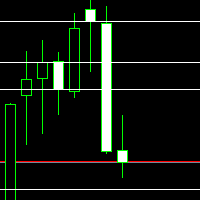
Daily Key Levels Indicator
Spot the market’s key price levels from the daily session at a glance!
This indicator automatically plots the important daily price levels , helping you quickly identify strategic zones for entries and exits. Features: Automatic display of important daily market levels. Fully customizable : Choose the number of levels to display. Set the line color to match your personal or chart style. Works on all instruments and all timeframes (Forex, indices, commodi
FREE
The MetaTrader Market is the best place to sell trading robots and technical indicators.
You only need to develop an application for the MetaTrader platform with an attractive design and a good description. We will explain you how to publish your product on the Market to offer it to millions of MetaTrader users.

You are missing trading opportunities:
- Free trading apps
- Over 8,000 signals for copying
- Economic news for exploring financial markets
Registration
Log in
You agree to website policy and terms of use
If you do not have an account, please register