Candle Scanner MT4
- Göstergeler
- Sürüm: 1.1
- Güncellendi: 18 Haziran 2023

* All Symbols x All Timeframes scan just by pressing scanner button **
Introduction:
Candles tell their story. When looking at a candle, it’s best viewed as a contest between buyers and sellers. Candlestick patterns are used to predict the future direction of price movement. Candlesticks are an easy way to understand the price action. You can use candlesticks to decide when to buy, or when to take your profits and sell.
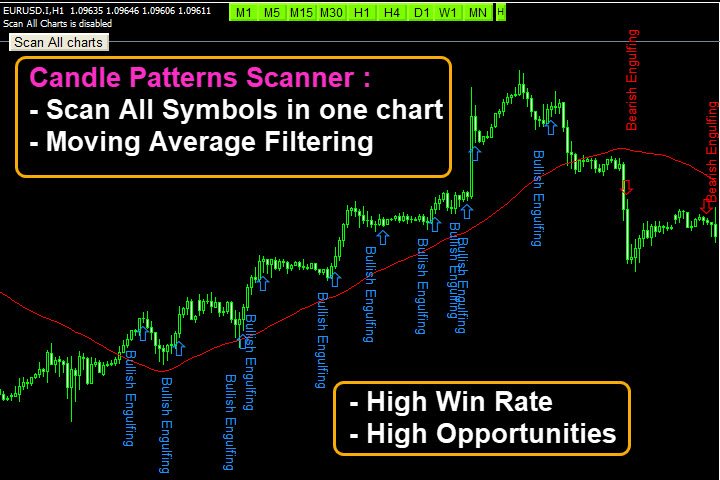
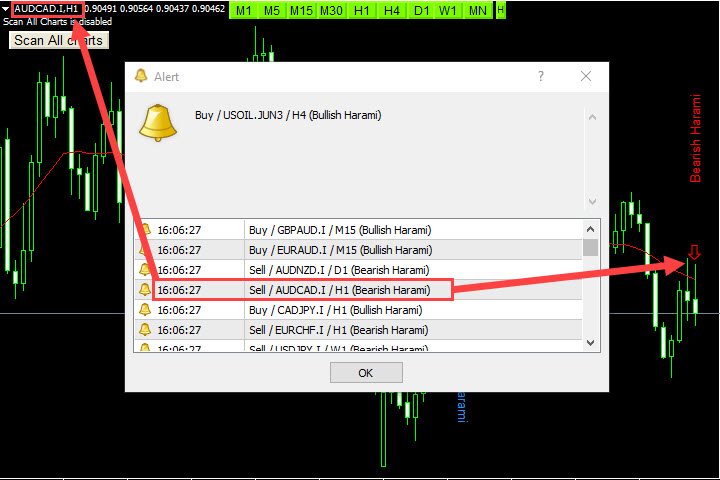
The candle Scanner indicator uses smart filtering and scans All charts just by pressing one click and finds immediately candlestick patterns with alarm and notification for easy trading.
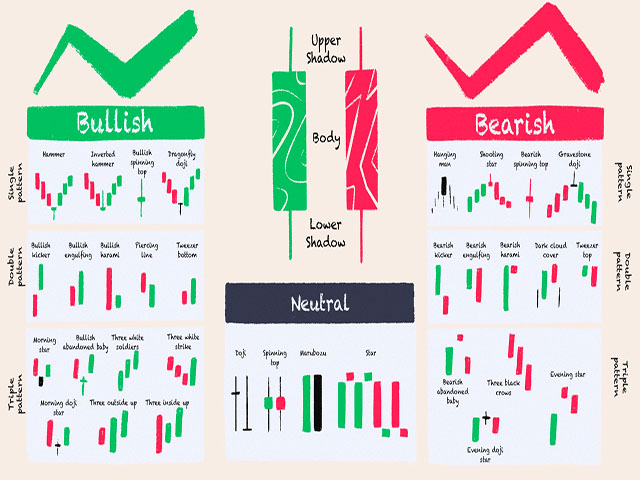
This indicator uses a special algorithm to calculate and detect the following patterns:
- Doji
- Doji Dragonfly
- Doji Gravestone
- Spinning Top Bullish
- Spinning Top Bearish
- Marubozu Bullish
- Marubozy Bearish
- Hammer
- Hanging Man
- Inverted Hammer
- Shooting Star
- Engulfing Bull
- Engulfing Bear
- Tweezer Top
- Tweezer Bottom
- Three Black Crows
- Three Inside Up
- Three Inside Down
- Morning Star
- Evening Star
Main Features:
- Detect the best and most successful point of trend or reversal trend
- Easy-to-use and user-friendly indicator
- NO repaint
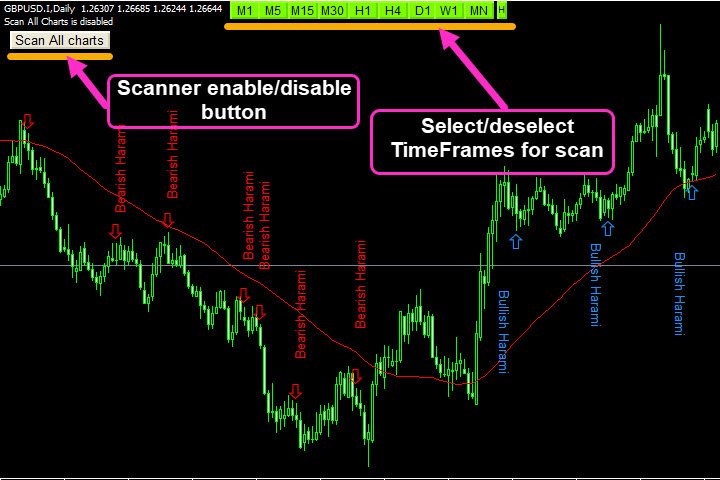
- Scan All charts button ( Forex, Crypto, Indices and commodities )
- Select and deselect time frames button for scan (M1,M5,M15,M30,H1,H4,D1,W1,MN)
- Candlestick check for the best entry point
- Moving Average and MACD filtering
- Sending the alert and push notification
- Alert enable/disable base on your setting time
- Adjust the pattern setting
Input Parameters :
=========Scanner============
- Scan All Charts – Enable
- Scan the number of candles – Amount of history bars to evaluate
- Re-scan Timer – Re-scan all charts in all time frames after passing time
- Moving Average / MACD filtering - enable/disable filtering
=======Display/style Options============
- Stop Loss levels and Breakout Style - Set the Fonts and colors of patterns
========ALERT SETTINGS ==========
- Display Alert or Push Notification – Enable or disable Alert or Push Notification
- How many candles are past a pattern – Maximum Number of candles Passed from a pattern to allow alert
- Alert Buffer Size – Maximum save alert to prevent duplicate alerts
- Alert start/end time – Determine trading hours based on the computer clock to activate and deactivate the alarm