ApexForge Visual Pending Orders
- Yardımcı programlar
-
Po-hsiung Huang
 Founder and developer of ApexForge.
I develop practical trading tools for MetaTrader 5, focusing on usability, efficiency, stability, and low system resource usage. - Sürüm: 1.63
- Güncellendi: 21 Eylül 2026
- Etkinleştirmeler: 5
ApexForge Visual Pending Orders
## Sürüklenebilir Çizgilerle Görsel Bekleyen Emirler | Multi-Chart Senkronizasyonu | H Ana Grafik | S/C ile Hızlı Gönderme ve İptal
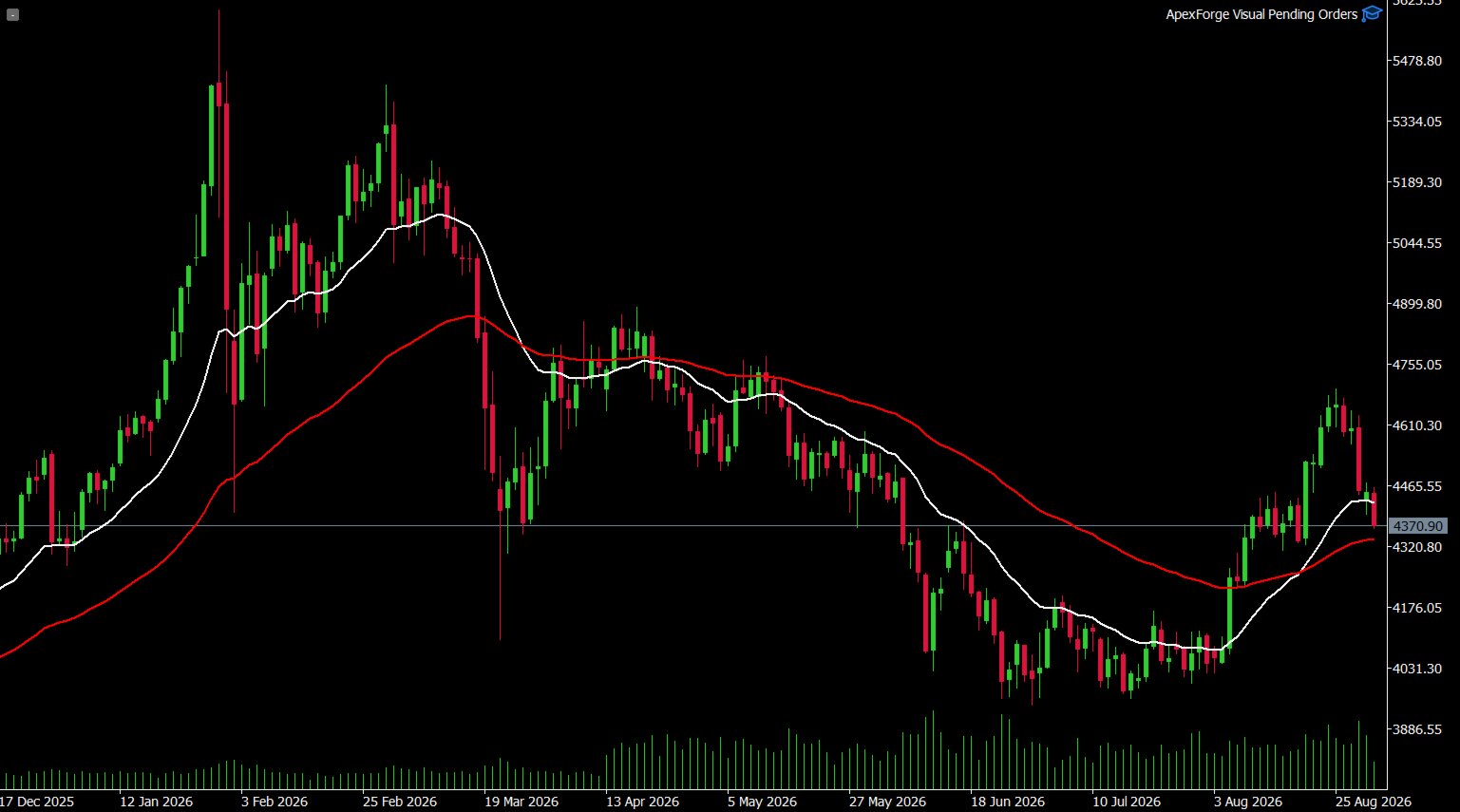
ApexForge Visual Pending Orders, MetaTrader 5 (MT5) üzerinde manuel işlem yapan traderlar için tasarlanmış görsel bir bekleyen emir yönetim aracıdır.
Artık MT5 emir penceresini tekrar tekrar açmanız, fiyatı manuel olarak girmeniz ve ayarları yeniden onaylamanız gerekmez.
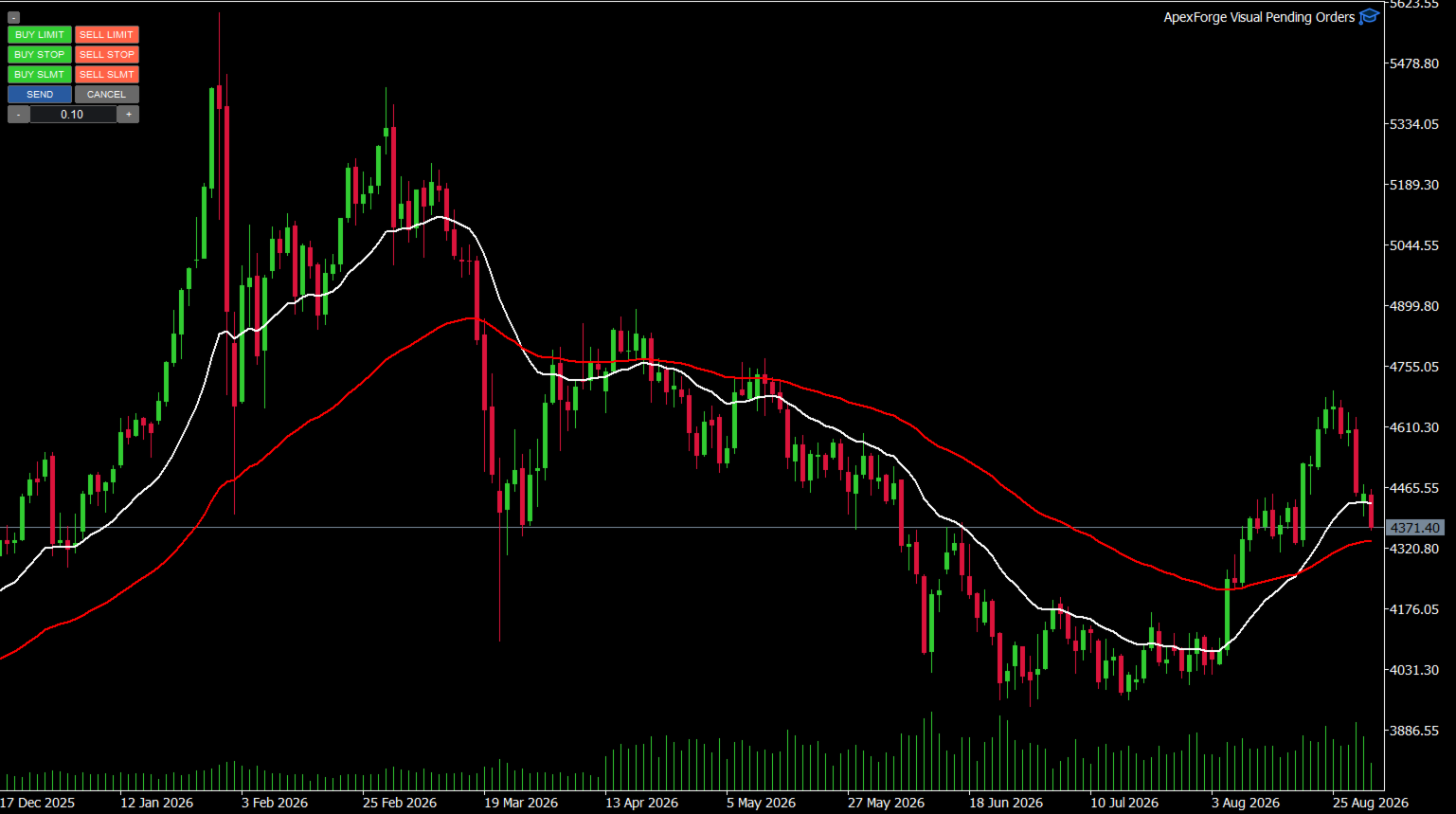
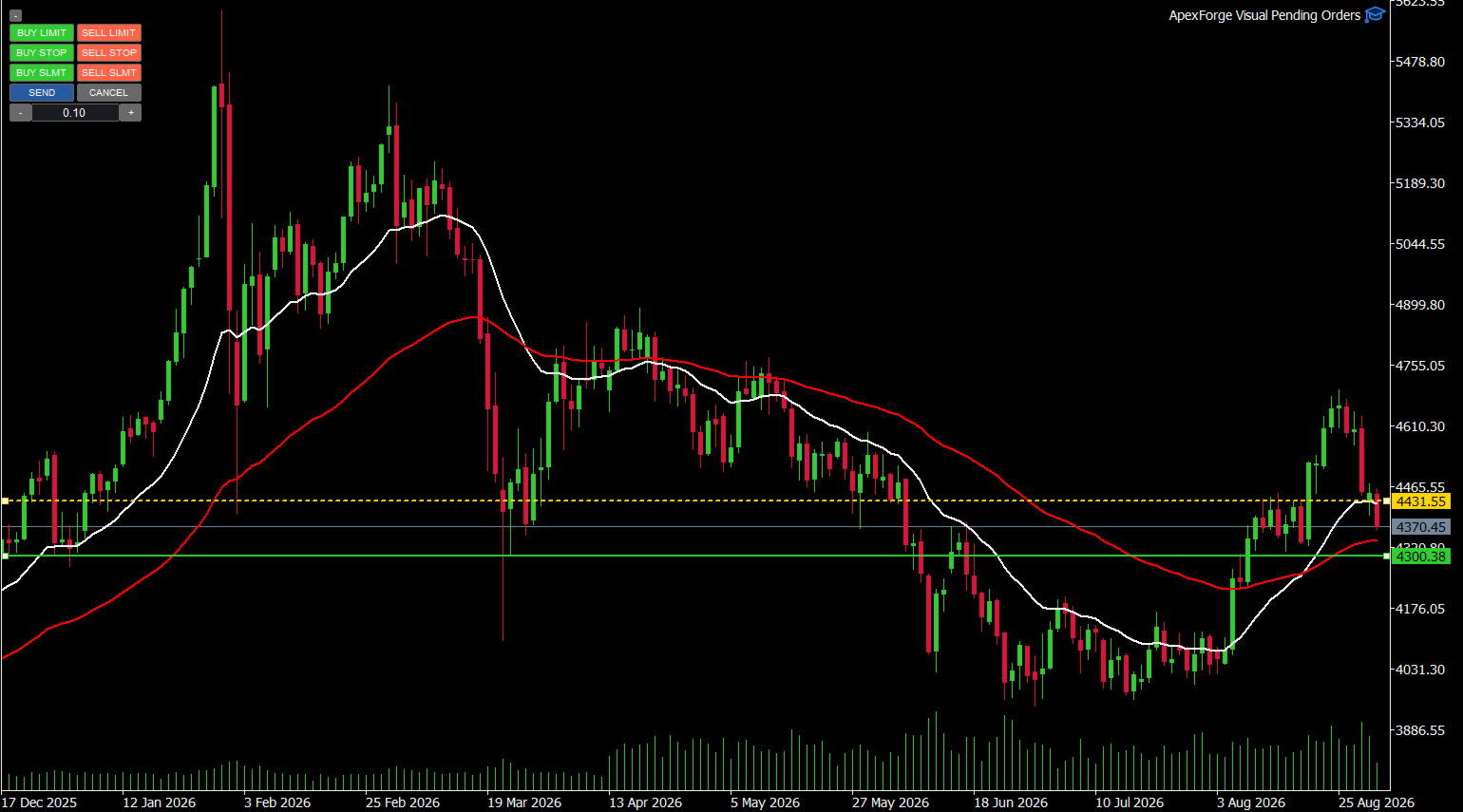
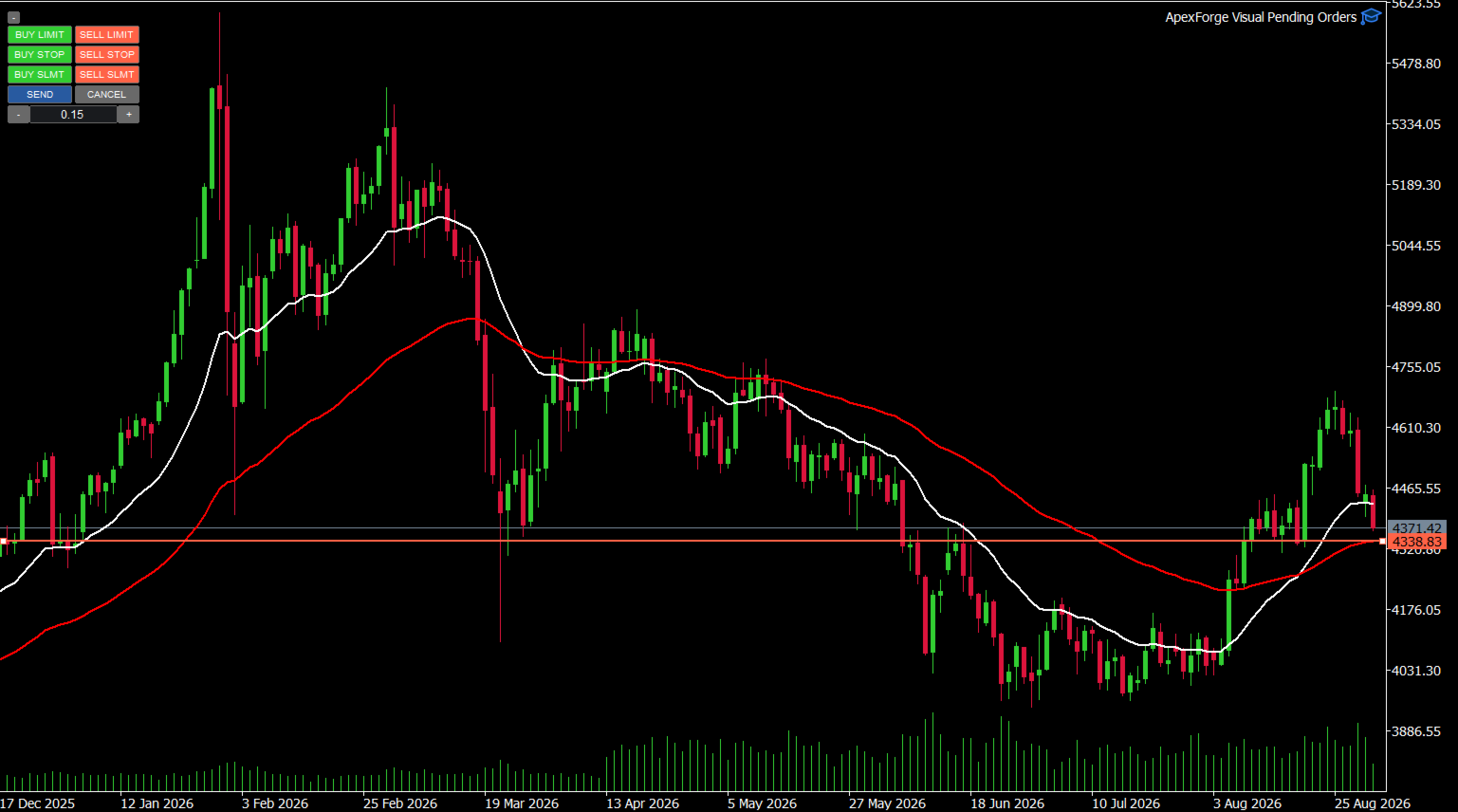
Bekleyen emir modunu seçtikten sonra EA, ilgili fiyat çizgilerini doğrudan grafik üzerinde oluşturur. Giriş fiyatını ayarlamak için çizgileri fareyle sürükleyebilir ve kontrol ettikten sonra emri doğrudan gönderebilirsiniz.
Yeni sürümde H (Host Chart) ana grafik seçimi, birden fazla grafik arasında çift yönlü senkronizasyon ve S / C hızlı işlem düğmeleri eklenmiştir.
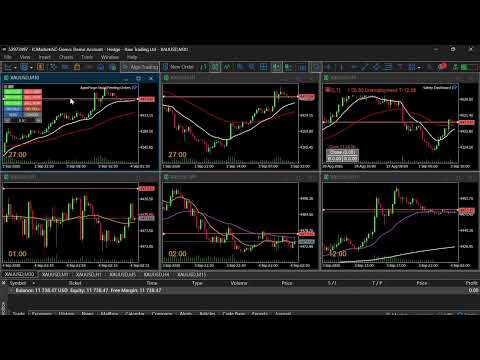
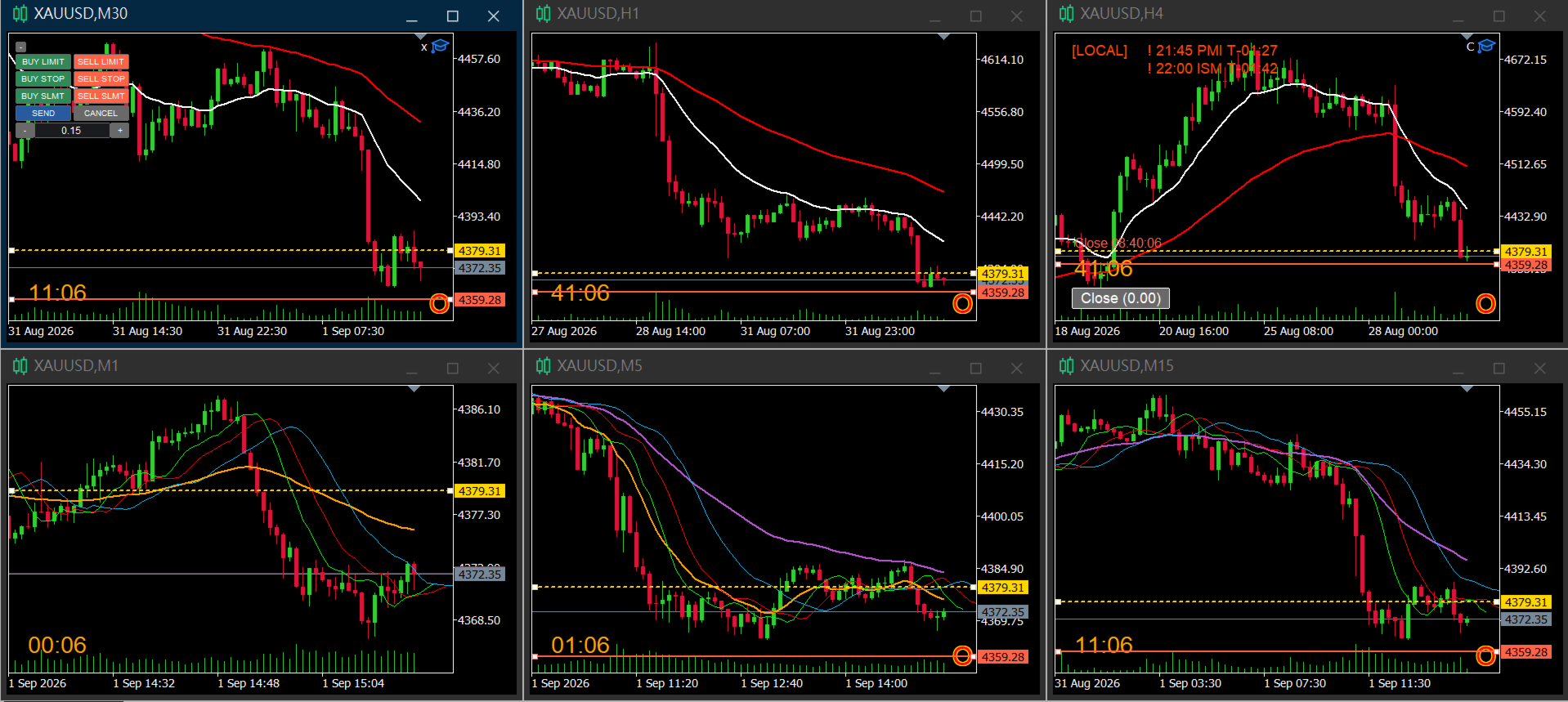
Özellikle M1, M5, M15, M30, H1 ve H4 gibi birden fazla Timeframe'i aynı anda kullanarak işlem seviyelerini belirleyen traderlar için uygundur.
◆ Demo Sürümü
Tam sürümü satın almadan önce ApexForge Visual Pending Orders özelliklerini bir MT5 demo hesabında test edebilirsiniz. Sürükle-bırak yöntemiyle görsel bekleyen emirleri ve birden fazla grafik arasındaki senkronizasyon özelliklerini de deneyebilirsiniz.
Demo sürümünü indirme, Receiver, kurulum talimatları ve kullanıcı kılavuzu: ApexForge Visual Pending Orders – MT5 Demo Version
## Ana Özellikler
### 1. Altı Görsel Bekleyen Emir Modu
Grafik üzerinden doğrudan oluşturulabilen ve ayarlanabilen altı bekleyen emir modu desteklenir:
- Buy Limit
- Sell Limit
- Buy Stop
- Sell Stop
- Reverse Breakout Buy
- Reverse Breakout Sell
Seçilen moda göre sistem gerekli fiyat çizgilerini otomatik olarak oluşturur.
Bekleyen emir fiyatını değiştirmek için grafik üzerindeki çizgiyi doğrudan sürüklemeniz yeterlidir. Fiyatı manuel olarak girmeniz gerekmez.
## 2. Yeni H (Host Chart) — Ana Grafik
H ile bir Host Chart seçebilirsiniz.
Grafiklerinizden / Timeframe'lerinizden birini, bekleyen emir oluşturulurken kullanılacak ana referans olarak belirleyebilirsiniz.
Örneğin:
EA M30 grafiğine yüklenmiş ancak emir oluştururken M1'i ana referans olarak kullanmak istiyorsanız:
H = M1
olarak ayarlayabilirsiniz.
Bundan sonra yeni bir bekleyen emir oluşturulduğunda EA, seçilen H grafiğini ana fiyat ve grafik referansı olarak kullanır.
### H, emir çizgilerinin yalnızca ana grafikte kullanılmasını gerektirmez
H'nin temel görevi, bekleyen emir ilk oluşturulurken kullanılacak ana referans grafiğini belirlemektir.
Çizgiler oluşturulduktan sonra diğer senkronize grafiklerden de doğrudan sürüklenebilir.
## 3. Multi-Chart Çift Yönlü Emir Çizgisi Senkronizasyonu
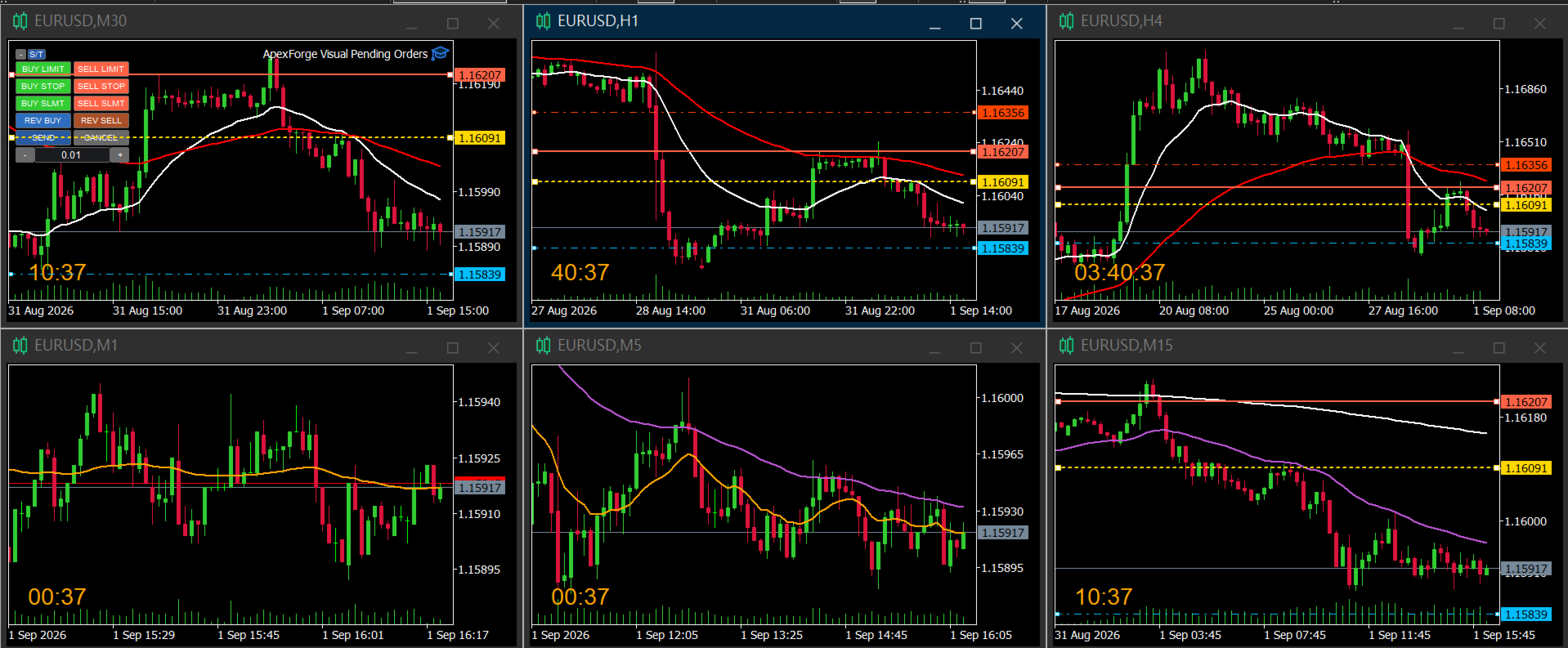
Aynı işlem sembolüne ait grafiklerin senkronizasyonu etkinleştirildiğinde, bekleyen emir çizgileri tüm senkronize grafiklerde görüntülenir.
Daha da önemlisi:
### Bu yalnızca görsel senkronizasyon değildir — çizgiler herhangi bir senkronize grafikten doğrudan sürüklenebilir.
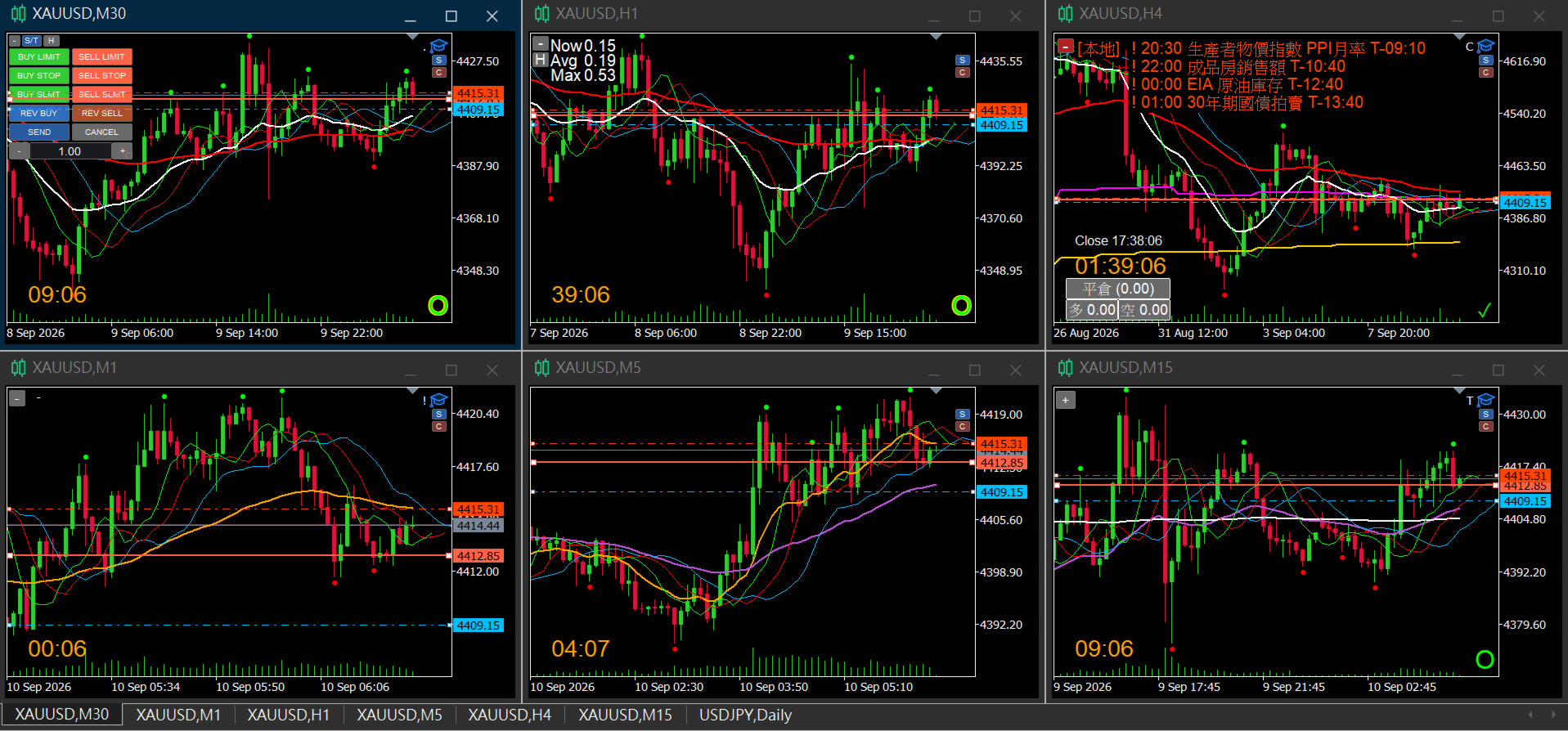
Örneğin aynı anda şu grafikler açıksa:
M1 / M5 / M15 / M30 / H1 / H4
Şunları yapabilirsiniz:
M1 üzerinde sürükle → Diğer grafikler senkronize olur
M15 üzerinde sürükle → Diğer grafikler senkronize olur
H1 üzerinde sürükle → Diğer grafikler senkronize olur
Çizginin o anda ayarlandığı grafik geçici olarak fiyat değişikliğinin kaynağı olur ve diğer grafikler bu değişikliği takip eder.
Bu nedenle emir fiyatını değiştirmek için sürekli olarak H grafiğine veya EA'nın yüklü olduğu grafiğe dönmeniz gerekmez.
Senkronizasyon mekanizması ayrıca kullanıcının o anda sürüklediği kaynak çizginin sürekli olarak yeniden yazılmasını önleyerek MT5'in doğal çizgi sürükleme işleminin akıcı kalmasına yardımcı olur.
## 4. Birden Fazla Grafikte S / C Hızlı İşlemleri
Bekleyen emir ayarı etkinleştirildiğinde senkronize grafiklerde iki küçük hızlı işlem düğmesi görünür:
S = Send
S'ye kısa basıldığında mevcut ayarlanmış bekleyen emir hemen gönderilir.
C = Cancel
C'ye kısa basıldığında mevcut görsel bekleyen emir ayarı iptal edilir.
Böylece emir seviyesini başka bir Timeframe üzerinde kontrol ettikten sonra ana grafiğe dönmeden doğrudan Send veya Cancel işlemini gerçekleştirebilirsiniz.
## 5. S / C Sürükleme ve Konum Hafızası
S / C düğmeleri dikey olarak yerleştirilir ve ortak bir konum ayarı kullanır.
Kullanım:
- S'ye kısa bas → Send
- C'ye kısa bas → Cancel
- Basılı tutup sürükle → S / C konumunu değiştir
Kısa basma ve sürükleme işlemleri birbirinden ayrılmıştır.
Bu nedenle S / C düğmelerini sürüklemek yanlışlıkla emir gönderilmesine veya iptal edilmesine neden olmaz.
Konum değiştirildikten sonra yeni konum otomatik olarak kaydedilir.
MT5 yeniden başlatıldığında veya EA tekrar yüklendiğinde son kaydedilen konum geri yüklenir.
### Önemli: S / C konumunu değiştirme sınırlaması
S / C konumu, EA'nın gerçekten yüklü olduğu grafik üzerinde değiştirilmelidir.
Diğer senkronize grafiklerdeki S / C düğmeleri yine:
Send / Cancel
işlemleri için kullanılabilir, ancak bu grafiklerden S / C konumu değiştirilemez.
EA'nın yüklü olduğu grafikte S / C düğmelerini bir kez taşımanız yeterlidir. Yeni konum:
tüm senkronize grafiklere uygulanır ve ortak konum olarak kaydedilir.
Önemli:
Bu sınırlama yalnızca S / C düğmelerinin konumu için geçerlidir.
Bekleyen emir fiyat çizgileri herhangi bir senkronize grafikten doğrudan sürüklenmeye devam edebilir.
## 6. Enter / Esc Hızlı Kontrol
Grafikteki S / C düğmelerine ek olarak klavye hızlı işlemleri de desteklenir:
Enter → Send
Mevcut ayarı onaylar ve bekleyen emri gönderir.
Esc → Cancel
Aktif görsel bekleyen emir ayarını iptal eder.
Kendi işlem alışkanlığınıza göre fare veya klavye kullanabilirsiniz.
## 7. Lot Değerini Doğrudan Girme
Panel üzerinden Lot değeri doğrudan ayarlanabilir.
Grafikten ayrılmadan veya MT5'in standart emir penceresini yeniden açmadan istediğiniz işlem hacmini girebilirsiniz.
Bekleyen emirlerin hızlı hazırlanması gereken manuel işlem akışları için uygundur.
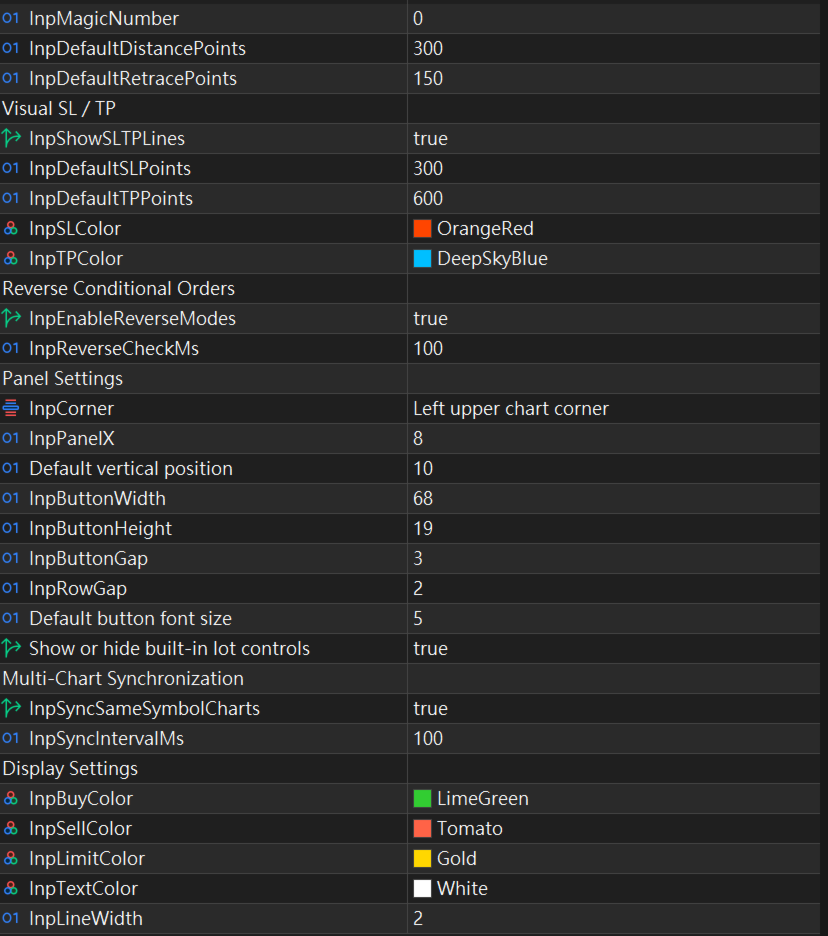
## 8. Görsel SL / TP
Stop Loss ve Take Profit fiyat çizgileri doğrudan grafik üzerinde görüntülenebilir.
SL / TP, bekleyen emir fiyatıyla birlikte görsel olarak gösterilir ve aşağıdaki seviyeleri kolayca kontrol etmenizi sağlar:
- Entry
- Stop Loss
- Take Profit
Emri göndermeden önce tüm işlem yapısını doğrudan grafik üzerinde görebilirsiniz.
## 9. Multi-Chart Kullanım Örneği
Örneğin:
EA M30 üzerinde yüklü
H = M1
Aynı anda açık grafikler:
M1 / M5 / M15 / M30 / H1 / H4
İşlem akışı şu şekilde olabilir:
Bekleyen emir modunu seç
↓
H (M1) kullanarak ilk emri oluştur
↓
Yapıyı kontrol etmek için M15'e geç
↓
Emir çizgisini doğrudan M15 üzerinde sürükle
↓
Tüm senkronize grafikler anında güncellenir
↓
Herhangi bir senkronize grafikte S'ye kısa bas
↓
Bekleyen emri gönder
EA'nın M30 üzerinde yüklü olması, her işlem için sürekli M30'a dönmeniz gerektiği anlamına gelmez.
## 10. Grafik Nesnelerinin Otomatik Temizlenmesi
İşlem tamamlandığında ilgili görsel nesneler otomatik olarak kaldırılır.
Buna şunlar dahildir:
- Bekleyen emrin başarıyla gönderilmesi
- C ile iptal
- Esc ile iptal
- EA'nın kaldırılması
İlgili emir çizgileri ve S / C nesneleri de temizlenir. Böylece diğer senkronize grafiklerde gereksiz nesneler veya görsel kalıntılar bırakılmaz.
## 11. Grafik Durumu Hafızası
EA'yı yüklemeden önce grafiklerinizi normalde kullandığınız şekilde ayarlamanız önerilir.
EA yüklendikten sonra ilgili grafik durumlarını kaydeder.
MT5 yeniden başlatıldığında ilgili ayarlar son kaydedilen duruma göre geri yüklenir.
Bu nedenle ilk kullanımdan önce grafik düzeninizi ve ayarlarınızı tamamlamanız, ardından ApexForge Visual Pending Orders'ı yüklemeniz önerilir.
## 12. Panel Ölçeklendirme ve Arayüz Ayarı
Panel + / − ölçeklendirme kontrollerini destekler.
Arayüz boyutunu ekran çözünürlüğüne, grafik boyutuna ve kişisel kullanım tercihlerinize göre ayarlayabilirsiniz.
Şunlar için uygundur:
- Tek monitör
- Çoklu monitör
- Altı grafikli Workspace
- Yüksek çözünürlüklü ekranlar
- Dizüstü bilgisayarlar
Arayüz, grafik üzerindeki kullanılabilir alanı mümkün olduğunca az kaplayacak şekilde tasarlanmıştır.
## Hangi Traderlar İçin Uygundur?
ApexForge Visual Pending Orders özellikle şu kullanıcılar için uygundur:
- MT5 üzerinde manuel işlem yapanlar
- Bekleyen emirleri sık kullananlar
- Birden fazla Timeframe'i aynı anda takip edenler
- Giriş fiyatını doğrudan çizgi sürükleyerek belirlemek isteyenler
- MT5'in standart emir penceresini tekrar tekrar açmak istemeyenler
- Multi-Chart veya altı grafikli Workspace kullananlar
- Send / Cancel işlemlerini hızlı gerçekleştirmek isteyenler
- Görsel bir emir yönetimi sürecini tercih edenler
## Önemli Bilgiler
ApexForge Visual Pending Orders, emir oluşturma ve yönetimini kolaylaştıran bir işlem yardımcı aracıdır. Otomatik işlem stratejisi veya Trading Signal sistemi değildir.
Aracın amacı, bekleyen emirleri daha hızlı, sezgisel ve görsel bir şekilde oluşturmanıza ve yönetmenize yardımcı olmaktır.
İşlem yönü, fiyat, Lot, SL, TP ve emrin nihai olarak gönderilmesine ilişkin tüm kararlar kullanıcı tarafından verilir.
Gerçek hesapta kullanmadan önce tüm özellikleri kapsamlı şekilde test etmeniz ve ayarların kendi işlem ortamınıza ve risk yönetimi yönteminize uygun olduğunu doğrulamanız önerilir.