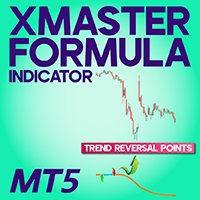
XMaster XHMaster formula MT5 Indicator No Repaint
- インディケータ
- Mehnoosh Karimi
- バージョン: 3.2
- アップデート済み: 1 12月 2025
XMaster XHMaster Formula MT5 Indicator – No Repaint Strategy
The XMaster / XHMaster Formula Indicator for MetaTrader 5 (MT5) is an upgraded version of the popular MT4 tool, designed to detect trend direction, momentum shifts, and high-probability reversal zones. With enhanced optimization for the MT5 engine, the indicator delivers stable No Repaint signals and performs efficiently on multiple asset classes including Forex, Gold, Cryptocurrencies, and Indices.
The MT5 version integrates improved smoothing techniques, multi-timeframe data flow, and faster signal processing—making it suitable for scalpers, day traders, and swing traders.
Indicator Classification
| Feature | Description |
| Category | Trend – Momentum – Reversal Detection |
| Platform | MetaTrader 5 (MT5) |
| Skill Level | Intermediate to Advanced |
| Indicator Type | Leading – Entry/Exit – Strength |
| Time Frame | Supports M1 to H4 and higher |
| Trading Style | Scalping – Intraday – Swing Trading |
| Markets | Forex – Gold – Crypto – Indices |
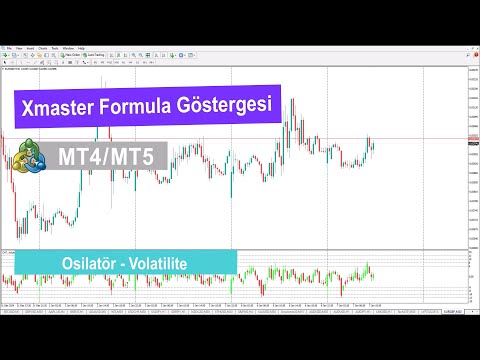
How the XMaster Formula MT5 Works
The MT5 version is optimized with enhanced filtering and a smoother signal engine. It merges several core components to produce accurate buy/sell conditions.
1. Standard Mode
- Uses fast and slow EMA differentials, normalized into a 0–100 range.
- Buy Signal: Value crosses above bullish threshold and turns green.
- Sell Signal: Value drops below bearish threshold and turns red.
- Ideal for trend-based entry and continuation setups.
2. Advanced Mode
Incorporates multiple confluence layers using MT5’s improved calculation engine:
- MACD Momentum: Positive bias for buys, negative for sells.
- RSI Extremes: <30 for bullish setups, >70 for bearish setups.
- Stochastic Confirmation: Uses extreme levels for validation.
- Parabolic SAR: Trend confirmation to reduce false signals.
Only when all indicators align does the XMaster MT5 produce a strong entry signal.
Visual Signal System
- Green Arrow / Line: Indicates bullish trend continuation or reversal.
- Red Arrow / Line: Indicates bearish rejection or downtrend resumption.
- No Repaint Mechanics: Signals remain fixed once the candle closes, improving reliability during volatile conditions.
Enhanced MT5 graphics allow smoother transitions and more accurate color rendering.
How to Install XMaster Formula on MT5
- Download the MT5 version of the indicator (.mq5 or .ex5).
- Open MT5 → File > Open Data Folder.
- Go to MQL5 → Indicators and paste the file.
- Restart MT5 or refresh the Navigator panel.
- Apply the indicator to your chart and adjust trend sensitivity, smoothing, or signal thresholds depending on your style.
How to Trade Using XMaster MT5
Buy Setup
- Green signal printed.
- Indicator rising from oversold range.
- Price creates bullish confirmation candle.
- Stop-loss placed below signal candle or last swing low.
Sell Setup
- Red signal printed.
- Indicator falling from overbought levels.
- Bearish candle confirms momentum shift.
- Stop-loss positioned above the signal candle or last swing high.
Strengths and Limitations
Strengths
- Optimized for MT5’s faster processing engine.
- No Repaint signals ensure stable decision-making.
- Works across multiple markets with high adaptability.
- Clean visual design and effective reversal detection.
Limitations
- During sideways or low-volatility sessions, signals may become less accurate.
- Works best when combined with structure-based analysis (S/R, liquidity zones).
- Not a standalone system—risk management is essential.
Summary
The XMaster XHMaster Formula MT5 Indicator is a refined and reliable trend-and-reversal signal tool designed for traders seeking a stable No Repaint system on MetaTrader 5. With enhanced filtering, multi-indicator alignment, and strong visual clarity, it helps traders identify high-probability entry zones across Forex, Gold, Crypto, and Index markets. When combined with market structure and proper risk control, it becomes a powerful addition to any MT5 trading strategy.
























































ユーザーは評価に対して何もコメントを残しませんでした
First, in your MQL5 indicator, go to the Inputs section and set the "Notification" option to True—this lets the indicator send alerts.
To set up notifications on your phone: Download the MetaTrader 5 app from Google Play (Android) or the App Store (iOS), then log in with your trading account. Tap Settings > Messages, and copy your unique MetaQuotes ID (it's like a personal code).
On your computer, open MetaTrader 5, go to Tools > Options > Notifications. Check the box for "Enable Push notifications," paste in your MetaQuotes ID, and hit OK.
That's it! Now, every time the indicator spots a signal or warning, you'll get a push alert on your phone right away. If it doesn't work, double-check your internet connection on both devices.