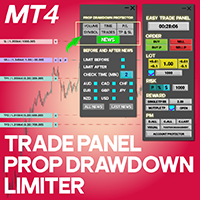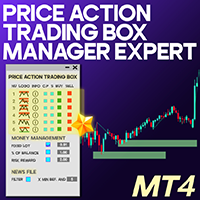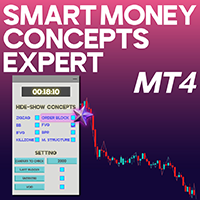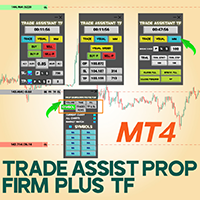
Trade Assist Prop Firm Plus TF Expert MT4
- ユーティリティ
- Mehnoosh Karimi
- バージョン: 3.1
- アクティベーション: 10
Trade Assist Prop Firm Plus TF Expert for MetaTrader 4
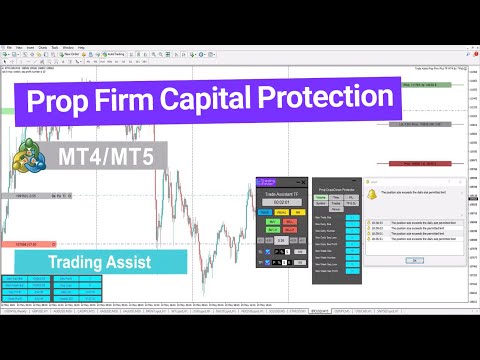
The Trade Assist Prop Firm Plus TF Expert for MetaTrader 4 is an advanced trading utility designed to optimize execution, strengthen capital efficiency, and enhance risk management within the MT4 environment.
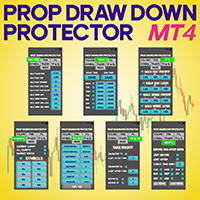
Featuring a fully interactive and intuitive control panel, this expert advisor automates key functions such as Break Even, adaptive Trailing Stops, and precise multi-symbol trade management. Built with seven customizable configuration panels, it supports disciplined trading behavior and improves the performance of rule-based strategies. Its smart alert and notification system makes it especially suitable for traders following prop firm trading guidelines.
Specification Overview
| Category | Capital Management – Risk Control – Trade Automation |
| Platform | MetaTrader 4 |
| Experience Level | Advanced |
| Type | Trade & Risk Management Tool |
| Time Frame Support | Multi–Time Frame |
| Trading Styles | Scalping, Intraday, Day Trading |
| Applicable Markets | Forex, Equities, Indices |
Key Features
The Trade Assist Prop Firm Plus TF Expert promotes structured and rule-driven execution by allowing traders to define lot sizing, entry logic, risk parameters, and symbol limitations. Designed with prop firm challenges in mind, it focuses on consistency, disciplined capital allocation, and adherence to strategic rules.
Its clean interface gives traders instant access to essential features such as dynamic Break Even, advanced trailing approaches, partial closes, and pyramiding tools—all built around industry-standard money management principles.
Licensing Instructions
A personal license is required to activate this expert advisor. To request your activation key or complimentary access, contact live support via Telegram or WhatsApp.
Example: Buy Order Execution
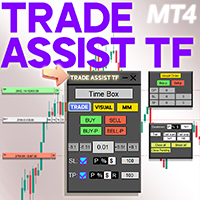
For example, on a USDJPY 5-minute chart, a buy setup was executed using the EA. Traders can define volume and stop loss based on:
- Pip value
- Percentage of capital
- Fixed monetary risk
Multiple risk-to-reward configurations are available, enabling precise exposure control and structured returns aligned with professional risk management frameworks.
Example: Pending Sell Order Setup
On a 1-hour SOLANA (SOL) chart, traders can use the Visual interface to define SL, TP, and entry levels directly on the chart. Once levels are placed, the system automatically determines whether the pending order should be a Stop or Limit order.
This visual approach enhances accuracy, timing, and overall clarity during order setup.
Detailed Functional Overview
Trade Tab
Provides complete control over execution parameters:
- Position Type: Market or pending
- Lot Size: Based on your risk model
- Stop Loss: Points, account %, or fixed risk
- Take Profit: Points, dollar value, %, or R:R ratio
- Quick Execution: Instant or pending via Buy/Sell and Buy.p/Sell.p
Ensures every position follows a structured, rule-compliant plan.
Visual Order Placement
A visual-first module offering real-time representation of:
- Entry (OP)
- Stop Loss (SL)
- Take Profit (TP)
- Risk/Reward and projected P/L
Includes instant pending order buttons (Buy.p, Sell.p) and toggles for SL/TP visibility. Designed for traders who rely on visual confirmation and accuracy.
Money Management (MM) Tab
Provides professional tools for risk protection and automation:
- BreakEven and Trailing Stop configuration
- One-tap controls (Close All, Cancel Pendings, Break Even All)
- Direct access to the Account Protector (AP) panel
Supports mechanical and rule-driven risk reduction.
Volume Limits Tab
Enforces emotional discipline and exposure control:
- Maximum trade volume limits (per trade/day/week)
- Limits for consecutive wins/losses
- Restrictions to prevent revenge trading and overexposure
This ensures strict adherence to prop-firm-style capital rules.
Time Restrictions
Implements schedule-based trading limits:
- Define trading windows for each weekday
- Block trading during non-optimal or restricted hours
- Align trading activity with high-liquidity sessions
Perfect for disciplined, session-based strategies.
Profit/Loss Thresholds
Allows traders to set daily and weekly:
- Profit caps
- Drawdown limits
- Percent- or value-based thresholds
Once breached, the EA automatically stops trading to prevent emotional decision-making.
Symbol Filtering Tab
Ensures focus by restricting which assets can be traded:
- Current chart
- All charts
- Market Watch
- Custom symbol list
Prevents accidental trades on non-strategic or unmonitored markets.
Trades Overview Panel
Displays real-time performance metrics:
- Floating P/L
- Daily/weekly starting balances
- Win/loss streak tracking
- Drawdown insights
Optional minimalist HUD keeps the information visible without cluttering the chart.
TP/SL Enforcement
Maintains strict risk boundaries:
- Mandatory SL/TP settings
- Alerts if missing after X minutes
- Limits on how many times SL/TP can be edited
Prevents emotional adjustments and protects overall strategy discipline.
News Filter
Helps avoid volatility around economic events:
- Customize pre/post-news display time
- Enable alerts only for specific pairs
- Highlight high-impact news
Allows traders to avoid entering trades during unpredictable market spikes.
Conclusion
The Trade Assist Prop Firm Plus TF Expert for MetaTrader 4 is a fully integrated management system built for serious traders and prop firm practitioners. Supporting methodologies such as Smart Money and ICT, it provides the tools needed to maintain emotional control, execute with precision, and follow a systematic trading approach.
With advanced tools for planning, risk-to-reward structuring, volume control, and psychological discipline, this EA stands out as a comprehensive solution for traders seeking professional, consistent, and risk-managed performance.