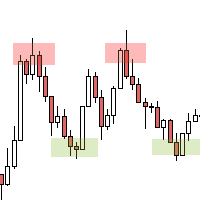
The 2 to 10 Algorithm
- Experts
- Versione: 1.1
- Aggiornato: 14 gennaio 2026
- Attivazioni: 5

Overview
Overview
The 2 to 10 Algorithm is an automated Expert Advisor for MetaTrader 4 designed for EURUSD on the M1 timeframe.
It evaluates signals on closed candles and uses a combination of EMA trend direction, RSI extremes, and an ATR volatility condition.
Entries are placed as pending limit orders with a short validity window to reduce late fills.
The EA includes a spread filter, optional time controls, and optional money management (including a martingale-style mode).
What the EA Does
It checks trend direction using two EMAs and looks for short-term RSI extreme conditions.
If ATR and spread conditions meet your filters, it calculates a limit-entry price and places a pending order.
Pending orders can expire after a defined number of bars if not filled.
Open trades are managed with Stop Loss and Take Profit, and a breakeven rule can adjust SL after a defined profit distance.
Optional time tools can restrict when new trades are allowed and can close positions at a specified time (if enabled).
Key Features
-
Designed for EURUSD on M1 with closed-candle evaluation
-
EMA trend filter, RSI extreme condition, ATR volatility check
-
Pending limit entries with bar-based expiry
-
Configurable SL, TP, and breakeven movement
-
Spread filter to block entries when spreads are above the limit
-
Optional money management (can be disabled)
-
Optional daily/Friday exit and time-range controls
Risk Management & Safety Notes
Trading involves risk, and losses are possible. This EA does not guarantee results.
M1 trading is sensitive to spread, commission, slippage, execution speed, and broker stop-level rules.
A small Stop Loss can be affected by spread widening and fast price movement.
If martingale-style money management is enabled, exposure can increase after losses and can lead to significant drawdowns.
Use conservative position sizing, consider a daily trade cap, and apply your own daily loss limits.
Always test in Strategy Tester (historical simulation) and then on a demo account before using the EA on a live account.
Inputs
Trading
-
Custom_Comment: text label for trades
-
Magic_Number: unique identifier for EA orders
-
Fixed_Lot / Lots_If_No_MM: fixed lot sizing when MM is disabled
-
Use_Money_Management: enable/disable the money management mode
Strategy
-
EMA_Fast_Period / EMA_Slow_Period (default 50 / 200)
-
RSI_Period and RSI levels (default 5 with 30/70 logic)
-
ATR_Period and volatility condition (default 14)
-
Price_Entry_Mult: entry price calculation factor
Risk & Trade Management
-
Stop_Loss_Pips (default 2)
-
Take_Profit_Pips (default 10)
-
Move_SL_To_BE_Long / Move_SL_To_BE_Short
-
Order_Expiry_Bars (default 3, if included)
Filters & Time
-
Max_Spread (spread limit)
-
Session / time window settings (if enabled)
-
Max_Trades_Per_Day (0 = unlimited, if included)
Setup
-
Copy the EA file to MQL4/Experts and restart MT4 (or refresh the Navigator).
-
Open an EURUSD chart and set timeframe to M1.
-
Attach the EA to the chart and enable AutoTrading.
-
Set Magic_Number (recommended if running multiple EAs or instances).
-
Configure lot sizing and risk parameters (start conservatively).
-
If using time controls, confirm all times match your broker’s server time.
Recommended Evaluation
Run Strategy Tester as a historical simulation to confirm order placement, expiry behavior, SL/TP, and breakeven logic.
Repeat tests using your broker’s EURUSD historical data and typical trading costs (spread/commission).
Then forward-test on a demo account to observe live execution effects such as slippage and spread variation.
Evaluate more than one market phase (calm and volatile periods), not only a short date window.
If you enable money management, test with small sizing and a strict daily trade cap first.
Compatibility
Platform: MetaTrader 4 (MT4).
Symbol: EURUSD (other symbols are not the intended configuration and require your own testing).
Timeframe: intended for M1.
The EA may trade less frequently when spread/time filters block entries.
FAQ
Q: Does the EA repaint signals?
A: Signals are evaluated on closed candles. Entries and management rules are applied after the bar closes.
Q: Why did it not open trades?
A: Common reasons include spread above the limit, time filters blocking entries, or setup conditions not being met.
Q: Can I change the default SL/TP values?
A: Yes. SL and TP are inputs. Re-test after changing them, especially on M1.
Q: Does it use martingale?
A: A martingale-style mode may be available if enabled in inputs. It can be disabled by turning off Use_Money_Management and using fixed lots.
Q: Will results be the same on every broker?
A: Results can differ due to spread, commission, execution, and price feed differences.
Q: How do I get support?
A: Support is provided via MQL5 comments or MQL5 messages.
Changelog
Version 1.0
-
Initial release: EMA/RSI/ATR signal logic, pending limit entries with expiry, SL/TP, breakeven option, time controls, and optional money management.