 MetaTrader 5
 Experts
 Indicateurs
 Bibliothèque
 Utilitaires
 Widgets
 Règles
Regardez les tutoriels vidéo de Market sur YouTube
Comment acheter un robot de trading ou un indicateur
Exécutez votre EA sur
hébergement virtuel
hébergement virtuel
Test un indicateur/robot de trading avant d'acheter
Vous voulez gagner de l'argent sur Market ?
Comment présenter un produit pour qu'il se vende bien
Utilitaires de trading pour MetaTrader 5
 Vous trouverez ci-dessous des programmes de trading simplifiant le trading dans MetaTrader 5. Passez la souris sur un utilitaire pour lire sa description et son objectif.
It helps to calculate the risk per trade, the easy installation of a new order, order management with partial closing functions, trailing stop of 7 types and other useful functions.
Additional materials and instructions
Installation instructions - Application instructions - Trial version of the application for a demo account
Line function - shows on the chart the Opening line, Stop Loss, Take Profit. With this function it is easy to set a new order and see its additional characteristics bef

Bienvenue sur Trade Manager EA, l’outil ultime de gestion des risques conçu pour rendre le trading plus intuitif, précis et efficace. Ce n’est pas seulement un outil d’exécution d’ordres ; c’est une solution complète pour la planification des trades, la gestion des positions et le contrôle des risques. Que vous soyez débutant, trader expérimenté ou scalpeur ayant besoin d’une exécution rapide, Trade Manager EA s’adapte à vos besoins, offrant une flexibilité sur tous les marchés, des devises et i

Découvrez une expérience exceptionnellement rapide de copie de trades avec le Local Trade Copier EA MT5 . Avec sa configuration facile en 1 minute, ce copieur de trades vous permet de copier des trades entre plusieurs terminaux MetaTrader sur le même ordinateur Windows ou Windows VPS avec des vitesses de copie ultra-rapides de moins de 0.5 seconde. Que vous soyez un trader débutant ou professionnel, le Local Trade Copier EA MT5 offre une large gamme d'options pour le personnaliser en fonc

Trade Panel est un assistant commercial multifonction. L'application contient plus de 50 fonctions de trading pour le trading manuel et permet d'automatiser la plupart des tâches commerciales. Attention ! Les réductions sont limitées dans le temps, chaque mardi le prix augmentera de 5$ (jusqu'à 100$). Avant l'achat, vous pouvez tester la version de démonstration sur un compte de démonstration. Télécharger la version d'essai de l'application pour un compte de démonstration : https://www.mql5.com/

VERIFIED TRADING RESULTS
- Farmed Hedge Yield Axi Copy: https://www.mql5.com/en/signals/2356376 - Farmed Hedge Yield Exn Copy: https://www.mql5.com/en/signals/2356404
- Farmed Hedge Yield V Copy: https://www.mql5.com/en/signals/2357156
Contact me via private message to receive the User Manual and Setup.
* Thai Lauguage Support Available Farmed Hedge Yield Farming - Professional Pair Trading Dashboard (Manual - Hybrid - Semi/Automated EA)
VERSION 3 - WILD HARVEST UPDATE
Trading Approac

Version Bêta Le Telegram to MT5 Signal Trader est presque prêt pour la sortie officielle en version alpha. Certaines fonctionnalités sont encore en développement et vous pourriez rencontrer de petits bugs. Si vous rencontrez des problèmes, merci de les signaler, vos retours aident à améliorer le logiciel pour tout le monde. Telegram to MT5 Signal Trader est un outil puissant qui copie automatiquement les signaux de trading depuis des chaînes ou groupes Telegram vers votre compte MetaTrader 5 .

Tired of complex order placement and manual calculations? Trade Dashboard is your solution. With its user-friendly interface, placing orders becomes effortless, by a single click, you can open trades, set stop loss and take profit levels, manage trade lot size, and calculate risk to reward ratios, allowing you to only focus on your strategy. Say goodbye to manual calculations and streamline your trading experience with Trade Dashboard. Download Demo Version right now. You can find Details of

Le copieur commercial pour MT5 est un copieur commercial pour la plate-forme МetaТrader 5 .
Il copie les transactions de change entre tous les comptes MT5 - MT5, MT4 - MT5 pour la version COPYLOT MT5 (ou MT4 - MT4 MT5 - MT4 pour la version COPYLOT MT4) Copieur fiable ! Version MT4
Description complète +DEMO +PDF Comment acheter
Comment installer
Comment obtenir des fichiers journaux Comment tester et optimiser Tous les produits de Expforex Vous pouvez

Timeless Charts est une solution de graphiques avancée conçue pour les traders professionnels qui ont besoin de graphiques personnalisés / unités de temps personnalisées – y compris les graphiques en secondes / unités de temps en secondes, les graphiques Renko / barres Renko, les graphiques en clusters / footprints et des outils avancés similaires à ceux disponibles sur les plateformes les plus populaires. Contrairement aux graphiques hors ligne traditionnels ou aux simples indicateurs personnal

Trade Copier est un utilitaire professionnel conçu pour copier et synchroniser les commandesentre les comptes de trading. Les commandes sont copiées du compte/terminal du fournisseur vers le compte/terminal du destinataire, qui sont installés sur le même ordinateur ou vps. Avant d'acheter, vous pouvez tester la version démo sur un compte démo. Version démo ici . Instructions complètes ici . Principales fonctionnalités et avantages: Prend en charge la copie des commandes MT5> MT5, MT4> MT5, MT5>

La plupart des traders commettent la même erreur sans même s’en rendre compte : ils font confiance à un Expert Advisor simplement parce qu’il a bien fonctionné sur un seul historique.
Mais un seul historique ne prouve pas la robustesse. Il montre seulement que cette logique a fonctionné sur un parcours de marché bien précis. Et ce parcours, le marché réel ne l’a montré qu’une seule fois.
C’est précisément là qu’intervient AntiOverfit PRO. AntiOverfit PRO est un outil conçu pour vous aider à év

MT5 to Telegram Signal Provider est un utilitaire facile à utiliser et entièrement personnalisable qui permet l'envoi de signaux spécifiés vers un chat, un canal ou un groupe Telegram, transformant ainsi votre compte en fournisseur de signaux. Contrairement à la plupart des produits concurrents, il n'utilise pas d'importations DLL. [ Démonstration ] [ Manuel ] [ Version MT4 ] [ Version Discord ] [ Canal Telegram ] New: [ Telegram To MT5 ]
Configuration Un guide utilisateur étape par étape est

Copy Cat More Trade Copier MT5 (Chat Copieur MT5) est un copieur de trades local et un framework complet de gestion des risques et d'exécution conçu pour les défis commerciaux d'aujourd'hui. Des défis de prop firms à la gestion de portefeuille personnel, il s'adapte à chaque situation avec une combinaison d'exécution robuste, de protection du capital, de configuration flexible et de gestion avancée des trades. Le copieur fonctionne à la fois en mode Master (expéditeur) et Slave (récepteur), avec

HINN MAGIC ENTRY – the ultimate tool for entry and position management!
Place orders by selecting a level directly on the chart!
full description :: demo-version :: 60-sec-video-description
Key features:
- Market, limit, and pending orders
- Automatic lot size calculation
- Automatic spread and commission accounting
- Unlimited partitial take-profits
- Breakeven and trailing stop-loss and take-profit functions
- Invalidation leves
- Intuitive, adaptive, and customizable interface
- Works

Easy Trade – Gestion des transactions intelligente, simple et puissante Easy Trade est la solution tout-en-un pour la gestion des transactions destinée aux utilisateurs de MetaTrader souhaitant garder le contrôle du risque et assurer une exécution fluide.
Conçu dès le départ avec les retours des traders, Easy Trade facilite l'exécution, la surveillance et la gestion des transactions sur plusieurs symboles – sans complexifier votre flux de travail. Que vous pratiquiez le scalping manuel ou que

Ce produit filtre tous les conseillers experts et les graphiques manuels pendant les heures de publication des actualités, de sorte que vous n'avez pas à vous soucier des pics de prix soudains qui pourraient détruire vos configurations de trading manuelles ou les transactions entrées par d'autres conseillers experts. Ce produit est également livré avec un système de gestion des ordres complet qui peut gérer vos positions ouvertes et vos ordres en attente avant la publication de toute actualité.

Consultez mes autres produits : Cliquez ici Le trading visuel simplifié : Placez et faites glisser simplement des lignes horizontales sur votre graphique pour définir vos niveaux d'entrée, de Stop Loss et de Take Profit. Ce que vous voyez est ce que vous obtenez. Les lignes visuelles vous donnent une clarté instantanée sur la configuration de votre transaction. Calcul automatique de la taille de lot : Arrêtez de risquer plus que ce que vous aviez prévu. Définissez votre risque comme un montant
FREE

Scannez toute votre liste de surveillance pour les barres extremes - en temps reel. Power Bar Scanner surveille tous vos symboles simultanement et vous alerte des qu'une barre de prix extreme apparait. Plus besoin de parcourir vos graphiques. Voyez chaque opportunite dans un seul panneau. Fonctionne sur tous les timeframes. Forex, Indices, Or, Crypto - tout dans une seule vue.
Comment ca fonctionne Le scanner verifie chaque symbole de votre Market Watch pour les barres dont le corps depasse N x
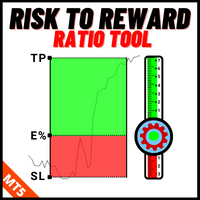
Outil de Position de Trading et de Backtesting :
L'outil de Position de Trading et de Backtesting, également connu sous le nom d'Outil de Ratio Risque/Récompense, est un indicateur complet et innovant conçu pour améliorer votre analyse technique et vos stratégies de trading. L'outil de Risque est une solution complète et conviviale pour une gestion efficace du risque dans le trading forex. Avec la possibilité de prévisualiser les positions de trading, y compris le prix d'entrée, le stop-loss (
FREE

The core idea: using the user interface, you configure the parameters the chart must meet before entering a position (or positions), choose which entry models to use, and set the rules for when trading and planning should end. Lazy Trader handles the rest: it takes over all the routine chart watching and execution! full description :: 3 key videos [1] -> [2] -> [3]
What can it do?
- Understands Larry Williams market structure
- Understands swing market structure by Michael Huddleston

Trade Manager pour vous aider à entrer et sortir rapidement des transactions tout en calculant automatiquement votre risque. Y compris des fonctionnalités pour vous aider à éviter le sur-trading, le trading de vengeance et le trading émotionnel. Les transactions peuvent être gérées automatiquement et les mesures de performances du compte peuvent être visualisées dans un graphique. Ces fonctionnalités rendent ce panneau idéal pour tous les traders manuels et contribuent à améliorer la plateforme

The product will copy all telegram signal to MT5 ( which you are member) , also it can work as remote copier. Easy to set up, copy order instant, can work with almost signal formats, image signal, s upport to translate other language to English Work with all type of channel or group, even channel have "Restrict Saving Content", work with multi channel, multi MT5 Work as remote copier: with signal have ticket number, it will copy exactly via ticket number. Support to backtest signal. How to s

Stats Dashboard & Journal ULTRA pour MT5 Le Centre de Commandement de Trading Complet : Analytique, Automatisation & Intelligence des Actualités. Stats Dashboard ULTRA est l'évolution ultime de l'outil d'analyse Pro. Il transforme MetaTrader 5 en une station de trading professionnelle, combinant une analyse de performance de niveau institutionnel avec une protection automatisée contre les actualités et des métriques psychologiques avancées. Conçu pour les traders manuels et les gestionnaires de

Crypto Charting for MT5 – Intégration des graphiques cryptos dans MetaTrader 5 Présentation
Crypto Charting for MT5 fournit des graphiques OHLC en temps réel via WebSocket. Il prend en charge plusieurs plateformes d’échange avec une synchronisation automatique dans MT5. Fonctionnalités Données en temps réel via WebSocket Mise à jour automatique des données historiques Synchronisation programmée après perte de connexion Compatibilité avec tous les intervalles de temps MT5 Données OHLCV complètes

Panneau de trading pour trader en 1 clic. Travailler avec des positions et des commandes! Trading à partir du graphique ou du clavier. Avec notre panneau de trading, vous pouvez exécuter des transactions en un seul clic directement depuis le graphique et effectuer des opérations de trading 30 fois plus rapidement qu'avec le contrôle MetaTrader standard. Les calculs automatiques des paramètres et des fonctions rendent le trading plus rapide et plus pratique pour les traders. Des conseils grap

Télégramme vers MT5 : la solution ultime pour copier des signaux Simplifiez votre trading avec Telegram vers MT5, l'outil moderne qui copie les signaux de trading directement des canaux et chats Telegram vers votre plateforme MetaTrader 5, sans DLL. Cette solution puissante garantit une exécution précise des signaux, de nombreuses options de personnalisation, un gain de temps et une efficacité accrue. [ Instructions and DEMO ] Caractéristiques principales Intégration directe de l'API Telegram

Outil multifonctionnel : Calculateur de Lot, Ordres Grid, Ratio R/R, Gestionnaire de Trades, Zones d'Offre et de Demande, Price Action et bien plus Version Démo | Manuel d'Utilisation L'Assistant de Trading ne fonctionne pas dans le testeur de stratégies : vous pouvez télécharger la Version Démo ICI pour tester l' utilitaire .
Contactez-moi pour toute question / idée d'amélioration / en cas de bug détecté Si vous avez besoin d'une version MT4, elle est disponible ici Simplifiez, acc

Footprint Chart Pro — Professional OrderFlow EA for MetaTrader 5
Version 6.34 | Professional tool for real traders | Institutional-Grade Visualization DEMO USERS - PLEASE SELECT EVERY TICK / REAL TICK WHEN TESTING AND YOU HAVE DOWNLOADED HISTORICAL DATA. IF YOU SEE A WAITING SCREEN AND IT IS NOT DOWNLOADING, IT MEANS YOU HAVE LOW HISTORICAL DATA. TRY 1 MIN AND 5 MIN FIRST ON 1 DAY DATA. ONE DAY DATA SHOULD BE THE NEWEST AND MOST CURRENT DATE. PLEASE WAIT UNTIL THE MARKET HAS ROLLED OVER PERIOD.
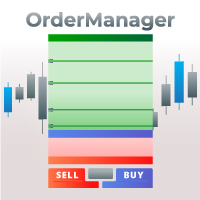
Présentation du OrderManager : Un utilitaire révolutionnaire pour MT5 Gérez vos transactions comme un pro avec le tout nouveau utilitaire Order Manager pour MetaTrader 5. Conçu avec simplicité et facilité d'utilisation à l'esprit, l'Order Manager vous permet de définir et de visualiser sans effort le risque associé à chaque transaction, vous permettant de prendre des décisions éclairées et d'optimiser votre stratégie de trading. Pour plus d'informations sur l'OrderManager, veuillez vous réfé

EA AUDITOR - VERIFY EA'S BEFORE YOU BUY The Only Independent EA & Signal Verification Tool for MetaTrader 5 MAKE SMARTER EA PURCHASES. EVERY TIME. The MQL5 market is home to some genuinely outstanding Expert Advisors built by talented developers — strategies that can transform your trading. But it can also include EAs with history readers coded in to produce fake backtest results, curve-fitted strategies, manipulated signals, and EAs falsely marketed as "AI-powered" or "machine learning" when th

Custom Alerts : Surveillez plusieurs marchés sans jamais manquer une configuration clé Présentation
Custom Alerts est une solution dynamique pour les traders qui souhaitent surveiller plusieurs instruments de manière centralisée. En intégrant les données de nos outils phares — comme FX Power, FX Volume, FX Dynamic, FX Levels et IX Power — Custom Alerts vous alerte automatiquement des mouvements importants du marché sans avoir à surveiller plusieurs graphiques ou risquer de manquer des opportun

Smart Stop Manager – Exécution automatique du stop-loss avec une précision professionnelle Présentation
Smart Stop Manager est la couche d’exécution de la gamme Smart Stop, conçue pour les traders qui recherchent une gestion du stop-loss structurée, fiable et entièrement automatisée sur plusieurs positions ouvertes. Il surveille en continu toutes les opérations actives, calcule le niveau de stop optimal à l’aide de la logique de structure de marché Smart Stop, puis met à jour les stops automat

Seconds Chart - un outil unique pour créer des graphiques en secondes dans MetaTrader 5 . Grâce à Seconds Chart , vous pouvez créer un graphique avec une période définie en secondes, offrant une flexibilité et une précision idéales pour l'analyse, indisponibles sur les graphiques standards en minutes ou en heures. Par exemple, la période S15 indique un graphique avec des bougies d'une durée de 15 secondes. Vous pouvez utiliser n'importe quels indicateurs et experts advisors compatibles avec les

Equity Protect Pro : Votre expert en protection de compte complet pour un trading en toute sérénité Si vous recherchez des fonctionnalités telles que la protection de compte, la protection des capitaux propres, la protection de portefeuille, la protection multi-stratégies, la protection des bénéfices, la prise de bénéfices, la sécurité de trading, les programmes de contrôle des risques, le contrôle automatique des risques, la liquidation automatique, la liquidation conditionnelle, la liquidatio

Ultimate Extractor - Professional Trading Analytics for MT5 *****this is the local HTML version of Ultimate Extractor. For the online version please reach out to me directly******
Ultimate Extractor transforms your MetaTrader 5 trading history into actionable insights with comprehensive analytics, interactive charts, and real-time performance tracking. What It Does Automatically analyzes your MT5 trading history across all Expert Advisors and generates detailed HTML reports with interactive vi

Expert Advisor Risk Manager pour MT5 est un programme très important et, à mon avis, nécessaire pour chaque commerçant.
Avec cet Expert Advisor, vous pourrez contrôler le risque de votre compte de trading. Le contrôle des risques et des bénéfices peut être effectué à la fois en termes monétaires et en termes de pourcentage.
Pour que l'Expert Advisor fonctionne, attachez-le simplement au tableau des paires de devises et définissez les valeurs de risque acceptables dans la devise du dépôt ou en

Grid Manual est un panneau de trading permettant de travailler avec une grille d'ordres. L'utilitaire est universel, possède des paramètres flexibles et une interface intuitive. Il fonctionne avec une grille d'ordres non seulement dans le sens des pertes, mais aussi dans le sens de l'augmentation des profits. Le commerçant n'a pas besoin de créer et de maintenir une grille d'ordres, l'utilitaire le fera. Il suffit d'ouvrir une ordre et "Grid Manual" créera automatiquement une grille de ordres po

The Ultimate TradingView to MT5 Bridge Automation Arrêtez le trading manuel et les problèmes de latence. TradingView to MT5 Copier PRO est la passerelle (bridge) la plus rapide et la plus fiable pour exécuter vos alertes TradingView directement sur MetaTrader 5. Que vous utilisiez des indicateurs personnalisés, des scripts du Testeur de Stratégie ou des dessins manuels, cet Expert Advisor (EA) exécute vos trades instantanément grâce à la technologie WebSocket Haute Vitesse . Contrairement aux co

Attention: You can view the program operation in the free version YuClusters DEMO . YuClusters is a professional market analysis system. The trader has unique opportunities to analyze the flow of orders, trade volumes, price movements using various charts, profiles, indicators, and graphical objects. YuClusters operates on data based on Time&Sales or ticks information, depending on what is available in the quotes of a financial instrument. YuClusters allows you to build graphs by combining da

Copiez les signaux de n'importe quel canal dont vous êtes membre (y compris les canaux privés et restreints) directement sur votre MT5. Cet outil a été conçu en pensant à l'utilisateur et offre de nombreuses fonctionnalités nécessaires pour gérer et surveiller les trades. Ce produit est présenté dans une interface graphique conviviale et attrayante. Personnalisez vos paramètres et commencez à utiliser le produit en quelques minutes !
Guide de l'utilisateur + Démo | Version MT4 | Version Disc

Anchor: The EA Manager
A coordination system for traders running multiple EAs. Anchor ensures only one EA can trade at a time, preventing conflicting positions and keeping your portfolio safer.
Attach Anchor to any chart. Configure your EAs and their magic numbers. Anchor handles the rest.
Built for portfolios. Built for discipline. Built for prop firms.
The Problem
Running multiple EAs on the same account creates risk. Two gold EAs can open opposite positions on the same candle. Three EA

Smart Stop Scanner – Analyse multi-actifs des stop-loss basée sur la structure réelle du marché Vue d’ensemble
Smart Stop Scanner offre une surveillance professionnelle des niveaux de stop-loss sur de nombreux marchés. Le système identifie automatiquement les zones de stop les plus pertinentes à partir de la structure réelle du marché, des ruptures importantes et de la logique du price action, puis affiche toutes les informations dans un panneau clair, cohérent et optimisé pour les écrans haut

DashPlus est un outil de gestion de trading avancé conçu pour améliorer l'efficacité et la performance de vos transactions sur la plateforme MetaTrader 5. Il offre un ensemble complet de fonctionnalités, incluant le calcul des risques, la gestion des ordres, des systèmes de grilles avancés, des outils basés sur les graphiques et des analyses de performance. Fonctionnalités principales 1. Grille de récupération Implémente un système de grille flexible et de moyenne pour gérer les transactions dan

Drawdown Protector est un outil utilitaire utilisé pour gérer votre Max Daily Drawdown souhaité.
À l'ère des sociétés d'accessoires et des défis, il est très important d'être conscient des limites de prélèvement quotidiennes. Il s'agit d'un EA efficace et simple à utiliser pour la gestion des prélèvements d'actions et la prévention des transactions de vengeance. Paramètres d'entrée:
Combien d’heures pour bloquer le trading ? - Ici, vous définissez combien d'heures vous souhaitez que l'
Améliorez votre trading manuel : Trade Manager Assistant pour une gestion automatisée des risques rapide et précise Obtenez des instructions de configuration complètes et explorez les fonctionnalités de Trade Manager Assistant à l'aide de la version de démonstration gratuite fournie. Pour plus de détails, voir https://www.mql5.com/blogs/post/758625 . . Le trading manuel nécessite une analyse minutieuse et des décisions rapides, mais le risque d’erreurs d’exécution, d’incohérences et d

Le Local Trade Copier EA est une solution pour les commerçants individuels ou les gestionnaires de compte qui ont besoin d'exécuter des signaux commerciaux à partir de sources externes ou qui ont besoin de gérer plusieurs comptes en même temps, sans avoir besoin d'un compte MAM ou PAMM. Il copie jusqu'à 8 comptes maîtres vers un nombre illimité de comptes esclaves
[ Guide d'installation | Guide de mise à jour | Dépannage | FAQ | Tous les produits ]
100% auto-hébergé Facile à installer et à util

Zentral Manager Your Command Center for Precision Trading — Now Stronger than Ever Take control of your trades like never before.
Zentral Trading Manager is your all-in-one manual trading panel for MetaTrader 5 — built for scalpers, day traders, and serious strategy execution. Fully compatible with both Mac and Windows laptops. High-DPI safe. No more layout issues. Key Features (Latest 2025 Update): • One-Click Close – Instantly close Buy/Sell, winning/losing trades, or even half positions with

Indicateur Chart Sync - conçu pour synchroniser les objets graphiques dans les fenêtres de terminal. Peut être utilisé en complément de TradePanel . Avant d'acheter, vous pouvez tester la version Démo sur un compte démo. Démo ici . Pour travailler, installez l'indicateur sur le graphique à partir duquel vous souhaitez copier les objets. Les objets graphiques créés sur ce graphique seront automatiquement copiés par l'indicateur sur tous les graphiques portant le même symbole. L'indicateur copiera

This Expert Advisor is applicable to plot wave charts as per the NeoWave method (Neely Extension of Wave Theory). NeoWave is a scientific, objective and revolutionary style of Elliott Wave Theory that was invented by Glenn Neely in 1990 in the “Mastering Elliott Wave” book. To start analyzing with this method, we need a particular chart called the Wave Chart or Cash Data chart . This is the first step for a good wave analysis. To draw this chart, Highs and Lows should be plotted in the order t

Entry In The Zone with SMC Multi Timeframe is a real-time market analysis tool developed based on Smart Money Concepts (SMC). It is designed to analyze market structure, price direction, reversal points, and key zones across multiple timeframes in a systematic way. The system displays Points of Interest (POI) and real-time No Repaint signals, with instant alerts when price reaches key zones or when signals occur within those zones. It functions as both an Indicator and a Signal System (2-in-1),

Custom Timeframe Manager Pro : Unités de temps illimitées dans MetaTrader 5 Les paramètres standard du terminal cachent souvent des détails importants du mouvement des prix. En limitant l'analyse uniquement aux périodes classiques, le trader risque de manquer les moments de formation de la tendance et les véritables niveaux de volatilité. Custom Timeframe Manager Pro est une solution professionnelle qui lève toutes les restrictions sur la construction des graphiques. Créez n'importe quelle pério

Guide d'installation : Cliquez ici ! Analyser simultanément plusieurs conseillers experts Comparer les résultats des EA par numéro magique Suivi de la rentabilité et des pertes Filtrer les résultats par plage de dates Courbe d'équité visuelle et indicateurs détaillés Prêt à l'emploi en moins d'une minute EA Portfolio Analyzer EA Portfolio Analyzer est un outil d'analyse professionnel conçu pour suivre en temps réel les performances de plusieurs Expert Advisors de manière claire et st

EASY Insight AIO – La solution tout-en-un pour un trading intelligent et sans effort Présentation
Imaginez pouvoir analyser l’ensemble du marché — Forex, Or, Crypto, Indices et même Actions — en quelques secondes, sans aucune analyse manuelle de graphiques, sans installation complexe ni configuration d’indicateurs.
EASY Insight AIO est votre outil d’exportation ultime, prêt à l’emploi, pour un trading alimenté par l’IA. Il fournit une vue d’ensemble du marché dans un fichier CSV propre — prêt

Ticket d’ordre, Panneau de trading, Gestion des risques, Trading manuel, Trailing Stop, Gestion des ordres, Exécution rapide — JoOrderTrade Pro — panneau d’exécution pour MetaTrader 5
JoOrderTrade Pro est un panneau graphique pour le trading manuel et la gestion des ordres dans MetaTrader 5. Il permet une exécution rapide des ordres, la configuration du Stop Loss et du Take Profit, et inclut des outils de gestion du risque tels que le Trailing Stop, le Breakeven et le système SP (Save Position)

The Trade Manager Interface is a free utility designed to simplify manual trading in MetaTrader. MT4 Version Available Manual +Free Strategy Please leave a review, if you like the trade manager.
It allows traders to visualize trades directly on the chart, calculate position size automatically, and manage orders with advanced features such as partial take profits, automatic breakeven, and trailing stops. For more advanced features check out: ManHedger This tool focuses on risk con
FREE

Cerberus the Equity Watcher est un outil de gestion des risques qui surveille en permanence la valeur de votre compte et empêche les pertes importantes, qu'elles soient causées par des EA défectueux ou des émotions si vous êtes un trader discrétionnaire. Il est extrêmement utile pour les traders systématiques qui s'appuient sur des EA susceptibles de contenir des bogues ou de ne pas fonctionner correctement dans des conditions de marché inattendues. Cerberus vous permet de définir une valeur min

Trade Utility Pro is a bot utility designed to help you manage trades more easily, quickly, and accurately. This utility features a control panel interface and supports MetaTrader 5 exclusively. This utility does not link to any account information or external sources, ensuring safety. Main Features: Open Trade Support: Lot size calculation Fixed Lot: Custom input lot required Money Risk Lot: Automatically calculated based on stop loss and money risk Account % Risk Lot: Automatically calculated
FREE

Basket EA MT5 est un outil puissant de capture de bénéfices et un système complet de protection de compte, le tout réuni dans une solution simple et facile à utiliser. Son objectif principal est de vous donner un contrôle total sur le profit et la perte global de votre compte en gérant toutes les positions ouvertes au niveau du panier (basket), plutôt que traitement individuellement. Le EA propose une gamme complète de fonctions au niveau du panier : take profit, stop loss, break even et trail

" Trader Evolution " - A utility designed for traders who use wave and technical analysis in their work. One tab of the utility is capable of money management and opening orders, and the other can help in making Elliott wave and technical analysis.
Manual (Be sure to read before purchasing) | Version for MT4
Advantages
1. Trading in a few clicks. Immediate and pending orders are available in the panel
2. Money management. The program automatically selects the appropriate lot size
3. Simplifies

The Expert Advisor is a comprehensive risk manager helping users to control their trading activities. With this tool being a safeguard you can easily configure various risk parameters. When any limit is exceeded, the risk manager can force close opened positions, close other EAs, and even close the terminal to prevent emotional trading that doesn't correspond to your trading strategy. Risk Manager Settings Account Protection Check min equity limit to close all (account currency) - check the min

Utilitaire conçu pour modifier l'instrument de trading pour les graphiques actuels, tous ou sélectionnés, le changement de calendrier et pour le mouvement simultané dans l'historique (automatiquement ou par clic) de tous les graphiques. La liste des symboles est lue à partir de la « Aperçu du marché ». Vous pouvez modifier la couleur, la taille et la position des boutons. La synchronisation des graphiques se produit au moment de la première barre visible dans le graphique actif lorsque vous cliq

Protégez votre capital de trading sans effort Protéger votre capital est aussi essentiel que de le faire fructifier. KT Equity Protector agit comme votre gestionnaire de risques personnel, surveillant en continu l’équité de votre compte et intervenant automatiquement pour limiter les pertes ou sécuriser les profits en fermant toutes les positions et ordres en attente dès que les objectifs prédéfinis sont atteints. Fini les décisions émotionnelles ou les incertitudes — laissez ce protecteur fiabl

• Please test the product in the Strategy Tester before purchasing to understand how it works.
• If you face any issues, contact me via private message—I’m always available to help.
• After purchase, send me a screenshot of your order to receive a FREE EA as a gift.
Daily Trading Limiter is an Expert Advisor (EA) for MetaTrader 5 that helps traders maintain discipline by enforcing daily trading limits. The EA prevents overtrading and excessive drawdown by automatically blocking new trades once

Chaque commerçant sait qu'il ne devrait jamais risquer plus de 5% (ou 7%) par transaction. Il s'agit d'une loi de gestion de l'argent et une taille de lot utilisable doit être calculée à chaque fois car un trader doit utiliser une valeur StopLoss différente pour différents niveaux de trading. Cet indicateur calculera un LotSize approprié pour le moment où vous le mettrez sur le graphique et chaque fois que vous ferez glisser la "Stop Loss Line" dans n'importe quelle direction.
OFFRE À DURÉE L

Envoyez des signaux entièrement personnalisables de MT5 vers Discord et devenez un fournisseur de signaux ! Ce produit est présenté dans une interface graphique facile à utiliser et visuellement attrayante. Personnalisez vos paramètres et commencez à utiliser le produit en quelques minutes seulement !
Guide de l'utilisateur + Démo | Version MT4 | Version Telegram Si vous souhaitez essayer une démo, veuillez consulter le guide de l'utilisateur. L'envoi de MT5 vers Discord ne fonctionne PAS dan

Signal TradingView to MT5 Pro Automator Exécution professionnelle instantanée entre TradingView et MetaTrader 5 Automatisez votre stratégie de trading avec le pont de communication le plus robuste entre les alertes TradingView et l'exécution réelle sur MT5. Conçu pour les traders qui exigent vitesse, flexibilité et une gestion des risques impeccable, cet Expert Advisor transforme tout message d'alerte en un ordre au marché ou à cours limité précis. POINTS FORTS ET AVANTAGES Moteur d'analyse univ

Pulsar Terminal est un produit de Pulsar Technologies, une marque d' Astralys LLC .
Pulsar Terminal est un utilitaire complémentaire pour MetaTrader 5. C'est une interface visuelle combinée à des outils d'exécution dans une application compagnon connectée à votre compte MetaTrader 5 via un Expert Advisor . Nous utilisons une application compagnon pour maximiser les capacités de l'outil et fournir une interface visuelle et un flux de travail plus avancés que les panneaux MT5 standard. Pulsar Ter

Expert Advisor Duplicator répète les transactions/positions/un nombre prédéfini de fois sur votre compte MetaTrader 5 . Il copie toutes les transactions ouvertes manuellement ou par un autre Expert Advisor. Il est possible d'augmenter la taille du lot des signaux. Copie les positions et augmente le lot à partir des positions ! Les fonctions suivantes sont prises en charge : lot personnalisé pour les transactions copiées, copie de StopLoss, TakeProfit, utilisation du stop suiveur et bien
Layer Master: Professional Grid Trading Tool for MT5 Transform your grid trading with Layer Master - the most intuitive and powerful order management toolkit designed specifically for professional traders. MT4 Version: https://www.mql5.com/en/market/product/79133
FREE - 7 Day Trial Version available. Please contact me to get your Free trial! Master Grid Trading with Precision
Layer Master revolutionizes how you place and manage grid trades. With our visual interface, you can: Deploy hun

Clôture des positions dans MetaTrader 5 après avoir atteint le bénéfice/perte total avec la fonction de suivi des bénéfices. FermerIfProfitorLoss with Trailing Vous pouvez activer les arrêts virtuels (ordre séparé) , calcul et clôture des positions ACHAT et VENTE séparément (ACHETER VENTE séparé) , fermeture et calcul de tous les symboles ou du symbole courant uniquement (Tous les symboles) , activer le suivi pour le profit ( Trailing Profit) Les positions sont fermées sur la
Savez-vous pourquoi MetaTrader Market est le meilleur endroit pour vendre des stratégies de trading et des indicateurs techniques ? Pas besoin de publicité ou de protection logicielle, pas de problèmes de paiement. Tout est fourni dans le MetaTrader Market.

Vous manquez des opportunités de trading :
- Applications de trading gratuites
- Plus de 8 000 signaux à copier
- Actualités économiques pour explorer les marchés financiers
Inscription
Se connecter
Vous acceptez la politique du site Web et les conditions d'utilisation
Si vous n'avez pas de compte, veuillez vous inscrire