 MetaTrader 5
 Experts
 Indicateurs
 Bibliothèque
 Utilitaires
 Widgets
 Règles
Regardez les tutoriels vidéo de Market sur YouTube
Comment acheter un robot de trading ou un indicateur
Exécutez votre EA sur
hébergement virtuel
hébergement virtuel
Test un indicateur/robot de trading avant d'acheter
Vous voulez gagner de l'argent sur Market ?
Comment présenter un produit pour qu'il se vende bien
Utilitaires de trading pour MetaTrader 5 - 12
 Vous trouverez ci-dessous des programmes de trading simplifiant le trading dans MetaTrader 5. Passez la souris sur un utilitaire pour lire sa description et son objectif.
Risk Manager Trade Panel is an on-chart tool that helps you size and manage trades with one click. Set your risk per trade as a percentage (for example 0.5%, 1% or 2%) and the panel instantly shows the correct lot size for your stop distance, taking your symbol's tick value and 3/5-digit pricing into account. One-click actions: Move the open position to breakeven (with a spread-safe offset). Close 50% of the position (partial close). Close the whole position. The tool does not open trades automa
FREE

FX Live — Stats Export
Works only with https://fxlive.trading
Monitor all your MetaTrader accounts from a single dashboard, in real time, across every broker. FX Live Stats Export is an utility, not a trading robot. It never opens, modifies or closes a position. It reads your account and sends the data to your private FX Live dashboard, so you can follow every account you own from one place — on your computer or your phone — without switching between MetaTrader terminals.
WHAT IT DOES Attac
FREE

BOLETA ATA is a quick-execution trading panel for MetaTrader 5, built for manual traders who want to buy, sell, and manage positions without leaving the chart. Compact, straightforward, and with built-in protection automations. Main Panel Stop Loss and Take Profit with an on/off checkbox and an editable field — click and type the value directly, no need to open settings Lot size field (Qty) , editable at any time 3 clickable lot presets : a single click applies the value to the Qty field; a doub
FREE

Take full control of your trade planning and risk management directly on your MT5 chart! Advanced Risk Reward Planner Pro is an ultra-smooth, TradingView-style interactive drag-and-drop tool designed for modern traders. Whether you are live trading or backtesting, this utility allows you to map out your Trade Entry, Stop Loss, and Take Profit visually with real-time financial PnL calculations.
"Simplify your trading, maximize your profits, and eliminate emotional errors by combining this tool wi
FREE

Présentation du produit Cet outil vous permet de définir par lot le Take Profit (TP) et le Stop Loss (SL) pour toutes les positions sur le graphique. Il élimine les tracas liés au réglage manuel de chaque position, favorisant une gestion rapide des risques.
Essayez "One Click Pro SL TP Batch Auto Close" pour une gestion par lot et une clôture automatique plus pratiques. https://www.mql5.com/fr/market/product/186278
Procédures d'utilisation 1. Saisie des valeurs : Entrez le prix souhaité d
FREE

JJC Academy Trade Assistant — Calculateur de Risque et Panneau de Gestion de Position Arrêtez de calculer votre taille de lot à la main. Arrêtez de dépasser votre drawdown à cause d'une erreur de calcul. JJC Academy Trade Assistant est le panneau de trading que j'ai développé et que j'utilise moi-même pour gérer un portefeuille de comptes financés (funded accounts) — conçu pour que chaque entrée respecte exactement le risque que vous avez défini, quel que soit l'instrument, le broker, ou la prop
FREE

Smart Gold Expert Advisor — это профессиональный торговый советник с интерактивной графической панелью, разработанный специально для торговли на новостях (преимущественно на инструменте Gold/USD, но может использоваться и для любых других активов). Робот автоматизирует выставление отложенных ордеров по обе стороны от текущей цены, управляет рисками и сопровождает сделку после прорыва. 1. Ключевые возможности и функции. Интерактивная торговая панель: Полностью визуальный интерфейс прямо на графи

AlsoSell Cockpit réunit tout votre flux de trading dans un panneau élégant sur le graphique : analyser, dimensionner, exécuter, gérer et revoir — sans quitter le graphique.
ORDRE & EXÉCUTION - Achat / Vente au marché en un clic avec calcul automatique du lot selon le risque. - Planificateur sur le graphique : faites glisser les lignes d'Entrée, de Stop Loss et de Take Profit directement sur le graphique. Le lot est calculé en direct à partir de la distance du stop et du % de risque ; le ratio g
FREE

TradeAssist Lot Calculator — the free position size calculator that cannot touch your account. Drag the stop-loss line on your chart and instantly see the correct lot size for your risk budget. No spreadsheets, no web calculators, no mental math — and no trading permissions needed, because this tool contains zero trading code. It calculates. That is all it does. WHY THIS ONE • 9 risk modes — fixed $, % of Balance / Equity / Free Margin / Custom base, % of previous Day / Week / Month balance, and
FREE

MD Trade Manager - Expert Advisor for MetaTrader 5 Description: Risk in % or Fixed Cash — the mode toggle Draggable Entry/SL/TP Lines — core visual planning workflow Auto-Follow Live Price — risk staying accurate as market moves Risk:Reward Auto-Sync — TP repositioning with SL drag Automatic Breakeven — SL auto-lock at trigger % Live Trade Duration Tracking — the one you flagged as important, calling out the exact hold-time display and its prop-firm use case specifically. Minimize & Drag Anywhe
Il s'agit du script nécessaire pour utiliser The News Filter. Ce script sélectionne n'importe quel graphique que vous souhaitez filtrer et envoie les données au programme The News Filter. Chaque entrée est spécifique à ce graphique, ce qui vous permet de définir des entrées différentes pour chaque graphique. Les liens vers The News Filter (démo gratuite) se trouvent ci-dessous : Le guide du filtre d'actualité + liens de téléchargement
Sélection de nouvelles
La source d'informations est obtenue
FREE

TradeCap Risk Manager TradeCap forces you to stay true to your rules. TradeCap is not just a risk tool — it is an intelligent trading assistant that builds your daily trading discipline. Designed specifically for traders who overtrade, open unplanned positions, and struggle with risk management. Why TradeCap? There are many risk tools in the market… But very few are both powerful and user-friendly. TradeCap: Eliminates complexity with its modern and aesthetic interface Automates the entire risk

CFTC R Dashboard affiche le rapport hebdomadaire Commitments of Traders (COT) de la CFTC sur votre graphique MetaTrader 5. Attachez-le à n'importe quel graphique : il trouve les marchés correspondants, télécharge les données officielles de la CFTC et affiche quatre ans de positionnement dans un seul panneau. Pas de fichiers CSV, pas de copier-coller, pas de clé API. C'est un utilitaire : il n'ouvre, ne modifie et ne ferme jamais de positions.
Un nouveau rapport sort chaque vendredi (positions

Forex Analyzer Pro Tableau de Bord d’Analyse de Compte de Trading MT5 Forex Analyzer Pro est une plateforme d’analyse de trading basée sur le Web, conçue pour les utilisateurs de MetaTrader 5. Forex Analyzer Pro synchronise l’activité du compte MetaTrader 5 et organise les informations de trading dans des outils d’analyse, de reporting, de surveillance et de journalisation au sein d’un tableau de bord structuré. La plateforme permet aux utilisateurs d’accéder à leur tableau de bord de trading vi

TradePad est un outil pour le trading manuel et algorithmique. Nous vous présentons une solution simple pour des opérations de trading rapides et le contrôle des positions sur plusieurs instruments de trading. Attention, l'application ne fonctionne pas dans le testeur de stratégie! Version d'essai de l'application pour un compte démo et une description de tous les outils L'interface de l'application est adaptée aux moniteurs haute résolution, simple et intuitive. Pour un travail confortable, le

Magic Number Manager est un utilitaire professionnel de gestion de transactions pour MetaTrader 5 qui fournit une surveillance et un contrôle centralisés pour 20+ Experts Advisors fonctionnant simultanément sur un seul compte. Caractéristiques principales : Tableau de Bord de Performance - Tableau en temps réel affichant le nombre total de transactions, le taux de réussite, le profit total, la transaction moyenne, la meilleure/pire transaction, le drawdown actuel et le facteur de profit de c

The Expert Advisor is used to create Renko chart, realtime updates, easy for technical analysis. Backtest your strategy with all indicators with Renko chart in MetaTrader 5.
Parameters Box Size : input the number of box size. Show Wicks : if true , draw a candle with high/low. History Start: input the date to creat first candle.
Maximum Bars: limit number of bars on renko chart
How to use Attach the Expert Advisor to a chart (timeframe M1), for which you want to create a renko. Input box size a

News Stopper MT5 est un utilitaire spécialisé conçu exclusivement pour MetaTrader 5, visant à protéger vos transactions en les fermant automatiquement avant des événements d'actualité significatifs. Cet outil est idéal pour les traders manuels et les systèmes de trading automatisés, garantissant que votre portefeuille reste sécurisé pendant la volatilité du marché déclenchée par les annonces de nouvelles. Avec News Stopper MT5, vous pouvez gérer efficacement vos transactions en répondant de mani

Présentation de Local Trade Copier Pro MT5, l'outil ultime pour les traders cherchant à copier efficacement des trades entre différents comptes MT5. Cet outil puissant est conçu pour les traders qui souhaitent automatiser leur stratégie de trading et améliorer leurs performances en utilisant plusieurs comptes de manière transparente. Découvrez les avantages de la copie de trades en temps réel avec un délai minimal, garantissant que vous ne manquiez jamais une opportunité rentable. Que vous gérie

Cet Expert Advisor utile utilise l'indicateur Parabolic SAR pour définir et suivre dynamiquement le niveau de Stop Loss (SL) des ordres ouverts, garantissant la protection des bénéfices et minimisant la gestion manuelle des transactions. Caractéristiques Clés Ajustement Dynamique du SL: L'EA ajuste automatiquement le Stop Loss (SL) de toute position ouverte au niveau indiqué par le point Parabolic SAR actuel à chaque nouvelle barre. Protection Suiveur de Tendance: Garantit que le SL suit de près
En raison des limitations de MetaTrader 5, l’EA ne fonctionne pas en mode Testeur de stratégie. Pour voir comment cela fonctionne, vous pouvez télécharger la version démo. Voici les deux étapes de base pour utiliser cet EA : How To Use Chargez l’EA sur le symbole souhaité avec l’entrée Constructor.
Ensuite, chargez l’EA sur le symbole personnalisé nouvellement créé, avec l’entrée Controller. Overview MT5 Bar Replay Pro est la réponse de MetaTrader 5 à la fonctionnalité "Bar Replay" de Tra

Garner Risk Calculator for MetaTrader 5
## Visual trade planning, position sizing and manual order placement
Garner Risk Calculator is an MT5 Expert Advisor that brings trade planning and position sizing directly onto your chart. Position your Stop Loss and Take Profit, choose the amount you want to risk, and view the calculated lot size before placing an order.
The dark navy panel with blue accents provides a clear view of your proposed trade. It is a manually operated calculator and order-e
FREE

is designed to simplify switching between trading instruments directly from the active chart. It allows traders to cycle through symbols listed in the broker's Market Watch using on-chart navigation buttons or keyboard arrow keys . The indicator's primary motive is to make multi-symbol market analysis faster, more convenient, and more organized by reducing the need to manually locate and open individual charts. Key Features Previous / Next Navigation: Switch between Market Watch symbols using t
FREE
Un utilitaire simple pour copier les volumes d'échanges d'un compte MT5 ou MT4 vers un autre compte MT5. Vous pouvez copier des positions entre les comptes de compensation et de couverture dans n'importe quelle combinaison. Par défaut, les positions ouvertes par tous les symboles correspondants avec les mêmes volumes seront copiées. Si les noms des symboles sont différents ou si le volume des positions copiées doit être différent ou si toutes les positions ne doivent pas être copiées, le comport
FREE

LT Trade Copy MT5 - Copieur de Trades Haute Performance et Haute Précision LT Trade Copy MT5 est un outil de haute performance conçu pour les traders qui ont besoin de répliquer leurs opérations entre différents terminaux MetaTrader 5 (et MetaTrader 4) sur le même ordinateur ou sur un réseau local (LAN), avec une latence minimale et une précision absolue. Que vous soyez gestionnaire de comptes, fournisseur de signaux ou trader opérant simultanément chez plusieurs courtiers (brokers), cet utilita
Transformez n'importe quel graphique MT5 en graphique Renko en direct KT Renko Live Charts crée un graphique Renko en direct dans MetaTrader 5 à partir du symbole sur lequel vous le placez. Les briques sont enregistrées comme un symbole personnalisé, donc le graphique Renko s'ouvre dans sa propre fenêtre et fonctionne avec vos outils de graphique habituels et vos indicateurs personnalisés. Fonctionnement Placez l'utilitaire sur un graphique normal du symbole à convertir. Il construit l'historiqu

ONE PANEL. COMPLETE CONTROL OF YOUR MT5 TRADING. Plan → Calculate Risk → Price Alert → Execute → Protect → Copy → Notification ( Telegram/Pushover/ntfy/webhook )
Everything a manual MT5 trader needs in one utility Risk-based lot sizing • R:R planning • Auto BE • Trailing SL • Partial TP • Basket protection • Price alerts • Telegram/Pushover/ntfy notifications • Scheduled trades • Local Copy Trading
Trade Manager Ultimate is an on-chart trading utility for discretionary traders who want

Tick Volume Chart - un outil unique pour créer des graphiques basés sur les volumes de ticks dans MetaTrader 5 . Grâce à Tick Volume Chart , vous pouvez construire des graphiques où chaque bougie est formée non pas en fonction du temps, mais selon un nombre défini de ticks. Cela vous offre une précision d'analyse idéale de l'activité du marché, inaccessible sur les graphiques temporels classiques. Vous pouvez utiliser tous les indicateurs et conseillers experts compatibles avec les symboles pers
**Sync MT5 – Real-Time Multi-Chart Analysis Manager** chart sync
Transform your MT5 platform into a professional analysis workstation. Sync is a comprehensive tool that synchronizes charts, objects, and crosshairs across multiple windows, allowing you to trade with unprecedented precision and efficiency.
**MAIN FEATURES**
1. **Smart Chart Synchronization** - Synchronize symbols and timeframes across multiple charts with one click. - Group system – Organize your charts by strategy or as
Whether you are a trader that uses Expert Advisors (EA) or you trade manually, if you decided to obtain a funded account and you are going to start an evaluation phase with a Prop Firm (like FTMO, MyForexFunds, FundedNext and all the other ones available), you will surely need to pay close attention to put a daily drawdown limit. That seems easy, at least in words, but dealing with the rigid rules of a Proprietary Firm leave no space for mistakes, distractions, emotional blindness or execution

Buffer Finder MT5
Is a custom technical Utility for MetaTrader 5, designed to inspect and analyze buffers of other indicators for EA integration, signal detection, or debugging. Support and questions via MQL5 product comments. For questions, updates, and to connect with other traders, join my official MQL5 group ForexEAandMore Major update in Version 1.2 All update Infos in the first comment. You can check now the indicator directly without loading in the chart by filling the exact indicator
FREE

Quote Cost Parity is a MetaTrader 5 chart panel for forex majors and minors that share a quote currency. Pairs with the same quote have the same pip cost for a given lot. The indicator uses that correspondence directly: it calculates the cost once for the group, then shows that cost for three lot sizes. It acknowledges only these quote groups. JPY: USDJPY, EURJPY, GBPJPY, AUDJPY, NZDJPY, CADJPY, CHFJPY. Source: USDJPY. CHF: USDCHF, EURCHF, GBPCHF, AUDCHF, NZDCHF, CADCHF. Source: USDCHF. CAD: US
FREE

Trailing Stop Manager PRO : trailing stop, break-even et clôture partielle pour MetaTrader 5 Trailing Stop Manager PRO est un gestionnaire de positions pour MetaTrader 5. Il applique un trailing stop, un break-even, des clôtures partielles et une protection contre le drawdown à chaque position ouverte du compte, qu'elle ait été ouverte à la main ou par un autre Expert Advisor. Le stop est la partie d'un trade qu'on laisse le plus souvent sans surveillance. Cet utilitaire le déplace à votre place

Click and Go Trade Manager: The Ultimate MT5 Execution Suite Precision Execution. Professional Performance Tracking. Total Control. In the world of Smart Money Concepts (SMC) , ICT, and high-frequency scalping, precision is your only edge. Most traders lose not because their analysis is wrong, but because their execution is slow and their psychology is undisciplined. The Hard Truth: If you are still manually calculating lot sizes or dragging lines while the price moves against you, you

What Is Fibonacci Pilot Mini? Fibonacci Pilot Mini is a semi-automatic Expert Advisor for MetaTrader 5. It assists the trader in placing Fibonacci-based trades by automating the mechanical steps after the trader has identified the swing. The trader performs the analysis; the EA handles lot sizing, entry price calculation, stop loss, take profit levels, and order placement. Mini is the streamlined single-setup edition of Fibonacci Pilot Pro. It runs one trade setup at a time with a clean, minima
FREE
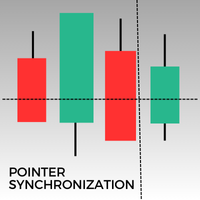
Cet indicateur pour MetaTrader 5 permet de synchroniser automatiquement le pointeur sur tous les graphiques ouverts d'un même actif. Que vous soyez sur un graphique en 1 minute ou en 1 jour, le pointeur se positionnera automatiquement sur le même prix dans toutes les fenêtres ouvertes. Cela facilite une analyse cohérente et rapide, améliorant ainsi la prise de décision. Synchroniser le pointeur entre plusieurs graphiques est un atout précieux pour les traders cherchant à maintenir une vue d'ense
FREE

Drag Drop Lot Size Calculator Overview Drag Drop Lot Size Calculator is a chart-based risk and position sizing tool for MetaTrader 5. It calculates the appropriate lot size based on your account balance (or equity), the selected risk percentage, and the stop-loss distance defined by a single horizontal line on the chart. A compact on-chart panel displays the key values in real time. Key Features One-line workflow: uses a single horizontal line as the stop-loss level Real-time lot size calculatio
FREE

Copy your MT5 trades to accounts anywhere in the world with the MetaToolsLab Master EA . Unlike local copiers that only work between terminals on the same PC or VPS, MetaToolsLab uses a secure cloud relay — so you can broadcast your trades to followers across different computers, VPS providers, brokers, and continents , with sub-second delivery and no broker passwords . Whether you're a signal provider, a multi-account trader, or an account manager, the Master EA installs in about
FREE

FOREXBOB AUTO CLOSER is a very handsome tool for :- Scalping Correlation Hedging Those who use averaging methods As this utility tool will help you by closing all your running trades when the universal floating P/L reaches a certain value that you will put in inputs. This tool consider all the trades that running on the your account either opened MANUALLY or with help of an EA.
Inputs USD - Put numeric value for required profit Group Mode - False Magic No. - Zero (0) to consider manually opene
FREE

Pointer Sync is a pointer synchronizer between open charts. It makes the MT5 cross (activated by the middle mouse button) to be replicated on all open charts. In addition, it is possible to create horizontal lines (letter H) and vertical lines (letter V), very useful for studying. The appearance of the lines is customizable. Note: Synchronization is through the X and Y scale in pixels , not price and/or date. It is a simple and free utility. Enjoy!
This is a free indicator, but it took hours to
FREE

Hedge Assistant - Le Hedge Assistant est un Expert Advisor (EA) intuitif, conçu pour simplifier les opérations de couverture. Cet EA prend en charge deux stratégies de couverture : simple et double. Pour plus de détails sur ces stratégies, consultez les vidéos explicatives disponibles sur notre chaîne YouTube (liens et images joints). Fonctionnalités : Backtest : Il n'est pas possible de réaliser un backtest, car les ordres sont exécutés manuellement via les boutons du panneau, nécessitant l'in

Risk Calculator and Order Lines calculates position size from your chosen risk and places orders from the chart. Set the entry, stop loss and take profit using draggable lines, then review the volume and estimated outcome before confirming the order. Risk can be entered as a percentage of balance, a percentage of equity or a fixed amount in account currency. The panel displays estimated risk and reward in money and percent, the reward to risk ratio, required margin and spread cost. A separate in
FREE

Je revends le jeu de données de contrats à terme (futures) E-mini Nasdaq (ENQ) de niveau 1 (Level 1), provenant de CQG Data Factory. Ce jeu de données couvre uniquement les contrats à terme ENQ et exclut les autres instruments de trading.
Il couvre la période allant du 1er janvier 2020 au 30 avril 2026, pour une taille totale de fichier compressé de 37,5 Go. Aucune donnée n'est disponible en dehors de cette période spécifique.
Le prix officiel sur le site de CQG Data Factory est de 2 081,70 $
FREE

Repaint Inspector mesure si un indicateur se redessine, au lieu de croire cette affirmation sur parole. Vous l'attachez à un graphique, vous indiquez n'importe quel indicateur personnalisé et sa liste de paramètres, et il relit les buffers de cet indicateur sur des barres déjà clôturées, en comptant chaque valeur qui bouge, chaque valeur qui apparaît et chaque valeur qui disparaît, ainsi que la profondeur dans l'historique à laquelle cela se produit encore. C'est un outil de mesure. Sur un graph
FREE

THE TRADER LOT & MARGIN CALCULATOR THE TRADER Lot & Margin Calculator is a free MetaTrader 5 utility designed to help traders calculate position size, manage risk, and monitor margin requirements directly on the chart. It is suitable for manual trading across forex pairs, gold, and other broker-supported instruments. Key Features Position Size Calculation — calculate lot size based on your selected risk percentage and stop-loss distance. Margin Control — limit the amount of free margin allocated
FREE

PropBlaster Position Sizer calculates the right lot size for every trade. Plan the trade on the chart, drag the stop loss line, and the panel shows lot, risk and R:R before you send the order. How it works Click Plan BUY or Plan SELL: entry, stop loss and take profit lines appear on the chart Drag the lines; lot size, risk in money and in percent, and R:R update instantly Risk as % of balance, % of equity or a fixed amount The lot is always rounded down, so the risk is never exceeded Commission
FREE

Many friends asked me for a simple, non-obtrusive, resource-friendly clock to track the time during their trades. It seems pretty obvious, but it is a must-have for those trading the market manually, waiting for the Market News, or just to visually know what time it is... Trading is an absorbing endeavor! So, here it is... Totally configurable, including Font Type, Font Size and Chart Location: Upper Left/Center/Right OR Lower Left/Center/Right, with a little twist of adjusting the Offset, just
FREE

Merci de noter 5 étoiles si vous appréciez cet outil gratuit ! Merci beaucoup :) La collection « Assistant Gestion des Risques » est une suite complète d'outils conçus pour améliorer les stratégies de trading en gérant efficacement les risques dans différentes conditions de marché. Elle comprend trois éléments clés : les conseillers experts en gestion de moyenne, en commutation et en couverture, chacun offrant des avantages distincts adaptés à différents scénarios de trading.
Cet EA est une év
FREE

Prop News Filter is a free Expert Advisor that helps traders on prop firm and funded accounts avoid violating the 2-minute news rule that most major prop firms enforce. It uses a precise two-stage protection model: pre-block new trades 15 minutes before the restricted window, then close everything 2 minutes before the news. Most news filter tools either block trading too aggressively and kill your edge, or rely on the MQL5 native calendar which is often disabled on prop firm terminals. This EA u
FREE

This utility automates Take Profit (TP) and Stop Loss (SL) levels for your trades, calculated in Money (Example : if you type 10, it means 10USD) . It ensures consistent risk management for all your positions. Crucial Note for Manual Traders: If you intend to use this utility on trades opened manually (without an Expert Advisor), you must change the 'Magic Number' setting to 0 (zero) . This allows the utility to correctly identify and manage your manual orders.
FREE
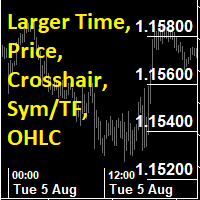
This utility indicator provides accessibility and readability, by displaying a larger price scale, time scale, crosshair, and symbol name/tf/ohlc information. All features are sizeable and can be styled separately, and are optional to show.
All Features optional to use font, size and color options
Price Scale
option to hide the default MT5 price scale option to show horizontal lines at price levels prices drawn can be at round numbers (ie automatic rounding to multiples of 5/10/20/25 points),
FREE
The RFOC Candle Timer 2x was created for the trader to locate himself in time, having access to the pending time for the formation of a new candle. Additionally, it is possible to include in the chart a second timer that shows the pending time for the formation of a new candle in a time period different from the current one. The user will have the option to select up to 4 different positions for the timer display ("No candle", lower left corner, lower right corner or upper right corner). In ad
FREE

This is a utility indicator that creates mini charts on left side of the chart you are looking at.
It is very useful to watch many timeframes simultaneously, without having to change between multiple charts. Its configuration is very simple. You can have up to 4 mini charts opened. They automatically load the template of the "parent" chart. If you have any doubt please contact me. Enjoy!
This is a free indicator, but it took hours to develop. If you want to pay me a coffee, I appreciate a lot
FREE

Analysez non seulement ce que vous avez tradé, mais aussi l'apparence du graphique au moment où vous avez pris la position. ChartLedger est un journal de trading visuel et local pour MetaTrader 5. Il enregistre automatiquement les opérations correspondant au symbole du graphique auquel il est attaché et associe les données de trading à des captures du graphique prises à l'ouverture et à la clôture finale. Lorsque vous souhaitez analyser votre activité de trading, ChartLedger peut créer un export
FREE

High-impact news such as Non-Farm Payrolls, CPI or a central-bank rate decision can move a market in seconds: spreads widen, prices gap, pending orders fill far from where you placed them. News Filter reads the economic calendar that is built into MetaTrader 5 and tells you when a news window is coming. If you switch it on, it also clears pending orders, closes positions and publishes a pause flag that your own EAs can read. Free, fully working, no time limit. No nag screens, no upgrade prompts
FREE

Plan it on structure. Size it to the cent. Protect it like a funded account. PQ Trade Assistant is a free trade planner and manager with a market-structure engine built in. You decide the trade. The assistant places the stop and target on real structure, sizes the position from your risk, checks it against your account rules, and manages it once it is live. It never trades on its own. No other product is needed. Plan on structure PLAN BUY / PLAN SELL draws entry, stop and target lines with risk
FREE

Hey Trader!
Boring with the Meta chart? Do you want to move it as you do in Profit?
Your problems are over! Now available Chart Panoramic or ChartPan for closer friends, a utility that allows you to move the chart to better visualize the most relevant points for your trade.
Recommend you to add a keyboard shortcut for quick access (Ctrl + Q - for example), because you will need to run ChartPan after symbol changing to "release" the chart again.
To add a hotkey: after downloading
FREE

Un panneau d'information clair et en temps réel pour MetaTrader 5. Aucune logique de trading — il n'ouvre, ne modifie et ne ferme jamais de positions et n'interfère pas avec vos Expert Advisors.
HEURE ET SESSIONS • Heure du serveur, heure locale et GMT • Sessions de Sydney, Tokyo, Londres et New York mises en évidence en direct • Détection des chevauchements et compte à rebours jusqu'à la prochaine session
DONNÉES DE MARCHÉ • Symbole et unité de temps • Spread actuel, moyen et maximal
COMPTE
FREE
Bot-utility.
Tracks the total balance on the trading account - that is, it works on all symbols and with magic number.
Has a parameter: Balance Stop, % - balance trailing, as a percentage of the balance
I created Balance Risk Bot specifically for Candle Bot , which will close all positions if the total deposit drops as a percentage.
All Information can find there
in Telegram
and My Broker XM
Live Signal Signal
FREE

Vous voulez utiliser les données de MetaTrader 5 dans Excel, Python, un backtesting externe ou le machine learning, sans perdre de temps à nettoyer des exports peu pratiques ? Candle History Exporter a été conçu pour transformer l'historique des bougies du symbole actuel en fichiers CSV clairs, configurables et prêts à l'emploi pour le research, l'automatisation et l'analyse quantitative. Vous pouvez exporter un ou plusieurs timeframes dans une plage de dates définie, avec la possibilité d'util
FREE

GntCountdown — Compte à Rebours de Bougie Néon GntCountdown est un indicateur utilitaire gratuit développé par l'équipe Genaro Trade . Il affiche un compte à rebours sur le graphique, montrant exactement combien de temps il reste avant la clôture de la bougie actuelle. Caractéristiques principales :
• Compte à rebours en temps réel (HH:MM:SS)
• Pourcentage de progression de la bougie
• Couleur dynamique : vert → jaune → rouge au fur et à mesure
• Clignotement automatique dans les dernières
FREE

Notifications instantanées Telegram. Définissez des niveaux de prix directement sur le graphique et recevez un message lorsque le prix les franchit. L’ajout d’un niveau ne prend qu’un seul clic. Vous pouvez faire glisser la ligne avec la souris pour définir précisément le niveau de prix souhaité. Panneau de contrôle pratique :
toutes les alertes actives sont affichées dans une liste les niveaux peuvent être modifiés en faisant glisser la ligne les alertes inutiles peuvent être supprimées en un
FREE

Minuteur de compte à rebours de bougie – Restez en avance sur le marché Vous êtes-vous déjà demandé combien de temps il reste avant que la bougie actuelle ne se ferme ? Le timing est essentiel en trading. Le minuteur de compte à rebours de bougie est la solution idéale pour les traders qui ont besoin d'une synchronisation précise pour exécuter leurs stratégies de manière efficace. Que vous soyez scalpeur, day trader ou swing trader, cet outil vous garantit de ne jamais manquer un moment crucial.

Tick History Loader is an essential auxiliary tool that downloads the full available tick history for any symbol in your MT5 terminal. The script performs a deep synchronization with the trading server, sequentially requesting and saving the entire tick history from the earliest available date. This is necessary for the correct operation of advanced analytical tools that require complete market data. The obtained tick history serves as the basis for building custom charts with a timeframe in sec
FREE

Smart Symbol Changer & Multi-Chart Sync Stop wasting time manually changing symbols on every chart. The Smart Symbol Changer is not just a button panel—it is a complete workspace management tool designed for professional traders who monitor multiple assets (Forex, Crypto, Indices) across multiple chart windows. Why this is the best Symbol Changer for MQL5: Most symbol changers are messy and clutter your screen. This tool features a Smart Auto-Grid that automatically sorts your symbols alphabetic
FREE
This indicator is designed to provide all useful information about symbol, account, positions and profit. It is developed for improving trader's money management.
Parameters Calc can be divided to separate blocks. Each block is possible to hide, set its own color and other properties. Block symbol: This block displays information about actual SPREAD, POINT VALUE (in deposit currency for 1 lot), SWAP LONG and SHORT. Show symbol info - display/hide this block Color of symbol info - color of this
FREE

Telegram to MT5 Bridge Client EA Turn Any Telegram Trade Signal into Live MT5 Orders Uses AI to help you Adapt to future changing signal messages. Never miss a trading opportunity again. This Expert Advisor connects your MetaTrader 5 to your Telegram channels or groups – and executes trades automatically as soon as a signal is posted. Receive market orders, limit orders, and even multi‑level take‑profit signals (up to three targets). The EA does the heavy lifting for you: it detects entry price

Crystal Profit Dashboard – Real-Time MT5 Account Performance Utility Overview
Crystal Profit Dashboard is a lightweight MetaTrader 5 utility that provides real-time profit and loss monitoring directly on the chart.
It offers a clean, modern dashboard interface that updates account performance without clutter, allowing traders to focus on execution while keeping essential metrics visible. Designed for scalpers, intraday traders, and swing traders, this tool provides accurate floating profit/los
FREE

COMPLETE USER MANUAL Apex Trade Terminal is a professional visual order entry and dynamic risk management suite engineered for MetaTrader 5. Designed for prop-firm traders, scalpers, and day traders, Apex combines manual visual control with algorithmic capital protection directly on your charts. ________________________________________ 5 KEY STRENGTHS THAT DISTINGUISH APEX FROM THE COMPETITION 1. ️️ Proprietary Stealth V-Orders (Trigger+Stop) Never reveal your breakout levels to broker o
FREE

Cet Expert Advisor (EA) est conçu pour simplifier la gestion des transactions en offrant plusieurs boutons pratiques pour une gestion plus efficace des positions. Il convient particulièrement aux traders utilisant plusieurs points d’entrée et à ceux qui doivent gérer rapidement leurs ordres. Son interface claire et ses commandes intuitives permettent d’effectuer facilement des opérations groupées sans configuration complexe, réduisant ainsi les erreurs liées aux interventions manuelles. Fonctio
Savez-vous pourquoi MetaTrader Market est le meilleur endroit pour vendre des stratégies de trading et des indicateurs techniques ? Pas besoin de publicité ou de protection logicielle, pas de problèmes de paiement. Tout est fourni dans le MetaTrader Market.

Vous manquez des opportunités de trading :
- Applications de trading gratuites
- Plus de 8 000 signaux à copier
- Actualités économiques pour explorer les marchés financiers
Inscription
Se connecter
Vous acceptez la politique du site Web et les conditions d'utilisation
Si vous n'avez pas de compte, veuillez vous inscrire