
EA Auditor
- Utilitaires
-
Stephen J Martret
 With over 23 years of experience trading Forex, Gold, and other financial markets, I have worked extensively with both discretionary (manual) and algorithmic trading strategies across a wide range of market conditions.
 - Version: 2.29
- Mise à jour: 21 octobre 2026
- Activations: 10
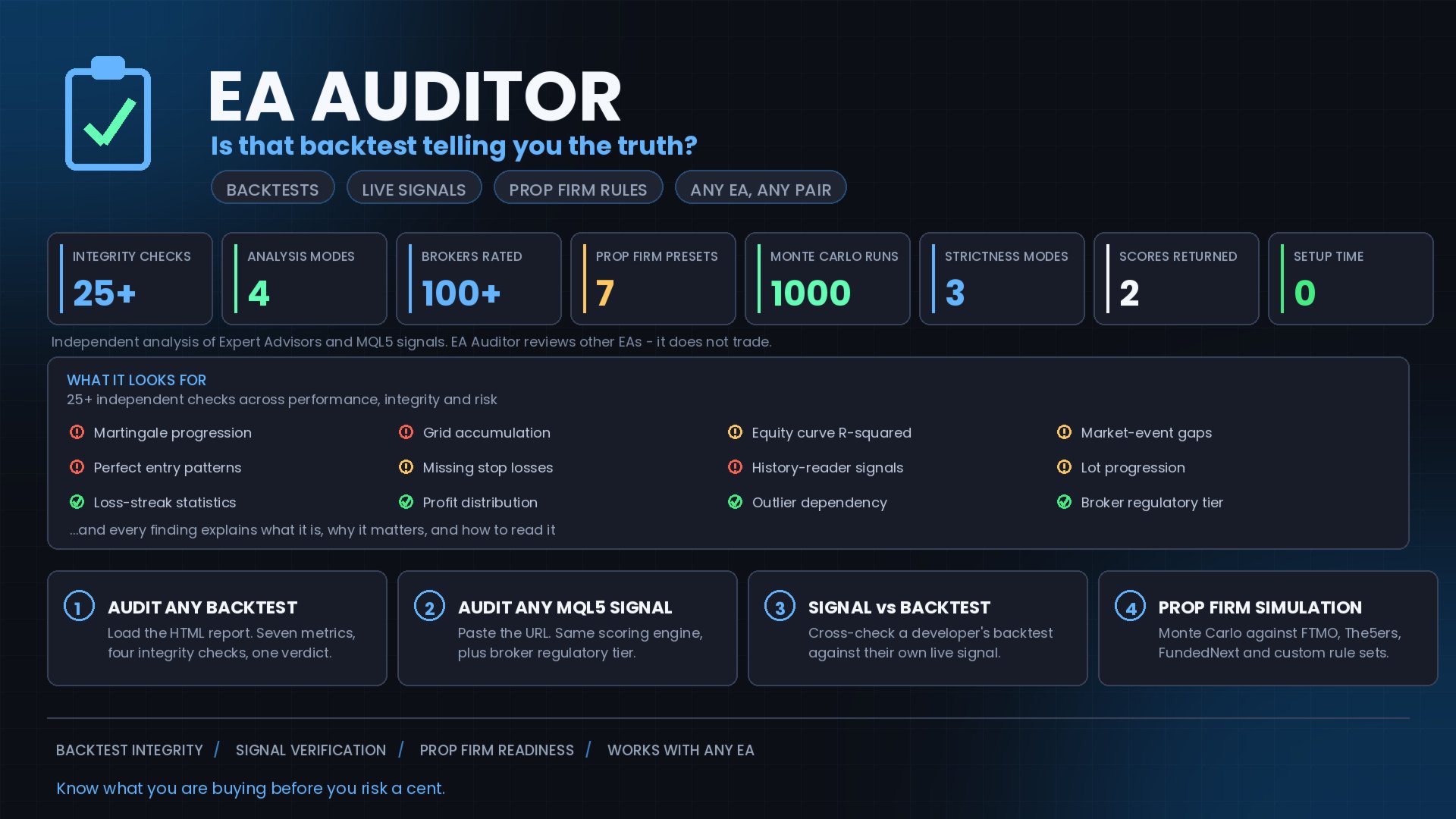
EA Auditor is an independent analysis tool for traders evaluating Expert Advisors and trading signals on MetaTrader 5. It audits backtest reports, reviews posted developer signals, and cross-verifies the two against each other to help traders assess strategies before committing capital.
The MQL5 market offers a wide range of Expert Advisors from many developers, with varying approaches, quality, and transparency. EA Auditor provides a consistent, data-driven framework for reviewing them, answering questions such as whether the equity curve is statistically consistent, whether the win rate is within achievable ranges, whether the signal broker is regulated, and whether the backtest corresponds to the developer's live signal.
Audit Backtest
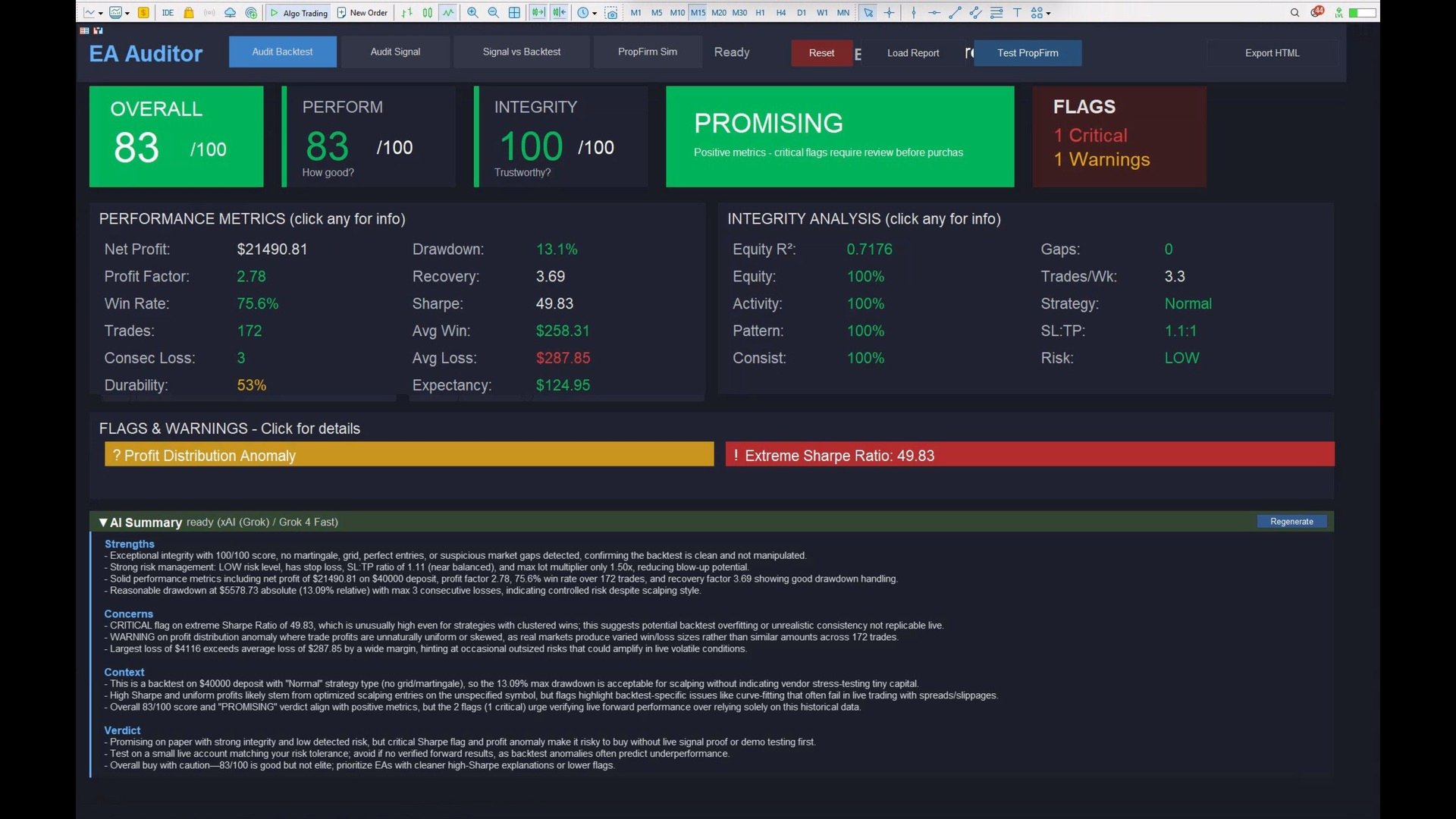
Load an EA's backtest HTML report for automated analysis. EA Auditor auto-detects the latest report, then evaluates seven performance metrics (profit factor, drawdown, win rate, trade count, risk, durability, and expectancy) alongside four integrity checks (equity curve R-squared, activity gaps, pattern analysis, and consistency). It includes martingale and grid detection through lot progression analysis with multiplier identification, history reader assessment via compound analysis across multiple statistical indicators (note that without source code access, no external tool can provide 100% certainty), a statistical anomaly engine covering win/loss streaks, profit distribution, and time clustering, and a graph view showing the visual equity curve alongside data tables.
Audit Signal
Paste an MQL5 signal URL for independent review. EA Auditor fetches signal data directly with no manual entry, then runs the same scoring engine used for backtests for methodology consistency. It includes a broker reference database covering 100+ brokers categorised across five regulatory tiers, SL:TP ratio analysis calculated from actual trade data, a break-even win rate calculator showing the minimum win rate required, and subscriber context explaining how copy-trading results may differ from the source signal.
Signal vs Backtest Comparison
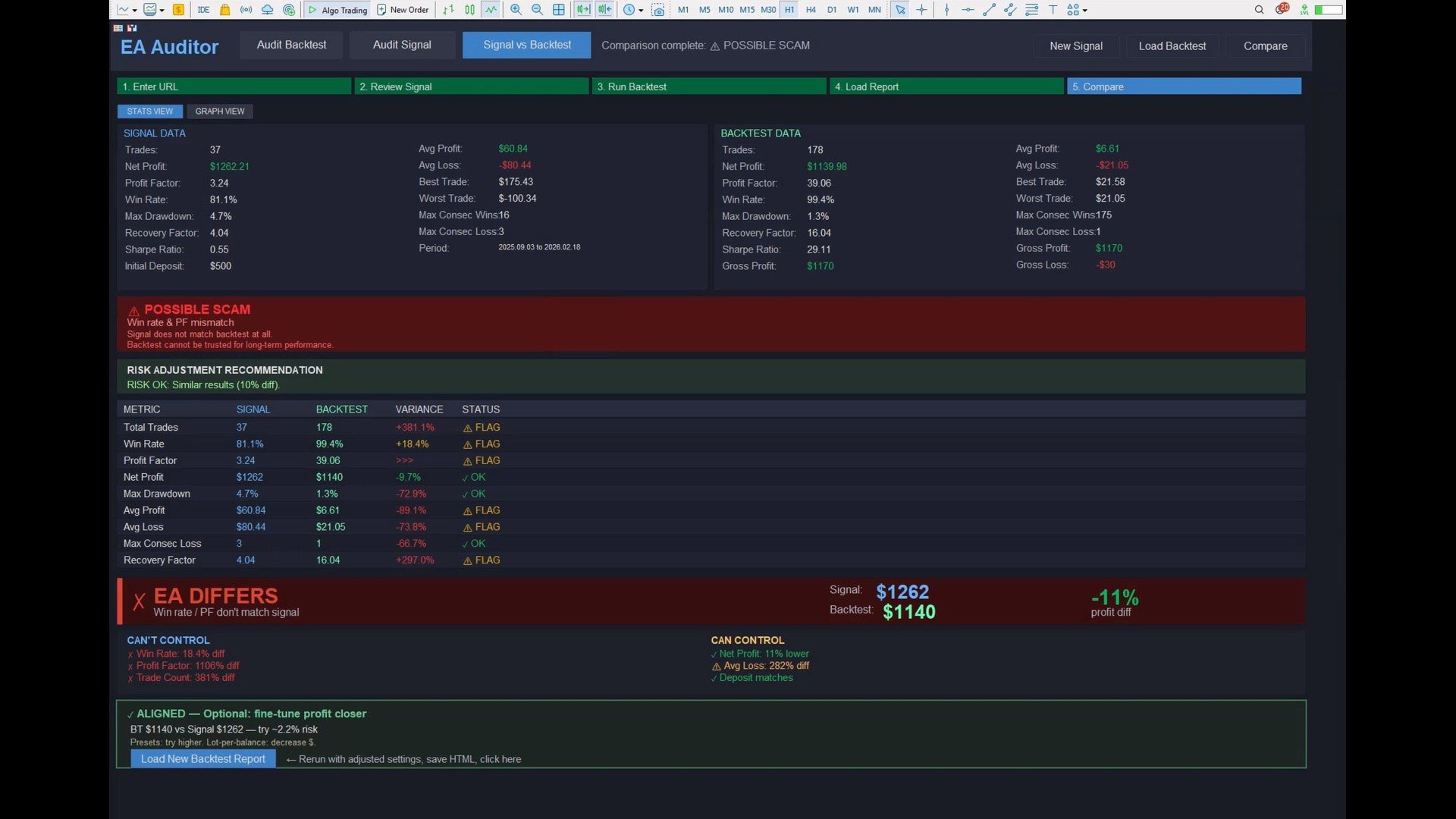
Cross-verifies whether an EA's backtest is consistent with the developer's live signal. A guided five-step workflow takes you from pasting the URL through reviewing the signal, running the backtest, loading the report, and comparing the results. EA Auditor suggests backtest risk settings based on signal analysis, estimates the backtest period from signal holding times, and provides setup instructions covering deposit, leverage, symbol, dates, and modelling type. Side-by-side comparison shows every metric with variance percentages, and the diagnostic framework distinguishes metrics the subscriber cannot control (win rate, profit factor) from those they can (risk, position size). Iterative refinement lets you adjust risk, reload, and compare again until aligned, with consistency checks highlighting when backtest fundamentals diverge from the live signal.
Prop Firm Simulation
Tests any EA's backtest against prop firm rule sets using Monte Carlo methodology. Seven built-in presets cover FTMO (2-Step and 1-Step), FundedNext Stellar (2-Step, 1-Step, and Lite), and The5ers High Stakes (Classic and New), with rules verified to 2026. Three custom firm slots and editable factory presets let you configure any prop firm via EA inputs or override built-in rules when firms update them. Monte Carlo runs 1000 reshuffled iterations per firm to assess pass-rate stability, reports typical duration in median days to complete each challenge, and supports a position size multiplier at 1x, 2x, 3x, 5x, and 10x to observe scaling behaviour. The backtest vs simulation comparison shows typical and worst-case drawdown across runs, the expected value calculation factors challenge fee, pass probability, and profit split, and a third-party EA detection step scans EA inputs for known randomisation settings.
Robustness / Overfit Score
Most tools tell you what a backtest did; EA Auditor tells you whether it will hold up. A one-click overfit score (Deflated & Probabilistic Sharpe, Minimum Track Record Length, sub-period stability and bootstrap stress-testing) exposes lucky, curve-fitted results before you risk a cent — no synthetic data, no re-running required.
Scoring and Verdict Framework
EA Auditor produces two scores out of 100. The Performance Score combines profitability against sustainable benchmarks (20 points), max drawdown with live-trading adjustment (20), win/loss quality sweet-spot analysis (15), trade count statistical significance (10), risk management consecutive loss patterns (10), durability across time (15), and mathematical edge per trade (10). The Integrity Score combines equity curve R-squared linearity (25), activity patterns during market events (25), pattern analysis covering lot progression and entry patterns (25), and consistency across time periods (25). Verdicts use five categories reflecting the analysis outcome, and every flag includes a detailed popup explaining the finding and its reasoning.
What EA Auditor Analyses
EA Auditor runs 25+ independent checks across performance, integrity, and risk, including history reader indicators, martingale progression, grid accumulation, unrealistic statistical metrics, missing stop losses, wide SL:TP ratios, perfect-entry patterns, smooth equity curves (R-squared analysis), market-event trading gaps, loss-streak statistics, profit distribution, outlier dependency, durability, expectancy, broker regulatory tier, and context-aware flag correlation. Each finding includes an explanation of the issue, why it matters statistically, and how to interpret it.
Adjustable Strictness
Three audit modes are available for different analytical preferences. Conservative applies more lenient thresholds, Normal provides balanced analysis as the default, and Aggressive applies tighter statistical standards.
Who EA Auditor Is Built For
EA Auditor is built for traders evaluating EAs before purchase, signal subscribers reviewing signals before subscribing, EA developers validating their own backtests prior to submission, prop firm traders assessing strategy compatibility with challenge rules, and anyone building a multi-strategy portfolio.
Getting Started
For backtest audit, run an EA's backtest in Strategy Tester, save the HTML report, and load EA Auditor, which auto-detects the report. For signal audit, add https://www.mql5.com under Tools, Options, Expert Advisors, Allow WebRequest for listed URL, then paste any signal URL into EA Auditor and the analysis runs in seconds. For signal vs backtest, paste the signal URL and follow the guided setup to run a matching backtest, and EA Auditor compares everything automatically.
What's Included
EA Auditor with full four-mode analysis, built-in broker reference database covering 100+ brokers, detailed user manual in PDF, and updates through the MQL5 comments section.


















































Everyone need to get it, and learn to read it. It's the must to have.