 MetaTrader 5
 Experts
 Indicateurs
 Bibliothèque
 Utilitaires
 Widgets
 Règles
Regardez les tutoriels vidéo de Market sur YouTube
Comment acheter un robot de trading ou un indicateur
Exécutez votre EA sur
hébergement virtuel
hébergement virtuel
Test un indicateur/robot de trading avant d'acheter
Vous voulez gagner de l'argent sur Market ?
Comment présenter un produit pour qu'il se vende bien
Utilitaires de trading pour MetaTrader 5 - 24
 Vous trouverez ci-dessous des programmes de trading simplifiant le trading dans MetaTrader 5. Passez la souris sur un utilitaire pour lire sa description et son objectif.
SmartLotEA – Auto Lot Size Calculator for All Pairs SmartLotEA is a professional-grade MetaTrader 5 Expert Advisor designed to calculate trading lot sizes automatically based on account balance. It helps traders maintain consistent risk control across all trading pairs with minimal configuration. Built for precision and simplicity, SmartLotEA is fully compatible with all symbols — including forex majors, minors, exotics, and synthetic instruments — and adapts its lot sizing logic to your account
FREE

French CCI Cross Alert EA pour MT5 CCI Cross Alert EA est un outil simple pour MetaTrader 5 qui vous avertit lorsque l’Indice du Canal de Marchandises (CCI) atteint des niveaux courants de surachat ou de survente. Il permet de suivre les conditions du CCI sans surveiller les graphiques en permanence. Une fois installé sur un graphique, l’EA surveille l’indicateur et envoie une alerte popup lorsque des niveaux importants sont franchis. Cela vous permet de vérifier rapidement le graphique et d’éva
FREE

FXCompute Trade Copier Bridge for MetaTrader 5 FXCompute Trade Copier Bridge is a lightweight, ultra-low latency execution engine that connects your MetaTrader 5 terminal directly to your FXCompute cloud trade copying network with zero third-party software required. Overview FXCompute Trade Copier replicates trades across your accounts in real time. Operating alongside dedicated 24/7 cloud infrastructure, it handles position opens, modifications (Stop Loss and Take Profit), partial closes, and m
FREE

EdgeZone EA Inspector - FREE Edition Monte Carlo Analysis Tool for Trading Strategies Important: This is an analysis tool, not a trading robot. It does not execute trades but analyzes strategy data through statistical simulations. The Problem Many Expert Advisors show impressive backtest results but fail in live trading. The most common reason: over-optimization - the strategy was adjusted until it looks perfect for past data, but doesn't work for the future. The Solution: EdgeZone EA Inspector
FREE

This is a RISK MANAGER utility for MetaTrader. To activate it, after downloading it, you must enable all autotrading controls on MetaTrader, as with EXPERT ADVISORS. The user must enter control settings as indicated in the indicator properties, which initially have default data. RISK MANAGER will perform checks and display pop-up alerts when certain behaviors exceed the user-entered settings. It's free; use it, try it, develop it, or contribute ideas. It's just a utility; the programmer assumes
FREE

The utility Filled Area Chart adds to the standard set of price presentations. It is a brand new, nice price chart. You will certainly like it if you want to feel yourself a trader born under the Bloomber lucky star.
The Properties allow to set the colors and other things: Color preset - choose a preset or set to "Custom" and set your own colors using the properties below.
Custom area color - color of the area below the price line. Works only with Color preset = Custom.
Custom chart color - col
FREE
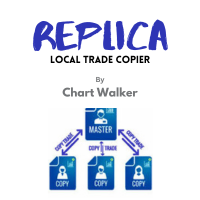
White label available. contact us for more info. dushshantharajkumar@gmail.com Replica Local Trade copier by Chart Walker
Replica, a MetaTrader 5 (MT5) local trade copier, is a powerful tool designed to streamline and automate trading processes for users within the MT5 platform. This innovative software allows traders to replicate trades from one account (master) to another (slave) in real-time, enabling efficient and synchronized trading across multiple accounts. With its user-friendly inte
FREE

Aurum Risk Sentinel est un utilitaire de gestion des risques pour MetaTrader 5. Il surveille l'équité du compte et l'exposition sélectionnée au cours d'une journée serveur. Il ne s'agit pas d'une stratégie de trading et il n'ouvre aucune position. Logique Enregistre l'équité de début de journée et une équité maximale courante. Calcule la perte quotidienne actuelle et le drawdown depuis le pic enregistré. Compte les positions ouvertes gérées. Passe à un état verrouillé lorsqu'une limite configuré
FREE

Smart One-Click Risk Manager - TradingView Style UI Tired of placing manual market orders without instant protection or dealing with MetaTrader’s outdated default panel? Smart One-Click Risk Manager is a high-performance visual utility built for traders who need 1-click execution with pre-configured Stop Loss and Take Profit in USD , wrapped in a sleek, modern TradingView Dark Theme interface. Clearly visualize your profit zone (soft pastel green) and risk zone (soft pastel red) directly on the
FREE

Great dashboard for market analytics. Help you to analyze the values of the Moving Average indicator and prices.
Using this dashboard you can: find signals from the Moving Average from all timeframes; find signals from the Moving Average from all symbols; check - how far the Moving Average is from the price; check - the Moving Average value has changed; 2 types of signal.
Modes of operation (switched by a button on the graph): current value of Moving Average; the difference between the curr
FREE

ClickDesk Trader is a fast, manual trade-management desk for MetaTrader 5. Open, close and protect your trades in one click — or with keyboard hotkeys — while a clean HUD keeps your P&L, risk and market pressure in view. It does not decide for you; you stay in full control.
One-click desk & hotkeys - Buy / Sell, Close All, Close Buys, Close Sells — buttons and hotkeys (B, S, C, Q, W). - Lot stepping on the fly (L / K) with a hard lot cap.
Glowing toggle tools (press again to undo) - SL/T
FREE

With this indicator you have displayed on the chart the optimal lot size for the forex pair. No need for manual calculations or losing time on websites where you have to input the values to get the optimal lot size. The indicator values are preset for maximum percentage risk is 2% and for maximum pips loss is 50. For a customizable version you can buy using the this LINK . ATTENTION: This only works with forex pairs and it doesn't work on account deposits in YENS!!!!!!
FREE

CapGuard Risk Manager Protect your capital, pass Prop Firm challenges, and eliminate emotional trading with CapGuard Risk Manager. Whether you are an algorithmic trader running multiple EAs, a manual trader struggling with discipline, or a Prop Firm challenger needing strict risk controls, CapGuard Risk Manager is your ultimate safety net. This professional utility runs on a single chart but protects your entire MT5 account. It continuously monitors your equity, open positions, and server stab
FREE

SR Zones & Pivot Panel EA - All-in-One Trading Tool SR Zones & Pivot Panel EA is a powerful hybrid tool that combines automatic Support/Resistance Zones , Daily Pivot Points , and a Compact Trading Panel into one interface. It helps traders visualize key price levels on any timeframe while executing trades quickly and efficiently. Designed for precision and speed, this tool keeps your chart clean while providing all the data you need for intraday trading. Key Features 1. Automatic Support
FREE

Friends, join us!
Ask questions and connect with like-minded traders: MetaCOT Public Group
MetaCOT Information Channel: news, CFTC reports, and signals: MetaCOT Channel
Here’s to successful trading and new profitable signals for us all! Attention! Recently, certain countries have been blocking access to the cftc.gov website. As a result, users in these countries are giving the product low ratings. MetaCOT has always adhered to the highest quality standards and is in no way associated with th
FREE

Fast Trade Assistant Panel Fast Trade Assistant Panel is an on-chart trading utility for MetaTrader 5. It provides market orders, pending orders, risk-based lot sizing, selective close, break-even, step take-profit, keyboard trading, Super Trend, Inside/Outside Bars and a bar countdown timer. Settings are changed from the main panel and the Settings window. No EA Inputs setup is required to start trading. Execution Market Buy and Sell use the lot size and the optional Stop Loss and Take Profit e
FREE
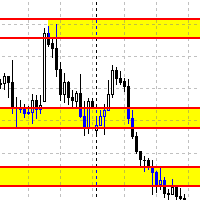
Данный советник автоматически переносит SL в зону безубытка, и по мере увеличения текущей прибыли переносит SL все выше. В отличие от стандартного трейлингстопа, этот автоматически работает со всеми открытыми позициями, которые открыты у текущего символа. Так же если выставлен флаг автоматически выставлять SL, то в случае пустого SL, автоматически выставит его.
FREE

Proton Trade Assistant MT5
OVERVIEW Proton Trade Assistant MT5 is a utility for MetaTrader 5 that provides streamlined position management functions accessible directly from the chart. This tool is designed for traders who manage positions manually and require faster execution of closing and risk management operations.
PRIMARY FUNCTION The utility provides one-click access to commonly used position management operations that normally require menu navigation in MetaTrader 5. All operations exe
FREE

Relentless Trade Journal — Free Trade Statistics for MetaTrader 5
Most trade journals flatter you. They add up your closing profits and skip the commission you paid on entry, so they show a rosier number than the truth. You think you are breaking even when you are actually losing to costs.
Relentless Trade Journal shows you the honest picture, right on your chart.
It is free. If it shows you one cost you were missing, an honest review helps other traders find it.
It is a non-trading utility.
FREE

如果产品有任何问题或者您需要在此产品上添加功能,请联系我 Contact/message me if you encounter any issue using the product or need extra feature to add on the base version.
Session TakeProfit StopLoss is basically helping to set the take profit and stop loss in dollar for the total open orders (session). Once the total profit is greater than session_tp or less than session_sl, the EA will help to close all open orders acting similarly to a take profit/stop loss for a single order.
Inputs session_tp: session take profit ses
FREE

X-STOX Session Matrix Pro puts the market's clock on your chart. Instantly see which trading session is active, when the high-liquidity overlaps hit, and exactly how long until the next session opens or closes — all adjusted automatically to your broker's server time. Built as a single lightweight indicator. No DLLs, no external data, no configuration headaches. — What it does — Session zones on-chart — the Sydney, Tokyo, London and New York sessions are drawn as clean shaded zones so you always
FREE

What the panel does (similar to Nelogica's ProfitChart/Rating):
Shows real-time bid/ask values for the asset Lot field with - / + buttons, MAX button, and quick shortcuts (0.01 / 0.10 / 1.00 / 5.00) Stop and Target fields in points (editable) Large BUY (green) and SELL (red) market buttons REVERSE position (reverses the current position) and CLOSE ALL (closes everything on the asset) Balance, equity, free margin, and open profit updated every second
Easy customization (at the top of the cod
FREE

Risk Mirror is a read-only risk dashboard for prop firm challenge traders and funded account holders on MetaTrader 5. It watches your account and your open positions and does the risk arithmetic for you — daily loss limit, daily profit target, trailing drawdown, maximum drawdown and per trade position size — then shows the result on your chart. It places no orders, modifies no orders and closes no positions. Why read-only matters Many funded account programmes restrict or forbid expert advisors
FREE

# ApexForge One Click Close EA
## Overview
**ApexForge One Click Close EA** is a lightweight, non-blocking trading utility that allows you to close all matching positions—and optionally delete pending orders—with a single click.
Instead of manually closing trades one by one during volatile markets, this EA provides a fast, reliable, and visually clear way to manage your exposure instantly.
> ️ This tool does not generate trading signals or open positions automatically. It is designed purely
FREE

Panneau professionnel de planification des positions et de contrôle du volume pour MetaTrader 5 Position Control Suite est un panneau visuel professionnel de planification des ordres pour MetaTrader 5. Il est conçu pour les traders qui souhaitent préparer leurs ordres directement sur le graphique, définir précisément le niveau de Stop Loss et calculer automatiquement le volume de position à partir d’un montant de risque en devise du compte. Le principe est simple: définissez le montant que vous
FREE

TradingTimeControl is a utility implemented as an Expert Advisor for MetaTrader 5. It automatically closes all open positions and deletes pending orders at a specified time each day. This tool is designed for traders who need to automate position management with flexible settings. Key Features Closes positions and orders at the specified time ( CloseHour , CloseMinute ) daily. Allows you to change the closing time at any moment, applying new settings immediately. Supports MagicNumber : 0 for al
FREE

MT5 Execution Optimizer : Test Befor You Trade "Stop guessing why your trades fail. Measure your environment, diagnose the bottleneck, and verify your improvements." Most traders blame their strategy when they lose money to slippage, requotes, or delayed fills. But often, the real culprit is a poor execution environment (bad VPS, slow broker, or high jitter). MT5 Execution Optimizer is a professional diagnostic utility that transforms your MT5 terminal into a car-style diagnostic tool for your
FREE

Fx Trade Monitor – Professional Strategy Tracker & Risk Manager A powerful, free utility to monitor open/closed trades, visualize history, and manage risk with advanced Drawdown Alerts. Includes Excel-ready CSV export. Fx Trade Monitor is an essential dashboard tool designed for both manual traders and EA users. It provides a crystal-clear overview of your trading performance directly on the chart, filtering by Magic Number or Comment. Unlike simple info panels, this tool focuses heavily on Ri
FREE

Complete Trade Logger records every trade you close into a clean, ready-to-analyze CSV file. Unlike timer-based loggers, it is fully event-driven, so it captures everything: partial closes, fast round-trips, stop-loss and take-profit hits, manual closes, and margin stop-outs.
For each closed trade it records: - Open and close time, and trade duration - Symbol, direction, and volume - Open price, close price, and the entry stop-loss / take-profit - Profit, commission, swap, and net result - Exi
FREE

FOX CUSTOMER BENEFITS Verified customers with qualifying MQL5 Market purchases may be eligible for complimentary FOX commercial Expert Advisors. Learn more about the FOX Customer Benefits Program: https://www.mql5.com/en/blogs/post/774575
Dpi Trading Command Center is a read-only account monitoring and analysis utility for MetaTrader 5. It provides a unified dashboard for reviewing account status, open positions, pending orders, trading history, performance statistics and economic-calendar ev
FREE

The Buffer Reader will help you to check and export the custom indicators buffers data for your current chart and timeframe. You can select the number of buffer and historical bars to read/export. The data can be exported in a CSV format and the files will be stored in the folder: \MQL5\Files .
How it works Put the number of buffers to read in the Buffers_Total input parameter. Put the number of rows to display in the Rows_Total. Choose the CSV separator in the parameter. Copy the correct nam
FREE

FOX CUSTOMER BENEFITS Verified customers with qualifying MQL5 Market purchases may be eligible for complimentary FOX commercial Expert Advisors. Learn more about the FOX Customer Benefits Program: https://www.mql5.com/en/blogs/post/774575
ACCOUNT NUCLEAR One account. One control panel. Full manual authority when you need it. Account Nuclear is a free MetaTrader 5 utility built for traders who manage multiple positions, pending orders, manual trades or several Expert Advisors on the same account
FREE

Simple order is designed to make placing pending orders as easy and fast as possible. Setting a pending order takes just two steps. 1. Double-click on the price of placing an order, after that a panel with buttons for order names appears. 2. Click on the button of the required order That's it, the pending order is set. If necessary, we adjust the order by dragging, as well as change the sizes of stop loss and take profit. Don't forget to pre-set the size of the stop loss and take profit in the S
FREE

Take control of your trading performance with the Pro Dashboard Screener Designed for serious traders, this utility provides a clean, professional, and real-time overview of your account's health directly on your chart. Stop switching between tabs to check your stats. With the Quant Pro Dashboard, your key metrics are always front and center, allowing you to focus on what matters most: your analysis. Key Features: Account Intelligence: Automatically detects your Account Number and Broker detail
FREE

TradeManagerSmart is a useful addition to your MetaTrader 5 desktop. The window can be moved freely, and its functionality can be customised in the settings.
## The Profit/Loss shows the cumulated profit/loss for all open positions, not for each position/product !
Quick trading buttons (one-click trading) with the following features: Sell: Sell order Buy: Buy order Break-even: Immediately sets the stop-loss to the entry price (break-even) Close winners: Closes all positions that are in profit
FREE

================================================================ MATRIX CONDITION MONITOR Live Trade Condition Panel for MetaTrader 5 Fully Automatic -- Works with ALL Matrix EAs ================================================================
NEVER MISS A TRADE SETUP AGAIN
Matrix Condition Monitor is a free utility that attaches to any chart and automatically checks all 10 trade conditions in real time -- showing you exactly why a trade will or will not open, and alerting you the moment ever
FREE

Run one strategy across every account you trade. Revanche Miroir Local Copier is a free local trade copier that mirrors trades between MetaTrader 5 accounts on the same computer, in real time. One program plays both parts: set it as the Master on the account you trade, and as a Slave on each account that should follow. A complete copier, free. It copies on any symbol, in any account currency, and between different brokers. If the master falls silent, open trades are held rather than closed, and
FREE

Chameleon Floating Loss Protector "Your last line of defense against runaway drawdown." Overview Chameleon Floating Loss Protector (FLP) is a lightweight risk management utility that runs silently in the background and acts as an automatic circuit breaker for your trading account. When the total floating loss of your monitored positions exceeds a predefined threshold, the EA immediately closes all affected positions — then resets itself and resumes monitoring, ready for the next trade. No manua
FREE
This Expert Advisor requires the “STRAT Price Action Scanner” indicator to work. You must have the indicator installed and running on the chart Important
To place trades directly from the Trade Assistant panel, you must also install the STRAT Price Action Trade Manager EA (check the comment section) on the same terminal. The indicator sends the trade instructions; the EA is the component that actually places and manages the orders. Installation Instruction (please read) Guide t
FREE

Real Time Account Overview MT5 — Account & Magic Number P&L Monitor Real-time account overview and per-strategy P&L tracking, all in one clean panel. Overview Dashboard MT5 is a lightweight Expert Advisor that overlays a live information panel directly on your MetaTrader 5 chart. It gives you an instant snapshot of your account health and the performance of each trading strategy — identified by magic number — without ever leaving the platform. Whether you run a single EA or a dozen simultaneous
FREE

Скрипт для быстрого закрытия рыночных и отложенных ордеров. Этот зацикленный скрипт гарантированно закроет все выбранные ордера. Он будет работать, пока не закроет все выбранные позиции и удалится когда сделает свою работу. Если у Вас много открытых позиций этот скрипт поможет вам. Интуитивно понятный интерфейс 1) Просто бросьте его на график. 2) Выберите ордера, которые надо закрыть. По умолчанию выбраны все! 3) нажмите кнопку "Close". Если вы забыли включить Авто торговлю, будет выдано сообщен
FREE

AT Scalper Helps trader to place order seamlessly Close mulitple position at a time Place SL or TP for multiple position in a click Place hedge order same time with predefined SL and TP Place multi layer pending order in a click Place martingale layer Be informed about SL and TP in currency Get to know time remaining in current candle Get to know current spread View PnL, Balance, Equity on screen
FREE

Alert Relay Helper (EA) – MT5 & MT4
Encrypted bridge that forwards indicator alerts to external messengers * in real-time. Plug-and-play utility – simply attach it to one chart. Zero trading functions – does not open, modify or close orders. End-to-end AES-256 encryption – only custom indicators that support the same key can broadcast messages (e.g. VWAP Ultimate Pro v1.20+). Multi-platform – MT5 build 4150+, MT4 build 1380+. Before you turn it on : Open Tools > Options > Expert Advisors and
FREE

EEFX Volatility Tool is a simple MT5 risk-management utility that calculates a suggested trading lot size based on current market volatility. Markets do not move the same amount every day. A fixed lot size can therefore create very different levels of exposure depending on whether volatility is low, normal or unusually high. The EEFX Volatility Tool automatically measures volatility and provides a suggested lot size directly on your MT5 chart, helping you adapt your position sizing to changing m
FREE
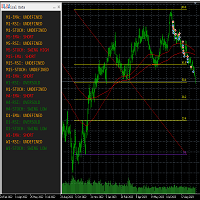
This tool helps to get a quick overview of a market. In one panel, indicators show trend, swing highs/lows and overbought/oversold information of various time frames (M1,M5,M15,H1,H4,D1,W1). Fibonacci can be used to identify different price levels. The input parameters of all indicators can be set by the user. The time frames can be changed as desired. The user can decide for himself which indicators he would like to see in the panel. Fibonacci appears on the chart at the next minute change at t
FREE

Indicator Removal Script for MetaTrader 5 (Version 1.4) The Delete All Indicators Script is a powerful and user-friendly tool designed for MetaTrader 5 (MT5) to instantly remove all indicators from the main chart, sub-windows, or both, with a single click. Developed by Louis MattFX , this script (Version 1.4) simplifies chart management, saving traders time and effort when resetting their workspace for fresh analysis or new trading strategies. Key Features Flexible Removal Options : Choose to c
FREE

Auto Position Manager is a unique services application of its kind across the entire MQL5 market, setting new standards for applications of this type. The Services app is a compact but powerful tool that significantly impacts the entire system. Its user-friendly interface and start-stop system make it excellent for automating repetitive tasks. Once it's set up, the service can be toggled on or off with a single click. Crucially, the configuration persists even if the platform is turned off and
FREE

Donation: USDT (TRC20) : TQJsYp64FgLLeQiyNnS6hhCNBjnz4ykbT1 USDT (BEP20, Polygon) : 0x5b50AaaE515452071D395D28BC3D78d16279D168
You can use this expert to execute Martingale orders for you open positions. This expert will add to your positions with a pre-defined loss step.
For choosing open positions you can use Symbol Name or Magic Number . Also the loss step will be defined by currency or pips. All positions that refer to a certain order will be closed by entered Profit from input section. For
FREE

Manage All Trades for MT5 Manage All Trades is a free MT5 utility that gives you fast and convenient control over open positions directly from the chart. Close all trades, BUY trades, SELL trades, profitable trades, losing trades, or positions on the current symbol with one click. Built for traders who want speed, simplicity, and better trade management in live market conditions. Manage All Trades is a lightweight and practical trade management utility for MetaTrader 5 that helps you close open
FREE

Overview The Expert Advisor sends notifications to a mobile phone, via e-mail or activates an audio alarm in case any changes are detected on the trading account: opening/closing positions, changing order parameters, balance or leverage. Also, the Expert Advisor can inform that Equity on the trading account has dropped below a specified value or Free Margin is small compared to Margin. The Expert does not trade, it only monitors your account and orders.
Launching the Expert Advisor You should a
FREE

This is a very simple backtesting tool. It starts from the most old chart in the past chart. It has 0.2pips spread, and you can do averaging 10 times. You can set the size of bars and the time frame as a parameter. You can't change the time frame during the backtest. These are the functions of buttons. ------------------------------------------------------------ Resume/Pause: Auto scroll stop and resume. Next bar: Showing candle sticks one by one. Speed1,2,3: The speed of auto scroll. Skip: ski
FREE

# StopOut Auto Calculator — Pre-Trade Margin & Stop-Out Risk Simulator for MT5
**Never get liquidated before your Stop-Loss again.**
Are you tired of setting a strict Stop-Loss (SL) on your trades, only to have your broker forcefully liquidate (Stop-Out) your entire account before price even touches your SL line?
Most traders believe having a Stop-Loss guarantees risk control. **In reality, it doesn't.** Brokers enforce a **Stop-Out threshold (typically 50% or 20% Margin Level)**. When you h
FREE
Affiche les événements du calendrier Forex sur le graphique sous la forme de lignes multicolores, en fonction de l'importance des nouvelles. Affiche la devise et l'impact des nouvelles (si disponible).
[OPTION:] Afficher uniquement les nouvelles sur une paire de devises ou Toutes les nouvelles. Afficher les nouvelles par devises principales (facultatif). Réglage de l'intervalle de temps des nouvelles affichées. Sélection de l'importance des événements affichés. Affichage des effets des nouvell
FREE
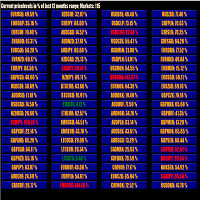
This tool scans up to 200 markets simultaneously and displays the current price level in a range specified by the user in a chart window.
By clicking on one of the buttons, a new chart window opens for the selected symbol. A template file can be specified as an input parameter, which is applied directly to the opened chart window.
The user can specify the font size of the buttons, the number of buttons per column and the level at which marking should take place in the input parameters. The upd
FREE

Dynamic ATR TP Ratio The ATR Take Profit Manager Expert Advisor (EA) automatically calculates and adjusts the take profit (TP) level for your open trades, based on market volatility. This EA uses the Average True Range (ATR) indicator, which measures market volatility, to set your TP level, ensuring it adapts to the current market conditions. What is ATR? The Average True Range (ATR) is a technical indicator that shows the volatility of an asset over a specific period. It measures how much the
FREE

PulsePanel GRATUIT – Exactement le même dashboard propre, puissant et professionnel que la version Pro, offert intégralement gratuitement pour que vous puissiez le tester en profondeur avant de passer à la version complète. Limité à USDCHF et GBPNZD , cette édition gratuite vous donne un accès total et sans aucune restriction à toutes les fonctionnalités principales : Ce que contient la version GRATUITE Exécution instantanée en un seul clic (achat/vente) Force des devises en temps réel Scanner d
FREE

After downloading, message me via MQL5 inbox to receive your FREE User Kit - setup guide, practical checklist, and workflow resources built specifically for XAUUSD traders. After years of trading Gold, one thing becomes clear fast: the P/L number alone does not tell you whether your position structure is clean or quietly building pressure. You can have a positive float while simultaneously carrying too many layered positions, a one-sided exposure that is not hedged, a margin level that is slowl
FREE

Active Session Timer — Key Features Real-Time Session Status
Instantly see which global trading sessions (London, New York, Tokyo, Sydney) are active or inactive at any given time. Start & End Countdown Timers
Displays exact start and end times for each session, along with live countdowns to help you plan trades in advance. Local Time Zone Support
Requires users to set their local time zone during installation for accurate and personalized session tracking across all broker servers.
FREE
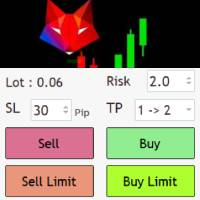
Risk management settings Automatic lot size calculation based on risk Open Buy and Sell positions with one click based on settings Open positions graphically (Buy Limit – Buy Stop – Sell Limit – Sell Stop) Real-time display of open positions' profit/loss and daily profit/loss Completely free You are welcome to explore and purchase from our other products as well. Please feel free to take a look and let us know if you have any questions.
FREE

MTM Manual Trade Manager is a professional trading dashboard designed for manual traders who want better control over risk and trade management.
This Expert Advisor does NOT open trades automatically. All trading decisions and order executions are fully controlled by the trader.
Main Features: - Manual Buy and Sell execution from the dashboard - Visual Stop Loss and Take Profit using drag & drop lines - Fixed Lot and Risk Percentage position sizing - Automatic Break Even management - Multiple
FREE

Simply deletes all objects from a chart, at once.
Q: Shouldn't I remove the indicator(s) from the chart instead, if I want to get rid of those objects? A: Absolutely. There are rare cases though, when you might end up with residual objects that don't programatically get removed from your chart, due to bugs or some other reason.
Q: Why use this script, when I can press Ctrl+B, list all objects, then manually select and delete each one? A: To save time, really. Maybe you have too many unwanted o
FREE

Free Renko Brick Engine with EMA Overlay No Offline Charts
Builds a Renko brick series directly from live price inside a normal MT5 chart — no offline chart, no history conversion, no external plugin. Bricks are constructed with independent open, high, low and close, and EMA 20/50 are computed on the bricks themselves rather than on time based candles. Every brick is logged so you can verify exactly what the engine built. WHAT IT DOES Constructs Renko bricks in-memory from live tick data, plu
FREE

PropCorrelation shows whether your open positions are really different trades. Three index shorts feel like three trades; most days they are one bet, sized three times. The panel puts the number on your chart: the correlation between every pair of open positions, signed by direction, next to the money each of them risks to its stop. Free. Setup takes a minute: attach it to one chart, and the matrix appears for whatever is open on the account. No inputs are required to start. Try it first
It is
FREE

Quick Close Pro by one click: * Close Buy positions * Close Sell positions * Close Win positions * Close All positions * Close All pending orders * Close All by Mobile: Select true to close all positions quicky from your Mobile by closing any position on Mobile. To close all positions by one click from your Telegram, please refer Master Close . Join my channel here for more useful EAs. Thank you!
FREE

PFA Merger – Portfolio Position Merger Script
Introduction PFA Merger is an MQL5 script and an essential component of the Portfolio Analyzer (PFA) system, a portfolio analysis toolkit included with compatible Expert Advisors from this profile. The PFA system allows traders to build, merge, and simulate multi-asset, multi-strategy portfolios entirely within the MT5 Strategy Tester, with no external tools required.
The three-step PFA workflow The PFA Exporter, built into the EA, exports backtes
FREE

OVERVIEW
Tanin EA17 Second Chart is a professional-grade utility EA built specifically for ultra-scalpers. Since MetaTrader 5 does not natively support second timeframes (like S10, S15), scalpers often face execution delays when analyzing external platforms and executing on MT5. EA17 bridges this gap by generating smooth, real-time custom second charts directly within your terminal. THE STORY BEHIND THE TOOL
As a scalper myself, I needed absolute speed and precision. I built this tool to elimin
FREE

Close Trade A simple, fast, and practical tool for managing and closing trades in MetaTrader
In the trading world, there are countless methods and strategies for opening and closing positions. Sometimes, due to volatile market conditions or multiple open trades, you need a tool that allows you to close all or specific trades instantly and efficiently. Close Trade is designed precisely for that, a lightweight, reliable, and easy-to-use tool for complete trade and order management in MetaTrader.
FREE

Forex17 BreakEven Price est un indicateur de référence financière pour MetaTrader 5 qui affiche directement sur le graphique le prix de break-even financier de l’opération ou de la journée.
L’indicateur n’exécute pas d’ordres, ne gère pas de positions, ne génère pas de signaux et n’automatise aucune décision. Il s’agit exclusivement d’un outil visuel de soutien au trading manuel, fournissant une référence objective basée sur les résultats financiers du compte. Ce que l’indicateur affiche
L’indi
FREE
Apply template to all opened charts First you must save the template, enter the template name Next, open the script and enter the name of the saved template in the input field, such as my_template.tpl Note: You can only set the template for the opened chart Note: You can only set the template for the opened chart Note: You can only set the template for the opened chart Note: You can only set the template for the opened chart
FREE

Tired of switching charts to check higher timeframe structure? ZeroG CandleContext draws the current candles from up to 3 higher timeframes DIRECTLY on your chart, with a real-time close countdown timer.
Trade on M1–M15 and keep H1, H4, and D context visible at all times. No chart switching. No losing focus.
## WHAT DOES IT DO?
The indicator displays the last N candles (default: 3) from each selected higher timeframe, drawn as real candles to the right of th
FREE
MetaTrader Market - les robots de trading et les indicateurs techniques pour les traders sont disponibles directement dans votre terminal de trading.
Le système de paiement MQL5.community est disponible pour tous les utilisateurs enregistrés du site MQL5.com pour les transactions sur les Services MetaTrader. Vous pouvez déposer et retirer de l'argent en utilisant WebMoney, PayPal ou une carte bancaire.

Vous manquez des opportunités de trading :
- Applications de trading gratuites
- Plus de 8 000 signaux à copier
- Actualités économiques pour explorer les marchés financiers
Inscription
Se connecter
Vous acceptez la politique du site Web et les conditions d'utilisation
Si vous n'avez pas de compte, veuillez vous inscrire