 MetaTrader 5
 Experts
 Indicateurs
 Bibliothèque
 Utilitaires
 Widgets
 Règles
Regardez les tutoriels vidéo de Market sur YouTube
Comment acheter un robot de trading ou un indicateur
Exécutez votre EA sur
hébergement virtuel
hébergement virtuel
Test un indicateur/robot de trading avant d'acheter
Vous voulez gagner de l'argent sur Market ?
Comment présenter un produit pour qu'il se vende bien
Utilitaires de trading pour MetaTrader 5 - 29
 Vous trouverez ci-dessous des programmes de trading simplifiant le trading dans MetaTrader 5. Passez la souris sur un utilitaire pour lire sa description et son objectif.
Msg2Slack est l'outil qui envoie des messages depuis les zones de texte MT4/MT5 vers Slack. En un seul clic sur le bouton situé sur le côté droit de la zone de texte, vous pouvez facilement envoyer du texte et des images graphiques à votre chaîne Slack. Même si vous dessinez des lignes, des marques, des commentaires et plus encore sur le graphique, l'image sera publiée.
Que vous souhaitiez envoyer des messages à vous-même ou à un groupe, cet outil simple mais puissant facilite incroyablement la
FREE

PositionRelay Slave Subscriber lit les positions ouvertes de votre compte maître PositionRelay et les reflète sur le terminal MetaTrader 5 local. Prend en charge lot fixe, scalé et adapté au solde, contrôles par symbole et auto-rapports périodiques pour la visibilité du tableau de bord.
Produit associé : PositionRelay Master Publisher (gratuit). Le compte maître doit exécuter PositionRelay Master Publisher avec le même User ID avant que les esclaves puissent refléter les positions.
Prérequis :
FREE

UEX Reader - Expert Advisor Expert Advisor (EA) de trading entièrement automatisé, basé sur l'indicateur UEX. https://www.mql5.com/en/market/product/152936
UEX Reader propose deux méthodes de trading flexibles : Normal et Moyennage.
Les positions peuvent être exécutées individuellement ou simultanément, selon la direction du marché identifiée par l'indicateur UEX.
Bien qu'UEX Reader utilise un indicateur, il est possible de le tester avec le testeur MT5.
- - -
Étapes d'utilisation de l'Exp
FREE
TDO is a free utility for optimizing the Trading Direction indicator. In addition to signals for trading, the indicator also has an information vector that fully provides all the statistical information on the operation of the indicator; this effect can be used to ensure that the indicator is automatically optimized. You just need to select the instrument and timeframe and specify the hourly interval in the utility settings and drop it on the chart chart. That's all, now we are waiting for the
FREE

JVH Trading Information Panel – Professional Account Dashboard (MT5) The JVH Trading Information Panel is a clean, accurate, and professional account monitoring dashboard for MetaTrader 5.
It gives traders full control and insight into account performance, risk, drawdown, and trading statistics — all in real time , directly on the chart. Designed for manual traders, funded traders, scalpers, and algorithmic traders , this panel focuses on clarity, correctness, and stability . What This Indic
FREE

If you want something as below: Sell FOREX trading signal. Manage multiple accounts. Follow the trading from somebody. "TradeCopier_follow" and "TradeCopier_source" can help you! Features: Copying from one source (master) account to multiple follower (slave) accounts. Allow investor (read only) password for the source (master) account. There are no complicated settings and input parameters, everything is easy. Works with different Brokers. Works with different symbols (EURUSD_FX, eurusd_m, e
FREE

Find Your Fibonacci Entry Levels Automatically Fibonacci Entries is a FREE trading utility that automatically displays key Fibonacci entry levels from the selected candle—so you can quickly identify potential pullback areas without manually drawing Fibonacci levels. KEY FEATURES Automatic Fibonacci Entries
Automatically calculate and display Fibonacci levels from the selected candle. Key Entry Levels
Displays: 23.6% • 38.2% • 50.0% Last Candle Analysis
Use the previous can
FREE
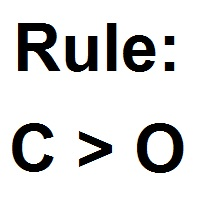
Patterns Wizard est un outil de création de motifs de bougies. Avec lui, vous pouvez créer plusieurs motifs différents et ajouter autant d'instances de cet indicateur que vous le souhaitez sur votre graphique, chacune avec un motif différent. Pour mieux comprendre le fonctionnement des formules de création, vous pouvez prendre des exemples de l'indicateur My Candle, qui contient plus de 70 exemples de motifs de bougies, disponible sur le marché MQL5 . La principale différence de cet indicateur
FREE

We apologize, but we are unable to provide service due to network issues. If you encounter any problems during installation or use, please contact 9048914@qq.com. Thank you. Binance is a world-renowned cryptocurrency exchange! In order to facilitate MT5 users to directly trade Binance Futures, the program provides the following trading functions:
1. Imitate the trading style of Binance Futures and provide a friendly operation panel;
2. Enter api and secret by yourself (you need to open futures
FREE

EA REMOTE COPIER Copy Your Trades Across Different VPS — Fast, Secure & Reliable EA Remote Copier is a professional Expert Advisor designed to automatically copy trading activity between different VPS, trading accounts, and locations through the Internet . It is suitable for traders, money managers, signal providers, and anyone who needs to synchronize trades across multiple accounts efficiently.
Please download Slave EA here = https://www.mql5.com/en/market/product/190756
User Manual : do
FREE

The Co-Pilot is a simple trade management system designed to be the quickest way from your strategy to the market. It is optimized for single trade setups that might be short, medium or long term. The program allows you to set your trade setup directly from the chart using graphical objects, set your risk apetite and even provides oppurtunity for partial closes. It also has a built in alert system that keeps you informed on the actions taken by the copilot when youre offline.
It is designed to b
FREE

LZ Spread Monitor is a professional utility designed to help traders monitor transaction costs and execution quality in real-time.
It provides instant feedback on current market conditions, helping you avoid trading during high-spread periods (news releases, rollovers, low liquidity).
Key Features - Spread Analytics: Monitor Current, Minimum, Maximum, and Average spread for the session. - Cost Calculator: Instantly see the monetary cost of the spread for a specific lot size (e.g., 1.0 Lot = $
FREE

Contrarian traders who've found a strategy that works better inverted — buys become sells, and vice versa Getting up and running (5 steps, no headaches) 1. Drop the EA into MT5 Copy SimpleTradeCopier.ex5 into <your MT5 terminal>\MQL5\Experts\. Then in MT5, open the Navigator (Ctrl+N) and drag SimpleTradeCopier onto any chart — it doesn't matter which one. 2. Set up your MASTER account This is the account whose trades you want to copy from. In the EA's inputs: InpMode = STC_MASTER ← this account
FREE

[b]Trader Toolbox[/b] puts five everyday trading utilities into one tidy on-chart panel. Pick a single tool from the dropdown, or show all five at once. The panel is movable, resizable, minimizable, and draws cleanly over any chart.
[b]Important:[/b] Only the Equity Guard tool can act on the market, and only to [b]close[/b] positions within a scope you choose. The other four tools are read-only - they never open or modify trades. Always test on a demo account first.
[h2]What's inside[/h2] [li
FREE

Visual Trade Info is designed to give traders a clear, visual understanding of their trading activity in real time. Instead of relying on scattered data or manually calculating key metrics, the tool presents all essential information directly on the chart in a clean and intuitive format. It enables traders to monitor every transaction with precision, including entry and exit points, active positions, and overall trade performance. Profit and loss are displayed dynamically, allowing users to inst
FREE

Strategy: This is a Guard for your account in case the Margin Call of the Account is called. The most brokers have Margin Call at Margin Level of 100%. If account Margin Level is below TriggerMarginLevelPercent (100%), the EA checks all open account positions. For every non-hedge position it opens one reverse position with the same symbol and same volume. After that it will remove itself from the Chart
IMPORTANT: CHECK this manually on the Account before using this EA. Only some Broker offer t
FREE

SimPHash is a free script that automatically generates ultra-fast conversion functions from a string to a value: it can be a simple type (integer, double, ulong, etc.) or an index into your own array or struct when the value you need is more complex. Instead of using a HashMap, a linear array with a search, or an endless chain of if / switch, SimPHash builds a Perfect Hash table at design time: a function that resolves each known key in a handful of arithmetic operations and a single array acces
FREE

Traderscope is a powerful and completely free advanced monitoring dashboard for MetaTrader 5, designed to monitor your Expert Advisors' live performance directly on your trading account. It delivers clear, real-time insights into your live trading performance — directly on your chart, with no complexity and zero impact on execution. Key Features Multi Magic Number Aggregation (up to 3)
Combine and analyze up to three different magic numbers (e.g., MagicA + MagicB + MagicC) in a single unified v
FREE

Description TradeEcho Pro MT5 is a professional-grade utility designed to keep you instantly informed about every trading activity on your account. Whether you are at your desk or away, this tool acts as your personal trading assistant, providing real-time audio alerts and mobile push notifications for all trade events. Instead of generic terminal sounds, TradeEcho Pro MT5 gives you detailed feedback, including the event type, symbol, and net financial results for every closed position.
FREE

️ The Must-Have Account Guard for Prop Firm Algo Traders Running third-party EAs on your funded accounts? Stop worrying about breaching firm rules. Most EAs bought from the MQL5 Market only focus on their own strategy—they know nothing about prop firm restrictions. Prop Firm Rules Manager MT5 bridges that gap completely by serving as an account-level management layer: Automated News Protection: Pauses trading and unloads EA activity before high-impact news, then automatically resumes after the
FREE

TRAILING PRO
This is not the usual trailing stop.
I created it because, when using classic trailing stops on Gold and other markets, I always ended up in the same situation: • either I exited good trades too early • or I left too much profit on the table when price pulled back
What “If you find this tool useful, a positive review is always appreciated. Since it’s free, your feedback is the best way to support its development.” it does Trailing Pro manages positions in steps , not in a continu
FREE

AutoLotEqualizer – Smart Position Balancing Tool AutoLotEqualizer is a precision trade management utility designed to keep your total BUY and SELL volumes balanced automatically.
It detects differences between your open BUY and SELL positions and opens compensating trades — ensuring both sides stay equal in exposure.
This helps grid, hedge, and basket systems maintain symmetry and control over total position risk — all while saving you time and manual effort. ️ Key Features Automatic Lot Ba
FREE

COASYN ATR Table is a multi-timeframe volatility reference for MetaTrader 5. It displays Average True Range across up to four user-selected timeframes and converts the values into pips for a cleaner comparison of how much the market is currently moving. The indicator does not generate signals, determine direction, or execute trades. Its purpose is simple: Use ATR as a ruler for current market movement. Features Up to 4 selectable timeframes Adjustable ATR length ATR displayed in pips Optional ra
FREE

Hard limits for prop firm and challenge accounts Prop firm rules are not suggestions. Breach the daily loss limit by one dollar and the account is gone, whatever the equity curve looked like an hour earlier. The problem is that the rule lives on the firm's server while your positions live in your terminal, and nothing in MetaTrader 5 connects the two. Prop Firm Circuit Breaker sits on one chart and watches the whole account. The name is literal: an exchange halts trading when a threshold is bre
FREE

Binance Futures Risk Calculator Binance Futures Risk Calculator is a free utility for calculating position size and trade risk for Binance USD-M Futures. The calculator helps you estimate the key parameters of a futures trade before opening a position manually.
Binance Futures Risk Calculator — Setup and Usage Guide Main Features Long and Short trade calculation Position size calculation Risk calculation in USDT or percentage Entry, Stop Loss and Take Profit planning Risk/Reward calculation Adj
FREE

Chart Pro Classic Dark – Golden Version Transform your MetaTrader 5 chart with a clean, dark and elegant gold-style design. Black chart background Gold bullish candle outlines & wicks Black bullish candle bodies White bearish candle bodies Gold Ask line White Bid line Gold dashed horizontal grid Gold chart labels, prices & time scale Clean and professional chart appearance Lightweight chart customization It is designed purely for chart customization and visual styling only.
FREE

Economic Calendar Defender – Smart News Protection for MT5 Economic Calendar Defender est un utilitaire conçu pour protéger vos opérations pendant les événements de forte volatilité causés par des nouvelles économiques importantes, sans avoir besoin d'être devant le graphique ni de modifier l'opération standard ou les EAs que vous utilisiez. Installez-le simplement sur n'importe quel graphique et l'EA se chargera de surveiller le calendrier économique en temps réel et de gérer vos opérations ava
FREE
The VR Close orders script is designed to close positions in the terminal at a profit or loss mark set by the trader. The program is written as a script and can work together on the same chart with any other indicators and expert advisors. The program has a simple visual panel and is easy to configure with the mouse. With this program's help, the trader can automatically close positions and delete orders depending on the conditions set. There is often a situation when you need to close position
FREE
Simple Position Manager is a professional-grade MT5 script designed for efficient trade management. This versatile tool allows traders to quickly apply Take Profit, Stop Loss, and Breakeven settings across multiple open positions with precision and reliability. Key Features Multi-Position Management Apply TP/SL to all open positions of the current symbol simultaneously Intelligent position filtering by symbol Batch modification capabilities Smart Breakeven Technology Automated breakeven tri
FREE

Description This is a utility tool for MT5, and it displays some useful information on charts for discretionary trading. Some of the information obtained by using indicators that are standardly installed by MT5 or by manual calculation is displayed on the chart from the beginning.
Benefits of the This Is Something Useful MT5 The minimum necessary information that needs to be confirmed in discretionary trading can be displayed on the chart at any time. By using this tool, you can quickly access
FREE

Tele Notify can help you send notifications for opened & closed trades to a Telegram channel or your personal Telegram. (see Master Notify for full options of notifications/alerts: indicator data, price, news, etc. Get more EAs here )
Update: Now you can check your account info anytime from your Telegram by simple command: /check. This option is only valid when you use your Telegram User ID on EA inputs *******************************************************************************************
FREE

Graph the take profit and stop loss levels of closed and open trades. Green rectangles for the take profit zone and red rectangles for the stop loss zone. It updates automatically when opening a trade and extends the rectangle to the last open candle. Useful for analyzing whether the trade limits have been chosen correctly. Its only input parameter is the date from which you want to start graphing, in the format year-month-day.
FREE

Export Deals to CSV - Excell File location: HistoryDeals/<SERVER>/<LOGIN>.<DATETIME>.csv Works as an Script, reading all DEALS in history and exporting it as a plain text CSV file There's no option to change. There's no WebRequest. There's no DLL use. I need to write 300 characters to allow this product being exposed at MQL5 market place. It's simple to use, plug it in graph and wait completion.
FREE
Special Trailing Sl is a automatic trailing stop_loss. first It will try to free risk your trade then save the profits. first step is to move the SL 50 points below current price for long trades , and 50 points above current price for short trades.First step will happen when the trade get to minimum profit per point. second step : SL will follow the current price with a dynamic distance. This trailing stoploss has been used in my products.
FREE

"Are you tired of losing money on unsuccessful trades? Look no further than EA Trailing Stop! Our program is designed to help you prevent losses and control your trades efficiently. With features such as adjustable stop loss and more, you can rest assured that your trades are in good hands. Don't wait any longer to start making successful trades. Try EA Trailing Stop today!"
You can use this as a starting point and tailor it to your audience and the platform you're using. This EA Trailing Stop
FREE

简单交易面板。 //+-------------------------------------------------------------------------------------------+ 实现开平,全平简单功能。 参考系统自带面板样式设计。 //+-------------------------------------------------------------------------------------------+ 此为更新版。应部分使用者建议,对上一次有效使用的仓位作了保留,对价格数据显示作了部分放大修饰。 …… //+-------------------------------------------------------------------------------------------+ 喜欢的朋友欢迎下载使用。
FREE

Professional Manual Trading Assistant for MT5 BRIAN BREYLI VANA – Professional Trade Manager Dashboard & Market Intelligence EA for MetaTrader 5 Professional Manual Trading Assistant with Hybrid Position Management BRIAN BREYLI VANA is a professional manual trading assistant for MetaTrader 5 that combines one-click execution, intelligent position management, Market Intelligence, and Hybrid Position Management into a single trading dashboard.
Unlike conventional Expert Advisors, it never opens p
FREE

It is just an alternative fibo lines. mt4 have is a very strange drawing of fibo lines, this utilites was written for mt4, but for mt5 it may not be particularly useful. A simple Box (Rectangle) graphic element with adjustable levels binding: it is possible to specify up to 17 custom levels, all rectangles on the chart with the given prefix in their name are processed. Levels are specified in % of the height of the rectangle. A convenient graphical element for analyzing charts by growth-correct
FREE

Manual Trading Panel is a simple, efficient and intuitive graphic tool that provides a controls to open, close and manage all your orders in MetaTrader 5. It is very useful in case you have to interact with other EA adding another position or delete all positions in a specific direction or all of themes. This EA can not be tested on strategy tester. In case of usage please try its functions on demo account before running on live trading. Functions presented to this version: Interacts only with p
FREE

An essential utility for continuous background downloading and synchronization of quote history across all 21 MetaTrader 5 timeframes. This tool is indispensable for traders and developers working with market structures (Market Structure, Smart Money Concept, Price Action). The utility ensures there are no gaps or missing bars in the history, which is critical for accurate multi-timeframe analysis and the correct operation of indicators. Input parameters: Synchronization interval (in minutes) —
FREE

This MQL4 code is a custom indicator that draws multiple colored rectangles on a chart, spaced apart by a defined pip distance, and projected into the future. Here's a brief breakdown: Purpose: Draws several horizontal rectangles (zones) starting from a specified price. Rectangles are spaced apart vertically by a pip distance. Colors alternate between FirstColor and SecondColor . Rectangles can be drawn behind candles and optionally filled. Each rectangle extends into the future for a specif
FREE

BangkacangFX Gold Trading Panel PRO Professional Manual Trading Panel for MT5 BangkacangFX Gold Trading Panel PRO adalah Expert Advisor (EA) khusus MetaTrader 5 yang dirancang untuk trader manual XAUUSD, Forex, dan Indices yang membutuhkan eksekusi cepat, manajemen posisi lengkap, serta kontrol risiko langsung dari chart. Panel ini menggabungkan fungsi entry, pending order, break-even, trailing stop, partial close, dan monitoring akun dalam satu tampilan yang ringkas dan mudah digunakan. Main Fe
FREE

Manage Positions is an MT5 script designed with five distinct options for efficiently managing open positions. It offers versatile functionality, allowing for both global impact across all currency pairs and localized influence on specific pairs of interest. Additionally, users can target particular currency pairs to tailor their actions accordingly. For instance, leaving the "LEAVE BLANK to Manage Positions for ALL Symbols" field empty enables closing all positions universally, while specifyin
FREE

This Tradepanel is an Utility for Traders Who want ot use Basic MoneyManagement for Calculation of Lotsize I have created the basic edition only to give an Overview with Limited Functionality Full Features are available with Auto TradePanel Pro. (This is Only Because it can not be Tested in Strategy Tester ). Complete Description is available at "Auto TradePanel Pro". in This Version Basic Functionality ( Calculation of Lotsize ) open /close Positions is working in the same way as in Pro
FREE

EA Manager RP is a simple yet powerful tool that can help protect your account from other EA's that don't have the features. This came about because I personally use a 3rd party EA for trading but it just doesn't have all the bells and whistles so this was my work around and it works great. I started off with a fully automated EA but unfortunately we can't have DLL imports here so this is the next best thing. What this EA does: Add a start and stop time Maximum open trades Days of the week you w
FREE

Simple And Unique Trade Journal Le SAU Trade Journal est conçu pour les traders qui prennent leur performance au sérieux. Au coeur du journal se trouve un calendrier de profits et pertes qui permet aux utilisateurs d'étudier leur historique de transactions jour après jour, en identifiant les schémas qui expliquent où ils gagnent, où ils perdent, et pourquoi. À ses côtés se trouve le journal lui-même, épuré, minimaliste et pensé pour ne pas s'imposer, offrant aux traders un espace dédié pour cons
FREE

opnMAX Ponos: Utility Overview opnMAX Ponos is a highly interactive, institutional-grade risk management and trade execution utility designed for MetaTrader 5. It acts as an on-chart graphical dashboard that allows for precise, mathematically validated position sizing and one-click order execution. Instead of manually calculating risk thresholds before taking a trade, Ponos uses a reactive, omni-directional calculation matrix to handle the math in real-time. Key Functional Features Omni-Directio
FREE

Candle Momentum Alert R13 Free Candle Momentum Alert Utility for MetaTrader 5 Candle Momentum Alert R13 is a lightweight utility for MetaTrader 5 designed to help traders monitor candles with significant price movement based on a user-defined candle body size threshold. This tool is intended for monitoring and awareness purposes only and does not place, manage, or modify any trades. Key Features Candle momentum monitoring based on candle body size Multi-symbol monitoring (main chart + opti
FREE

FirstBlade Performance Analyzer is a non-trading MT5 utility. It is NOT a trading robot. It does not open, modify or close trades.
This product is a non-trading MT5 utility designed to analyze account trading performance using historical and current account data directly inside MetaTrader 5. Overview FirstBlade Performance Analyzer provides professional-grade performance analytics and visual diagnostics for MT5 accounts.
It helps traders understand profitability, drawdown behavior, timing effi
FREE

Nom du produit : StopAndTake — Un script simple pour une gestion rapide et précise des SL/TP Description du produit : StopAndTake est un script léger et intuitif, conçu pour les traders qui valorisent la rapidité, la précision et la fiabilité dans la gestion de leurs positions. Cet outil permet de mettre à jour instantanément les niveaux de Stop Loss (SL) et Take Profit (TP) pour toutes les positions sur le graphique sélectionné, en toute simplicité. Avantages et bénéfices : Simplicité : Une int
FREE

ProTrader Command Professional Trading Analytics & Risk Management System Transform your MetaTrader 5 into a professional trading platform with real-time analytics, automated risk management, and performance tracking. Core Features Real-Time Trading Dashboard Professional MT5 Interface Enhancement Live account metrics displayed directly on your chart Performance indicators with color-coded status alerts Position overview showing all trades at a glance Risk status monitoring with visual warnings
FREE

Role in MT5 Spread Trading 1. Spread Compensation Trading Spread Calculation: The indicator automatically calculates the current spread and adds it to the price. Actual Cost Consideration: Helps traders account for the actual transaction cost (spread). Precise Entry: Ensures stop loss and take profit settings already incorporate spread factors.
FREE

Funcionamento: O Painel Netting Panel RSJ funciona com qualquer ativo e em qualquer tempo gráfico . Ele funciona em contas do tipo " Netting " e " Hedge ", mas gerencia apenas uma posição por ativo, por isso o nome Netting. Se ele for executado em contas do tipo " Hedge ", ele fará o gerenciamento e proteção apenas da posição mais antiga , ou seja, da primeira posição que foi aberta por ele. Em contas " Netting " quando os botões " SELL " ou " BUY " forem pressionados, ocorrerá
FREE

Position Recovery Dashboard EA for MT5 Position Recovery Dashboard is a simple yet highly useful utility EA , originally developed for the author's own trading needs. Designed with practicality in mind, it provides a fast and intuitive way to manage open trades directly from the chart — making it ideal for active and manual traders . Its key feature in the recovery trading system , which helps traders recover from losing positions by automatically calculating profit from selected lots. This E
FREE

Affiche les informations actuelles du marché avec une mise à jour par seconde. Taille du spread; Taille du swap: pour les positions courtes et longues; Heure locale (optionnel); Utilitaire multifonction : 66+ fonctionnalités, incluant cet outil | Contactez-moi si vous avez des questions | MT4 version Dans les paramètres de l'indicateur, vous pouvez configurer: Taille de la police; Couleur du texte; Sélectionner le positionnement: coin gauche / droit du graphique; Heure locale: activer/
FREE

Maîtrisez votre analyse de marché avec Isheguve Trend Scout ! Fatigué de tracer manuellement des lignes de tendance et de manquer les changements clés du marché ? Isheguve Trend Scout est une application utilitaire MQL5 conçue pour vous donner un avantage en identifiant et en traçant automatiquement les lignes de tendance sur votre graphique. Pourquoi choisir Isheguve Trend Scout ? Détection de tendance sans effort : Arrêtez de deviner et laissez l'application faire le travail à votre
FREE

"Clean Pending Orders"
Supprimez toutes les ordres en attente pour le symbole actuel en quelques secondes ! Ce script simple mais efficace est conçu pour les traders qui apprécient la rapidité et la commodité. Lancez-le, et il supprimera instantanément tous les ordres en attente d'achat et de vente pour le symbole actuel. Avantages : Suppression instantanée : Tous les ordres sont supprimés en quelques secondes. Concentration sur le symbole actuel uniquement : Les autres instruments ne sont pas
FREE

DF Fib Trader Pro DF Fib Trader Pro est un système de trading automatisé conçu pour MetaTrader 5. Il utilise les niveaux de prix basés sur Fibonacci, combinés à une analyse des tendances et des structures, pour définir les points d'entrée et de sortie. L'EA prend en charge les positions longues et courtes et intègre des paramètres de gestion des risques.
Fonctionnalités principales : • Utilise la logique de retracement et d'extension de Fibonacci pour tracer les points d'entrée, SL et TP. • Ta
FREE

Pivot points have been a trading strategy for a long time, originally used by floor traders. Using this method, you can understand where the market is going in a day through a few simple calculations.
The pivot point in the pivot point method is the turning point of the market direction during the day. A series of points can be obtained by simply calculating the high, low and closing price of the previous day. These points may form key support and resistance lines. The pivot point, support and
FREE

Main Features Automatically closes open positions at a specified time. Symbol filter: close positions only for a selected instrument (or leave blank to affect all). Magic number filter: close only positions with the specified magic number (or all, if set to -1). Displays operational status and parameters directly on the chart . ...and many other interesting features
FREE

Overview The Dynamic Candle Timer is a lightweight and efficient utility designed for MetaTrader 5. Unlike traditional candle timers that remain static in the corner of the chart, this indicator dynamically attaches to the current Bid price line. This allows traders to monitor the remaining candle time directly at the point of action, enhancing focus during fast-paced market movements. It is highly suitable for day traders and scalpers operating on XAUUSD, Forex, Crypto, or Indices. Key Feature
FREE
As traders, we all know that risk management is the most important aspect of profitable trading. So, we need to determine the lot size, every time we need to open a new trade. The FX lot size calculator is a simple tool that will help you to determine your lot size easily without using any third-party service but you will be able to do that by your MetaTrader terminal. LIMITED TIME OFFER: 30$ FOR 10 ACTIVATION.
Inputs:
Maximum_Risk_Prc: To determine your preferred risk%. For example, if your ris
FREE

COS COPY TRADE EA: USER MANUAL It must be used in conjunction with the master file. Cos copy trade client | Buy Trading Utility for MetaTrader 5
1. System Overview & Architecture The COS Copy Trade system is a local, high-speed copying solution designed to replicate trades across accounts running on the same computer . It fully supports copying between different brokers and can mirror trades from an Investor Password account. 2. Installation & Setup Guide Step 1: Deploying the Mas
FREE

PositionsLimiter EA: Enforcing Trade Discipline with Position Limits The PositionsLimiter EA is a powerful risk management tool designed to help traders control the number of open positions at any given time. By allowing traders to set a maximum limit on simultaneous trades, this EA ensures that no additional trades exceed the specified threshold. If a trader or another automated system attempts to open a new position beyond the set limit, the EA will automatically close the excess trade, ensur
FREE

MAGIC PROTECTOR — Advanced Equity Protection EA Magic Protector is a utility built for traders who want better control over daily, weekly, or monthly risk exposure. The EA continuously monitors trading performance based on your selected protection period and helps prevent further losses or overtrading once your defined limits are reached. It can work with either the entire account or only trades belonging to a specific Magic Number, making it suitable for traders running multiple Expert Ad
FREE

The Expert Advisor "TimeLeft Display" shows the remaining time until the close of the current candle in a digital display. The time is displayed in days, hours, minutes, and seconds. Features: Time Calculation: Calculates the remaining time until the close of the current candle based on the current timeframe of the chart. Digital Display: Shows the remaining time in a digital format. Customizable Font and Size: Allows selection of the font (Arial, Arial Black, Aptos Display, Tahoma,
FREE

Spread Statistics (v1.9): Analyse approfondie du spread pour MT5. Cet indicateur affiche sur votre graphique : Spread Actuel : (change de couleur à l'approche du Max). Spread Max / Min / Moy : métriques clés depuis le lancement. Volatilité du Spread (StdDev) : évaluation de la stabilité. Survolez les métriques pour des statistiques détaillées dans les infobulles (heure Min/Max, % temps proche des valeurs, plage StdDev). Nouveau dans v1.9 : Option pour sélectionner la police pou
FREE

Ce script est conçu pour évaluer les pondérations dans diverses fonctions de fenêtre. Un indicateur construit sur ces fonctions de fenêtre peut être téléchargé sur https://www.mql5.com/ru/market/product/72159 Paramètres d'entrée: iPeriod – période de l'indicateur. iPériode >= 2 iCenter est l'index de la référence où se situera le centre de la fonction fenêtre. Par défaut, ce paramètre est 0 - le centre de la fenêtre coïncide avec le centre de l'indicateur. Avec 1 <= iCenter <= iPeriod, le cen
FREE

Version Starter de Market Watch Bulk Loader : collez une liste de tickers et ajoutez-les à l'Observation du marché en un clic. Jusqu'à 5 tickers par chargement.
Ajoutez des tickers à l'Observation du marché depuis le presse-papiers au lieu de les saisir un par un.
Ceci est la version Starter de Market Watch Bulk Loader. Elle fonctionne exactement comme la version complète, avec une seule limite : 5 tickers par chargement. Utilisez-la pour vérifier que l'utilitaire reconnaît la façon dont votr
FREE

Trade Auditor est un outil d'analyse forensique en lecture seule. Il n'ouvre aucune position et ne modifie rien. Il examine l'historique de trading et les positions ouvertes de votre propre compte et vous indique, en langage clair, si le compte se comporte comme le ferait un desk discipliné - ou comme un compte qui court à l'explosion. La plupart des traders achètent un EA ou copient un signal sans jamais vraiment savoir ce qu'il fait à leur compte, jusqu'à ce que le drawdown arrive. Trade Audit
FREE
Le MetaTrader Market est un site simple et pratique où les développeurs peuvent vendre leurs applications de trading.
Nous vous aiderons à publier votre produit et vous expliquerons comment préparer la description de votre produit pour le marché. Toutes les applications de Market sont protégées par un cryptage et ne peuvent être exécutées que sur l'ordinateur de l'acheteur. La copie illégale est impossible.

Vous manquez des opportunités de trading :
- Applications de trading gratuites
- Plus de 8 000 signaux à copier
- Actualités économiques pour explorer les marchés financiers
Inscription
Se connecter
Vous acceptez la politique du site Web et les conditions d'utilisation
Si vous n'avez pas de compte, veuillez vous inscrire