Trade Partner
- Experts
- Version: 4.20
- Activations: 5

Trade Partner – Risk-Based Trading Panel & Trade Manager
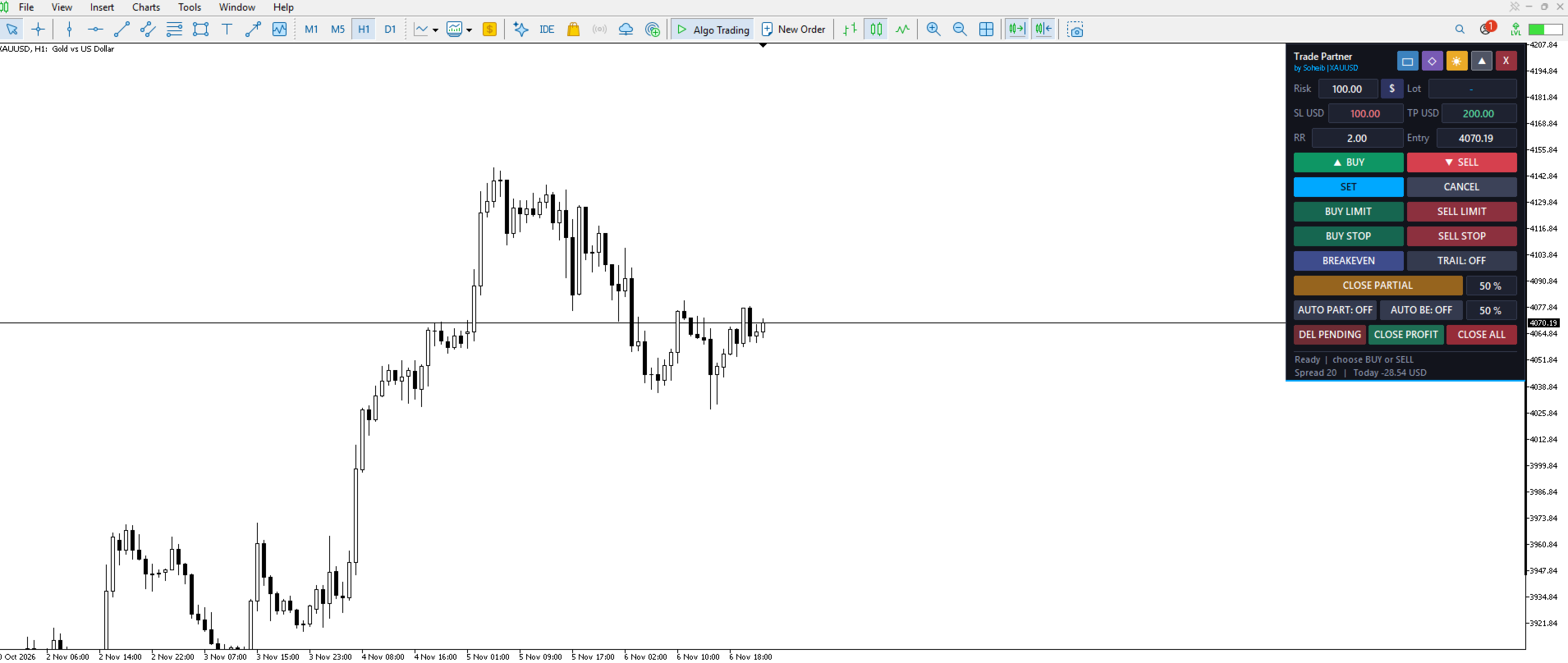
Trade Partner is a manual trading assistant that places a compact, professional control panel on your chart. Set your risk, drag the stop-loss line to where you want it, choose your risk-to-reward ratio, and the EA calculates the exact lot size for you. No more manual lot calculations.
How it works
1. Enter your risk (in money or as a % of balance).
2. Open the preview: the Entry, SL and TP lines appear on the chart.
3. Drag the SL line and pick your RR.
4. Press BUY, SELL or SET.
Key features
• Automatic lot size calculation based on your risk and the SL distance
• Market orders (BUY / SELL) and pending orders (BUY LIMIT, SELL LIMIT, BUY STOP, SELL STOP)
• Draggable Entry / SL / TP lines directly on the chart
• Custom RR for every trade
• One-click Breakeven, with an optional offset
• Trailing stop with adjustable start and distance
• Close Partial: close any % of the position
• Auto Partial Close and Auto Breakeven at a chosen % of the TP distance
• Close All, Close Profit (only winning positions) and Delete Pending buttons
• Optional confirmation dialogs before sending orders or closing trades
• Status strip with live spread and today's P/L
• Sound alerts when TP or SL is hit
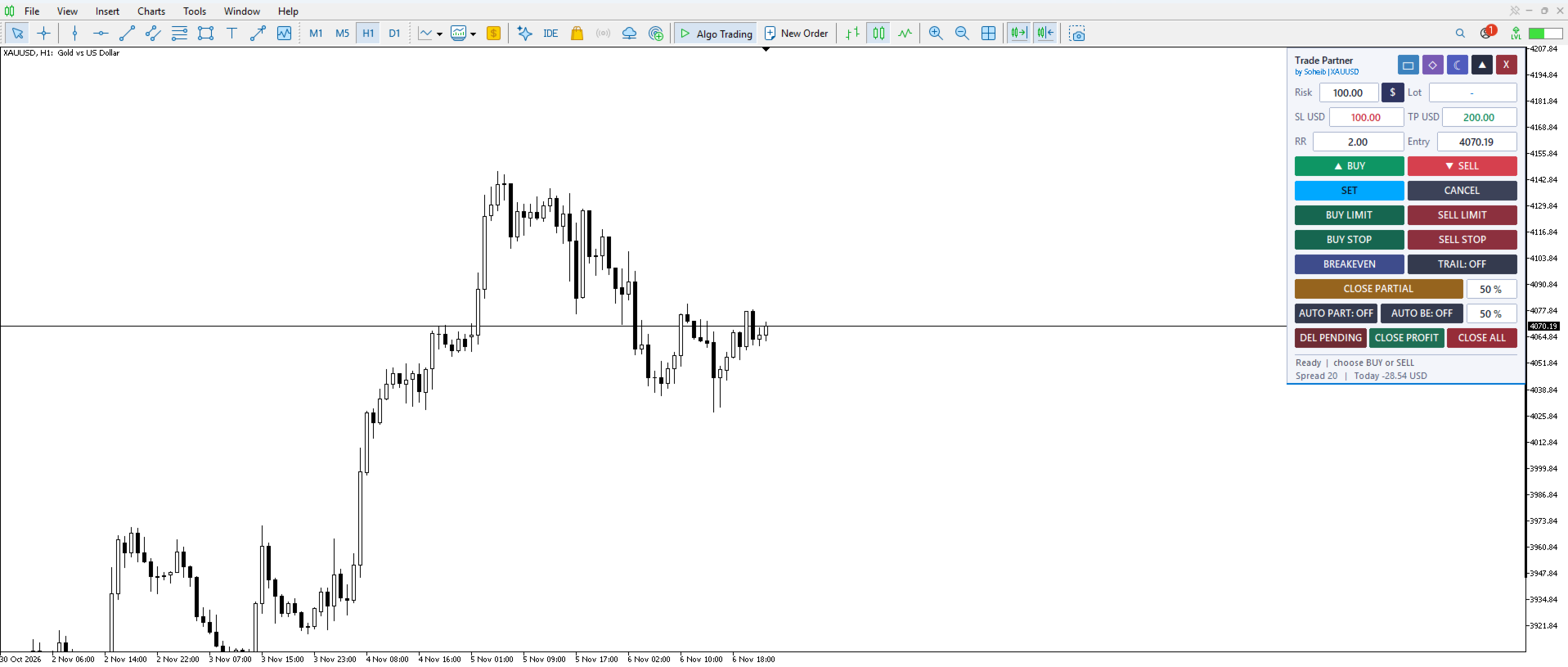
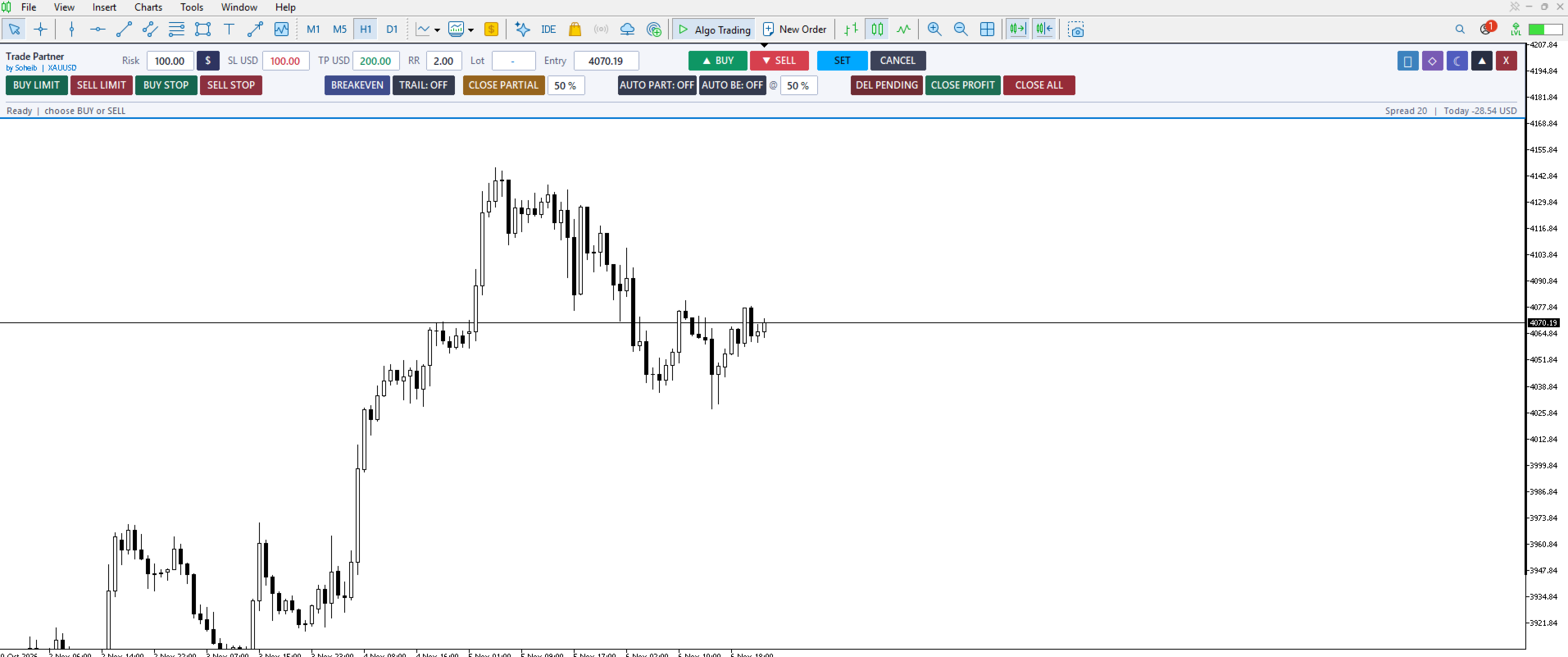
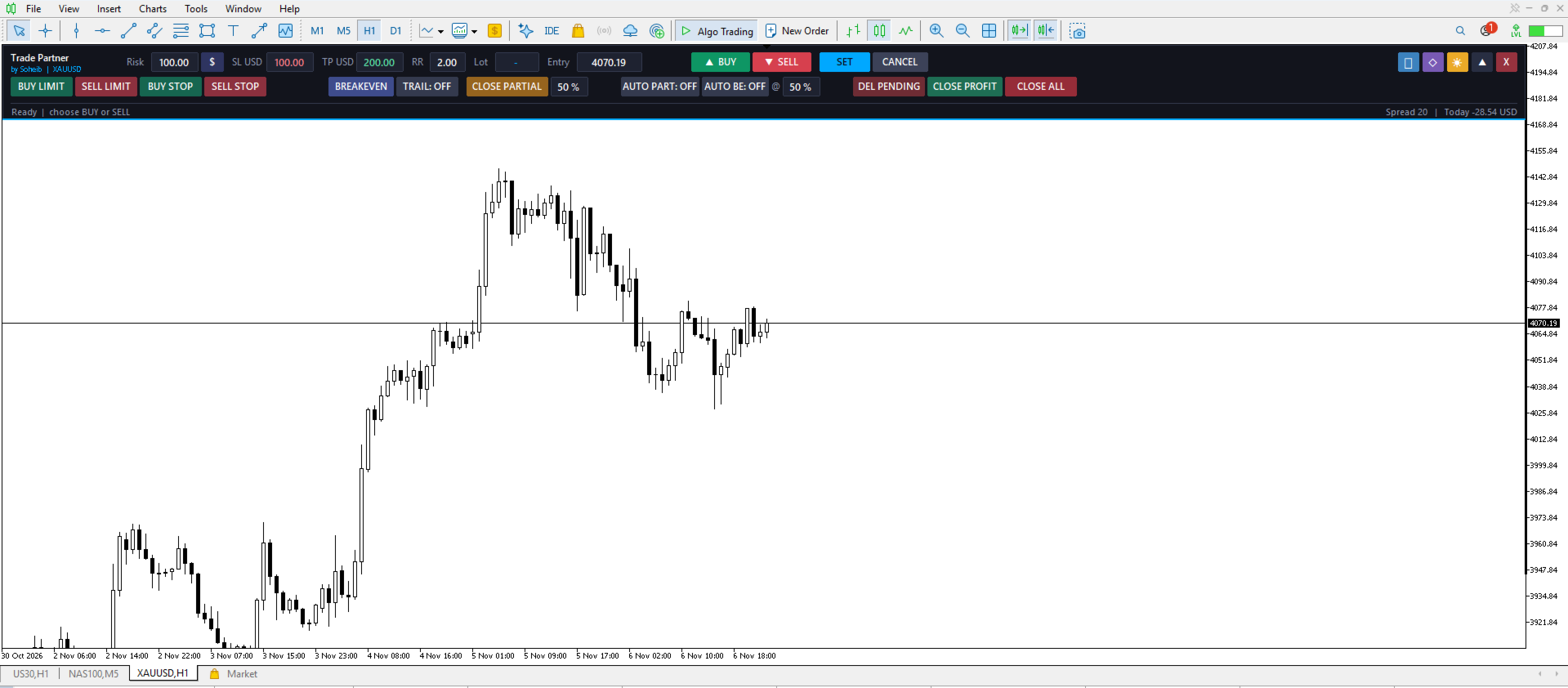
• Horizontal (top bar) or vertical (side panel) layout
• Dark / light theme and glass / classic style
• Collapsible panel
• The panel remembers your last settings
• Works on any symbol and timeframe
Settings
• Magic number
• Starting risk, risk mode ($ or %)
• Default RR, SL distance
• Breakeven offset, auto-BE, trailing start/distance
• Partial close and auto-partial levels
• Slippage
• Confirmation dialogs
• Sounds
• Layout, theme and style
Important: Trade Partner is a manual trade-management tool. It does not open trades on its own and does not promise any profit. Trading involves risk, so always manage your risk carefully.
Trade Partner is a manual trading assistant that places a compact, professional control panel on your chart. Set your risk, drag the stop-loss line to where you want it, choose your risk-to-reward ratio, and the EA calculates the exact lot size for you. No more manual lot calculations.
How it works
1. Enter your risk (in money or as a % of balance).
2. Open the preview: the Entry, SL and TP lines appear on the chart.
3. Drag the SL line and pick your RR.
4. Press BUY, SELL or SET.
Key features
• Automatic lot size calculation based on your risk and the SL distance
• Market orders (BUY / SELL) and pending orders (BUY LIMIT, SELL LIMIT, BUY STOP, SELL STOP)
• Draggable Entry / SL / TP lines directly on the chart
• Custom RR for every trade
• One-click Breakeven, with an optional offset
• Trailing stop with adjustable start and distance
• Close Partial: close any % of the position
• Auto Partial Close and Auto Breakeven at a chosen % of the TP distance
• Close All, Close Profit (only winning positions) and Delete Pending buttons
• Optional confirmation dialogs before sending orders or closing trades
• Status strip with live spread and today's P/L
• Sound alerts when TP or SL is hit
• Horizontal (top bar) or vertical (side panel) layout
• Dark / light theme and glass / classic style
• Collapsible panel
• The panel remembers your last settings
• Works on any symbol and timeframe
Settings
• Magic number
• Starting risk, risk mode ($ or %)
• Default RR, SL distance
• Breakeven offset, auto-BE, trailing start/distance
• Partial close and auto-partial levels
• Slippage
• Confirmation dialogs
• Sounds
• Layout, theme and style
Important: Trade Partner is a manual trade-management tool. It does not open trades on its own and does not promise any profit. Trading involves risk, so always manage your risk carefully.