SmartGoldSniper EA
- Experts
- Version: 2.1
- Updated: 10 November 2026
- Activations: 10

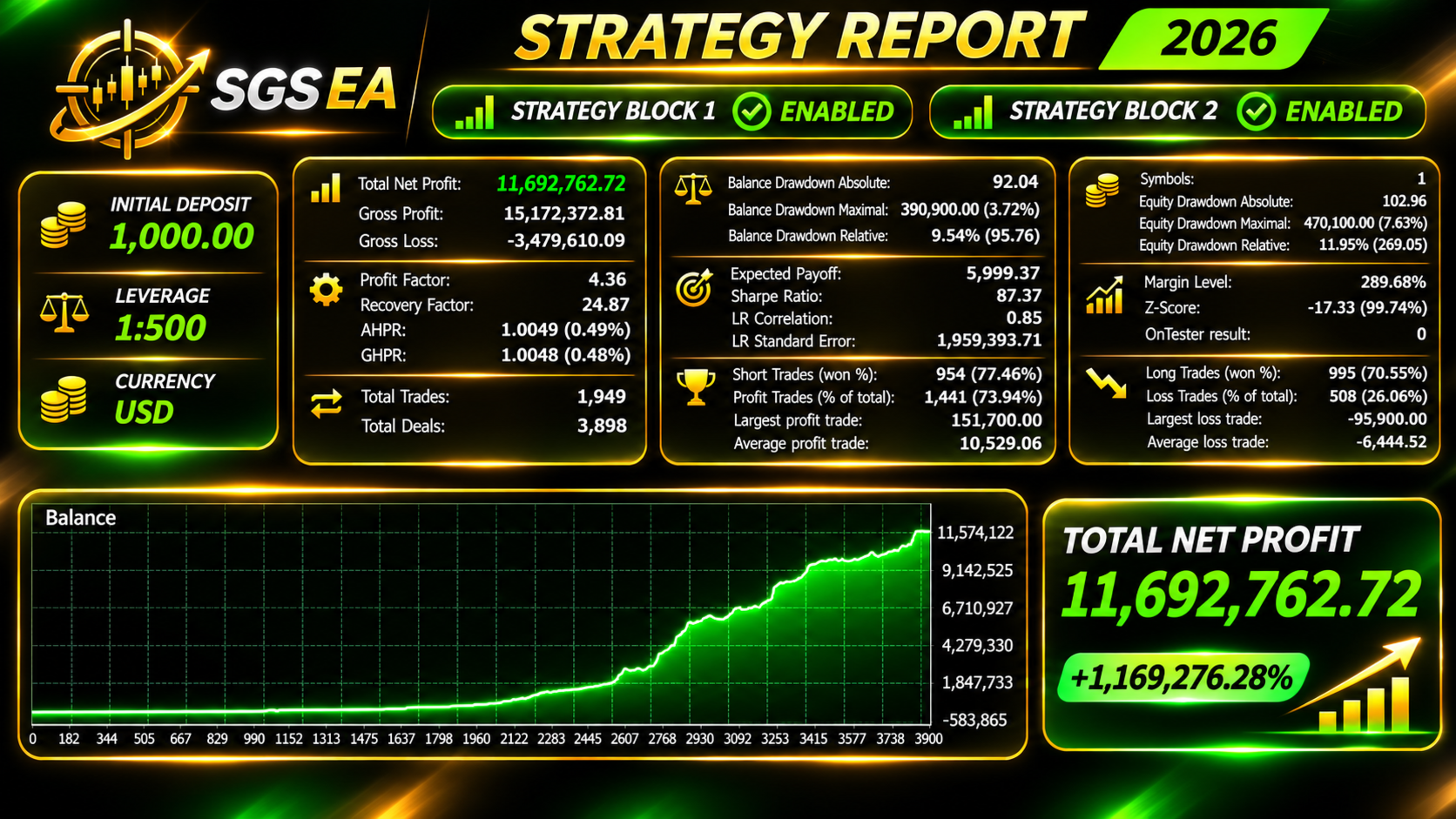
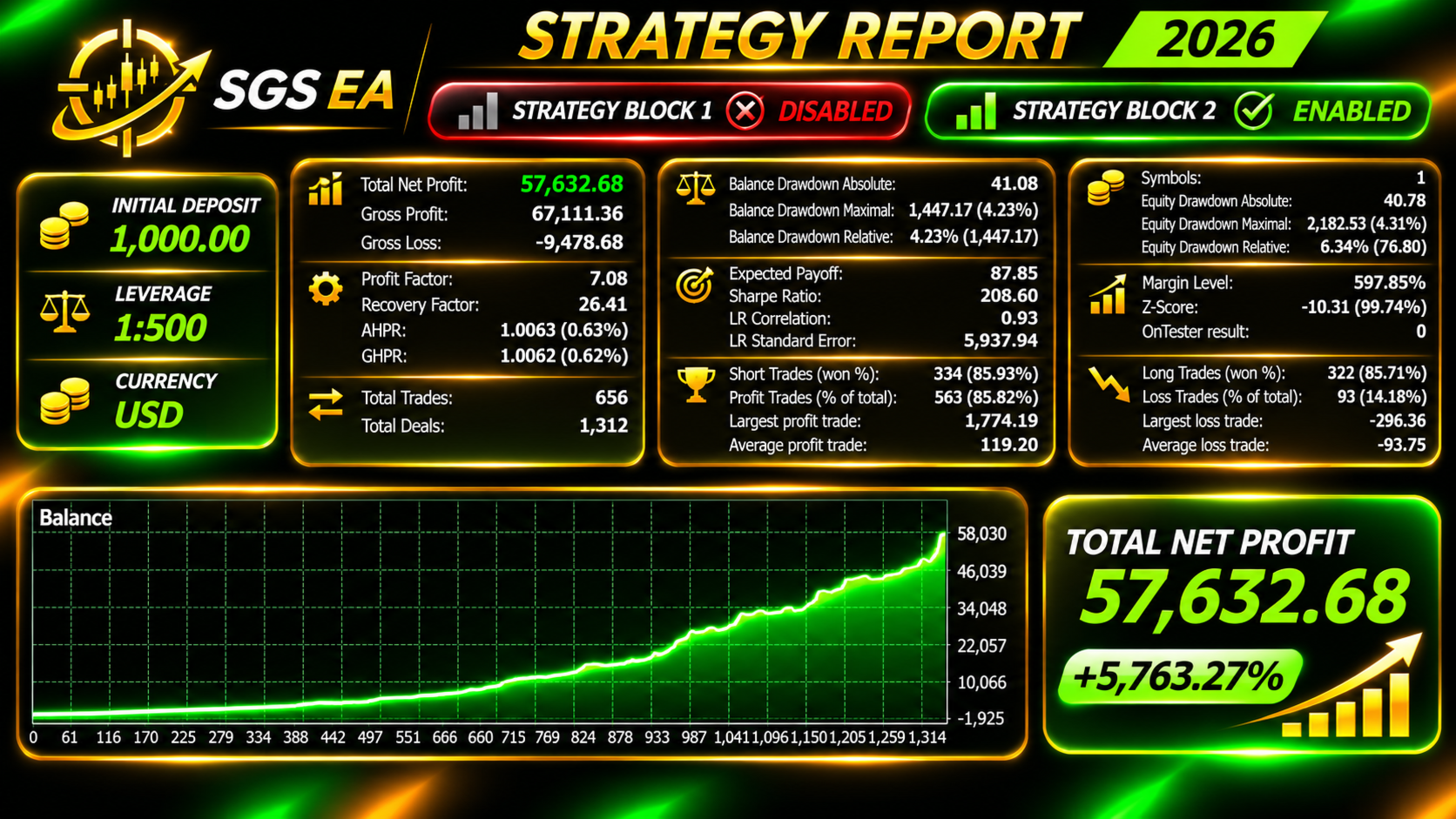
SmartGoldSniper is an Expert Advisor for XAUUSD (Gold). It consists of two independent strategy blocks, each with its own trading systems. By default only Block 1 is enabled. The systems place pending stop orders at price levels they calculate and manage open trades with a trailing stop. Every trade has a fixed Stop Loss and Take Profit from the start. The EA does not use martingale, grid or averaging.
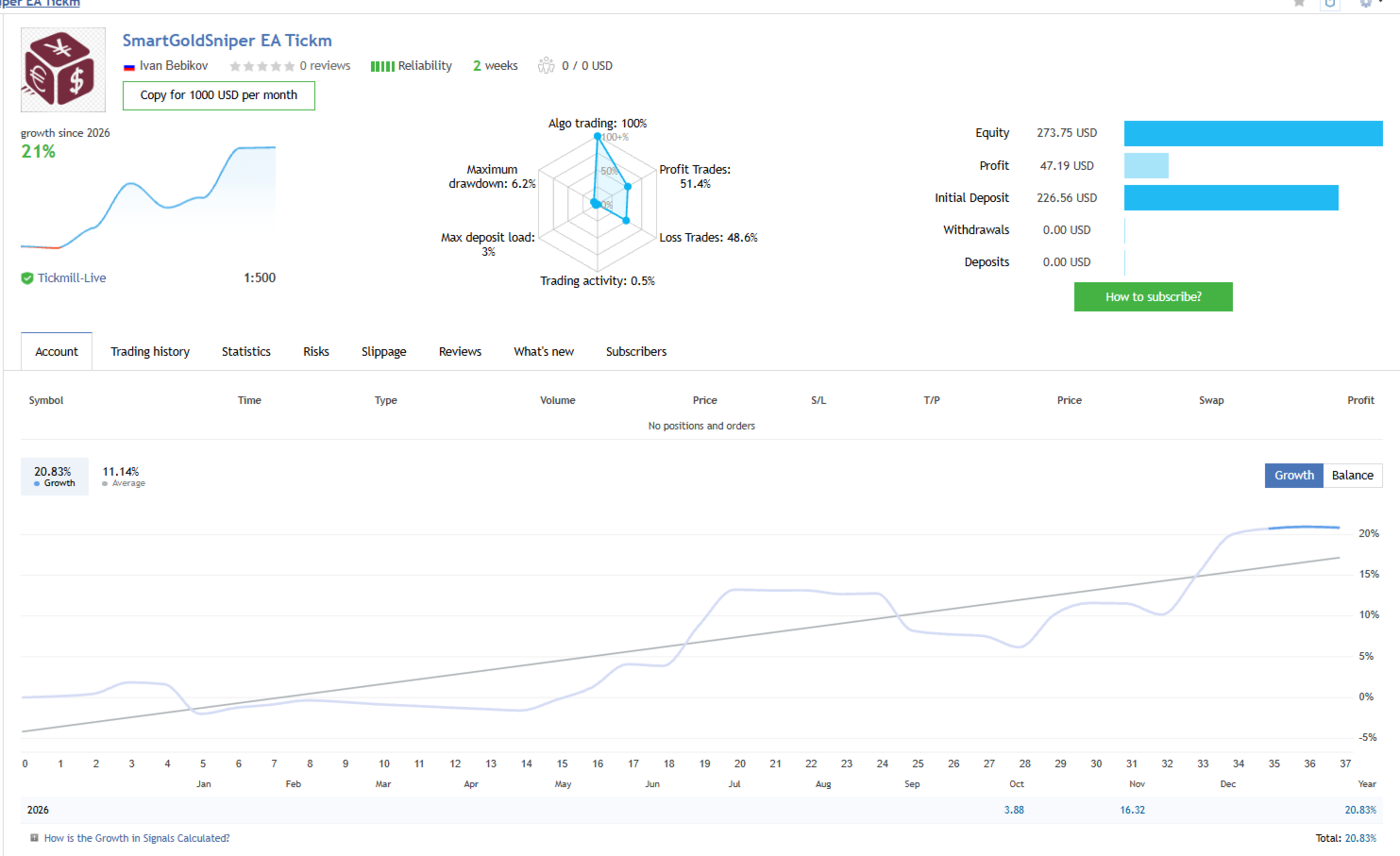
Live trading monitoring: https://www.mql5.com/ru/users/bebikovi/seller
After every 10 copies sold, the price will increase by $50.
User manual: https://www.mql5.com/en/blogs/post/779813
Two strategy blocks
- Block 1 (enabled by default) — systems L1–L8.
- Block 2 (disabled by default) — systems L9–L18.
- The blocks work independently: each calculates its own levels and holds its own positions. Several systems can hold positions at the same time.
Using both blocks. With both blocks enabled, more positions are open at the same time, sometimes near the same price level, so the total risk and margin load add up. Enable Block 2 only after testing it in the Strategy Tester, and make sure you understand these risks. Consider a smaller lot or a larger deposit.
Main features
- Symbol: XAUUSD (any suffix, e.g. XAUUSD+, XAUUSDm).
- Timeframe: any; the EA loads the data it needs itself. H1 is recommended for the chart.
- Shared settings: risk management, news filter, entry shift and magic number are common to both blocks. Each system has its own magic number (magic, magic+1 … magic+17).
- Automatic time zone: all trading times are set for GMT+2 / GMT+3 (US summer time) and are converted to your broker's server time automatically.
- News filter: built-in release times of FOMC (Fed rate decision), NonFarm Payrolls and CPI for 2020–2027, and PCE from 2025. It also works in the Strategy Tester. Pending orders are deleted before the release and placed again after the pause; open positions can optionally be closed.
- Info panel: status, balance, today's result, lot, spread, entry shift, positions and orders of each enabled system (L1–L18), upcoming news.
Requirements
- Hedging account, ECN or Raw Spread with low spread and commission.
- Leverage 1:100 or higher. With 1:30 use a smaller lot (0.01 per 1000 $).
- Deposit from 400 $ with the default lot (0.01 per each 400 $ of balance) and Block 1 only. A smaller deposit is possible, but the risk is higher. With both blocks enabled, use a larger deposit or a smaller lot.
- VPS with low ping to the broker's server.
- The defaults are for brokers with server time GMT+2 / GMT+3 (US summer time). For other brokers, set the server GMT offset and summer time — all times are converted automatically.
Main settings
- Trading enabled — when off, the EA only manages open positions.
- Magic number — base number; the systems use magic … magic+17.
- Broker server: GMT offset and summer time — your broker's server time zone; used to convert trading times and news times.
- Lot calculation — fixed lot, risk % per trade (from the system's Stop Loss), or lot per each N $ of balance.
- News filter — FOMC, NonFarm, CPI, PCE on/off, minutes before and after the release, closing positions before the release.
- BuyStopShift / SellStopShift — moves the entry of all systems of both blocks earlier or later.
- Block 1 enabled, Start time — Block 1 on/off and the time of its first new orders of the day (GMT+2 / US summer time).
- Block 2 enabled — Block 2 on/off.
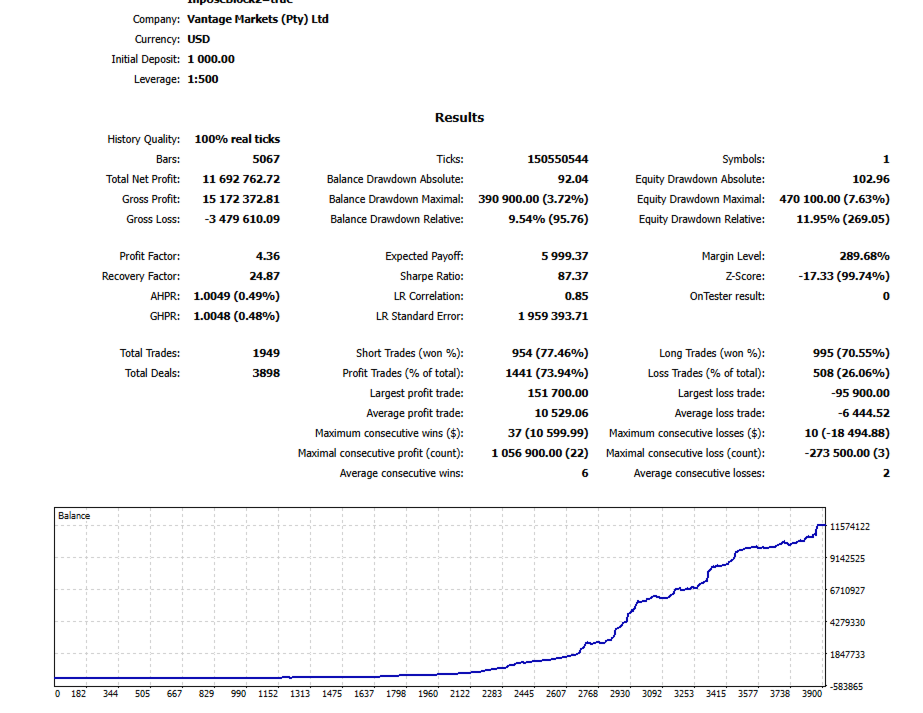
Risk warning. Trading on financial markets involves high risk. Past results do not guarantee future profits. Test the EA in the Strategy Tester before using it on a real account.