Trend Ladder MT4

TrendLadder — adaptive trend indicator with a multi-timeframe panel

PURPOSE

TrendLadder shows the trend direction as a clean "step" line. While the market is just noise, the line stays put; it moves only when price makes a meaningful, confirmed move. This lets you see at a glance who is in control — buyers or sellers — and when the trend has really changed.

WHAT YOU SEE ON THE CHART

  • Step line: green — uptrend, red — downtrend, gray — direction not yet determined.
  • Gradient candles: colour intensity shows trend strength. The farther price is from the line in the trend direction, the more vivid the candle; as price returns to the line, the colour fades toward gray.
  • Optional fill between price and the line — shows how much "room" the trend has.
  • Arrows: a Buy arrow below the candle when the trend turns up, a Sell arrow above the candle when it turns down.

HOW TO USE

  1. Trend filter: trade only in the direction of the line colour.
  2. Entries on arrows: the arrow appears when the direction changes. For reliability, rely on the arrow of a closed bar — this is what alerts are based on.
  3. Pullbacks: in a trend, price periodically returns to the line; the line works as dynamic support or resistance.
  4. Stop-loss and trailing: the line level is a convenient reference for a protective stop.
  5. Several timeframes: the panel shows direction on all selected timeframes. For example, take M15 signals when H1 and H4 point the same way.
  6. Sideways markets: if the line flips colour often or stays gray for long, it is better to stay aside.

SETTINGS

Group "Trend engine" — the core of the trend calculation

  • Efficiency window (bars) — length of the window (in bars) used to judge how clean and directional the market is. Larger — smoother, slower reaction; smaller — faster and more sensitive.
  • Fast deviation window (bars) — short window for assessing volatility. A smaller value makes the line adapt to the market faster.
  • Slow deviation window (bars) — long window for assessing volatility. A larger value makes the line more resistant to temporary spikes.
  • Applied price — the price the indicator is built on (Close, Open, High, Low, Median, Typical, Weighted).

Group "Noise filter" — protection from false signals

  • ATR period — ATR period; ATR is the unit for distances in the other settings.
  • Minimum step (ATR multiple) — the minimum distance in ATR that price must travel before the line can move. Larger — a calmer, more "stepped" line.
  • Jump filter (ATR multiple) — threshold for an abnormally large candle (news, spikes). Such candles do not move the line. A smaller value makes the filter trigger more often.
  • Choppy market threshold (efficiency) — threshold for choppy, directionless markets. The higher the value, the stricter the indicator becomes in unclear conditions: fewer false signals, but possible delay.
  • Flip buffer (ATR multiple) — extra margin in ATR to confirm a reversal. Larger — fewer false reversals, but the arrow appears later.

Group "Look" — appearance

  • Uptrend colour / Downtrend colour / Neutral colour — colours for the up, down and undetermined states.
  • Paint candles by trend strength — paint candles with a gradient by trend strength (the chart's standard candles are hidden and restored when the indicator is removed).
  • Candle colour smoothing (bars) — smoothing of candle shade changes. Larger — smoother.
  • Fill between price and step line — enable the fill between price and the line.
  • Fill strength (%) — intensity of the fill.

Group "Flip arrows"

  • Show flip arrows — show reversal arrows.
  • Arrow distance (ATR multiple) — offset of the arrow from the candle, in ATR.

Group "Alerts (on closed bar arrow)"

  • Popup alert — alert window in the terminal.
  • Push notification — notification to your phone (a MetaQuotes ID must be set in the terminal).
  • Email alert — an email (email must be configured in the terminal).

Alerts are sent once, after the bar closes, if an arrow has formed on it. The text contains the symbol, timeframe, direction and close price, e.g.: "TrendLadder | EURUSD H1 | BUY (uptrend) | close 1.08520".

Group "Panel" — multi-timeframe panel

  • Show panel — show or completely disable the panel.
  • Start collapsed — start with the panel collapsed.
  • Panel size — panel size: Auto adapts to the chart window size and screen resolution, or a fixed scale of 75–200%.
  • Panel theme — panel colour theme: Dark or Light. You can also switch it right on the panel with the button in the header.
  • Panel corner — chart corner for the initial panel position.
  • Panel X offset (px) / Panel Y offset (px) — panel offsets from the chosen corner.
  • Panel reads closed bars only — the panel shows the state on closed bars (more stable, no changes inside a bar).
  • Panel refresh period (sec) — how often the panel updates timeframe data.
  • Bars per timeframe for panel — how many history bars to use on each timeframe for the panel.

Group "Panel timeframes"

  • Show M1 … Show MN1 — which timeframes the panel shows at start. You can also toggle them by clicking the buttons on the panel itself.

THE PANEL: WHAT THE DATA MEANS

  • Header: overall bias across the selected timeframes, e.g. "UP 4/5" — four of five timeframes are rising. "MIXED" — opinions are split evenly.
  • Buttons M1…MN1: turn timeframes in the list on or off. A highlighted button means the timeframe is shown.
  • TF: the timeframe. The current chart timeframe is highlighted in yellow.
  • Trend: direction on that timeframe — UP, DOWN, FLAT (not yet determined, usually at the very start of history). "loading..." means the timeframe data is still loading.
  • Dist/ATR: distance from price to the line in ATR units. Plus — price above the line, minus — below. A value near zero means price is at the line and the trend may change soon; a large value means a strong trend but price is far from the line, so chasing an entry is less favourable.
  • Bars: how many bars the current direction has lasted. A small number — a fresh trend or recent reversal; a large one — a mature trend.
  • Bottom: the number of timeframes Up / Down / Flat and a colour bar of the ratio. The more of one colour, the stronger the agreement between timeframes.
  • The "–" / "+" button in the header collapses and expands the panel. The panel can be dragged by its header; its position and state are remembered when you change the chart timeframe.

More from author
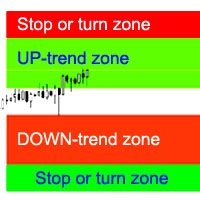
The indicator calculates the most probable trend stop/reversal areas, confident trend movement areas. The calculation considers: the rate of price change; the relative deviation angle of the chart; the average amplitude of price movements; the price leaving its "comfort zone"; the values of the ATR indicator. The indicator can generate an Alert when the price enter a stop/reversal area. Settings Draw the entire length? - draw the areas until the end of the chart; Show Stop UP-trend - display th
Buy and sell zones
Evgeniy Zhdan
5 (2)
Indicator for determining flat and trend. If the price is below any of the two histograms and two lines (red and blue), this is a sell zone. When purchasing this version of the indicator, MT5 version for one real and one demo account - as a gift (to receive, write me a private message)! If the price is above any of the two histograms and two lines (red and blue), this is a buy zone. MT5 version:  https://www.mql5.com/en/market/product/70409 If the price is between two lines or in the zone of
SuperTrend
Evgeniy Zhdan
2.5 (2)
The Supertrend Expert Advisor The Supertrend Expert Advisor with averaging elements. It has been developed during three months until I finally got good results. It is not a scalper. The minimum balance to start trading - 100 $. Is automatically adjusted to the 4 and 5-digit prices. Has an efficient risk management system. The lot and limit on the maximum lot is automatically calculated based on the settings specified in the EA. As a result, you have a complete automated trading system. Download
Stardust
Evgeniy Zhdan
StarDust searches for divergences in the values of several indicators considering them as signs of flat and enters the market if a relatively steady trend is detected. The Expert Advisor trades "basic" symbols with a low spread. The best results are achieved on М15. The EA automatically adjusts to 4 and 5-digit quote flows. Settings Comment_to_orders – comment to a placed order. The field can be left blank if no comment is required. MM – enable money management with automatic setting of a worki
Top Floor
Evgeniy Zhdan
The EA catches the price when it moves against the trend in an effort to open an order in an opposite direction (direction of the main trend). Screenshots illustrate examples of entries and the strategy gist. The EA uses stop losses depending on values of ATR. Settings: Lot_ - if Risk_ = 0, the EA will trade this lot; Risk_ - risk per one trade. Stop loss is taken into account; koeff_ATR - coefficient multiplied by the ATR value to calculate stop loss (the bigger the value, the bigger stop loss
FastBoom
Evgeniy Zhdan
The FastBoom EA finds the most probable points of price pullback/reverse and places an order. It places averaging orders if the price moves further against take profit. Settings of the EA: Lots - initial lot; LotExponent - multiplier for following orders (Martingale). 1 - no multiplier. TakeProfit - take profit in points; Stochastic Settings InpKPeriod - K Period of Stochastic InpDPeriod - D Period of Stochastic InpSlowing - Stochastic Slowing LevHigh - level for sell positions of Stochastic L
The Expert Advisor calculates the double/triple divergence of volumes, and starts trading. It uses a unique formula of lot calculation, which greatly improves stability of trading. Recommended TF - 1h. Currency pair - EURUSD , but the EA can be used on any trading instruments which are not subject to high volatility. Settings mode - trading direction can be set manually; close - order close level (details on the screenshot); Step between orders - step between orders in points; Maximum orders -
OrderOnLine
Evgeniy Zhdan
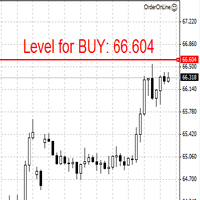
The Expert Advisor opens orders from the horizontal line, the a trader can set on any level by dragging using the mouse or by changing the line properties. For example, when a horizontal line is above the current price, the EA will open a Buy order once the horizontal line is reached. And vice versa: If the line is below the current price, the EA will open a sell order once the line is crossed. A buy crossover of the line is: opening of the current candlestick below the horizontal line; the curr
SellerATR
Evgeniy Zhdan
5 (1)
The Expert Advisor only sells. Recommended currency pairs : EURUSD; GBPUSD; USDCHF; USDJPY; USDCAD; AUDUSD; EURGBP; EURAUD; EURCHF; EURJPY; GBPCHF; CADJPY; GBPJPY; AUDNZD; AUDCAD; AUDCHF; AUDJPY; CHFJPY; EURNZD; EURCAD; CADCHF; NZDJPY; NZDUSD. Timeframe: H1. Percent% manages closing both loss-making and profitable deals based on the account overall status. Using the EA on 23 symbols mentioned above allows the robot to cope with the drawdown in case of a long trend. While positions on some pairs
Illusion
Evgeniy Zhdan
3 (2)
The Illusion EA uses the probability theory - after a series of consecutive virtual losses - i.e. right during a flat the EA already starts trading in the trend. In addition, the EA considers the ratio of bullish/bearish candles on the higher timeframes to determine the greatest probability of the price movement direction. Only 1 order can be opened at a time. In case of a loss the following order will be placed with an increased lot (the multiplication coefficient is set in the parameters). The
The indicator plots a trend line and determines the levels for opening trades, in case the price goes "too far" away from the trend level. More detailed information is available in the screenshots. Settings Away from the trend line - distance from the trend line to the trades level; Arrow Signal for deals - enable displaying an arrow when the price reaches the trades level; Size of Arrow - size of the arrow; Alert Signal for deals - enable generating alerts when the price reaches the trades lev
Turbina
Evgeniy Zhdan
5 (4)
The axiom of the Forex market is that any trend will be broken. The Expert Advisor determines trend direction (the pink line), and calculates levels for opening opposite orders depending on the settings. The value of Away from the trend line for Deal will be different for each pair and timeframe, depending on the volatility of the trading instrument. Next orders can be opened with an increased lot (a static lot is used by default). See the screenshots to understand the idea of the Expert Advisor
Odysseus
Evgeniy Zhdan
The Expert Advisor determines the moments of strong movements and opens a position in the direction of the most probable price movement. The strategy always uses stop loss and take profit. Several independent orders can be in the market (the maximum number is set in parameters). The goal of the EA's underlying trading system is the quantitative excess of the number of profitable deals over the number of losing ones. Recommended: EURUSD 5m; GBPUSD 5m; USDJPY 5m. The Expert Advisor is able to work
Vise
Evgeniy Zhdan
Vise is a trend indicator. The upper and lower lines follow the price showing the prevailing price direction. Frequent breakthroughs of the upper line indicate a bullish trend, while frequent breakthroughs of the lower line indicate a bearish one. Parameters Points for UpLine - initial number of points for the upper line; Points for DownLine - initial number of points for the lower line. During the breakthrough of the upper level (line), this level shifts upwards by Points for UpLine. If the up
Twinkle
Evgeniy Zhdan
Twinkle is a trend-based scalper using stop loss and take profit invisible to the broker. The EA does not look for trend reversals. The EA catches strong market movements and opens orders in the direction of the trend. Your broker will not see the order closing levels. The EA closes orders independently when reaching the take profit or stop loss levels specified in the settings. Recommended trading symbols: EURUSD M5, GBPUSD M5. ECN accounts with 5 digits quotes are recommended. Expert Advisor
Shine
Evgeniy Zhdan
4.75 (4)
This Expert Advisor implements elements of the Martingale system. Orders are opened at a specified distance from the moving average. The Parabolic SAR indicator and certain technical details are used to ensure the most accurate entries. The EA is highly customizable. It is recommended for simultaneous use on 4 currency pairs: EURUSD M15; GBPUSD M15; USDJPY M15; USDCAD M15. Despite good stability, it is advisable to disable the EA operation during the days rich in news releases. Configurations P
LuckyCase
Evgeniy Zhdan
LuckyCase is an Expert Advisor with martingale elements. The EA strategy is based on a significant "deviation" of the price from SAR inadicator and the Bands levels breakthrough point. The money management system is an essential part of the EA. It starts working after a trade is opened. Trades are closed after accumulating specified points of market orders, by deposit % or after an opposite side of the channel is broken through. The default EA settings are meant for: EURUSD M15; USDJPY M15. The
Elize
Evgeniy Zhdan
The Elize Expert Advisor has been designed to work with the EURCHF currency pair. It considers the peculiarities of this trading instrument, its behavior and dependence on the behavior of other currencies. In particular, when the currencies of the European countries (EURUSD, GBPUSD, EURNOK, EURCHF) move in the same direction, the EA starts its operation and opens a deal in the trend direction of the European currencies. In the event of price rollbacks, the EA uses a unique method for making the
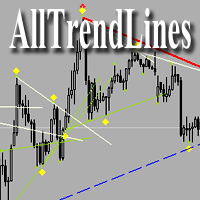
AllTrendLines
Evgeniy Zhdan
4 (1)
Brief Description of the All Trend Lines Indicator The indicator analyzes the wave structure of the market. What it displays on the chart: First. Wave pivots (semaphores) • Red markers – wave highs • Yellow markers – wave lows • Yellow-green markers – additional local extremes Second. Trend lines • Purple/blue lines – trends based on highs (resistance/support) • Beige/green lines – trends based on lows • Lines are built automatically by connecting wave pivots of the same type Third. Main trend
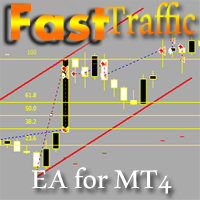
FastTraffic
Evgeniy Zhdan
The Expert Advisor has been specifically developed for trading gold (Spot Gold). The strategy is based on Fibo levels calculated from the previous (first) candle High/Low and the width of the current and lower timeframes channel. If important Fibo levels of different orders are located in a single price channel (within a spread), the EA defines this channel as the target for price movement and starts operation. Martingale and averaging are not used. Each order is independent and is accompanied b
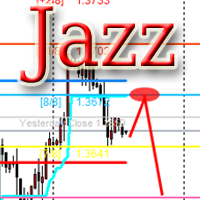
Jazz
Evgeniy Zhdan
The algorithm of this Expert Advisor determines the significant price levels, where the trend often turns into a flat or reverses. Stochastic Oscillator serves as an additional filter of overbought/oversold zones. The EA sets stop loss and take profit after opening an order. The underlying trailing strategy applies a trailing stop. The EA is recommended for simultaneously use on three trading instruments: EURUSD M5, GBPUSD M5, EURCHF M5. Settings: Comment to order - comment to orders. MaxRisk -
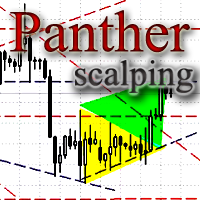
Panther
Evgeniy Zhdan
The Expert Advisor looks for technical analysis patterns formed on the higher (hourly) timeframe to start working on the 5-minute chart. Technical analysis patterns used: double top/double bottom, head/shoulders, flag, expanding/narrowing triangles. The Relative Vigor Index technical indicator is used as the filter for opening deals. It is based on the idea that on the bull market the closing price is, as a rule, higher, than the opening price. It is the other way round on the bear market. This
Spook
Evgeniy Zhdan
The Expert Advisor calculates the divergence on the current and higher timeframes. In case the divergences coincide, the EA starts its operation. Deals have strict take profit and stop loss levels. Each deal is managed by trailing stop. The strategy involves the use of a tight stop-loss. Therefore, losing deals and/or series of losing deals are not uncommon. This EA is not suitable for those who have difficulties coping with losing deals. The EA is recommended for simultaneous use on the followi
Grand
Evgeniy Zhdan
The Expert Advisor has been developed specifically for the features of the CHFJPY currency pair. The EA's algorithm determines the direction of the current trend and starts operation. In case of a price reversal within the current trend, the EA adds additional orders. If trend changes, the EA starts to work in the direction contrary to the initial grid of orders. If there were no conditions for closing orders and the trend direction changed again, the EA continues to work with the "first" grid o
Intensive
Evgeniy Zhdan
The Expert Advisor algorithm determines on daily charts those candlestick patterns, which set the intraday trading direction. The trading EA determines how long the price is moving in overbought/oversold zones and starts working in the direction of the expected trend movement. Each position is accompanied with a tight stop loss and take profit. Only one active position can be open in the market. The EA was developed and tested using 99% quality quotes. The Expert Advisor has a built-in news filt
Slender
Evgeniy Zhdan
The strategy of this Expert Advisor is based on a hedging system, which implies placing opposite orders. The EA algorithm determines trend beginning and opens a position in the trend direction. In case of a wrong entry, the EA tries to neutralize the drawdown through opposite (hedging) orders at a preset interval (Coefficient of counter orders). Orders are closed when one of the two values ​​is reached - profit in percent or profit in points. The EA does not use lot increase. The EA wast tested
Dreamer
Evgeniy Zhdan
Советник работает по принципу хеджирования с периодическими "перекосами" в сторону трендовых направлений. Направления тренда советник определяет на основании стандартного индикатора Parabolic Stop and Reverse system (SAR). Уникальная стратегия установки балансирующих позиций позволяет избегать больших просадок даже при самых не благоприятных рыночных условиях. Параметры по умолчанию рекомендуется использовать на торговом инструменте: GBPJPY 15m. Разработка и оптимизация параметров производились
Snoot
Evgeniy Zhdan
5 (1)
This Expert Advisor works using a grid in the direction of a trend movement with the step between opened positions defined in the settings. The positions are closed by the total take profit. The Parabolic SAR standard indicator is used to filter order opening, which comes in the MetaTrader 4 package. The EA has been developed and tested using 99,9% quality of quotes. Operation of the EA in real time can be viewed in the signals . The best trading results have been achieved on CHFJPY M15. Settin
Solipsism
Evgeniy Zhdan
The Expert Advisor builds channels based on the data obtained using ATR and MA indicators according to the equations: Upper channel border = MA + ATR * (FIBO); Lower channel border = MA - ATR * (FIBO), where FIBO has the following values: Style of Trade - Aggressive = 1.61852; Style of Trade - Average = 3.26704; Style of Trade - Calm = 4.85556. Trades are opened inside the channel with the intervals defined in the settings. Long and short positions are opened independently. Positions are closed
The trading statistics indicator notifies the trader of the aggregate income of the trading account for different time intervals. The indicator has wide display settings on the graph. There is a choice of one of the two display languages on the chart- English and Russian. Settings Indicator language (ENG, RUS) - Select the language to display on the chart; To control the magic (-1: any magic) - Entering the Magic for control (-1: any Magic); Angle of indicator tie - Selecting the angle of the c
Filter:
No reviews
Reply to review