Trend Ladder MT4

TrendLadder — 멀티 타임프레임 패널이 있는 적응형 추세 인디케이터

목적

TrendLadder는 추세 방향을 깔끔한 "계단형 선"으로 보여줍니다. 시장이 단순한 노이즈일 때는 선이 움직이지 않고, 가격이 의미 있는 확정된 움직임을 보일 때만 움직입니다. 따라서 지금 누가 시장을 주도하는지(매수 측인지 매도 측인지), 그리고 추세가 실제로 바뀌었는지를 한눈에 파악할 수 있습니다.

차트에 표시되는 내용

  • 계단형 선: 녹색은 상승 추세, 빨간색은 하락 추세, 회색은 방향이 아직 정해지지 않음을 뜻합니다.
  • 그라데이션 캔들: 색의 진하기가 추세의 강도를 나타냅니다. 가격이 추세 방향으로 선에서 멀어질수록 캔들이 선명해지고, 선으로 돌아오면 회색에 가깝게 옅어집니다.
  • 가격과 선 사이의 채우기(선택): 추세의 "여유 폭"을 시각적으로 보여줍니다.
  • 화살표: 추세가 상승으로 전환되면 캔들 아래에 Buy 화살표, 하락으로 전환되면 캔들 위에 Sell 화살표가 나타납니다.

사용 방법

  1. 추세 필터: 선의 색 방향으로만 매매합니다.
  2. 화살표 진입: 방향이 바뀔 때 화살표가 나타납니다. 신뢰도를 높이려면 마감된 봉의 화살표를 기준으로 하세요. 알림도 이를 기준으로 발송됩니다.
  3. 되돌림: 추세 중에 가격은 주기적으로 선으로 돌아옵니다. 선은 동적 지지선 또는 저항선 역할을 합니다.
  4. 손절과 트레일링: 선의 수준은 보호용 손절 위치의 기준으로 활용하기 좋습니다.
  5. 여러 타임프레임: 패널에서 선택한 모든 타임프레임의 방향을 볼 수 있습니다. 예를 들어 H1과 H4가 같은 방향일 때 M15 신호를 채택하는 방식입니다.
  6. 횡보장: 선의 색이 자주 바뀌거나 오랫동안 회색이면 관망하는 편이 좋습니다.

설정

그룹 "Trend engine" — 추세 계산의 기본

  • Efficiency window (bars): 시장이 얼마나 깨끗하고 방향성이 있는지 판단하는 데 사용하는 구간 길이(봉 수). 클수록 부드럽고 반응이 느리며, 작을수록 빠르고 민감합니다.
  • Fast deviation window (bars): 변동성을 평가하는 짧은 구간. 값이 작을수록 선이 시장에 더 빠르게 적응합니다.
  • Slow deviation window (bars): 변동성을 평가하는 긴 구간. 값이 클수록 일시적인 급변동에 더 강해집니다.
  • Applied price: 인디케이터를 계산하는 기준 가격(Close, Open, High, Low, Median, Typical, Weighted).

그룹 "Noise filter" — 거짓 신호 방지

  • ATR period: ATR 기간. ATR은 다른 설정에서 거리를 재는 단위입니다.
  • Minimum step (ATR multiple): 선이 움직일 수 있으려면 가격이 이동해야 하는 최소 거리(ATR 단위). 클수록 선이 차분하고 "계단"처럼 됩니다.
  • Jump filter (ATR multiple): 비정상적으로 큰 캔들(뉴스, 급등락)의 기준값. 이런 캔들은 선을 움직이지 않습니다. 값이 작을수록 필터가 더 자주 작동합니다.
  • Choppy market threshold (efficiency): 방향성 없는 불규칙한 시장의 기준값. 높을수록 불분명한 구간에서 인디케이터가 더 엄격해져 거짓 신호는 줄지만 지연될 수 있습니다.
  • Flip buffer (ATR multiple): 반전 확인을 위한 추가 여유(ATR 단위). 클수록 거짓 반전은 줄지만 화살표가 늦게 나타납니다.

그룹 "Look" — 외관

  • Uptrend colour / Downtrend colour / Neutral colour: 상승, 하락, 미정 상태의 색상.
  • Paint candles by trend strength: 추세 강도에 따라 캔들을 그라데이션으로 칠합니다(차트 기본 캔들은 숨겨지며 인디케이터를 제거하면 복원됩니다).
  • Candle colour smoothing (bars): 캔들 색조 변화의 평활화. 클수록 부드럽습니다.
  • Fill between price and step line: 가격과 선 사이의 채우기를 켭니다.
  • Fill strength (%): 채우기의 농도.

그룹 "Flip arrows"

  • Show flip arrows: 반전 화살표를 표시합니다.
  • Arrow distance (ATR multiple): 캔들에서 화살표까지의 간격(ATR 단위).

그룹 "Alerts (on closed bar arrow)"

  • Popup alert: 터미널 팝업 알림.
  • Push notification: 휴대폰 푸시 알림(터미널에 MetaQuotes ID 설정 필요).
  • Email alert: 이메일 알림(터미널에 이메일 설정 필요).

알림은 봉이 마감된 후 해당 봉에 화살표가 형성되었을 때 한 번만 발송됩니다. 메시지에는 심볼, 타임프레임, 방향, 종가가 포함됩니다. 예: "TrendLadder | EURUSD H1 | BUY (uptrend) | close 1.08520".

그룹 "Panel" — 멀티 타임프레임 패널

  • Show panel: 패널을 표시하거나 완전히 끕니다.
  • Start collapsed: 패널을 접은 상태로 시작합니다.
  • Panel size: 패널 크기. Auto는 차트 창 크기와 화면 해상도에 맞춰 자동 조절하며, 75~200% 고정 배율도 선택할 수 있습니다.
  • Panel theme: 패널 색상 테마. Dark(다크) 또는 Light(라이트). 헤더의 버튼으로 패널에서 바로 전환할 수도 있습니다.
  • Panel corner: 패널의 초기 위치가 되는 차트 모서리.
  • Panel X offset (px) / Panel Y offset (px): 선택한 모서리로부터의 패널 간격.
  • Panel reads closed bars only: 패널이 마감된 봉 기준으로 상태를 표시합니다(봉 중간에 변하지 않아 더 안정적).
  • Panel refresh period (sec): 패널이 타임프레임 데이터를 갱신하는 주기.
  • Bars per timeframe for panel: 패널을 위해 각 타임프레임에서 사용할 과거 봉의 수.

그룹 "Panel timeframes"

  • Show M1 … Show MN1: 시작 시 패널에 표시할 타임프레임. 패널의 버튼을 클릭해서도 켜고 끌 수 있습니다.

패널: 데이터의 의미

  • 헤더: 선택한 타임프레임 전체의 쏠림. 예: "UP 4/5"는 5개 중 4개 타임프레임이 상승이라는 뜻입니다. "MIXED"는 의견이 반반으로 갈린 상태입니다.
  • M1…MN1 버튼: 목록의 타임프레임을 켜고 끕니다. 강조된 버튼은 해당 타임프레임이 표시 중임을 뜻합니다.
  • TF: 타임프레임. 현재 차트의 타임프레임은 노란색으로 강조됩니다.
  • Trend: 해당 타임프레임의 방향 — UP(상승), DOWN(하락), FLAT(아직 미정, 보통 히스토리 맨 처음). "loading..."은 해당 타임프레임 데이터를 아직 불러오는 중이라는 뜻입니다.
  • Dist/ATR: 가격에서 선까지의 거리(ATR 단위). 플러스는 가격이 선 위, 마이너스는 선 아래입니다. 0에 가까우면 가격이 선 바로 옆에 있어 추세가 곧 바뀔 수 있고, 값이 크면 추세는 강하지만 가격이 선에서 멀어 뒤늦은 진입은 불리합니다.
  • Bars: 현재 방향이 몇 개의 봉 동안 이어졌는지. 작은 수는 새로운 추세 또는 최근 반전, 큰 수는 성숙한 추세를 뜻합니다.
  • 하단: Up / Down / Flat 타임프레임의 개수와 비율을 보여주는 색상 막대. 한 색이 많을수록 타임프레임 간 일치도가 높습니다.
  • 헤더의 "–" / "+" 버튼으로 패널을 접고 펼칩니다. 헤더를 드래그하여 패널을 이동할 수 있으며, 차트 타임프레임을 바꿔도 위치와 상태가 유지됩니다.

제작자의 제품 더 보기
ChangingTrends
Evgeniy Zhdan
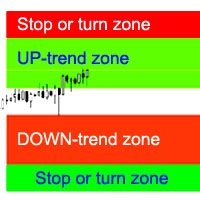
지표는 가장 가능성이 높은 추세 정지/반전 영역, 확실한 추세 이동 영역을 계산합니다. 계산은 다음을 고려합니다. 가격 변화율; 차트의 상대 편차 각도; 가격 움직임의 평균 진폭; "안락 지대"를 떠나는 가격; ATR 표시기의 값. 가격이 정지/반전 영역에 들어갈 때 표시기가 경고를 생성할 수 있습니다. 설정 전체 길이를 그립니다. - 차트가 끝날 때까지 영역을 그립니다. 정지 상승 추세 표시 - 상승 추세의 정지/반전 영역을 표시합니다. Show UP-trend - 자신감 있는 상승세 영역을 표시합니다. 하락 추세 표시 - 확실한 하락 추세 영역을 표시합니다. 정지 하락 추세 표시 - 하락 추세의 정지/반전 영역을 표시합니다. 영역 변경 경고 - 가격이 추세 중지/변경 영역에 들어갈 때 경고를 생성합니다. 다음은 각 거래 영역에 대한 색상 설정입니다.
Buy and sell zones
Evgeniy Zhdan
5 (2)
평면 및 추세를 결정하기 위한 표시기. 가격이 2개의 히스토그램과 2개의 선(빨간색 및 파란색) 중 하나보다 낮으면 판매 영역입니다. 이 버전의 표시기를 구매할 때 하나의 실제 계정과 하나의 데모 계정에 대한 MT4 버전 - 선물로(수신하려면 개인 메시지를 작성하세요)! 가격이 2개의 히스토그램과 2개의 선(빨간색 및 파란색) 중 하나보다 높으면 구매 영역입니다. MT4 버전:   https://www.mql5.com/en/market/product/3793 가격이 두 라인 사이 또는 히스토그램 영역에 있으면 시장에 명확한 추세가 없습니다. 간단히 말해서 시장은 평평합니다. 표시기의 작업은 스크린샷에 더 명확하게 표시됩니다. 지표는 선행 데이터를 얻는 데 사용할 수 있습니다. 또는 현재 추세의 상태를 확인합니다.
SuperTrend
Evgeniy Zhdan
2.5 (2)
The Supertrend Expert Advisor The Supertrend Expert Advisor with averaging elements. It has been developed during three months until I finally got good results. It is not a scalper. The minimum balance to start trading - 100 $. Is automatically adjusted to the 4 and 5-digit prices. Has an efficient risk management system. The lot and limit on the maximum lot is automatically calculated based on the settings specified in the EA. As a result, you have a complete automated trading system. Download
Stardust
Evgeniy Zhdan
StarDust searches for divergences in the values of several indicators considering them as signs of flat and enters the market if a relatively steady trend is detected. The Expert Advisor trades "basic" symbols with a low spread. The best results are achieved on М15. The EA automatically adjusts to 4 and 5-digit quote flows. Settings Comment_to_orders – comment to a placed order. The field can be left blank if no comment is required. MM – enable money management with automatic setting of a worki
Top Floor
Evgeniy Zhdan
The EA catches the price when it moves against the trend in an effort to open an order in an opposite direction (direction of the main trend). Screenshots illustrate examples of entries and the strategy gist. The EA uses stop losses depending on values of ATR. Settings: Lot_ - if Risk_ = 0, the EA will trade this lot; Risk_ - risk per one trade. Stop loss is taken into account; koeff_ATR - coefficient multiplied by the ATR value to calculate stop loss (the bigger the value, the bigger stop loss
FastBoom
Evgeniy Zhdan
The FastBoom EA finds the most probable points of price pullback/reverse and places an order. It places averaging orders if the price moves further against take profit. Settings of the EA: Lots - initial lot; LotExponent - multiplier for following orders (Martingale). 1 - no multiplier. TakeProfit - take profit in points; Stochastic Settings InpKPeriod - K Period of Stochastic InpDPeriod - D Period of Stochastic InpSlowing - Stochastic Slowing LevHigh - level for sell positions of Stochastic L
The Expert Advisor calculates the double/triple divergence of volumes, and starts trading. It uses a unique formula of lot calculation, which greatly improves stability of trading. Recommended TF - 1h. Currency pair - EURUSD , but the EA can be used on any trading instruments which are not subject to high volatility. Settings mode - trading direction can be set manually; close - order close level (details on the screenshot); Step between orders - step between orders in points; Maximum orders -
OrderOnLine
Evgeniy Zhdan
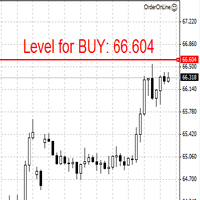
The Expert Advisor opens orders from the horizontal line, the a trader can set on any level by dragging using the mouse or by changing the line properties. For example, when a horizontal line is above the current price, the EA will open a Buy order once the horizontal line is reached. And vice versa: If the line is below the current price, the EA will open a sell order once the line is crossed. A buy crossover of the line is: opening of the current candlestick below the horizontal line; the curr
SellerATR
Evgeniy Zhdan
5 (1)
The Expert Advisor only sells. Recommended currency pairs : EURUSD; GBPUSD; USDCHF; USDJPY; USDCAD; AUDUSD; EURGBP; EURAUD; EURCHF; EURJPY; GBPCHF; CADJPY; GBPJPY; AUDNZD; AUDCAD; AUDCHF; AUDJPY; CHFJPY; EURNZD; EURCAD; CADCHF; NZDJPY; NZDUSD. Timeframe: H1. Percent% manages closing both loss-making and profitable deals based on the account overall status. Using the EA on 23 symbols mentioned above allows the robot to cope with the drawdown in case of a long trend. While positions on some pairs
Illusion
Evgeniy Zhdan
3 (2)
The Illusion EA uses the probability theory - after a series of consecutive virtual losses - i.e. right during a flat the EA already starts trading in the trend. In addition, the EA considers the ratio of bullish/bearish candles on the higher timeframes to determine the greatest probability of the price movement direction. Only 1 order can be opened at a time. In case of a loss the following order will be placed with an increased lot (the multiplication coefficient is set in the parameters). The
GoldenCoast
Evgeniy Zhdan
The indicator plots a trend line and determines the levels for opening trades, in case the price goes "too far" away from the trend level. More detailed information is available in the screenshots. Settings Away from the trend line - distance from the trend line to the trades level; Arrow Signal for deals - enable displaying an arrow when the price reaches the trades level; Size of Arrow - size of the arrow; Alert Signal for deals - enable generating alerts when the price reaches the trades lev
Turbina
Evgeniy Zhdan
5 (4)
The axiom of the Forex market is that any trend will be broken. The Expert Advisor determines trend direction (the pink line), and calculates levels for opening opposite orders depending on the settings. The value of Away from the trend line for Deal will be different for each pair and timeframe, depending on the volatility of the trading instrument. Next orders can be opened with an increased lot (a static lot is used by default). See the screenshots to understand the idea of the Expert Advisor
Odysseus
Evgeniy Zhdan
The Expert Advisor determines the moments of strong movements and opens a position in the direction of the most probable price movement. The strategy always uses stop loss and take profit. Several independent orders can be in the market (the maximum number is set in parameters). The goal of the EA's underlying trading system is the quantitative excess of the number of profitable deals over the number of losing ones. Recommended: EURUSD 5m; GBPUSD 5m; USDJPY 5m. The Expert Advisor is able to work
Vise
Evgeniy Zhdan
Vise is a trend indicator. The upper and lower lines follow the price showing the prevailing price direction. Frequent breakthroughs of the upper line indicate a bullish trend, while frequent breakthroughs of the lower line indicate a bearish one. Parameters Points for UpLine - initial number of points for the upper line; Points for DownLine - initial number of points for the lower line. During the breakthrough of the upper level (line), this level shifts upwards by Points for UpLine. If the up
Twinkle
Evgeniy Zhdan
Twinkle is a trend-based scalper using stop loss and take profit invisible to the broker. The EA does not look for trend reversals. The EA catches strong market movements and opens orders in the direction of the trend. Your broker will not see the order closing levels. The EA closes orders independently when reaching the take profit or stop loss levels specified in the settings. Recommended trading symbols: EURUSD M5, GBPUSD M5. ECN accounts with 5 digits quotes are recommended. Expert Advisor
Shine
Evgeniy Zhdan
4.75 (4)
This Expert Advisor implements elements of the Martingale system. Orders are opened at a specified distance from the moving average. The Parabolic SAR indicator and certain technical details are used to ensure the most accurate entries. The EA is highly customizable. It is recommended for simultaneous use on 4 currency pairs: EURUSD M15; GBPUSD M15; USDJPY M15; USDCAD M15. Despite good stability, it is advisable to disable the EA operation during the days rich in news releases. Configurations P
LuckyCase
Evgeniy Zhdan
LuckyCase is an Expert Advisor with martingale elements. The EA strategy is based on a significant "deviation" of the price from SAR inadicator and the Bands levels breakthrough point. The money management system is an essential part of the EA. It starts working after a trade is opened. Trades are closed after accumulating specified points of market orders, by deposit % or after an opposite side of the channel is broken through. The default EA settings are meant for: EURUSD M15; USDJPY M15. The
Elize
Evgeniy Zhdan
The Elize Expert Advisor has been designed to work with the EURCHF currency pair. It considers the peculiarities of this trading instrument, its behavior and dependence on the behavior of other currencies. In particular, when the currencies of the European countries (EURUSD, GBPUSD, EURNOK, EURCHF) move in the same direction, the EA starts its operation and opens a deal in the trend direction of the European currencies. In the event of price rollbacks, the EA uses a unique method for making the
AllTrendLines
Evgeniy Zhdan
4 (1)
Brief Description of the All Trend Lines Indicator The indicator analyzes the wave structure of the market. What it displays on the chart: First. Wave pivots (semaphores) • Red markers – wave highs • Yellow markers – wave lows • Yellow-green markers – additional local extremes Second. Trend lines • Purple/blue lines – trends based on highs (resistance/support) • Beige/green lines – trends based on lows • Lines are built automatically by connecting wave pivots of the same type Third. Main trend
FastTraffic
Evgeniy Zhdan
The Expert Advisor has been specifically developed for trading gold (Spot Gold). The strategy is based on Fibo levels calculated from the previous (first) candle High/Low and the width of the current and lower timeframes channel. If important Fibo levels of different orders are located in a single price channel (within a spread), the EA defines this channel as the target for price movement and starts operation. Martingale and averaging are not used. Each order is independent and is accompanied b
Jazz
Evgeniy Zhdan
The algorithm of this Expert Advisor determines the significant price levels, where the trend often turns into a flat or reverses. Stochastic Oscillator serves as an additional filter of overbought/oversold zones. The EA sets stop loss and take profit after opening an order. The underlying trailing strategy applies a trailing stop. The EA is recommended for simultaneously use on three trading instruments: EURUSD M5, GBPUSD M5, EURCHF M5. Settings: Comment to order - comment to orders. MaxRisk -
Panther
Evgeniy Zhdan
The Expert Advisor looks for technical analysis patterns formed on the higher (hourly) timeframe to start working on the 5-minute chart. Technical analysis patterns used: double top/double bottom, head/shoulders, flag, expanding/narrowing triangles. The Relative Vigor Index technical indicator is used as the filter for opening deals. It is based on the idea that on the bull market the closing price is, as a rule, higher, than the opening price. It is the other way round on the bear market. This
Spook
Evgeniy Zhdan
The Expert Advisor calculates the divergence on the current and higher timeframes. In case the divergences coincide, the EA starts its operation. Deals have strict take profit and stop loss levels. Each deal is managed by trailing stop. The strategy involves the use of a tight stop-loss. Therefore, losing deals and/or series of losing deals are not uncommon. This EA is not suitable for those who have difficulties coping with losing deals. The EA is recommended for simultaneous use on the followi
Grand
Evgeniy Zhdan
The Expert Advisor has been developed specifically for the features of the CHFJPY currency pair. The EA's algorithm determines the direction of the current trend and starts operation. In case of a price reversal within the current trend, the EA adds additional orders. If trend changes, the EA starts to work in the direction contrary to the initial grid of orders. If there were no conditions for closing orders and the trend direction changed again, the EA continues to work with the "first" grid o
Intensive
Evgeniy Zhdan
The Expert Advisor algorithm determines on daily charts those candlestick patterns, which set the intraday trading direction. The trading EA determines how long the price is moving in overbought/oversold zones and starts working in the direction of the expected trend movement. Each position is accompanied with a tight stop loss and take profit. Only one active position can be open in the market. The EA was developed and tested using 99% quality quotes. The Expert Advisor has a built-in news filt
Slender
Evgeniy Zhdan
The strategy of this Expert Advisor is based on a hedging system, which implies placing opposite orders. The EA algorithm determines trend beginning and opens a position in the trend direction. In case of a wrong entry, the EA tries to neutralize the drawdown through opposite (hedging) orders at a preset interval (Coefficient of counter orders). Orders are closed when one of the two values ​​is reached - profit in percent or profit in points. The EA does not use lot increase. The EA wast tested
Dreamer
Evgeniy Zhdan
Советник работает по принципу хеджирования с периодическими "перекосами" в сторону трендовых направлений. Направления тренда советник определяет на основании стандартного индикатора Parabolic Stop and Reverse system (SAR). Уникальная стратегия установки балансирующих позиций позволяет избегать больших просадок даже при самых не благоприятных рыночных условиях. Параметры по умолчанию рекомендуется использовать на торговом инструменте: GBPJPY 15m. Разработка и оптимизация параметров производились
Snoot
Evgeniy Zhdan
5 (1)
This Expert Advisor works using a grid in the direction of a trend movement with the step between opened positions defined in the settings. The positions are closed by the total take profit. The Parabolic SAR standard indicator is used to filter order opening, which comes in the MetaTrader 4 package. The EA has been developed and tested using 99,9% quality of quotes. Operation of the EA in real time can be viewed in the signals . The best trading results have been achieved on CHFJPY M15. Settin
Solipsism
Evgeniy Zhdan
The Expert Advisor builds channels based on the data obtained using ATR and MA indicators according to the equations: Upper channel border = MA + ATR * (FIBO); Lower channel border = MA - ATR * (FIBO), where FIBO has the following values: Style of Trade - Aggressive = 1.61852; Style of Trade - Average = 3.26704; Style of Trade - Calm = 4.85556. Trades are opened inside the channel with the intervals defined in the settings. Long and short positions are opened independently. Positions are closed
The trading statistics indicator notifies the trader of the aggregate income of the trading account for different time intervals. The indicator has wide display settings on the graph. There is a choice of one of the two display languages on the chart- English and Russian. Settings Indicator language (ENG, RUS) - Select the language to display on the chart; To control the magic (-1: any magic) - Entering the Magic for control (-1: any Magic); Angle of indicator tie - Selecting the angle of the c
필터:
리뷰 없음
리뷰 답변