RiskBox
- Indicators
- Version: 1.0

| Free for couple days! |
|---|
===========================================
RiskBox - Position Planner and Paper Trading Journal
===========================================
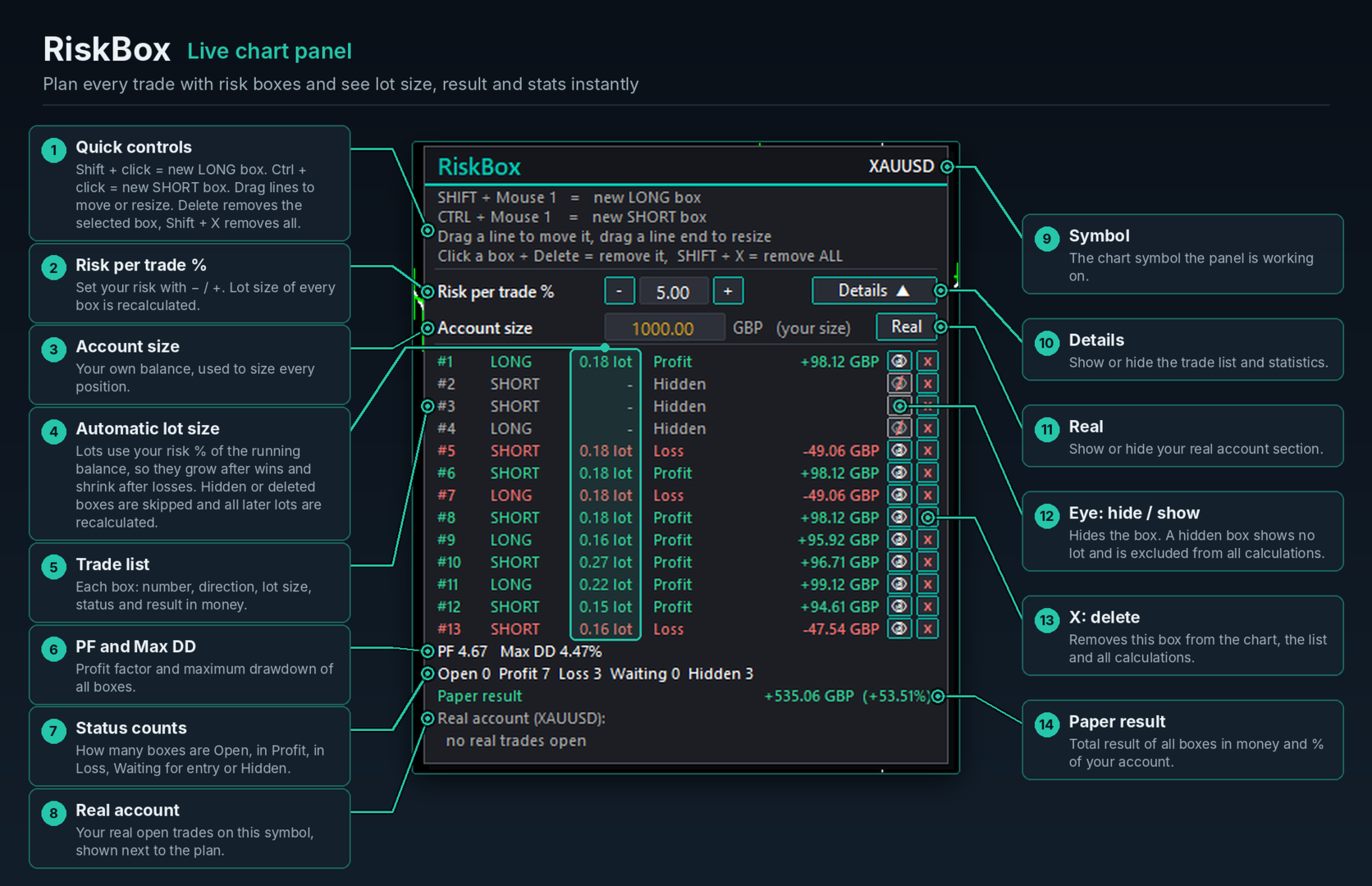
RiskBox turns trade planning into a visual, one-click workflow. Hold SHIFT and click on the chart for a LONG box, or CTRL and click for a SHORT box. RiskBox draws the entry, stop loss and take profit zones and calculates the exact lot size that risks your chosen percentage. It then follows the market and records what happened.
**Position boxes**
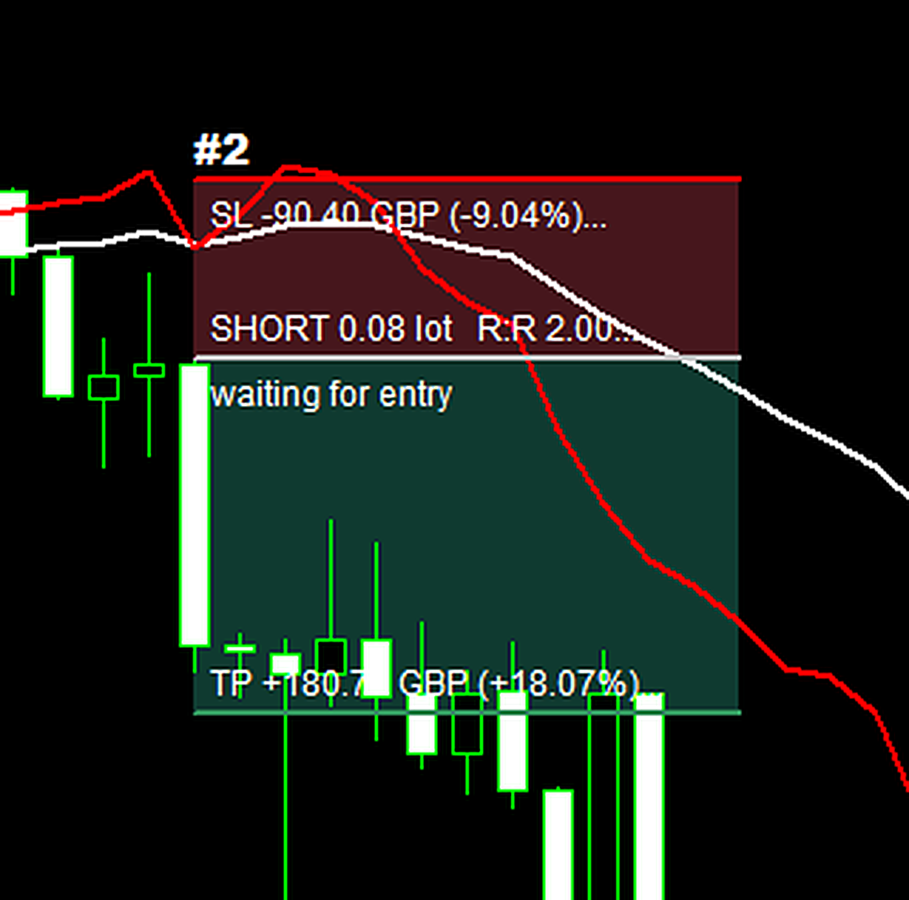
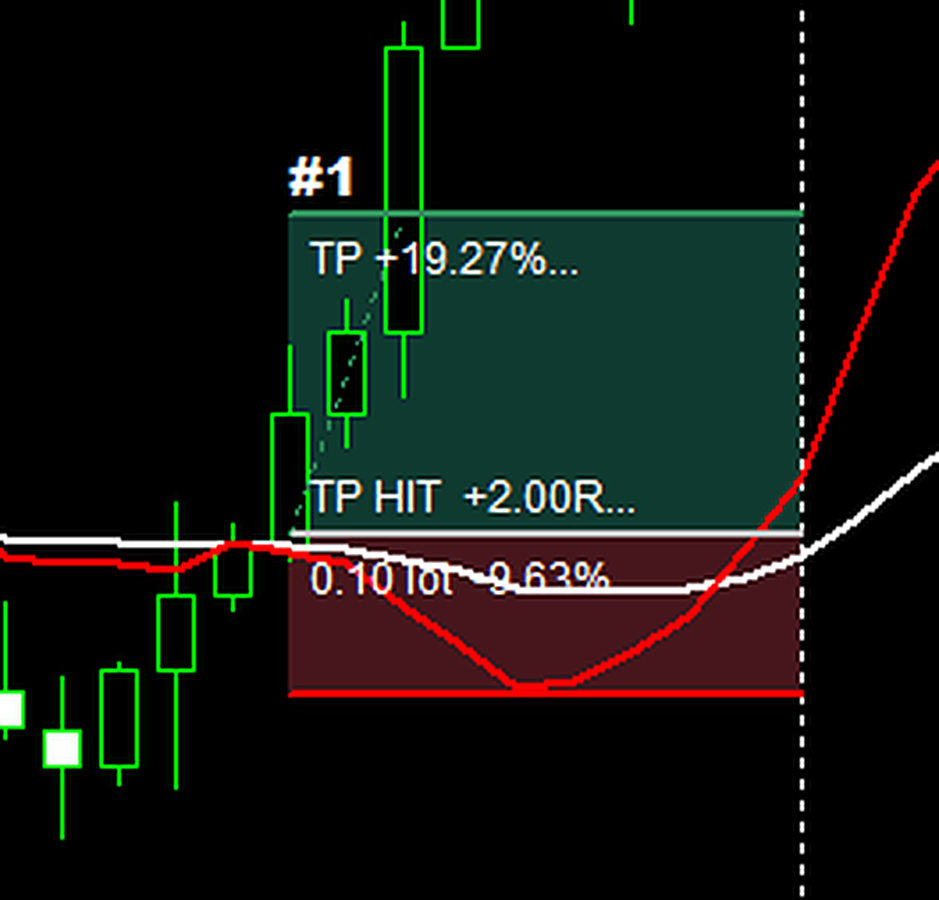
- One click creates a complete trade plan: entry, stop loss (red zone) and take profit (green zone).
- The default stop is based on ATR(14) at the candle you click, so stops adapt to volatility. The default target is 2R. Both are adjustable.
- Drag the SL or TP line to change it; drag the entry line to move the whole box; drag a line end to make the box wider or narrower.
- Drag SL or TP across the entry and the box flips between LONG and SHORT, keeping the same R:R.
- Many boxes at once, each with its own number (#1, #2, ...).
**Exact position size**
- Lot size from your risk % of balance or equity, or from your own account size.
- Rounded down to the broker's lot step, so you never risk more than you chose. A warning appears if even the minimum lot exceeds your risk.
- Every box shows lots, entry, R:R, stop distance and target distance in points or pips, plus the money at risk and the money at target.
- Optional "target by TP" mode: the lot is sized for a chosen % gain at the take profit.
**Paper-trading journal with live statistics**
- Each box tracks its outcome: Waiting (entry not reached), Open (with live P/L), TP HIT, SL HIT or Closed at end.
- The Details list shows every box with its number, side, lots, result and amount, with page buttons for long lists.
- Live statistics: number of boxes, Profit Factor, maximum drawdown, wins and losses, and total paper result in money and %.
- Finished results are locked, so they don't drift with spreads or exchange rates.
- The list also shows your real open positions and pending orders on the symbol.
**Works in the Strategy Tester**
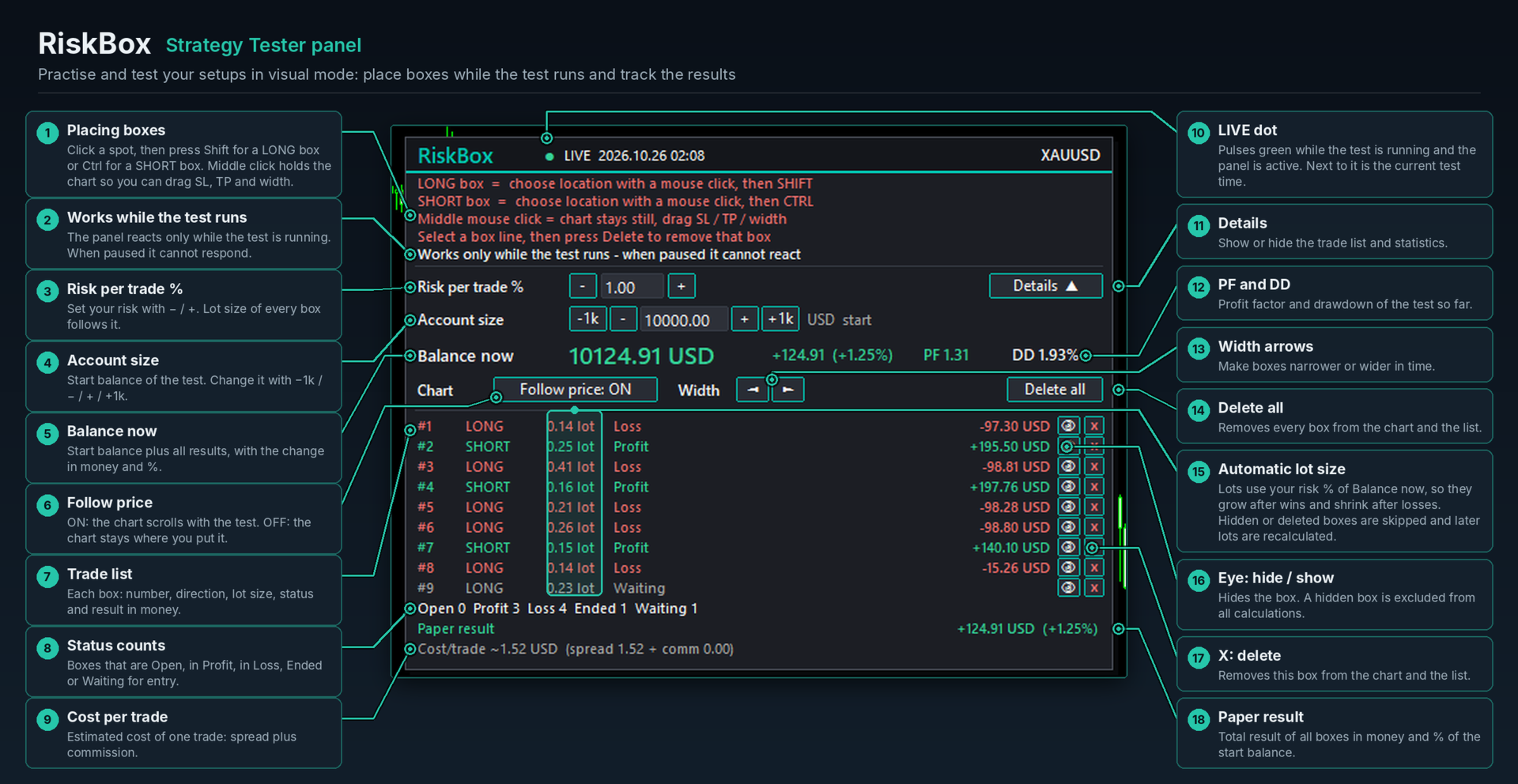
- Paper-trade any piece of history at your own speed.
- Click a spot on the chart, then press SHIFT for a long box or CTRL for a short box.
- Running balance with compounding: each new box is sized from the balance at the moment it fills.
- Big "Balance now" display with change %, Profit Factor and drawdown.
- Account size and risk % adjustable with buttons.
- A "Follow price" switch and a live heartbeat that shows when the test is running.
- Estimated cost per trade (spread + commission).
**Design**
- A clean control panel that can be dragged anywhere on the chart. Its position is remembered per chart.
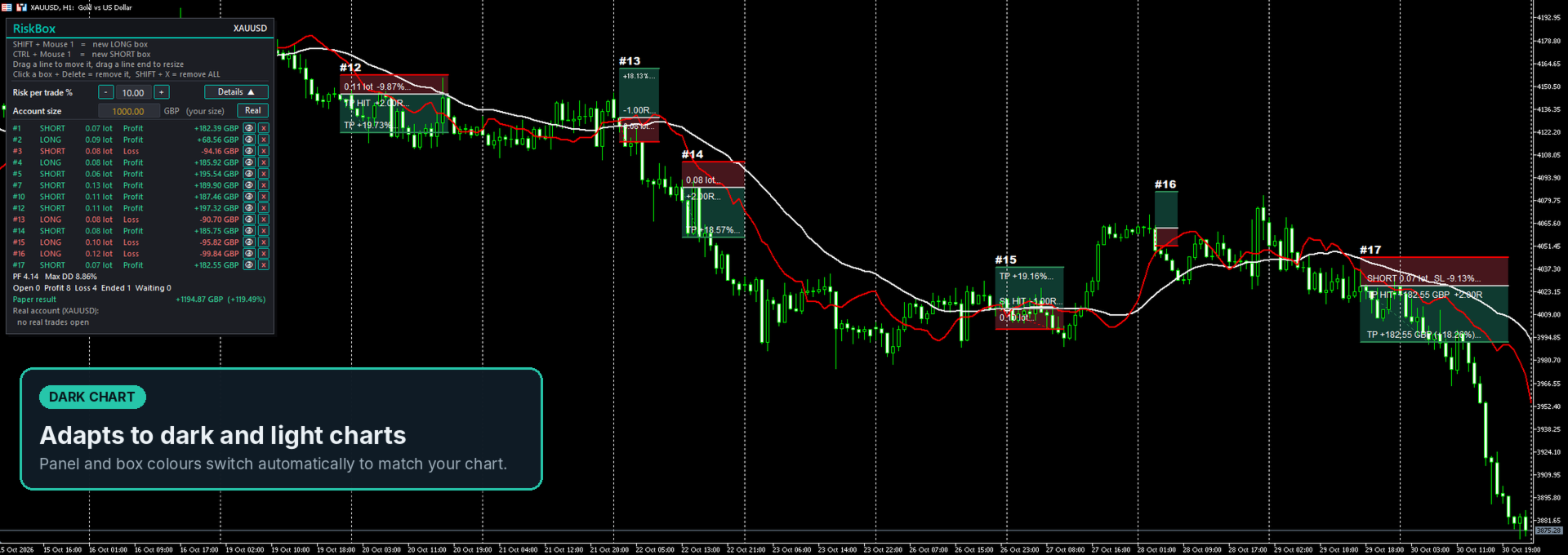
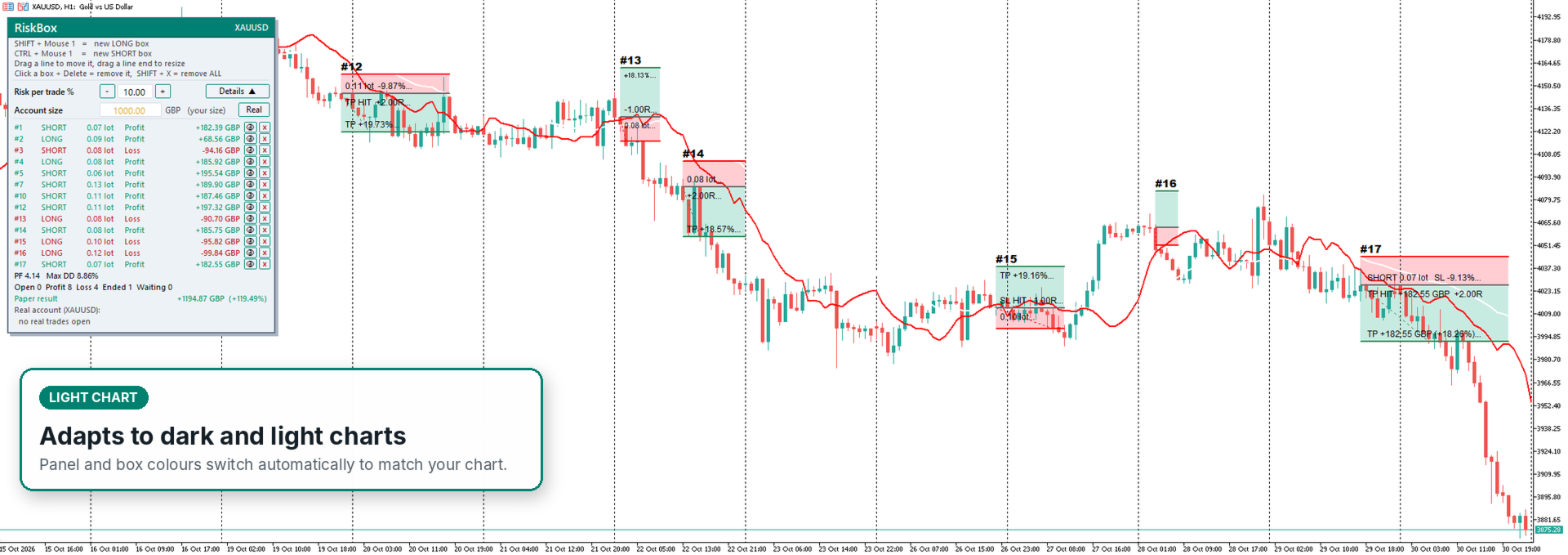
- Automatic dark and light themes.
- Overlapping boxes are shaded so you always see where trades share price levels.
- Labels never run outside their boxes or over the panel.
**Inputs**
- Lot calculation: risk by stop loss / target by take profit.
- Starting risk % and target %; balance or equity; starting account size.
- New-box defaults: stop distance (x ATR), R:R, width in bars.
- Commission per lot for ECN accounts (otherwise read from your account history).
- Tracking on/off, panel start position, colours and font size.
**Hotkeys and mouse (live chart)**
- SHIFT + click: new LONG box. CTRL + click: new SHORT box.
- Drag lines: move or resize. Click a box + Delete: remove it. SHIFT + X: remove all.
- Middle mouse click (crosshair) keeps the chart still while you drag.
**Note.** RiskBox is a planning and simulation tool. It never opens, modifies or closes trades.
**Risk warning.** Trading leveraged products involves a high risk of loss. RiskBox is a calculation tool only, not financial advice. Values are estimates (spread, slippage, commission and rounding can differ), so always verify before trading. Simulated results do not guarantee future results. Provided "as is"; the author accepts no liability for any loss.