Session Box Hours
- Indicators
-
Aleksandr Bernes
 MQL5 developer focused on practical MetaTrader 5 tools for discretionary traders: trade panels, risk sizing, exit utilities, and clean chart indicators.
Work experience:
• 10+ years in software development and automation - Version: 1.0
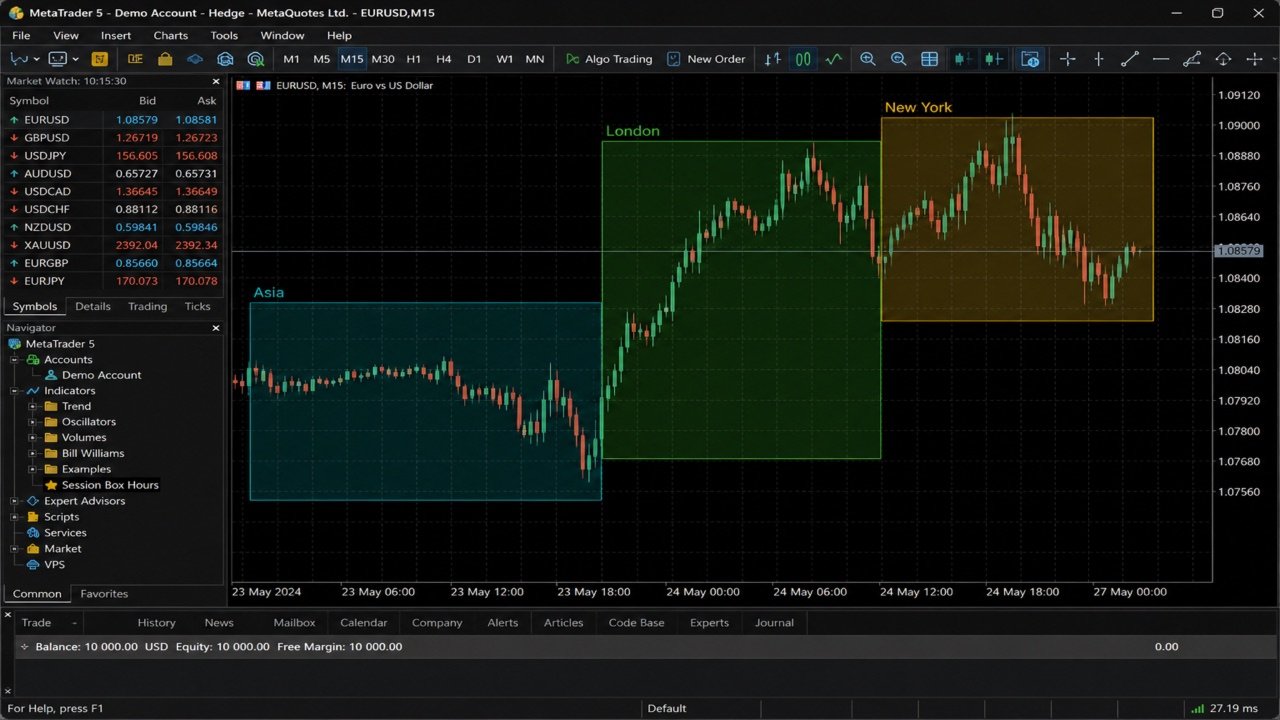
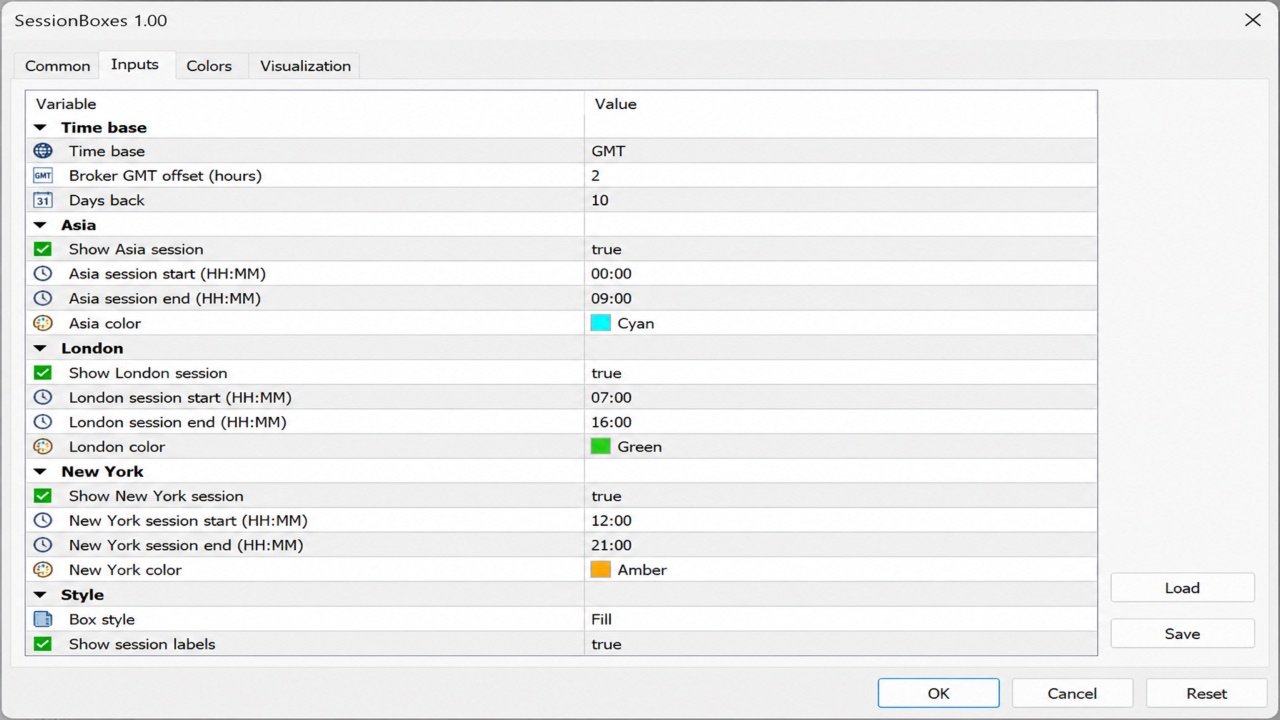
Session Box Hours draws rectangular session windows on the chart for Asia, London, and New York. Each box uses the high and low of bars that fall inside the configured time range. It is a visual context tool only — it does not send orders or generate entry signals. What it does - Three sessions: Asia, London, New York (each on/off + hours/minutes + color) - Time base: broker/server clock or GMT hours with Broker GMT offset - Overnight sessions (end ≤ start) span into the next day - History depth via Days Back (default 10) - Optional fill and session name labels - Objects cleaned on remove (prefix SBX100_) Default hours (GMT template) - Asia 00:00–09:00 - London 07:00–16:00 - New York 12:00–21:00 Set Broker GMT offset to your broker’s GMT+N when using the GMT time base, or switch to server time and enter hours in server time directly. Who it is for - Discretionary traders who want a clear session overlay - A free companion to risk and execution tools (for example Risk Lot Calculator or Risk Trade Panel) Requirements - MetaTrader 5 - Attach to any symbol/timeframe you watch (M15–H1 usually clearest) How to use 1. Attach SessionBoxes to a chart. 2. Choose time base (GMT + offset or server hours). 3. Enable the sessions you need and adjust hours/colors. 4. Use boxes as time context only — not a complete trading system. Notes - Defaults are a common FX template, not a guarantee of exchange hours. - Adjust hours to your broker’s session definition. - No profit guarantee. Session boxes are visual context only. Feedback welcome. Reviews and comments help me build a better product — tell me what works for you and what to improve next.