MA Simulator
- Indicators
- Version: 1.0
- Activations: 5

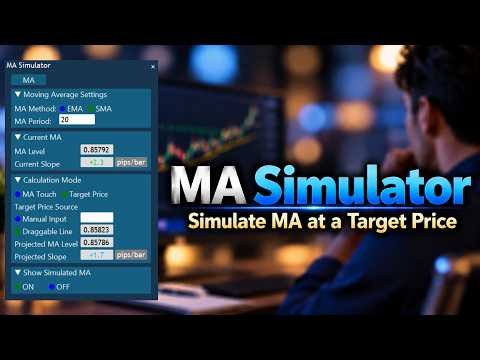
MA Simulator – Simulate Moving Average Changes Before Price Reaches Your Target
MA Simulator is an analytical indicator for MetaTrader 5 that simulates how a Moving Average (MA) would change if the current bar reached a specified price.
You can check the projected MA level and slope before price actually reaches the specified level.
It is designed to support your analysis when evaluating potential buy levels during temporary declines within an uptrend, potential sell levels during temporary rises within a downtrend, prices being considered for entry, potential support or resistance levels, and other price levels of interest.
【Two Calculation Modes】
■ MA Touch Mode
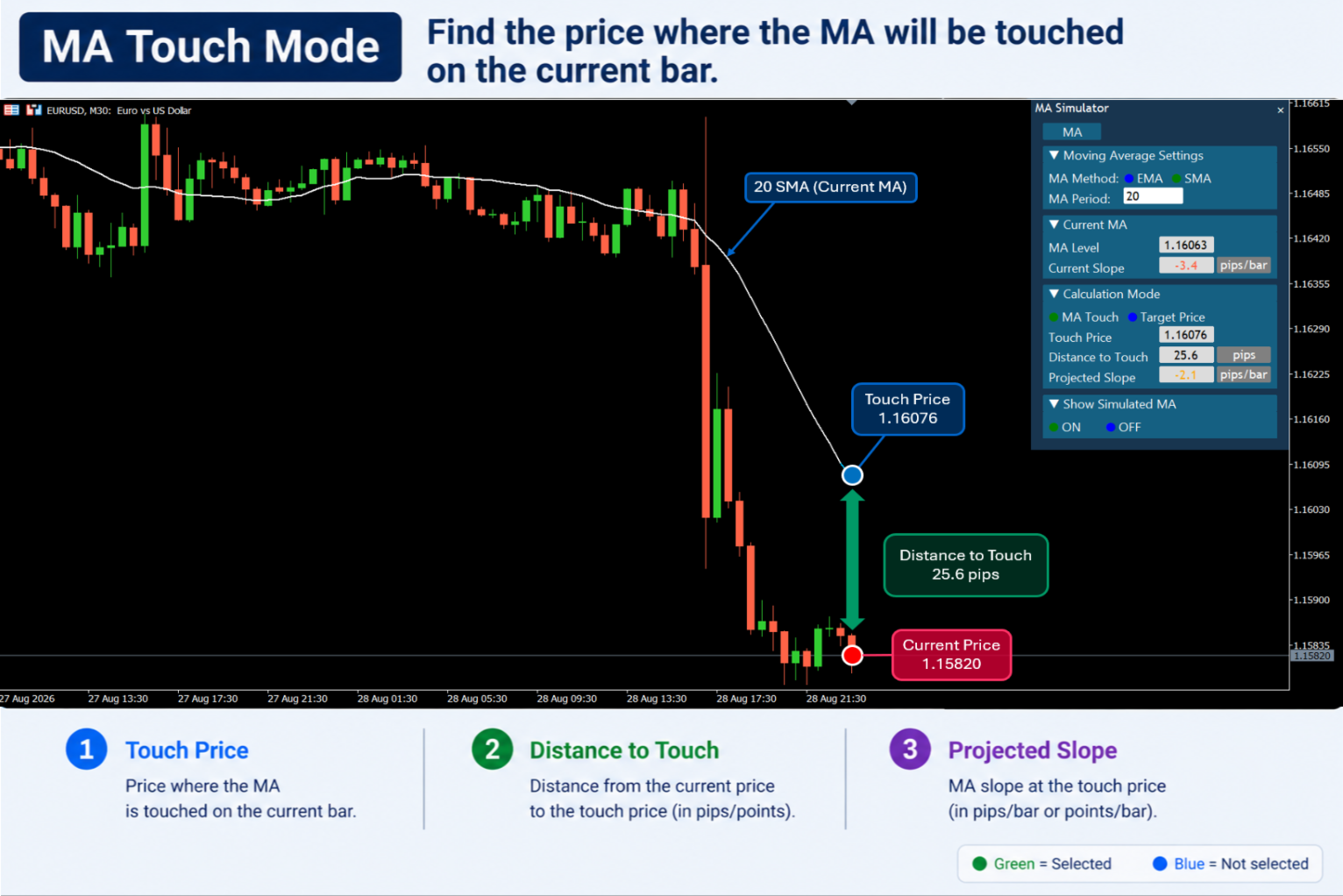
MA Touch Mode calculates the price at which the current bar would touch the Moving Average.
The following information is displayed:
• Touch Price – The price at which the current bar would touch the MA.
• Distance to Touch – The distance from the current price to the Touch Price.
• Projected Slope – The projected MA slope at the Touch Price.
When Simulated MA is turned ON, the simulated MA can also be displayed directly on the chart.
■ Target Price Mode
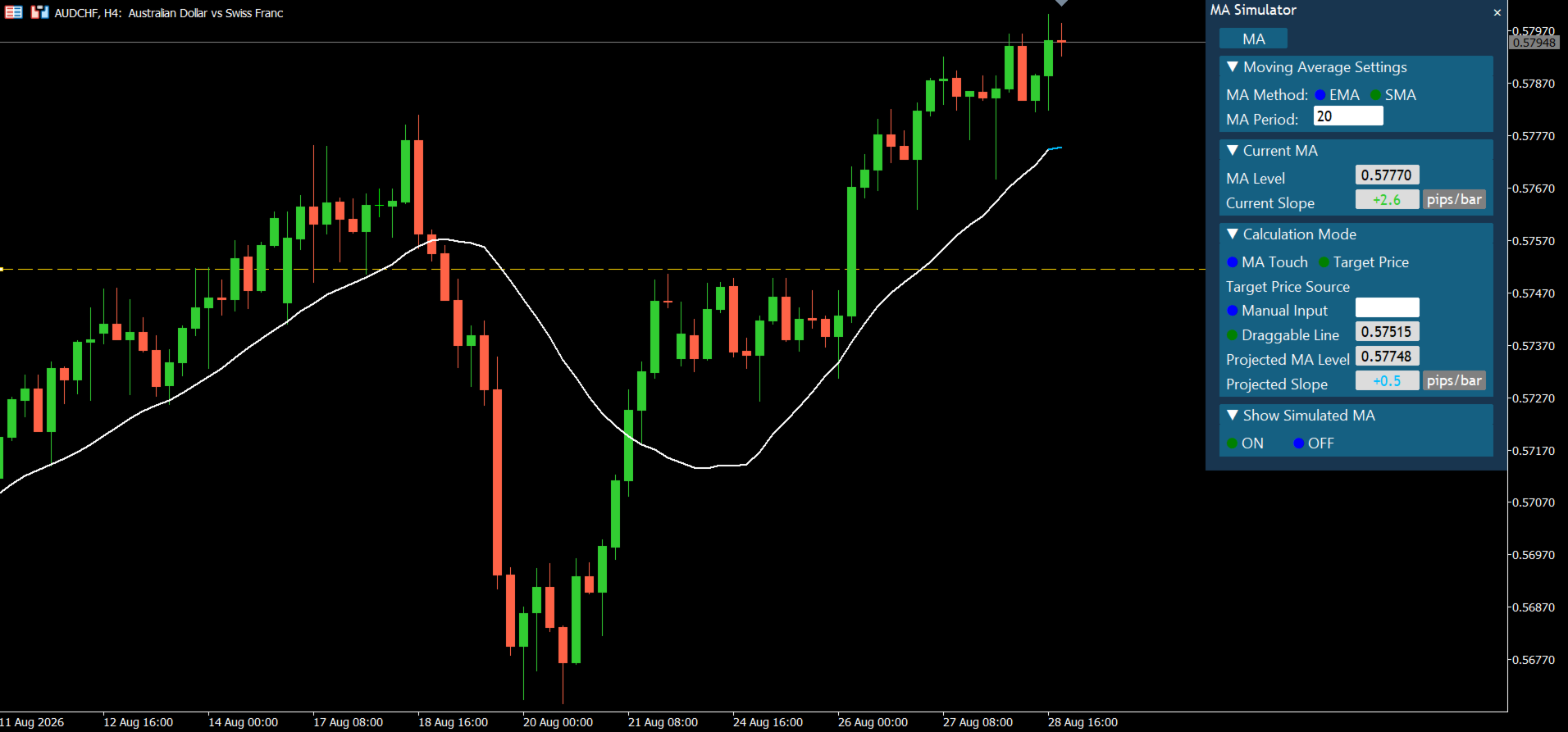
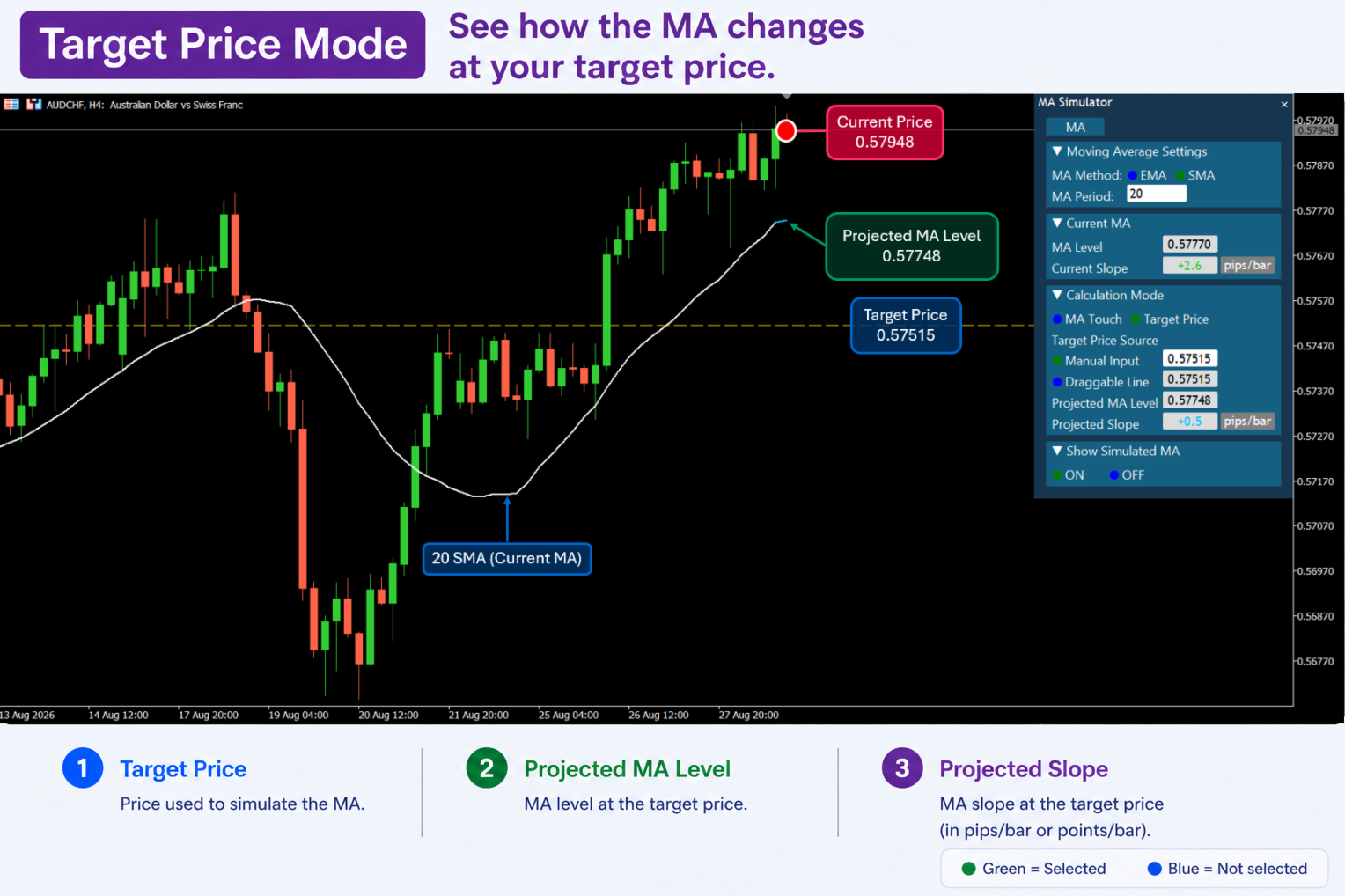
Target Price Mode lets you specify a Target Price and simulate how the Moving Average would change if the current bar reached that price.
The following information is displayed:
• Target Price – The price used for the simulation.
• Projected MA Level – The calculated MA level at the Target Price.
• Projected Slope – The calculated MA slope at the Target Price.
When Simulated MA is turned ON, the simulated MA can be displayed directly on the chart.
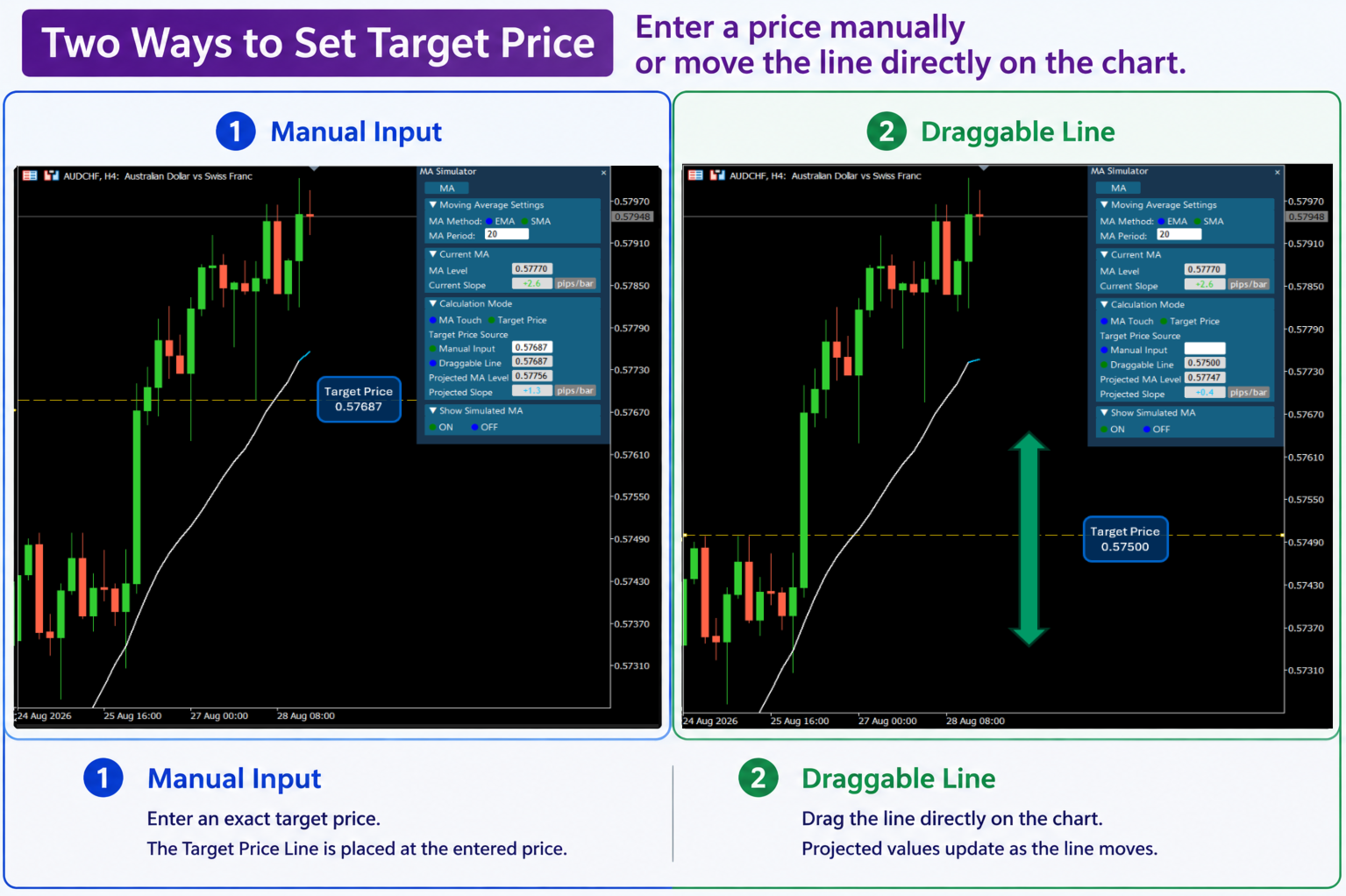
【Two Ways to Set the Target Price】
■ Manual Input
Enter an exact Target Price directly from the panel.
The Target Price Line is displayed at the entered price.
■ Draggable Line
Drag the Target Price Line directly on the chart to change the Target Price.
As the line moves, calculated values such as Projected MA Level and Projected Slope are updated, and the Simulated MA changes accordingly.
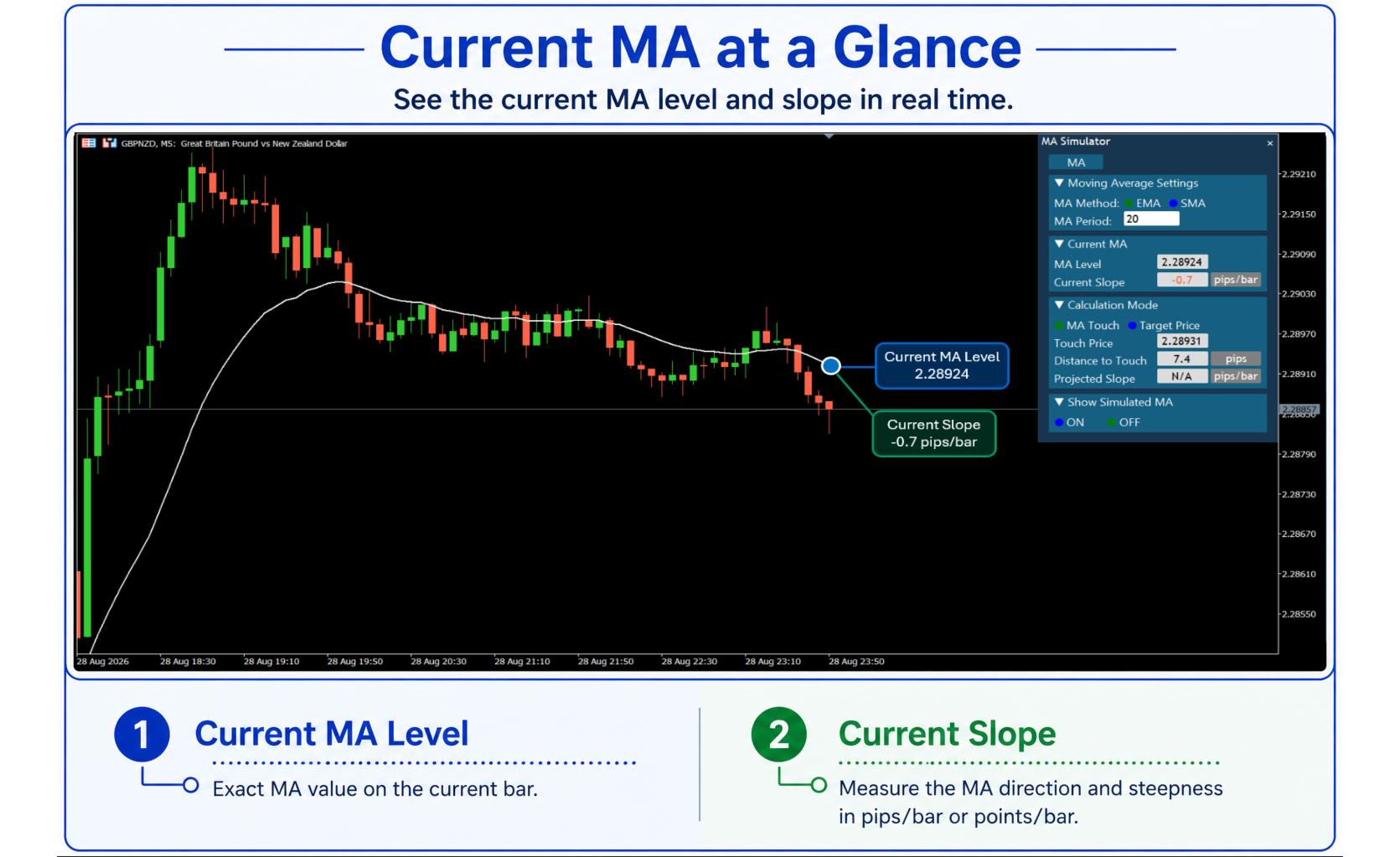
【Current MA Information】
MA Simulator displays the following information about the current MA in real time:
• Current MA Level – The MA value on the current bar.
• Current Slope – The change in the MA level from the previous bar to the current bar.
This allows you to compare the current MA condition with the simulated condition at the specified price.
【Moving Average Settings】
MA Simulator supports the following Moving Average types:
• SMA (Simple Moving Average)
• EMA (Exponential Moving Average)
The MA Period can be customized.
All Moving Average calculations are based on the Close price only.
【Slope Calculation】
MA Simulator measures Slope as the change in the MA level over one bar.
Current Slope = Current MA Level − Previous MA Level
Projected Slope = Projected MA Level − Previous MA Level
Slope is displayed in:
• pips/bar
• Points/bar
Because Slope is calculated from the MA values rather than the visual angle of the line on the chart, it provides a numerical measure of the MA's direction and change per bar.
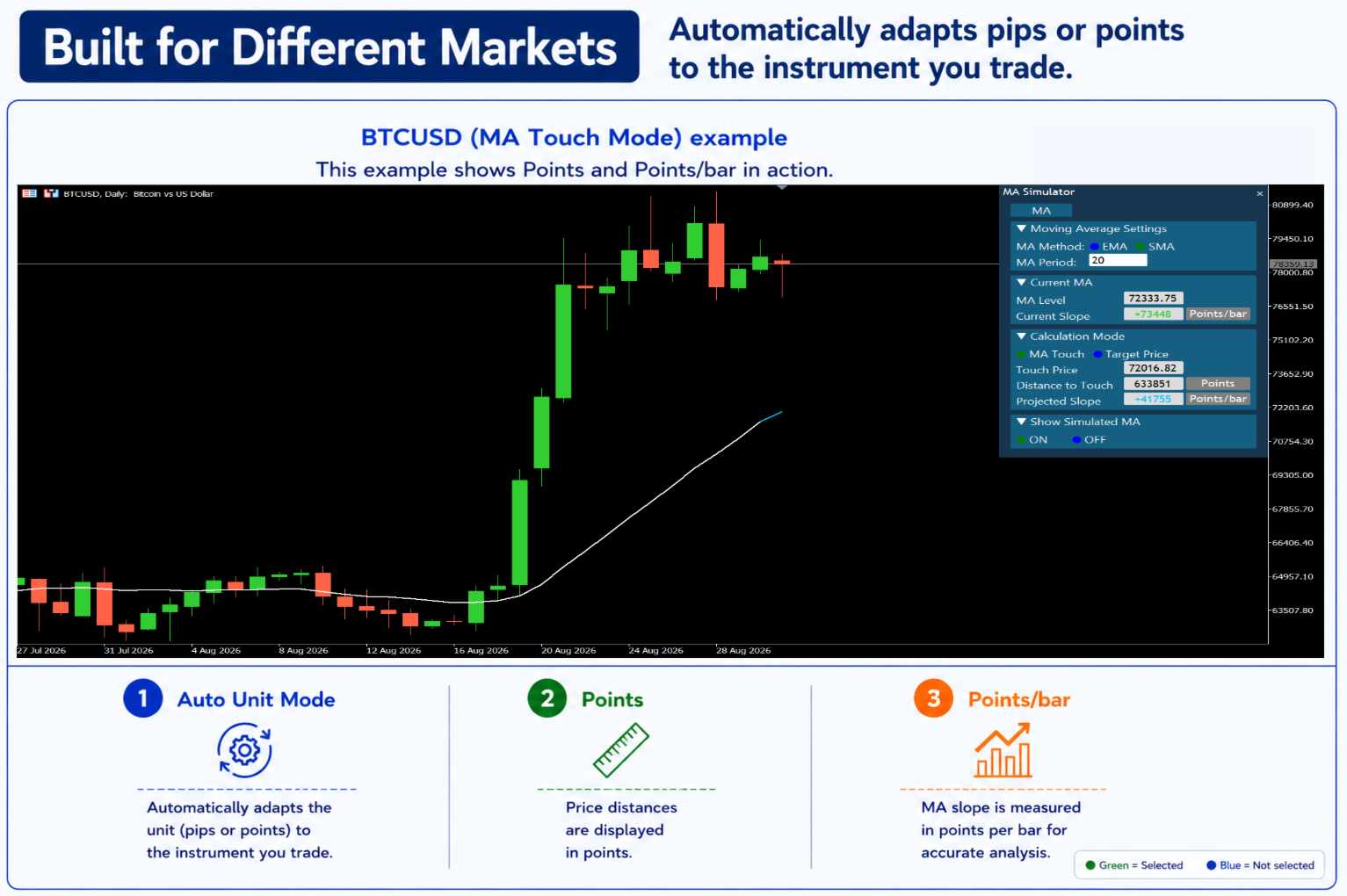
【Unit Mode】
MA Simulator automatically displays values in pips or Points depending on the instrument. You can also select the display unit manually.
Unit Mode:
• Auto
• Pips
• Points
Depending on the selected Unit Mode, price distances are displayed in pips or Points, while MA Slope is displayed in pips/bar or Points/bar.
This allows MA Simulator to be used not only with FX pairs, but also with instruments with various price formats, including CFDs and cryptocurrencies.
【Simulated MA】
Show Simulated MA can be turned ON or OFF directly from the panel.
When turned ON, the simulated MA is displayed on the chart, allowing you to visually see how the MA would change at the specified price.
【Panel Features】
■ MA Button
Click the MA button to collapse the entire panel into a compact MA button.
Click it again to restore the full panel.
■ Collapsible Sections
The following sections can be expanded or collapsed individually:
• Moving Average Settings
• Current MA
• Calculation Mode
• Show Simulated MA
You can keep only the sections you need open.
■ Moving the Panel
Drag the panel title bar to move the panel to any position on the chart. The panel position is saved.
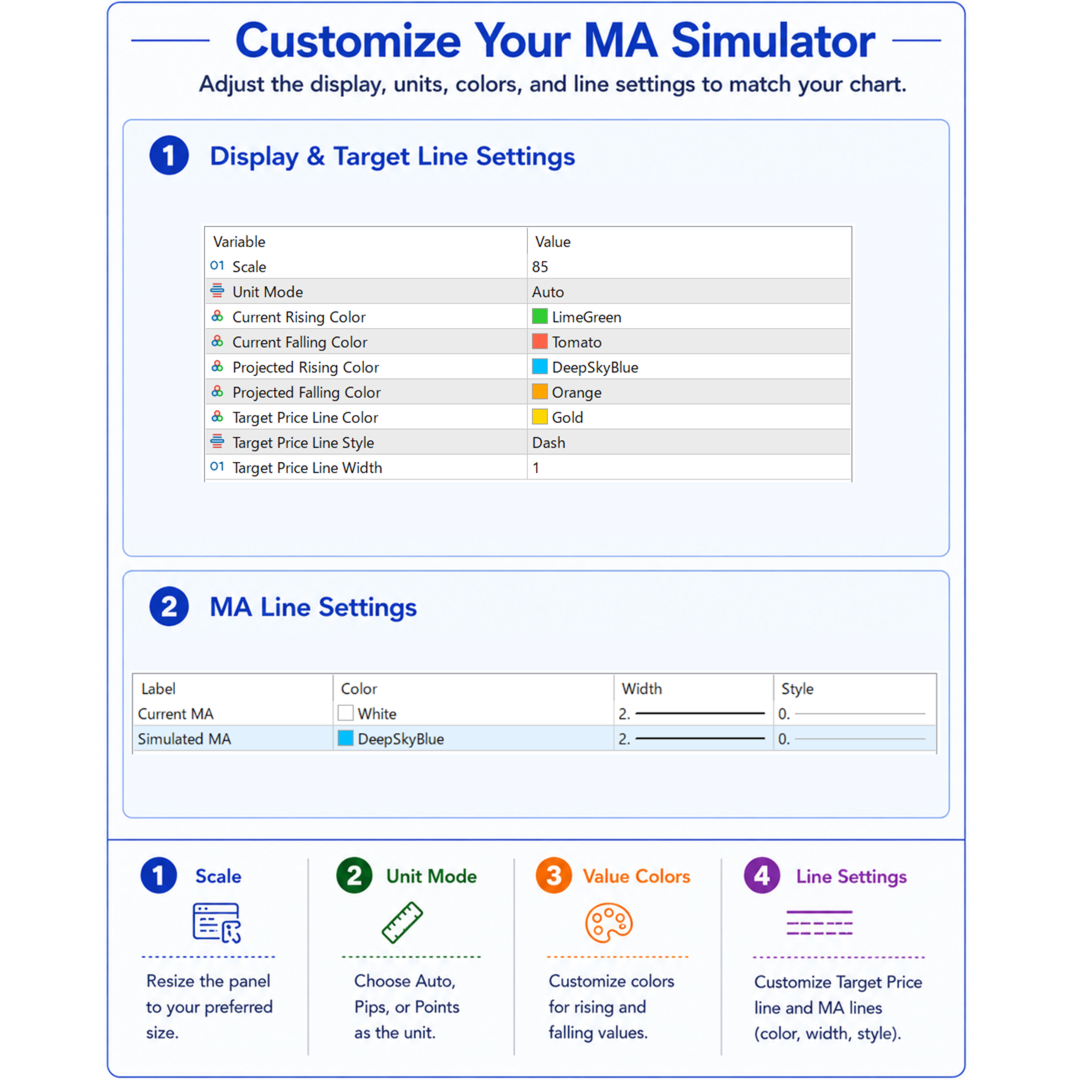
【Display Customization】
MA Simulator can be customized to match your chart and display preferences.
Main settings include:
• Scale
• Unit Mode
• Current Rising Color
• Current Falling Color
• Projected Rising Color
• Projected Falling Color
• Target Price Line Color
• Target Price Line Style
• Target Price Line Width
• Current MA color, style, and width
• Simulated MA color, style, and width
Note: The appearance and relative size of the panel may vary depending on your Windows display scaling settings.
【Typical Use Cases】
MA Simulator can be used to check the MA level and slope at a specified price before price actually reaches that level.
For example:
• Evaluating potential buy entry levels during temporary declines within an uptrend
• Evaluating potential sell entry levels during temporary rises within a downtrend
• Checking the MA level and slope at prices being considered as support or resistance
• Checking the MA level and slope at other prices being considered for entry
MA Simulator does not predict future prices or generate trading signals.
It is an analytical tool that calculates and displays how the selected Moving Average would appear if the current bar reached the specified price.
【Important Notes】
■ EMA + MA Touch Mode
When EMA is selected in MA Touch Mode, Projected Slope is displayed as N/A.
At the calculated EMA Touch Price, the Projected MA Level equals the Previous MA Level, so the calculated Projected Slope is mathematically zero.
MA Simulator displays N/A for this specific case by design.
■ Target Price Line Style
When Target Price Line Style is set to Dot or Dashdot, setting the Line Width to 2 or higher causes the line to be displayed as Solid due to MetaTrader's display specifications.