Risk Manager FS Pro
- Utilities
-
Igor Shmihel
 👋 Welcome
🚀 10+ years of experience in software development and algorithmic trading.
For us, creating an Expert Advisor is much more than writing code. It is about building professional software that is stable, secure, easy to use, and effective under real market conditions. - Version: 1.0
- Activations: 15
🛡️ One losing day should never cost you a funded account.
Risk Manager FS Pro enforces a HARD daily loss limit on your account. The moment your equity hits the limit, it closes every open position at market and locks trading until the next trading day — no willpower required. Built specifically for prop-firm challenges and funded accounts (1-step, 2-step and instant funding).
😤 Why traders blow challenges
It is almost never the strategy. It is one tilted afternoon: a loss, a revenge trade, a doubled lot — and the daily drawdown rule is breached. This utility makes that scenario technically impossible.
🔐 Three independent protection layers
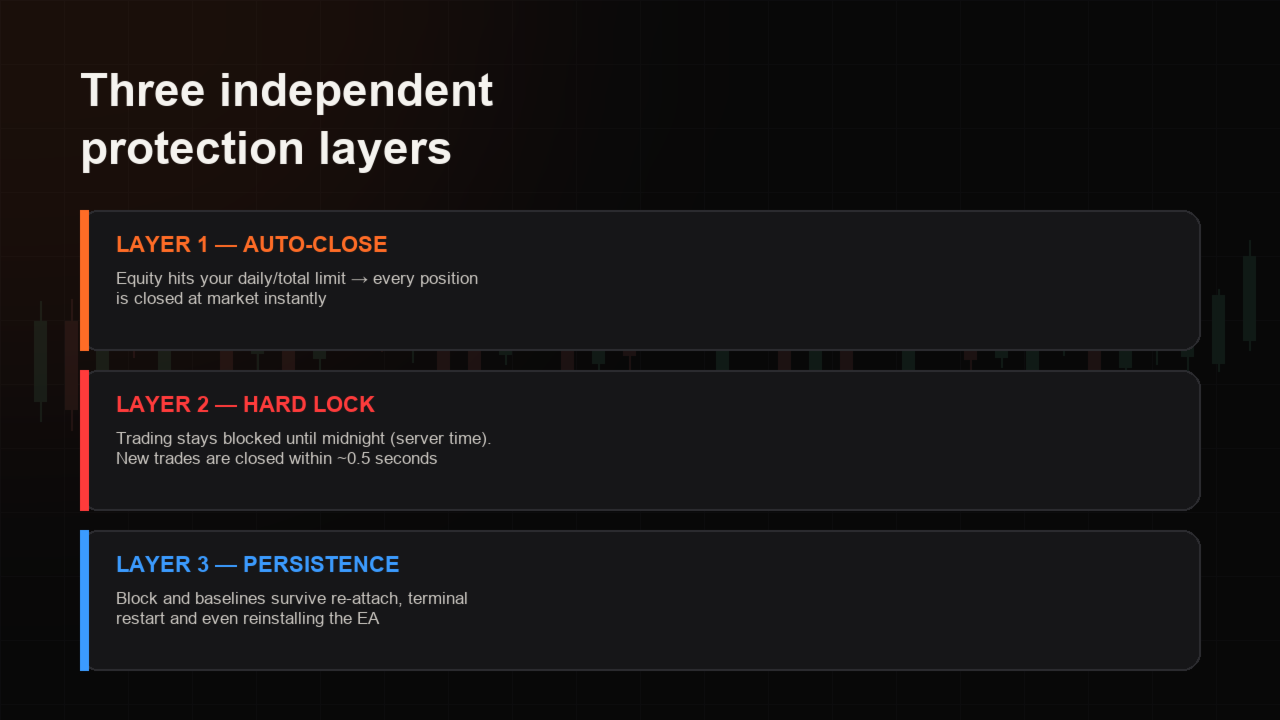
⚡ AUTO-CLOSE — equity reaches your daily or total limit → all positions are closed instantly.
🔒 HARD LOCK — trading stays blocked until midnight (server time). Any new trade opened under the block is closed within ~0.5 seconds, and the panel counts these blocked attempts.
💾 PERSISTENCE — the block and the loss baselines are stored per account login and survive re-attaching the EA, restarting the terminal and even reinstalling it. Removing the EA during an active block triggers an alert and a push notification.
📊 What it monitors
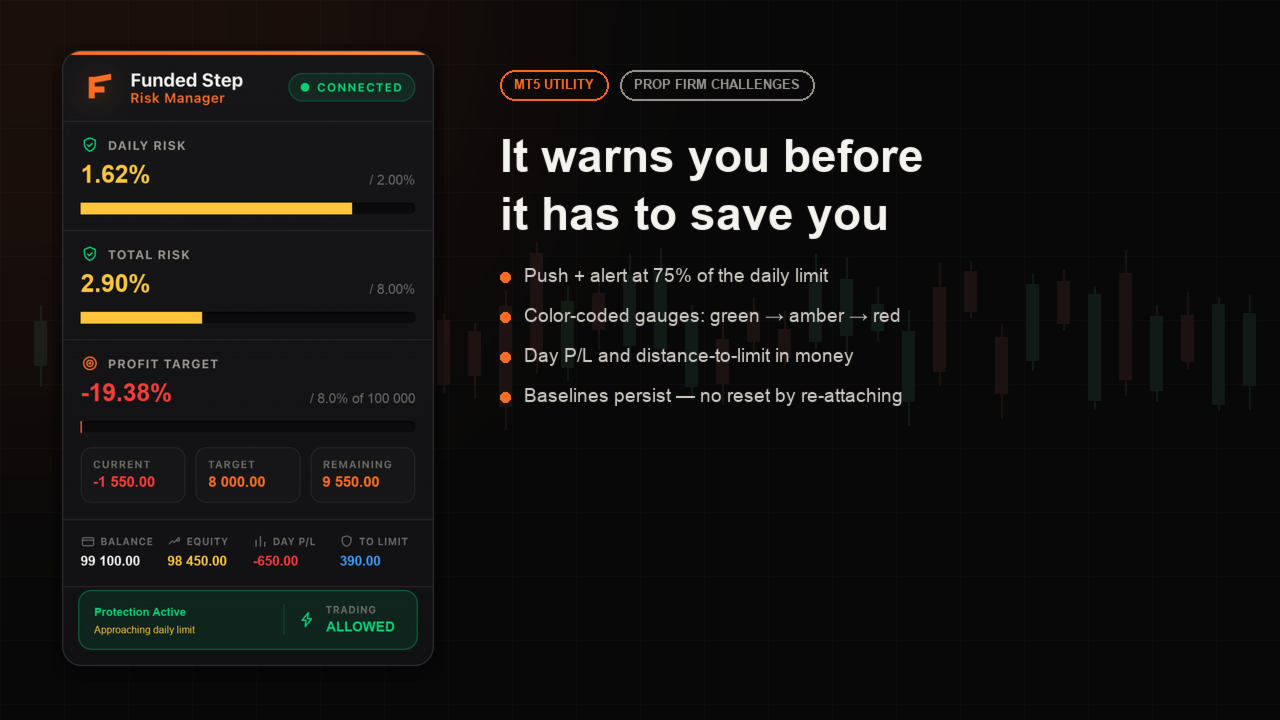
📉 Daily drawdown — % of the day-start balance (equity-based, so floating losses count)
📉 Total drawdown — % of the challenge starting balance
🎯 Profit target — progress from the initial balance, with current / target / remaining in money
📋 Balance, equity, day P/L and the exact money distance to your limit
🖥️ Premium on-chart dashboard
A clean dark panel shows both limits as color-coded gauges (🟢 green → 🟡 amber → 🔴 red), the protection status, and a countdown to unlock when the account is locked. Early warning at 75% of the daily limit via popup, sound and MT5 mobile push.
✅ Key points
✅ Attach to ONE chart — it protects the entire account: every symbol, manual trades and other EAs
✅ Works with any broker, any account size, hedging and netting
✅ 100% offline — no DLLs, no web requests, nothing to configure on external sites
✅ Set-and-forget: default 2% daily / 8% total matches most prop firms
⚙️ Inputs
• Daily loss limit (% of balance) — default 2.0
• Total loss limit (% of starting balance) — default 8.0
• Close all trades when limit is hit — on/off
• Alerts: popup / push / sound
• Panel: show/hide, X/Y position
• Profit target: enable, initial balance (0 = auto-detect), target %
• Magic number, reset baselines (for a new challenge)
🧪 Testing the demo
The free demo runs in the Strategy Tester only. Use VISUAL mode to see the dashboard; open a few trades and let the drawdown reach the limit to watch the auto-close and hard lock in action. On a live or demo account the EA works identically, tracking your real equity.
📌 Note: the daily limit resets at 00:00 server time. If you run other EAs, the Risk Manager will close their positions too when your limit is hit — that is exactly its job.
💬 Questions? Ask in the Comments tab — I answer daily.
Risk Manager FS Pro enforces a HARD daily loss limit on your account. The moment your equity hits the limit, it closes every open position at market and locks trading until the next trading day — no willpower required. Built specifically for prop-firm challenges and funded accounts (1-step, 2-step and instant funding).
😤 Why traders blow challenges
It is almost never the strategy. It is one tilted afternoon: a loss, a revenge trade, a doubled lot — and the daily drawdown rule is breached. This utility makes that scenario technically impossible.
🔐 Three independent protection layers
⚡ AUTO-CLOSE — equity reaches your daily or total limit → all positions are closed instantly.
🔒 HARD LOCK — trading stays blocked until midnight (server time). Any new trade opened under the block is closed within ~0.5 seconds, and the panel counts these blocked attempts.
💾 PERSISTENCE — the block and the loss baselines are stored per account login and survive re-attaching the EA, restarting the terminal and even reinstalling it. Removing the EA during an active block triggers an alert and a push notification.
📊 What it monitors
📉 Daily drawdown — % of the day-start balance (equity-based, so floating losses count)
📉 Total drawdown — % of the challenge starting balance
🎯 Profit target — progress from the initial balance, with current / target / remaining in money
📋 Balance, equity, day P/L and the exact money distance to your limit
🖥️ Premium on-chart dashboard
A clean dark panel shows both limits as color-coded gauges (🟢 green → 🟡 amber → 🔴 red), the protection status, and a countdown to unlock when the account is locked. Early warning at 75% of the daily limit via popup, sound and MT5 mobile push.
✅ Key points
✅ Attach to ONE chart — it protects the entire account: every symbol, manual trades and other EAs
✅ Works with any broker, any account size, hedging and netting
✅ 100% offline — no DLLs, no web requests, nothing to configure on external sites
✅ Set-and-forget: default 2% daily / 8% total matches most prop firms
⚙️ Inputs
• Daily loss limit (% of balance) — default 2.0
• Total loss limit (% of starting balance) — default 8.0
• Close all trades when limit is hit — on/off
• Alerts: popup / push / sound
• Panel: show/hide, X/Y position
• Profit target: enable, initial balance (0 = auto-detect), target %
• Magic number, reset baselines (for a new challenge)
🧪 Testing the demo
The free demo runs in the Strategy Tester only. Use VISUAL mode to see the dashboard; open a few trades and let the drawdown reach the limit to watch the auto-close and hard lock in action. On a live or demo account the EA works identically, tracking your real equity.
📌 Note: the daily limit resets at 00:00 server time. If you run other EAs, the Risk Manager will close their positions too when your limit is hit — that is exactly its job.
💬 Questions? Ask in the Comments tab — I answer daily.