Dragon Vault
- Experts
- Version: 1.0
- Activations: 20

Dragon Vault MT5
Hello everyone. I want to take a lot of time today to explain exactly what Dragon Vault MT5 is, why I built it, and how you can use it to help manage your daily trading. When I first started trading in the financial markets many years ago, I quickly realized that the hardest part of this business is not finding a place to buy or sell. The hardest part is actually keeping your emotions in check and protecting the money you already have in your account balance. When you sit in front of a computer screen for six or eight hours a day just staring at the charts, your eyes get tired, your brain gets foggy, and you start making really bad decisions. You take trades out of pure boredom, or you get angry and try to win back money you just lost. I was doing exactly that, and it was draining my accounts.
I needed to build a system that would take the human emotion completely out of the picture. I wanted a piece of software that runs with absolute, cold discipline. Dragon Vault MT5 was created to be a defensive tool first and foremost. It does not blindly open trades every single hour just to give you some action to look at. Its main job is to wait patiently, manage the risk properly, and keep your capital as safe as possible while looking for the right conditions to enter the market. If you are looking for a get rich quick scheme that promises to double your account by tomorrow morning, this is definitely not the system for you. But if you want a patient, disciplined approach to the markets, you are in the right place.
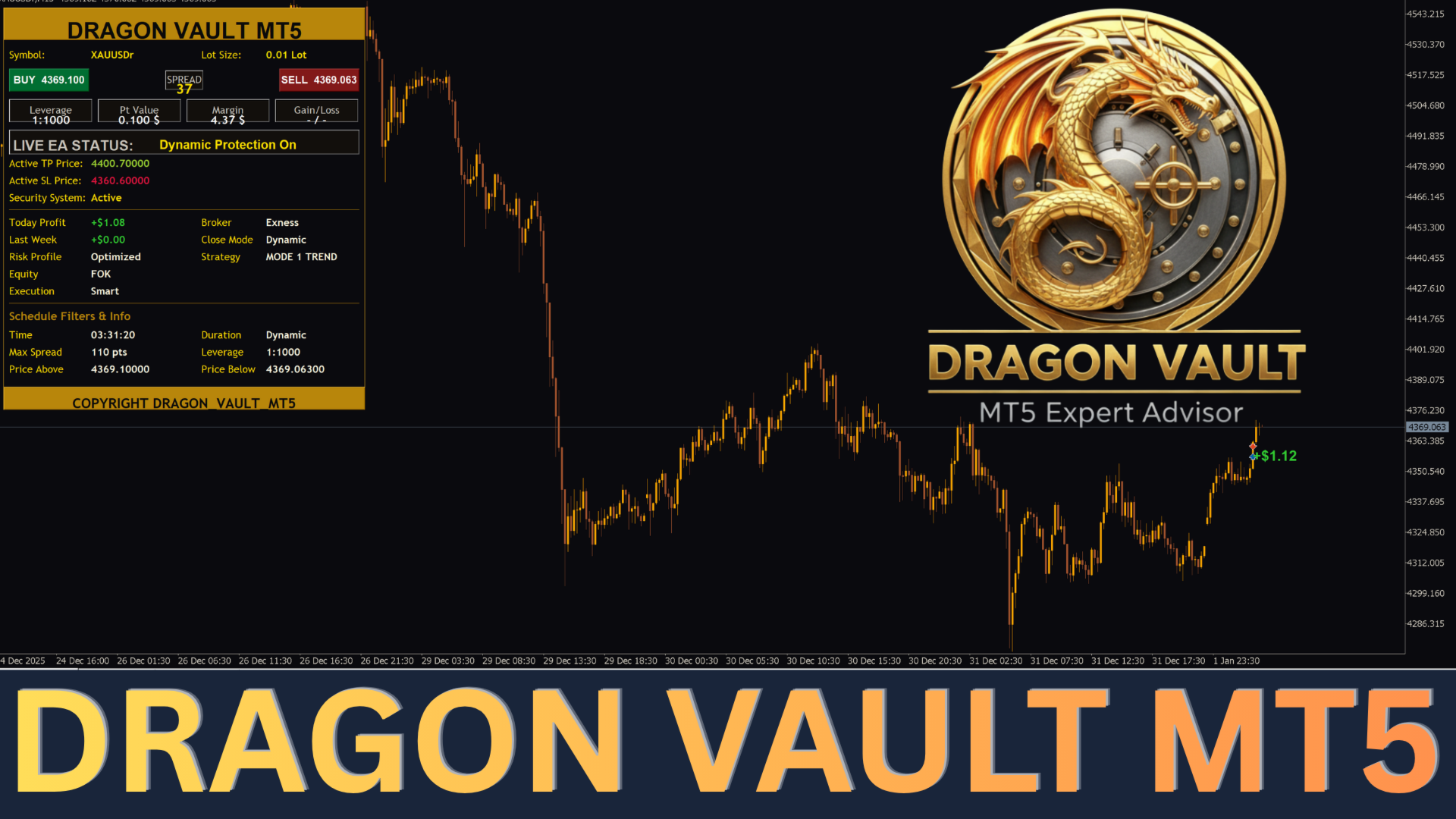
Let me talk about the custom dashboard I built into this system. Personally, I really dislike the default market watch windows and the standard terminal tabs. They are messy and they make it hard to see what is actually going on with your account. So, I spent a lot of time writing code to put a very clean, dark, and easy to read panel right directly on your main chart. When you attach this system to your screen, you get all the information you actually care about in one single place.
First, the dashboard has a live status text line right in the middle. This is my favorite part because it literally tells you what the system is thinking. If the market is moving too fast, it will tell you it is waiting. If the spread is too high, it tells you it paused. You never have to guess what the software is doing in the background. It also has a live spread monitor that updates every second so you can see exactly what your broker is charging you at that exact moment. On top of that, it calculates your daily profit and your weekly profit on its own. You do not have to keep opening your account history to do the math yourself. Finally, there is an auto-lot setting. If you turn this on, you do not even have to type in your trade size. The system will look at your current available balance and adjust the lot size up or down automatically to keep your risk exactly where it should be.
Now, I understand that every single person has a completely different personality when it comes to risk and waiting. Some people want to look at their account once a week, while other people want to see things happening every single day. Because we are all different, I programmed three completely separate operating modes into the system. You can easily switch between them in the input settings.
Mode 1 is the Trend mode. I highly recommend this for people who just want to relax. It looks at the bigger picture of the market and completely ignores the small, daily noise. Because it is so patient, you will definitely have days where the system takes absolutely zero trades. It will just sit there and say it is waiting. Please do not panic when this happens, it is just being safe. When it does finally find a good spot, it goes for a much larger target. This is the best mode for slow, safe, and steady account growth.
Mode 2 is the Swing mode. This is the middle ground, and to be honest, it is the mode that most of my friends prefer to use. It does not make you wait for days and days like the first mode, but it also does not trade like a maniac. It targets medium size price movements. It holds a really great balance between the risk you are taking and the reward you are aiming for. You get a nice, consistent amount of activity on your screen without feeling like your account is constantly in danger.
Mode 3 is the Scalp mode. This mode is very fast and aggressive. It jumps into the market and gets right back out for small, quick profits. However, I want to be extremely honest with you about this specific mode. If your broker charges you high fees, or if your broker has slow execution times, this mode will just lose money. Because the profit targets are so small, a bad broker will eat all of your profits in commissions and spread fees. You must have an absolutely perfect, top tier broker environment to use this mode. If you do not have that, please stick to the first two modes.
I also added a few built in safety filters to protect you from crazy market conditions. The most important one is the spread filter. We all know that when a big news event happens, brokers widen their spreads to massive levels. If a trade opens during a news spike, you are instantly in a huge negative before the market even moves. My spread filter constantly watches the pricing. If the broker widens the spread past your allowed limit, the system freezes and refuses to take new trades until the market calms down. I also included a days filter. I personally hate holding trades over the weekend because Monday morning market gaps are dangerous and unpredictable. With this filter, you can simply tell the system to stop taking new positions on Fridays so you can sleep well over the weekend.
If you want this system to work correctly without giving you errors, you must follow these product setup requirements exactly as I have written them below:
-
Timeframe: You must attach this system to the M15 timeframe chart. The entire code, all the math, and all the logic are built specifically to read the data from the M15 chart. If you put it on an hourly chart or a five minute chart, it will read the data completely wrong and it will not work.
-
Minimum Capital: You need to have a minimum starting balance of $100. If you are starting with $100, you must make sure your lot size is set to the absolute minimum of 0.01. Please do not use large lot sizes on small accounts.
-
Account Type: You must use a Raw Spread account or a Zero Spread account. Standard accounts hide massive broker fees inside the spread. If you use a standard account, the wide spreads will completely ruin the system's ability to make a profit. Pay the small flat commission on a Raw account instead.
-
Recommended Broker: After testing this system heavily in live market conditions, I strongly recommend using Exness. Their Raw Spread accounts give you the tight pricing and the fast execution speeds that this system absolutely requires to do its job properly.
-
VPS Requirement: You cannot run this on your home computer or a laptop that goes to sleep. You must rent a fast Virtual Private Server (VPS). A VPS keeps your trading terminal online twenty four hours a day, five days a week. If your home internet drops, your system loses control of your trades. A fast VPS is mandatory.
- Trading Pair: This system is specifically designed and optimized to trade XAUUSD (Gold). You must apply it only to the XAUUSD chart. Using it on other currency pairs or assets is not recommended and may lead to unexpected results.
My biggest piece of advice for new users is to please use a demo account first. When you get this software, put it on a demo account for at least one or two full weeks. Watch how the dashboard works, see how the three different modes behave, and let yourself get comfortable with how the system waits for the right time to enter. Do not put real money on the line until you fully understand how the software behaves.
Risk Warning: Please understand that trading in the financial markets carries a very high level of risk and may not be suitable for all people. The prices of forex and metals can move very fast and very aggressively. Past performance is never a guarantee of future results. The market changes every day. You should never trade with money that you cannot afford to lose, and you should never use money that you need for your daily living expenses or bills. Always manage your risk responsibly.
Note: After you purchase this system, please send me a direct message in my inbox right away. Once you message me, I will send you the complete instruction file and I will explain in detail exactly how to set everything up correctly on your charts. I want to make sure you get the best possible start.