TradeKit Manager
- Utilities
- Version: 2.20
- Activations: 10

📋 TÍTULO DO PRODUTO
TraderToolkit Pro — Professional Trading Panel for MT5
🔑 DESCRIÇÃO CURTA
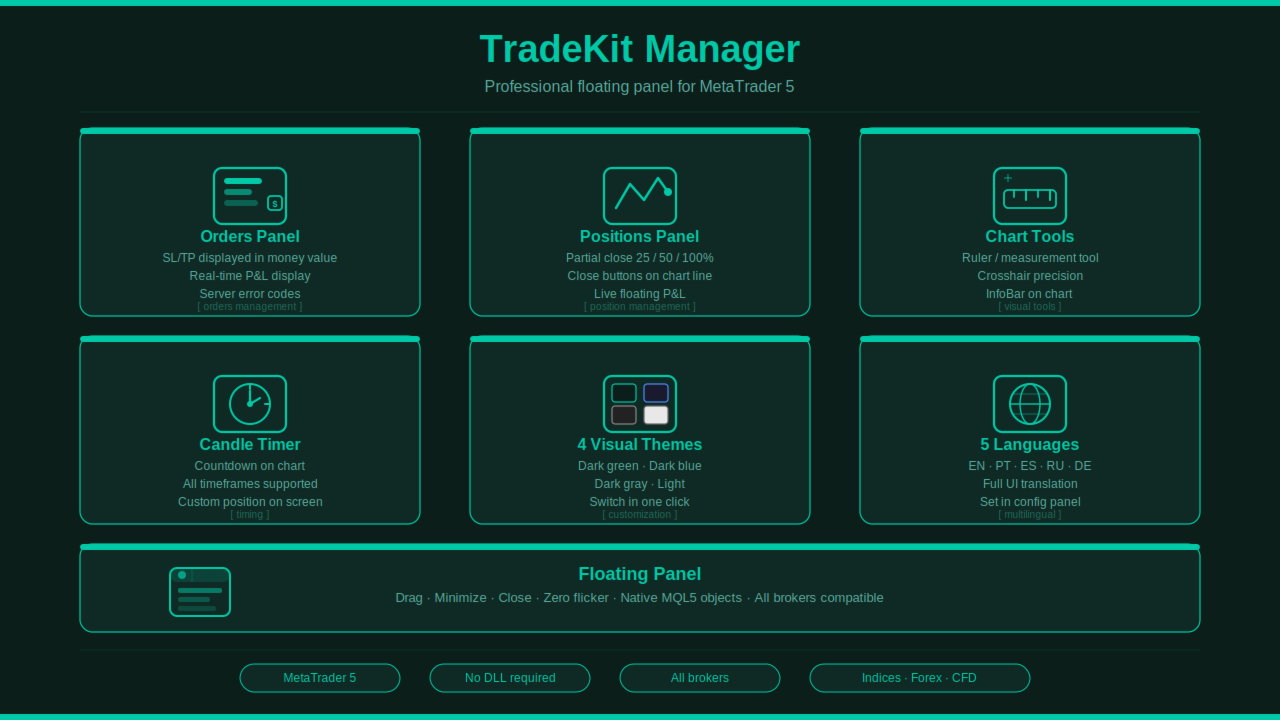
All-in-one floating panel: order execution, partial close buttons on chart, candle timer, ruler, info bar — 5 languages, 4 themes, Netting & Hedging.
📄 DESCRIÇÃO COMPLETA
TraderToolkit Pro is a professional utility panel for MetaTrader 5 that consolidates the most essential trading tools into a single, elegant floating interface — without interfering with other Expert Advisors or manual operations.
Built entirely with native MQL5 objects. No external libraries. No intrusive pop-ups.
⚡ WHY TRADERS CHOOSE TRADERTOOLKIT PRO
Most trading panels force you to choose between simplicity and power. TraderToolkit Pro gives you both: a clean interface when you need it, and the full depth of professional tools when you need them. Every sub-panel opens and closes independently, floats freely on your chart, and can be dragged to any position without interfering with your chart analysis.
🛠️ FEATURES
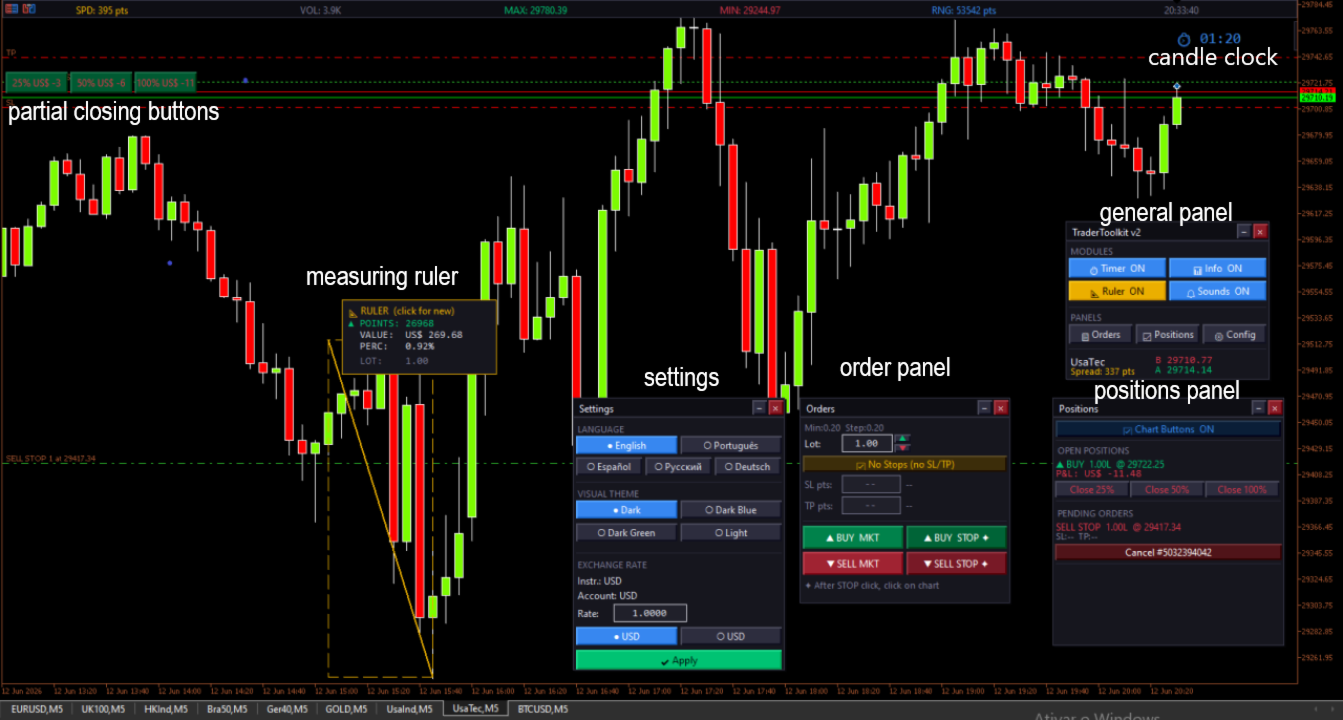
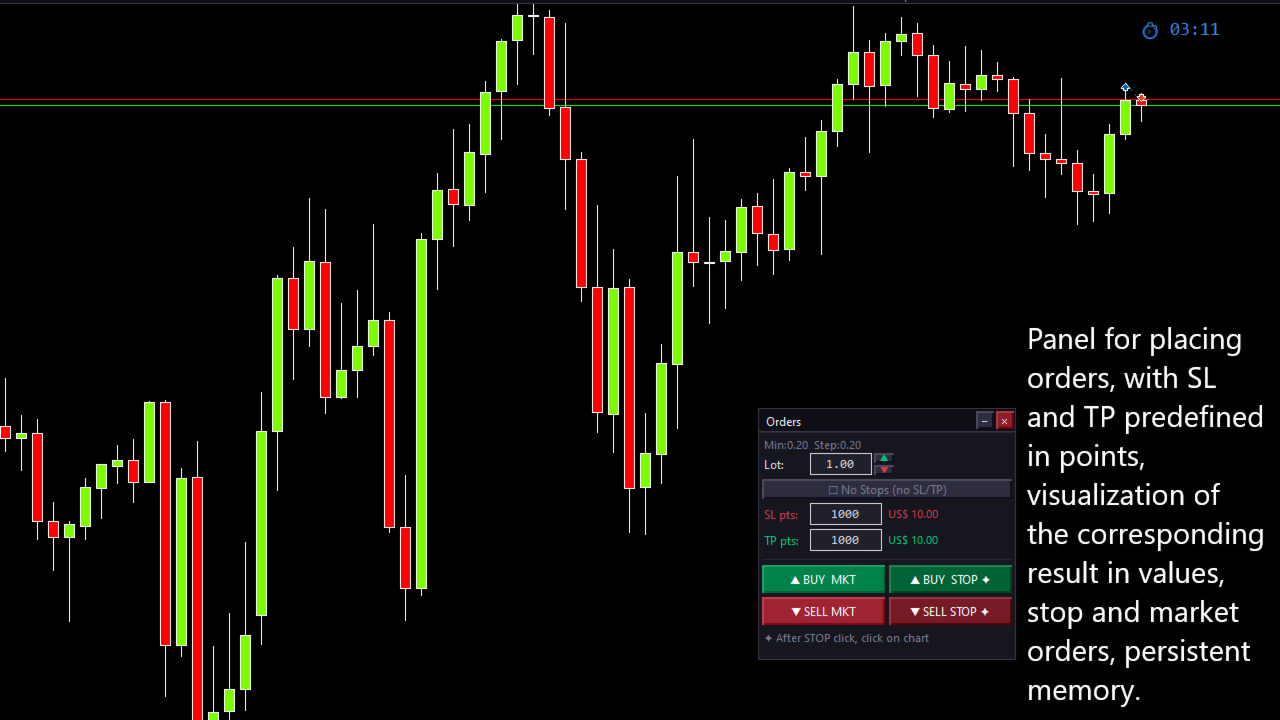
📋 Order Panel
- Market and Stop order execution with a single click
- Stop orders placed by clicking directly on the chart at your desired price level
- Lot size field with ▲▼ arrows that respect the instrument's minimum step (e.g. 0.2 step on NAS100)
- SL and TP in points with real-time monetary value displayed alongside
- "No Stops" checkbox to send orders without SL/TP instantly
- Price automatically snapped to the instrument's tick size before sending — eliminates "Invalid Price" errors
- Visual error alerts displayed directly in the panel when orders are rejected
📈 Positions Panel
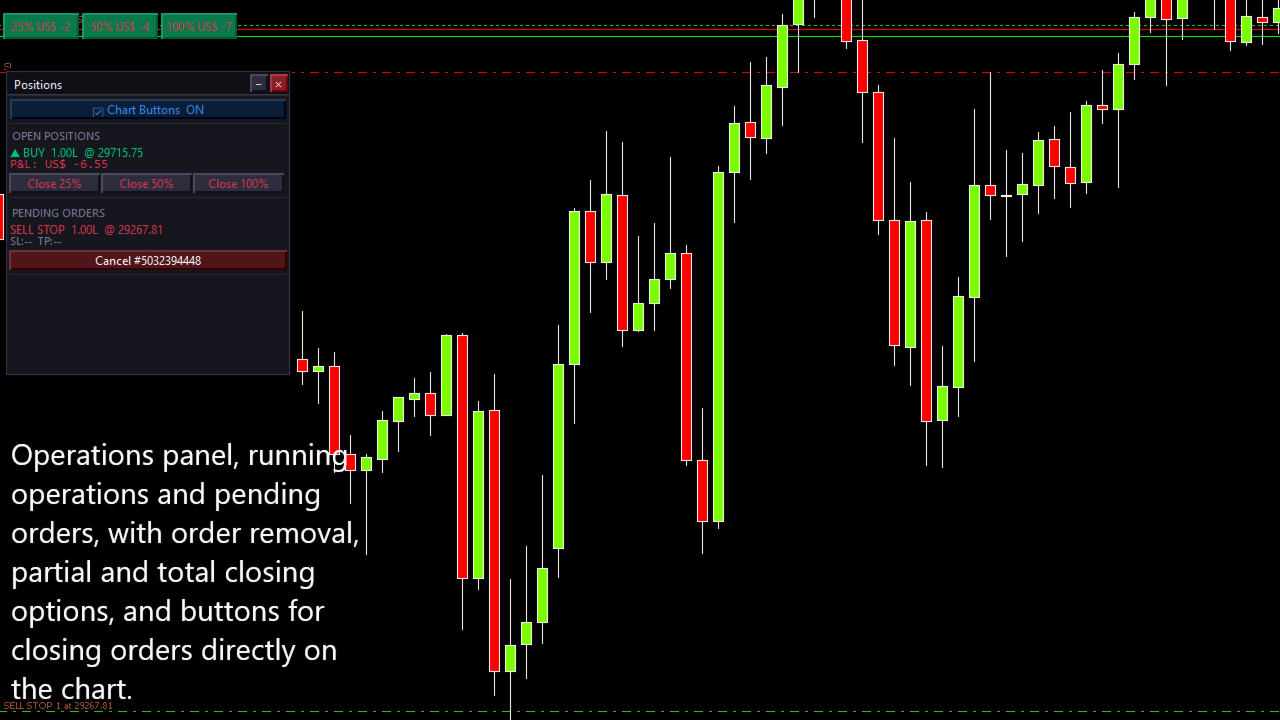
- Displays all open positions and pending orders for the current symbol
- Partial close buttons: 25% / 50% / 100% — directly on chart at the entry price line, or via the panel
- Chart buttons auto-reposition as the chart scrolls
- Positions update automatically when closed externally — no manual refresh needed
- Cancel pending orders directly from the panel
- Visual alert when market is closed
📐 Measurement Ruler
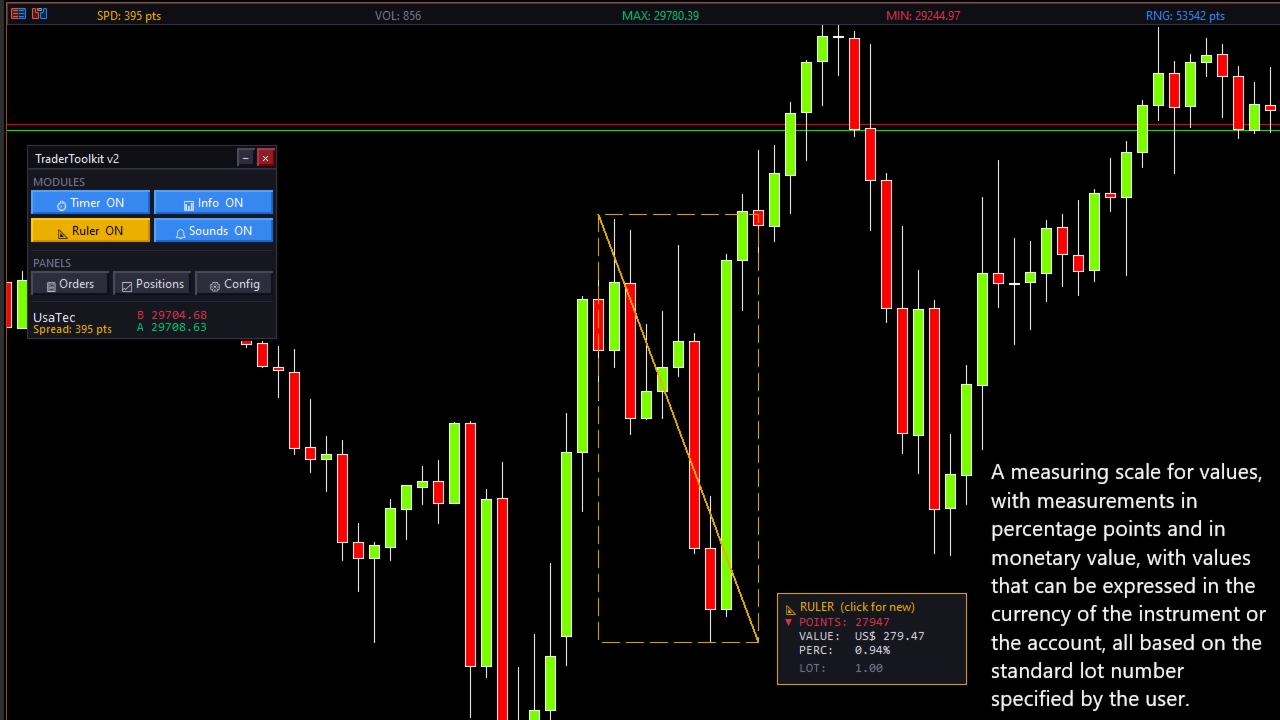
- Integrated with the MT5 native crosshair — no custom cursor needed
- First click sets origin, second click shows result
- Displays: points | monetary value | percentage
- Monetary value respects the lot size set in the Order Panel
- Result panel appears next to the measurement point
⏱ Candle Timer
- Displays remaining time for the current candle
- Color changes by urgency: blue → yellow (30s) → red (10s)
- Visible in the upper-right corner, always readable
📊 Info Bar
- Spread, volume, daily high, daily low, daily range, server time
- Displayed across the full width of the chart, centered and evenly distributed
- Adapts to any screen resolution
⚙ Settings Panel
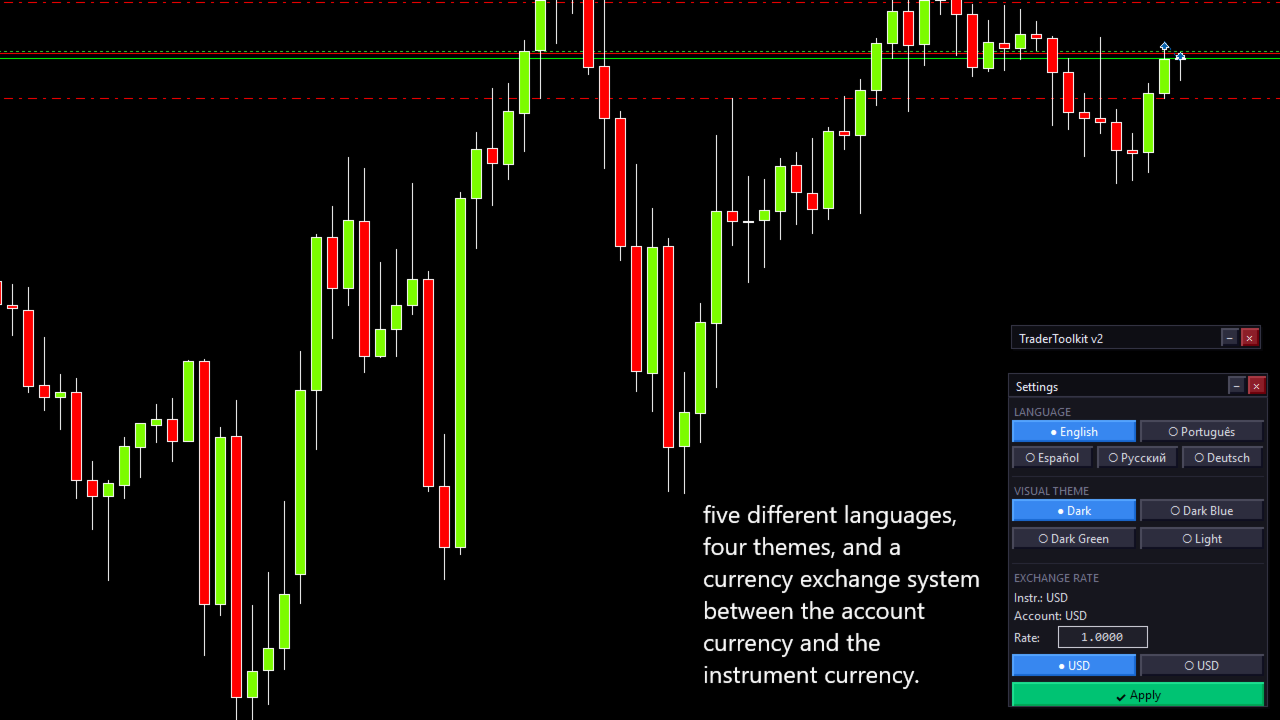
- 4 visual themes switchable in real time: Dark | Dark Blue | Dark Green | Light
- 5 interface languages: English | Português | Español | Русский | Deutsch
- Exchange rate converter: display values in instrument currency or account currency (useful for BRL-quoted instruments on USD accounts)
- All settings take effect immediately across all open panels
🔔 Sound Alerts
- Distinct sounds for Take Profit and Stop Loss
- Separate sound on order execution
- Can be toggled on/off with a single click
🔧 TECHNICAL SPECIFICATIONS
| Platform | MetaTrader 5 |
| Account type | Netting & Hedging (auto-detected) |
| Instruments | Any — Forex, Indices, Commodities, Crypto |
| No. of panels | 4 independent floating sub-panels |
| External libraries | None |
| Pop-ups / ads | None |
| Input parameters | Language, theme, info bar, timer, exchange rate |
📌 HOW IT WORKS
- Drag TraderToolkit.ex5 onto any chart
- The main panel appears — drag it anywhere on screen
- Open sub-panels as needed: Orders | Positions | Settings
- Enable chart buttons in the Positions panel to place 25/50/100% close buttons directly on the chart
- Use the ruler by activating it from the main panel, then clicking two points on the chart
⚠️ IMPORTANT NOTES
- AutoTrading must be enabled in MT5 to execute orders
- The panel uses magic number 20250101 for all orders — does not interfere with other EAs using different magic numbers
- Sound files used: ok.wav , stops.wav , news.wav (included in standard MT5 installation)
🌐 AVAILABLE LANGUAGES
English · Português · Español · Русский · Deutsch