AXR ScalpPro
- Indicators
- Version: 1.0
- Activations: 10

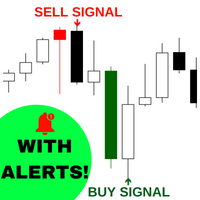
AXR ScalpPro is a compact MetaTrader 5 scalp-signal indicator for traders who want more than simple arrows. It combines proprietary ScalpPro signal pressure with grouped signal statistics, chart overlays, a dark ScalpPro panel, profit badges, an Avg micro-panel, alerts and hover explanations.
It is part of the AXR tool line. For updates and contact options, use the official MQL5 pages:
- AXR MQL5 Channel: product updates, release notes and new AXR tools
- Telegram: open the seller profile; the Telegram contact is listed in the profile description.
After purchase, please send me a private message to receive the user manual.
The core question:
Is the latest scalp signal still fresh, statistically useful and visually clear enough to keep on the chart watchlist?
Why It Helps
Many scalp indicators show only an entry marker. That can be useful, but it does not explain whether the current signal is early, mature, extended, losing momentum, part of a longer same-direction sequence or already close to its normal movement range.
AXR ScalpPro adds this missing context directly on the chart. It detects confirmed BUY and SELL scalp events, groups same-direction signals, measures current profit, run, retrace and pullback, compares the current signal with recent averages, and keeps the most important values in a compact panel.
The value is not the arrow alone, but the context around it: direction, current pips, run, retrace, group state, average comparison and next setup pressure stay visible together, so you can judge faster whether the current scalp move is still worth attention.
Signal Logic
The signal model is intentionally simple and readable. AXR ScalpPro uses its own ScalpPro signal model to mark directional scalp context:
| Condition | Signal context | Meaning |
|---|---|---|
| ScalpPro SELL trigger | SELL | Proprietary ScalpPro conditions mark SELL context on the chart |
| ScalpPro BUY trigger | BUY | Proprietary ScalpPro conditions mark BUY context on the chart |
Sensitivity and Sensitivity 2 control how selective and reactive the ScalpPro signal model is. This keeps the input set compact while still allowing the signal frequency and scalp context to be adjusted per symbol and timeframe.
Grouped Signal Statistics
AXR ScalpPro does not treat every signal as an isolated dot. Consecutive signals in the same direction are grouped, so the current move can be compared with recent same-direction behavior.
The indicator tracks signal and group context such as pips, run, pullback, retrace, gaps, winners, counts, averages and setup pressure. This helps you see whether a move is still early, close to its usual range or already extended.
| Context area | What ScalpPro reads |
|---|---|
| Signal | Latest direction, current pips, best profit point, run in bars, retrace and pullback |
| Group | Same-direction sequence, group size, winning signals, group pips, group run and group pullback |
| Averages | BUY, SELL and total averages for pips, run, pullback, gaps and groups |
| Next setup | Setup pressure, trigger distance, overshoot, timing context and Next score |
| Status values | WAIT, NEW, FRESH, GOOD, CAUTION, TARGET, AGED, RISK, READY, HOT and DUE states |
Compact ScalpPro Panel
The main panel is built for fast chart reading. It uses a compact dark ScalpPro layout with direction-colored progress bars, status capsules and grouped context tiles.
The panel summarizes the current signal check, current profit, run, retrace, next setup, group state, group run and recent signal count. BUY context uses blue/cyan colors, while SELL context uses orange/sell colors.
- Check rates the latest signal context against profit, run, retrace, group room and pressure.
- Profit shows how the latest signal performs against same-direction average behavior.
- Run compares current bars in the move with the recent average run.
- Retrace shows pullback from the latest signal peak.
- Next watches pressure and timing for the next possible signal context.
- Group / Run / Signals keep the same-direction sequence visible without opening extra windows.
Chart Objects And Micro-Panel
The chart output is object-based and designed to stay readable without filling the screen with text. AXR ScalpPro can show signal dots, same-direction connector lines, profit lines, profit endpoint dots, grouped profit-pip badges and one Avg micro-panel for the latest confirmed signal.
The Avg micro-panel sits near the latest chart action and compares signal and group progress against recent average behavior. Profit badges combine same-time and same-direction pips into a cleaner badge, reducing clutter around busy signal areas.
Signal Entry Price
Signal Entry Price is one of the most important settings because it changes both the visual dot anchor and the pips-based statistics.
| Mode | Behavior | Use case |
|---|---|---|
| High/Low | BUY uses the signal-bar low, SELL uses the signal-bar high | Classic marker-style basis and original visual baseline |
| Close | BUY and SELL use the signal-bar close | Clean closed-bar comparison for signal statistics |
Main Features
- MetaTrader 5 custom indicator for compact scalp-signal context
- Proprietary ScalpPro BUY and SELL signal detection
- Closed Bar and Current Bar drawing behavior
- Configurable Signal Entry Price: High/Low or Close
- Grouped same-direction signal sequences
- Signal and group pips, run, retrace, pullback and gap statistics
- BUY, SELL and total averages for signals and groups
- Check score and Next score with readable status values
- Setup pressure, trigger distance and overshoot context
- Compact dark ScalpPro main panel with direction-colored progress bars
- Chart signal dots, connectors, profit lines and endpoint dots
- Grouped profit-pip badges for cleaner chart annotation
- Avg micro-panel for the latest confirmed signal
- Hover tooltips for panel and chart explanation
- Native MT5 alerts for new confirmed signals
- Readable indicator buffers for tester and EA workflows
Important Inputs
| Input group | Main settings |
|---|---|
| Trend | Indicator Name, Max Bars, Drawing Type, Sensitivity and Sensitivity 2 |
| Signals | Min Pips, Signal Entry Price, Show Chart Signals, Show Profit Badges and Enable Alerts |
| Colors | BUY and SELL colors for signal dots, line colors and dark signal background |
| Panel | ScalpPro Panel, Signal Info Panel and Hover Tooltips |
Typical Workflow
- Attach AXR ScalpPro to a MetaTrader 5 chart.
- Use Closed Bar mode when you want confirmed signals.
- Read the current Check, Profit, Run, Retrace and Next values in the main panel.
- Use signal dots, connectors, profit badges and the Avg micro-panel to inspect the current signal group.
- Compare Signal Entry Price modes if you want High/Low marker behavior versus Close-based statistics.
- Adjust Max Bars, Sensitivity, Sensitivity 2 and Min Pips to match the symbol and timeframe you are reviewing.
Who It Is For
AXR ScalpPro is useful for manual MetaTrader 5 traders who want a compact signal workflow with statistical context. It is especially practical for short-term traders who want to see signal direction, current movement quality, grouped signal behavior and average comparison directly on the chart.
It can also help traders who build or test their own workflows, because the indicator keeps buffers readable while the visible chart output remains object-based.
Important Notes
AXR ScalpPro is not an Expert Advisor, not a trading robot and not an automatic profit system. It does not place trades and it does not guarantee future results.
All statistics depend on symbol, timeframe, broker data, lookback length, spread conditions, chosen drawing mode and selected Signal Entry Price basis. Always combine the indicator with personal analysis, testing and risk control.