MACD Dynamic Strategy Builder
- Experts
- Version: 1.3
- Activations: 10

| Explore all my products for MetaTrader 4, MetaTrader 5, and free Trial versions: You have two versions of the EA: Create your own trading strategies with complete flexibility! This Expert Advisor (EA) is designed to support multiple trading approaches, including scalping, grid systems, hedging, martingale, anti-martingale, news trading, pending order management, arbitrage, trend following, breakout strategies, and price action trading. It can be applied across different markets such as forex (EURUSD, GBPUSD, USDJPY), cryptocurrencies (BTC, Bitcoin), indices (NAS100, US30, USA500, Dow Jones), and metals like gold (XAUUSD). The EA is compatible with a wide range of technical indicators and trading concepts, including support and resistance, EMA (moving average), RSI, MACD, Bollinger Bands, ATR, Stochastic, and ADX, allowing traders to build and customize their own strategies according to their preferred tools and trading style.
|
|---|
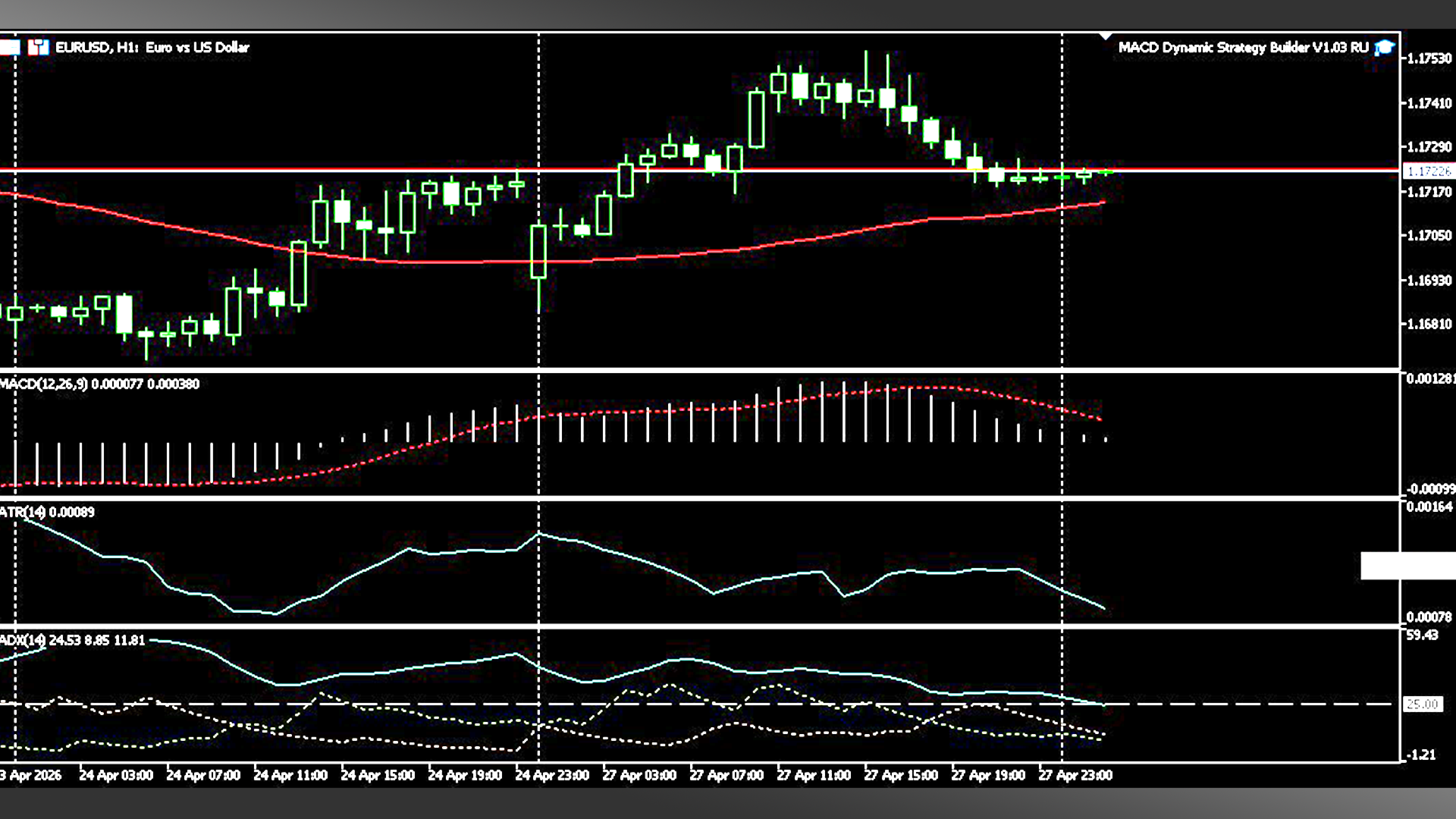
MACD Dynamic Strategy Builder EA – Momentum & Trend Trading System
Overview
Expert Advisor based on market momentum using the MACD indicator as the core of the strategy. This EA allows building multiple trading configurations through a dynamic system of lot sizing, Take Profit, and Stop Loss management. It includes Martingale, Anti-Martingale modes, and advanced risk control, adapting to different market conditions.
It integrates key technical indicators such as EMA (trend direction), ADX (trend strength), and ATR (dynamic volatility) to improve entry accuracy and optimize risk management.
Designed for both technical and quantitative traders, this EA works as a professional Strategy Builder, allowing the creation of customized systems based on momentum, trend, and market reversals.
Trading Logic
The EA opens trades based on MACD signals:
Buy when the MACD line crosses above the signal line (bullish crossover)
Sell when the MACD line crosses below the signal line (bearish crossover)
Advanced signal options:
Trade MACD crossovers
Trade divergences (optional depending on configuration)
Histogram confirmation (increasing/decreasing momentum)
Reverse mode available
Optional additional filters using indicators:
EMA: defines trend direction (buy only or sell only)
ADX: filters trades based on trend strength
ATR: dynamically adjusts Stop Loss, Take Profit, and lot size based on volatility
The logic can be adapted to different approaches:
Trend following
Momentum trading
Reversal confirmation
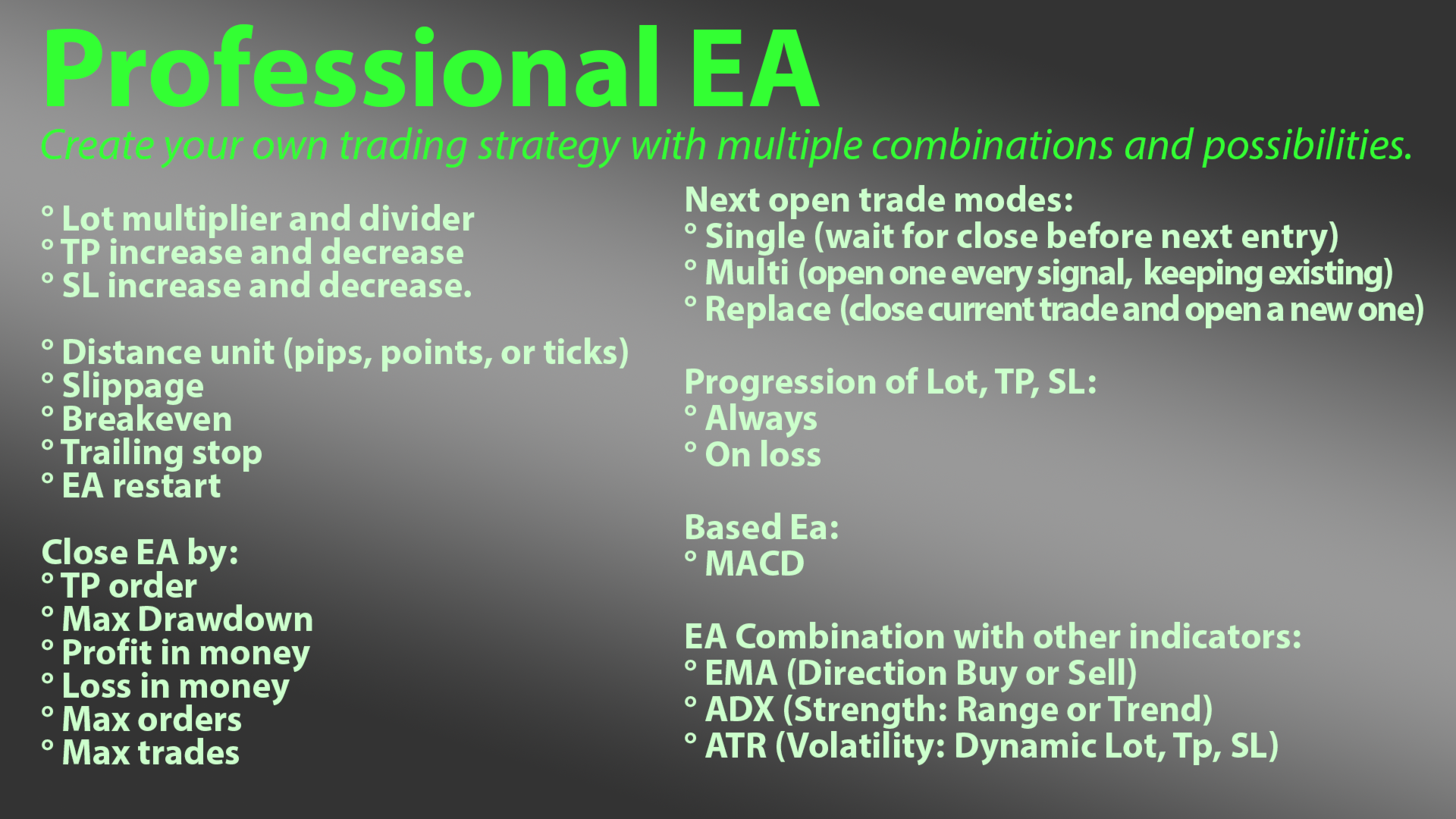
Operating Modes
Open Mode:
Single: one active trade at a time
Multi: multiple trades per signal
Replace: replaces the current trade with a new one
Trade Progression:
Always: progression applied on every trade
On Loss: progression applied only after losses
Compatible with:
Martingale
Anti-Martingale
Hybrid strategies
Risk Management
Includes advanced tools to protect capital and optimize performance:
Configurable Stop Loss
Configurable Take Profit
Automatic Breakeven
Classic Trailing Stop
Dynamic trailing stop based on volatility or candles
Automatic EA closing:
By total profit (money)
By total loss (money)
By maximum drawdown (%)
By Take Profit reached
Advanced Features
Fully configurable MACD (fast, slow, and signal periods)
Integration with EMA, ADX, and ATR as intelligent filters
Configurable distances in Pips, Points, or Ticks
Stop Loss based on market structure or candles
Maximum orders control
Maximum simultaneous trades control
Automatic restart system
Cycle persistence after platform restart
Compatible with Netting and Hedging accounts
Input Parameters (Inputs)
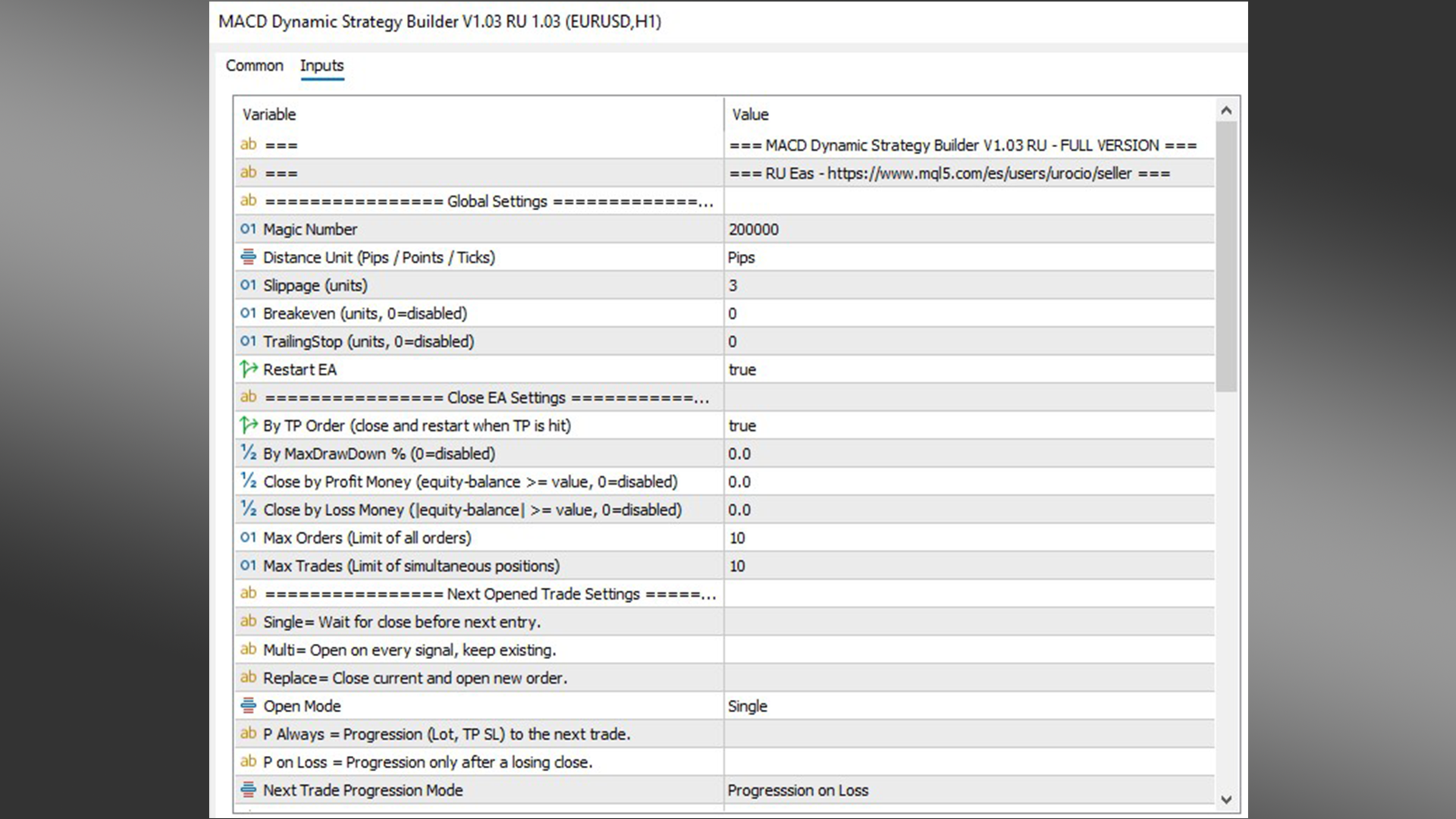
Global Settings
MagicNumber
Unique identifier for EA trades
DistMode
Distance unit for TP, SL, and trailing (Pips, Points, or Ticks)
Slippage
Maximum allowed execution deviation
BreakevenPips
Level to move SL to entry price
TrailingStop
Distance for automatic trailing stop
RestartAfterClose
Restarts the system after full closure
Close EA Settings
CloseByTPOrder
Closes all trades when a TP is reached
MaxDrawDownPct
Close by maximum drawdown (%)
CloseProfitMoney
Close by total profit
CloseLossMoney
Close by total loss
MaxOrders
Maximum number of orders per cycle
MaxTrades
Maximum simultaneous trades
Next Opened Trade Settings
OpenMode
Opening mode (Single, Multi, Replace)
NextTradeProgressionMode
Defines when progression is applied (Always / On Loss)
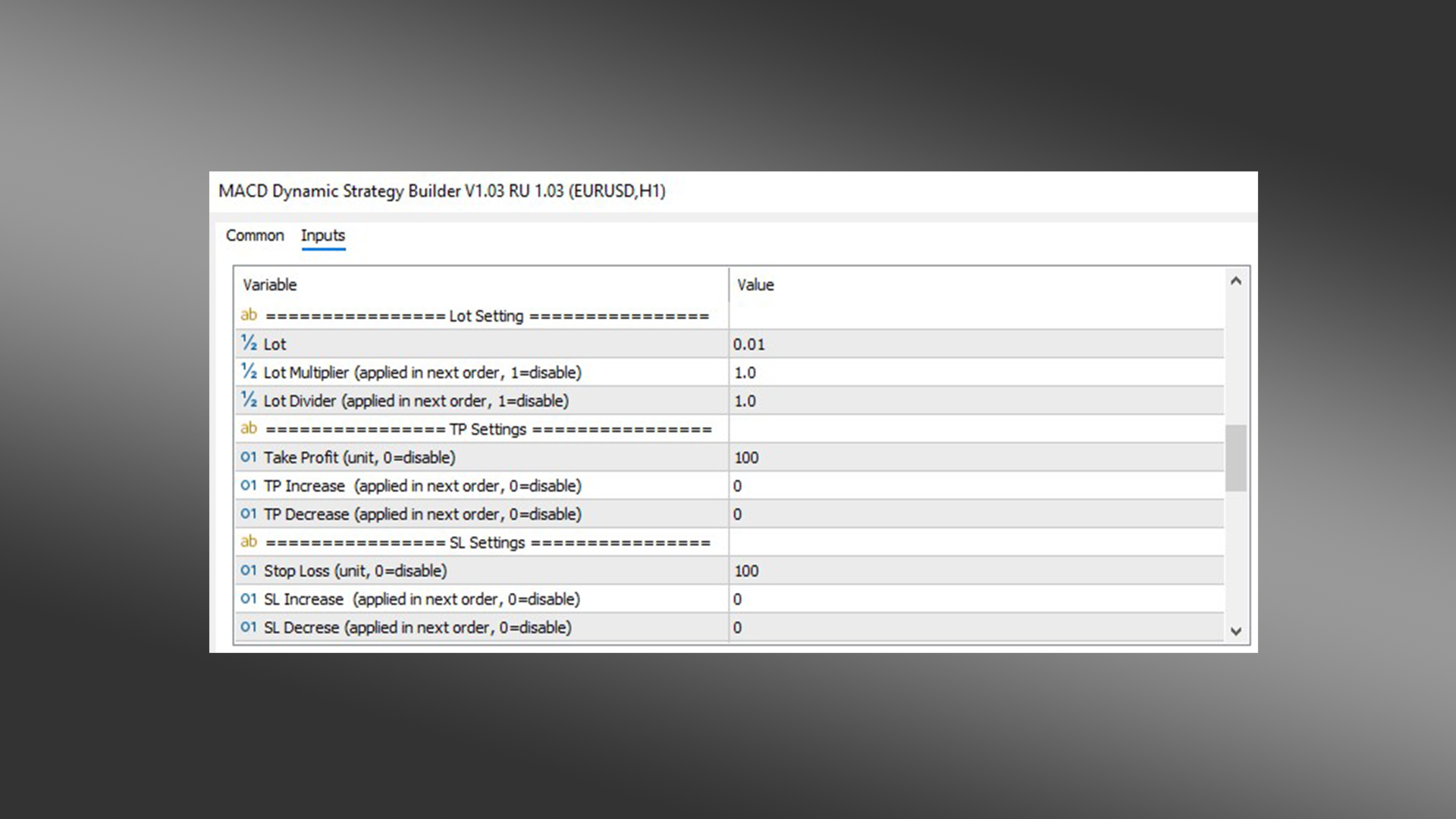
Lot Settings
Lot
Initial lot size
LotMultiplier
Lot multiplier
LotDivider
Lot divider
TP Settings
TP
Initial Take Profit
TpIncrease
TP increase
TpDecrease
TP decrease
SL Settings
SL
Initial Stop Loss
SlIncrease
SL increase
SlDecrease
SL decrease
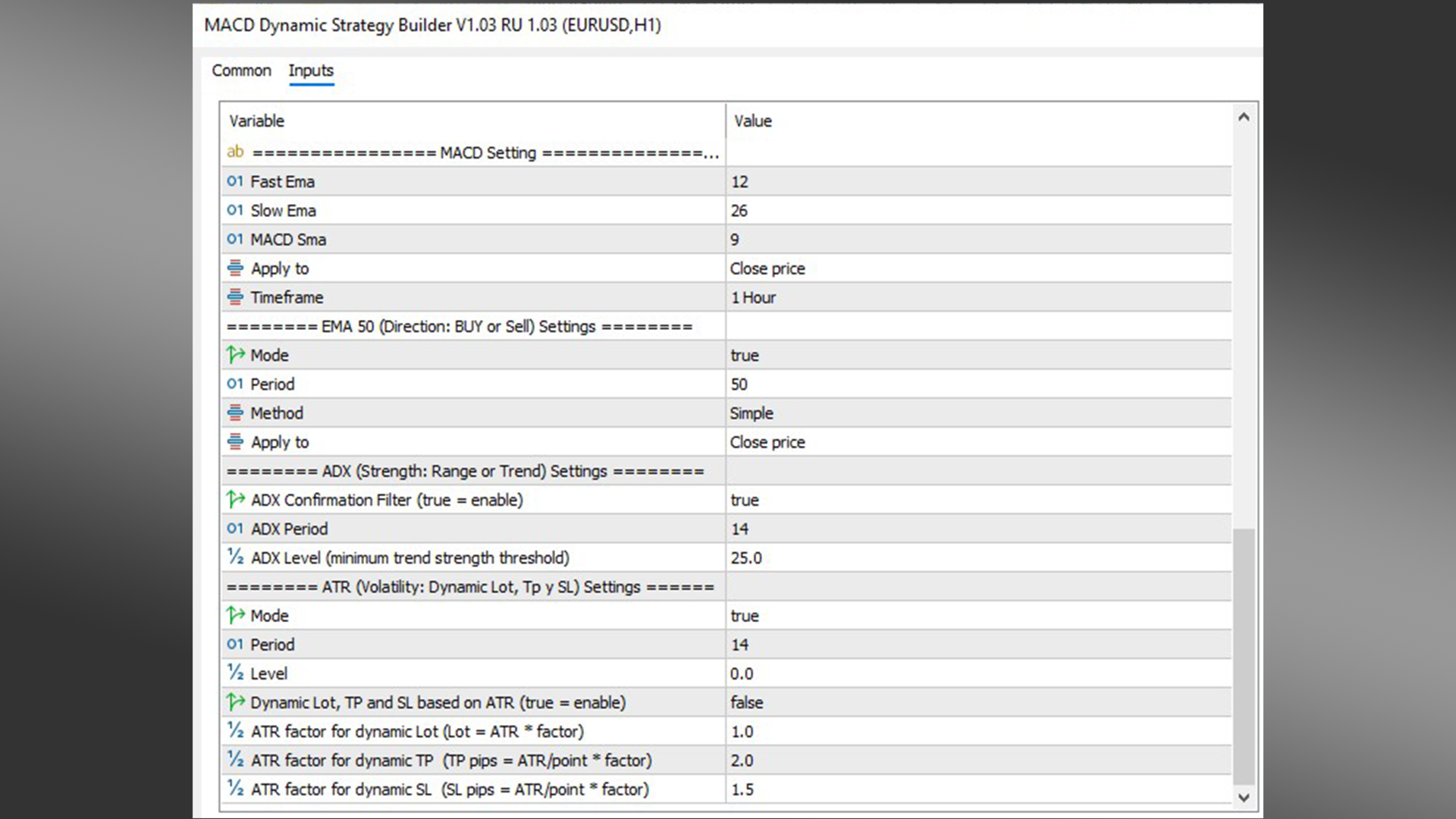
MACD Settings
FastEMA
MACD fast period
SlowEMA
MACD slow period
SignalPeriod
Signal line period
AppliedPrice
Applied price (Close, Open, etc.)
SignalMode
Signal mode (Crossover / Histogram / Reverse)
UseHistogram
Enables histogram confirmation
EMA Settings (Trend Filter)
UseEMAFilter
Enables trend filter
EMAPeriod
EMA period
EMAMode
Defines direction: Buy only, Sell only, or both
ADX Settings (Trend Strength Filter)
UseADXFilter
Enables ADX filter
ADXPeriod
ADX period
ADXLevel
Minimum level required to trade
ATR Settings (Volatility Management)
UseATR
Enables dynamic volatility management
ATRPeriod
ATR period
LotATRMultiplier
Multiplier for dynamic lot calculation
TPATRMultiplier
Multiplier for dynamic TP
SLATRMultiplier
Multiplier for dynamic SL
Recommendations
It is recommended to test the EA on a demo account before trading live. Adjust parameters according to the asset, timeframe, and market volatility conditions.
Disclaimer
Trading involves risk. This Expert Advisor does not guarantee profits and should be used with proper money management.