 MetaTrader 5
 Experts
 Indicators
 Libraries
 Utilities
 Widgets
 Rules
Rules
Watch the Market tutorial videos on YouTube
How to buy а trading robot or an indicator
Run your EA on
virtual hosting
virtual hosting
Test аn indicator/trading robot before buying
Want to earn in the Market?
How to present a product for a sell-through
Free trading utilities for MetaTrader 5 - 7
 Below are trading programs simplifying trading in MetaTrader 5. Hover over a utility to read its description and purpose.
Reward Multiplier is a semi-automatic trade manager based on pyramid trading that opens additional orders with the running profit of your trades to maximize return exponentially without increasing the risk.Unlike other similar EAs, this tool shows potential profit/loss and reward to risk ratio before even entering the first trade! Download full version here ( In the mini version. Starting lot is fixed at 0.01 (or minimum allowed lot size ) Guide + tips here MT4 version here You only open the
FREE
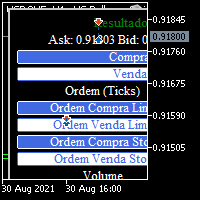
BOLETA TRADING PROFISSIONAL. Painel de negociação usado para facilitar operações manuais no MT5. -Botão para fechamento automático de ordens e posições. -Negociação facilitada usando teclado e mouse. -Sistema de ordens OCO (TP & SL pré configurados) -Normalização de volume para qualquer ativo. -Controle de limite horários para negociação. -Sistema de meta e limite de loss. -Martingale configurável. -Trailing Stop. -BreakEven. -Numero mágico (Expert Magic) para não entrar em conflito com outros r
FREE

Synchronizes all open charts to the symbol of the chart this indicator is applied to.
SyncAllCharts is a MetaTrader 5 indicator that lets one main chart control the trading symbol shown on all other open charts. Change the symbol on the main chart, and the other charts follow while keeping their own timeframes. It helps you review the same market across several timeframes without changing each chart manually. How to use it Attach the indicator to one chart that you want to use as the main contr
FREE

HotkeyTrader Pro — Expert Advisor for MetaTrader 5 HotkeyTrader Pro is an Expert Advisor that allows executing and managing trades through configurable keyboard shortcuts, with integrated risk management tools and position tracking. Keyboard execution The EA includes 11 predefined keyboard shortcuts for opening buy and sell orders, managing open positions, and executing partial or full closes. It is compatible with external macro software such as AutoHotKey and with programmable input devices. R
FREE

Painel de Controle – Boleta Inteligente para Forex Descrição Geral do Sistema: Apresentamos o Painel de Controle – Boleta Inteligente para Forex , a ferramenta definitiva para traders que exigem agilidade, precisão e controle total sobre suas operações no mercado Forex. Com uma interface intuitiva e altamente funcional, este painel transforma sua plataforma MetaTrader em um centro de comando profissional, permitindo que você execute ordens, gerencie risco e monitore seus resultados em tempo re
FREE

Features: fast opening / closing deals the number of deals and the total profit for the Symbol
Fast open deals: set the Lot volume set StopLoss / TakeProfit in points (if you set "0", then it is not used) set slippage set Magic (if necessary) set comment (if necessary)
Fast open features: fast open Buy fast open Sell fast close ALL open orders for the current Symbol
Attention: this utility works only on the current instrument this utility works on a VPS must enable Algo trading in the termi
FREE

AntaresX Volume Profile — Indicator for MetaTrader 5 AntaresX Volume Profile is an indicator that displays the price levels where the highest trading activity was concentrated during a selected period, and calculates the historical probability of the price reacting when it reaches each of those levels. What the indicator draws The indicator identifies three levels on the chart: POC (Point of Control): the price where the highest trading activity was recorded during the selected period. Displaye
FREE

Trade2Telegram — a plugin for automatic trade notifications from MetaTrader to Telegram. This tool is designed for traders managing capital, running signal channels, or leading educational communities. The plugin copies all trading operations from the terminal and publishes them to a selected Telegram chat, group, or channel. Messages are sent automatically when positions are opened or closed, stop-loss or take-profit levels are changed, pending orders are triggered, or trades are partially clos
FREE

Take a Break FREE is the free version of Take a Break , the account protection and risk management tool for all your Expert Advisors. It pauses your EAs before news, after a daily loss or when your own rules say so, and lets them continue when the pause is over. What the free version does Daily loss brake: a fixed limit of -5% per day is always active (reset at 00:00 server time). When it triggers, one chart pauses. News filter for one chart symbol: pause before and after scheduled releases, cur
FREE

This EA generates custom Heiken Ashi bars (Standard or Smoothed) on a separate symbol. Below is a guide for using the EA effectively with each input setting: 1. HeikenAshiType input ENUM_HEIKEN_ASHI HeikenAshiType = HEIKEN_STANDARD; Options: HEIKEN_STANDARD or HEIKEN_SMOOTHED Use: Choose the type of Heiken Ashi to generate: HEIKEN_STANDARD for traditional Heiken Ashi bars. HEIKEN_SMOOTHED for smoothed versions using MA filters. 2. SmoothingPeriod input int SmoothingPeriod = 7; Use: Applies only
FREE

Copy trades with ease using the MetaTrader5 trade copier - the quickest and easiest way to copy transactions between different MetaTrader 5 accounts! This innovative tool allows you to locally copy trades in any direction and quantity, giving you full control over your investments.
Attention!
You need to download the Trade Copier Slave mq5 file as well to run this EA. Download it from here https://www.mql5.com/en/market/product/96541
Designed to work on both Windows PC and Windows VPS, this
FREE

Professional trading panel that combines visual order placement, automated risk management, and advanced position controls in one intuitive interface to save time, reduce errors, and enforce trading discipline.
Read user instructions Get the Pro version with more features
Overview The TradingLab Trade Panel is a comprehensive trading overlay that replaces multiple manual operations with a single, intuitive interface. Designed for discretionary and systematic traders alike, it combines visual o
FREE

Performs export of the transaction history of the current trading account. The file is saved in the data folder, which can be opened through the main menu of the terminal: File -> Open Data Directory (Ctrl+Shift+D) and go to folder MQL5/Files . The file name is generated automatically or set manually through the script parameters. The history file can be used to analyze the history in Excel (may need to be opened through the Import Wizard) or to simulate the same sequence of
FREE

BOS VECTOR TRADE MANAGER — FREE Simple Manual Trade Control for MetaTrader 5 BOS VECTOR TRADE MANAGER is a free MT5 utility designed to make manual trade execution and position management faster, cleaner and easier directly from the chart. It does not require BOS VECTOR EA and can be used completely on its own. The aim is simple: Give the trader practical trade-management tools without turning the chart into a huge dashboard. -------------------------------------------------- WHAT IT D
FREE

What Is Fibonacci Pilot Mini? Fibonacci Pilot Mini is a semi-automatic Expert Advisor for MetaTrader 5. It assists the trader in placing Fibonacci-based trades by automating the mechanical steps after the trader has identified the swing. The trader performs the analysis; the EA handles lot sizing, entry price calculation, stop loss, take profit levels, and order placement. Mini is the streamlined single-setup edition of Fibonacci Pilot Pro. It runs one trade setup at a time with a clean, minima
FREE

This script exports the economic calendar from MT5 as a .csv-file into the common directory of the terminal (...\Terminal\Common\Files). The generated file news.csv is necessary for using the news filter in back testing the Range Breakout Day Trader EA.
Input parameters: Currency symbol 1-9: Country currency symbol from which the news will be exported Date from: Start date from which the calendar data will be exported Date to: End date to which the calendar data will be exported News data: Incl
FREE

Free. Set your risk, click Buy or Sell, done. TrueRisk Trade Panel works out the lot size for you. Type how much of your account you want to risk (for example 1%), set the stop loss in points or drag it on the chart, and the BUY and SELL buttons already show the right lot. No lot calculator, no guessing, no trade that risks ten times more than you meant. MT4 version (free) NEW (free): a picture of every trade, saved by itself. TrueRisk Trade Journal saves a chart picture when a trade opens and w
FREE

Stochastic Cross Alert EA for MT5 Stochastic Cross Alert EA is a simple MetaTrader 5 tool that notifies you when the Stochastic Oscillator reaches common overbought or oversold levels. It helps traders monitor Stochastic conditions without needing to constantly watch their charts. Once attached to a chart, the EA monitors the Stochastic indicator and sends a popup alert when key levels are crossed. This allows you to quickly check the chart and evaluate potential trading opportunities. Features
FREE

BOLETA ATA is a quick-execution trading panel for MetaTrader 5, built for manual traders who want to buy, sell, and manage positions without leaving the chart. Compact, straightforward, and with built-in protection automations. Main Panel Stop Loss and Take Profit with an on/off checkbox and an editable field — click and type the value directly, no need to open settings Lot size field (Qty) , editable at any time 3 clickable lot presets : a single click applies the value to the Qty field; a doub
FREE

ADX Cross Alert EA for MT5 ADX Cross Alert EA is a simple MetaTrader 5 tool that notifies you when the Average Directional Index (ADX) crosses a key level of volatility. It helps traders monitor market momentum and trends without having to constantly check the charts. Once attached to a chart, the EA monitors the ADX indicator and sends a popup alert when the selected volatility level is crossed. This enables you to quickly check the chart and assess the potential trend strength. Features Detec
FREE

QUANITION EA PERFORMANCE DASHBOARD PRO — your trading on one screen. Which robot is carrying the account, which one is bleeding, and what the months behind them look like, drawn over your chart. A balance is an average, and averages hide things. This reads your closed trades and splits that single number back apart, by Magic Number. This is the free edition. It runs on a live chart, on your real account, not only in the Strategy Tester. FIRST USE In MT5, sign in to your MQL5 account under Tools
FREE

Trade Panel by RWBTradeLab
Trade Panel is an on-chart panel for MetaTrader 5 that places market, pending and straddle orders and manages the open trades of the chart symbol.
Overview
The panel sits on the chart and has six tabs: Trade, Manage, Settings, Account, Help and About. Every value you set is saved for each symbol, so a chart keeps its own lot, stop loss, take profit and switches after a restart. The panel can be dragged anywhere on the chart and minimised to its title bar.
The pane
FREE

This application is now replaced by Ofir Notify Light Edition (Free) or Ofir Notify (paid).
Thank all for your positive feedbacks.
Telegram Alerts is a tool which send alerts on trades to Telegram Alert on any event concerning a position : Opening, Closing, modification (SL, TP) Alert on Equity change Display Risk, Reward and progress of profit/lost for each position Send signals from your indicators or experts Multi-lingual If you are facing any issue using this utility, please contact me to
FREE

Bulk Operations Panel for MetaTrader 5 Bulk Operations Panel is a practical trading utility for MetaTrader 5 designed to help traders manage multiple positions from one clean panel. It combines bulk trade management, quick execution, trailing control, hedge entry, live statistics, and a compact minimize feature in a simple interface built for speed and convenience. This product is suitable for traders who want faster control over open trades and pending orders without manually handling each pos
FREE

Set & Forget Limit Order Desk for MT5 CGE Trade Desk is a chart-driven limit order EA built for prop firm traders who need to plan trades, manage risk, and protect their accounts from costly mistakes. The EA combines visual trade setup, automatic position sizing, multi-take-profit splitting, SMC killzone and OTE tooling, and a full prop-firm protection layer into one workflow. Drag your entry, stop, and take-profit lines directly on the chart, then click PLACE — the EA handles lot calculation,
FREE

MT5 to Telegram Signals
This utility is simple to use and supports a wide variety of settings: Pick your desired Telegram group and enter the bot token and the chat id Get notified when orders are placed, modified, executed, closed… or any combination of states Connect your broker account with Telegram and stop missing important notifications. Would you like to receive Telegram notifications? Are you looking for a simple way to share trade signals with your followers? Do you need to start docume
FREE

Trade Panel QuantumAlgo — Professional Risk & Trade Management Utility for MetaTrader 5 QuantumAlgo Trade Panel is a professional trading utility for MetaTrader 5 that bridges institutional-style risk management with seamless one-click execution. Designed for scalpers, swing traders, and Smart Money Concept traders who want to focus on the setup — not the calculations. Why Traders Choose QuantumAlgo Trade Panel One-click trade execution with auto-calculated lot sizes Built-in risk-percentage pos
FREE

Practice Prop Firm Challenges Risk-Free
Bneu Prop Firm Simulator FREE is a simulation utility for MetaTrader 5 that allows traders to practice prop firm challenges on demo accounts before risking real money on actual challenges. Track your progress, monitor rule compliance, and understand how prop firm rules work in real-time.
Why Use a Prop Firm Simulator?
- Practice challenge rules on demo accounts before paying for real challenges - Understand how daily loss and drawdown calculations work
FREE

The utility draws pivot levels based on a selection from day week month The previous candlestick of the selected timeframe is taken and the values for the levels are calculated using the following formulas:
Pivot = (high + close + low) / 3 R1 = ( 2 * Pivot) - low S1 = ( 2 * Pivot) - high R2 = Pivot + (R1 -S1) R3 = high + ( 2 * (Pivot - low)) S2 = Pivot - (R1 - S1) S3 = low - ( 2 * (high - Pivot));
The style and thickness for all lines are adjusted.
The colors for the R, Pivot and S lines ar
FREE

Automatically sends real-time notifications about trade opening, closing, partial closing and modification of MT5 to Discord . The utility supports 16 languages : English, French, German, Indian (Hindi), Indonesian, Italian, Kazakh, Korean, Dutch, Polish, Portuguese, Russian, Spanish, Turkish, Ukrainian, and Vietnamese. You can also use any other language by customizing the notification text. The product is designed for traders who need to receive Discord notifications without constantly moni
FREE

Your TradingView alerts, executed in MetaTrader 5. Free - no DLL, no subscription. HOW SIGNALS REACH IT This EA does not generate signals. It takes alerts TradingView has already sent and turns them into orders. Point your TradingView alert at the PrecisionFX relay and this EA collects from it. Nothing to install beyond the EA itself, nothing to keep running on your PC, and the webhook address never changes. About five minutes to set up. If the relay is briefly unavailable your signals are not l
FREE

Waiting for your setup to form? Hunt some pips meanwhile. Candle Snake turns any chart into a classic Snake arcade game with a trader’s twist. Eat green candles to grow your equity, grab golden candles for 5x pips before they expire, and dodge the bear candles that flood the board as volatility rises. Every five candles is a level up: the market gets faster and the bears multiply. What makes it more than Snake Combos: eat quickly in succession to stack a multiplier up to x5 Power-ups: Stop Loss
FREE

Description: The VPS Health Check EA is a MetaTrader 5 utility designed to monitor the connection to your broker and provide timely notifications regarding the status of the connection. This tool ensures that you are immediately informed of any connection issues, helping to maintain the stability and reliability of your trading activities. Features: Connection Check Modes: Choose between checking the connection on each new candle or at a specific time of day. Customizable Time: Set the exact hou
FREE

AI Economic Calendar News Filter reads MetaTrader 5's built-in live economic calendar and automatically protects your account around high-impact news events for the currencies involved in the chart's symbol. Key features: Uses the native MQL5 economic calendar (CalendarValueHistory) - no external news feed or subscription needed Automatically detects high-impact events for the symbol's base and profit currency Configurable blackout window before and after each event Optionally closes your own op
FREE
Session Timers (MT5) Session Timers adds a clean ribbon at the bottom of the chart showing the time until open and time until close for major FX sessions. While a session is open, a progress bar fills in real time. Vertical separators also mark session open and close directly on the chart. This is a charting utility; it does not provide trading signals and does not guarantee any profit. Sessions covered Sydney Tokyo Frankfurt London New York Main functions Countdown to each session’s next open/
FREE

MQLTeam Auto Select automatically selects chart objects when the mouse moves over them, so you can drag, open properties, or press Delete right away — without a double-click first. Also available: MQLTeam Auto Select for MetaTrader 4 Auto Select is a chart utility for faster drawing work: objects select themselves when you move the mouse over them, so you can drag, edit, or delete right away. Attach it once, leave the button green, and keep working with lines and shapes as usual. How to use it
FREE

AutoRiskManage v2.3 — Documentation Expert Advisor — MetaTrader 4 & 5 AutoRisk Manage v2.3 Automated risk management EA with interactive graphical panel. Applies SL/TP, Break Even, Trailing Stop, and lot size calculation by risk percentage — for any instrument, any broker. MT4 / MT5 v2.3.0 MQL4 · MQL5 C2C + B2C Time Space Technology Overview AutoRiskManage is an Expert Advisor that acts as a risk management layer on top of any manually opened position. It does not generate trading signals — i
FREE

Apex MTF Panel
A clean, standalone multi-timeframe RSI/MACD dashboard that instantly shows buy, sell, or neutral confluence signals across your chosen timeframes in a compact horizontal layout. TF names sit directly above signals with matching colors for instant readability. Fully customizable signal colors, live font-size adjustment, corner positioning, and smart “loading” state ensure performance on any chart. Support and questions via MQL5 product comments. For questions, updates, and to conn
FREE
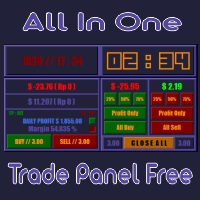
All In One (AIO) A2 Trade Panel EA made for you that like SCALPING, HEDGING, or LONG TIME TRADING. TRIAL VERSION, FOR DEMO ACCOUNT ONLY Features : TRADING INFORMATION Profit / Loss information (Customizable information - See on Attached Pictures) Margin Level information Equity information Total Lots Information Time information (Customizable information - See on Attached Pictures) Daily Profit / Loss Information TRADE MANAGER Close Buy / Sell Trade Close Buy / Sell Profitable Trade Close Parti
FREE

Spread Profile by Hour builds the spread distribution of one symbol for every hour of the server day from your broker's own tick history, and draws it as 24 bars. Since version 1.10 the day can also be split into buckets of 1 to 30 minutes, up to 1,440 bars, to see where inside an hour the spread widens. The solid part of a bar is the median spread of that hour or bucket, the lighter cap reaches the 90th percentile. Enter the stop size you normally use and every bar is labelled with its median s
FREE

Bulk Comport Manager is an lightweight yet useful EA utility. It helps you: - Modify TP and SL in bulk according to price levels or pips (points). - Modify TP and SL for all positions or for individual BUY and SELL positions . - Close all BUY or SELL positions, or all positions . - Move to the break-even point when the price moves X points (set in the input). - Start trailing when the price moves X points (set in the input). - Set the trailing price increment (set in the input). - Minimize/Maxi
FREE

Position Size Companion – Interactive Risk & Lot Calculator for MT5
Position Size Companion is a professional, chart-based position sizing tool designed for traders who demand precision, speed, and visual clarity when managing risk. It is fully suitable for both Forex markets and synthetic instruments such as Volatility indices (e.g., V75), and similar symbols.
With this tool, traders can bid farewell to constantly using external or built-in GUIs that require manual input of entry and stop-l
FREE

Symbol Switcher Pro Symbol Switcher Pro is a free utility panel for MetaTrader 5 that lets you navigate up to 40 trading symbols from a single draggable interface — with live PnL displayed per pair so you always know where you stand without leaving the chart. Overview Managing multiple symbols in MetaTrader 5 typically means jumping between chart windows, losing context, and wasting time. Symbol Switcher solves this with a compact, customizable button panel that sits on your chart. One click swi
FREE

Partial TP Manager
Partial TP Manager is a free utility for MetaTrader 5 that lets you manually close a portion of your trade when the price reaches a level you define, while keeping the rest of the position open. Everything is managed directly from the chart: you create the levels, drag them, and specify what percentage of the position to close at each one. The idea is simple: secure part of the profit without exiting the trade. Simple example You have a trade with 100 USD of floating profit
FREE

Hide Scale - Tool for Traders Who Want More Screen Space Instructions Press "T" to hide the time scale and "P" to hide the price scale. You can customize these keys by clicking the corresponding button and typing a new key on your keyboard. To hide both scales at the same time, you can assign the same key to both options. To show the scales again, simply press the corresponding key again. Why We Created This Tool We created this Hide Scale tool to help traders who use our Sweet VWAP indicator to
FREE
Have you ever been in a situation when you could not control the chart conveniently or had to make additional clicks to be able to scroll the history or set the scale fix numbers manually to be able to stretch the chart? Features: Chart centering. Automatic scale fix. Automatic scroll control. This tool is one of many features included in "Trading Essentials" utility application, which can be found on mql5.com
FREE

There are plenty of updates coming, so bear with me as I continue building and refining it. I’ve got big plans for this one! Your whole trading setup on ONE screen. Every terminal. Every broker. Every prop account. Every chart. See it all, name it all, and run it all from one dashboard. Free - no DLL, no internet, no subscription.
If you are like me and trade across multiple terminals, multiple brokers and prop firms, with multiple charts on every terminal - this one is for you.
You know the
FREE

FOREXBOB AUTO CLOSER is a very handsome tool for :- Scalping Correlation Hedging Those who use averaging methods As this utility tool will help you by closing all your running trades when the universal floating P/L reaches a certain value that you will put in inputs. This tool consider all the trades that running on the your account either opened MANUALLY or with help of an EA.
Inputs USD - Put numeric value for required profit Group Mode - False Magic No. - Zero (0) to consider manually opene
FREE
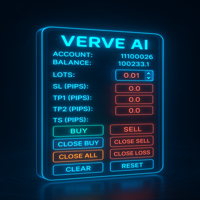
FXTrade Panel – Smart & Fast MT5 Trade Manager FXTrade Panel is an advanced yet easy-to-use trading tool for MetaTrader 5, designed to enhance your trading efficiency with one-click trade execution and management. Key Features: Account Overview: Displays account number, leverage, balance, and current spread.
Lot Size Control: Adjustable lot size with intuitive up/down buttons.
Risk Management: Set Stop Loss (SL), Take Profit (TP1, TP2), and Trailing Stop (TS) in pips.
One-Click Trading: Execute
FREE

Limiter Drawdown EA – Automatic Account Protection for MetaTrader 5
Description
Limiter Drawdown EA is a lightweight risk management tool for MetaTrader 5.
It monitors your account drawdown in real time and will automatically close all open trades once the threshold you define is reached. This provides a reliable safeguard for any trading strategy. Main Functions Monitors equity versus balance continuously Closes all positions when your chosen drawdown percentage is reached Optionally removes
FREE

Elevate your trading precision with the ultimate Multi-Timeframe (MTF) Candle Countdown Monitor . Built for professional traders, this indicator is not just a standard timer—it is a powerful, fully interactive dashboard featuring a dynamic mini-chart, custom alerts, and a cutting-edge DPI-Aware Scaling Engine. Whether you are trading on a compact laptop or a massive 4K multi-monitor setup, this indicator perfectly adapts to your screen, providing a flawless visual experience. "Simplify your tra
FREE

This utility EA will display simple renko, hence the name essential renko. The renko will be shown in a new tab and using custom symbol.
Please do note (especially for those who new to Renko), that Renko does not follow timeline as it will follow price movement.
That's why it has a lot of potential where you can attach any EA that you want and use any custom indicator in this new custom symbol for renko. Always use M1 timeframe.
Most of the time you don't need to change anything. But if you d
FREE

Xpert Trade Copier copies open positions from one MetaTrader 5 account to another on the same computer or VPS. Attach it once as Sender on the source account and once as Receiver on the destination account, give both the same channel name, and the Receiver mirrors every position with the lot size, symbol and safety limits you choose. No DLL, no internet connection, no extra program. It is built around one rule: a trade must never be copied twice. The Sender publishes the full state of its positi
FREE

MT-Radar — free MetaTrader terminal monitoring from your phone
Want to know your Expert Advisor is running and your terminal is connected, without logging into your VPS over RDP every time?
MT-Radar shows the status of all your MT4/MT5 terminals in one secure web panel. Open it on your phone, tablet or any computer and see in seconds that everything is working as it should.
What MT-Radar shows: Account and terminal — account information and general terminal details Journals — terminal log and
FREE

Risk Calculator and Order Lines calculates position size from your chosen risk and places orders from the chart. Set the entry, stop loss and take profit using draggable lines, then review the volume and estimated outcome before confirming the order. Risk can be entered as a percentage of balance, a percentage of equity or a fixed amount in account currency. The panel displays estimated risk and reward in money and percent, the reward to risk ratio, required margin and spread cost. A separate in
FREE
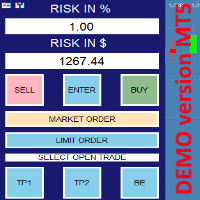
this is DEMO VERISON (for demo acc.) of TRADING OVERLAY with PARTIAL take profit ("virtual TP") and % risk lot size
--- full version available on my 'seller page' as well as version for MT4 Take better control of your trades with ease ! Easy lot size calculation with easy SL/TP setting. Your trading will be much more comfortable with this tool!
Main goal with this tool is very SIMPLE and FAST operation! Works like any EA, add it to selected chart and trade !
Features: start tra
FREE

Strifor Risk-Manager is a powerful tool designed for traders who value strict risk management and trading discipline.
It automatically tracks daily, weekly, and monthly results , warns about limit breaches, and helps maintain consistency in any trading system. Suitable for scalping , intraday trading , swing trading , mid-term strategies , and both manual and algorithmic trading. Key Features 1. Flexible Risk Limits Daily risk: percent or USD Weekly risk: percent or USD Monthly risk: percent o
FREE

This is a professional multifunctional utility that combines R emote control, Trading Statistics, Auto Reports, Price Alerts, and Trade Notifications into one modern Discord monitoring system. The utility s upports R emote control directly from your Discord channel using the menu command. Send Trade Reports, view open positions, create, delete and manage active Price Alerts without returning to the MetaTrader 5 terminal. Scheduled automatic Discord reports are supported as well as manual Trade
FREE

---คำเตือน EA ตัวนี้เหมาะสำหรับโบรคเกอร์ที่ Slippage ต่ำ--- EA ตัวนี้ถูกสร้างมาด้วยหลักการ Long Straddle ของ Option ที่จะวาง Position ดักทางทั้ง 2 หน้า หากราคาไปทางใดทางนึงจนเกินระดับราคา Break Event จะกำไรไม่จำกัด เเต่ถ้าราคาผิดทางจะขาดทุนแค่ค่าพรีเมี่ยม ดังนั้นเมื่อข่าวออกการที่กราฟฉีกตัวไปทางใดทางนั้นบน Option สามารถสร้างกำไรได้ทันที แต่เนื่องจากการเทรด XAUUSD Spot CFDs ไม่ได้มีหลักการขาดทุนเเค่ค่าพรีเมี่ยม การ ฺ Buy Sell สามารถกำไร/ขาดทุนได้ไม่จำกัด ดังนั้นการเทรดข่าวด้วยเครื่องมือ EA News
FREE

Price Alert MT5 — Buy Once. Be Alert for Life. There was a time when staying ahead in the markets meant subscribing monthly to overpriced platforms…
$20 here, $50 there — all just to get a few alerts a day. You weren’t paying for value — you were paying because there was no alternative.
Until now. Built by a trader, for traders, this tool gives you complete freedom to set alerts at any price you care about — and get notified the millisecond price enters your zone of interest. Imagine setting a
FREE
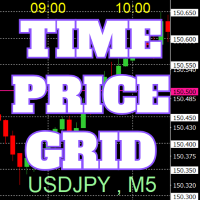
On the chart, draw grids for price and time at round numbers for easy reference.
"Parameter Input" allows for setting price intervals for each period. The grid lines for significant numbers (round numbers) are thicker and more prominent than other lines, making them easily distinguishable. The grid lines for significant numbers (round numbers) can be set to a different color than other lines. Colors at various points can be individually configured. Symbols and timeframes can be displayed, and t
FREE

Candle Timer is a lightweight, non-trading utility that shows you exactly how much time remains before the current candle closes — no more guessing, switching tabs, or checking the clock. A clean gold countdown badge with bold black text sits on your chart and updates in real time, using your broker's server time for accuracy. Whether you're scalping M1 or watching a Daily close, you always know precisely when the next candle begins. Features: Real-time countdown (mm:ss / hh:mm:ss) to the next c
FREE

Smart Symbol Changer & Multi-Chart Sync Stop wasting time manually changing symbols on every chart. The Smart Symbol Changer is not just a button panel—it is a complete workspace management tool designed for professional traders who monitor multiple assets (Forex, Crypto, Indices) across multiple chart windows. Why this is the best Symbol Changer for MQL5: Most symbol changers are messy and clutter your screen. This tool features a Smart Auto-Grid that automatically sorts your symbols alphabetic
FREE

Sobre a Boleta Ágil – Descrição Completa Apresentamos a Boleta Ágil , um painel de negociação completo e altamente personalizável para MetaTrader 5 . Desenvolvida para traders que exigem velocidade, precisão e flexibilidade , esta ferramenta coloca o controle total das suas operações na palma da sua mão — diretamente no gráfico. Com uma interface moderna e intuitiva, você executa ordens, gerencia riscos e ajusta estratégias em tempo real, sem perder tempo com menus complicados. Botões
FREE

Sentinel Trade Manager is a free, premium trade panel for MetaTrader 5. It does the one thing every trader needs and most people get wrong: it sizes your position by RISK, not by guesswork. HOW IT WORKS Drag three lines on the chart - Entry, Stop and Target. The panel instantly shows: - the exact LOT for your chosen risk, - your risk in money AND in % of balance, - the reward and the R:R ratio, - the stop and target distance in pips. Set your risk once (as a % of balance, a fixed money amount, o
FREE

The panel is a compact interface that can be freely moved across the chart. A horizontal line and visual pointer show the exact price level where the pending order will be placed. The order type is determined automatically based on the panel position relative to the current market price.
If the panel is above the Ask price — the Buy button becomes Buy Stop, below — Buy Limit. Similarly for Sell: above Bid — Sell Limit, below — Sell Stop. This eliminates the need to manually select the order ty
FREE

News Radar MT5
News Radar MT5 shows upcoming and past economic news events in a separate window below your price chart, so you can see what is scheduled without leaving MetaTrader 5.
The indicator reads the economic calendar built into MetaTrader 5. No downloads, external websites or extra settings are required. Event times are shown in your broker's server time, the same time as your chart.
Main features
- News table in a separate window: remaining time (live countdown), release time, curr
FREE

Sign@l12 Trade Manager: protect your manual trades without watching every tick.
Sign@l12 Trade Manager is a small Expert Advisor that looks after the trades you open yourself. It does four jobs: - it adds a stop loss and / or take profit when a trade has none - it moves the stop loss to break even once the trade is far enough in profit - it shows all your open trades on a clean dashboard, with SL, TP and profit or loss - it logs every trade to a CSV file when it closes, so you can review your
FREE
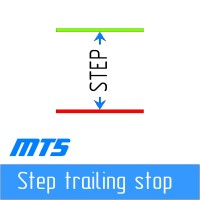
Step by step "Trailing Stop" The utility allows you to set the step of moving the "Stop Loss" following the price when using the "Trailing Stop" tool. Unlike the "regular" "Trailing Stop" available in the "MetaTrader" terminal, which allows you to set the "Stop Loss" movement in increments of 1 pip, this "Trailing Stop" is configured with any increment. This setting allows you to avoid closing positions during false trend reversals, when the price, after a long movement in one direction, reverse
FREE

ELSNA Trade Manager ELSNA Trade Manager is an on-chart, multi-panel trade execution and position-management dashboard for MetaTrader 5 (MQL5) It replaces scattered right-click menus and manual ticket entry with a single draggable, zoomable, themeable control surface that works on any symbol and any timeframe. What it does Order entry. A MARKET panel fires BUY/SELL orders with one click (optional confirm dialog, optional instant mode), sized by fixed lot , risk % of balance, or a fixed risk amoun
FREE
MetaTrader Market - trading robots and technical indicators for traders are available right in your trading terminal.
The MQL5.community payment system is available to all registered users of the MQL5.com site for transactions on MetaTrader Services. You can deposit and withdraw money using WebMoney, PayPal or a bank card.

You are missing trading opportunities:
- Free trading apps
- Over 8,000 signals for copying
- Economic news for exploring financial markets
Registration
Log in
You agree to website policy and terms of use
If you do not have an account, please register