 MetaTrader 5
 专家
专家
 指标
指标
 程序库
程序库
 实用工具
实用工具
 窗口小部件
窗口小部件
 规则
规则
免费的MetaTrader 5 交易实用工具 - 7
 以下是可在MetaTrader 5中简化交易的交易程序。将鼠标悬停在一个工具上,阅读它的描述和用途。
Copy trades with ease using the MetaTrader5 trade copier - the quickest and easiest way to copy transactions between different MetaTrader 5 accounts! This innovative tool allows you to locally copy trades in any direction and quantity, giving you full control over your investments.
Attention!
You need to download the Trade Copier Slave mq5 file as well to run this EA. Download it from here https://www.mql5.com/en/market/product/96541
Designed to work on both Windows PC and Windows VPS, this
FREE

Reward Multiplier is a semi-automatic trade manager based on pyramid trading that opens additional orders with the running profit of your trades to maximize return exponentially without increasing the risk.Unlike other similar EAs, this tool shows potential profit/loss and reward to risk ratio before even entering the first trade! Download full version here ( In the mini version. Starting lot is fixed at 0.01 (or minimum allowed lot size ) Guide + tips here MT4 version here You only open the
FREE

Gold-Trader Companion - Your Gold trading history has more to tell.
Gold-Trader Companion connects your MetaTrader 5 account to the Gold-Trader app (available in the Apple App Store and the Google Play Store), transforming your XAUUSD trading history into an organized journal with detailed performance and risk analysis. Rather than simply recording winning and losing trades, Gold-Trader helps you examine how you trade, under which market conditions your trades perform, and what risks you take
FREE

This tool will allow you to export the Historical data (Open, High, Low, Close, Volume) for any financial instrument present in your MetaTrader 5. You can download multiple Symbols and TimeFrames in the same csv file. Also, you can schedule the frequency of download (every 5 minutes, 60 minutes, etc.). No need to open a lot of charts in order to get the last data, the tool will download the data directly. The CSV File will be stored in the folder: \MQL5\Files .
How it works Select the Symbols t
FREE

免费获取我所有的 MT4 和 MT5 指标 — 点击这里了解方法
新工具 售价 $30 限于 首周 或 前 3 次购买 ! MQL5 Trading Tools 频道 : 加入我的 MQL5 频道,获取我的最新动态 Custom Indicator Buffer Analyzer 帮助识别 MetaTrader 5 中 Custom Indicator 使用的缓冲区索引和比较值。 当您想把外部指标用作 EA 的信号源,却不了解以下信息时,本工具很有用: 哪个缓冲区包含 Buy 信号。 哪个缓冲区包含 Sell 信号。 应该检查哪个数值来判断是否存在信号。 指标在无信号时使用 EMPTY_VALUE、0 还是其他值。 1. 准备 Custom Indicator 请将待分析的指标安装到: MQL5\Indicators\ 所需数据必须通过指标缓冲区提供。如果指标仅通过箭头、标签、文字、矩形或趋势线等图表对象显示信号,而不通过缓冲区提供相同数据,本工具便无法依据缓冲区索引识别这些信号。 2. 选择 Custom Indicator 输入待分析指标的路径。此路径
FREE

ZeroLogics . Basic tool for trade management, risk management, and planning, featuring visual levels, TPs, RR, lot sizing, profit/loss tracking, and draggable SL and TP, along with basic automatic per-trade options such as trailing stop, auto breakeven, and auto partials. It is a tool designed to simplify your trades — it is not a professional tool nor does it claim to be, and it includes 2 interface languages: ENGLISH and SPANISH.
Trade Manager Assistant Comprehensive User Guide and Technica
FREE

Introduction
Auto Chart Alert is a convenient tool to set alert for your trading in your chart. With Auto Chart Alert, you can set the alert line in one click in your desired location in your chart. You can even set alert over the sloped lines in your chart. Auto Chart Alert is a great tool when you have to watch out importnat support and resistance levels for your trading. You can receive the sound alert, email and push notification when the price hit the alert line at you desired location. Au
FREE

BOLETA ATA is a quick-execution trading panel for MetaTrader 5, built for manual traders who want to buy, sell, and manage positions without leaving the chart. Compact, straightforward, and with built-in protection automations. Main Panel Stop Loss and Take Profit with an on/off checkbox and an editable field — click and type the value directly, no need to open settings Lot size field (Qty) , editable at any time 3 clickable lot presets : a single click applies the value to the Qty field; a doub
FREE

WatchListPro — Watch list and Linker for MetaTrader 5 Developer / website: Tradingvyuga.com
WatchListPro is a MetaTrader 5 Expert Advisor: a ticker watchlist with a chart linker. Build working instrument sheets, switch the symbol on several charts with one click, save templates, and trade from a single hub.
It uses your broker's symbols (forex, crypto, metals, stocks, and more). Instrument selection is manual. Several open charts are recommended. It does not work in the Strategy Tester.
Featu
FREE

MORE FREE TOOLS ON THE WAY - LEAVE A REVIEW AND I WILL SEND THEM TO YOU FIRST. I am building a set of these and publishing them free. Session levels, structure tools, risk utilities - all free, all on this profile. Leave a review on this one and message me, and I will send you each new tool the day it is ready, before it goes on the Market. Reviews are the only way a free tool gets found here, so it genuinely helps - and it takes thirty seconds. Elysium Supply and Demand marks the zones price ac
FREE

Painel de Controle – Boleta Inteligente para Forex Descrição Geral do Sistema: Apresentamos o Painel de Controle – Boleta Inteligente para Forex , a ferramenta definitiva para traders que exigem agilidade, precisão e controle total sobre suas operações no mercado Forex. Com uma interface intuitiva e altamente funcional, este painel transforma sua plataforma MetaTrader em um centro de comando profissional, permitindo que você execute ordens, gerencie risco e monitore seus resultados em tempo re
FREE

Automatic Trade Protection EA For MT5 Overview Trade Equity Guardian is a lightweight, always-on Expert Advisor that continuously monitors all open positions on your account and automatically closes any trade that breaches your predefined risk thresholds. It acts as a safety net — protecting your account from oversized positions, runaway losses, or locking in profits when targets are hit. Attach it to any chart and let it run in the background. It works alongside your other EAs and manual trades
FREE

Take a Break FREE is the free version of Take a Break , the account protection and risk management tool for all your Expert Advisors. It pauses your EAs before news, after a daily loss or when your own rules say so, and lets them continue when the pause is over. What the free version does Daily loss brake: a fixed limit of -5% per day is always active (reset at 00:00 server time). When it triggers, one chart pauses. News filter for one chart symbol: pause before and after scheduled releases, cur
FREE
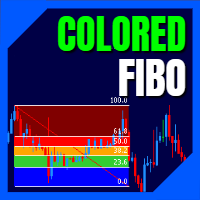
LT Colored Fibo is a simple indicator that paints the price zones between Fibonacci Retracement levels. Its configuration is extremely simple. It is possible to change the colors of each level of the retracement, choose between background or front of the chart and also work only with the current asset or all open. If you found a bug or have any suggestion for improvement, please contact me. Enjoy!
This is a free indicator, but it took hours to develop. If you want to pay me a coffee, I apprecia
FREE

Trade2Telegram — 一个用于将MetaTrader交易自动通知发送到Telegram的插件。 该工具适用于管理资金的交易者、运营信号频道的人员或领导教育社区的人。该插件会将终端中的所有交易操作复制并发布到选定的Telegram聊天、群组或频道中。 当开仓或平仓、止损或止盈水平变动、挂单触发或部分平仓时,消息会自动发送。 您可以自定义消息格式,包括:交易品种、交易方向、交易手数、开仓和平仓价格、止损/止盈水平,以及点数和金额的结果。它还支持添加标签和备注,并可选择服务器时间或本地时间。 该插件直接通过Telegram Bot API工作,无需任何第三方服务。连接方式非常简单,只需提供您的Bot令牌和目标聊天或频道的ID即可。 主要优势: 完全自动化的交易通知; 灵活的消息格式和发送频率; 支持所有订单类型; 可维护公开或私人的交易统计。 该插件非常适合信号频道、私募交易办公室、团队交易日志以及透明的实时交易跟踪。
FREE

K线终结者 - 精准把握每一秒的倒计时工具 核心摘要: 还在为不确定当前K线何时结束而焦虑吗?‘K线终结者’是您交易工具箱中不可或缺的利器!它通过一个清晰、直观的倒计时器,实时显示当前活跃K线剩余的精确时间,帮助您避免在K线转换的混乱时刻做出仓促决定,从而更从容地入场、离场或管理订单。 1. 产品概述 “K线终结者”是一款轻量级、高效率辅助指标。它的核心功能是 实时计算并显示当前周期下最后一根K线的剩余时间 。无论您是短线交易者、剥头皮高手还是波段操作者,这款工具都能为您提供至关重要的时间维度信息,让您的交易决策更加精准和自信。 它不仅是一个简单的倒计时器,它是一位无声的交易助手,是您提升交易精准度和专业度的秘密武器。在瞬息万变的市场中,每一秒都至关重要。 2. 主要功能与特点 实时精准倒计时: 在主图表上以清晰的大字体动态显示当前K线剩余的分钟和秒数,让您对时间流逝一目了然。 可定制化显示 :您可以随意将倒计时放到图表上任何不碍眼的位置。自定义字体尺寸、颜色,确保其与您的交易界面风格一致。 广泛兼容性: 支持所有时间周期,从1分钟图到月线图,适用于平台上的任何交易品种包括外汇、股票
FREE

All-in-One Visual Trading Panel, Risk & Partial Close Manager, Smart Charting Toolkit (LBT), R: R Lock, Virtual TP, Multi-Chart Sync, and Telegram Zone Alerts. TradingPanel With Tool Box is a complete trading workstation and smart charting assistant for MetaTrader 5. Designed for precision-focused scalpers, day traders, and Smart Money Concepts (SMC / ICT / Price Action) traders, it combines fast trade execution , multi-mode partial close management , and an advanced object styling & synchroniz
FREE

What Is Fibonacci Pilot Mini? Fibonacci Pilot Mini is a semi-automatic Expert Advisor for MetaTrader 5. It assists the trader in placing Fibonacci-based trades by automating the mechanical steps after the trader has identified the swing. The trader performs the analysis; the EA handles lot sizing, entry price calculation, stop loss, take profit levels, and order placement. Mini is the streamlined single-setup edition of Fibonacci Pilot Pro. It runs one trade setup at a time with a clean, minima
FREE

This script exports the economic calendar from MT5 as a .csv-file into the common directory of the terminal (...\Terminal\Common\Files). The generated file news.csv is necessary for using the news filter in back testing the Range Breakout Day Trader EA.
Input parameters: Currency symbol 1-9: Country currency symbol from which the news will be exported Date from: Start date from which the calendar data will be exported Date to: End date to which the calendar data will be exported News data: Incl
FREE
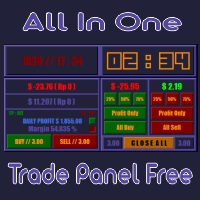
All In One (AIO) A2 Trade Panel EA made for you that like SCALPING, HEDGING, or LONG TIME TRADING. TRIAL VERSION, FOR DEMO ACCOUNT ONLY Features : TRADING INFORMATION Profit / Loss information (Customizable information - See on Attached Pictures) Margin Level information Equity information Total Lots Information Time information (Customizable information - See on Attached Pictures) Daily Profit / Loss Information TRADE MANAGER Close Buy / Sell Trade Close Buy / Sell Profitable Trade Close Parti
FREE

Trade Panel Pro is a powerful and easy-to-use trading utility designed for traders who need fast execution, accurate position sizing, and complete risk management directly from the chart. Whether you scalp on the 1-minute chart or swing trade on the 4H, Trade Panel Pro gives you the tools to manage trades with confidence and precision — all in one clean interface. Price will double after 5 purchases. Grab this offer Key Features Fast Trade Execution Open Buy/Sell positions instantly from the pan
FREE

Hide Scale - 为需要更多屏幕空间的交易员提供的工具 使用说明 按下“T”键隐藏时间刻度,按下“P”键隐藏价格刻度。 您可以通过单击相应的按钮并在键盘上键入新键来自定义这些键。 要同时隐藏两个刻度,您可以将同一键分配给两个选项。 要重新显示刻度,只需再次按下相应的键即可。 为什么创建这个工具 我们创建这个 Hide Scale 工具的目的是为了帮助使用我们的 Sweet VWAP 指标的交易员获得更多屏幕空间。 我们的想法是为所有面临屏幕空间限制的交易员提供一个更舒适和高效的工作环境。 这个工具对于使用价格行动的交易员特别有用,因为他们通常只需要观察蜡烛的形成和价格的走势。 使用我们的工具,只需按下一个键即可隐藏刻度,再次按下该键即可显示刻度。 这样,交易员可以集中精力分析市场,专注于最重要的事情。 自定义键位 要自定义键位,只需单击相应的按钮并在键盘上键入新键即可。 请确保选择一个在您的平台中未被其他功能使用的键。 了解更多关于我们的信息: 立即提高您的市场分析能力! 使用我们的免费Metatrader 5的 VWAP指标 ,您将在金融市场中拥有竞争优势。结合市场上最重要的
FREE

QUANITION EA PERFORMANCE DASHBOARD PRO — 你的交易尽在一屏。哪台机器人在撑起账户、哪台在失血,以及背后的月份,都画在图表上。 余额是平均值,平均值会掩盖真相。本面板读取已平仓交易,再按 Magic Number 把那个数字拆开。 这是免费版。在实盘账户的实图表上运行,而不只在策略测试器中。 首次使用 在 MT5 中于 工具 → 选项 → Community 登录你的 MQL5 账户。 打开 导航器 → Market ,找到本免费产品并下载。 从 导航器 → 指标 拖到在线终端的图表上。 面板打开即表示安装完成。当 MT5 有相关账户历史或持仓时会出现行。选择 ALL 或 TODAY 。本免费产品无需购买。 问题 MetaTrader 只给你一个数:账户盈亏。跑三台 EA,这个数也说不清是谁赚的——或谁在静静失血、别人在替它遮掩。 做什么 读取交易历史与持仓,按 Magic Number 分组,并以半透明全屏 HUD 画在图表上——若你喜欢也可换成紧凑角落面板。 Magic Number 行如何归属 一行对应开仓该仓位的 Magic Number,
FREE

Trade Panel by RWBTradeLab
Trade Panel is an on-chart panel for MetaTrader 5 that places market, pending and straddle orders and manages the open trades of the chart symbol.
Overview
The panel sits on the chart and has six tabs: Trade, Manage, Settings, Account, Help and About. Every value you set is saved for each symbol, so a chart keeps its own lot, stop loss, take profit and switches after a restart. The panel can be dragged anywhere on the chart and minimised to its title bar.
The pane
FREE

This application is now replaced by Ofir Notify Light Edition (Free) or Ofir Notify (paid).
Thank all for your positive feedbacks.
Telegram Alerts is a tool which send alerts on trades to Telegram Alert on any event concerning a position : Opening, Closing, modification (SL, TP) Alert on Equity change Display Risk, Reward and progress of profit/lost for each position Send signals from your indicators or experts Multi-lingual If you are facing any issue using this utility, please contact me to
FREE

Set & Forget Limit Order Desk for MT5 CGE Trade Desk is a chart-driven limit order EA built for prop firm traders who need to plan trades, manage risk, and protect their accounts from costly mistakes. The EA combines visual trade setup, automatic position sizing, multi-take-profit splitting, SMC killzone and OTE tooling, and a full prop-firm protection layer into one workflow. Drag your entry, stop, and take-profit lines directly on the chart, then click PLACE — the EA handles lot calculation,
FREE

Bot-utility.
Tracks the total balance on the trading account - that is, it works on all symbols and with magic number.
Has a parameter: Balance Stop, % - balance trailing, as a percentage of the balance
I created Balance Risk Bot specifically for Candle Bot , which will close all positions if the total deposit drops as a percentage.
All Information can find there
in Telegram
and My Broker XM
Live Signal Signal
FREE

MT5 to Telegram Signals
This utility is simple to use and supports a wide variety of settings: Pick your desired Telegram group and enter the bot token and the chat id Get notified when orders are placed, modified, executed, closed… or any combination of states Connect your broker account with Telegram and stop missing important notifications. Would you like to receive Telegram notifications? Are you looking for a simple way to share trade signals with your followers? Do you need to start docume
FREE

Trade Panel QuantumAlgo — MetaTrader 5 专业风险与交易管理工具 QuantumAlgo Trade Panel 是 MetaTrader 5 的专业 交易工具 ,结合机构级风险管理与一键执行。专为剥头皮、波段交易者和 Smart Money 概念交易者设计。 为什么交易者选择 QuantumAlgo Trade Panel 一键交易执行 ,自动计算手数 基于 风险百分比 的仓位计算 图表上可视化拖放 SL/TP 线 自动 R:R 显示 多个 TP(TP1、TP2、TP3)部分平仓 自动 Break-Even 和 Trailing Stop 品种与点差信息 账户净值、余额和浮动盈亏面板 专业界面 可与任何 EA 或手动交易并用 核心功能 按风险计算手数 可视化 SL/TP 多 TP 部分平仓 保本 追踪止损 一键平仓 Magic Number 过滤 推荐设置 平台: MetaTrader 5 品种: 任意 账户类型: Hedging 或 Netting VPS: 可选 设置: 默认 ️ 重要 — 防诈骗 本工具 仅通过 MQL5.com 发布 。外
FREE

描述: VPS Health Check EA 是一款 MetaTrader 5 实用程序,旨在监控与经纪商的连接并及时提供有关连接状态的通知。此工具可确保您立即获悉任何连接问题,从而帮助维持交易活动的稳定性和可靠性。 特征: 连接检查模式: 选择检查每根新蜡烛的连接或一天中的特定时间的连接。 可自定义的时间: 设置计划连接检查的精确小时和分钟(24 小时格式)。 实时通知: 通过 MetaTrader 5 应用程序接收有关连接状态的即时通知。 信息显示: 直接在图表上查看最后的通知时间和消息,以便于参考。 输入: 模式: 选择连接检查的模式 Check_On_Each_Candle - 当图表上出现新蜡烛时将触发通知。 Check_At_Particular_Time- 默认选项,将在指定的经纪商时间(默认为 14:00)每天检查。 检查时间: 设置定期检查的时间(24 小时制)。 检查分钟: 设置定期检查的分钟数。 使用说明: 将 EA 附加到图表: 将 VPS 健康检查 EA 添加到 MetaTrader 5 中的任何图表。 如果您使用加密货币进行交易并且需要周末的 V
FREE

Practice Prop Firm Challenges Risk-Free
Bneu Prop Firm Simulator FREE is a simulation utility for MetaTrader 5 that allows traders to practice prop firm challenges on demo accounts before risking real money on actual challenges. Track your progress, monitor rule compliance, and understand how prop firm rules work in real-time.
Why Use a Prop Firm Simulator?
- Practice challenge rules on demo accounts before paying for real challenges - Understand how daily loss and drawdown calculations work
FREE

自动将 MT5 中的交易开仓、平仓以及部分平仓的实时通知发送到 Discord。 该工具支持 16 种语言:English、French、German、Indian (Hindi)、Indonesian、Italian、Kazakh、Korean、Dutch、Polish、Portuguese、Russian、Spanish、Turkish、Ukrainian 和 Vietnamese。该产品适用于需要在不持续监控终端的情况下接收 Discord 通知的交易者。它适合使用 Expert Advisor 的用户、同时交易多个品种的交易者以及 VPS 用户。 系统能够正确识别全部或部分平仓(例如:0.10 / 0.30 手),并且具备防止重复消息的功能。 通知可以针对交易账户中的所有品种发送,也可以仅针对挂载该工具的图表品种发送(可选)。
图表上提供 Test Discord 按钮用于测试聊天功能,设置完成后可以将其隐藏。 同时新增 Send open positions 按钮,可将当前所有未平仓交易以表格格式发送到 Discord。 通知内容:
开仓通知包括:交易品种、交易手数、交易方向
FREE
Session Timers (MT5) Session Timers adds a clean ribbon at the bottom of the chart showing the time until open and time until close for major FX sessions. While a session is open, a progress bar fills in real time. Vertical separators also mark session open and close directly on the chart. This is a charting utility; it does not provide trading signals and does not guarantee any profit. Sessions covered Sydney Tokyo Frankfurt London New York Main functions Countdown to each session’s next open/
FREE

Ritz Conspiracy 16 – Multi-Layer Market Intelligence System Ritz Conspiracy 16 adalah indikator analisis pasar multi-layer yang menggabungkan 16 indikator teknikal utama ke dalam satu panel visual terpadu.
Dirancang dengan konsep market intelligence , indikator ini bekerja seperti pusat komando yang membaca perilaku pasar dari berbagai sudut: trend, volatilitas, momentum, volume, hingga struktur harga. Dengan pendekatan “konspiratif”, indikator ini menghubungkan jejak kecil dari 16 algoritma unt
FREE

OrderCanvas 是 MetaTrader 5 的图表交易与就地复盘工作台,把手动交易、风险算仓、持仓防守、历史回测与净值复盘全部搬到同一张图表上:先选方向,入场、止盈、止损以草稿线的形式出现在图上,在图上调整好之后再发送订单。
日常交易里改变了什么(触发动作 → 自动结果) • 按止损距离秒算手数:输入单笔风险金额(如 $100)或余额百分比(如 1%),在图上拖动止损线 → 开仓手数随止损距离毫秒级自动重算,彻底告别按计算器算手数。 • 不用每单都弹出下单窗口:直接拖动图上订单线(松开即生效),或直接在线上的价格框里输入数字即可改价。 • 持仓线一键防守与拖拽分批:保本(自动计入双边手续费与隔夜利息)、部分平仓、反手、平仓都是持仓线上的按钮;按住持仓线上的「半」字往外拖出,即可直接在图上设置最多 3 档分批止盈或分批止损。 • 当前图表就地历史回测:不用另开策略测试器窗口,在工具栏点「回测模式」选定日期,当前图表直接按 1 tick / 1 秒 / 1 分钟 / 5 分钟回放经纪商历史,使用独立虚拟账户练习画线交易与分批平仓。 • 不用导出报告也能看深度统计:图下独立窗格按
FREE

Candle Countdown Timer - Optimized Edition
Overview
Candle Countdown Timer is a lightweight, high-performance indicator that displays the exact time remaining until the current candle closes. Designed with efficiency as a top priority, this indicator provides traders with essential timing information without consuming unnecessary system resources.
Whether you're a scalper watching every second on M1 charts, a day trader timing entries on H1, or a swing trader monitoring daily candles, this i
FREE

Elevate your trading precision with the ultimate Multi-Timeframe (MTF) Candle Countdown Monitor . Built for professional traders, this indicator is not just a standard timer—it is a powerful, fully interactive dashboard featuring a dynamic mini-chart, custom alerts, and a cutting-edge DPI-Aware Scaling Engine. Whether you are trading on a compact laptop or a massive 4K multi-monitor setup, this indicator perfectly adapts to your screen, providing a flawless visual experience. "Simplify your tra
FREE
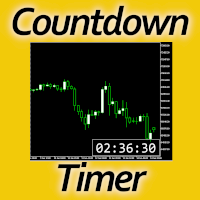
Timing can make the difference between a winning and a losing trade. Therefore, a bar countdown display is a must-have tool for any trader. Knowing exactly how much time is left, before the current bar will close, certainly helps decision-making in real time. Technical detail: This indicator uses the MQL5 function "OnTimer", ensuring the accurate measure of each passing second, rather than relying on the flow of incoming tick information from the server. Most other countdown indicators for MetaT
FREE

AI Economic Calendar News Filter reads MetaTrader 5's built-in live economic calendar and automatically protects your account around high-impact news events for the currencies involved in the chart's symbol. Key features: Uses the native MQL5 economic calendar (CalendarValueHistory) - no external news feed or subscription needed Automatically detects high-impact events for the symbol's base and profit currency Configurable blackout window before and after each event Optionally closes your own op
FREE

Apex MTF Panel
A clean, standalone multi-timeframe RSI/MACD dashboard that instantly shows buy, sell, or neutral confluence signals across your chosen timeframes in a compact horizontal layout. TF names sit directly above signals with matching colors for instant readability. Fully customizable signal colors, live font-size adjustment, corner positioning, and smart “loading” state ensure performance on any chart. Support and questions via MQL5 product comments. For questions, updates, and to conn
FREE

StealthTrade Commander 是一款高级可视化交易面板和风险管理工具,专为手动交易者、剥头皮交易者(Scalpers)和自营交易公司(Prop-Firm)挑战者设计。 该工具可帮助您直接在图表上可视化执行交易,向经纪商隐藏您的止损(SL)和止盈(TP)水平,并严格控制您的每日回撤——这是通过和保留 Prop-Firm 资金账户的关键功能。 主要功能: Risk Guardian(自营交易保护器) 每日最大亏损限制: 如果您的每日回撤达到指定限制,自动平仓所有交易并锁定面板。 每日利润目标: 一旦达到您的每日目标,即平仓所有头寸以锁定利润。 精准手数计算: 根据您的可视化止损和预设风险(%、$ 或账户净值)计算确切的交易手数。 Stealth & Tactical Engine(隐身与战术引擎) 隐身模式: 向经纪商隐藏真实的 SL 和 TP 水平。面板在内部管理它们,并在价格穿过您的虚拟线时精准平仓。 幽灵入场(虚拟挂单): 放置隐形挂单,仅在价格触及您的线条时触发。 OCO 订单(选择性委托单): 突破交易的完美选择。当一个挂单被触发时,相反的挂单将自动删除。 价格磁
FREE

EA可以通过搜索并平掉盈利仓位来平掉无利可图的仓位 。
该助手 在所有位置中 寻找 终端中 最 无利可图的位置 。 进一步地,通过搜索剩余的盈利头寸,他计算出当一个或多个头寸的 利润 大于另一个头寸的损失时可以弥补损失的一系列头寸。 如果找到一组此类头寸,顾问就会将其平仓。 一系列位置可以由任何位置组成。 它们的最大数量可以在顾问设置中调整。 您还可以指定搜索的最小损失和平仓的额外利润。 MT4版本
详细描述 如何购买
如何安装
如何获取日志文件 如何测试和优化 Expforex 的所有产品 您可以在策略测试器中测试 Expert Advisor,并在可视化模式下使用我们的 EAPADPRO 工具栏进行交易! 近减加加在图表上的工作原理 认为 您以 1.600 的价格开设买入 #1 仓位; 价格跌至 1.550 ,目前亏损 -50点; 盈亏平衡点(平均价格)= 1.600 ; 如果我们打开 SELL #2、Sell #3 和 Sell #4; EA 交易开始执行主算法。 那么总利润将为+5$; 智能交易系统 (EA) 激活算法,并且必须平仓
FREE

Bulk Comport Manager is an lightweight yet useful EA utility. It helps you: - Modify TP and SL in bulk according to price levels or pips (points). - Modify TP and SL for all positions or for individual BUY and SELL positions . - Close all BUY or SELL positions, or all positions . - Move to the break-even point when the price moves X points (set in the input). - Start trailing when the price moves X points (set in the input). - Set the trailing price increment (set in the input). - Minimize/Maxi
FREE

Position Size Companion – Interactive Risk & Lot Calculator for MT5
Position Size Companion is a professional, chart-based position sizing tool designed for traders who demand precision, speed, and visual clarity when managing risk. It is fully suitable for both Forex markets and synthetic instruments such as Volatility indices (e.g., V75), and similar symbols.
With this tool, traders can bid farewell to constantly using external or built-in GUIs that require manual input of entry and stop-l
FREE

---คำเตือน EA ตัวนี้เหมาะสำหรับโบรคเกอร์ที่ Slippage ต่ำ--- EA ตัวนี้ถูกสร้างมาด้วยหลักการ Long Straddle ของ Option ที่จะวาง Position ดักทางทั้ง 2 หน้า หากราคาไปทางใดทางนึงจนเกินระดับราคา Break Event จะกำไรไม่จำกัด เเต่ถ้าราคาผิดทางจะขาดทุนแค่ค่าพรีเมี่ยม ดังนั้นเมื่อข่าวออกการที่กราฟฉีกตัวไปทางใดทางนั้นบน Option สามารถสร้างกำไรได้ทันที แต่เนื่องจากการเทรด XAUUSD Spot CFDs ไม่ได้มีหลักการขาดทุนเเค่ค่าพรีเมี่ยม การ ฺ Buy Sell สามารถกำไร/ขาดทุนได้ไม่จำกัด ดังนั้นการเทรดข่าวด้วยเครื่องมือ EA News
FREE

AutoRiskManage v2.3 — Documentation Expert Advisor — MetaTrader 4 & 5 AutoRisk Manage v2.3 Automated risk management EA with interactive graphical panel. Applies SL/TP, Break Even, Trailing Stop, and lot size calculation by risk percentage — for any instrument, any broker. MT4 / MT5 v2.3.0 MQL4 · MQL5 C2C + B2C Time Space Technology Overview AutoRiskManage is an Expert Advisor that acts as a risk management layer on top of any manually opened position. It does not generate trading signals — i
FREE

Noetrix Partial TP Noetrix Partial TP is a visual trade and exit-management utility for MetaTrader 5. It allows discretionary traders to divide an open position across up to five partial take-profit levels, adjust exit levels directly on the chart and monitor the remaining position volume. The utility does not generate trading signals. It does not open positions without an explicit user action. Main functions Management of one to five partial take-profit levels Allocation of the original positio
FREE
Have you ever been in a situation when you could not control the chart conveniently or had to make additional clicks to be able to scroll the history or set the scale fix numbers manually to be able to stretch the chart? Features: Chart centering. Automatic scale fix. Automatic scroll control. This tool is one of many features included in "Trading Essentials" utility application, which can be found on mql5.com
FREE

FOREXBOB AUTO CLOSER is a very handsome tool for :- Scalping Correlation Hedging Those who use averaging methods As this utility tool will help you by closing all your running trades when the universal floating P/L reaches a certain value that you will put in inputs. This tool consider all the trades that running on the your account either opened MANUALLY or with help of an EA.
Inputs USD - Put numeric value for required profit Group Mode - False Magic No. - Zero (0) to consider manually opene
FREE

A manual trade manager with a live on-chart preview. Plan every trade visually: entry, stop and up to four take-profits appear as draggable lines with filled risk/reward zones — lot size, R-multiple and money value update in real time. One click places it all. Market, Limit and Stop orders at the press of a button Position sizing by percent, money risk or fixed lot Up to 4 partial positions, each with its own TP and a shared SL Stop by pip/ATR distance or anchored to the last swing high/low Auto
FREE

Price Ray indicator is a utility that will improve the way you trade. Primarily, it shows the Bid, Ask or Last price as a line ray which beams till the current candle, last visible chart candle or extended to all candle bars. The enhanced features in this indicator provide information in an area where you focus most, right next to the current candle. You can select text to be shown above or below the Price ray. The indicator is fully customizable, allowing it to fit any strategy requirements. Th
FREE

Arixis Strategy Analyzer — Understand How Your Trading System Behaves
Arixis Strategy Analyzer is a professional MetaTrader 5 analytics tool designed to transform raw trading history into a clear and structured behavioral profile of your trading system. Instead of simply showing profit, loss or basic account statistics, Arixis Strategy Analyzer studies how positions are actually opened, expanded and closed. It reconstructs trading campaigns and baskets from observable MT5 activity and analyzes
FREE

这是什么
Execution Caliper 是一台测量仪器,不是交易机器人。它挂在一张图表上,测量您的账户在该品种上收取多少执行成本,然后把这笔成本除以您打算运行的那个EA的止损宽度。得到的是一个比率,也就是成本占止损的比例。它不发送订单,不开仓,也不触碰终端上属于其他EA的任何东西。它同样不对盈利做出任何声称。我们不说它会让您盈利、更安全或者成绩更好。它只是在您用昂贵的方式弄明白之前,告诉您您的账户收取了多少。
它为什么存在
本段的数字不是我们的。它们来自他人EA的公开 MQL5 信号,由我们自己根据其导出的成交清单重新计算;信号编号、重新计算的过程,以及对我们自己早先表格的更正,都写在本站的作者博客里。其中两个信号在两家不同的经纪商上运行同一个EA。把交易一对一配对得到 760 组,两家经纪商为该EA的进场成交的价格相差的中位数是每盎司四美分;在两个账户都在几分钟之内平仓的那些组里,进出一个来回的差价中位数为零;整个差距不到该EA一笔典型亏损交易的百分之一。四美分对于以美元计的止损来说很小。同样的成本对于只有十几个点宽的止损来说就不小了,因为一个来回的成本不会随着止损变窄而
FREE

PowerTech Fast Open Close PRO High-speed execution utility, asynchronous bulk closing engine, automated risk sizing, and drawdown protection controls engineered natively for MetaTrader 5 (MT5). Built specifically for Prop Firm Challengers, Scalpers, News Traders, and Discretionary Day Traders, PowerTech Fast Open Close PRO eliminates complex order entry windows and emotional trade management. It provides a compact, interactive trading dashboard directly on the chart: automated lot calculation b
FREE

MT-Radar — 用手机免费监控 MetaTrader 终端
想知道您的智能交易系统是否在运行、终端是否保持连接,又不想每次都通过 RDP 登录 VPS?
MT-Radar 在一个安全的网页面板中显示您所有 MT4/MT5 终端的状态。在手机、平板或任何电脑上打开它,几秒钟内即可确认一切运行正常。
MT-Radar 显示的内容: 账户和终端 — 账户信息和终端基本信息 日志 — 实时查看终端日志和专家日志 市场报价 — 您市场报价窗口中交易品种的报价 图表和智能交易系统 — 打开图表,查看在其上运行的 EA 的状态 所有终端集中在一个面板 — 不同电脑和 VPS 上的 MT4 和 MT5 隐私与安全
端到端加密 — 数据在本地 MTAgent-Radar 与网页面板之间的整个传输路径上都经过加密。中继服务器只转发加密流量,无法读取其内容。
密钥只属于您 — 加密密钥由您的个人密码生成,绝不会发送到任何服务器或第三方。
无入站端口 — MTAgent-Radar 以普通用户权限运行,不开放任何入站端口。
代码干净 — EA 不使用外部 DLL,不发送网络请求,也不执行任何交易
FREE

Risk Calculator and Order Lines calculates position size from your chosen risk and places orders from the chart. Set the entry, stop loss and take profit using draggable lines, then review the volume and estimated outcome before confirming the order. Risk can be entered as a percentage of balance, a percentage of equity or a fixed amount in account currency. The panel displays estimated risk and reward in money and percent, the reward to risk ratio, required margin and spread cost. A separate in
FREE

This custom indicator enhances your MetaTrader 5 trading experience by adding an intuitive crosshair tool that follows your mouse's movement across the chart. Here's what it does:
1. **Real-Time Mouse Tracking**: As you move your mouse over the chart, the indicator dynamically draws a crosshair on the exact point your cursor is hovering over. This crosshair consists of two lines—a horizontal and a vertical line—that intersect at the current mouse position.
2. **Precise Data Reference**: The c
FREE

Free daily loss limit and daily drawdown lock for MetaTrader 5 — built for prop-firm challenges and anyone who wants a hard stop for the day.
WHAT IT DOES
When today's loss reaches the limit you set, the Limiter:
- closes your open positions,
- deletes your pending orders,
- closes any new trade you open, until the next daily reset.
It never opens a trade and gives no signals. It is a discipline tool, not a trading robot.
WHY IT HELPS
A daily loss rule is easy to break by accident: one revenge
FREE

Sharing-Is-Caring Trade Copier
Features Local & Remote copy One tool can act as provider or receiver of trades Co-exist with other positions opened manually or from other expert advisors Can be stopped and restarted at any time without any issues such as deals getting closed mysteriously Copy same lot or adjust according to your balance and leverage Partial close/open Manage max funds to use One provider can copy to unlimited number of receivers One receiver can copy from unlimited number of p
FREE

TradingLab Trade Panel - 产品描述 TradingLab Trade Panel - 专业的全合一交易界面 将您的 MetaTrader 5 转变为专业的交易指挥中心 概述 TradingLab Trade Panel 是一个全面的交易叠加界面,用一个直观的界面替换多个手动操作。专为自由裁量和系统性交易者设计,它结合了视觉订单放置、自动化风险管理、高级仓位控制和灵活的追踪策略——所有这些都在一个优雅的、受 TradingView 启发的深色主题中。 主要功能 视觉订单放置 直接在图表上拖放入场、止损和止盈线 实时重新计算手数大小,因为您调整价格水平 自动检测订单类型(市价、买入/卖出止损、买入/卖出限价) 在执行前查看确切的美元风险和回报 自动化风险管理 一键选择风险百分比(0.5%、1%、2%) 可调滑块从 0.1% 到 10% 每笔交易风险 基于账户权益和止损距离的自动手数大小 回报:风险比率锁定在调整止损时保持纪律 点差监测,当条件恶化时有视觉警报 高级仓位管理 部分关闭选项:25%、50% 或 75% 仓位减少 一键保本以锁定受保护利润 即时反转仓位并调
FREE

Signalator Lot Size Evaluator MT5 是一款免费的本地 MetaTrader 5 工具,专为希望在手动下单前估算交易手数的交易者设计。 您可以根据所选交易品种、BUY 或 SELL 方向、计划入场价格、Stop Loss、可选 Take Profit 以及风险百分比来规划交易。计算器结合当前账户信息和经纪商提供的交易品种规格,估算建议手数以及主要风险数据。 使用流程非常简单:定义交易参数 → 选择账户风险水平 → 查看建议手数和经纪商交易条件 → 如果交易设置合适,再手动执行交易。 Signalator Lot Size Evaluator MT5 是 Signalator Trading and Analysis Ecosystem 的一部分。这是一个不断扩展的实用 MetaTrader 工具系列,涵盖交易准备、交易品种与经纪商分析、账户监控、持仓管理以及日常交易工作流程优化。 Lot Size Evaluator 可以作为独立的专用工具使用,适合只需要在交易前进行仓位大小和风险计算的交易者。相同的功能也已经集成到功能更全面的 Signalator Tr
FREE

Price Alert MT5 — 一次购买,终身提醒。
曾几何时,要想在市场中保持领先,就得订阅那些昂贵的平台……
这里 20 美元,那里 50 美元 — 只是为了每天收到几次提醒。你不是在为价值买单,而是因为没有其他选择。直到现在。
由一位交易者为交易者打造,此工具让你可以自由设定任何价格提醒——也可在价格进入你关注的区域时,毫秒级收到通知。
想象一下:在你的图表上设定价格区间,离开电脑,价格一进入区域,你就第一时间收到实时提醒。不再错过行情,也无需月付订阅费。
为什么选择 Price Alert MT5? 自定义价格提醒,完全依据你的交易水平 不再支付有限数量的通知费用 一次购买,终身使用 由真实交易者开发,而非只想绑定你订阅的公司
无论你是关注价格行为、供需区还是支撑阻力区域——
Price Alert MT5 不只是另一个指标。
它是交易者的“无声助手”,替你监视图表,只在关键时刻提醒你。
因为聪明的交易者不会追逐市场——他们会等待市场来到他们身边。
FREE

Candle Timer is a lightweight, non-trading utility that shows you exactly how much time remains before the current candle closes — no more guessing, switching tabs, or checking the clock. A clean gold countdown badge with bold black text sits on your chart and updates in real time, using your broker's server time for accuracy. Whether you're scalping M1 or watching a Daily close, you always know precisely when the next candle begins. Features: Real-time countdown (mm:ss / hh:mm:ss) to the next c
FREE

Buffer Finder MT5
Is a custom technical Utility for MetaTrader 5, designed to inspect and analyze buffers of other indicators for EA integration, signal detection, or debugging. Support and questions via MQL5 product comments. For questions, updates, and to connect with other traders, join my official MQL5 group ForexEAandMore Major update in Version 1.2 All update Infos in the first comment. You can check now the indicator directly without loading in the chart by filling the exact indicator
FREE

Sentinel Trade Manager is a free, premium trade panel for MetaTrader 5. It does the one thing every trader needs and most people get wrong: it sizes your position by RISK, not by guesswork. HOW IT WORKS Drag three lines on the chart - Entry, Stop and Target. The panel instantly shows: - the exact LOT for your chosen risk, - your risk in money AND in % of balance, - the reward and the R:R ratio, - the stop and target distance in pips. Set your risk once (as a % of balance, a fixed money amount, o
FREE

Sessions and News Panel
An on-chart dashboard that shows the world's trading sessions and the economic
calendar in real time, plus an optional News Guard that can protect your account
around high-impact news.
This is a utility / information panel. It does NOT open trades on its own and it
is NOT a signal system. Its only trading action is the optional News Guard, which
can cancel pending orders and/or close open positions around scheduled news - and
only when you explicitly enable it.
-------
FREE

NOTE : The walkthrough GIFs on this page were recorded on an earlier build, so they show the old plain-text status instead of the new PFX status panel. Updated GIFs showing the new panel are on my list for the next update. Everything else works exactly as shown.
STOP COPYING TRADES INTO SPREADSHEETS. FOREVER. Every serious trader knows a journal is what separates guessing from improving. And almost nobody keeps one - because typing trades into a spreadsheet after a long session is the last thin
FREE

There are plenty of updates coming, so bear with me as I continue building and refining it. I’ve got big plans for this one! Your whole trading setup on ONE screen. Every terminal. Every broker. Every prop account. Every chart. See it all, name it all, and run it all from one dashboard. Free - no DLL, no internet, no subscription.
If you are like me and trade across multiple terminals, multiple brokers and prop firms, with multiple charts on every terminal - this one is for you.
You know the
FREE

Smart Symbol Changer & Multi-Chart Sync Stop wasting time manually changing symbols on every chart. The Smart Symbol Changer is not just a button panel—it is a complete workspace management tool designed for professional traders who monitor multiple assets (Forex, Crypto, Indices) across multiple chart windows. Why this is the best Symbol Changer for MQL5: Most symbol changers are messy and clutter your screen. This tool features a Smart Auto-Grid that automatically sorts your symbols alphabetic
FREE

BOS VECTOR TRADE MANAGER — FREE Simple Manual Trade Control for MetaTrader 5 BOS VECTOR TRADE MANAGER is a free MT5 utility designed to make manual trade execution and position management faster, cleaner and easier directly from the chart. It does not require BOS VECTOR EA and can be used completely on its own. The aim is simple: Give the trader practical trade-management tools without turning the chart into a huge dashboard. -------------------------------------------------- WHAT IT D
FREE
MetaTrader市场是一个简单方便的网站,在这里开发者可以出售自己的交易应用程序。
我们将帮助您发布您的产品,并向您解释如何为市场准备您的产品描述。市场上所有的应用程序都是加密保护并且只能在买家的电脑上运行。非法拷贝是不可能的。
