 MetaTrader 5
 エキスパート
 インディケータ
 ライブラリ
ライブラリ
 ユーティリティ
 ウィジェット
 ルール
ルール
YouTubeにあるマーケットチュートリアルビデオをご覧ください
ロボットや指標を購入する
仮想ホスティングで
EAを実行
EAを実行
ロボットや指標を購入前にテストする
マーケットで収入を得る
販売のためにプロダクトをプレゼンテーションする方法
MetaTrader 5版無料取引ユーティリティ - 7
 以下はMetaTrader5での取引を簡素化する取引プログラムです。ユーティリティにカーソルを合わせると、その説明と目的が表示されます。
Manual ATR Grid Manager is a manual trading system for gold (XAUUSD) that lets you choose your entry and then hands the ongoing trade management to the EA. Place a market buy or sell, or a buy/sell limit or stop order, directly from the chart. Set your lot size and entry price, with on-screen instructions guiding each step. Once the position opens, the EA manages its profit target. If price moves against you, an adjustable ATR-based grid can add positions at intervals that respond to market vola
FREE
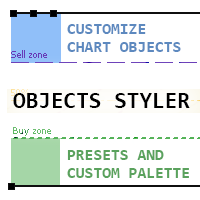
Objects Styler は、チャート上で標準的なグラフィックオブジェクトのプロパティを直接編集するための コンテキスト対応パネル を提供するユーティリティです。その主要機能は、ユーザーが複雑なスタイルセットをオブジェクトに保存・管理・即時適用できる強力な テンプレートシステム です。 主な機能 インターフェースと操作 コンテキスト起動: グラフィックオブジェクトをクリック(または Shift + クリック)することでパネルが起動します。すべての標準オブジェクトとそのほとんどのプロパティに対応しています。 ドラッグ可能なインターフェース: パネルはチャートの任意の場所に自由に移動できます。 ポップアップウィンドウ: スタイル選択、カラーパレット、タイムフレームリストなどの追加オプションはコンパクトなポップアップウィンドウで開き、メインインターフェースをすっきりと保ちます。 テンプレート管理システム スタイルの保存と適用: オブジェクトのプロパティの完全なセットを名前付きテンプレートとして保存できます。テンプレートはワンクリックで適用されま
FREE

Bot-utility.
Tracks the total balance on the trading account - that is, it works on all symbols and with magic number.
Has a parameter: Balance Stop, % - balance trailing, as a percentage of the balance
I created Balance Risk Bot specifically for Candle Bot , which will close all positions if the total deposit drops as a percentage.
All Information can find there
in Telegram
and My Broker XM
Live Signal Signal
FREE

MT5 Account Protector Basic Account Protector Basic is a streamlined risk management tool for MetaTrader 5 (MT5) that helps traders safeguard their accounts with clear, customizable limits.
Designed for simplicity and reliability, it ensures that trading remains disciplined and capital is protected. This EA closes all trades once the maximum loss is reached either in value or account percentage. It is especially useful for those trading prop funds account. Key Features:
Loss Selection You can
FREE

AIT AI Trading Terminal AIT AI Trading Terminal 是一款面向 MetaTrader 5 的多维市场分析与风险辅助 EA。 它将趋势、市场结构、成交量分布、订单块、FVG、技术指标和风险控制集中显示在同一张图表上,减少在多个指标之间来回切换的操作。 本产品重点是帮助交易者更快地了解当前市场状态、关键价格区域和风险条件。它不会保证盈利,所有信号和分析结果都应结合个人交易计划进行判断。 主要功能 1. 多维市场分析 系统会综合分析当前交易品种的市场状态,包括: 趋势方向 市场结构 支撑位与压力位 波动率 RSI EMA ATR 成交量信息 多空强弱 风险状态 分析结果直接显示在图表面板中。 2. 市场结构识别 自动识别重要价格结构,包括: HH — 更高高点 HL — 更高低点 LH — 更低高点 LL — 更低低点 BOS — 结构突破 CHoCH — 市场结构变化 帮助用户更直观地观察趋势延续和潜在结构变化。 3. Order Block 订单块 系统可以自动识别并绘制潜在的订单块区域。 支持: 多个订单块显示 订单块有效期控制 距离过滤 位
FREE

StealthTrade Commander(ステルストレード・コマンダー) は、裁量トレーダー、スキャルパー、およびプロップファーム(Prop-Firm)挑戦者のために設計された、高度なビジュアル取引パネルおよびリスク管理ユーティリティです。 このツールを使用すると、チャート上から視覚的に直接取引を実行し、ブローカーからストップロス(SL)とテイクプロフィット(TP)のレベルを隠すことができます。また、1日のドローダウンを厳密に管理でき、これはプロップファームの資金提供口座の審査を通過し、維持するために不可欠な機能です。 主な機能: Risk Guardian(プロップファーム保護機能) 1日の最大損失制限: 1日のドローダウンが指定された制限に達した場合、すべての取引を自動的にクローズし、パネルをロックします。 1日の目標利益: 1日の目標に達するとすべてのポジションをクローズし、利益を確保します。 正確なロット計算: 視覚的なストップロスと事前に定義されたリスク(%、$、または口座有効証拠金)に基づいて、正確なロットサイズを計算します。 Stealth & Tactical En
FREE

Spacing Audit measures the grid spacing your EA REALLY uses, from its own closed trades, not from its inputs and not from the gaps between open layers. Why: I spent a week believing my grid used ATR-based spacing because UseATR was true. It did not. Every pair sat on the minimum-spacing floor, 2.8x to 5.1x tighter than intended, and the book kept clogging. The inputs said one thing; 1,120 closed trades said another. The method: in a grid where each layer carries a take-profit one spacing away fr
FREE

High-impact news is where spreads blow out, stops get hit on spikes, and orders fill nowhere near where you expected. News Sentinel puts a live countdown and a shaded volatility window right on your chart, and tells you how many pips each release has actually moved the currency so you know the volatility to expect. A free on-chart news panel for anyone who trades a chart, whether you run Expert Advisors that get stopped on news spikes, or you trade by hand and need to know when the market is abo
FREE

The "Simple Trading Controller" for MetaTrader 5 sets a new standard for speed and efficiency in opening and closing market positions. Crafted with a clean and intuitive design, this tool is a response to the specific needs of traders, ensuring a seamless and rapid trading experience. All it provides is: Quick BUY and SELL Buttons Open multiple operations at the same time Set Trade Size Set Stop Loss Take Profit Points Close All Positions Let's go and see the advantages of using "Simple Trading
FREE

Repaint Inspectorは、インジケーターがリペイントするかどうかを、謳い文句を信用するのではなく実際に測定します。チャートに適用し、任意のカスタムインジケーターとそのパラメーターリストを指定すると、既に確定したバーについてそのインジケーターのバッファを繰り返し読み直し、動いた値、現れた値、消えた値をすべて数えます。あわせて、それが履歴のどこまで遡ったバーでなお起きているかも記録します。 これは測定ツールです。チャート上では一切注文を送信しません。ストラテジーテスターでは、開始時に最小ロットのポジションを一つ建てて決済します。MQL5 Marketの自動テストが、エキスパートアドバイザが取引操作を行うことを確認するためです。この取引はその旨が操作ログに出力され、測定には含まれず、入力パラメーターで無効にできます。DLLもネットワークアクセスも使用せず、MQL5\Filesに書き出す二つのCSVファイル以外はディスクに何も書き込みません。 このツールが必要な理由:「リペイントしない」はインジケーターの説明によくある主張ですが、確かめるのは困難です。よくある確認方法は、チャートを
FREE

Complete Trade Manager (MT5)
Manages each open position individually Automate exit strategy (great for prop firm challenges) Use R: R based exit or Fixed Pips exit models Scale out of positions (3 x Targets possible) Breakeven after 1 st 2 nd or 3 rd partial take profit Trail Stop Loss Stop Break Even Fixed Target Exit (Without Partial Profit) Equity Target Based Exit Expect More features in the future Having a plan to exit with trades based on predefined set of rules provides consistency and
FREE

The Trading Sessions indicator is a simple tool that helps to highlight a specific trading session. For example, it can be used to differentiate the European, American or Asian sessions.
Main features The indicator shows a user-defined trading session. Alert notifications for the start and end of the session. Custom session time. Works on every timeframe (M1, M5, M15, M30, H1, H4, D1, W1, MN). Customizable parameters (Colors, alerts...). It can be used for creating EA. Available for MT4 an
FREE

Set SL or TP on all trades of a symbol in one click, move SL to break-even, or set TP a number of pips past the basket break-even, for buys, sells or a mix. Full description SL TP Manager MMS is a small on-chart panel for managing stop loss and take profit across every open trade on the chart’s symbol. What it does Set SL / Set TP: type a price and apply it to all trades at once. Move SL to break-even: calculates the true break-even of your basket, including swap and commission, and moves every
FREE

Garner Risk Calculator for MetaTrader 5
## Visual trade planning, position sizing and manual order placement
Garner Risk Calculator is an MT5 Expert Advisor that brings trade planning and position sizing directly onto your chart. Position your Stop Loss and Take Profit, choose the amount you want to risk, and view the calculated lot size before placing an order.
The dark navy panel with blue accents provides a clear view of your proposed trade. It is a manually operated calculator and order-e
FREE

Transform your Metatrader 5 trading experience with the Smart Trade Control for MT5, a sophsiticated yet intuitive trade managtement solution designed for traders of all levels. From precise position sizing to advanced basket management, this tool streamlines your trading workflow while enhancing risk control. Core Features: Smart Position Calculator: Enter risk amount and instantly get optimal lot size based on your stop loss - eliminate manual calculations and trading errors. Advanced Basket
FREE

AlsoSell Cockpit は、分析・数量計算・発注・管理・振り返りまで、トレードの全工程をチャート上の洗練されたパネルにまとめます。チャートから離れる必要はありません。
発注と執行 - ワンクリックの成行 BUY / SELL。リスク基準でロットを自動計算します。 - チャートプランナー:エントリー・損切り・利確のラインをチャート上で直接ドラッグ。ロットは損切り距離とリスク%からリアルタイムに計算され、リスクリワード比と到達時の正確な損益($)がドラッグ中に表示されます。 - スマート執行:EXECUTE はエントリー位置に応じて成行か指値/逆指値の待機注文を自動で選択します。 - 価格検証(SL/TP の正しい側+ブローカーの最小ストップ距離)により、無効な注文を送信前にブロックします。 - リバース:ネットポジションを決済し、反対側へワンクリックでドテンします。 - 柔軟なロット管理:リスク%による自動、またはパネル上の手動ロットステッパー。 - すべての注文にマジックナンバーとコメントを付与し、管理を容易にします。
ポジション管理 - ワンクリック決済:全部 / 利益
FREE

Fundamental Heat Map MT5 は、MetaTrader 5 用の無料自動マクロ経済ダッシュボードです。 MetaTrader 5 内蔵の経済カレンダーを使用して、以下の主要8通貨を分析します。 USD、EUR、GBP、JPY、CHF、CAD、AUD、NZD Actual と Forecast を比較し、データを4つのカテゴリーに分類します。 Inflation Growth Labour Monetary Policy 各通貨には、経済サプライズ、イベント重要度、データの新しさを基にした自動マクロスコアが表示されます。 主な機能 自動 Fundamental Heat Map 8主要通貨 Inflation / Growth / Labour / Policy Strongest / Weakest Ranking 8×8 FX Fundamental Matrix Top Fundamental Differentials Gold Macro Context NAS100 Macro Context High Impact Economic Events Rec
FREE

Features: fast opening / closing deals the number of deals and the total profit for the Symbol
Fast open deals: set the Lot volume set StopLoss / TakeProfit in points (if you set "0", then it is not used) set slippage set Magic (if necessary) set comment (if necessary)
Fast open features: fast open Buy fast open Sell fast close ALL open orders for the current Symbol
Attention: this utility works only on the current instrument this utility works on a VPS must enable Algo trading in the termi
FREE

【MT5】チャート分析を効率的に!通貨ペア・時間足をワンクリックで切り替えるツール「One Touch Chart Switcher」
皆さん、こんにちは!
トレードの分析中、複数の通貨ペアや色々な時間足を頻繁に行き来すること、よくありますよね。「あの通貨ペアの1時間足はどうなってるかな…」「こっちの4時間足も確認したいな…」と、チャートをカチカチ切り替えるのは、地味に時間と手間がかかる作業です。 そんなトレーダーの「ちょっとした面倒」を解消し、 分析効率をアップさせる ための便利なインジケーター「 One Touch Chart Switcher 」を作成しました。 「One Touch Chart Switcher」とは? このインジケーターは、チャートの左上に 通貨ペアと時間足を切り替えるためのボタン を設置する、シンプルなユーティリティ(補助)ツールです。 分析したい通貨ペアや時間足のボタンをクリックするだけで、チャートが瞬時に切り替わります。もう、気配値表示ウィンドウから通貨ペアをドラッグしたり、ツールバーから時間足を選んだりする必要はありません。 こんな方におす
FREE

There are plenty of updates coming, so bear with me as I continue building and refining it. I’ve got big plans for this one! Your whole trading setup on ONE screen. Every terminal. Every broker. Every prop account. Every chart. See it all, name it all, and run it all from one dashboard. Free - no DLL, no internet, no subscription.
If you are like me and trade across multiple terminals, multiple brokers and prop firms, with multiple charts on every terminal - this one is for you.
You know the
FREE

A manual trade manager with a live on-chart preview. Plan every trade visually: entry, stop and up to four take-profits appear as draggable lines with filled risk/reward zones — lot size, R-multiple and money value update in real time. One click places it all. Market, Limit and Stop orders at the press of a button Position sizing by percent, money risk or fixed lot Up to 4 partial positions, each with its own TP and a shared SL Stop by pip/ATR distance or anchored to the last swing high/low Auto
FREE
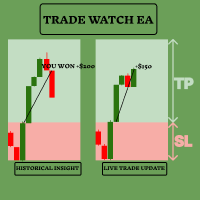
TradeWatch EAで取引戦略を強化しましょう TradeWatch EAは、リアルタイムの情報と取引コントロールを提供する強力なツールで、取引プロセスを簡素化し、リスク管理を改善します。 主な特徴: 取引の視覚化: グラフ上にストップロスとテイクプロフィットのレベルを直接表示します。 視覚的な表示により、迅速な意思決定とより良いリスク管理が可能です。 ポジションインデックス: ポジションインデックス番号を設定することで特定のポジションを監視できます(インデックスは0から始まります)。 複数の取引を同時に扱う際に非常に便利な機能です。 包括的な取引概要: すべての取引および履歴データを単一のグラフで表示します。 詳細な取引情報への簡単なアクセスにより、過去のパフォーマンスの分析と将来の戦略計画が容易になります。 リアルタイムの利益と損失の追跡: 取引の利益や損失に関する即時のフィードバックを提供します。 利益を最大化し、損失を最小化するためのタイムリーな意思決定をサポートします。 ユーザーフレンドリーなインターフェース: シンプルで直感的なデザインにより、すべての経験レベルのトレ
FREE
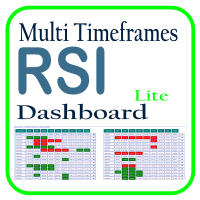
Optimize your trading analysis with the RSI Multitimeframe Dashboard, a powerful tool designed to streamline RSI monitoring across all timeframes and symbols listed in your Market Watch. This dashboard delivers real-time insights and alerts, making it essential for traders who rely on RSI to identify potential market entries and exits. Key features include: Comprehensive RSI Overview : Instantly view RSI values for every timeframe across all Market Watch symbols, making multi-timeframe analysis
FREE

AutoRiskManage v2.3 — Documentation Expert Advisor — MetaTrader 4 & 5 AutoRisk Manage v2.3 Automated risk management EA with interactive graphical panel. Applies SL/TP, Break Even, Trailing Stop, and lot size calculation by risk percentage — for any instrument, any broker. MT4 / MT5 v2.3.0 MQL4 · MQL5 C2C + B2C Time Space Technology Overview AutoRiskManage is an Expert Advisor that acts as a risk management layer on top of any manually opened position. It does not generate trading signals — i
FREE

過去チャートを再生し、特定の時間ポイントに瞬時にフォーカス移動可能です。
作成したフォーカスラインにチャートを移動させることで、重要な時間ポイントの観察や分析を効率的に行えます。
もし気に入っていただけたら、「Chart Auto Flow Focus Edition」もご検討下さい: https://www.mql5.com/ja/market/product/154905
高速移動でのチャート検索、低速移動でのシミュレーション、複数チャートのMTF同一時刻での同期でMTF分析も楽にできます。 特徴 注目時間ポイントに瞬時にフォーカス移動可能 自動再生でチャートの挙動、流れの把握やパターンサーチが可能
再生仕様 再生方向:過去 → 未来 移動バー数:1バーずつ進行 再生速度:固定 再生中の一時停止 / 再開可能 ENDボタンでプログラム終了 操作方法 Crt FocusLine:フォーカスラインを作成 Position:表示位置を右端・中央・左端に切替 Focus:作成したフォーカスラインにチャートを瞬時に移動 Pause / Restart:再生の一時停止 / 再開 END
FREE

Trade Manager Pro is a MetaTrader 5 tool designed to assist with trade execution, position management, risk control, and account monitoring from a single on-chart interface. It is built to work alongside manual trading or automated systems and does not interfere with external Expert Advisors. The tool is intended for traders who require direct control over order execution and position management while maintaining consistent risk rules across different market conditions. Core Function The indica
FREE

Easy Trade Zone - Visual Order Panel
Draw your trade directly on the chart and drag it into place. Grab the Entry, Stop-Loss and the three Take-Profits individually with the mouse. The moment you move a line, everything recalculates live: the red risk box, the green reward box, the position size, and the exact profit/loss in your account currency. You see your risk in real money BEFORE you click - and never send an order without a stop by accident.
Features: - Drag every level individually: En
FREE

Краткое описание:
Индикатор для визуальной оценки стоимости ценового движения в валюте депозита с интерактивным вводом объема сделки прямо на графике. Описание:
PriceRiskRuler — новый инструмент для оценки финансового результата движения цены перед открытием позиции.
Индикатор отрисовывает вертикальный ценовой отрезок и рассчитывает его стоимость в зависимости от заданного объема и спецификаций торгового инструмента. Основные функции: Интерактивный ввод объема: Поле для ввода лота расположен
FREE

InvestraAI Forex Heatmap InvestraAI Forex Heatmap は、MetaTrader 5 用の通貨強弱を視覚的に表示するダッシュボードです。主要な Forex 通貨を相互に比較し、その結果をチャート上にヒートマップとして表示します。 この EA は、強い通貨と弱い通貨を素早く確認し、Buy/Sell シグナル候補を表示し、ワンクリックでシグナルチャートを開くことができます。 仕組み EA は選択された通貨を分析します: EUR、USD、AUD、GBP、NZD、CAD、CHF、JPY。各通貨は入力設定から有効または無効にできます。 有効な通貨ペアの組み合わせごとに、EA は選択された時間足でのパーセント変化を計算します。たとえば、ブローカーで EURUSD が利用可能な場合、EUR 対 USD には EURUSD を使用します。USD 対 EUR では、同じ EURUSD データを逆方向として使用します。 ヒートマップの色: 緑: ベース通貨がクォート通貨より強い 赤: ベース通貨がクォート通貨より弱い 色が濃いほど変化が大きい 比較不要またはデ
FREE
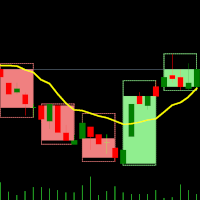
デュアルタイムフレームインジケーター – キャンドルインキャンドル 概要 キャンドルインキャンドルインジケーター は、 複数の時間足を視覚的に分析するためのツール であり、 より大きな時間足のローソク足を、より小さな時間足のチャート上に表示 することができます。時間足を切り替える必要がなく、小さなローソク足が どのように大きなローソク足の内部で動いているか を視覚的に確認できるため、トレンド分析やエントリー・エグジットの精度を向上させることが可能です。 このインジケーターは、 基準となる(短い)時間足を選択し、倍率を設定する ことで、自動的に大きな時間足のローソク足構造を生成します。 インジケーターの動作 基準となる時間足を選択 – M1、M5、M10 などのチャートを開く。 倍率を設定 – 選択した時間足に対して、どの時間足を表示するかを倍率で設定。 例: M1 チャート + 倍率 5 → M1 内の M5 キャンドルを表示 M10 チャート + 倍率 6 → M10 内の H1 キャンドルを表示 大きな時間足のキャンドルを表示 – OHLC(始値、高値、安値、終値)を示すローソク足
FREE

OneClick RiskSizer: One-Click Trading Panel with Percentage-Risk Position Sizing Stop calculating lot sizes by hand. OneClick RiskSizer sizes every position automatically from your risk % and Stop Loss, for faster, more reliable execution than manual math or third-party tools. Key features One-click BUY and SELL buttons, always visible on the chart. Lot size calculated automatically from your risk % and SL distance, via OrderCalcProfit/OrderCalcMargin, not a rough points estimate. Draggable SL a
FREE

ある MT5 または MT4 アカウントから別の MT5 アカウントに取引量をコピーするためのシンプルなユーティリティ。 ネッティング口座とヘッジ口座の間で任意の組み合わせでポジションをコピーできます。デフォルトでは、同じボリュームを持つすべての一致するシンボルによって開かれたポジションがコピーされます。シンボル名が異なる場合、またはコピーされたポジションのボリュームが異なる場合、またはすべてのポジションをコピーする必要がない場合は、この 投稿 で説明されている設定で目的の動作を指定できます。この製品は、将来のリリースで機能を拡張します。 バージョン 2.0 までは、この製品は無料です。 インストール順序:
送信者アカウントの端末で、Expert Advisor を送信者モードで起動します。 受信者アカウントのターミナルで、Expert Advisor を受信者モードで起動し 、以前に起動した送信者の 1 つを選択して、そこからポジション ボリュームをコピーします。
FREE

Japanese Stochastic Cross Alert EA for MT5 Stochastic Cross Alert EA は、 ストキャスティクス(Stochastic) が一般的な買われ過ぎまたは売られ過ぎのレベルに到達したときに通知する MetaTrader 5 用のシンプルなツールです。チャートを常に監視しなくてもインジケーターの状態を確認できます。 チャートに追加すると、EA がストキャスティクスを監視し、重要なレベルをクロスしたときに ポップアップアラート を表示します。これにより、チャートをすばやく確認し、取引の可能性を評価できます。 特徴 ストキャスティクスが買われ過ぎレベル(デフォルト 80)を上抜けたときに検出
ストキャスティクスが売られ過ぎレベル(デフォルト 20)を下抜けたときに検出
MetaTrader 5 のポップアップアラート
すべての銘柄と時間足で使用可能
軽量で使いやすい 仕組み EA はチャート上のストキャスティクスを監視します。インジケーターが買われ過ぎレベルを上回るか、売られ過ぎレベルを下回るとポップアップアラートが表示されます。
FREE

Blodsalgo Analytics — あなたのトレードを解読する。MetaTrader 5 のための無料リアルタイム分析。 Blodsalgo Analytics は、MetaTrader 5 ターミナルをウェブ上のプロ仕様の分析ダッシュボードにつなぐ 無料の補助ユーティリティ です。すべての約定、指標、保有ポジションが自動で同期され、各口座と各 EA の本当のパフォーマンスがわかります。すべてのブローカーを一か所で、どの端末からでも確認できます。 設定方法、ダッシュボードのアドレス、各種リンクは本製品の セットアップとリンクのコメント にまとめてあります。 MQL5 Market のガイドラインでは製品説明に外部リンクを掲載できないため、すべてそちらに集約しています。 これはトレード用の EA ではありません。 取引を新規建て・変更・決済することは一切ありません。EA の隣で静かに動作する読み取り専用のデータコネクタで、取引には一切干渉しません。 BLODSALGO の EA をお持ちの方だけがご利用いただけます。 無料。サブスクリプションなし。隠れた費用もありません。 新着
FREE

Manual Trade Helper
is an MT5 Expert Advisor designed as an automated assistant for managing manually opened trades. This EA does not open trades on its own, but instead enhances manual trading by automatically managing risk and position settings. Remote Management via VPS + Mobile Devices When deployed on a Virtual Private Server (VPS), the RitzEAneha Manual Trade Helper allows traders to seamlessly manage their trades from anywhere using just a smartphone or tablet. Since the EA runs 24/7 on t
FREE

Local Trade Copier by RWBTradeLab
Local Trade Copier copies trades between MetaTrader 5 terminals that run on the same computer or VPS. One file is both sides: an input sets it to MASTER, which sends its trades, or to CLIENT, which copies them.
Overview
Attach the program to a chart on the account whose trades are to be copied and set the role to MASTER. Attach it to a chart on every account that should follow and set the role to CLIENT, each with its own Client ID. Give all of them the same
FREE

相場が激しく変動している最中に、複数の建玉について手動でストップロスをブレークイーブンに移動させるのは時間がかかり、誤ってまだ含み損の状態にある建玉に適用してしまうこともよくあります。
「Phoenix Breakeven Button」を使えば、ワンクリックで利益が出ているすべての建玉のストップロスをブレークイーブンに移動させ、まだ含み損の状態にある建玉は自動的にスキップします。
利益を守る仕組み
- ワンクリックで、口座内のすべてのオープンポジションにブレークイーブン保護を適用 - 現在損失が出ているポジションを自動的に検出してスキップ - ブレークイーブンでは、ストップを正確なエントリー価格に設定します。ストップがヒットした場合はスプレッドが発生しますが、パネルでは「無料の保護」と暗示することなく、この点を明確に表示します - 成功または失敗時にサウンドアラートが鳴り、変更された内容、スキップされたポジション、すでに保護済みのポジションに関する詳細なログが記録されます
カスタマイズ機能
パネルの配置位置とオフセット、「すでに保護済み」チェックのための調整可能なブレーク
FREE

FX Live — Stats Export
Works only with https://fxlive.trading
Monitor all your MetaTrader accounts from a single dashboard, in real time, across every broker. FX Live Stats Export is an utility, not a trading robot. It never opens, modifies or closes a position. It reads your account and sends the data to your private FX Live dashboard, so you can follow every account you own from one place — on your computer or your phone — without switching between MetaTrader terminals.
WHAT IT DOES Attac
FREE

Sobre a Boleta Ágil – Descrição Completa Apresentamos a Boleta Ágil , um painel de negociação completo e altamente personalizável para MetaTrader 5 . Desenvolvida para traders que exigem velocidade, precisão e flexibilidade , esta ferramenta coloca o controle total das suas operações na palma da sua mão — diretamente no gráfico. Com uma interface moderna e intuitiva, você executa ordens, gerencia riscos e ajusta estratégias em tempo real, sem perder tempo com menus complicados. Botões
FREE

MT-Radar — スマートフォンからMetaTraderターミナルを無料で監視
毎回RDPでVPSに接続しなくても、EAが稼働しているか、ターミナルが接続されているかを知りたいと思いませんか?
MT-Radarは、すべてのMT4/MT5ターミナルの状態を1つの安全なWebパネルに表示します。スマートフォン、タブレット、または任意のパソコンで開けば、すべてが正常に動作しているかを数秒で確認できます。
MT-Radarで確認できる内容: 口座とターミナル — 口座情報とターミナルの一般情報 ログ — ターミナルのログとエキスパートのログをリアルタイムで表示 気配値表示 — 気配値表示にある銘柄のレート チャートとEA — チャートを開き、そのチャートで稼働しているEAの状態を確認 すべてのターミナルを1つのパネルで — 異なるパソコンやVPS上のMT4とMT5 プライバシーとセキュリティ
エンドツーエンド暗号化 — ローカルのMTAgent-RadarとWebパネルの間の全経路でデータが暗号化されます。中継サーバーは暗号化された通信を転送するだけで、内容を読み取ることはできませ
FREE

EA Follower Version any Follow Copy Account (Acc. Number) need a open MT Terminal, download multiple times Step1: Open Master MT5 Terminal = install master- Version (on any Symbol just one Time) Step2: Open Follower MT5 Terminal = install follower- Version (on any Symbol just one Time) Step3: all Trades from any Symbol or any Robot are copy now to follow- Terminal immediately for simple copy set on Chart and Start no optimization. This Robot is a Trade Copier for MT5 that auto
FREE

BreakEven Trailingは、保有中のポジションのストップロスを管理するMetaTrader 5用のユーティリティです。ストップロスを建値へ移動し、価格の後ろを追従させます。チャートを見続けなくても、含み益を守ることができます。
このEAは新規ポジションを建てず、成行での決済も行いません。既存ポジションのストップロスだけを変更します。決済は、EAが設定したストップロスに価格が到達したときに行われます。
できること
- 含み益が指定したpipsに達すると、ストップロスを約定価格、または約定価格から指定分だけ利益側へずらした位置へ移動します。 - 含み益が指定したpipsに達すると、現在価格から一定の距離を保ってストップロスを追従させます。 - 建値移動とトレーリングは、それぞれ個別にON/OFFでき、併用もできます。 - BUY・SELLの両方のポジションに対応します。 - 既存のストップロスを不利な位置へ戻すことはありません。より多くの利益を守る方向へのみ移動します。 - ストップロスを変更する際、既存のテイクプロフィットはそのまま維持します。 - 現在の設定、口座方
FREE

Risk Manager Trade Panel is an on-chart tool that helps you size and manage trades with one click. Set your risk per trade as a percentage (for example 0.5%, 1% or 2%) and the panel instantly shows the correct lot size for your stop distance, taking your symbol's tick value and 3/5-digit pricing into account. One-click actions: Move the open position to breakeven (with a spread-safe offset). Close 50% of the position (partial close). Close the whole position. The tool does not open trades automa
FREE

This utility automates Take Profit (TP) and Stop Loss (SL) levels for your trades, calculated in Money (Example : if you type 10, it means 10USD) . It ensures consistent risk management for all your positions. Crucial Note for Manual Traders: If you intend to use this utility on trades opened manually (without an Expert Advisor), you must change the 'Magic Number' setting to 0 (zero) . This allows the utility to correctly identify and manage your manual orders.
FREE

Fast Trade Assistant Panel Fast Trade Assistant Panel is an on-chart trading utility for MetaTrader 5. It provides market orders, pending orders, risk-based lot sizing, selective close, break-even, step take-profit, keyboard trading, Super Trend, Inside/Outside Bars and a bar countdown timer. Settings are changed from the main panel and the Settings window. No EA Inputs setup is required to start trading. Execution Market Buy and Sell use the lot size and the optional Stop Loss and Take Profit e
FREE

Trading Practice Simulator turns the MT5 Strategy Tester into a hands-on practice desk. Place market and pending orders, toggle SL/TP, adjust lot size, and watch live stats: open positions, floating P/L, win rate, profit factor, max drawdown, best and worst trade, all while price replays real historical data. Perfect for weekend practice or rehearsing a setup before risking capital. Works in the Strategy Tester's Visual mode and on live/demo charts. Simulation only; not investment advice.
Pract
FREE

MultiTP Trade Manager EA — Advanced Trade Management Made Effortless (MT5)
Limited Offer – First 100 Downloads FREE!
Be among the first 100 traders to download Trade Anchor Manager (MT4/MT5) completely free of charge. Hurry – once the limit is reached, the offer closes instantly! After trying it out, we’d love if you could leave a review and share your thoughts – your feedback helps us improve and lets other traders know what to expect.
Need this Trade Anchor Manager for MT4? http
FREE

This utility EA will display simple renko, hence the name essential renko. The renko will be shown in a new tab and using custom symbol.
Please do note (especially for those who new to Renko), that Renko does not follow timeline as it will follow price movement.
That's why it has a lot of potential where you can attach any EA that you want and use any custom indicator in this new custom symbol for renko. Always use M1 timeframe.
Most of the time you don't need to change anything. But if you d
FREE

A. Chart Manager: Designed by an experienced trader and web performance engineer. Developed and built with performance, speed and optimization in mind. Uses unique clean outline of events, even when there are multiple events. Restyles your chart with one of five color themes when you click it. Removes background images and the objects other tools leave on the chart. Never removes the rectangle labels that Expert Advisor panels are built from. Shows or hides the grid, volumes, trade levels, price
FREE

過去チャートを再生するためのチャートプレイヤーです。 このプログラムは、トレーダーや投資家向けに設計されたシンプルなチャートプレイヤーで、過去の市場データを再生することで、市場の動きや価格の推移をよりよく理解することを目的としています。 このプレイヤーを使うことで、ローソク足を1本ずつ順に進めながら市場の動きを確認でき、特定のトレーディング戦略がさまざまな市場状況でどう機能するかも分析できます。 重要な価格ポイントやトレンド変化を繰り返し観察することで、取引判断の精度と操作への自信を効果的に向上させることが可能です。 さらに、このプレイヤーはデモ口座や過去データの検証だけでなく、トレーディングスキルを磨くための学習ツールとしても活用できます。
もし気に入っていただけたら、「Chart Auto Flow Focus Edition」もご検討下さい: https://www.mql5.com/ja/market/product/154905
高速移動でのチャート検索、低速移動でのシミュレーション、複数チャートのMTF同一時刻での同期でMTF分析も楽にできます。
FREE

Practice Prop Firm Challenges Risk-Free
Bneu Prop Firm Simulator FREE is a simulation utility for MetaTrader 5 that allows traders to practice prop firm challenges on demo accounts before risking real money on actual challenges. Track your progress, monitor rule compliance, and understand how prop firm rules work in real-time.
Why Use a Prop Firm Simulator?
- Practice challenge rules on demo accounts before paying for real challenges - Understand how daily loss and drawdown calculations work
FREE

Arixis Strategy Analyzer — Understand How Your Trading System Behaves
Arixis Strategy Analyzer is a professional MetaTrader 5 analytics tool designed to transform raw trading history into a clear and structured behavioral profile of your trading system. Instead of simply showing profit, loss or basic account statistics, Arixis Strategy Analyzer studies how positions are actually opened, expanded and closed. It reconstructs trading campaigns and baskets from observable MT5 activity and analyzes
FREE

トレードコピー - 投資家パスワード - コピートレード - MT4 x MT5 クロスプラットフォーム
注: クライアントアカウントがフォローするマスターアカウントに「ミラーコピーマスター」、マスターアカウントがフォローするクライアントアカウントに「ミラーコピークライアント」の両方が必要です
ブログ: https://www.mql5.com/en/blogs/post/756897
仕組み:
https://www.youtube.com/watch?v=V7FNpuzrg5M
MT4 バージョン
マスター: https://www.mql5.com/en/market/product/114774
クライアント: https://www.mql5.com/en/market/product/114843
MT5 バージョン
マスター: https://www.mql5.com/en/market/product/114775
クライアント: https://www.mql5.com/en/market/product/114844
「ミラー コピー」エキス
FREE

Auto Trailing Stop and Breakeven - Free
- Free Trailing Stop and Break Even Manager - Trailing Stop EA Free - Auto Breakeven
Free automatic trailing stop and breakeven manager for MT5. Moves your stop loss to break even and trails it for you - on every trade, hands-free. The free edition of Trail Architect.
Stop letting winning trades turn into losers. This free automatic Trailing Stop and Breakeven manager watches your open positions and moves the stop loss for you - first to break even, then
FREE

Professional Trade Management for Manual Traders Featuring Structure-Based SL, Symbol-Adaptive Trailing, and Dollar-Level Profit Protection
This EA takes care of your open trades so you can focus on entries. It never opens Buy or Sell positions - you decide when and where to enter. The EA handles the rest: stop loss placement, breakeven, trailing, dollar-level profit lock, and pending order protection, all automatically, all in the background.
Built by an active live trader who codes his own t
FREE

Spread Candle Clock is a clock that displays the remaining time of the current candle along with the spread in real time directly on the chart.
Features:
Real-time candle countdown. Live spread (SP) display. Adjustable size. Customizable colors. Configurable position in all four corners. Compatible with all symbols and timeframes. Includes a button to minimize to a small panel.
FREE

Introduction Welcome to the world of Forex trading, where every tick of the market can be influenced by news events. Introducing our expert advisor for MetaTrader, your ultimate tool for navigating the complexities of news trading. This innovative advisor is specifically designed to automate your trading strategy during key macroeconomic releases, ensuring you never miss an opportunity. When important indicators are announced, volatility often spikes, creating potential for profit. Our expert
FREE

MetaTrader 5 のデータを Excel、Python、外部バックテスト、機械学習に使いたいのに、扱いにくいエクスポートの整理に時間をかけたくありませんか。 Candle History Exporter は、現在のシンボルのローソク足履歴を、research、自動化、定量分析にそのまま使いやすい、分かりやすく設定可能な CSV ファイルへ変換するために作られました。 指定した日付範囲で 1 つまたは複数の時間足をエクスポートでき、デフォルトの終了日時として現在のサーバー時刻を自動使用することもできます。さらに、どの列を出力するかを入力パラメータから直接選べるようになり、初期設定では実用的で情報量の多い構成が有効になっています。 主な機能 現在のチャートシンボルのローソク足履歴をエクスポート。 分足、時間足、日足、週足、月足の複数タイムフレームに対応。 終了日時の初期値として現在のサーバー時刻を使用し、任意の終了日時も設定可能。 各出力列をスクリプトの入力パラメータから個別に有効化または無効化可能。 初期状態ではすべての列が有効で、より完全なデータセットを生成。 time、o
FREE

JJC Academy Trade Assistant — リスク計算・ポジション管理パネル もう手計算でロット数を出すのはやめましょう。計算ミスでドローダウンを超えるのもこれで終わりです。 JJC Academy Trade Assistantは、私自身がファンデッドアカウント(funded accounts)のポートフォリオを管理するために開発し、実際に使用しているトレーディングパネルです。通貨ペアやインジケーター、ブローカー、利用しているプロップファーム(prop firm)が何であっても、常に設定したリスク通りにエントリーできるよう設計されています。 リアルタイムのリスク計算 **リスク% と リスクリワード比(R:R)**を設定するだけで、ボタンを押す前にロット数が瞬時に自動計算されます。 リスク計算の基準を選択可能: 残高(Balance) 、 有効証拠金(Equity) 、または 初期残高(Initial Balance) ——チャレンジ口座やファンデッドアカウントに最適です。残高は変動しますが、ドローダウンのルールは通常、最初の口座金額を基準に計算されるためです。
FREE

Spectar Daily Loss Limiter is a small, free risk utility for MetaTrader 5. It does exactly one thing: it enforces a daily loss limit that you choose.
Many traders know their daily limit but break it after a bad trade. Many prop-firm style evaluations also measure the daily loss from the broker server's midnight and count floating (open) profit and loss, not only closed trades. This tool follows the same logic, so you can see in real time how much room you have left today.
How it works
1. At t
FREE

This MT5 script calculates and displays the total lot sizes traded on your account. This is useful as a quick visual summary for VPS promotions from brokers. The script outputs directly onto the chart. This is broken down by symbol and by three customisable time periods: today this week this month Font sizes can be adjusted The summary will appear in your chart
To update the display after new trades, simply run the script again.
FREE

This indicator builds a live correlation matrix from the symbols currently selected in Market Watch . It calculates Pearson correlation on simple returns over a user-defined lookback and displays the results in a clean, auto-sized grid. Positive correlations appear in green, negative in red, and near-zero values stay neutral. An optional automatic timeframe scanner cycles through only the timeframes you enable (M1, M5, M15, M30, H1, H4, D1, W1, MN1), updating the entire matrix at a set interval.
FREE
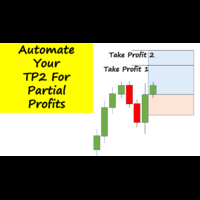
Have you ever been in a winning trade and wanted to close say half of position to lock in some profit. Well, this expert advisor does just that for you, and it's absolutely free. What you need to do is set what percentage of your trade you'd like closed and then set the price you like to close at. It that simple.
To get a better understanding of how it works, then watch the video below.
Note: The EA only works with one timeframe, changing timeframes will result in lose of all data by the EA i
FREE

no Trade operation, Robot Set auto SL to every manually Trade from a Phone Automatic Phone TradeManager Need just Set on 1 Symbol Auto BE Trigger is added that immediately sets a stop-loss for every () But does NOT calculate position size based on risk, allows the fixed SL to adjusted dynamically drag on Chart or Menu. It protects capital around the clock, reduces emotional mistakes, and ensures consistent risk management.
FREE

Apex MTF Panel
A clean, standalone multi-timeframe RSI/MACD dashboard that instantly shows buy, sell, or neutral confluence signals across your chosen timeframes in a compact horizontal layout. TF names sit directly above signals with matching colors for instant readability. Fully customizable signal colors, live font-size adjustment, corner positioning, and smart “loading” state ensure performance on any chart. Support and questions via MQL5 product comments. For questions, updates, and to conn
FREE

Position Size Companion – Interactive Risk & Lot Calculator for MT5
Position Size Companion is a professional, chart-based position sizing tool designed for traders who demand precision, speed, and visual clarity when managing risk. It is fully suitable for both Forex markets and synthetic instruments such as Volatility indices (e.g., V75), and similar symbols.
With this tool, traders can bid farewell to constantly using external or built-in GUIs that require manual input of entry and stop-l
FREE

Bulk Comport Manager is an lightweight yet useful EA utility. It helps you: - Modify TP and SL in bulk according to price levels or pips (points). - Modify TP and SL for all positions or for individual BUY and SELL positions . - Close all BUY or SELL positions, or all positions . - Move to the break-even point when the price moves X points (set in the input). - Start trailing when the price moves X points (set in the input). - Set the trailing price increment (set in the input). - Minimize/Maxi
FREE

Utility that allows you to set a specific date on the chart. You set a reference point through a vertical line and it is done! When changing timeframes, the reference point is always positioned at the center of the chart. That way you can analyze a specific date at different timeframes easily, without losing the reference point or scrolling the chart to it.
This is a product developed by Renato Fiche Junior and available to all MetaTrader 5 users!
Partners: "Águia Traders" team ( Eagle Trader
FREE

Это DEMO версия Renko Maker PRO к сожалению правила маркета не позволили указать это в названии. Почему то проверка маркета запрещает в названии слово DEMO. Демо версия строит ренко бары только на основе EURUSD из 1000 последних минутных баров. Revolution Renko Maker PRO — Инновационный Конструктор Ренко Графиков для MetaTrader 5
Создавайте идеальные ренко-бары с сохранением тиковых данных и реальных объемов — теперь с полной поддержкой индикаторов, советников и тестера стратегий!
FREE

TradeSnapは、BUY/SELLオーダーが約定した際に自動的に画面キャプチャを行い保存します。 チャートにセットするだけで、余計な作業をすることなく、自動で保存されます。
また、チャートに記載された線や矢印なども、そのまま画像に保存されます。 保存できる画像サイズは、10000x10000ピクセルですので、値動き経緯がわかる横長の画像で保存することもできます。
"s"キーで現在のチャートを保存します。
パラメタ設定 --Event Parameter--
Magic number (0=ALL): キャプチャ対象のマジックナンバーを指定します。
Entry: エントリー時にキャプチャします。
Exit: クローズ時にキャプチャします。
--Capture Info--
Image width, Image height: 出力する画像のサイズを指定します。
--Message Info--
Text color, Text size, Text pos, Display seconds: メッセージの表示内容を設定します。
画像の保存先:データフォルダ/MQL5/File
FREE
MetaTraderマーケットは、他に類のない自動売買ロボットやテクニカル指標の販売場所です。
MQL5.community ユーザーメモを読んで、取引シグナルのコピー、フリーランサーによるカスタムアプリの開発、支払いシステムを経由した自動支払い、MQL5Cloud Networkなど、当社がトレーダーに対して提供するユニークなサービスについて詳しくご覧ください。

取引の機会を逃しています。
- 無料取引アプリ
- 8千を超えるシグナルをコピー
- 金融ニュースで金融マーケットを探索