 MetaTrader 5
 Experts
 Indicators
 Libraries
 Utilities
 Widgets
 Rules
Rules
Watch the Market tutorial videos on YouTube
How to buy а trading robot or an indicator
Run your EA on
virtual hosting
virtual hosting
Test аn indicator/trading robot before buying
Want to earn in the Market?
How to present a product for a sell-through
Free trading utilities for MetaTrader 5 - 13
 Below are trading programs simplifying trading in MetaTrader 5. Hover over a utility to read its description and purpose.
LZ Spread Monitor is a professional utility designed to help traders monitor transaction costs and execution quality in real-time.
It provides instant feedback on current market conditions, helping you avoid trading during high-spread periods (news releases, rollovers, low liquidity).
Key Features - Spread Analytics: Monitor Current, Minimum, Maximum, and Average spread for the session. - Cost Calculator: Instantly see the monetary cost of the spread for a specific lot size (e.g., 1.0 Lot = $
FREE

Утилита Горячие Клавиши. Работает только на неттинговых типах счетов. Позволяет совершать торговые операции без мыши. Удобно использовать для акций, фьючерсов, валютных пар, криптовалют. В совокупности со стаканом получается полноценный скальперский привод.
Реализованные команды : · покупка по рынку; · продажа по рынку; · выставление лимитного ордера на покупку с заданным отступом (может быть отрицательным) от цены Бид; · выставление лимитного ордера на прода
FREE

Trader Toolkit Panel An all-in-one manual trading panel that helps you size, place, and manage your trades from a single window. It does not trade automatically and gives no buy/sell signals — you stay in full control. Think of it as a control panel for disciplined, manual trading. What it does Position Calculator — Enter your risk percentage and stop distance, and the panel instantly shows the correct lot size, your risk in account currency, and your reward-to-risk ratio. No more manual math or
FREE

RiskRewardPanel – Risk/Reward Calculation Utility for MetaTrader 5 RiskRewardPanel is a utility panel designed to help traders plan trades by calculating lot size, stop loss, and take profit levels based on user-defined risk parameters. It provides a visual method for managing position sizing and risk exposure directly from the chart. Key Features: Risk and Reward Calculation
Calculates and displays the estimated monetary risk and potential profit based on account balance, risk percentage, and
FREE

Hello, trading champs! I trust you are doing well. Have you experienced entering a position where the market initially moves in your favour or approach your takeprofit then suddenly the market reversed opposite your position? Well, it has happened to me numerous times and today I decide to fight back.
I present to you a trade manager that help you protect your position(s). This project helps you set your position(s) to breakeven either when a certain amount of pips you specify is reached or a
FREE

Arixis EA Comparator — Compare Two Trading Systems Side by Side
Arixis EA Comparator is a professional MetaTrader 5 analysis tool designed to compare the observable historical performance and trading behavior of two Expert Advisors or strategies on the same account. Using Magic Numbers, the application separates the activity of two systems and presents their statistics side by side under the same analytical framework. Compare number of trades and campaigns, net results, gross profit and loss, P
FREE

Aura Lot Calculator – know your exact position size in one second.
Stop guessing your lot size. Set your risk, place your stop loss, and Aura Lot Calculator instantly shows the correct lot – so every trade risks exactly what you planned, nothing more.
HOW IT WORKS - Choose your risk: % of balance or a fixed money amount (one click to switch) - Enter your stop loss in points – or turn on the SL Line and simply drag it on the chart - The calculator detects BUY or SELL automatically from the lin
FREE

Google SheetExporter — MT5 ↔ Google Sheets Google SheetExporter automatically exports your full MetaTrader 5 deal history to Google Sheets and keeps it synchronized. Every few minutes, your complete trading history appears in your own spreadsheet: every deal, every position matched from entry to exit, every EA identified by name. WHAT IT DOES • Exports the complete deal history (default: 10 years back) — not just open positions • Re-syncs automatically on a timer (default every 5 minutes), start
FREE

Automated Timeframe cycling with Symbols centered. Force every timeframe onto one clock window, so the story you see on Daily is the same story you are slicing on H4, H1, and M1. Traders usually flip timeframes and lose the span. A Daily chart shows a few weeks, then M15 shows a few hours, and the eye treats them as different markets. TASSERACT locks the window to N bars of the highest enabled timeframe — default 10 Daily — and maps every lower timeframe to that same stretch. You stay inside o
FREE

is an on-chart pre-trade planner for the symbol on that chart. It clears the price and time scales and fills the tab with a live reading of this account against this symbol: spread, pip value, point value, an ATR stop, three ATR targets, and ten lot sizes sized from a percent of balance. Targets are reduced by the live spread. The stop is increased by it. Commission and planned swap are then applied, so the money and percent figures are net of those costs before a buy or sell. It does not place
FREE
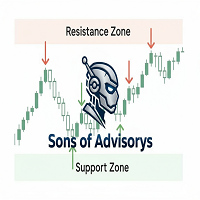
Sons of Advisorys: QuantumLevel This advanced MT5 Expert Advisor automates trading decisions based on a robust Support and Resistance breakout and retest strategy. It performs multi-timeframe analysis across H4, H1, and M15 charts to identify high-probability trade setups with precise zone validation. Key Features: Strategy: Support/Resistance breakout with retest continuation. Multi-Timeframe Detection: Independent analysis and toggle options for H4, H1, and M15 timeframes. Auto-Trading:
FREE

Scalping Control Panel Scalping Control Panel is a simple and practical trading tool designed for scalpers and traders who use grid-style entries. The EA gives you direct control over your trading setup from a clean panel on the chart. Start a BUY or SELL grid with one click and customize the main parameters before entering the market. Main Features One-Click BUY & SELL
Start a BUY or SELL sequence directly from the chart. Adjustable Lot Size
Set the lot size you want to use before starting th
FREE

Prop Firm Risk Guardian is a free prop firm risk management panel for MetaTrader 5, built for a funded account or a challenge account. It shows in real time how close you are to breaching your daily loss limit and your trailing max drawdown, counts down to the daily reset, and works out the largest lot size your own rules allow right now, so the lot you type into the next order is one your remaining buffer can absorb if the stop is hit. Pick a preset for a 2-step, 1-step or instant challenge, or
FREE

NINJA SYMBOL PASSPORT MT5 OVERVIEW NINJA Symbol Passport MT5 is a free read-only utility for reviewing broker-provided symbol specifications and current trading conditions. It can scan symbols in Market Watch or symbols available on the server, with an effective limit of up to 200. The panel and input names are in English. DATA CHECKED The panel shows the trading session, expiry, trade mode, estimated spread cost, estimated margin for a reference volume, and the spread-to-ATR ratio. Each symbol
FREE

BuffersHunter — Universal Indicator Buffer Reader BuffersHunter is a script that reads and analyzes buffers of any MetaTrader 5 indicator. No more guessing which buffer holds buy signals, where the levels are, and which buffers contain indicator lines. Run the script — and in a second you get the complete structure of all buffers with auto-detection of their types. Who is this script for? For EA developers. You found an interesting indicator and want to use its signals in your robot, but you
FREE

Run one strategy across every account you trade. Revanche Miroir Local Copier is a free local trade copier that mirrors trades between MetaTrader 5 accounts on the same computer, in real time. One program plays both parts: set it as the Master on the account you trade, and as a Slave on each account that should follow. A complete copier, free. It copies on any symbol, in any account currency, and between different brokers. If the master falls silent, open trades are held rather than closed, and
FREE
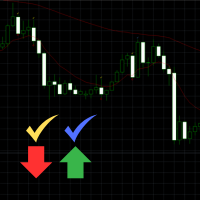
Engulfing Signal Indicator with EMA Confirmation This indicator is made to identify engulfing candlestick patterns in real-time using a mathematical approach and a constant bar-checking loop. It highlights these patterns as they occur, offering visual cues and confirmation when aligned with specific market conditions. How it works: Engulfing Pattern Detection : The indicator identifies engulfing candles using a division factor. A candle is considered engulfing if the entire range (body + wicks)
FREE

Professional Manual Trading Panel for MT5 TRDR Panel is a manual trade execution and management panel for MT5 , redesigned by TRADEWYZE .
Built on a proven open-source foundation and significantly refined, TRDR Panel delivers a clean, fast, and trader-focused interface designed for discretionary and semi-systematic traders. Optimized for high-volatility instruments, TRDR Panel allows precise order placement, rapid trade management, and instant risk control all directly from the chart.
Key Featu
FREE

Overview The Dynamic Candle Timer is a lightweight and efficient utility designed for MetaTrader 5. Unlike traditional candle timers that remain static in the corner of the chart, this indicator dynamically attaches to the current Bid price line. This allows traders to monitor the remaining candle time directly at the point of action, enhancing focus during fast-paced market movements. It is highly suitable for day traders and scalpers operating on XAUUSD, Forex, Crypto, or Indices. Key Feature
FREE

Trade Manager – BreakEven and Global Stop Loss with one click
This Expert Advisor (EA) is designed to help traders manage their positions faster and more efficiently. It comes with two main features, accessible through on-chart buttons:
BreakEven function:
Instantly moves all open trades to the entry price with a single click.
Option to add a configurable margin (e.g., +2 pips) to cover spreads or commissions.
Global Stop Loss function:
Instantly applies the same stop loss level to
FREE

Input Description The indicator provides flexible options to display trading history directly on the chart, including: Days to show Profit
Displays only trades executed within the last X days from the current time. Font Size
Allows selecting the font size used to display trade information on the chart. Show Volume
Enables or disables the display of trade volume for each position. Show Currency
Enables or disables the display of the currency unit for profit values. Color for Win Trade
Sets t
FREE

Plan risk before entry and review closed trades directly on the chart. Edgemory Trader OS is a free offline risk calculator, position-size planner, trade journal and CSV/JSON exporter for MetaTrader 5. It works immediately: no sign-up, token, DLL, WebRequest or external server is required.
The deterministic planner uses account balance, risk percentage, entry, stop loss, take profit, tick size, tick value and the broker's lot limits. It shows the broker-aware position size and reward/risk ratio
FREE

EdgeZone EA Inspector - FREE Edition Monte Carlo Analysis Tool for Trading Strategies Important: This is an analysis tool, not a trading robot. It does not execute trades but analyzes strategy data through statistical simulations. The Problem Many Expert Advisors show impressive backtest results but fail in live trading. The most common reason: over-optimization - the strategy was adjusted until it looks perfect for past data, but doesn't work for the future. The Solution: EdgeZone EA Inspector
FREE

Collective TP SL Manager is a MetaTrader 5 utility that manages a combined take-profit and stop-loss across many open positions on one symbol. Instead of setting TP/SL per order, it watches the net profit or loss of all (or filtered) positions and closes the basket when your target is reached. Features Basket-level targets: one collective take-profit and one collective stop-loss for the whole group of positions. Net P/L monitoring: continuously sums the profit/loss of all selected positions in
FREE

Description This is a utility tool for MT5 reminding traders of all the entry points by highlighting trading history. For those who just started to learn trading, one of the most efficient tips to improve their trading skill is to look back their own trading history. However, trade history arrow shown on MT5 chart is simply too small to find out, which will keep traders away from reviewing their trade, especially stupid mistakes like overtrading. By clearly showing their trade history and face i
FREE

ApexTradeManager is a professional manual trade-management Expert Advisor for MetaTrader 5, designed especially for XAUUSD (Gold) traders. Instead of replacing your trading strategy, ApexTradeManager works alongside your manual execution. You decide when and where to enter; the EA helps manage the position according to your predefined trade-management rules. Key Features Automatic Stop Loss & Take Profit — Automatically apply SL and TP levels to new positions. ATR-Based TP System — Dynamic TP1,
FREE
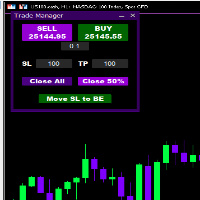
Introducing * *Trader Manager** for MetaTrader 5 - the most efficient tool for managing your trades and it's free! This smart assistant automatically sets **Stop Loss** and **Take Profit** immediately after opening a trade, saving you time and reducing the risk of errors.
With the ability to set a **Maximum Daily Loss** , you'll protect yourself from the dangers of **overtrading** and keep control of your finances.
Plus, you'll get a host of other features for easy position management: -
FREE

FXCompute Trade Copier Bridge for MetaTrader 5 FXCompute Trade Copier Bridge is a lightweight, ultra-low latency execution engine that connects your MetaTrader 5 terminal directly to your FXCompute cloud trade copying network with zero third-party software required. Overview FXCompute Trade Copier replicates trades across your accounts in real time. Operating alongside dedicated 24/7 cloud infrastructure, it handles position opens, modifications (Stop Loss and Take Profit), partial closes, and m
FREE

Helmsman Trade Manager Free, and built to stay free. You already know what you want to trade. The hard part is everything around it — the lot that actually matches your risk, the stop that moves itself, the partial you meant to take, and the rule you promised yourself at three in the morning and broke at ten. Helmsman does that part , so your attention goes where it belongs: the chart. Read Online | Download PDF Draw the trade. Don't calculate it. Drag entry, stop and target on the chart. Ev
FREE

Ritz Klik Trading Panel
In today’s fast-paced financial markets—ranging from highly volatile cryptocurrencies like BTCUSD to traditional forex pairs—execution speed, bulletproof risk management, and real-time capital awareness are the ultimate deciders of a trader's profitability. Ritz Klik Trading Panel is an institutional-grade, ultra-responsive One-Click Trading Dashboard designed exclusively for MetaTrader 5 (MT5). Built for scalpers, day traders, and aggressive layerers, this Expert Adviso
FREE

================================================================ MATRIX CONDITION MONITOR Live Trade Condition Panel for MetaTrader 5 Fully Automatic -- Works with ALL Matrix EAs ================================================================
NEVER MISS A TRADE SETUP AGAIN
Matrix Condition Monitor is a free utility that attaches to any chart and automatically checks all 10 trade conditions in real time -- showing you exactly why a trade will or will not open, and alerting you the moment ever
FREE

Interactive Trader - Advanced Visual Trading Panel for MT5 Get Ultra Charts Here! Interactive Trader is a comprehensive visual trading solution that enables traders to execute and manage trades directly from the chart using an intuitive graphical interface. This Expert Advisor combines one-click trading with advanced order management capabilities, making professional trading tools accessible through simple mouse and keyboard controls. Core Features
Visual Trading Interface - Clean, customizable
FREE
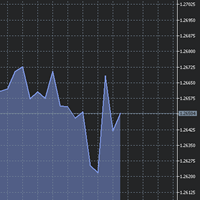
The utility Filled Area Chart adds to the standard set of price presentations. It is a brand new, nice price chart. You will certainly like it if you want to feel yourself a trader born under the Bloomber lucky star.
The Properties allow to set the colors and other things: Color preset - choose a preset or set to "Custom" and set your own colors using the properties below.
Custom area color - color of the area below the price line. Works only with Color preset = Custom.
Custom chart color - col
FREE

Script to create arrows and lines on chart of history positions traded on account for the symbol where you launch the application. From inputs you can select: - Magic number (default is -1; -1 = all magics number) - "From" date and time (default is 1970.01.01 00:00; all positions) - "To" date and time (default is 1970.01.01 00:00; all positions) - Color for buy open positions (arrows and lines between open and close) - Color for buy closing positions (arrows) - Color for sell open positions
FREE

This utility keeps a watchful eye on your trading terminals and ensures that you are notified if any of them are disconnected. Simply attach the utility to a chart and connect to a monitoring service who can notify you.
We use UptimeRobot for both VPS and terminal monitoring; however, any service supporting heartbeat monitoring can be employed.
Many such services offer free plans and various notification methods, such as Cronitor.io
FREE

Just a panel for drawing levels. Minimal but very useful thing. This is a reimagining of Color Levels Pro. ---- 4 types of customized levels. support for rectangle and line levels. The indicator parameters are very simple and are divided into blocks. For any update idea please contact me here. ---- Extension version " Levels tool pro " ---- don't suffer don't suffer ---- Enjoy your work!!!!!!!! ----
FREE

Free Global Stop Loss and Take Profit Setter with Break Even
Free one click Stop Loss and Take Profit tool for manual trading. Apply a fixed SL and TP to every open position on the symbol, or move them all to break even, with a single button. It only modifies Stop Loss and Take Profit levels — it never opens or closes a trade. Set your SL and TP distance in points, click once, and every position on the current symbol is protected. The break even button moves stops to entry (or a configurable num
FREE
Chart Object Cleaner for MetaTrader 5 Clean up your MetaTrader 5 charts with this powerful script designed to remove graphical objects from the main chart and sub-windows effortlessly. Perfect for traders who need a clutter-free workspace and speed to focus on their strategies. This script, created by @LouisMattFX (version 1.02), allows you to selectively delete graphical objects based on your preferences. Whether it's annotations, trendlines, or other indicators on the main chart or s
FREE

History by Magic Number MT5 is a utility that filters trading history based on a selected Magic Number . It’s especially useful on accounts where multiple EA strategies run simultaneously and you need to isolate the performance of a single strategy . This tool is a non‑trading analytical Expert Advisor for MetaTrader 5, designed to provide precise evaluation of trading performance associated with a specific Magic Number within a user‑defined time range . It does not interfere with live trading,
FREE

Mobile-EA is an Android-first trading companion for MetaTrader 5 , bringing market tools and connected account management together on your phone. This product is the companion MT5 Expert Advisor that links your terminal to the Mobile-EA Android app. The mobile app is available for Android; iPhone/iOS is not currently supported. The Android app is now available on Google Play , and new users receive a free 14-day Ultimate trial starting at registration . Watch the app introduction here: https://y
FREE

Ritz_BUYnSELL_Detection
The Ritz_BUYnSELL_Detection is a custom MetaTrader 5 (MT5) indicator that detects BUY and SELL trading signals based on trend detection and ATR-based volatility filtering. It provides visual arrows , entry alerts , and mobile push notifications , making it suitable for traders using a VPS setup for 24/7 signal monitoring. How to Use the Indicator Install on MT5 : Place the .mq5 file in the MQL5/Indicators folder. Compile it in MetaEditor, then apply it to any chart. A
FREE

Level Painter PRO — Professional Manual Chart Markup Tool Level Painter PRO is a powerful and stylish tool for manually drawing support and resistance levels, price zones, rectangles, and vertical areas on the MetaTrader 5 chart. The indicator is designed for traders who value visual analysis and prefer to mark up their charts manually while maintaining full control over the process. Key Features Manual Drawing of Levels and Zones Horizontal Lines — quickly mark key price levels Vertical Line
FREE

EA交易快捷助手 —— 专为 MetaTrader 5 打造的硬件交易利器 本工具专为配合实体快捷键盘设计,将 MT5 的核心交易指令集中映射至硬件实体按键。无需频繁移动鼠标找寻按钮,助你在行情剧烈波动时实现毫秒级订单执行与快速风险规避。 核心功能与优势 毫秒级极速响应 :实体按键物理触发,极大缩短交易决策与订单送达服务器之间的时间差。 一键快捷交易 :支持一键市价买入、卖出、一键平仓、持仓锁仓及手数快速微调。 防误触安全锁 :内置安全锁定机制,有效规避手滑或误触造成的非预期建仓。 完全合规无 DLL :采用纯正 MQL5 原生逻辑编写, 不依赖任何第三方 DLL 文件 ,确保账户资金与平台安全。 快捷键默认映射 (Key Mapping) Key A / F1 :按预设手数一键买入 (Buy) Key B / F2 :按预设手数一键卖出 (Sell) Key C / F3 :一键平仓当前图表品种的所有持仓 (Close Current) Key D / F4 :一键平仓账户内所有品种持仓 (Close All) Key Up / Down :快速增减下一次下单的手数步长 输入参数
FREE

# ApexForge One Click Close EA
## Overview
**ApexForge One Click Close EA** is a lightweight, non-blocking trading utility that allows you to close all matching positions—and optionally delete pending orders—with a single click.
Instead of manually closing trades one by one during volatile markets, this EA provides a fast, reliable, and visually clear way to manage your exposure instantly.
> ️ This tool does not generate trading signals or open positions automatically. It is designed purely
FREE

Edge Analyzer — Multi-EA Performance Truth Find out which of your Expert Advisors actually has a statistical edge — and which one is just noise. Reads your real trade history, groups it by EA, and gives you an honest verdict.
Which of your EAs is actually making money? You're running several Expert Advisors. Your account moved this month — but which EA earned it? Which one is quietly bleeding? And that impressive win rate on your favourite bot: is it an edge, or a lucky streak that's about to e
FREE
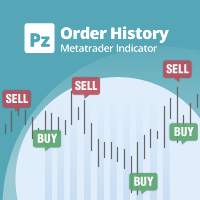
See beyond the numbers: visualize your trade history for smarter decisions General purpose indicator that displays the trade/order history of any live chart, very much alike the visual mode of the strategy tester. It allows you to examine the real trading history of any particular symbol for educative, improvement, reverse-engineering or diagnostic purposes. It can be used successfully with both the master and investor password.
[ Installation Guide | Update Guide | Troubleshooting | FAQ | All P
FREE

PositionRelay TV Slave Subscriber mirrors TradingView webhook signals from the PositionRelay cloud to your MetaTrader 5 follower accounts. It polls the virtual TradingView source account (not an MT5 master) and copies open, close, and modify actions with TV_ ticket comments.
Companion products: PositionRelay Master Publisher and PositionRelay Slave Subscriber for MT5 master→slave copy trading. Use a dedicated slave EA per product line — do not run master and TV sources on the same slave simulta
FREE
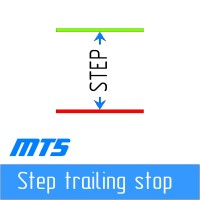
Step by step "Trailing Stop" The utility allows you to set the step of moving the "Stop Loss" following the price when using the "Trailing Stop" tool. Unlike the "regular" "Trailing Stop" available in the "MetaTrader" terminal, which allows you to set the "Stop Loss" movement in increments of 1 pip, this "Trailing Stop" is configured with any increment. This setting allows you to avoid closing positions during false trend reversals, when the price, after a long movement in one direction, reverse
FREE

This is not an EA – it’s a simple and powerful MT5 indicator designed to help you manage trades quickly and easily. Key Features: TP1 Auto-Set – Fixed at 1RR TP2 Auto-Set – Set at 2RR Fast Lot Calculation – Calculates lot size based on SL in 1 second Quick Actions: Close All Trades Move to Breakeven Set TP at RR1 / RR2 User-Friendly – No complex setup, just attach to chart and start using Support:
Telegram – @inForexVIP
WhatsApp – +923118409597 MT4 Version Coming Soon
W
FREE

Did you ever feel irritated by manually adjusting Fibonacci retracement levels? Do you ever want to have a tool that was automatically adjust to certain Fibonacci levels with your trading? Well here is a tool for you: Fast Fibonacci indicator and Grid trader allows you to quickly adjust Fibonacci retracement levels or construct Fibonacci extension grid! You can also quickly setup your grid trading based on these levels - only with few clicks. Adjustable graphics, font sizes and graphics panels m
FREE

TRADE COMMANDER ULTIMATE MT5 Professional Trading, Risk Management and Account Protection Panel Trade Commander Ultimate MT5 is an all-in-one utility designed to help manual traders and Expert Advisor users execute, manage and protect trades from one professional black dashboard. It does not provide trading signals. It focuses on disciplined execution, position management and account-level risk control.
IMPORTANT BEFORE USING ACCOUNT PROTECTION The Daily Profit Target and Daily Loss Limit must
FREE
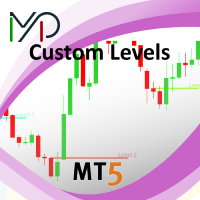
This utility identifies certain candle open times on chart, this can help you to see your favorite candle open and use it as it fits in your strategy. This tool is very useful for intraday charting and indicating your sessions. ___________________________________________________________________________________
Disclaimer: Do NOT trade or invest based upon the analysis presented on this channel. Always do your own research and due diligence before investing or trading. I’ll never tell you what
FREE

Advanced Trade Mirror is a powerful Forex tool designed for traders who need instant, seamless trade replication across multiple terminals on the same machine. With lightning-fast execution, it ensures zero lag in copying trades, maintaining precision and efficiency in high-speed trading environments.
Get the Trade Mirror Follower here: https://www.mql5.com/en/market/product/133890 Specification:
Master ID: Identity value of master terminal, please use a unique value to prevent duplicated mas
FREE

G Spikes Trade Assistant G Spikes Trade Assistant is a MetaTrader 5 utility panel designed to help users manage manual trading actions more efficiently. It provides quick access to order execution, stop-loss settings, target-price settings, and position-management controls from the chart. Main features Buy and Sell market order buttons. Pending order options. Stop-loss and target-price management. Close All and selected close options. Customizable display settings and trade comments. Interface t
FREE

Simple Trade Terminal Simple Trade Terminal is a compact and performance-optimized on-chart panel for MetaTrader 5. It solves two of the biggest friction points in manual trading: time-consuming lot size calculations and inaccurate placement of Stop-Loss and Take-Profit levels. Instead of typing numbers into standard order masks, you plan your trade visually directly on the chart. The panel automatically calculates your exact position size based on your predefined risk and executes the order. Th
FREE

TradeManagerSmart is a useful addition to your MetaTrader 5 desktop. The window can be moved freely, and its functionality can be customised in the settings.
## The Profit/Loss shows the cumulated profit/loss for all open positions, not for each position/product !
Quick trading buttons (one-click trading) with the following features: Sell: Sell order Buy: Buy order Break-even: Immediately sets the stop-loss to the entry price (break-even) Close winners: Closes all positions that are in profit
FREE

Multichart Dashboard — Your Central Command Center for Trading
The **Multichart Dashboard** Expert Advisor transforms your MetaTrader interface into a clean, professional trading hub. Manage up to **6 charts simultaneously** , switch between symbols in an instant and always stay in control — all within one compact, fully configurable panel.
What does Multichart Dashboard do?
**Up to 6 charts in parallel** — Set the desired number of charts (1–6) with a single input. All associated charts are
FREE

# Trade Assistant Manager
Stop calculating lot sizes by hand. Trade Assistant Manager is an on-chart panel that turns your risk settings and chart lines into a precise, ready-to-fire order — automatically.
## Key Features
**Automatic Lot Sizing** Set your risk as a percentage of account balance or a fixed dollar amount. The panel reads the distance between your Entry and Stop Loss lines and instantly calculates the exact lot size for that risk — accounting for your broker's commission per lo
FREE

Trade Assistant Panel: Your Optimal Trading Ally "The Trade Assistant Panel" is a graphical tool for traders aiming to simplify and enhance their trading experience. It streamlines order execution and management, allowing you to focus on market analysis and decision-making. With just a few clicks, you can initiate various order types, ensuring that you always have full control over your trading strategy: Buy Orders Sell Orders Buy Stop Orders Buy Limit Orders Sell Stop Orders Sell Limit Orders Y
FREE
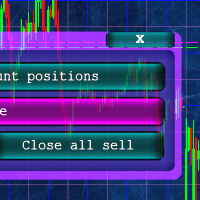
Кнопочная панель для одновременного закрывания большого числа позиций. Всего четыре варианта закрывания: Закрыть все позиции на счёте ( Close all account positions ). Закрыть все позиции по символу графика, на котором находится панель ( Close all positions ). Закрыть все Buy позиции по символу графика, на котором находится панель ( Close all Buy positions ). Закрыть все Sell позиции по символу графика, на котором находится панель ( Close all Sell positions ).
FREE
EMA Line Visualizer with Trend Analysis Description:
The Exponential Moving Average (EMA) Line Visualizer EA plots multiple EMAs on your chart (25, 50, 100, 200, and a custom EMA) and analyzes real-time trend direction. It detects whether the market is currently in an Uptrend , Downtrend , or Flat condition based on the latest EMA relationships. Features: Multi-EMA Display
Plot multiple EMAs with customizable periods. Custom Colors
Set distinct colors for each EMA line for better visual trac
FREE

RiskFlow Trading Panel MT5 A professional one‑click trading panel for MetaTrader 5 that helps you execute trades faster while maintaining consistent risk management. Designed for Forex, Gold (XAUUSD), Indices, Crypto, and any MT5 symbol. Key Features Draggable Panel – move anywhere on the chart
Minimize / Close – clean workspace anytime
Light / Dark Theme – switch instantly
Trade / Close / Settings Tabs
Risk/Reward Trading – RR ratio + SL/TP in points/pips + auto price calculation
A
FREE

This is a very simple backtesting tool. It starts from the most old chart in the past chart. It has 0.2pips spread, and you can do averaging 10 times. You can set the size of bars and the time frame as a parameter. You can't change the time frame during the backtest. These are the functions of buttons. ------------------------------------------------------------ Resume/Pause: Auto scroll stop and resume. Next bar: Showing candle sticks one by one. Speed1,2,3: The speed of auto scroll. Skip: ski
FREE

This tool will allow you to export the Historical data (Open, High, Low, Close, Volume) for any financial instrument present in your MetaTrader 5. You can download multiple Symbols and TimeFrames in the same csv file. Also, you can schedule the frequency of download (every 5 minutes, 60 minutes, etc.). No need to open a lot of charts in order to get the last data, the tool will download the data directly. The CSV File will be stored in the folder: \MQL5\Files .
How it works Select the Symbols t
FREE

Optimize your trading management with Breakeven Bot, the essential tool for active traders managing multiple positions at once. No more wasting time manually adjusting your stops—one click is all it takes to secure your profits! Main Feature:
️ "BREAKEVEN" Button – Instantly set all profitable positions to breakeven and protect your gains quickly. ️ Customization Options:
Set breakeven in pips or currency, depending on your preference.
Choose whether breakeven should be at the entr
FREE

QuantumFX Trade Manager Advanced Order & Risk Control Utility for MT5 QuantumFX Trade Manager is a powerful, professional-grade trade management utility designed for traders who want absolute control over execution, risk, and position handling — directly from an intuitive on-chart panel. Built for manual, semi-automated, and discretionary traders , QuantumFX transforms MetaTrader 5 into a precision trading workstation , allowing you to manage trades faster, safer, and smarter. What
FREE

Trade Manager Pro is a professional MT5 trade management panel designed to simplify and speed up your trading execution. Open, manage, and close trades directly from your chart with one click — no manual calculations or menu navigation required. Key Features Automatic Risk-Based Lot Size Calculates position size automatically based on: Account balance Risk percentage Stop Loss distance Works on all instruments: Forex, Gold, Crypto, Indices One-Click Trade Execution Instantly open BUY a
FREE

Risk Basket Planner Risk Basket Planner is a manual basket risk planning utility for MetaTrader 5. It helps traders plan multiple entry levels, define a technical stop loss, and calculate per-layer lot size and actual basket risk before placing trades manually. Main Features Plan from 1 to 5 entry layers . Choose BUY or SELL direction. Set risk as a percentage of account equity . Type or drag L1-L5 entry prices directly on the chart. Use a common Technical Stop Loss . Auto SL presets: 80%, 100%,
FREE

BS Trade Panel: Revolutionize Your Trading Approach Introducing the BS Trade Panel , the ultimate solution for traders seeking efficiency, speed, and accuracy in their market operations. Crafted with cutting-edge technology, our panel is designed to simplify your trading, making it more intuitive, swift, and effective. Innovative Features: Quick Orders with Shortcut Keys: Execute market orders or pending orders swiftly using configurable shortcut keys. Perfect for traders who need speed when ent
FREE

[ Overview ] Protect your capital. Simplify your trading. In fast-moving markets, calculating the correct lot size manually is slow, stressful, and prone to error. A miscalculation can mean risking far more than you intended. The Mini Risk Calculator is an on-chart utility designed for speed, precision, and visual clarity. Forget external websites or clunky calculators. Simply drag visual lines on your chart to define your Entry, Stop Loss, and Take Profit levels, and the dashboard instantly tel
FREE
Do you know why the MetaTrader Market is the best place to sell trading strategies and technical indicators? No need for advertising or software protection, no payment troubles. Everything is provided in the MetaTrader Market.

You are missing trading opportunities:
- Free trading apps
- Over 8,000 signals for copying
- Economic news for exploring financial markets
Registration
Log in
You agree to website policy and terms of use
If you do not have an account, please register