

💎 TL;DR
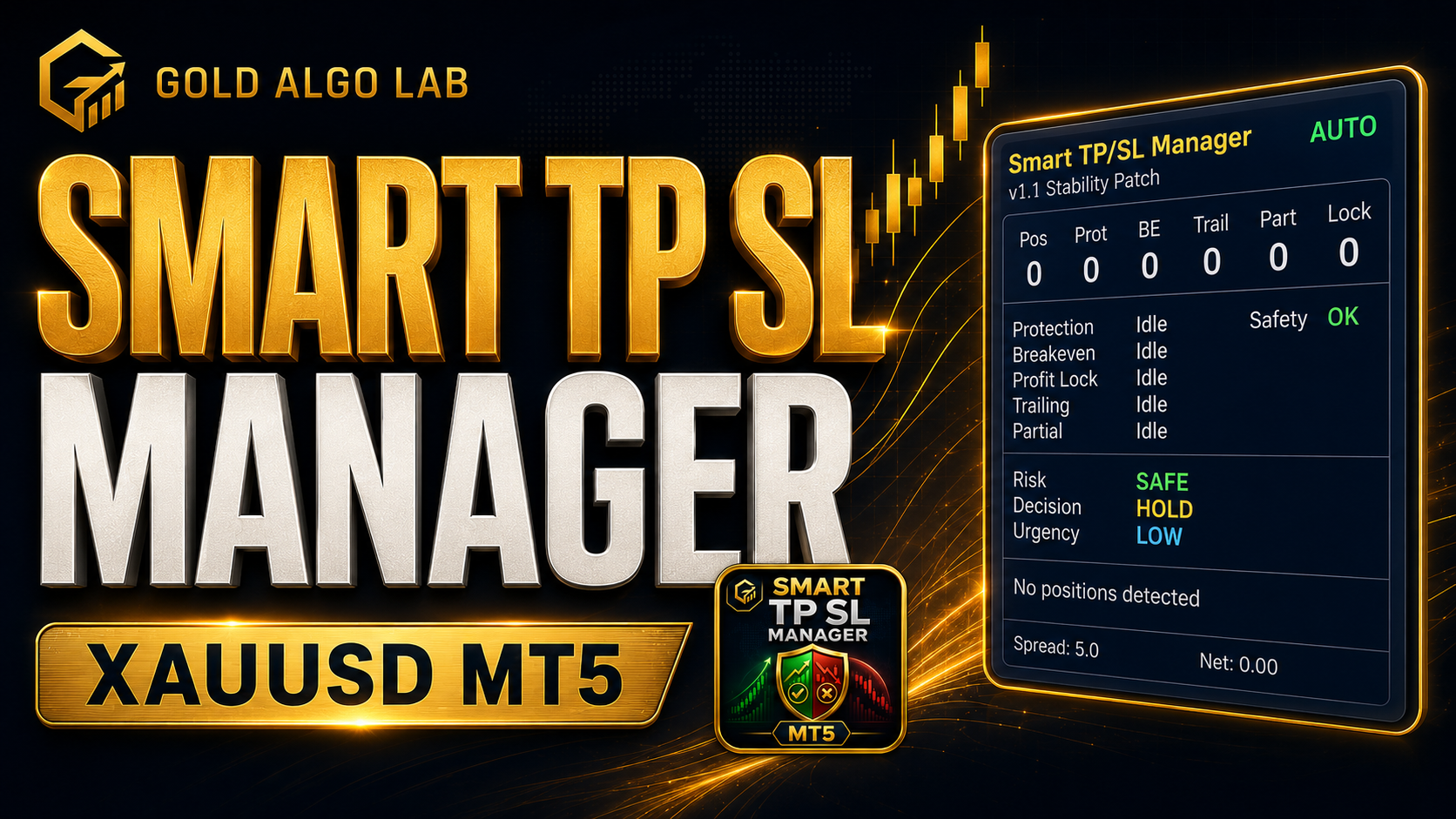
Smart TP SL Manager MT5 is a trade management utility that automatically places and manages stop-loss, take-profit, breakeven, trailing stop, profit lock, and partial close logic on your existing XAUUSD positions - manual trades or EA trades alike. It runs in the background, continuously monitors open positions on your chart, and tells you clearly if anything is left unprotected. It does not open trades. It protects the ones you already have.
🔔 The Problem
You've been trading gold for a while. You know the setup. You wait for the London open, price gives you a clean break of structure, you enter long at $4,078. You're watching. You're confident.
Then your phone buzzes. A meeting. A call. Someone at the door. You close the app for twenty minutes.
You come back to find price spiked down to $4,055. Either no stop-loss was placed before you stepped away, or an existing stop was triggered during an unusually wide spread event. The position is bleeding. You scramble to close it. The damage is done.
This is not a rare scenario for active gold traders. XAUUSD moves fast, spreads can widen sharply during news events, and the gap between "I'll manage it in a moment" and an actual loss can be measured in seconds.
The real problem isn't discipline. It's that MetaTrader 5 gives you the tools to place trades, but gives you almost nothing to manage what happens after the trade is open. You either build all that logic yourself, or you do it manually - which means you're exposed every time you look away.
Most traders don't realize they have unprotected positions until the panel is showing red. By then, they're already under pressure.
🏆 The Real Engine
Smart TP SL Manager MT5 doesn't just add a stop-loss. It continuously monitors your open positions and tracks the current management stage of each one - initial protection, breakeven window, profit-building phase, or trailing - applying the right action at the right time, automatically.
What separates it from a simple script is the sequencing. Each position is tracked independently with its own state: whether breakeven has already fired, which partial stages have closed, which profit-lock level has been reached. The tool doesn't re-evaluate from scratch every tick. It knows where each trade left off.
It also checks current spread and broker trading constraints before sending any modification, helping reduce unnecessary order rejections during unfavorable market conditions. If market conditions aren't suitable - spread too wide, session filter active, price invalid - the modification is held and retried on the next cycle.
The on-chart panel makes all of this visible in real time: how many positions are open, how many are protected, what state each protection module is in, and a live risk assessment showing whether your current exposure is safe, cautious, or requires immediate attention.
If you've ever attached a trailing stop EA and wondered why it didn't fire at the right moment, this is designed to address those situations.
🚀 What the Tool Shows and Does
Note: Most protection modules are optional and configurable. Review your input settings carefully - several features are disabled by default and need to be enabled to match your trading style.
🏅 Initial Protection - for trades that open without SL or TP
When a new position appears without a stop-loss or take-profit already set, the tool can automatically assign one. You choose the method: fixed points, ATR-based distance, or a simple swing reference using recent price structure. Particularly useful if you're running another EA that doesn't place SL by default, or if you enter manually in a fast market and need a safety net in place immediately.
🏅 Breakeven - moves SL to entry once the trade earns it
Once a trade moves in your favor by a defined amount - measured in points, R-multiples, dollar profit, or ATR units - the tool shifts the stop to breakeven plus a small configurable offset. No more watching a winning trade reverse into a full loss because you were away from the screen at the wrong moment.
🏅 Profit Lock - steps up the floor as price extends
Three configurable trigger levels. Each time price hits a new profit milestone, the stop floor rises to lock in a portion of what's already been earned. The result is a trade that can't give back everything even if you don't manually intervene.
🏅 Trailing Stop - follows price with discipline
Four trailing methods available: fixed distance, ATR-based, candle high/low, and swing structure lite. The trail only activates once price is sufficiently in profit, and moves in steps rather than chasing every tick. Each position trails independently based on its own entry and profit state.
🏅 Partial Close - books profit at multiple stages
Three stages of partial exits, each triggered by a profit threshold you define. For example: close 30% at 1.5R, another 30% at 2.5R, let the remainder run for a larger move. This provides a structured way to secure profits while keeping part of the position open if the trend continues. Note that partial close volumes are subject to your broker's minimum lot step - if the resulting volume falls below minimum, that stage is skipped rather than rejected by the broker.
🏅 Emergency SL and Loss Cap - last-resort protection
If a position has no SL at all - which can happen with certain EAs or after a connectivity gap - an emergency stop can be placed as soon as the management cycle detects it. Separately, a floating loss cap monitors each position's net P/L and can trigger a close when a dollar threshold is crossed. Both features are optional and must be enabled in your inputs.
🏅 The On-Chart Panel - your live risk dashboard
A compact blue panel displays position count, protection status per module, and a three-line risk assessment: Risk level, Decision (Hold / Monitor / Reduce / De-Risk Now), and Urgency (Low / Medium / High / Critical).
The screenshot at the top of this post shows exactly what DANGER + DE-RISK NOW + CRITICAL looks like during an active session: two positions open near $4,075, protection status showing Missing, net P/L negative, spread at 17 points. That display is doing its job - telling you something needs your attention before the market makes the decision for you.
In a stable scenario - positions protected, breakeven active, trailing running - the same panel shows green status indicators and a Safety: OK confirmation. You can verify the protection state at a glance without manually checking each position.
🔎 What This Looks Like in Real Trading
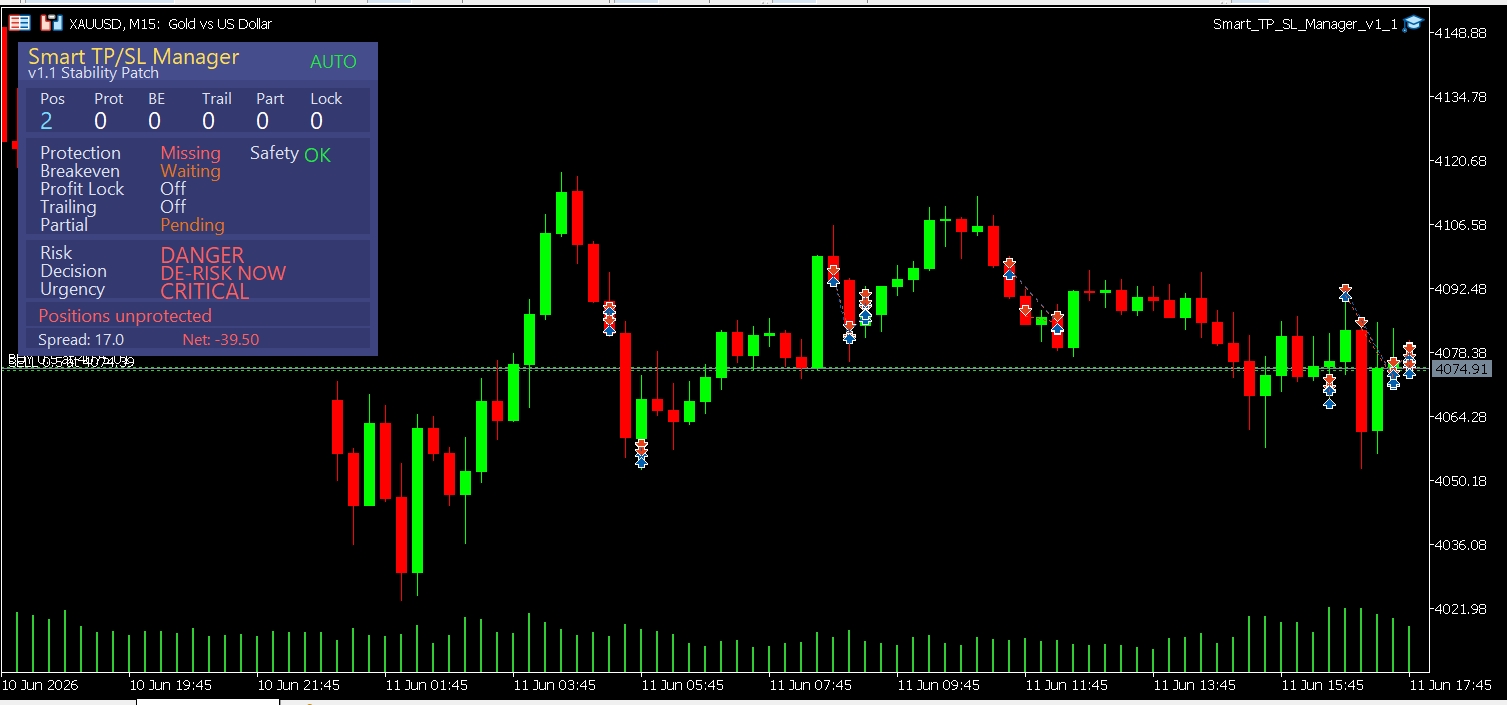
The screenshot tells the clearest story.
Two open positions on XAUUSD M15, price around $4,074–$4,078. Panel reads: Protection Missing, Breakeven Waiting, Partial Pending, net floating -$39.50, spread 17 points. Risk: DANGER. Decision: DE-RISK NOW. Urgency: CRITICAL.
Without the panel, a trader glancing at that chart sees candlesticks. The panel shows that both trades are sitting exposed - and does it before the damage compounds.
Contrast that with a healthy session where all modules are running: protection applied, breakeven done, trailing active, partials taken at the first target. The panel stays quiet. No alerts. No red. That's what you're managing toward.
🌟 Practical Advantages Worth Noting
Works on manual trades and EA trades simultaneously. Filter by magic number to include a specific EA, exclude one, or manage all positions across the board.
Per-position independent tracking. Each position carries its own state - its own breakeven status, its own partial close history, its own lock level. Two positions in the same direction are managed separately based on their individual entry price and profit progress, not averaged together.
Scope flexibility. Run protection on the current symbol only, or extend it across all open positions on all symbols in your terminal at once.
Pre-validated modification logic. Before sending any SL or TP modification, the tool checks your broker's stop level and freeze level requirements. Orders that fail the tool's pre-validation checks are not sent, helping reduce avoidable broker rejections. This does not guarantee every modification will succeed - broker connectivity and server-side conditions can still cause failures - but it eliminates the most common rejection causes.
Throttled execution. A configurable rate limiter controls how many modifications per minute the tool sends, with a minimum gap between successive modifications. This prevents the tool from flooding the broker's server during fast market moves.
Spread filter and session filter. Toggle independently. Restrict protection activity to London and New York hours only, or set a spread ceiling above which no modifications are sent. Both defaults are conservative - review and adjust to match your broker's typical spread profile.
No chart clutter. No indicator lines, no arrows, no labels on candles. The panel is the only visual output.
🎁 Who This Is For - and Who It Is Not
✨ This tool fits if you:
- Trade XAUUSD manually and regularly enter positions without immediately placing a full SL/TP structure
- Run one or more EAs that don't include their own breakeven or trailing logic
- Want a consistent, rule-based protection layer that helps reduce emotional decision-making after entry
- Trade multiple positions simultaneously and can't monitor each one in real time
- Have ever watched a winning trade give back full profit because no structured exit management was in place
✨ This tool is not the right fit if you:
- Need the tool to find and open trades for you - it doesn't, by design
- Already have a complete trade management system built into your EA and are satisfied with it
- Are looking for a signal tool or market analysis indicator
- Run grid or basket strategies where you need protection logic based on the net entry of the entire basket - this tool manages each position independently by ticket
- Trade micro-lot sizes (0.01) where partial close percentages may not be mathematically executable due to broker volume step constraints
📢 What It Doesn't Do
There's no analysis here. The tool doesn't know whether your trade idea is good. It doesn't read structure, assess trend, or evaluate whether you should be in the trade. Once you're in, it manages your risk - but the entry decision is entirely yours.
It also doesn't guarantee that every modification will succeed. Broker connectivity, stop-level constraints, freeze levels, and real-time market conditions can all cause order modifications to fail. The tool handles those failures gracefully - logging them and retrying on the next cycle - but it is not a substitute for a reliable broker with stable execution.
It does not net hedge positions or average them into a basket. Each position is managed independently, which is appropriate for single-entry trading but requires awareness if you're scaling in.
If your configured SL distance is smaller than your broker's minimum stop level for that symbol, the modification will be blocked rather than placed incorrectly. You'll need to adjust your parameters to match your broker's specifications.
🎁 Get the Tool
👉 Smart TP SL Manager MT5 on MQL5 Market: https://www.mql5.com/en/market/product/170560
If you're serious about protecting open positions on gold - without building your own protection layer from scratch - this is the utility built for that job.
🧰 Related Tools
👉 Equity Protector Pro MT5 - Smart TP SL Manager MT5 protects each individual trade. Equity Protector Pro operates at the account level, monitoring your overall equity curve and acting when total drawdown crosses a threshold you define. Run both together for layered protection at the position level and the account level simultaneously.
👉 Gold Trade Manager PRO - Handles the entry side: position sizing, one-click execution, and pre-trade risk calculation. Where Smart TP SL Manager MT5 takes over after entry, Gold Trade Manager PRO covers everything before the order is placed. A natural pair for traders who want the full workflow covered.
👉 Episode Health Monitor - Tracks session-level performance and gives you an early signal when a trading session is degrading. Useful alongside Smart TP SL Manager MT5 if you're running multiple positions across a full trading session and want a session-level view in addition to per-position protection status.
❓ FAQ
✅ Does this work with my existing EA if the EA already places positions?
Yes. The tool monitors all positions on the chart by default, regardless of what opened them. You can filter by magic number to apply protection only to positions from a specific EA, or use the exclusion filter to leave one EA's positions untouched while managing everything else.
✅ What happens if my broker rejects an SL modification?
The tool pre-validates against your broker's stop level and freeze level before sending any modification. If the order fails the pre-check, it's not sent. If it passes the pre-check but is rejected by the broker for another reason - connectivity, server-side timing, or market conditions - the tool logs the failure and retries on the next management cycle.
✅ Can I use this on pairs other than XAUUSD?
Yes, it works on any MT5 symbol. Gold is the primary design target and the default parameters (SL distances, spread thresholds) are tuned for XAUUSD price scale. For Forex pairs or indices, you'll want to review and adjust those values to match the instrument's typical range and your broker's spread profile.
✅ Will the trailing stop activate immediately when I attach the tool?
No. The trailing stop only activates after price has moved a defined distance in your favor. This prevents the trailing logic from firing on a position that's still inside normal entry noise range. The start threshold is configurable.
✅ Does partial close work if my position is a small lot size?
Partial close volumes are calculated as a percentage of the open position, then validated against your broker's minimum lot step. If the resulting partial volume is below the broker's minimum, that stage is skipped rather than sending a rejected order. For micro-lot positions (0.01), this means some or all partial stages may not execute. If you trade at small sizes, verify that your position volume allows for meaningful partial splits before relying on this feature.
✅ I have two positions open on XAUUSD at the same time. Does the tool manage both?
Yes, independently. Each position is tracked by its own ticket number with its own state - its own breakeven status, its own partial close history, its own profit-lock level. The tool doesn't average them or net them together. If you're scaling in and want protection based on the basket's average entry, this tool is not designed for that workflow.
🎁 New to Gold Algo Lab?
Start with the Gold Algo Lab Tool Map - a practical guide that organizes our MT5 tools into 6 connected stages: market context, setup selection, risk planning, trade execution, position management and account protection.
→ Gold Algo Lab Tool Map: Where to Actually Start With MT5 Tools for XAUUSD
https://www.mql5.com/en/blogs/post/771930
Do not choose a tool by its name alone. Start with the part of your trading process that needs the most control, then build your workflow one layer at a time.
Gold Algo Lab builds practical, risk-first MT5 tools for serious XAUUSD traders, shaped by 8 years of developing and trading real systems to help traders identify clearer setups, manage risk with greater confidence and execute with more discipline.




