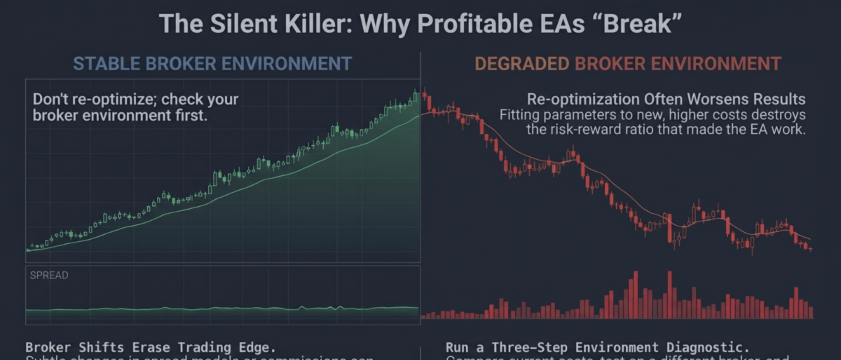
Diagnosing EA Performance Degradation: When the Broker Changes the Spread Model

The Pattern
A trader runs an EA profitably for months or years. No code changes. No settings modified. The equity curve starts bleeding. The trader backtests — still shows good results. The trader re-optimizes — makes it worse.
The most likely cause is a broker-side change in execution conditions — not a broken strategy.
Consider a EURUSD scalper, profitable for more than two years, that starts losing. The trader re-optimizes twice. The first round reduces performance slightly. The second turns a 12% loss into 19%. The EA's original parameters are sound throughout.
What Brokers Change
Brokers adjust execution environments for legitimate business reasons — regulatory compliance, liquidity provider renegotiation, competitive repositioning. The five changes that break EAs most often:
- Spread model shifts — fixed to variable, or wider variable range. What used to be 0.6-1.2 pips on EURUSD becomes 0.8-2.5 pips.
- Commission restructuring — per-lot commissions to spread markup, or rate changes.
- Execution type changes — instant execution to market execution. EAs built for instant execution do not handle slippage.
- Slippage policy adjustments — fill priority changes that shift average fill prices by fractions of a pip.
- Stop level modifications — minimum SL/TP distance changes that cause error 130 rejections.
In the example, the average London session spread rises from about 0.8 to 1.4 pips. On a 6-pip scalper, spread cost jumps from 13% to 23% per trade.
Why Backtests Miss This
The Strategy Tester uses historical tick data with the spreads that existed when the data was recorded. A backtest on 2024-2025 data shows the old spreads. The trader sees a 68% win rate in the tester while live trading shows 41% on identical parameters.
"Every tick" mode generates ticks from stored bars — past conditions, not current ones. The diagnostic tool most traders reach for actively confirms the wrong conclusion.
Three-Check Diagnostic
Before changing any EA parameters, run these three checks:
Check 1: Compare Execution Costs
Sample the spread at entry during your trading window and compare against your profitable period:
In the example, this check shows a 75% increase in average spread during the London session.
Check 2: Test on Second Broker
Open a demo account with a different broker. Same settings, same parameters, same symbol. If the EA performs closer to its historical profile, the problem is broker-specific. In the example, the EA returns to within 5% of original performance on the second broker.
Check 3: Audit Fill Quality
Compare requested entry price against actual fill:
If average slippage increased or variance widened, the execution environment changed.
Adapting Without Destroying the Strategy
Re-optimization changes the strategy to fit a cost structure that did not exist when the EA was profitable. The correct response is adapting the execution layer while preserving the signal logic.
Spread-aware entry filter:
This skips entries during the widest spread windows without permanently disabling the strategy.
Commission-adjusted take profit:
Build Execution Monitoring Into Every EA
Every production EA should track three rolling metrics:
- Average spread at entry — sample on every trade open, maintain rolling average over last 50-100 trades
- Average slippage per order — compare requested fill price to actual fill price
- Effective commission cost — log per trade from broker-reported data or known rate
When any metric deviates beyond 2 standard deviations from its rolling baseline, generate an alert. This adds roughly 50 lines of code and prevents weeks of degradation going unnoticed.
In the example, the full intervention is one spread filter, one TP adjustment, and one parameter revert. No strategy changes.




