Exp COPYLOT CLIENT for MT4

4.69

MetaTrader 4 için profesyonel işlem kopyalayıcı

MetaTrader 4 için hızlı, güvenilir ve profesyonel bir işlem kopyalayıcı.

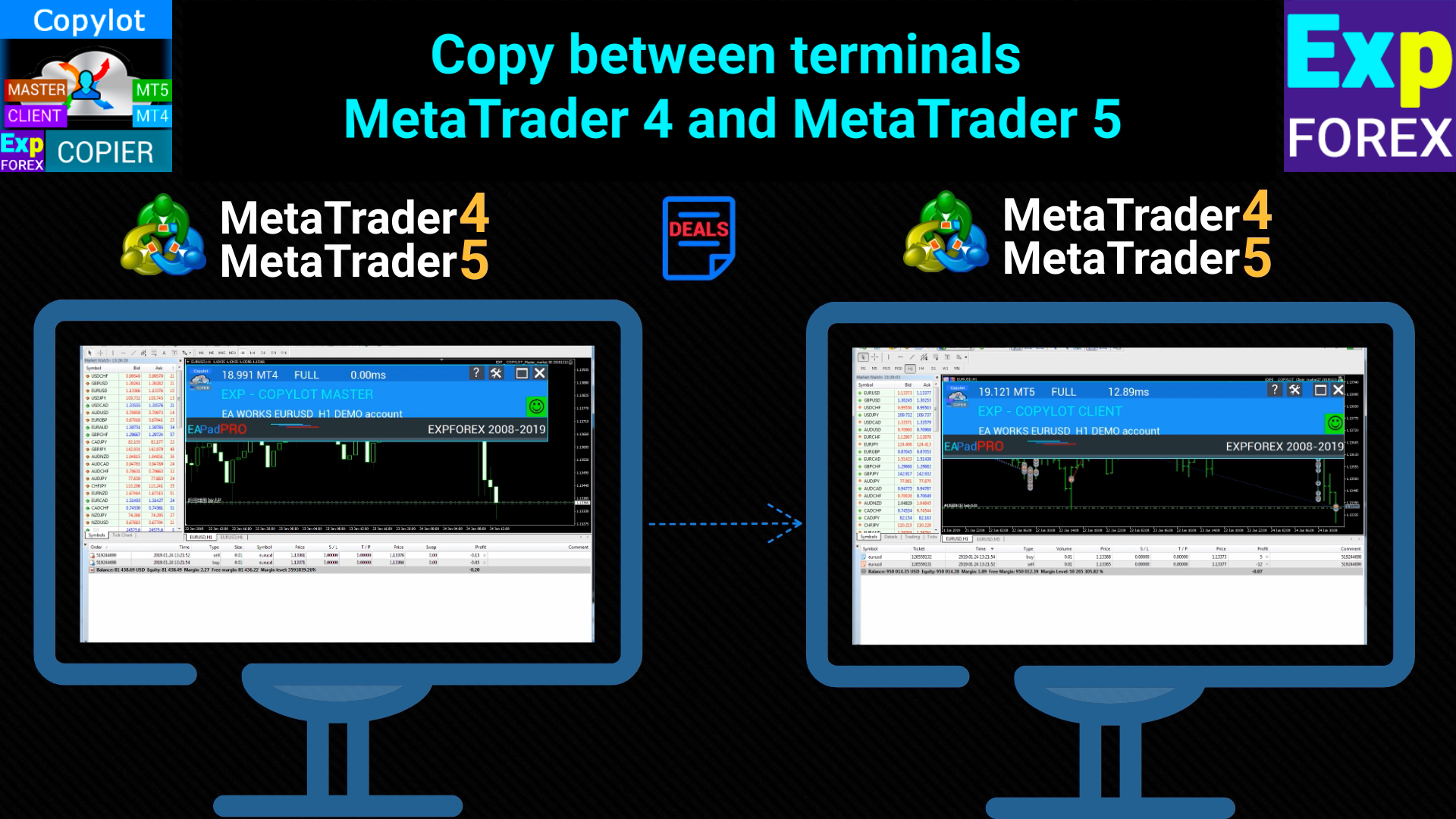
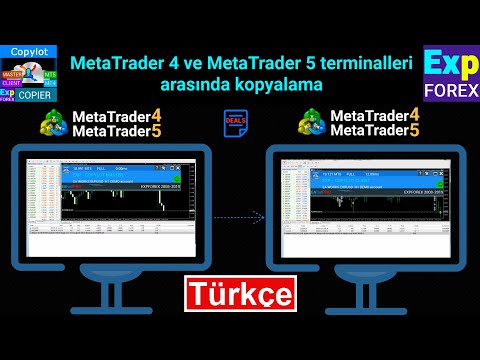
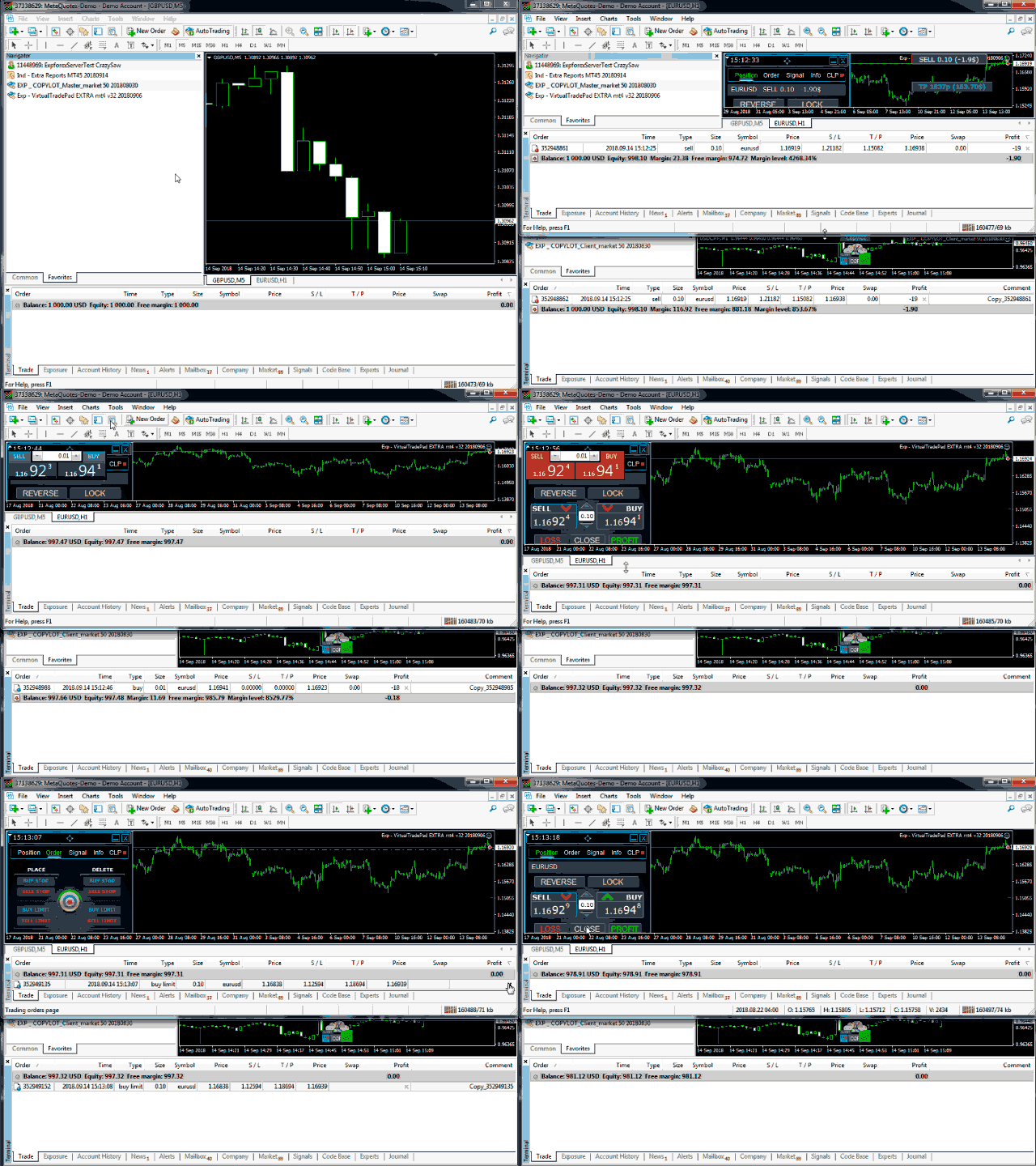
COPYLOT, MetaTrader 4 ve MetaTrader 5 terminalleri arasında Forex işlemlerinin kopyalanmasını sağlar ve farklı hesap türleri ile işlem senaryoları için esnek senkronizasyon sunar.

COPYLOT MT4 sürümü şunları destekler:

  • MetaTrader 4 → MetaTrader 4
  • MetaTrader 5 Hedge → MetaTrader 4
  • MetaTrader 5 Netting → MetaTrader 4

Ayrıca MetaTrader 5 sürümünü kullanarak MetaTrader 5 → MetaTrader 5 ve MetaTrader 4 → MetaTrader 5 arasında da kopyalama yapabilirsiniz: COPYLOT CLIENT for MT5

COPYLOT, aynı anda 2, 3 hatta 10 terminal ile kararlı şekilde çalışmak üzere tasarlanmış profesyonel bir işlem kopyalama çözümüdür.

  • Demo hesaplar ve yatırımcı şifresi ile açılan hesaplardan kopyalamayı destekler
  • Aynı anda birden fazla terminalde çalışabilir
  • Tek bir ana terminal üzerinden işlem yaparken birden fazla hesabı senkronize etmenizi sağlar

Desteklenen kopyalama modları:

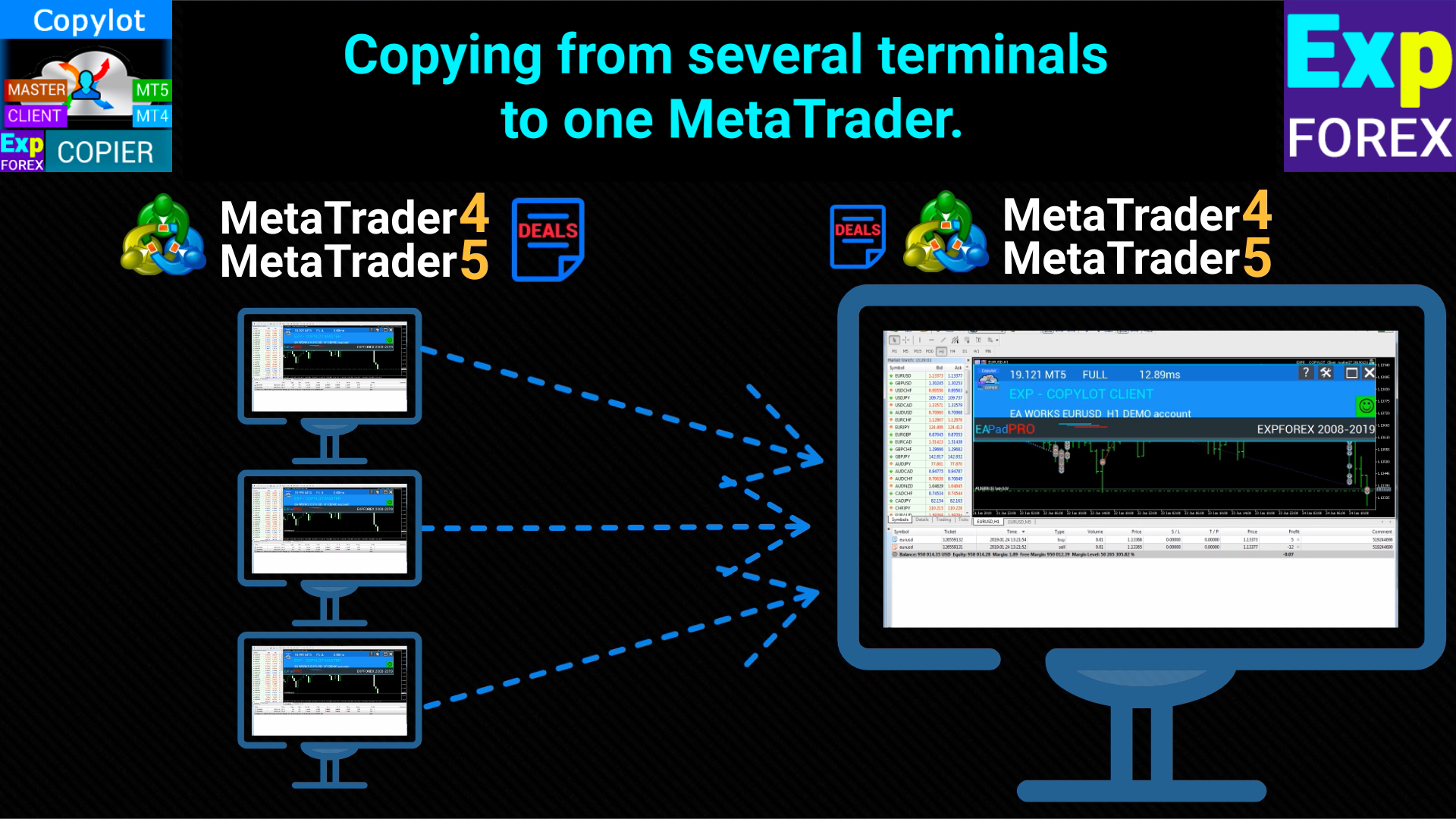
  • Birden fazla terminalden tek bir terminale
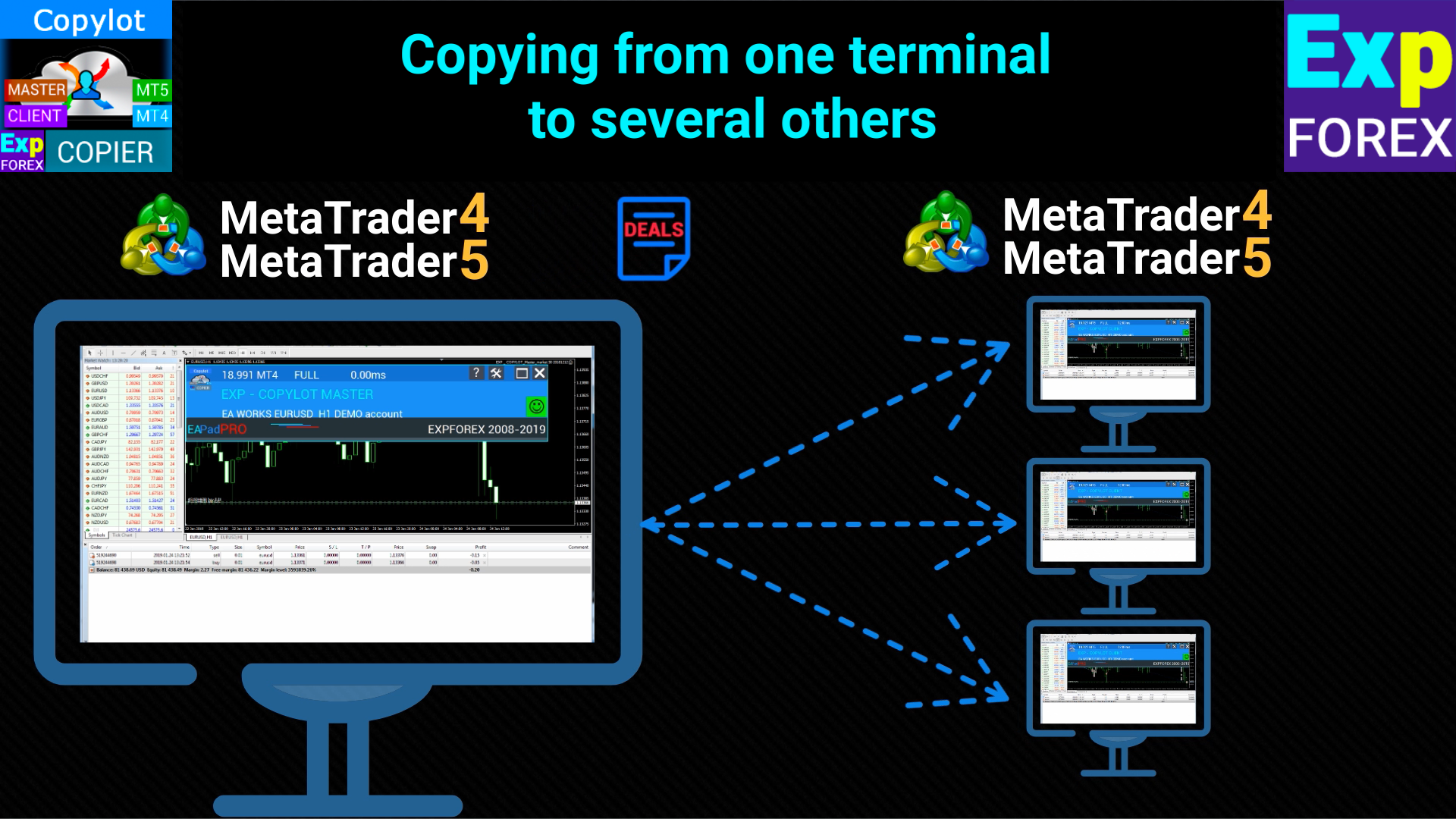
  • Bir terminalden birden fazla terminale
  • Farklı brokerlar arasında
  • Yatırımcı şifresi ile açılmış hesaptan
  • Demo hesaptan gerçek hesaba
  • MetaTrader 4 ve uyumlu MetaTrader 5 → MetaTrader 4 kopyalama modları

Kurulum

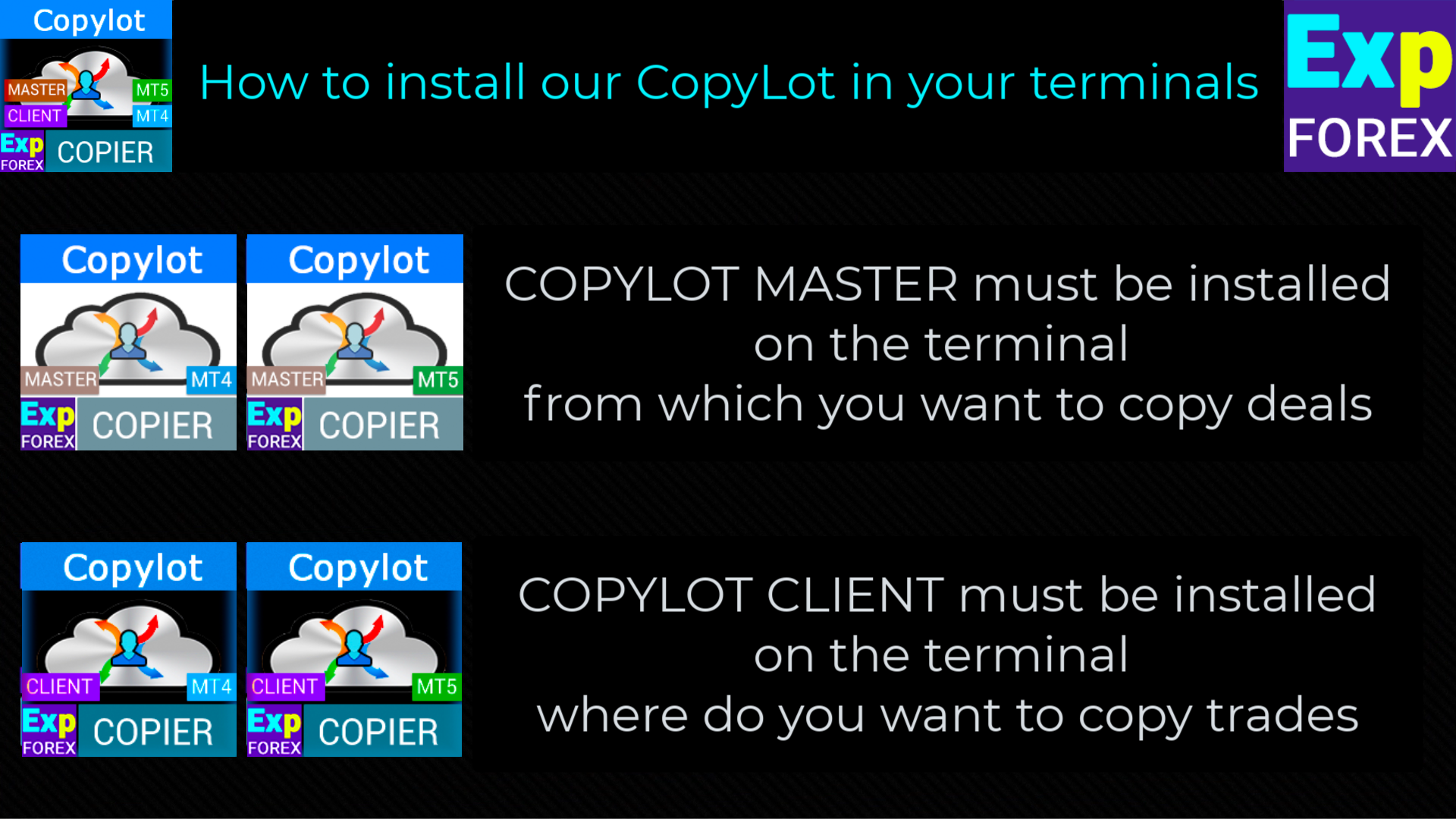
İşlem kopyalamaya başlamak için, önce işlemlerin gönderileceği kaynak terminale ücretsiz master kopyalayıcıyı kurun: COPYLOT Master for MT4 veya COPYLOT Master for MT5.

COPYLOT CLIENT (Slave)

  1. Kopyalanan işlemleri alacak olan MetaTrader 4 terminaline Expert Advisor’ı kurun.
  2. COPYLOT CLIENT sadece tek bir grafiğe eklenmelidir.
  3. pathRead parametresine örneğin "COPY" gibi bir metin adı girin. Bu değer, master terminaldeki PathWrite parametresi ile aynı olmalıdır.
  4. Expert Advisor yalnızca tek bir grafikte çalıştırılmalıdır.
  5. Varsayılan olarak COPYLOT, master hesaptaki tüm pozisyonları ve emirleri kopyalayabilir.

Not: Kendi hesabınız içinde pozisyon çoğaltmak istiyorsanız, Exp4 Duplicator for MT4 ürününü kullanabilirsiniz.

MT4 sürümünün özellikleri

Kısmi kapatma, MetaTrader 4 terminalleri arasında desteklenir.

Bekleyen emirler desteklenir ve ayarlarınıza göre müşteri hesabına kopyalanabilir.

COPYLOT yalnızca aynı bilgisayardaki terminaller arasında çalışır ve internet üzerinden kopyalama yapmaz.

MetaQuotes VPS desteklenmez.

İstemci ayarları

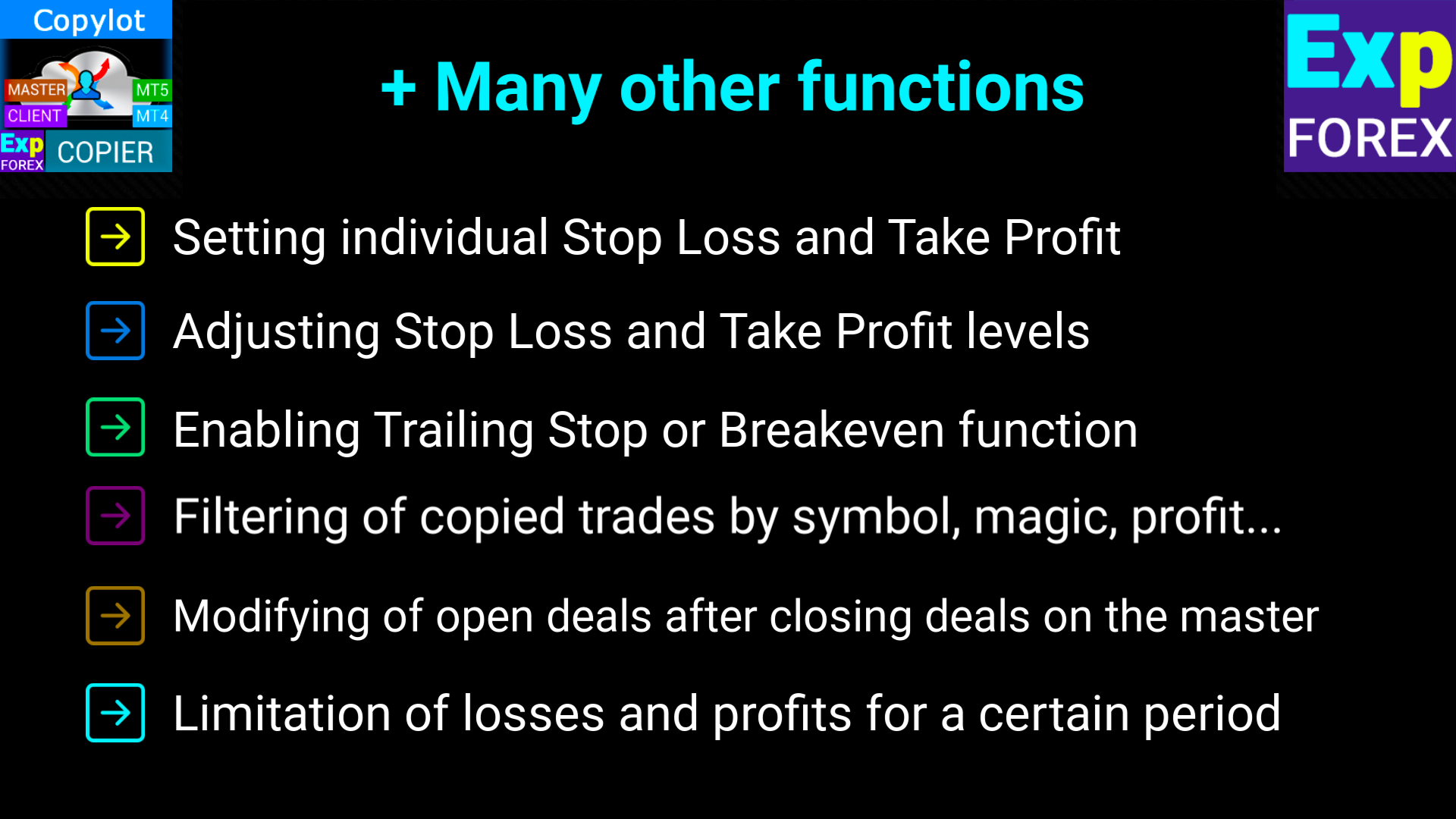
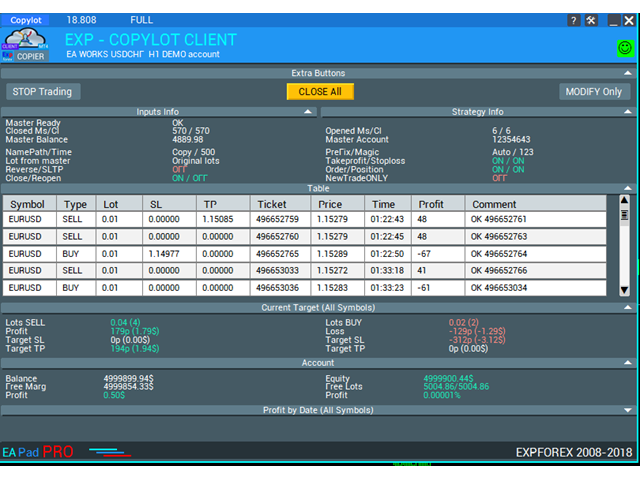
COPYLOT CLIENT, işlemlerin müşteri terminalinde nasıl alınacağını, filtreleneceğini, açılacağını, yönetileceğini ve kapatılacağını esnek şekilde kontrol etmenizi sağlar.

Bağlantı ve sembol ayarları: master ve müşteri terminali arasındaki iletişim yolunu yapılandırabilir, Magic numaralarını belirleyebilir, sembol adlarını veya son eklerini uyarlayabilir, sesli bildirimleri açabilir ve kopyalanan işlemlerin bilgilerini grafikte görüntüleyebilirsiniz.

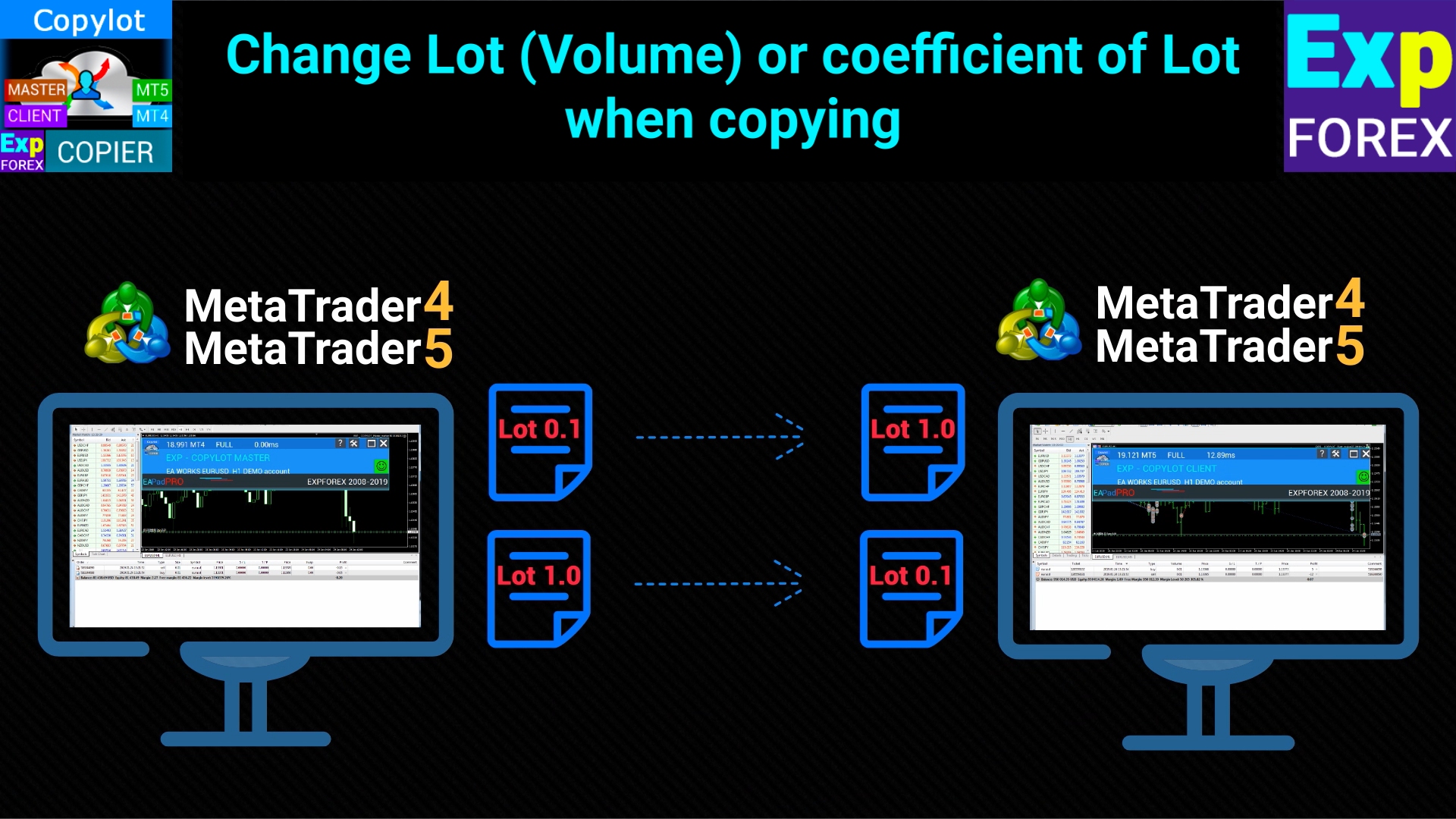
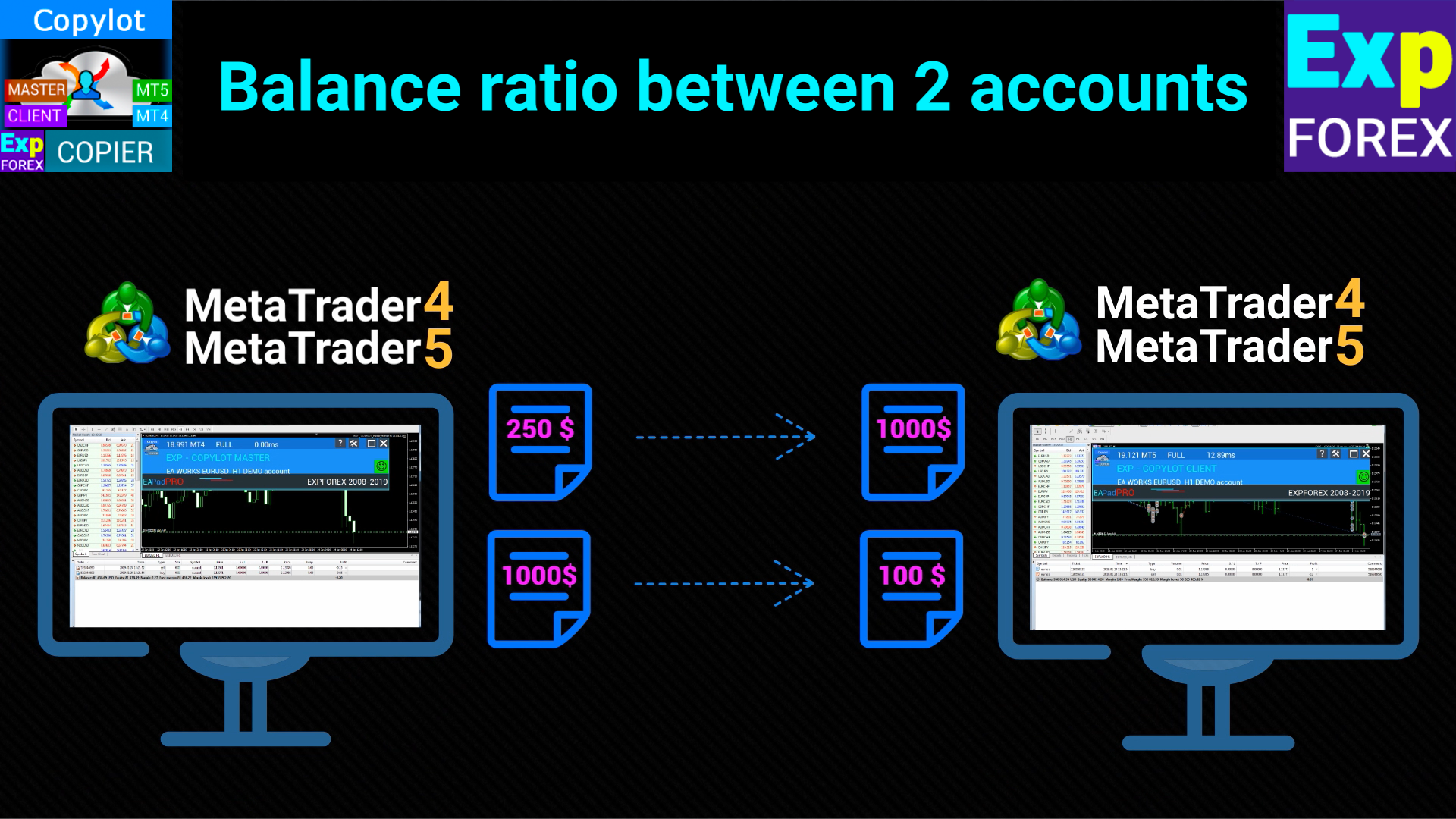
Lot ve risk yönetimi: sabit lot, dinamik risk hesaplama, master ile risk senkronizasyonu, çarpanlar, ek lot ayarları ve minimum/maksimum lot sınırları ile her hesap büyüklüğüne uygun kopyalama yapısı oluşturabilirsiniz.

Emir yürütme ve koruma: slippage, izin verilen fiyat farkı, yeniden deneme sayısı, ECN hesaplar için çalışma modu, stop loss ve take profit kopyalama, master’a göre SL/TP düzeltmeleri ve MetaTrader 4 için sanal koruma işlevleri kullanılabilir.

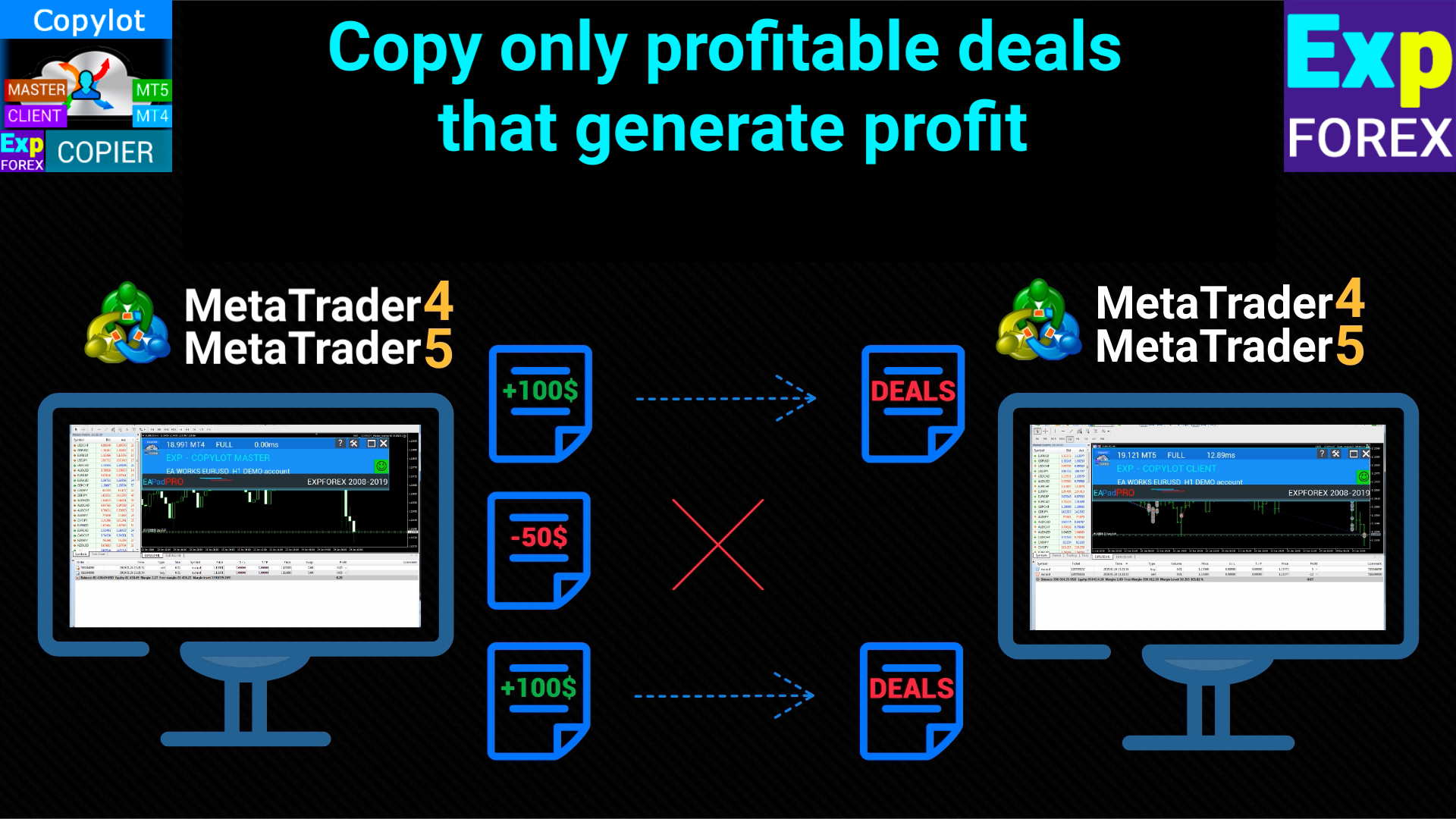
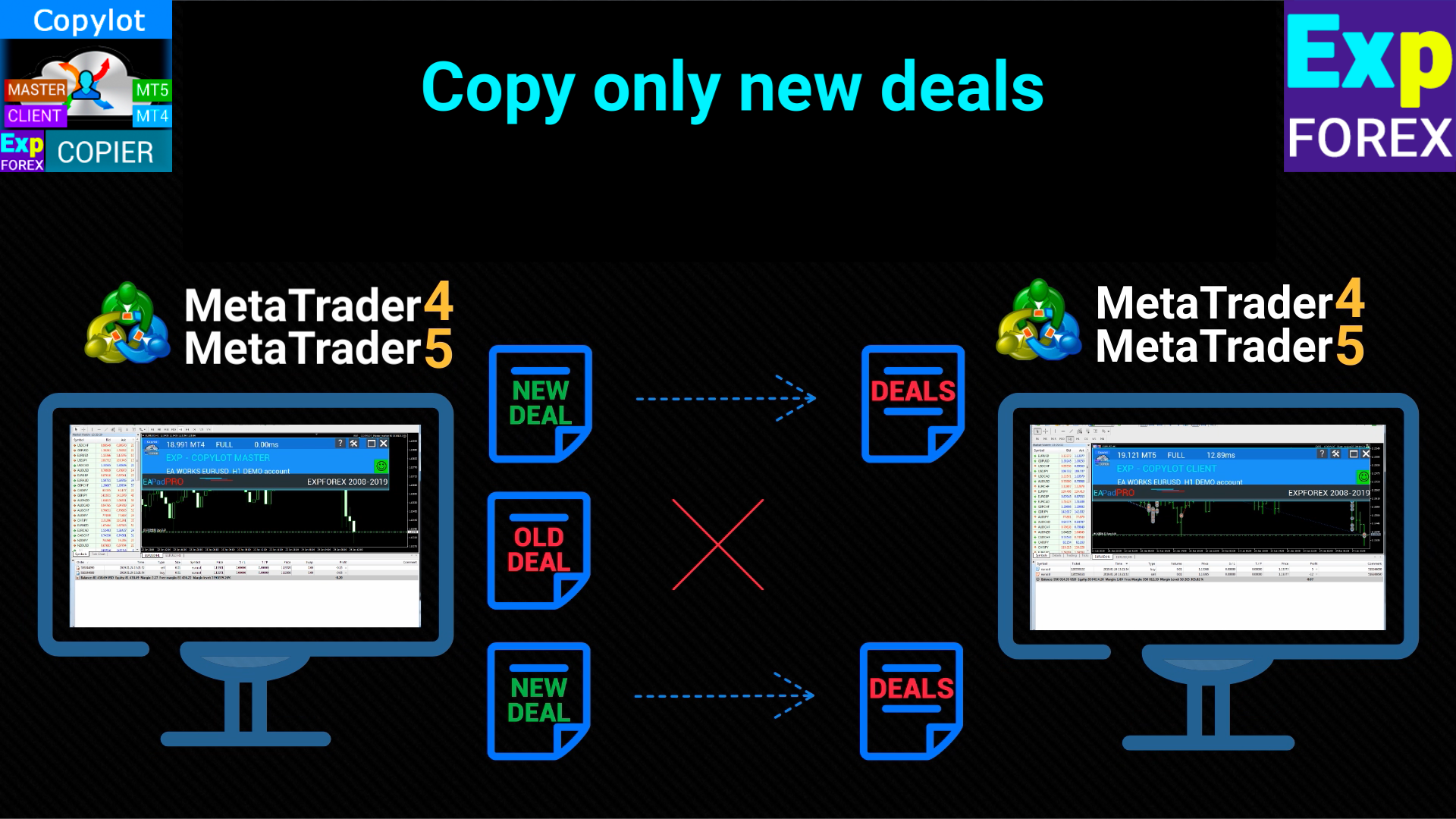
Kopyalama modları ve filtreler: pozisyon ve bekleyen emir kopyalamayı açıp kapatabilir, yalnızca yeni işlemleri kopyalayabilir, sembol, lot, pozisyon sayısı veya emir sayısına göre filtre uygulayabilir ve sadece kârlı ya da zararlı işlemleri kopyalayacak koşullar tanımlayabilirsiniz.

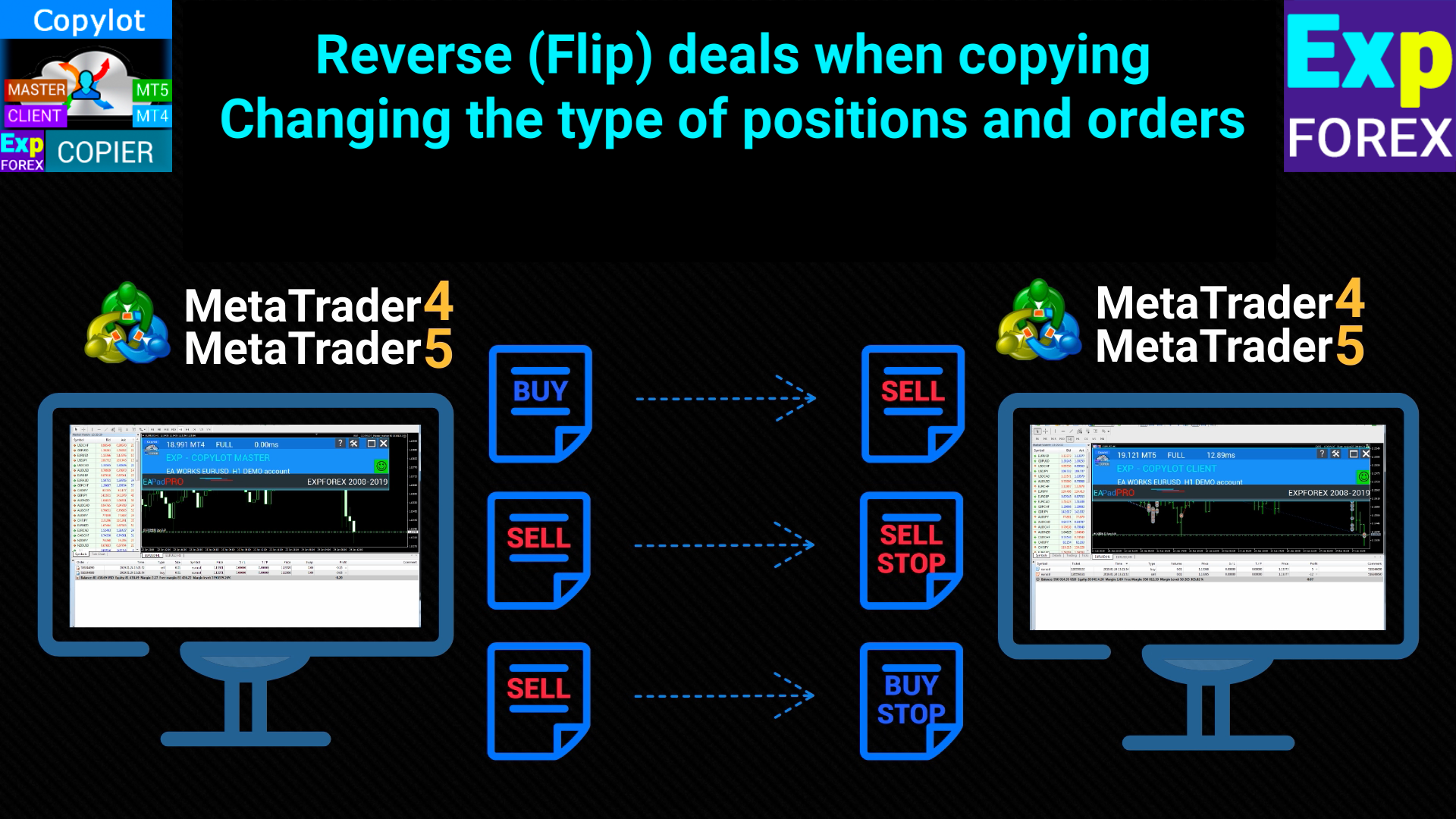
Yön ve senkronizasyon: normal veya ters kopyalama kullanabilir, işlemleri bir veya birden fazla terminal arasında senkronize edebilir, gerekirse pozisyonları yeniden açabilir, master hareketlerine göre bekleyen emirleri silebilir, yorumları kopyalayabilir ve ters kopyalamada SL/TP seviyelerini de ters çevirebilirsiniz.

Trailing ve master kapandıktan sonra yönetim: trailing stop, break-even, yalnızca kâr bölgesinde trailing aktivasyonu, adımlı stop taşıma ve master pozisyon kapandıktan sonra bile müşteri pozisyonlarının gelişmiş yönetimi desteklenir.

Emir dönüşümü ve gecikmeler: kopyalanan pozisyonları bekleyen emirlere dönüştürebilir, emir türünü ve mesafesini belirleyebilir, MetaTrader 4’e özel pozisyon→emir dönüşüm mantığını kullanabilir ve gelişmiş senkronizasyon senaryoları için saniye veya puan bazlı ek gecikmeler uygulayabilirsiniz.

#tags kopyalayıcı, işlem kopyalama, trade copier, Forex kopyalayıcı, MetaTrader kopyalayıcı, MT4 kopyalayıcı, MT5'ten MT4'e, Hedge hesapları, Netting hesapları, bekleyen emirler, hızlı kopyalama, Expforex, Vladon, COPYLOT
Değerlendirmeler 106
Cristobal Giron
837
Cristobal Giron 2024.12.25 11:32 
 

Hello, I have a question. In the event that I do not want a transaction to enter because the SLIPPAGE that the account where it is being copied has is larger than the account to which it is copied, how should I set the parameter for the maximum SLIPPAGE price?

For example, in the master account the slippage is 15 and in the copy account the slippage varies from 100 to 20.

What should I put in the slippage box so that it does not appear if the copier slippage is greater than 30?

Hon Kwan Max Tse
135
Hon Kwan Max Tse 2024.12.19 16:11 
 

There is no IfProfTrail in MT4 client. Where IfProfTrail (Condition for Trailing Stop activation) Thanks

36345651
24
36345651 2024.08.31 05:50 
 

非常棒!

Önerilen ürünler
Trade Copier Professional — Yerel Kopyalama Çözümü   Trade Copier Professional, MetaTrader 4/5 için güvenilir bir yerel işlem kopyalama sistemidir. Aynı bilgisayardaki birden fazla hesap arasında pozisyonları anında çoğaltmaya imkân tanır, dahili güvenlik kontrolleri ve profesyonel bir kontrol paneli ile birlikte gelir.   Genel Bakış   EA, tek bir dosya üzerinden hem Master hem de Slave modlarında çalışır ve sorunsuz geçiş sağlar. İşlemler, internet bağlantısına ihtiyaç duymadan MT4 ile MT5 ter
Copyist MS
Aleksei Moshkin
4 (4)
Copyist MS is a simple and easy to use trade copier. It works as a single-file Expert Advisor with toggled Master and Slave operation modes. Configurations Type of work - work mode selection: Master or Slave; Copy by magic number - copy trade orders by magic number (configure in master terminal) Will not copy currency pairs - list of unwanted currency pairs to copy (configure in master terminal) Master account number - master-terminal trading account number; Selective copying currency pairs - i
Binary Options Copier Remote is an EA that allows to copy binary options trades between MT4 accounts at different computers. This is an ideal solution for signal provider, who want to share his trade with the others globally on his own rules. Provider can give free bonus license to 10 receivers. That means those 10 receivers can copy from provider by using Binary Options Receiver Free (no cost). From 11th one, receiver have to buy Binary Options Receiver Pro (paid version) in order to copy from
FXA LTC is a trade copier for MT4 terminal. This is a fantastic tool for coping trades from one MT4 terminal to many others running on the same PC/VPS. It is extremely easy to setup with minimal settings you can be coping trades in minutes. FXA LTC also caters for Brokers that use different symbol names. FXA LTC will copy trades in 0.5 seconds or less. Please note this will only work on live charts, it will not do anything in the simulator Features Super fast trade coping less than 0.5s the cop
Para Birimi Gücü Ticaret Paneli EA MT4 , fiyat hareketi ile birleştiğinden ve 8 ana para biriminin olağan 28 kombinasyonu dışında herhangi bir sembol/çiftte uygulanabildiğinden, para birimi gücü kavramını tamamen yeni bir düzeye taşıyor. Bu, tüm para birimleri, emtialar ve kriptolar (endeksler değil) dahil olmak üzere herhangi bir çiftin gücünü veya zayıflığını takas edebileceğiniz anlamına gelir. Herhangi bir çiftin 2 parçasının güç/zayıflık dengesi hakkında sizi görsel olarak bilgilendiren re
Local Trade Copier EA MT4
Juvenille Emperor Limited
4.96 (111)
Local Trade Copier EA MT4, aynı Windows bilgisayarı veya Windows VPS üzerinde çalışan birden fazla MetaTrader 4 hesabı arasında işlemleri kopyalamak ve yönetmek için hızlı ve esnek bir işlem kopyalayıcıdır. Yerel işlem senkronizasyonunu, Receiver tarafında lot büyüklüğü, risk yönetimi, işlem filtreleme, sembol eşleştirme, işlem yönetimi ve hesap koruması kontrolleriyle birleştirir. Transmitter ve Receiver terminallerinizi yaklaşık 1 dakika içinde ayarlayın ve aynı veya farklı brokerlardaki hesa
Customized Copy MT4
Kyra Nickaline Watson-gordon
Customized Copy is a Multi-Terminal visual trade copying utility that supports Metatrader4 and Metatrader5 for Trade Copying.  You can activate EA on 10 different PCs/VPS. On each PC/VPS can install on Unlimited Terminals. Specifications :     Real Time, Multi Terminal - Multi Account - MT4/MT5 trade copying (support over 50 accounts at same time)     All settings are input visually.     Visual display and modify of copy map and network     Each copy path can be used with different settings
Financial Radar GFX
Yasir Mohammed Sachit Sachit
Gold Trend Rider – Automated Expert Advisor for XAUUSD Trading Disclaimer : Trading Gold (XAUUSD) involves significant risk. Past performance does not guarantee future results. Test on a demo account and apply proper risk management before live trading. Overview Gold Trend Rider is a fully automated Expert Advisor specifically designed for Gold trading. It leverages the Parabolic SAR indicator to detect trend direction and open trades accordingly. Its trailing stop mechanism manages positions d
Bu yardımcı program, herhangi bir işlemi Master ayarıyla bir terminalden Köle ayarıyla diğer terminallere kopyalamanıza izin verecektir Aynı zamanda hangi çiftlerin kopyalanacağını seçebilir, kopyalanan siparişin boyutunu çeşitli parametrelere göre ayarlayabilirsiniz. Düşüşte bir kayıp limiti belirleyin veya yalnızca karlı esnafı kopyalayın İşlemleri MT4 veya MT5'TEN MT4 veya MT5'E diğer brokerlere kopyalayabilirsiniz Şimdi mt4'te çalışan herhangi bir uzmanın sinyallerini MT5 terminaline vey
Synqorix Trade Copier MT4, MetaTrader 4 için birleşik bir yerel işlem kopyalama çözümüdür. Tek bir Expert Advisor dosyası iki rolden birinde çalışabilir: • Provider — kaynak hesaptaki işlemleri gönderir; • Receiver — hedef hesapta işlemleri alır ve kopyalar. Rol, çalıştırmadan önce InpRole parametresiyle seçilir. Expert Advisor yalnızca seçilen modu etkinleştirir ve uygun PROVIDER veya RECEIVER panelini otomatik olarak oluşturur. Etkin olmayan role ait parametreler kullanılmaz. Aynı Expert
Fast copier for sending trades to multiple MT4 / MT5 accounts. Perfect for copying trades from MT4 to MT5 accounts. MT4 Trade Copier Master EA sends trades instantly from your master account to one or multiple slave accounts. Supports copying to: • MT5 accounts • MT4 accounts Perfect for: • Multi-account traders • Signal providers • Account managers • Personal account mirroring Main Features • Fast local trade copying • Low latency execution • Multiple slave accounts support • Copy open position
Mk EURUSD ecn
Maryna Kauzova
Only 1 copies at the price of 99 USD. Last price 999 USD   EURUSD ECN - is a trading algorithm designed for trading on ECN accounts or any other accounts with small margins and small spread! EURUSD ECN trading strategy is based on historical axioms of breaking the daily price range. Why EURUSD ECN belongs to safe trading systems?! - each order has a short fixed Stop Loss - the EA will not open an order if the trading account conditions do not match the recommendations (if orders are not opened
Rua TrailingStop BreakEven Little
PHAM KIM QUY RuaCoder
4.5 (2)
Rua TrailingStop BreakEven Little The EA not for Real Account. You can EA for Real Account with link:   https://www.mql5.com/en/market/product/47635 Uses of EA - Trailingstop: Move stoploss continuously. - Breakeven: Move the stoploss once. Custom parameters: All OrderOpenTime:     + true: acts on all order     + false: only affect the order opened since EA run All OrderType:     + true: acts on all order.     + false: only the order is running (Buy, Sell) TraillingStop: true (Use), false (do n
FREE
Indicator shows balance curves based on magic number for portfolio analysis. It allows to visually estimate different strategies performance on a single symbol. Any of magic number can be hidden by clicking on the value in legend. Parameters: HideAllOnStart - all magics are hidden and can be activated by clicking on its value; MAMode - shows average profit from trades; MAPeriod - Moving average period; Magics - a string with magic numbers separated by comma like "1,2,123". If this field is empty
XauUsd Net Strength
Pieter Gerhardus Van Zyl
The XauUsd Net Strength indicator is a professional-grade market strength tool designed to track and compare the relative performance of Gold (XAU) against the U.S. Dollar (USD) across a diversified basket of currency pairs. Instead of relying on a single chart, it aggregates information from multiple gold- and dollar-based pairs, applies weighting factors, and translates the results into an easy-to-read strength comparison. The indicator plots six components in a separate window: Green & Red Hi
Superior Remote Trade Copier — MT4 The Superior Remote Trade Copier is a comprehensive MT4 utility that copies trades remotely and privately via Telegram, eliminating the need for external VPS bridges or third-party web servers. The ecosystem consists of a Master EA, a free Desktop App, and a Client EA. Master (Transmitter) Trade Broadcasting: Transmits market orders, pending orders, position modifications, and partial/full closures directly via Telegram. UI Dashboard: Interactive on-chart pane
Direct translation of blackcat's L3 Banker Fund Flow Trend Oscillator. Get push notifications on your phone app when a signal bar has formed. Historical signals are shown with buy/sell arrow right on the main chart. Indicator uses two data calculations to check for a cross below 25% level (a signal to go long) and above 75% level (a signal to short). For any further questions  feel free to contact me directly. Including requests for product improvements.
MTR BTC spot
Eduard Gluhov
MTR BTC spot - алгоритм данного эксперта  покажет, где можно оптимально набирать позиции на споте, открывая сделки в терминале имейте ввиду что торговля с плечом особенно на такой паре как BTC USD очень рискованная, и тем не менее эксперт справляется со своей задачей если не превышать риски. И всё же я бы советовал просто дублировать уровни покупок на споте, эти уровни покажет вам советник открывая сделки, и сообщит вам об открытии по MetaQuotes ID. Торговля ведётся на таймфрейме H4. Я рекомендо
The utility copies trades from the signal provider accounts (master accounts, one or multiple providers) to unlimited number of receiver accounts (slave accounts). The provider is defined by the 'provider' parameter (any combination of numbers and letters). For example, there are two providers. Run the utility in master mode on them, and set different values to the provider parameter. On the account designated for copying these signals, run two utilities in slave mode in different windows, setti
Auto Trade Copier is designed to copy trades to multiple MT4, MT5 and cTrader accounts/terminals with 100% accuracy. The provider and receiver accounts must be on the same PC/VPS. With this tool, you can copy trades to receiver accounts on the same PC/VPS. All trading actions will be copied from provider to receiver perfectly. This version can be used on MT4 accounts only. For MT5 accounts, you must use Auto Trade Copier for MT5 . Reference: - For MT4 receiver, please download Trade Receiver Fre
Initial Stop Loss Setup : Automatically applies an initial stop loss (in points) immediately when a trade is opened. Provides peace of mind by ensuring every trade is protected against unfavorable price movements. Dynamic Trailing Stop : Adjusts the stop loss at the close of each candle based on a fixed point distance. Moves the stop loss incrementally closer to the current price, locking in profits as the market moves in your favor. Works Across All Timeframes : The EA adapts to any chart time
The indicator for presenting current spread in real time. It is a very simple still useful indicator for manual trading and market analysis. The indicator shows current spread (in 4-digit format) for the selected instrument. You can specify the place on the chart where indicator shall print the output as well as output color. Please contact the author if any changes are required.
Trading Advisor for margin currency pairs and metals. Conservative trading of 100,000 units per 0.01 lot. The standard trade is 10,000 units per 0.01 lot. Aggressive trading with high risks of 1000 units per 0.01 lot. You can always pick up your starting lot.  The EA is fully automated, you only have to put up the initial lot depending on your initial deposit. The recommended timeframe is H1. 1. Test on any steam, iron and fuel oil 2. Try starting with convenient depots 3. When going into a dra
Adaptive Trade Master No need to say anything. It will prove itself. Here is the Login Information. Account No : 1420442547 Investor Password : ATM1002 Server : IronFX-Demo1 Images are not from the backtest. It is taken from order history (Forward Test).  Newer trust to backtest results. And you can use it on any pair, even on BTCUSD too. Please watch it and give me your review. The " Adaptive Trade Master " is an advanced MetaTrader Expert Advisor designed to automate trading decisions based
EA Paradise
Mohsen Ajalloueian
Paradise is a fully automated EA designed to trade   EURUSD H1   only. It is based on moving average strategy. Expert showed good results in 2010-2020 period. only ecn accounts. Minimum deposit: 500 $ Use Only EURUSD H1. Default setting . Some settings: Fast MA - settings for the connected Moving Average indicator: period, shift, MA method. The Moving Average is used, which is included in the MetaTrader 4 terminal. Slow MA - settings for the connected Moving Average indicator: period, shift, MA
Skalpex
Andrey Kozak
Skalpex is a system indicator for wave diagnostic analysis of the early phases of a market condition. The indicator lags exactly 1 bar. It shows the exact price reversals, does not redraw its values, but is 1 bar late. This is due to the fact that the last (zero bar) has not yet been formed before closing, which means that no one ever knows where it will go exactly and where it will close. We can assume. In order not to try to play fortune-telling, the Skalpex indicator is late by one candle an
Features - Showing BALANCE -   Showing  EQUITY -   Showing  PROFIT -   Showing  LOTS -   Showing  SPREAD -   Showing  SELLS & BUYS TOTAL(Current Pair) -   Showing  SELLS & BUYS TOTAL(ALL Pairs) -   Showing   ORDERS TOTAL -   Showing  Lots Value will be used -   Showing  Pips Value for SL/TP will be used -   Showing  Amount of order will be used -   Showing Clock for Current Candle - Button for RESET(Closing all Orders(Opened,Limit and Stop) - Button for  Clearing Open Orders - Butto
AdvCopyTraders
Chukwudi Joshua Obiekwe
AdvCopyTraders PRO is a powerful and ultra-fast trade copier designed for traders who manage multiple MT4 accounts. It duplicates all trades from a Master account to one or more Slave accounts instantly — including entries, exits, modifications, SL/TP updates, and partial closes. Whether you're a signal provider, fund manager, or using multiple brokers, this copier guarantees perfect synchronization and zero execution delay on the same PC/VPS. Key Features Instant Copying (0–1ms) Lightning-f
HFT FAST SCALPING EA the High Frequency Trading which use stop orders to enter the trades when market is trending. best use for 1- Low slippage brokers for us30 and DE40 . 2- LOW OR ZERO COMMISSION BROKERS FOR EUR AND GOLD. 3-Prop firms like ftmo ,tff,.......etc This EA UNLIKE Other HFT EAs , You can see that in the parameters ,, CHOOSE LOT SIZE , MAX LOT , CHOOSE TIME , COMMENT AND OTHERS . IT STOPS 3 MINUTES AUTOMATICALLY EVERY 15 MINUTES TO PROTECT THE EQUITY FROM A BIG UNWANTED SLIPPAGE .
The Trendline Trade Panel was created to make it easier to train forex trading skills in backtester and at the same time make it easier to live trade using trendlines with the push of a button. This ea is perfect for beginners who want to learn to trade manually because all of its features are equipped with basic tools for trading forex. Other uses for Trendline Trade Panel: + Can be used to perform recovering loss positions made by other EA or positions that open manually. Fill in magic number
Bu ürünün alıcıları ayrıca şunları da satın alıyor
Trade Indicator Assistant is a powerful MT4 utility designed to turn indicators into automated trading systems. Its main feature is the ability to automatically detect an indicator’s   BUY and SELL signal buffers , without requiring you to know the buffer numbers, search through indicator settings, or modify the indicator source code. Bonus Indicator: After purchasing Trade Indicator Assistant, contact me to receive Trade Signal Pro completely free as a bonus indicator. [Download Demo Version]
Trade Manager EA’ye hoş geldiniz! Ticaretin daha sezgisel, hassas ve verimli hale gelmesi için tasarlanmış nihai risk yönetim aracı ile tanışın. Bu sadece bir emir verme aracı değil; ticaret planlaması, pozisyon yönetimi ve risk kontrolü için kapsamlı bir çözüm. İster yeni başlayan bir yatırımcı olun, ister deneyimli bir trader ya da hızlı emir gerektiren bir scalper, Trade Manager EA ihtiyaçlarınıza uyum sağlar ve forex, endeksler, emtialar ve kripto paralar dahil tüm piyasalarda esneklik sunar
The product will copy all telegram signal to MT4   ( which you are member  ) , also it can work as remote copier.  Easy to set up, copy order instant, can work with almost signal formats, image signal, s upport to translate other language to English Work with all type of channel or group, even channel have "Restrict Saving Content", work with  multi channel, multi MT5 Work as remote copier: with signal have ticket number, it will copy exactly via ticket number. Support to backtest signal. How to
TradePanel MT4
Alfiya Fazylova
4.84 (95)
Trade Panel, çok işlevli bir ticaret asistanıdır. Uygulama, manuel ticaret için 50'den fazla ticaret fonksiyonu içerir ve çoğu ticaret görevini otomatikleştirmeyi mümkün kılar. Uygulama talimatları + video talimatları: https://www.mql5.com/en/blogs/post/772292 Demo hesabı için uygulamanın deneme sürümü: https://www.mql5.com/en/blogs/post/750865 Uygulamayı nasıl kurulur: https://www.mql5.com/en/blogs/post/756239 Uygulamayı görsel modda nasıl test edilir: https://www.mql5.com/en/blogs/post/770277
Prop Guardian Risk Manager MT4 – Drawdown, Risk & Hedge Protection for Prop Firm and Managed Accounts Prop Guardian Risk Manager is a professional risk-control utility for MetaTrader 4, designed for prop firm traders, money managers and anyone who wants strict account-level risk protection. It does not generate trading signals, strategy entries or trading decisions. Instead, it runs in the background, monitors your account risk and can automatically block new exposure, close managed trades or ac
MT4 to Telegram Signal Provider , Telegram'a sinyal göndermeyi sağlayan ve hesabınızı bir sinyal sağlayıcısına dönüştüren kullanımı kolay ve tamamen özelleştirilebilir bir araçtır. Mesajların formatı tamamen özelleştirilebilir! Ancak basit kullanım için, önceden tanımlanmış bir şablonu seçebilir ve mesajın belirli kısımlarını etkinleştirebilir veya devre dışı bırakabilirsiniz. [ Demo ]  [ Kullanım Kılavuzu ] [ MT5 Sürümü ] [ Discord Sürümü ] [ Telegram Kanalı ]  New: [ Telegram To MT5 ] Kurulum
Effortlessly calculate lot sizes and manage trades to save time and avoid costly errors The Trade Pad Pro EA is a tool for the Metatrader Platform that aims to help traders manage their trades more efficiently and effectively. It has a user-friendly visual interface that allows users to easily place and manage an unlimited number of trades, helping to avoid human errors and enhance their trading activity. [ Installation Guide | Update Guide | Troubleshooting | FAQ | All Products ] One of the k
Unlimited Trade Copier Pro is a tool to copy trade remotely to multiple MT4, MT5 and cTrader accounts at different computers/locations over internet. This is an ideal solution for you if you are a signal provider and want to copy your trades to other receivers globally on your own rules. One provider can copy trades to multiple receivers and one receiver can get trade from multiple providers as well. The provider can even set the subscription expiry for each receiver, so that receiver will not b
Telegram to MT4 Multi-Channel Copier   , Telegram kanallarınızdaki alım-satım sinyallerini doğrudan MetaTrader 4'e otomatik kopyalar. Bot yok, tarayıcı uzantısı yok, elle kopyalama yok. Sinyal Telegram'a düşer ve EA birkaç saniye içinde terminalinizde işlemi açar. Ve bir kanalı kopyalamadan önce, yerleşik backtester o kanalın hesabınızda ne yapmış olacağını gösterir. Ürün iki bileşenden oluşur: Telegram kanallarınızı dinleyen bir Windows uygulaması ve sinyalleri MT4 terminalinizde yürüten bu Exp
Strategy Builder offers an incredible amount of functionality. It combines a trade panel with configurable automation (covert indicators into an EA), real-time statistics (profit & draw down) plus automatic optimization of SL, TP/exit, trading hours, indicator inputs. Multiple indicators can be combined into an single alert/trade signal and can include custom indicators, even if just have ex4 file or purchased from Market. The system is easily configured via a CONFIG button and associated pop-up
VirtualTradePad PRO SE MT4 — MetaTrader 4 için gelişmiş işlem paneli ve grafik çalışma alanı VirtualTradePad PRO SE , MetaTrader 4 için profesyonel bir işlem paneli ve trade yönetim çalışma alanıdır. Traderların işlemleri tek bir grafik tabanlı arayüzden daha hızlı açmasına, yönetmesine, korumasına, kapatmasına ve analiz etmesine yardımcı olur. Ürün, basit bir buton setinden daha fazlasına ihtiyaç duyan aktif manuel traderlar için oluşturulmuştur. PRO SE; tek tıkla emir yürütme, bekleyen emirler
Manuel işlem için profesyonel bir panel: işlemin tüm döngüsü, hassas girişten hesabınızı korumaya kadar, grafik üzerindeki tek bir pencerede toplanır. Her pozisyonun lotunu tam olarak belirlediğiniz riske göre hesaplayın; RR Tool ile işlemi doğrudan grafik üzerinde çizgilerle kurun; piyasa emirleri, bekleyen emirler, gridler ve OCO emirleri açın. Pozisyon yönetimini panel üstlenir: beş seviyeye kadar kısmi kapatma, altı tür trailing stop, maliyetine çekme ve Virtual SL/TP. Günlük, haftalık ve ay
Grid Manual MT4
Alfiya Fazylova
4.71 (17)
Grid Manual, sipariş ızgarasıyla çalışmak için kullanılan bir ticaret yardımcı programıdır. Yardımcı program evrenseldir, esnek ayarlara ve sezgisel bir arayüze sahiptir. Sadece kayıpların ortalaması yönünde değil, aynı zamanda kazanç artışı yönünde de bir emir ızgarası ile çalışır. Tüccarın bir emir ızgarası oluşturmasına ve eşlik etmesine gerek yoktur, bu yardımcı programı yapacaktır. Emri açmanız yeterlidir ve Grid manual otomatik olarak ona bir emir ızgarası oluşturacak ve kapanana kadar ona
Ticaret yapmak istediğiniz temel alanları belirledikten sonra otomatik olarak destek ve direnç veya arz ve talep bölgelerini değiştirin. Bu EA, tek bir tıklamayla alım ve satım bölgeleri çizmenize ve ardından bunları fiyatın dönmesini beklediğiniz yere tam olarak yerleştirmenize olanak tanır. EA daha sonra bu bölgeleri izler ve bölgeler için belirttiğiniz fiyat hareketine göre otomatik olarak işlemler gerçekleştirir. İlk işlem gerçekleştirildikten sonra EA, hedef bölge haline gelen yerleştirdiğ
Riskinizi otomatik olarak hesaplarken işlemlere hızlı bir şekilde girip çıkmanıza yardımcı olacak Ticaret Yöneticisi. Aşırı Ticaret, İntikam Ticareti ve Duygusal Ticaretten korunmanıza yardımcı olacak özellikler içerir. İşlemler otomatik olarak yönetilebilir ve hesap performans ölçümleri bir grafikte görselleştirilebilir. Bu özellikler, bu paneli tüm manuel yatırımcılar için ideal kılar ve MetaTrader 4 platformunun geliştirilmesine yardımcı olur. Çoklu Dil desteği. MT5 Sürümü  |  Kullanım Kılavu
TradeMirror, MT4/MT5 platformları için geliştirilmiş, gerçek zamanlı işlem senkronizasyonu destekleyen yerel bir emir kopyalama aracıdır. Eğitim Daha fazla eğitim görmek için lütfen Trademirror Eğitimi bağlantısına tıklayın. Ürün Avantajları Finansal yazılımlar için güvenlik, istikrar ve gizlilik standartlarına uygun olarak üç temel alanda iyileştirme yapılmıştır: Kullanıcı dostu arayüz ile kolay kullanım Finansal senaryolarda hassas veri izolasyonu için gelişmiş gizlilik koruması Milisanlık emi
MT4 to Discord Signal Provider , ticaret sinyallerini doğrudan Discord'a göndermek için tasarlanmış kullanıcı dostu ve tamamen özelleştirilebilir bir araçtır. Bu araç, ticaret hesabınızı etkili bir sinyal sağlayıcısına dönüştürür. Mesaj formatlarını tarzınıza uyacak şekilde özelleştirin! Kolay kullanım için önceden tasarlanmış şablonlardan seçim yapın ve hangi mesaj öğelerini dahil etmek veya çıkarmak istediğinize karar verin. [ Demo ] [ Kullanım Kılavuzu ] [ MT5 Versiyonu ] [ Telegram Versiyonu
Riskless Pyramid
Snapdragon Systems Ltd
5 (1)
Introduction This powerful MT4 trade mangement EA offers a way potentially to aggressively multiply trade profits in a riskfree manner. Once a trade has been entered with a defined stoploss and take profit target then the EA will add three pyramid add-on trades in order to increase the overall level of profit. The user sets the total combined profit target to be gained if everything works out. This can be specified either as a multiple of the original trade profit or as a total dollar amount. Fo
Простая в управлении Торговая панель обеспечит безопасную торговлю. Вычислит объём сделки от заданного уровня Stop Loss и величины убытка. Поможет рассчитать сейф, и в ноль закрыть неверную сделку. Интуитивно понятный интерфейс делает панель удобной в управлении, освобождая внимание трейдера для принятия решения о входе в сделку. Программа сделает все расчёты за вас. Поэтому работа с помощью панели Снайпер - оптимальное решение для торговли с соблюдением Мани-менеджмента. А это главный ключ к по
THIS EA IS A SEMI-AUTO EA, IT NEEDS USER INPUT. Manual & Test Version Please TEST this product before   BUYING  and watch my video about it. Contact me for user support or bug reports, or if you want the MT5 version! MT5 Version I do not guarantee any profits or financial success using this EA. With this Expert Advisor, you can: Implement your own   Zone Recovery   strategy to capitalize on trending markets. Create   Grid   trading strategies, to profit from ranging markets. Place orders easil
" Trader Evolution " - A utility designed for traders who use wave and technical analysis in their work. One tab of the utility is capable of money management and opening orders, and the other can help in making Elliott wave and technical analysis. Manual (Be sure to read before purchasing) | Version for MT5 Advantages 1. Trading in a few clicks. Immediate and pending orders are available in the panel 2. Money management. The program automatically selects the appropriate lot size 3. Simplifies
The Expert Advisor will help you forward all pop-up alert with screenshot from  MetaTrader 4 to Telegram channel/ group, also forward all notifications to Telegram. Parameters  -  Telegram Bot Token - create bot on Telegram and get token.  -  Telegram Chat ID  - input your Telegram user ID,  group / channel ID  -  Forward Alert - default true, to forward alert.  -  Send message as caption of Screenshot - default false, set true to send message below Screenshot  How to setup and guide  - Telegram
EASY Insight AIO – Akıllı ve zahmetsiz yatırım için hepsi bir arada çözüm Genel Bakış Tüm piyasayı — Forex, Altın, Kripto, Endeksler ve hatta Hisseler — saniyeler içinde, manuel grafik incelemesi, gösterge kurulumu ya da karmaşık ayarlar olmadan analiz edebildiğinizi hayal edin. EASY Insight AIO , yapay zekâ destekli yatırım için nihai, kullanıma hazır dışa aktarma aracınızdır. Tüm piyasanın kapsamlı bir anlık görüntüsünü tek bir temiz CSV dosyasında sunar; bu dosya ChatGPT, Claude, Gemini, Pe
This EA Utility delivers a robust solution for managing an unlimited array of open orders, both manual and automated. It enables customizable partial profit levels utilizing metrics such as pips, ratios, ATR (Average True Range), and profit amounts for precise trade management. The utility features an advanced on-screen display, offering clear visualization of all orders and their profit levels to enhance strategic decision-making and control. To evaluate its performance and interface, the EA s
Time saving and fast execution Whether you’re traveling or sleeping, always know that Telegram To Mt4 performs the trades for you. In other words, Our   Telegram MT4 Signal Trader  will analyze the trading signals you receive on your selected Telegram channels and execute them to your Telegram to MT4 account. Reduce The Risk Telegram To Mt4   defines the whole experience of copying signals from   Telegram signal copier to mt4 platforms. Users not only can follow all instructions from the signa
In the current version this filter will only work with my   night scalpers and the EA Profitection Filter  or with other EAs that utilize the global variables set by this EA.  An MT5 version is availalble   here .  Many scalpers these days have a "normal" news filter, which filters calendar news such as interest rate decisions or CPI releases.  However, this breaking news filter is able to filter non-standard breaking news. It will check every minute for news and if it finds a news event, it w
Auto Trade Driver is an automatic powerful tool (run as Expert Advisor) that helps you to manage risk and control orders and maximize your profit in multi-protect/trailing-stop rules. This tool is very useful for both scalpers and trend followers. It not only calculates the trade risk exactly, but also protects and maximizes your profits in real-time. With this tool, the only thing you have to do is to enter trade by your own strategy, then it will auto-drive your position with exit strategy you
The FFx Hidden Manager panel will help you to manage easily your orders directly on the chart. Below all features described: TP, SL and TrailingStop are hidden Each order has its own lines on chart Drag & Drop any line to change the TP/SL as per your need Option to move automatically the SL line at breakeven when TP #1 is reached Option to choose the TP/SL type (by pips or price) Option to choose the TrailingStop type (by pips, MA, Fractals, PSAR or ATR) Define which order(s) you want to manage
FFx Risk Calculator panel will help you to calculate very easily your trades size, SL or the risk directly on the chart. All features are described below: Option to select which parameter to calculate: Risk, Stop Loss or Lot Size The panel will show if the lot size is allowed according to the current account free margin Button to maximize/minimize the panel Drag and Drop the panel anywhere on the chart How to use it? Select the parameter you want to be calculated. It will be based on the 2 other
Trade Controller provides multiple methods to protect and maximize your profits. This powerful weapon helps you to set the protect and trailing-stop rules on your trade automatically in many effective methods. Once it is set and turned on, you don't need to monitor your orders anymore, the software will keep watching and control your orders with your predefined rules. It's designed to support multi-protection and trailing strategy: Protect by break-even, protect by percentage, protect by pip, pr
Yazarın diğer ürünleri
Exp COPYLOT CLIENT for MT5

Vladislav Andruschenko
3.97 (35)
MetaTrader 5 için profesyonel işlem kopyalayıcı MetaTrader için hızlı, profesyonel ve güvenilir bir işlem kopyalayıcı . COPYLOT , MT4 ve MT5 terminalleri arasında Forex işlemlerini kopyalamanıza olanak tanır ve Hedge ile Netting hesaplarını destekler. COPYLOT MT5 sürümü şunları destekler: - MT5 Hedge → MT5 Hedge - MT5 Hedge → MT5 Netting - MT5 Netting → MT5 Hedge - MT5 Netting → MT5 Netting - MT4 → MT5 Hedge - MT4 → MT5 Netting MT4 sürümü Tam açıklama + DEMO + PDF Nasıl satın alınır Nasıl kurul


Exp4 The xCustomEA for MT4
Vladislav Andruschenko
4 (5)
The xCustomEA for MetaTrader 4 — özel göstergeler için evrensel Expert Advisor Neredeyse her özel göstergeyi otomatik işlem stratejisine dönüştürün. The xCustomEA for MetaTrader 4, kendi göstergelerinizden gelen sinyalleri okuyup sizin belirlediğiniz mantığa göre işlemleri açmak için geliştirilmiş evrensel bir Expert Advisor’dır. Gösterge adını, sinyal buffer’larını ve temel parametreleri belirtmeniz yeterlidir; EA bu verileri kullanarak işlem yürütmesini otomatik hale getirir. Her yeni fikir iç
Exp5 AI Sniper for MT5
Vladislav Andruschenko
2 (3)
AI Sniper for MetaTrader 5 — hassasiyet için tasarlanmış akıllı işlem robotu AI Sniper , MetaTrader 5 için geliştirilmiş güçlü ve akıllı bir işlem robotudur; sıradan bir Expert Advisor’dan çok daha fazlasını bekleyen traderlar için tasarlanmıştır. Gelişmiş piyasa mantığını, uyarlanabilir işlem davranışını ve hassas giriş zamanlamasını bir araya getirerek, dinamik ve volatil piyasalarda yüksek olasılıklı BUY ve SELL fırsatlarını belirlemeye yardımcı olur. AI Sniper , piyasayı gerçek zamanlı anali
MetaTrader 5 için Trading Panel — grafik ve klavyeden profesyonel tek tıkla işlem kontrolü Aktif traderlar için geliştirilmiş güçlü bir Trading Panel; işlemleri standart MetaTrader arayüzüne göre çok daha hızlı açmanıza, yönetmenize ve kapatmanıza yardımcı olur. Bu çözüm; pozisyonları, bekleyen emirleri, toplam kârı ve işlem yürütmesini tek bir profesyonel çalışma alanında kontrol etmek isteyen kullanıcılar için tasarlanmıştır. Bu sadece sıradan bir yardımcı araç değildir. MetaTrader 5 için ger
Exp5 The xCustomEA for MT5
Vladislav Andruschenko
4.27 (11)
The xCustomEA for MetaTrader 5 — özel göstergeler için evrensel Expert Advisor Neredeyse her özel göstergeyi otomatik işlem stratejisine dönüştürün. The xCustomEA for MetaTrader 5, kendi göstergelerinizden gelen sinyalleri okuyup sizin belirlediğiniz mantığa göre işlemleri açmak için geliştirilmiş evrensel bir Expert Advisor’dır. Gösterge adını, sinyal buffer’larını ve temel parametreleri belirtmeniz yeterlidir; EA bu verileri kullanarak işlem yürütmesini otomatik hale getirir. Her yeni fikir iç
Exp TickSniper PRO FULL
Vladislav Andruschenko
3.95 (57)
TickSniper for MetaTrader 5 — otomatik parametre uyarlamasına sahip yüksek hızlı tick scalper Karmaşık manuel ayarlar gerektirmeden, mevcut işlem enstrümanına göre kendi çalışma mantığını otomatik olarak uyarlayan tamamen otomatik bir Expert Advisor. TickSniper for MetaTrader 5, her döviz çifti için onlarca ayarı manuel olarak optimize etmek istemeyen ve hızlı, akıllı, neredeyse kullanıma hazır bir sistem arayan yatırımcılar için tasarlanmıştır. Expert Advisor; fiyat akışını, tick geliş hızını,
Exp5 Swing PRO for MT5
Vladislav Andruschenko
5 (1)
Swing modeline dayalı ticaret stratejisi, artan lotlarla iki karşıt bekleyen emrin yerleştirilmesini içerir. Piyasa fiyatı belirli bir yönde hareket ettikçe emirlerden biri tetiklenirken diğerinin lot büyüklüğü artar. Bu yaklaşım, yatırımcıların riskleri en aza indirirken kar elde etmelerine olanak tanır ve bu da onu forex, hisse senetleri ve emtia ticareti için güvenilir bir yol haline getirir. Bu stratejinin finansal ticarette kullanılması, özellikle değişken piyasalarda bilinçli karar almayı
VirtualTradePad PRO SE MT5 — MetaTrader 5 için profesyonel işlem kontrol merkezi VirtualTradePad PRO SE , MetaTrader 5 için grafik tabanlı premium bir işlem paneli ve trade yönetim çalışma alanıdır. Daha hızlı emir yürütme, daha net pozisyon kontrolü, yapılandırılmış trade yönetimi, görsel seviye planlama ve doğrudan grafik üzerinden profesyonel bir çalışma akışı isteyen traderlar için tasarlanmıştır. Bu yalnızca basit bir BUY / SELL paneli değildir. PRO SE; manuel işlem, bekleyen emirler, pozis
Profit or Loss Pad
Vladislav Andruschenko
4.27 (11)
Close If Profit or Loss with Trailing for MetaTrader 5 — toplam kâr veya toplam zarar ile otomatik pozisyon kapatma MetaTrader 5 için geliştirilmiş profesyonel bir risk yönetimi aracıdır. Toplam kâr veya toplam zarar ayarlanan seviyeye ulaştığında pozisyonları otomatik olarak kapatmak için tasarlanmıştır. Expert Advisor açık pozisyonları izler, değişken kâr/zarar sonucunu hesaplar, kâr takibi uygulayabilir ve işlemleri sizin kurallarınıza göre kapatabilir. Bu basit bir “hepsini kapat” scripti d
SAFETYLOCK for MetaTrader 5 , zıt yönde bir güvenlik emrini otomatik olarak yerleştirerek açık pozisyonları ani piyasa dönüşlerinden korumak için tasarlanmış premium bir risk yönetimi yardımcı aracıdır. Bir trader veya Expert Advisor (EA) bir pozisyon açtığında, SAFETYLOCK for MT5 anında buna karşılık gelen bir bekleyen emir oluşturur (Buy Stop veya Sell Stop). Orijinal pozisyon drawdown bölgesine girmeye başladığında, bekleyen emir aktive olur ve koruyucu bir safety lock oluşturur; bu da riski
Exp Tick Hamster MT5
Vladislav Andruschenko
3.59 (17)
Tick Hamster for MetaTrader 5 — kolay kullanılabilen tam otomatik Expert Advisor Karmaşık ayarlar olmadan hemen başlayın. Tick Hamster for MetaTrader 5, otomatik işlemi hızlı şekilde kullanmak isteyen ancak detaylı kurulumla vakit kaybetmek istemeyen yatırımcılar için geliştirilmiş bir Expert Advisor’dır. Farklı işlem sembollerine göre iç mantığını otomatik olarak optimize eder ve daha sade, daha verimli bir kullanım sunar. Uzun parametre listeleriyle uğraşmak istemeyen ve daha pratik bir otomat
Exp5 Duplicator
Vladislav Andruschenko
4.78 (9)
Duplicator for MetaTrader 5 — tek terminal içinde profesyonel pozisyon çoğaltıcı MetaTrader 5 içinde önceden açılmış pozisyonları otomatik olarak çoğaltmak, hacmi artırmak, özel lot ayarları uygulamak ve kopyaları hassas kurallarla yönetmek isteyen yatırımcılar için güvenilir bir Expert Advisor. Manuel işlem, algoritmik sistemler ve tek terminal içinde mevcut pozisyonların esnek yönetimi için pratik bir araçtır. Duplicator for MT5 kendi işlem stratejisine göre pozisyon açmaz. Görevi, MetaTrader
Lib5 EAPadPRO for MT5
Vladislav Andruschenko
4.5 (6)
EAPADPRO Library for MetaTrader 5 , Expert Advisor’ınıza modern bir bilgi paneli eklemek için kullanılan ücretsiz ve profesyonel bir arayüz kütüphanesidir. Bu kütüphane, trading programlarını MetaTrader 5 grafiği üzerinde daha temiz, daha bilgilendirici ve daha profesyonel bir görsel sunuma taşımak isteyen MQL5 geliştiricileri için tasarlanmıştır. MetaTrader 5 Expert Advisors genellikle daha karmaşık mantık, çok sayıda ayar, Magic number filtreleri, emir yürütme kuralları ve dahili strateji değe
FREE
Exp Assistant 5
Vladislav Andruschenko
4.77 (126)
Otomatik Ayarlama, zararı durdurma, kar alma, takip eden durdurma, başabaş seviyeleri, zararı   sanal olarak   durdurma ve kar almayı etkinleştirme. Exp Assistant,   pozisyonlarınızın bakımını organize etmenize yardımcı olacaktır. Uzman Danışman olarak adlandırılan bu program,   Gerçek veya Sanal'ı   otomatik olarak ayarlamak için tasarlanmıştır.       İşlem yaparken pozisyonlarınız için   Zararı Durdur ve Kar Al   seviyeleri. Expert Advisor'ın tüm işlemlerini grafik üzerinde yer alan kontrol pa
FREE
Yardımcı program, strateji test cihazında stratejilerinizi manuel olarak test etmenize olanak tanır. Görselleştirme grafiğinde tek tıklamayla işlem yapın. Ticaret becerilerini test etmek için kullanışlı ve eksiksiz işlevsellik artık strateji test cihazında da mevcut. Forex Tester Pad, strateji test cihazı için bir ticaret simülatörüdür. Göstergeleri kullanarak ticaret. Yardımcı programımızın ana fonksiyonları MT4 sürümü Tam tanım +DEMO +PDF Nasıl alınır Nasıl kurulur     Günlük Dosyaları nası
FREE
Exp TickSniper
Vladislav Andruschenko
3.97 (30)
TickSniper for MetaTrader 4 — otomatik parametre uyarlamasına sahip yüksek hızlı tick scalper Karmaşık manuel ayarlar gerektirmeden, her döviz çiftine göre çalışma parametrelerini otomatik olarak uyarlayan tamamen otomatik bir Expert Advisor. TickSniper for MetaTrader 4, her enstrüman için onlarca ayarı tek tek optimize etmek istemeyen ve hızlı, akıllı, neredeyse kullanıma hazır bir sistem arayan yatırımcılar için tasarlanmıştır. Expert Advisor; mevcut fiyatları, tick geliş hızını, sembol özell
MetaTrader 5 için premium Partial Close ve Trailing Stop yardımcı EA. Kârdaki bir pozisyonun bir kısmını geri çekilme sırasında otomatik olarak kapatır ve kalan hacmi akıllı trailing mantığı ile yönetmeye devam eder. Exp Trail Partial Close PRO for MT5 , açık kârı adım adım korumak için tasarlanmış profesyonel bir işlem yönetimi Expert Advisor’ıdır. EA, kârdaki açık bir pozisyonu takip eder, fiyat ileri yönde hareket ettikçe kâr seviyelerini sabitler, kontrollü bir geri çekilme bekler, ardında
Exp Tick Hamster MT4
Vladislav Andruschenko
3.62 (13)
Tick Hamster for MetaTrader 4 — kolay kullanılabilen tam otomatik Expert Advisor Karmaşık ayarlar olmadan işlem yapın. Tick Hamster, MetaTrader 4 için geliştirilmiş otomatik bir Expert Advisor’dır. Farklı işlem sembollerine göre iç mantığını otomatik olarak optimize eder ve hızlı, sade ve pratik bir otomatik işlem çözümü arayan yatırımcılar için tasarlanmıştır. Detaylı parametre ayarlarıyla uğraşmak istemeyen ve otomatik işlemi mümkün olduğunca basit şekilde kullanmak isteyen kullanıcılar için u
Exp5 COPYLOT MASTER for MT5

Vladislav Andruschenko
4.42 (12)
Exp5 - COPYLOT MASTER, МetaТrader 5 ve MetaTrader 4 için bir ticaret fotokopisidir. Forex işlemlerini herhangi bir hesaptan kopyalar. Kurulum Bu Uzman Danışman, bir ana fotokopi makinesidir. İşlemleri kopyalamak istediğiniz terminale Expert Advisor'ı kurun. Herhangi bir metin etiketi adını pathWrite olarak belirtin, örneğin "KOPYALA". İşlemleri kopyalamak istediğiniz terminale COPYLOT MASTER for MT5 yükleyin. Ardından, kopyalamak istediğiniz   MT4   terminaline COPYLOT Client MT4'ü kurun.   Veya


FREE
Exp Swing
Vladislav Andruschenko
4.44 (64)
Swinger (Pendulum, Cheburashka) adı verilen ünlü bir stratejinin modelini kullanır - bekleyen emirlerin artan lotla alternatif olarak yerleştirilmesi. Strateji iki zıt bekleyen emrin verilmesinde yatmaktadır. Fiyat belirli bir yönde hareket ettiğinde bekleyen bir emir tetiklenirken diğer emrin lot büyüklüğü artar. EA, üç tür bekleyen açılış emri sağlar (TypeofTrade) Yerleştirme sonrası otomatik açılma (Anlık açılış AutoTrade) Manuel açma sonrası açma ve yönetim (Manuel açma ManualTrade) Yüksek/
FREE
Averager FULL
Vladislav Andruschenko
4.64 (14)
MetaTrader 5 için Averager — profesyonel ortalama alma ve pozisyon serisi yönetim sistemi Drawdown'a giren pozisyonların ortalamasını almak için geliştirilen, hem trend yönünde hem de trendin tersine ek işlemler açabilen güçlü bir Expert Advisor. Bu ürün yalnızca basit bir ortalama alma aracı değildir. İşlem serisini yönetmek, ortalama giriş fiyatını iyileştirmek ve tüm sepeti ortak bir kâr noktasına taşımak için geliştirilmiş esnek bir çözümdür. Averager bağımsız bir otomatik işlem stratejisi
Close If Profit or Loss with Trailing for MetaTrader 4 — toplam kâr veya toplam zarar ile otomatik kapatma MetaTrader 4 için pratik bir işlem yönetimi aracıdır. Toplam kâr veya toplam zarar belirlediğiniz seviyeye ulaştığında, seçilen pozisyonları otomatik olarak kapatabilir. Expert Advisor açık işlemleri izler, değişken kâr/zarar sonucunu hesaplar, Trailing Profit kullanabilir ve pozisyonları manuel müdahaleden daha hızlı yönetmenize yardımcı olur. MetaTrader 4 hâlâ manuel trader’lar, scalper’
VirtualTradePad PRO SE MT4 — MetaTrader 4 için gelişmiş işlem paneli ve grafik çalışma alanı VirtualTradePad PRO SE , MetaTrader 4 için profesyonel bir işlem paneli ve trade yönetim çalışma alanıdır. Traderların işlemleri tek bir grafik tabanlı arayüzden daha hızlı açmasına, yönetmesine, korumasına, kapatmasına ve analiz etmesine yardımcı olur. Ürün, basit bir buton setinden daha fazlasına ihtiyaç duyan aktif manuel traderlar için oluşturulmuştur. PRO SE; tek tıkla emir yürütme, bekleyen emirler
Exp4 AI Sniper for MT4
Vladislav Andruschenko
2.33 (3)
AI Sniper for MetaTrader 4 — hassasiyet için tasarlanmış akıllı işlem robotu AI Sniper , MetaTrader 4 için özel olarak geliştirilmiş akıllı ve uyarlanabilir bir işlem robotudur. Sadece sıradan bir Forex botu olmak için değil, daha yüksek hassasiyet, daha güçlü yapı ve daha profesyonel bir otomasyon arayan traderlar için tasarlanmıştır. AI Sniper for MT4 , gelişmiş algoritmik mantığı, gerçek zamanlı piyasa okumasını ve dikkatle tasarlanmış yürütme yapısını bir araya getirerek daha kaliteli BUY ve
VirtualTradePad mt4 Extra
Vladislav Andruschenko
4.85 (61)
1 tıklama ile ticaret için Ticaret Paneli.   Pozisyonlar ve emirlerle çalışmak!   Grafikten veya klavyeden alım satım. Alım satım panelimizi kullanarak, grafikten tek bir tıklamayla alım satım yapabilir ve alım satım işlemlerini standart MetaTrader kontrolünden 30 kat daha hızlı gerçekleştirebilirsiniz. Bir tüccar için hayatı kolaylaştıran ve bir tüccarın ticaret faaliyetlerini çok daha hızlı ve daha rahat gerçekleştirmesine yardımcı olan parametrelerin ve işlevlerin otomatik hesaplamaları. Graf
Exp COPYLOT MASTER for MT4

Vladislav Andruschenko
4.52 (27)
МetaТrader 4 için ticaret fotokopisi. Herhangi bir hesaptan forex işlemlerini, pozisyonlarını, emirlerini kopyalar. # Bugünün   en iyi МТ4   -   МТ4, МТ5   -   МТ5, МТ4   -   МТ5, МТ5   -   МТ4   ticari fotokopi makinelerinden biridir. #       Benzersiz kopyalama algoritması, tüm işlemleri ana hesaptan müşteri hesabınıza tam olarak kopyalar. Yüksek çalışma hızı. Zor hata işleme. Güçlü bir dizi özellik. #       Tüm bu nitelikler tek bir programda birleştirilmiştir - EXP - COPYLOT. #       Program
FREE
Exp THE X FULL
Vladislav Andruschenko
4.79 (28)
Standart göstergeler üzerinde çalışan MetaTrader 5 için evrensel otomatik Uzman Danışman. EvrenselEA Constructor EA, geniş bir işlev seti ile sağlanır. Bir pozisyon açmak için 20 sinyalden birini ve MetaTrader paketinde bulunan standart göstergelerin sinyallerini sıralamak için 20 filtreden 5'ini seçebilirsiniz. Ayrıca, gösterge parametrelerini ayarlayabilir, bir zaman çerçevesi seçebilir ve her sinyal için bir sinyal çubuğu belirleyebilirsiniz. Ayrıca MetaTrader 4 terminali için X EA'yı indire
Exp Assistant 4
Vladislav Andruschenko
4.88 (76)
Otomatik Ayar kaybı durdurma, kar alma, takip eden durdurma, başabaş seviyeleri, sanal durdurmaları etkinleştirme. Exp Assistant   , pozisyonlarınızın bakımını organize etmenize yardımcı olacaktır. Bu Uzman Danışman, pozisyonlarınız için gerekli tüm stop loss ve kâr seviyelerini belirleyecektir. Tüm Expert Advisor işlemi, tablodaki kontrol panelinden yönetilir. Açık pozisyonlarınız varsa ancak Uzman Danışmanınız zarar durdur, kar al, takip eden stop veya başabaş ayarlayamıyorsa ve manuel olarak
FREE
Ind5 Extra Report Pad
Vladislav Andruschenko
4.77 (35)
Tüccar Günlüğü: Bu, MetaTrader 5 için işlem hesabınızın analizini sağlayan bir istatistik panelidir. Analiz sonuçları grafikte gerçek zamanlı olarak görüntülenir. Çoklu para birimi ticareti çok popüler. MT4 sürümü Tam tanım +PDF Nasıl alınır Nasıl kurulur     Günlük Dosyaları nasıl alınır?     Nasıl Test Edilir ve Optimize Edilir     Expforex'in tüm ürünleri Bununla birlikte, işlem miktarı arttıkça, her birinin karlılığını analiz etmek daha zor hale gelir. İşlemleri aylara göre analiz etmek
FREE
Yardımcı program, strateji test cihazında stratejilerinizi manuel olarak test etmenize olanak tanır. Görselleştirme grafiğinde tek tıklamayla işlem yapın. Yardımcı programın en son sürümü, yatırımcıların ticaret stratejilerini manuel olarak test etmeleri için gelişmiş özellikler sunar. Strateji test cihazıyla artık ticaret stratejilerinizin etkinliğini simüle edilmiş bir ortamda değerlendirebilirsiniz. Bu işlevsellik, ticaret tekniklerinizin performansını analiz etmenize ve bunları ticaret becer
FREE
Filtrele:
Nhut Anh Phan
2041
Nhut Anh Phan 2026.03.03 13:03 
 

Kullanıcı değerlendirmeye herhangi bir yorum bırakmadı

Vladislav Andruschenko
312389
Geliştiriciden yanıt Vladislav Andruschenko 2026.07.27 05:40
I can't fix the strict trading market and the ability to open positions with your broker. The decision to open or cancel a position is up to your broker.
Guuelias
24
Guuelias 2025.03.31 19:10 
 

Boa tarde minha operação na conta master fecha positivo, mas as operações na conta cliente estão fechando negativo, algumas vezes . Oque pode ser ?

Vladislav Andruschenko
312389
Geliştiriciden yanıt Vladislav Andruschenko 2025.04.01 03:51
Olá Esta pode ser a diferença de cotações entre o mestre e o cliente. A diferença é derrapagem e recotações. A diferença nas condições de negociação. E assim por diante.
Cristobal Giron
837
Cristobal Giron 2024.12.25 11:32 
 

Hello, I have a question. In the event that I do not want a transaction to enter because the SLIPPAGE that the account where it is being copied has is larger than the account to which it is copied, how should I set the parameter for the maximum SLIPPAGE price?

For example, in the master account the slippage is 15 and in the copy account the slippage varies from 100 to 20.

What should I put in the slippage box so that it does not appear if the copier slippage is greater than 30?

Vladislav Andruschenko
312389
Geliştiriciden yanıt Vladislav Andruschenko 2024.12.25 11:46
Hello. The Slippage parameter can be set in the settings:
Slippage occurs when the execution price of a trade is different from its requested price. It occurs when the market orders could not be matched at preferred prices – usually in highly volatile and fast-moving markets prone to unexpected quick turns in certain trends. If Slippage (*Deviation) = 0 , then Slippage will be considered automatically and equal to the Spread But to set the maximum difference between master and client, you can use the PricePointSlip parameter: PricePointSlip = This is a restriction (filter) to copy a position if the price (Ask and Bid) on the Master and Client differ by PricePointSlip points.
That is when using PricePointSlip, the Client prohibits copying a position if the price difference between the Master and Client is greater than PricePointSlip points. Slippage = This is the allowed slippage (price change by the broker) when opening a position. A broker can change the price of a position when sending an order to open a position.
If the COPYLOT receives a requote from the broker, the COPYLOT will send a new order to open a position at the new prices. If you want to limit position copying when the difference between Master and Client prices is too big, you need to use PricePointSlip.
https://www.mql5.com/en/market/product/6226#!tab=comments&page=100&comment=55463350
Hon Kwan Max Tse
135
Hon Kwan Max Tse 2024.12.19 16:11 
 

There is no IfProfTrail in MT4 client. Where IfProfTrail (Condition for Trailing Stop activation) Thanks

Vladislav Andruschenko
312389
Geliştiriciden yanıt Vladislav Andruschenko 2024.12.19 16:38
If you are talking about the standard TrailingStop, then this parameter IfProfTrail is enabled by default. But I will bring it to the settings in the next update.
Amedeo123
41
Amedeo123 2024.12.13 10:17 
 

Kullanıcı değerlendirmeye herhangi bir yorum bırakmadı

Chow Raven
47
Chow Raven 2024.10.30 14:09 
 

How can I solve the problem of the panel showing "#-1 Forbidden to trade by advis"???

Vladislav Andruschenko
312389
Geliştiriciden yanıt Vladislav Andruschenko 2024.10.30 14:10
Hello. This error means that your broker has prohibited trading experts on your account. Please contact your broker. And attach a screenshot to the Discussions section.
36345651
24
36345651 2024.08.31 05:50 
 

非常棒!

Gary
92
Gary 2024.03.28 09:28 
 

I have just purchased COPYLOT Client. In future if I need to update/upgrade to the newer version of this EA, where can I download the updated version? Would I receive an email or other sources about the available update?

Vladislav Andruschenko
312389
Geliştiriciden yanıt Vladislav Andruschenko 2024.03.28 09:49
Hello.
All updates are free. You can download them from the terminal.
How to do it: Instructions: You can install/buy/update any advisor from the terminal/website: 🏬🏬🏬
MARKET MQL5.COM: HOW TO INSTALL ea from terminal?: https://www.mql5.com/en/blogs/post/734585
▶️Youtube: https://www.youtube.com/watch?v=zT76FoAjX9A
AscendCapital
2364
AscendCapital 2023.12.23 16:47 
 

Kullanıcı değerlendirmeye herhangi bir yorum bırakmadı

Heidi
52
Heidi 2023.11.02 07:22 
 

If I want to only copy market order but NOT position. I make "PositionCopy" false, and make "PendingOrdersCopy" true, but does it include market order or only limit and stop order?

Because I used "MaxPosBySymbol", when the deal remain in the queue was opened, the price was already a lot different with the OnlyProfitPips that I set. So I don't want to copy the position (in the queue), I want to copy the next coming market order instead.

Vladislav Andruschenko
312389
Geliştiriciden yanıt Vladislav Andruschenko 2023.11.02 07:32
Pending order = stop and limit orders.
Guney Akgul
130
Guney Akgul 2023.10.03 02:46 
 

Kullanıcı değerlendirmeye herhangi bir yorum bırakmadı

Vladislav Andruschenko
312389
Geliştiriciden yanıt Vladislav Andruschenko 2023.10.03 08:36
FULL INFO about your problem: How to make Files https://www.mql5.com/en/blogs/post/732566
King Yeung Chung
145
King Yeung Chung 2023.06.09 09:33 
 

Kullanıcı değerlendirmeye herhangi bir yorum bırakmadı

Vladislav Andruschenko
312389
Geliştiriciden yanıt Vladislav Andruschenko 2023.06.09 10:05
You can install Mt and download from terminal Instructions: You can install / buy / update any advisor from the terminal / website: 🏬🏬🏬
MARKET MQL5.COM: HOW TO INSTALL ea from terminal?: https://www.mql5.com/en/blogs/post/734585
Share Happy
131
Share Happy 2023.06.07 07:58 
 

Kullanıcı değerlendirmeye herhangi bir yorum bırakmadı

Vladislav Andruschenko
312389
Geliştiriciden yanıt Vladislav Andruschenko 2023.06.07 08:06
Hello Maybe you have suffix? FULL INFO about your problem: How to make Files https://www.mql5.com/en/blogs/post/732566
Versace26.-
83
Versace26.- 2023.04.27 23:16 
 

hi, I'm contacting you for help with an issue I'm experiencing with my two accounts. In the demo account, I have access to four different markets, while in the live account I've set a preference to only open positions for a single symbol. For example, in the demo account it opens a position on EUR/USD, which is automatically copied to the live account. Then, on the demo account, it opens a position on GBP/USD that isn't copied to the live account because the maximum number of symbols to copy has been set to one. The problem arises when the demo account closes the EUR/USD position and then opens a new position on GBP/USD, which shouldn't be opened because the symbol has already been opened previously. Instead, it should open another market, such as XAU/USD. Could you help me resolve this issue? Thank you very much for your support. Best regards,

Vladislav Andruschenko
312389
Geliştiriciden yanıt Vladislav Andruschenko 2023.04.28 08:09
Hello. Thanks for the feedback. I will be able to answer your question in the discussion section.
Sunny101010
19
Sunny101010 2023.03.23 17:29 
 

Kullanıcı değerlendirmeye herhangi bir yorum bırakmadı

Vladislav Andruschenko
312389
Geliştiriciden yanıt Vladislav Andruschenko 2023.03.23 18:45
Hello. all terminals and accounts must be turned on and working. if you turned off the account, then there will be no copying. the computer and the Internet must also be turned on. install 3 terminals and enable for copy to work.
Rosalind  Lakshmi Vasani
54
Rosalind Lakshmi Vasani 2023.01.22 17:09 
 

Im using martingale strategy and want to copy specific layers of positions to from my master account to my client account. I have read the downloaded copy user guide but still cannot find the answer. So, if it is the case, what step should l do? thanks for your help developer!!

Vladislav Andruschenko
312389
Geliştiriciden yanıt Vladislav Andruschenko 2023.01.22 18:08
specify which filters you want to use? post on the discussion page.
Yahaya Muhammad
43
Yahaya Muhammad 2023.01.19 05:18 
 

having problem wit this EA since I bought it. Its not copying some trades ... which is puzzling.. hv fwd the querry but got no response whatsoever.

Vladislav Andruschenko
312389
Geliştiriciden yanıt Vladislav Andruschenko 2023.01.19 08:18
If you have problem, you need to send all information. FULL INFO about your problem: How to make Files  https://www.mql5.com/en/blogs/post/732566 I answered your question right away in the comments. Why are you cheating? look at the message. I don't email. I write on the program page. Read the site rules.
josse correyero
30
josse correyero 2022.11.29 17:19 
 

hello, I have trouble copying on the dax40 and indices, with FOREX without problem. Any solution? Thank you

Vladislav Andruschenko
312389
Geliştiriciden yanıt Vladislav Andruschenko 2022.11.29 19:03
FULL INFO about your problem: How to make Files https://www.mql5.com/en/blogs/post/732566
Mohdasi
101
Mohdasi 2022.11.07 12:49 
 

it's a good tool, just needs to have a filter for "how many magic numbers per symbol" I hope to add this to the settings

hello008
72
hello008 2022.10.23 02:38 
 

It is good. I would like to copy again my previous traded currency, for example, I copied my master account nzdchf and copy to client account. Then I manually took profit. And I would re - copy nzdchf again from master account. What setting can I do this? Currently, I found once I copied the currency with the same lot no. to client account. I cannot copy the same lot of the same currency from the same master account. Please kindly advise. Thank you

Vladislav Andruschenko
312389
Geliştiriciden yanıt Vladislav Andruschenko 2022.10.23 08:11
You can use ReopenPosAfterClose (Only for MT4) Re-opening positions, if they were closed on the client but not yet closed on the master. Only for professionals !!! It helps to open a position again if it was closed, for example, by trailing stop on the client. But the master is not yet closed.
Değerlendirmeye yanıt