
Show Trading History on Chart
- Yardımcı programlar
- Sürüm: 1.10
- Güncellendi: 27 Ocak 2026

Input Description
The indicator provides flexible options to display trading history directly on the chart, including:
-
Days to show Profit
Displays only trades executed within the last X days from the current time. -
Font Size
Allows selecting the font size used to display trade information on the chart. -
Show Volume
Enables or disables the display of trade volume for each position. -
Show Currency
Enables or disables the display of the currency unit for profit values. -
Color for Win Trade
Sets the display color for profitable trades. -
Color for Loss Trade
Sets the display color for losing trades. -
Show Buy
Enables or disables the display of Buy positions. -
Show Sell
Enables or disables the display of Sell positions.
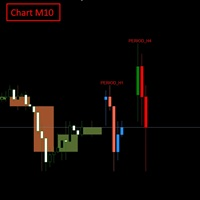
Chart Display Rules
-
Blue border: Buy positions
-
Red border: Sell positions
Additional Option
-
Show Trade Details on Mouse Hover
When the mouse cursor is moved over a trade panel, detailed information of that trade will be displayed, including:-
Ticket number
-
Magic number
-
Open time
-
Holding duration
-
Profit in currency
-
Profit in points
-















































Kullanıcı değerlendirmeye herhangi bir yorum bırakmadı