Quant Grid Pro
- Эксперты
-
Naveen Kumar Shyam
 🎁 SPECIAL OFFER! Get up to $30 EXTRA discount on my products! 🔥 DM me for details.
 - Версия: 2.0
- Обновлено: 11 июня 2026
- Активации: 10
Quant Grid Pro
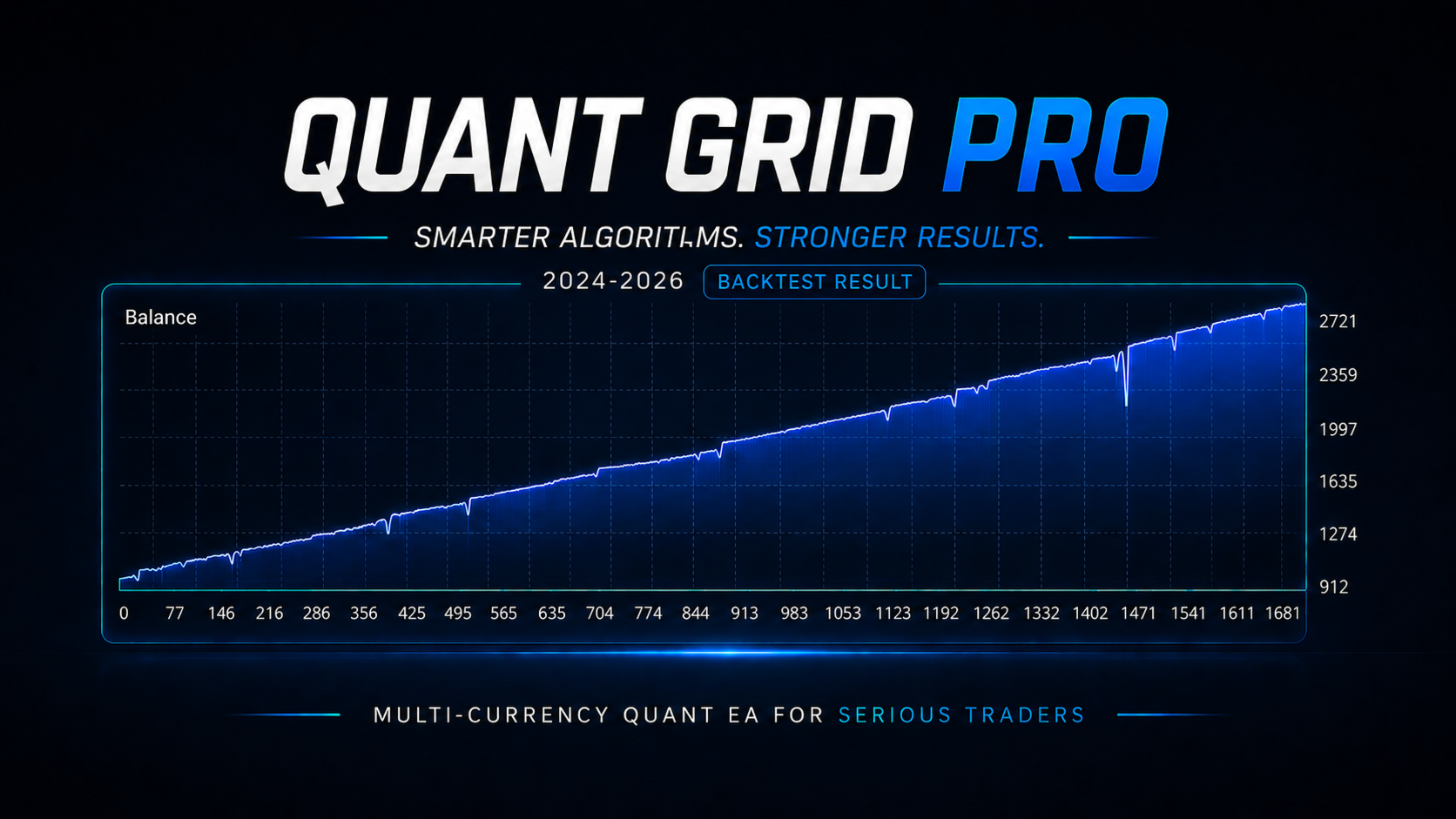
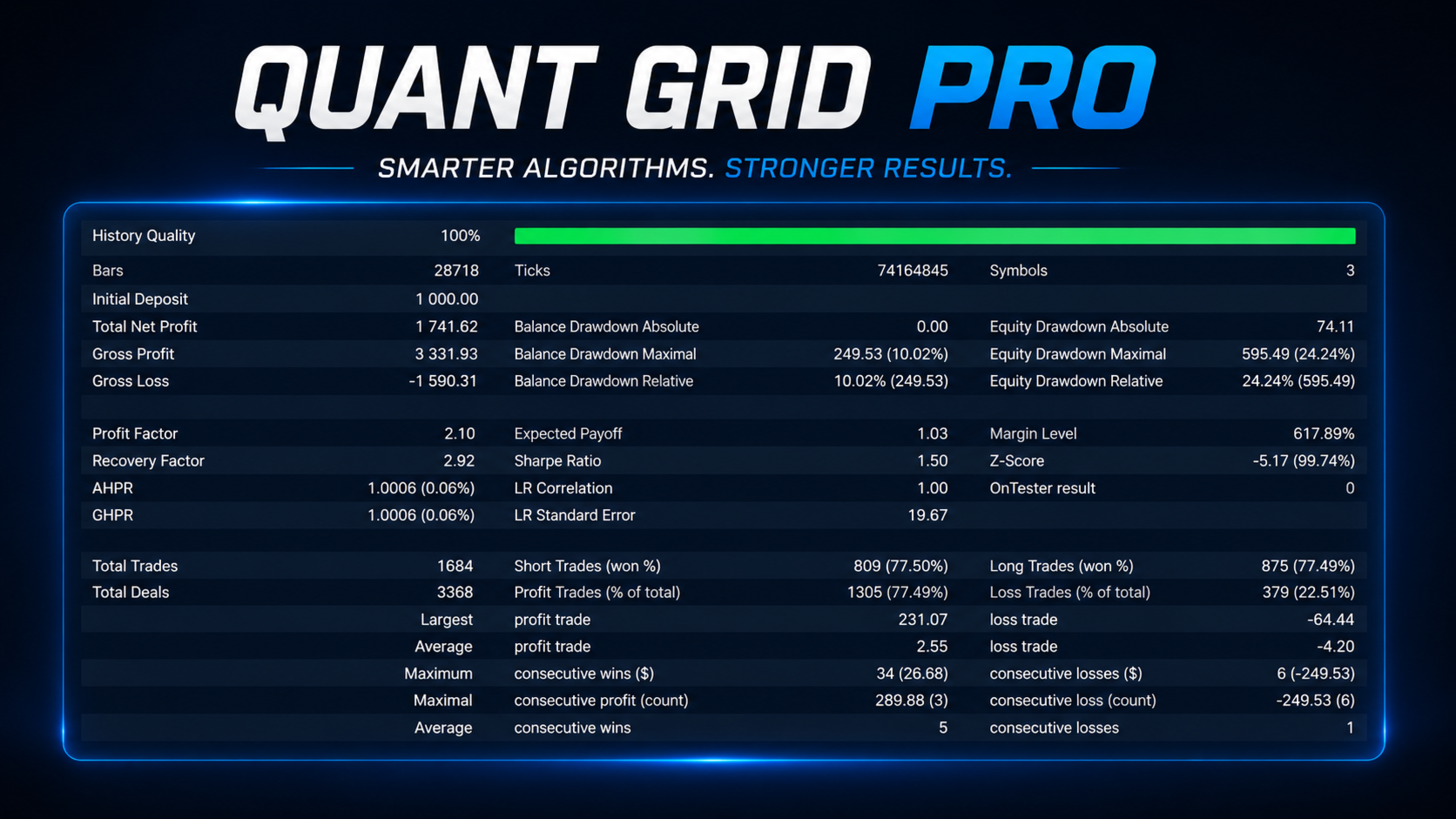
Quant Grid Pro is an automated multi-currency Expert Advisor designed for the MetaTrader 5 platform. The system integrates technical indicators, configurable grid management, risk controls, and a news filtering function into a single trading framework.
By default, the system is configured to support AUDCAD, AUDNZD, and NZDCAD on the M15 timeframe. However, the list of symbols can be fully modified through the input parameters to adapt to other trading instruments.
Strategy and Technical Filters
The expert advisor utilizes a multi-currency management architecture, allowing you to run operations from a single chart. It manages grid positioning using dynamic distance calculations based on market volatility. To assist with trade entries, the system incorporates standard technical filters, including Bollinger Bands, the Relative Strength Index (RSI), and an optional structural pattern-scoring mechanism.
Risk and Money Management
The system features multiple lot sizing methods to accommodate different risk profiles. Users can select between a fixed lot size, balance-based sizing, equity-based sizing, or deposit load percentage sizing. Additionally, user-defined risk presets can be loaded directly through the parameters.
To protect trading capital, the advisor includes margin level monitoring and strict drawdown limitation settings. Trade management functions feature initial and basket take profit settings, virtual take profit and stop loss options, multi-level breakeven functionality, swap compensation, and trade direction controls. A portfolio coordination feature is also included to limit the maximum number of simultaneous open symbols.
News Filter
The integrated economic calendar filter allows the Expert Advisor to automatically suspend trading activity before and after scheduled high-impact economic events. The specific waiting periods can be configured manually via the input parameters.
Installation and Setup Instructions
- Open a single M15 chart of your choice.
- Attach Quant Grid Pro to the chart.
- Configure the input parameters or load your preferred preset.
- Ensure the broker symbol suffix is specified if your broker uses non-standard symbol names.
- Enable Algo Trading in the MetaTrader 5 terminal interface.
Recommended Environment
For optimal performance, it is recommended to run the system on a MetaTrader 5 hedging account with a low-spread broker. Utilizing a reliable Virtual Private Server (VPS) is highly advised to ensure continuous, uninterrupted operation.