 MetaTrader 5
 Experts
 지표
지표
 라이브러리
라이브러리
 유틸리티
유틸리티
 위젯
위젯
 규칙
규칙
MetaTrader 4용 기술 지표 - 159
 아래 나열된 기술 지표의 시그널은 MetaTrader 4 플랫폼의 거래를 열고 종료하는 데 중요한 역할을 합니다.
지표의 본질은 가격 변화를 예측하기 위한 금융 시그널 값의 수학적 변형입니다.
아래 나열된 기술 지표의 시그널은 MetaTrader 4 플랫폼의 거래를 열고 종료하는 데 중요한 역할을 합니다.
지표의 본질은 가격 변화를 예측하기 위한 금융 시그널 값의 수학적 변형입니다. 
User Controls for iMomentum–iOBV–iBands 1.0 This indicator combines On‑Balance Volume (OBV), Momentum, and adaptive Bands. Buyers have full control over the following inputs and style settings: ShortName updated in download. OBV Settings • Applied Price (OBVPrice) → Choose how OBV is calculated (Close, Weighted, Typical, etc.) Momentum Settings • Momentum Period → Define the lookback period for Momentum calculation • Momentum Line Style → Solid or dotted line options • Momentum Line Wid

User Controls for iStochastics‑iBands 1.0 This indicator gives traders full flexibility to customize both the Stochastic Oscillator calculation and the band levels. Buyers will have control over the following inputs: ShortName updated in download. Stochastic Settings • Price Field → Choose between Low/High or Close/Close for stochastic calculation • %K Period → Set the lookback period for the %K line • %D Period → Define the smoothing period for the %D line • Slowing → Add addi
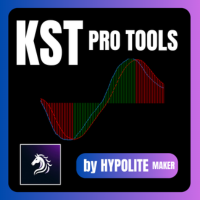
KST Pro Tools: Advanced Momentum Indicator KST Pro Tools is an advanced and optimized implementation of Martin Pring’s Know Sure Thing (KST) indicator. Designed for traders seeking an objective reading of market momentum, this tool filters out market noise to highlight only the phases of directional acceleration. Through intelligent filtering logic, KST Pro Tools allows you to quickly identify dominant trends and distinguish between phases of strength and periods of neutrality. Key Features Opti

Band Levels Plus Bands 2.1 product description: Band Levels Plus Bands is a precision‑engineered Bands indicator designed for traders who demand both audit clarity and visual elegance. Unlike standard bands, it layers both horizontal Band price lines and multiple deviation bandwidth classes (±1.75, ±3.5, ±4.5) to give you a richer sense of volatility zones and potential breakout levels. Every band is drawn as a continuous curve across history, while horizontal reference lines mark the curre

Market Structure Order Block Dashboard MT4 는 차트에서 시장 구조와 주요 가격 반응 영역을 직접 읽으려는 트레이더를 위해 설계된 MetaTrader 4 지표입니다. BOS, ChoCH, Order Blocks, Fair Value Gaps (FVG), 유동성, Kill Zones, Volume Profile 및 빠른 분석을 위한 컴팩트한 대시보드를 결합합니다. 이 지표는 시장 구조, ICT 및 Smart Money 개념을 의사 결정 프레임워크로 사용하는 트레이더를 대상으로 합니다. 추세 연속성, 가능한 반전, 가격 불균형, 유동성 목표 및 관심 영역을 보다 구조화된 방식으로 식별하는 데 도움이 됩니다. 구매자에게 제공되는 리소스 구매 후 MQL5 비공개 메시지로 간단히 요청하여 완전한 PDF 사용자 가이드 및 매개변수 설정 팁을 받을 수 있습니다. MQL5 비공개 메시지를 통한 직접 기술 지원. 이 MT4 버전은 MT5 버전 1.20의 모든 기능을

Raymond Cloudy Day Indicator for MT4 – Pivot-Based Reversal and Trend Levels Raymond Cloudy Day Indicator is a pivot-based level indicator for MetaTrader 4 (MT4). It was developed by Ngo The Hung based on Raymond’s original idea and is designed to give a structured view of potential reversal zones, trend extensions and support/resistance levels directly on the chart. The default settings are optimised for XAUUSD on the H1 timeframe, but the indicator can be tested and adjusted for other symbols
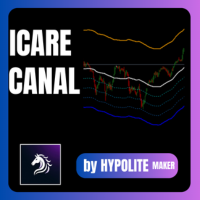
ICARUS CHANNEL The ICARUS CHANNEL is a technical indicator designed to identify extreme price zones and optimize your entry and exit points in the market. How It Works The tool is based on a Simple Moving Average (SMA) , which represents the fair market value. Around this line, it identifies overbought (Premium) and oversold (Discount) zones: Premium Zone (Orange): Price is considered too high. Ideal for selling (short). Discount Zone (Blue): Price is considered a bargain. Ideal for buying (long
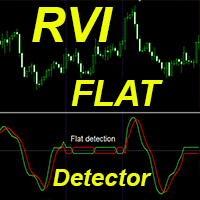
Crypto_Forex 지표 RVI FLAT 감지기는 트레이딩에 효율적인 보조 도구입니다! 리페인트 불필요. MT4용 이 훌륭한 지표로 트레이딩 방식을 업그레이드해 보세요. - 지표는 차트에서 가격이 플랫한 영역을 표시합니다. 플랫 감지를 담당하는 "플랫 민감도" 매개변수를 가지고 있습니다. - RVI FLAT 감지기는 가격 움직임 진입 확인 또는 과매도(-0.23 미만)/과매수(0.23 이상) 영역에서의 거래에 사용할 수 있습니다. - 추세 추종 시스템에서 플랫 영역을 감지하고 해당 영역에서의 거래를 피할 수 있습니다. - 반전 스캘핑(플랫 경계에서 반전 거래)에도 사용할 수 있습니다. - 표준 RVI 오실레이터 대신 RVI FLAT 감지기를 사용할 수 있는 다양한 방법이 있습니다. - Relative_Vigor_Index(RVI) 자체는 추세 시장에서 매우 유용한 기술적 모멘텀 지표입니다. 여기를 클릭하여 고품질 트레이딩 로봇과 지표를 확인하세요! 본 제품은 MQL5 웹사이트에

Multi-RSI: 4 RSI in 1 for Comprehensive and Fast Market Analysis Analyze market strength and momentum like a professional. Multi-RSI combines four distinct RSI indicators into a single window, providing a clear view of market dynamics across multiple timeframes. Each RSI features a configurable period to adapt to your specific trading strategies and styles. Key Features 4 RSI in one indicator: Track multiple timeframes simultaneously. Fully customizable periods: Individually adjust each RSI to f

IQ Trade Status – A Professional Trade Panel to track all your LIVE TRADES in a single dashboard.
IQ Trade Status is not just a trade panel; it is a professional dashboard designed for MetaTrader. It replaces the default Terminal window with a clean, structured, and actionable overview of your account and open trades.
The dashboard is designed to help you instantly answer three critical questions: How much have I made today? How much will I lose if all my trades go wrong? Is my account over-le

The "One-Click" Breakout Monitor Never Miss a Breakout Again. Price Alert Line is designed for traders who need speed and simplicity. Instead of navigating complex menus to set price alerts, this tool places a button directly on your chart. With a single click, you can deploy a horizontal line that monitors price action and alerts you immediately when the price crosses it. New Feature (Smart UI): The control buttons now automatically adapt to match your line colors. If you set your resistan

Get ALL my MT4 & MT5 indicators FREE — See how here
특별 할인 : ALL TOOLS , 개당 $35 ! 새 도구 는 $30 이며 첫 1주 또는 첫 3회 구매 에 해당합니다! Trading Tools Channel on MQL5 : 최신 소식을 확인하려면 제 MQL5 채널에 참여하세요 Liquidation Reversal Signals 는 Z-score 거래량 극값 과 Supertrend 상태 변화 를 결합하여 방향성 청산 단계 를 표시하고 반전 지점 을 확인하도록 설계된 인디케이터입니다. 추세가 단순히 “색이 바뀔” 때마다 화살표를 찍는 대신, 이 도구는 워크플로를 두 개의 명확한 레이어로 분리합니다: 청산 이벤트: 하위 타임프레임의 방향성 거래량(상승/하락 거래량)이 정의된 임계값을 초과하는 통계적으로 유의미한 스파이크를 만들 때 기록됩니다. 반전 신호: 기록된 청산 이벤트가

左右交易的其实都是情绪,把握情绪才是交易最终能够获得盈利的关键。
所以我这是一个「趋势氛围灯」指标,它能为您的交易图表做三件事: 1. 一眼识别市场状态 深蓝色背景 → 市场处于 强劲多头氛围 深红色背景 → 市场处于 强劲空头氛围 深灰色背景 → 市场处于 震荡平衡状态 2. 提供直观的视觉辅助 将复杂的多空力量对比 转化为最直观的背景色 让您 无需分析数据 就能感受市场情绪 在多个图表间切换时能 瞬间把握每个品种的当前强弱 3. 辅助交易决策 避免在强势多头时逆势做空 避免在强势空头时逆势做多 在震荡行情中提醒您保持观望或采用区间策略 本质上,它就像为您的交易图表安装了一个「情绪指示灯」,用颜色告诉您市场此刻的“性格”是强势上涨、强势下跌还是犹豫不决.

Long-Term Trend Top & Bottom Identification Indicator (Exclusive for Medium-to-Long-Term Trading) I. Core Orientation of the Indicator This indicator is a streamlined analysis tool focused on long-term market trends , designed to identify top and bottom inflection points for trading varieties such as forex and precious metals. By filtering out interfering signals from small-to-medium cycles, it provides clear guidance for medium-to-long-term trading decisions. II. Core Functions & Chart Pr

Accurate Signal ARC is a non-repainting trend & reversal signal indicator designed for MT4 .
It uses ATR-weighted volatility logic combined with adaptive price channels to detect high-probability BUY and SELL points directly on the chart. How It Works Calculates a dynamic volatility channel using weighted ATR Detects trend direction (river state) and switches only when price decisively breaks the channel Filters noise using spread-aware true range Draws clear arrows : Lime Arrow → BUY si

User Input Controls for BandsOnMomentum 1.0 This indicator gives traders full flexibility to customize the Momentum calculation and the band levels. Buyers will have control over the following inputs:
Momentum Settings • MomentumPeriod → Define the lookback period for Momentum calculation • MomentumPrice → Choose the applied price (Close, Open, High, Low, etc.) • Momentum Line Style → Solid or dotted line options • Momentum Line Width → Adjust thickness for visibility • Mome

Channel Searcher MT5 — 다중 통화 가격 채널 탐지 지표 프랙탈 피크(fractal peaks)와 기하학적 분석을 기반으로 가격 채널을 자동으로 탐지하고 시각화하는 보조 도구입니다. 이 지표는 **완전히 수동 트레이딩 전용**으로 설계되었으며, 시장의 구조적 접근법을 선호하는 트레이더에게 적합합니다. 채널은 터치 횟수, 기울기, 채움 밀도, 돌파 깊이, 프랙탈의 상대적 위치 등 다양한 기준에 따라 식별됩니다. 모든 가격 차트에 유연하게 맞춤 설정할 수 있습니다. 추가 기능 및 지원을 위한 링크 다음의 목적이 있으신 경우: MetaTrader 5 용 지표 버전 질문하거나 지원을 받기 이 지표는 누구를 위한 것인가요? 명확한 가격 구조를 찾고, 불필요한 노이즈나 무작위 선 없이 충분히 고품질의 채널을 보고 싶은 트레이더용입니다. 다수의 차트를 직접 감시하지 않고도 더 많은 관심 지점을 확보하고 싶은 트레이더용입니다. 알림 시스템이 제공됩니다. 유연한 설정을 중시하는 분

Product Description: OsMA‑iRSI‑iBands 1.0 OsMA‑iRSI‑iBands 1.0 fuses the Moving Average of Oscillator (OsMA) with RSI on array and overlays a dynamic band array to give traders a multi-layered view of momentum divergence, trend bias, and volatility compression. This hybrid design helps traders detect early shifts in momentum, confirm overbought/oversold zones, and frame breakout setups with precision. Does not yet displays OsMA histogram. Core Components • OsMA Array of RSI on Array of Bo

Indicator Name: "The Range Master" Core Purpose The Range Master is an advanced, multi-timeframe technical indicator designed to identify market consolidation (sideways ranging) and subsequent high-momentum breakout opportunities. It helps traders visually confirm when price action transitions from low-volatility accumulation to high-volatility trend initiation. ️ Functional Description (What it Does) The Range Master performs three primary, interconnected functions: Range Mapping , Breakout

TPX Dash Supply Demand A를 사용하면 전체 시장을 360º로 파악하여 중요한 공급 및 수요 영역을 발견할 수 있습니다.
다양한 통화쌍을 하나의 화면에서 실시간으로 모니터링하고, 필터를 사용하여 더욱 정확한 알림을 받을 수 있습니다.
해당 영역의 첫 번째 터치에 대한 알림 일일 시장 프로필(VAH 및 VAL) 대비 가격 위치 이동평균선 방향(래리 윌리엄스 시스템 - Average9) ATR 손절매 값 및 방향 현재 가격에 가장 가까운 Virgin POC 식별 및 값 ADX를 사용한 방향 강도 선택한 더 큰 시간 프레임의 이동평균선에서의 통화쌍 방향 원하는 위험/보상 비율(2:1, 3:1, 4:1, 심지어 5:1)에 대한 알림만 설정할 수 있습니다.
이동평균선 필터를 통해 거시적 추세 방향으로만 알림을 설정하여 잘못된 신호나 역추세 신호를 방지할 수도 있습니다.
거래 스타일과 관계없이, Dash TPX 공급 수요는 시장 포지션을 이해하고 추세 반전 직전의 거래

Advanced Kernel Smoother - Professional Multi-Kernel Regression Indicator The Advanced Kernel Smoother represents a sophisticated approach to price action analysis, utilizing advanced mathematical kernel regression techniques to filter market noise and identify high-probability trading opportunities with exceptional clarity. Core Technology This indicator employs 17 different kernel functions - including Gaussian, Laplace, Epanechnikov, Silverman, and more - each offering unique characteristics
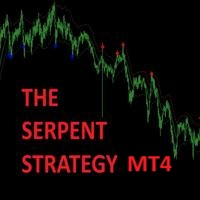
Trade Like a Serpent — Calm, Precise, Lethal. The Serpent Strategy equips you with a visual edge — clarity in confusion, precision in volatility, and confidence in timing.
Let your trades strike like a serpent — swift, silent, and accurate. Overview The Serpent Strategy is a powerful custom-built MetaTrader 4 indicator designed to identify high-probability trade zones using a unique combination of market volatility, trend direction, and momentum confirmation.
It visualizes price action i

Product Overview: WPR–iRSI–iBands 1.0 This indicator combines Williams Percent Range (WPR), Relative Strength Index (RSI), and volatility Bandwidth to deliver an indicator array data RSI of WPR. It’s ideal for traders who want to track Supply & Demand zones, trend reversals, and volatility thresholds, in one sub window. Core Components • WPR Curve → Measures overbought/oversold conditions based on recent highs/lows • RSI on WPR → Smooths WPR into a normalized oscillator for clearer signal

Title: HTF Candle Insight - See the Big Picture on One Chart Introduction: Stop switching tabs constantly! HTF Candle Insight allows you to visualize Higher Timeframe price action directly on your current trading chart. Whether you are a Scalper, Day Trader, or Swing Trader, seeing the "Big Picture" candle structure is crucial for identifying trends, reversals, and key levels (Support/Resistance). Key Features: Dual HTF Overlay: Display up to 2 different Higher Timeframes simultaneously (e.g.,

Dual Timeframe VWAP Indicator for MT4
Description Professional VWAP indicator that displays both **Daily** and **Weekly** VWAP simultaneously on your chart.
Features: - Dual VWAP Lines: Blue for Daily, Red for Weekly - Configurable Bands: Two deviation bands for each timeframe - Session Control: Customizable trading hours for Daily VWAP - Clean Visuals: Solid lines for main VWAP, dashed for bands - Optimizable: Parameters can be optimized using Genetic Algorithm
Key Settings: - Enable/di
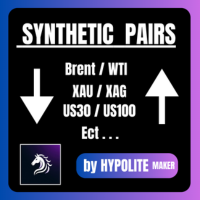
Pairs Synthetic Pro (Synthetic Pairs & Spread) Master Correlation Trading Correlation trading and statistical arbitrage are now within your reach thanks to the Pairs Synthetic Pro indicator. This tool goes beyond simple ratio analysis, acting as a specialized radar for detecting price imbalances between two assets to anticipate market corrections. For example, when Brent rises while WTI lags, the price spread widens. Our indicator, integrated with adaptive Bollinger Bands, identifies when this d

Advanced pattern recognition indicator that automatically detects and visualizes bearish Quasimodo formations on your charts. This powerful tool helps traders identify high-probability reversal zones for potential sell opportunities.
How It Works: The indicator identifies bearish Quasimodo patterns by finding the specific sequence: High → Low → Higher High → Lower Low. When completed, it creates a supply zone (red box) and monitors for sell signal potential opportunities or reversal (3rd pictu

Candle Close Timer – Essential Forex Indicator for Precise Trading The Candle Close Timer is a powerful and easy-to-use MetaTrader indicator designed for Forex traders who want to track candle closing times across multiple timeframes. This tool helps you make accurate trading decisions , improve entry and exit timing, and optimize your trading strategy. Key Features: Real-time countdown to candle close for all major timeframes: M1, M5, M15, M30, H1, H4, and D1. Visual alerts : candle timer color
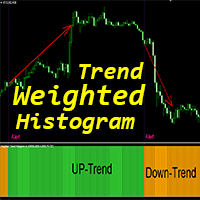
MT4용 Crypto_Forex 지표 "가중 추세 히스토그램", 리페인트 불필요 - 가중 추세 히스토그램 지표는 일반적인 이동 평균 교차 분석보다 훨씬 효율적입니다. - 추세 전략을 선호하는 트레이더에게 적합합니다. - 지표는 두 가지 색상으로 제공됩니다. 노란색은 하락 추세, 녹색은 상승 추세를 나타냅니다(색상은 설정에서 변경 가능). - 모바일 및 PC 알림 기능 제공 - 가격 변동, 스캘핑, 모멘텀 트레이딩 등 다른 거래 방식과 함께 사용하기 좋습니다. ..................................................................... 여기를 클릭하여 고품질 트레이딩 로봇과 지표를 확인하세요! 본 제품은 MQL5 웹사이트에서만 제공되는 오리지널 제품입니다.

TDI Signal Engine (3 signal types) Sharkfin (ReEntry) MBL Cross MA Cross (Green/Red cross) Level Guide Filter Choose how signals are validated around the mid-level (default 50): ZONE mode CROSS50 mode Custom mid level and tolerance Trend Filters Optional EMA trend filter (Fast/Slow EMA) Optional HMA filter (requires the HMA indicator if enabled) Entry Modes Conservative mode : one basket at a time per symbol Aggressive mode : allows multiple baskets

MV Arrow– Professional Swing Signal Indicator comment for set files and user manual.
MV Arrow v4.0 is a precision-based MT4 arrow indicator designed to identify high-probability swing BUY and SELL zones using a multi-filter confirmation system.
It focuses on market extremes , filtering noise and low-quality signals to deliver clear, well-spaced trade opportunities . This indicator is ideal for traders who prefer clean charts, disciplined entries, and confirmation-based signals rather than co

A professional Smart Money Concepts (ICT) indicator that plots true Higher Timeframe candles , Premium & Discount zones , and Equilibrium levels directly on lower timeframes for precise institutional analysis. ICT_Premium_Discount_HTF_Directional This indicator is designed for ICT, Smart Money, Institutional and Price Action traders who need a clear and accurate higher timeframe context while trading lower timeframes. Unlike common indicators, this tool draws real HTF candles (body & wicks) u

Spline Searcher MT5 — 가격 스플라인 및 관심 지점의 조기 탐지를 위한 다중 통화 지표 복잡한 가격 형성의 초기 단계를 자동으로 탐지하고 시각화하는 보조 도구입니다. 이 지표는 오직 수동 트레이딩을 위해 설계되었으며, 더 복잡한 시장 형상이나 트렌드(그 구성 요소로 단순한 형성이 포함될 수 있음)를 조기에 포착하려는 트레이더에게 적합합니다. 최대 6가지 유형의 초기 형상을 탐지합니다: 원격 캔들과 근접 캔들에 정점이 있는 포물선, 감쇠 조절이 가능한 조화 진동, 선형 파형 등입니다. 모든 형상은 정확도, 크기, 지속 시간, 견고성 기준에 따라 평가됩니다. 외관에 대한 유연한 사용자 정의와 고급 검색 로직이 제공됩니다. 추가 기능을 얻는 데 도움이 되는 링크 다음과 같은 목적이 있으신 경우: MetaTrader 5 용 지표 버전 질문하거나 지원받기 이 지표는 누구를 위한 것인가요? 흥미로운 시장 상황을 조기에 탐지하고 다양한 접근법을 시도하고자 하는 트레이더용입니다.

SuperTrend Visualizer – The Ultimate Trend-Following System
For MT5 version : https://www.mql5.com/en/market/product/158765
Stop guessing the market direction. SuperTrend Visualizer transforms your MetaTrader 4 chart into a clear, color-coded trading system. Unlike standard indicators that only draw a line, this tool automatically colors your candles based on the trend, helping you spot entries and exits instantly. Why SuperTrend Visualizer? Standard charts can be messy. This indicator uses a

MV Arrow Signal System Indicator Overview The MV Arrow Signal System is a comprehensive multi-indicator trading system for MetaTrader 4 that identifies potential buy and sell signals based on swing point detection combined with multiple technical confirmation filters. Core Concept The system scans price charts to identify swing highs and swing lows, then applies a scoring system based on multiple technical indicators to validate these potential reversal points. Only high-probability signals tha

가격 행동을 기반으로 구조 돌파(BOS)와 유동성 스윕을 시각화하는 시장 구조 지표입니다. 분석 목적 전용입니다. BOS Liquidity Sweep – 시장 구조 지표 (MT4) 이 지표는 순수한 가격 행동과 시장 구조 분석을 사용하여 구조 돌파(BOS)와 유동성 스윕을 차트에 직접 시각화합니다. 시각적 분석 도구로 설계되었으며 자동으로 거래를 실행하지 않습니다. 개념 금융 시장은 보다 명확한 방향성이 형성되기 전에 종종 높은 유동성 영역으로 이동합니다.
이 지표는 다음 요소를 결합하여 이러한 움직임을 시각화합니다: • 시장 구조(HH, HL, LH, LL)
• 유동성 스윕
• 구조 돌파(BOS)를 통한 구조적 확인 목적은 시장 행동을 설명하는 것이며, 강제적인 신호를 생성하는 것이 아닙니다. 작동 방식 1️ 시장 구조 감지
지표는 가격 움직임을 지속적으로 분석하고 다음을 식별합니다: • Higher High (HH)
• Higher Low (HL)
• Lower Hi

Intuitive Trading on Higher Time Frames Streamline your trading strategy with the Target Trend V2 Indicator. Specifically designed for use on higher time frames, this tool specializes in immediately identifying the underlying market trend, allowing you to make decisions with absolute clarity. Our core philosophy emphasizes consistency and discipline : simply follow the signal to capture the directional move and achieve your daily profit target, often closing the trade after the action of just a

Title: Price Action Pro - Advanced Multi-Timeframe Reversal Scanner Product Overview: Price Action Pro is not just another candlestick pattern indicator. It is a complete trading system designed to detect high-probability reversal setups. Unlike standard indicators that spam signals on every pattern, Price Action Pro uses a Smart Swing Filter to ensure patterns are only detected at valid swing highs or lows. Combined with Multi-Timeframe (MTF) capabilities and Dynamic ATR Sizing , this tool adap

# Multi-Timeframe Moving Average Grid Indicator ## Product Overview This indicator displays multiple moving average lines across different timeframes on a single chart. It includes a dashboard that shows the nearest support and resistance levels based on the moving averages. The indicator is designed to help traders analyze price action relative to moving averages from multiple timeframes simultaneously.
does the same job as Money Map Grid --- ## Key Features ### Multi-Timeframe Display - Disp

Weinstein Stage Analysis (MTF) – Professional Market Structure Indicator This indicator implements Stan Weinstein’s Stage Analysis in a clean, modern, and fully MTF-correct way for MetaTrader 5. It automatically identifies the four classical market stages: Stage 1 – Base / Accumulation Stage 2 – Advancing Trend Stage 3 – Distribution Stage 4 – Declining Trend Unlike many simplified versions, this indicator: Calculates the trend on a higher timeframe moving average Projects the correct

Work description The MA7 Lavender indicator is based on the standard Stochastic Oscillator indicator. It shows the intersection of the main and signal lines in overbought and oversold zones. Detailed information about the MA7 Lavender indicator.
Indicator settings General settings This group contains settings for the Stochastic Oscillator indicator.
Message settings This group contains the notification settings when the arrows appear.
Arrow display settings This group contains the arrow displ

Bollinger Trend Lines – MT4 & MT5 Bollinger Trend Lines is a professional volatility-based trend indicator designed to clearly identify trend direction and dynamic stop levels using Bollinger Bands. Fuses on one core principle:
follow the trend, ignore noise, and let volatility define the stop. How it works The indicator builds trailing trend lines using Bollinger Bands: In an uptrend , the lower band trails price and can only rise In a downtrend , the upper band trails pri

The ADX Dashboard V11.03 is a professional MT4 indicator designed to provide traders with an intuitive visual overview of trend strength and market sentiment across multiple timeframes. It integrates ADX (Average Directional Index) and RSI (Relative Strength Index) indicators, presenting key data in a concise dashboard to help traders make quick and informed trading decisions without complex analysis of individual indicator charts. First, the installation process is straightforward. Copy the co

FiboPro 2.11 Indicator User Manual I. Overview FiboPro 2.11 is a dynamic Fibonacci support/resistance indicator for MT4. It calculates multiple Fibonacci levels via a dynamic central line and volatility, intuitively showing market trends (bullish/bearish/sideways) and identifying overbought/oversold signals. Suitable for forex, futures, stocks, etc., it’s recommended for M15+ timeframes to avoid short-term noise. II. Installation Guide Copy fiboz.mq4 to the "MQL4/Indicators" folder in your MT4

Shadow Zone Detector Shadow Zone Detector is a professional and advanced MT4/MT5 indicator designed to identify and visualize optimal premium and discount zones based on higher timeframe (HTF) candlestick shadows. Inspired by ICT (Inner Circle Trader) techniques, this tool allows traders to quickly spot high-probability areas for entries and exits with a clear, visual representation. Key Features: Premium & Discount Zones: Automatically detects the upper and lower wick zones of previous HTF cand

[Title] ChanLun Ultimate Structure: SMC & Interactive Fibo System [Introduction] Unlock the true potential of Market Structure analysis by combining the precision of ChanLun Theory (Bi, Duan, Zhongshu) with modern Smart Money Concepts (SMC) . This indicator goes beyond simple swing detection. It visualizes the market in three distinct layers—Pen, Segment, and Wave—while automatically identifying high-probability trading zones (Premium/Discount/OTE). The standout feature is the "Interactive Hybri

VORTEX OSCILLATOR: The Power of Volume Flow VORTEX OSCILLATOR is an advanced trading tool that transforms the classic Vortex indicator into a highly responsive precision oscillator. Designed for traders who demand absolute clarity, it merges price action and volume to reveal the true strength behind every market movement. What Makes VORTEX OSCILLATOR Unique Most indicators simply follow price, often resulting in late entries. VORTEX OSCILLATOR utilizes a mathematical approach centered on Volume-

Breakout Detector — 고급 변동성 분석 및 돌파 감지 도구 설명 Breakout Detector는 낮은 변동성 구간을 식별하는 고급 기술적 지표로, 이러한 구간은 종종 큰 가격 돌파에 앞서 나타납니다. 이 지표는 파킨슨 변동성 계산과 RSI 분석을 결합하여, 트레이더가 돌파 기회를 미리 포착할 수 있도록 도와줍니다. 이 인디케이터가 해결하는 문제 돌파 신호를 놓침 : 돌파를 인지했을 때 이미 최적의 진입 시점을 놓친 경우 가짜 돌파 : 높은 변동성 구간에서 진입했다가 가격이 빠르게 반전되는 경우 타이밍 문제 : 시장이 언제 '에너지를 축적'하고 있는지 파악하기 어려움 변동성 혼동 : 일반적인 가격 움직임과 진짜 저변동성 압축 구간을 구분하기 어려움 늦은 진입 : 돌파 패턴을 인식했을 때 이미 가격이 크게 움직인 경우 이 인디케이터의 해결 방법 조기 경고 : 돌파 전 저변동성 구간(값이 30 미만)을 식별 시각적 준비 구간 : 금색 사각형으로 압축 구간을 강조 표시 스마

Title: SMC Ultimate Structure Pro – High Performance Smart Money Indicator Headline: The most comprehensive and lightweight SMC tool on the market. Master Structure, Order Blocks, and FVGs without the lag. Overview: SMC Ultimate Structure Pro is an advanced "All-in-One" institutional trading tool designed for professional traders who demand precision and performance. Unlike other heavy indicators that freeze your terminal, this tool has been re-engineered from the ground up to ensure zero lag, e

귀하의 거래 전략의 잠재력을 Inventory Retracement Bar MT4으로 잠금 해제하세요. 이는 MetaTrader 4를 위해 독점적으로 설계된 혁신적인 지표입니다. 이 강력한 도구는 현재 추세에 대해 45% 이상 되돌아가는 캔들스틱 패턴을 식별하여 거래자들이 시장에 재진입할 최적의 지점을 찾아내는 데 도움을 줍니다. Inventory Retracement Bar MT4은 시장 모멘텀이 재개될 가능성이 있을 때 명확한 시각적 신호를 제공하여 귀하의 거래 결정을 향상시킵니다. 이는 초보자와 경험이 풍부한 거래자 모두에게 귀중한 자산입니다. forex, 지수, 상품 및 암호화폐에 이상적인 이 지표는 신호 지연의 위험 없이 되돌림을 활용할 수 있게 해줍니다. MQL 제품 설치 가이드 | 구매한 MQL 제품 업데이트 MT4/MT5 | 일반 문제 해결 가이드 | 지표 설정 / 가이드 주요 기능 버퍼 통합: 지표 값을 접근 가능한 버퍼로 노출하여 Expert Advisor가 자동

추측은 그만. 계산도 그만. 트레이딩을 시작하세요. Risk Reward Tool 은 TradingView의 직관적이고 시각적인 경험을 MetaTrader 차트로 직접 가져옵니다. 전문적인 트레이딩에는 정확한 리스크 관리가 필요하지만, 엑셀 시트로 수동으로 랏 사이즈를 계산하는 것은 느리고 위험합니다. 해결책: 진입가, 손절매(Stop Loss), 이익 실현(Take Profit) 레벨로 시각적 라인을 드래그하기만 하면 됩니다. 이 도구는 특정 금액(예: $50)을 리스크로 걸기 위해 거래해야 하는 랏 수를 즉시 계산해 줍니다. [ Get the MT5 Version Here ]
주요 기능 시각적 "TradingView" 스타일: 숫자는 잊으세요; 눈으로 트레이딩하세요. 대화형 녹색(이익) 및 빨간색(손실) 영역을 차트에서 직접 드래그하여 진입 전에 설정을 명확하게 확인하세요. 즉각적인 랏 사이즈 계산기: 수학은 백그라운드에서 이루어집니다.

Pivot Flow Pro - Trend-structure market direction using pivot highs and lows to form a dynamic bull/bear band.
Non-repainting trend-structure indicator that identifies market direction using averaged pivot highs and lows to form a dynamic bull/bear band, with signals confirmed strictly on closed candles. When price closes above or below the adaptive pivot levels, the indicator shifts trend and prints a flip arrow, while continuation dots highlight valid breakout points in the direction of the c

Intraday Secret Levels Pro Intraday Secret Levels Pro는 거래 세션 동안 가격이 자연스럽게 반응하는 중요한 일중 지지 및 저항 레벨 을 표시하도록 설계된 전문 등급 인디케이터입니다. 이 도구는 매수·매도 신호를 생성하지 않으며, 대신 명확하고 구조화된 가격 프레임워크 를 제공하여 트레이더가 가격 행동, 반응, 그리고 시장 구조를 기반으로 보다 합리적인 결정을 내릴 수 있도록 돕습니다. 이 인디케이터는 명확성, 정밀성, 안정성 을 중시하는 트레이더를 위해 설계되었으며, 리페인팅이나 불필요한 복잡성을 포함하지 않습니다. 이 인디케이터는 무엇을 하나요? Intraday Secret Levels Pro는 자동으로 수평 가격 레벨 세트 를 표시하며, 다음과 같은 역할을 합니다. 일중 지지 구역 일중 저항 구역 균형 및 가격 반응 레벨 이 레벨들은 트레이더가 다음과 같은 영역을 식별하는 데 도움을 줍니다. 가격이 일시적으로 멈출 가능성이 있는 영역 거부

H4 & M30 Turning Point PRO로 트렌드 기반 거래 극대화! 추측과 복잡한 차트는 이제 그만. 이 프리미엄 지표는 상위 시간대 트렌드 감지와 정밀한 단기 전환점 신호를 결합하여 명확한 매수 및 매도 기회를 제공합니다. 트레이더들이 사랑하는 이유: H4 EMA200 트렌드 바이어스: 우세한 트렌드를 한눈에 파악. 트렌드 방향으로만 거래. M30 실행 화살표: 트렌드, 구조, 변동성으로 확인된 고확률 전환점을 기다리세요. 스마트 라벨: 매수(BUY) 또는 매도(SELL) 화살표를 언제 예상해야 하는지 항상 확인 – 혼란과 신호 누락 없음. 선택적 알림: 팝업, 푸시 알림, 이메일은 설정당 한 번만 발생하여 알림 과부하 방지. 커스터마이징 가능한 라인 및 시각화: H4 & M30 EMA 라인 표시/숨김 가능, 전문적인 차트 레이아웃을 위한 깔끔한 라벨. 스윙 + ATR 필터: 강력한 시장 구조만 신호를 트리거 – 자신감 있는 거래! 적합 대상: 트렌드 기반 진입을 원하는

The indicator's source code is for sale; those interested can contact me via PM. TrendlyOP – Non-Repainting Trading Indicator For Mt4 TrendlyOP is a MetaTrader 4 indicator designed to provide clear Buy and Sell signals based on market price behavior. The indicator focuses on delivering stable signals without recalculating past data, helping traders analyze the market with greater consistency. Non-Repainting Signal Logic TrendlyOP is designed to avoid repainting. Signals are generated after candl

TrueStrength Oscillator v1.00 Visual representation Thick blue line: The main TSI, which tracks market momentum. Thick red line: The signal line, which follows the main line closely to identify crossovers. Thin blue bars: Histogram bars extending from the zero line to the main blue line. Dotted gray line: The zero level, providing a clear reference for trend reversals. Operational advantages Fixed scale: The range remains constant between -0.000001 and +0.000001 for consistent reading. No repain

Interactive Risk Manager is a professional risk management and position calculation tool for MetaTrader 4. It is designed to automate and simplify the complex calculations traders must make before opening a position. Insert into the Indicators folder.
MAIN FEATURES 1. AUTOMATIC LOT CALCULATION Automatically calculates the position size (lots) based on:
Account balance
Desired risk percentage
Stop loss distance
2. FLEXIBLE STOP LOSS MANAGEMENT Supports three different stop loss types:
Poin

Klinger Volume Oscillator Short Description A volume-based flow analysis tool designed to visualize buying and selling pressure through a dual-colored histogram. Detailed Description The Klinger Volume Oscillator Histo is a technical analysis indicator that explores the relationship between price movement and transactional volume. By converting the traditional Klinger Oscillator into a dynamic histogram, this tool allows traders to observe the internal strength of market movements. The indicato

개발자 노트 저는 11년 이상의 경력을 가진 MQL4/5 개발자입니다. 인디케이터 판매에 집중해 온 적은 없지만, 이 시스템의 안정적인 긍정적 손익 비율은 저 자신도 놀라게 했습니다 (Rare Spear 인디케이터 포함).
그렇기 때문에 이를 공개하기로 결정했습니다. 모든 로직, 구조 및 저작권은 전적으로 저에게 있습니다.
어떠한 약속도 하지 않습니다 — 직접 테스트하고 판단하시기 바랍니다. 이 인디케이터가 특별한 이유 주의 — 이것은 단순한 시각적 착시가 아닙니다!
경험 많은 개발자가 만든 이 인디케이터는 실제로 거래 가능한 진입 및 청산 지점을 보여줍니다. 많은 인디케이터는 캔들이 마감된 후 과거 캔들에 화살표가 나타나는 시각적 오류를 가지고 있으며, 이는 비현실적인 수익 계산과 오해를 불러오는 통계로 이어집니다. 본 인디케이터는 이 문제를 완전히 제거했습니다: 진입 화살표는 새 바가 열릴 때만 표시 화살표는 실제 거래 가능한 가격에 표시 청산 화살표는 고점/저점이 아닌 정확히

B_Asr MT4— 아시아 세션 범위 아시안 세션 레인지는 아시아 거래 세션을 기반으로 주요 가격대를 차트에 자동으로 표시해주는 깔끔하고 간편한 지표입니다. 수동으로 그릴 필요도 없고, 복잡한 설정도 필요 없습니다. 차트에 불러와 바로 거래하세요.
그것이 끌어들이는 것 아시아 거래 세션이 종료되면 해당 지표는 남은 거래일 동안 7개의 수평 레벨을 표시합니다. 높음 — 세션 최고치 낮음 — 세션 최저치 중간 — 높음과 낮음의 중간 지점 상단 - 고점 대비 100% 확장 중상위권 — 고가 대비 50% 상승 더 낮은 가격 — 최저점 대비 100% 확장 LowerMid — 저가 대비 50% 확장 이러한 수준은 런던 및 뉴욕 세션에서 자연스러운 지지선, 저항선 및 돌파 목표 지점 역할을 합니다.
라이브 세션 모드 아시아 세션 동안에는 지표가 고가, 중가, 저가 세 개의 선만 표시하며 세션 진행 상황에 따라 실시간으로 업데이트됩니다. 세션이 종료되면 7개 레벨이 모두 자동으로 표시됩니다.

B_Pipsy MT4 — 마지막 포지션 핍 레이블
MT4용 소형 차트 표시기로, 심볼에 대한 마지막 개설 포지션의 현재 변동 결과를 정수 핍 단위로 표시하며 수익 또는 손실에 따라 자동으로 녹색/빨간색으로 표시됩니다. 모든 심볼과 시간 프레임에서 작동하며 글꼴, 색상 및 화면 위치를 완전히 구성할 수 있습니다.[1][2]
주요 특징: 현재 종목에 대해 가장 최근에 개설된 시장 포지션(매수 또는 매도)을 감지하고 나머지는 모두 무시합니다. 4/5자리 및 2/3자리 심볼에 대해 핍 크기를 자동으로 감지하여 실시간으로 핍 단위의 부동 소수점 결과를 계산합니다. IncludeSpread 매개변수를 통해 스프레드시트를 선택적으로 포함할 수 있습니다. 핍의 절댓값만 표시하고 양수 값에는 ColorProfit, 음수 값에는 ColorLoss 색상을 사용하여 텍스트 색상을 지정합니다. 레이블은 글꼴 크기, 글꼴 이름, 차트 모서리, X축 오프셋 및 Y축 오프셋을 완벽하게 사용자 지정할 수 있

중요 – 이것은 단독으로 작동하는 표시기가 아닙니다. 이 도구는 손절매 또는 이익실현을 자체적으로 관리하지 않으며, 어떠한 거래 로직도 독립적으로 실행하지 않습니다. 이 제품은 One Click B3 MT4 Expert Advisor와 함께 사용하도록 특별히 설계되었습니다. 동일한 심볼에서 One Click B3 MT4가 실행되지 않으면 이 지표는 버튼만 표시하고 손절매/익절 기능을 제어하지 않습니다. 원클릭 B3 MT4를 소유하거나 사용하지 않는 경우, 이 제품은 거래 기능을 제공하지 않습니다. B SL_TS_TP MT4 — EA 원클릭 B3 MT4용 SL 토글 주요 용도: EA One Click B3 MT4 활성화/비활성화 토글 버튼 - 원클릭으로 자동 손절매/익절매 설정 기능을 차단합니다. 강력한 보호 시스템을 갖춘 MT4 빌드 5430 이상용 산업용 손절매 버튼 표시기: 손상된 파일 자동 복구, 포지션 유효성 검사, 오래된 객체 정리, 모든 차트의 완벽한 상태 동기화 기능을

포지션 수익 모니터 지표 MT4 포지션 수익 모니터는 고급 기능을 갖춘 경량 도구로(무거운 버퍼를 사용하지 않고 타이머와 텍스트 레이블만 사용), 실시간 수익/손실, 매수/매도 포지션 수, 매수/매도 손절매(SL) 수, 포트폴리오 총액, 선택한 모든 종목의 미결제 포지션 합계를 표시합니다. 연결 후 모든 차트에서 작동하며 차트나 종목에 관계없이 전체 MT4 계정의 포지션을 보여줍니다. 플랫폼에 부담을 주지 않고(CPU/RAM 사용량 최소화), 실계좌와 데모 계좌에서 동일하게 작동하며, 모든 MT4 브로커와 완벽하게 호환되고 헤징/네팅을 지원합니다. 운영 및 구성 향상된 다단계 표시: 이 지표는 SymbolsList(기본값 "XAUUSD,DE40,US30,USTEC,BTCUSD")에서 심볼을, CommissionsList에서 수수료를 파싱합니다. 브로커 접미사에 관계없이 "XAUUSD", "GOLD", "BTCUSD", "GER30" 등 어떤 이름이든 최대 50개의 금융 상품을 처리

Strategy Overview (Best for Scalping) - Non-repainting If you don't have Renko chart builder, let me know and i can share it for free.
A sophisticated multi-filter trading system designed to identify high-probability entry points with exceptional precision. This proprietary methodology combines multiple confirmation layers to generate signals with high statistical reliability. ATTACH THE INDICATOR TO RENKO CHART
Entry Conditions: Buy Entry: Price is above the Green line Up Arrows are plotted S

Master the Gold Market with Precision Timing
Overview: Unlock the potential of the 15:00 UTC market volatility with the Winning Hour Gold Indicator . Specifically engineered for Gold (XAUUSD) , this powerful tool is designed to capture high-probability moves during one of the most liquid hours of the trading day. Whether you are a day trader or a scalper, this indicator simplifies your decision-making process by defining clear zones and entry points. "Always set the time to the New York Stock E

Pan Bands of Asymmetric Volatility
- A Research-Driven Volatility Framework
and Market Regime Switching Signal Author : Heping Pan
Swingtum Prediction Pty Ltd, Australia
panhepingism@gmail.com 28/12/2025
Des cription Move beyond conventional indicators. The Pan Bands of Asymmetric Volatility suite is not merely another technical tool—it is a trading application built upon a peer-reviewed, academically published financial research model [Heping Pan, (2012), "Yin-yang volatility in scale spac

Trade the Range – H4 레인지 마켓 감지기 & 일간 SR 존과 윅 반전 알림 개요:
“Trade the Range”는 높은 확률의 레인지 시장 에 집중하고자 하는 트레이더를 위해 설계된 정밀 트레이딩 도구입니다.
모든 트렌드를 무작정 따라가기보다는, 이 지표는 H4 시간 프레임에서 시장이 조정(횡보) 중인지 자동으로 감지 하며, 레인지의 상단과 하단 구간에서 자신 있게 거래할 수 있도록 안내합니다. 주요 기능: H4 레인지 감지: H4 시간 프레임이 레인지 상태인지 트렌드 상태인지 자동으로 식별합니다. 좌측 상단에 명확한 라벨 표시 : H4가 레인지 → 부제목을 통해 레인지 상단과 하단에서 거래하도록 안내. H4가 트렌드 → 라벨이 트렌드 방향으로 업데이트되고, 레인지 거래 안내는 숨김 처리. 일간 지지/저항 존: 전일 고점과 저점 구간을 표시하며, 두께는 설정 가능. 중간선 , 전일 시가 , 현재 종가 를 강조하여 정밀도 향상. 색상으로 구분된 구간: 녹색 = 지지

Rule-based MT4 indicator combining multi-timeframe flow with validated supply and demand. Displays clear WAIT, ARMED, TRIGGER, and RESET states to support disciplined trade decisions.
Overview Combined 3-Flow + Supply & Demand Trigger is a rule-based MT4 indicator designed to align multi-timeframe market flow with validated supply and demand zones, then present clear, state-based trigger conditions on the execution timeframe.
The indicator guides the trader through a structured decision proce

**NTF Pro(프로페셔널 트렌드 팔로우 인디케이터)** 는 현대 금융 시장을 위해 특별히 설계된 지능형 트렌드 분석 도구입니다. 이는 전통적인 기술적 분석과 인공지능 알고리즘을 융합하여, 투자자들에게 고정밀, 다차원의 시장 트렌드 판단 근거를 제공하는 데 주력합니다. 실시간 동적 매개변수 최적화, 다양한 시간대 데이터 통합 및 시장 심리 감지를 통해, NTF Pro는 거래 결정의 정확도를 현저히 높여 사용자가 시장 전환점과 트렌드 지속 기회를 포착하는 데 도움을 줍니다.
**데이 트레이더용:** 1분~15분 차트 수준의 트렌드 포착, 거래량 급증 알림과 연동 **스윙 투자자용:** 주간 차트 수준의 주요 상승 파동 식별, 중기 조정 국면 위험 회피
**삼색 선의 기능과 용도: 빨강 | 초록 | 노랑** * **빨간선 위**는 매수세(강세) 우위 영역, **초록선 아래**는 매도세(약세) 우위 영역으로 간주합니다. * **두 선이 동일한 색상일 때만** 명확한 거래 기

TrendSeeker Pro – 궁극의 트렌드 & 전환점 대시보드 + H4 레인지 감지기 Ultimate Trend & Turning Point Dashboard는 트레이더가 항상 올바른 추세 방향에 머물 수 있도록 돕고, 낮은 확률의 횡보 구간을 제거하며, 정확한 전환점 진입을 자신 있게 제공하는 완전한 멀티 타임프레임 시장 판단 시스템입니다. 이것은 단순한 인디케이터가 아닙니다.
진입 전에 반드시 확인해야 할 모든 것을 명확히 알려주는 완성형 트레이딩 프레임워크입니다. 이 도구는 거래 전에 다음의 세 가지 핵심 질문에 답합니다: 시장은 추세인가, 횡보인가? 상위 타임프레임(H4)의 바이어스는 무엇인가? 가장 안전하고 확률이 높은 전환점 진입 위치는 어디인가? 1. 스마트 멀티 심볼 트렌드 대시보드 (H4 기반) 내장된 대시보드는 모든 사용 가능한 심볼을 자동으로 스캔하여 H4 타임프레임에서 EMA, ADX, ATR 로직을 사용해 각 종목을 즉시 분류합니다. 각 종목에 대해 대시보
MetaTrader 마켓은 과거 데이터를 이용한 테스트 및 최적화를 위해 무료 데모 거래 로봇을 다운로드할 수 있는 유일한 스토어입니다.
어플리케이션의 개요와 다른 고객의 리뷰를 읽어보시고 터미널에 바로 다운로드하신 다음 구매 전 트레이딩 로봇을 테스트해보시기 바랍니다. 오직 MetaTrader 마켓에서만 무료로 애플리케이션을 테스트할 수 있습니다.
